02ドラッグハンドル比較スライダー
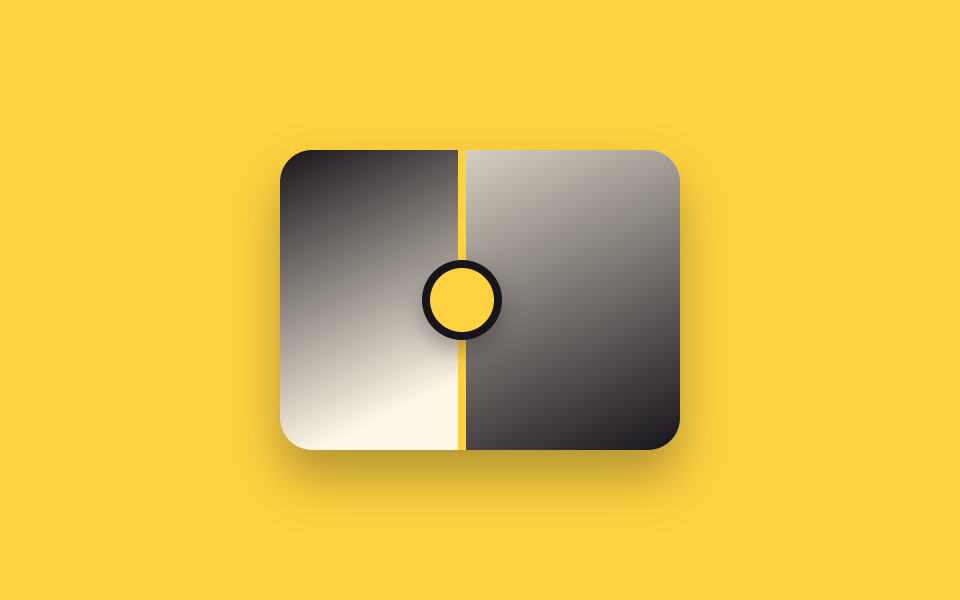
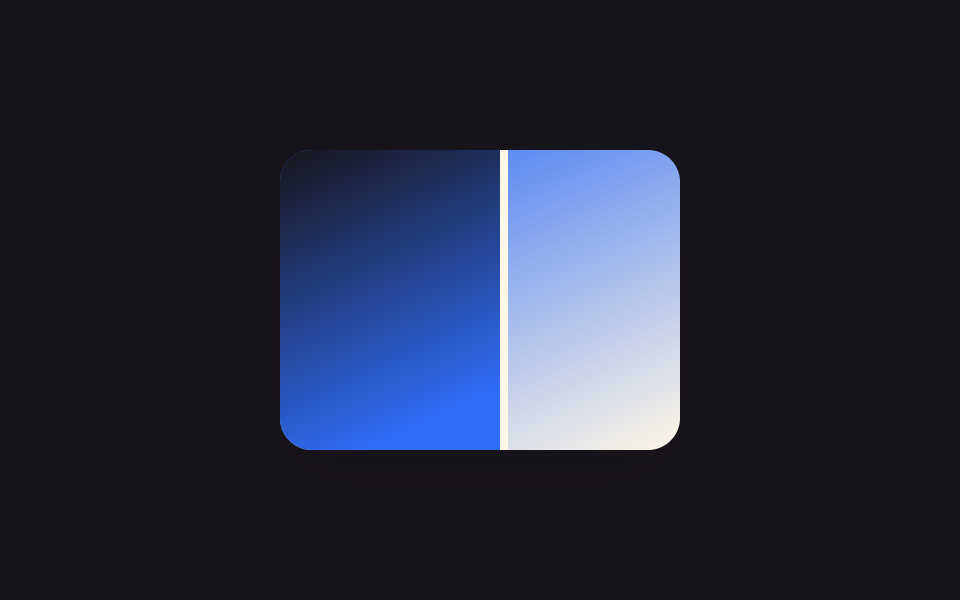
中央の丸いハンドルを指のようにドラッグすると縦線がリアルタイムで追従し、登録済みの CSS カスタムプロパティ一つだけを更新して境界が滑らかに動きます。
使いどころ内装工事の前後詳細ページ、眉アートメイク・脱毛施術の前後レビュー
pointer 드래그@property 변수handle translateX
<main class="stage">
  <div class="ba is-demo" id="ba">
    <div class="ba__after"></div>
    <div class="ba__before"></div>
    <div class="ba__handle" id="grip"><span class="ba__grip"></span></div>
  </div>
</main>
@use "../../../../site/static/demo-tokens" as *;
$duration: $dur-loop;
$easing: $ease-spring;
$color: $subject-ink;
@property --reveal {
syntax: "<percentage>";
inherits: true;
initial-value: 50%;
}
@include stage($stage-yellow);
.ba {
position: relative;
width: 200px;
max-width: 100%;
aspect-ratio: 4 / 3;
border-radius: $r-card;
overflow: hidden;
box-shadow: $shadow-raised;
--reveal: 50%;
}
.ba__after,
.ba__before {
position: absolute;
inset: 0;
}
.ba__after { background: linear-gradient(155deg, $subject-cream 0%, $color 100%); }
.ba__before {
background: linear-gradient(155deg, $color 0%, $subject-cream 65%);
clip-path: inset(0 calc(100% - var(--reveal)) 0 0);
}
.ba__handle {
position: absolute;
top: 0;
bottom: 0;
left: var(--reveal);
width: $sp-1;
transform: translateX(-50%);
background: $stage-yellow;
cursor: ew-resize;
touch-action: none;
}
.ba__grip {
position: absolute;
top: 50%;
left: 50%;
width: $sp-8;
height: $sp-8;
border-radius: $r-pill;
background: $stage-yellow;
border: $sp-1 solid $color;
transform: translate(-50%, -50%);
box-shadow: $shadow-press;
}
.ba.is-demo .ba__handle { pointer-events: none; }
.ba.is-demo { animation: reveal-loop $dur-loop $easing infinite; }
@keyframes reveal-loop {
0%, 8% { --reveal: 20%; }
50% { --reveal: 80%; }
92%, 100% { --reveal: 20%; }
}
@media (prefers-reduced-motion: reduce) {
.ba.is-demo { animation: none; --reveal: 50%; }
}@property --reveal {
syntax: "<percentage>";
inherits: true;
initial-value: 50%;
}
html, body {
margin: 0;
overflow: hidden;
}
.stage {
box-sizing: border-box;
min-height: 100vh;
display: grid;
place-items: center;
margin: 0;
background: #ffd23f;
font-family: -apple-system, "Segoe UI", "Noto Sans KR", sans-serif;
padding: clamp(8px, 4vw, 24px);
}
.ba {
position: relative;
width: 200px;
max-width: 100%;
aspect-ratio: 4/3;
border-radius: 16px;
overflow: hidden;
box-shadow: 0 14px 24px rgba(23, 20, 26, 0.32);
--reveal: 50%;
}
.ba__after,
.ba__before {
position: absolute;
inset: 0;
}
.ba__after {
background: linear-gradient(155deg, #fff7e6 0%, #17141a 100%);
}
.ba__before {
background: linear-gradient(155deg, #17141a 0%, #fff7e6 65%);
clip-path: inset(0 calc(100% - var(--reveal)) 0 0);
}
.ba__handle {
position: absolute;
top: 0;
bottom: 0;
left: var(--reveal);
width: 4px;
transform: translateX(-50%);
background: #ffd23f;
cursor: ew-resize;
touch-action: none;
}
.ba__grip {
position: absolute;
top: 50%;
left: 50%;
width: 32px;
height: 32px;
border-radius: 999px;
background: #ffd23f;
border: 4px solid #17141a;
transform: translate(-50%, -50%);
box-shadow: 0 6px 12px rgba(23, 20, 26, 0.32);
}
.ba.is-demo .ba__handle {
pointer-events: none;
}
.ba.is-demo {
animation: reveal-loop 2s cubic-bezier(0.2, 0.8, 0.2, 1) infinite;
}
@keyframes reveal-loop {
0%, 8% {
--reveal: 20%;
}
50% {
--reveal: 80%;
}
92%, 100% {
--reveal: 20%;
}
}
@media (prefers-reduced-motion: reduce) {
.ba.is-demo {
animation: none;
--reveal: 50%;
}
}(function () {
var el = document.getElementById("ba");
var grip = document.getElementById("grip");
var dragging = false;
function set(pct) {
pct = Math.max(0, Math.min(100, pct));
el.style.setProperty("--reveal", pct + "%");
}
function fromX(x) {
var r = el.getBoundingClientRect();
return ((x - r.left) / r.width) * 100;
}
grip.addEventListener("pointerdown", function (e) {
el.classList.remove("is-demo");
dragging = true;
grip.setPointerCapture(e.pointerId);
set(fromX(e.clientX));
});
grip.addEventListener("pointermove", function (e) {
if (dragging) set(fromX(e.clientX));
});
grip.addEventListener("pointerup", function () { dragging = false; });
grip.addEventListener("pointercancel", function () { dragging = false; });
})();import { useRef, useState, useCallback } from "react";
import type { CSSProperties, PointerEvent } from "react";
import styles from "./BeforeAfterDragHandle.module.scss";
export type BeforeAfterDragHandleProps = {
duration?: string;
easing?: string;
color?: string;
};
type Vars = CSSProperties & { "--reveal"?: string };
/** 원형 핸들을 드래그하면 세로선이 실시간으로 따라온다. pointer capture 로 손이 빠르게 움직여도 안 놓친다. */
export default function BeforeAfterDragHandle({
duration = "2s",
easing = "cubic-bezier(.2,.8,.2,1)",
color = "#17141a",
}: BeforeAfterDragHandleProps) {
const ref = useRef<HTMLDivElement | null>(null);
const [reveal, setReveal] = useState(50);
const [demo, setDemo] = useState(true);
const dragging = useRef(false);
const setFromX = useCallback((x: number) => {
const el = ref.current;
if (!el) return;
const r = el.getBoundingClientRect();
const pct = ((x - r.left) / r.width) * 100;
setReveal(Math.max(0, Math.min(100, pct)));
}, []);
const onDown = useCallback((e: PointerEvent<HTMLSpanElement>) => {
setDemo(false);
dragging.current = true;
(e.currentTarget as any).setPointerCapture?.(e.pointerId);
setFromX(e.clientX);
}, [setFromX]);
const onMove = useCallback((e: PointerEvent<HTMLSpanElement>) => {
if (dragging.current) setFromX(e.clientX);
}, [setFromX]);
const onUp = useCallback(() => { dragging.current = false; }, []);
const vars: Vars = { "--reveal": `${reveal}%`, ["--duration" as string]: duration, ["--easing" as string]: easing, ["--color" as string]: color };
return (
<div ref={ref} className={demo ? `${styles.ba} ${styles.isDemo}` : styles.ba} style={vars}>
<div className={styles.after} />
<div className={styles.before} />
<div className={styles.handle}>
<span
className={styles.grip}
onPointerDown={onDown}
onPointerMove={onMove}
onPointerUp={onUp}
onPointerCancel={onUp}
/>
</div>
</div>
);
}02 ドラッグハンドル比較スライダー — 計測 累積面積 13.55% · 動いたフレーム 19/23GODRICH オリジナル · SCSS と React は zip に同梱 · ビフォーアフター スライダー UI 9選 — ドラッグで比較
このデモが属する記事
 ビフォーアフター スライダー UI 9選 — ドラッグで比較ビフォーアフター スライダーは2枚の写真を重ね、動かせる境界線で前後を並べて見せるUIです。境界線はクリックやドラッグにリアルタイムで反応する必要があるため、CSSだけでは作れずJSが数行必要です。 この記事のデモをすべて見る