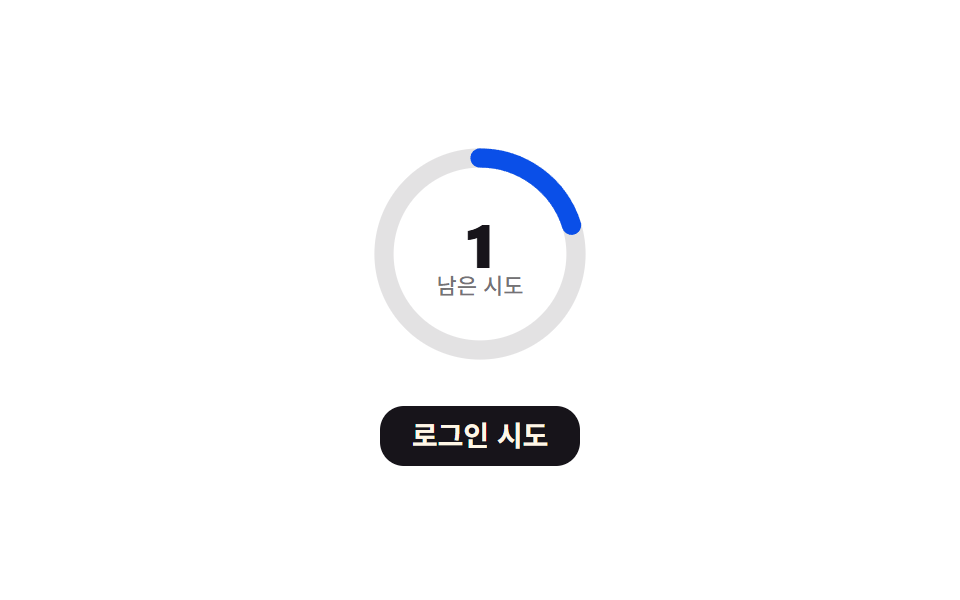
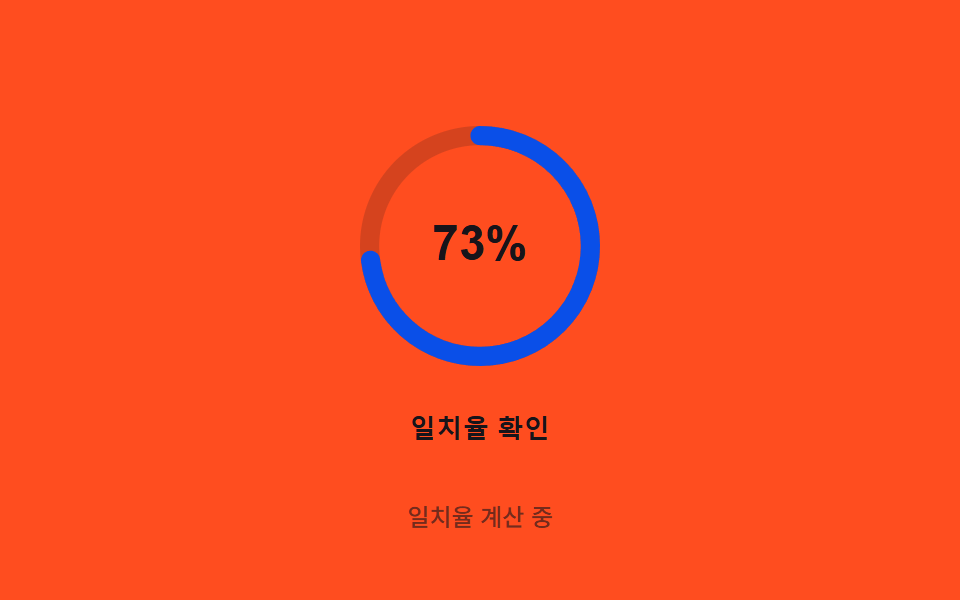
07リングオーバーシュート — 円形プログレスリングが角度の値で満ちていき、完了の瞬間に慣性の値の分だけ少し行き過ぎてから戻る方式
角度の値が360度に近づくと慣性の値が加わりリングが少し行き過ぎたあと、減衰の値に沿って正確な位置へ戻ります。
使いどころ生体認証処理中のローディングリング、決済処理のローディング
FLIP_MS$subject-blue-deepSTIFFNESS
<main class="stage">
<div class="ring-wrap">
<button type="button" class="ring is-demo" id="ring" aria-pressed="false">
  <svg class="ring__icon" viewBox="0 0 120 120" aria-hidden="true">
    <circle class="ring__track" cx="60" cy="60" r="46"></circle>
    <circle class="ring__fill" id="fill" cx="60" cy="60" r="46"></circle>
    <text class="ring__pct" id="pct" x="60" y="66" text-anchor="middle">0%</text>
  </svg>
  <span class="ring__label">一致率確認</span>
</button>
<p class="ring__status" id="status">待機中</p>
</div>
</main>
@use "../../../../site/static/demo-tokens" as *;
// 계산 겹은 index.html 의 step() 에 있다 — 목표 일치율을 스프링 물리(힘·속도·위치)로 매 프레임
// 직접 적분해 관성으로 목표를 넘었다가(오버슛) 되돌아와 멈춘다. 여기는 무대·모양만 맡는다.
@include stage($stage-orange);
.ring-wrap {
display: flex;
flex-direction: column;
align-items: center;
gap: $sp-3;
}
.ring {
appearance: none;
border: none;
background: transparent;
display: flex;
flex-direction: column;
align-items: center;
gap: $sp-3;
cursor: pointer;
padding: $sp-4;
border-radius: $r-card;
&:focus-visible { outline: 2px solid $stage-ink; outline-offset: 4px; }
}
.ring__icon {
width: clamp(120px, 30vw, 160px);
height: auto;
overflow: visible;
transform: rotate(-90deg);
transform-origin: 50% 50%;
}
.ring__track {
fill: none;
stroke: rgba($stage-ink, .18);
stroke-width: 8;
}
.ring__fill {
fill: none;
stroke: $subject-blue-deep;
stroke-width: 8;
stroke-linecap: round;
}
.ring__pct {
transform: rotate(90deg);
transform-origin: 60px 60px;
fill: $stage-ink;
font-weight: 700;
font-size: 20px;
}
.ring__label {
color: $stage-ink;
font-weight: 600;
font-size: 13px;
line-height: 1.2;
letter-spacing: .02em;
}
.ring__status {
margin: 0;
color: rgba($stage-ink, .6);
font-weight: 500;
font-size: 12px;
line-height: 1.2;
}
@media (max-width: 340px) {
.stage { padding: $sp-2; }
.ring-wrap { gap: $sp-2; }
.ring { padding: $sp-2 $sp-3; gap: $sp-2; }
.ring__icon { width: 104px; }
.ring__label { font-size: 12px; }
.ring__status { font-size: 11px; }
}
@media (prefers-reduced-motion: reduce) {
.ring__fill { transition: none; }
}html, body {
margin: 0;
overflow: hidden;
}
.stage {
box-sizing: border-box;
min-height: 100vh;
display: grid;
place-items: center;
margin: 0;
background: #ff4d1f;
font-family: -apple-system, "Segoe UI", "Noto Sans KR", sans-serif;
padding: clamp(8px, 4vw, 24px);
}
.ring-wrap {
display: flex;
flex-direction: column;
align-items: center;
gap: 12px;
}
.ring {
appearance: none;
border: none;
background: transparent;
display: flex;
flex-direction: column;
align-items: center;
gap: 12px;
cursor: pointer;
padding: 16px;
border-radius: 16px;
}
.ring:focus-visible {
outline: 2px solid #17141a;
outline-offset: 4px;
}
.ring__icon {
width: clamp(120px, 30vw, 160px);
height: auto;
overflow: visible;
transform: rotate(-90deg);
transform-origin: 50% 50%;
}
.ring__track {
fill: none;
stroke: rgba(23, 20, 26, 0.18);
stroke-width: 8;
}
.ring__fill {
fill: none;
stroke: #0a4fe8;
stroke-width: 8;
stroke-linecap: round;
}
.ring__pct {
transform: rotate(90deg);
transform-origin: 60px 60px;
fill: #17141a;
font-weight: 700;
font-size: 20px;
}
.ring__label {
color: #17141a;
font-weight: 600;
font-size: 13px;
line-height: 1.2;
letter-spacing: 0.02em;
}
.ring__status {
margin: 0;
color: rgba(23, 20, 26, 0.6);
font-weight: 500;
font-size: 12px;
line-height: 1.2;
}
@media (max-width: 340px) {
.stage {
padding: 8px;
}
.ring-wrap {
gap: 8px;
}
.ring {
padding: 8px 12px;
gap: 8px;
}
.ring__icon {
width: 104px;
}
.ring__label {
font-size: 12px;
}
.ring__status {
font-size: 11px;
}
}
@media (prefers-reduced-motion: reduce) {
.ring__fill {
transition: none;
}
}(function () {
// 계산 겹: 관성 오버슛 — 트윈 이징이 아니라 스프링 물리를 매 프레임 직접 적분한다.
// force = (target-pos)*STIFFNESS - vel*DAMPING, vel += force*dt, pos += vel*dt.
// 관성 때문에 목표를 넘어섰다가(오버슛) 다시 돌아와 멈춘다.
// 자동 루프는 목표값을 정착 시간보다 짧은 간격으로 두 값 사이에서 계속 바꾼다(재측정을
// 반복하는 계기판처럼) — 스프링이 한 번도 완전히 멈추지 않아 어느 구간을 잘라도 항상
// 진행 중인 움직임이 있다. 실제 조작(클릭·키보드)은 별도 경로로 한 번만 목표에 도달한다.
var STIFFNESS = 0.0006;
var DAMPING = 0.02;
var TARGET = 0.82; // 실제 조작이 향하는 목표 일치율(82%)
var AUTO_HIGH = 0.82, AUTO_LOW = 0.28; // 자동 루프가 번갈아 재는 두 목표값
var FLIP_MS = 480; // 정착 시간(약 400ms)보다 짧게 잡아 늘 진행 중이게 한다
var SETTLE_EPS = 0.0006; // 속도·오차가 이 밑이면 정지로 본다(실제 조작 경로에서만 쓴다)
var R = 46, CIRC = 2 * Math.PI * R;
var reduce = window.matchMedia('(prefers-reduced-motion: reduce)').matches;
var root = document.getElementById('ring');
var fill = document.getElementById('fill');
var pctText = document.getElementById('pct');
var status = document.getElementById('status');
var STRINGS = { idle: '待機中', running: '一致率計算中', done: '一致確認' };
var isDemo = true;
var manualRunning = false;
var manualPos = 0, manualVel = 0, manualLastTs = 0;
var autoPos = 0, autoVel = 0, autoLastTs = 0, autoTargetHigh = true, autoFlipAt = 0;
var rafId = 0;
fill.style.strokeDasharray = CIRC.toFixed(2);
function paint(pos) {
var shown = Math.max(0, pos);
var offset = CIRC * (1 - Math.min(shown, 1.3));
fill.style.strokeDashoffset = offset.toFixed(2);
pctText.textContent = Math.round(shown * 100) + '%';
}
function runManual(ts) {
if (!manualLastTs) manualLastTs = ts;
var dt = Math.min(ts - manualLastTs, 32);
manualLastTs = ts;
var force = (TARGET - manualPos) * STIFFNESS - manualVel * DAMPING;
manualVel += force * dt;
manualPos += manualVel * dt;
paint(manualPos);
if (Math.abs(manualVel) > SETTLE_EPS || Math.abs(TARGET - manualPos) > SETTLE_EPS) {
status.textContent = STRINGS.running;
requestAnimationFrame(runManual);
} else {
manualPos = TARGET;
manualVel = 0;
paint(manualPos);
status.textContent = STRINGS.done;
manualRunning = false;
root.setAttribute('aria-pressed', 'false');
}
}
function trigger() {
if (manualRunning || isDemo) return;
manualRunning = true;
manualPos = 0; manualVel = 0; manualLastTs = 0;
root.setAttribute('aria-pressed', 'true');
if (reduce) {
manualPos = TARGET; manualVel = 0;
paint(manualPos);
status.textContent = STRINGS.done;
manualRunning = false;
root.setAttribute('aria-pressed', 'false');
return;
}
requestAnimationFrame(runManual);
}
function human() {
if (isDemo) {
isDemo = false;
root.classList.remove('is-demo');
cancelAnimationFrame(rafId);
status.textContent = STRINGS.idle;
paint(0);
}
}
root.addEventListener('click', function () { human(); trigger(); });
root.addEventListener('keydown', function (e) {
if (e.key === ' ' || e.key === 'Enter') { human(); }
});
paint(0);
function autoLoop(ts) {
if (!isDemo || reduce) return;
if (!autoLastTs) autoLastTs = ts;
var dt = Math.min(ts - autoLastTs, 32);
autoLastTs = ts;
if (!autoFlipAt) autoFlipAt = ts + FLIP_MS;
if (ts >= autoFlipAt) { autoTargetHigh = !autoTargetHigh; autoFlipAt = ts + FLIP_MS; }
var target = autoTargetHigh ? AUTO_HIGH : AUTO_LOW;
var force = (target - autoPos) * STIFFNESS - autoVel * DAMPING;
autoVel += force * dt;
autoPos += autoVel * dt;
paint(autoPos);
status.textContent = STRINGS.running;
rafId = requestAnimationFrame(autoLoop);
}
if (isDemo && !reduce) {
rafId = requestAnimationFrame(autoLoop);
} else if (reduce) {
paint(TARGET);
status.textContent = STRINGS.done;
}
})();// RingOvershoot — vanilla 판(run/371/demo/07-biometric-scan-ring-overshoot/index.html) 의 React 포트.
// 계산 겹(관성 오버슛)은 useEffect 안에 있다: 목표 일치율을 스프링 물리(힘·속도·위치)로 매 프레임
// 직접 적분한다 — 트윈 이징이 아니라 관성 때문에 목표를 넘었다가 되돌아와 멈춘다.
// 자동 루프는 목표값을 정착 시간보다 짧은 간격으로 두 값 사이에서 계속 바꿔 스프링이 한 번도
// 완전히 멈추지 않게 한다(어느 순간을 잘라도 항상 진행 중인 움직임이 있다).
import { useEffect, useRef, useState } from "react";
import styles from "./RingOvershoot.module.scss";
type Box<T> = { current: T };
const STRINGS: Record<string, string> = { idle: "대기 중", running: "일치율 계산 중", done: "일치 확인" };
const R = 46;
const CIRC = 2 * Math.PI * R;
export default function RingOvershoot() {
const rootRef = useRef(null) as unknown as Box<HTMLButtonElement>;
const fillRef = useRef(null) as unknown as Box<SVGCircleElement>;
const [pct, setPct] = useState(0);
const [status, setStatus] = useState(STRINGS.idle);
const [pressed, setPressed] = useState(false);
useEffect(() => {
const STIFFNESS = 0.0006;
const DAMPING = 0.02;
const TARGET = 0.82;
const AUTO_HIGH = 0.82;
const AUTO_LOW = 0.28;
const FLIP_MS = 480;
const SETTLE_EPS = 0.0006;
const reduce = window.matchMedia("(prefers-reduced-motion: reduce)").matches;
const root = rootRef.current;
const fill = fillRef.current;
if (!root || !fill) return;
fill.style.strokeDasharray = CIRC.toFixed(2);
let isDemo = true;
let manualRunning = false;
let manualPos = 0, manualVel = 0, manualLastTs = 0;
let autoPos = 0, autoVel = 0, autoLastTs = 0, autoTargetHigh = true, autoFlipAt = 0;
let rafId = 0;
function paint(pos: number) {
const shown = Math.max(0, pos);
const offset = CIRC * (1 - Math.min(shown, 1.3));
fill!.style.strokeDashoffset = offset.toFixed(2);
setPct(Math.round(shown * 100));
}
function runManual(ts: number) {
if (!manualLastTs) manualLastTs = ts;
const dt = Math.min(ts - manualLastTs, 32);
manualLastTs = ts;
const force = (TARGET - manualPos) * STIFFNESS - manualVel * DAMPING;
manualVel += force * dt;
manualPos += manualVel * dt;
paint(manualPos);
if (Math.abs(manualVel) > SETTLE_EPS || Math.abs(TARGET - manualPos) > SETTLE_EPS) {
setStatus(STRINGS.running);
rafId = requestAnimationFrame(runManual);
} else {
manualPos = TARGET;
manualVel = 0;
paint(manualPos);
setStatus(STRINGS.done);
manualRunning = false;
setPressed(false);
}
}
function trigger() {
if (manualRunning || isDemo) return;
manualRunning = true;
manualPos = 0; manualVel = 0; manualLastTs = 0;
setPressed(true);
if (reduce) {
manualPos = TARGET; manualVel = 0;
paint(manualPos);
setStatus(STRINGS.done);
manualRunning = false;
setPressed(false);
return;
}
rafId = requestAnimationFrame(runManual);
}
function human() {
if (isDemo) {
isDemo = false;
root!.classList.remove(styles.isDemo);
cancelAnimationFrame(rafId);
setStatus(STRINGS.idle);
paint(0);
}
}
function onClick() { human(); trigger(); }
function onKeyDown(e: KeyboardEvent) { if (e.key === " " || e.key === "Enter") human(); }
root.addEventListener("click", onClick);
root.addEventListener("keydown", onKeyDown);
paint(0);
function autoLoop(ts: number) {
if (!isDemo || reduce) return;
if (!autoLastTs) autoLastTs = ts;
const dt = Math.min(ts - autoLastTs, 32);
autoLastTs = ts;
if (!autoFlipAt) autoFlipAt = ts + FLIP_MS;
if (ts >= autoFlipAt) { autoTargetHigh = !autoTargetHigh; autoFlipAt = ts + FLIP_MS; }
const target = autoTargetHigh ? AUTO_HIGH : AUTO_LOW;
const force = (target - autoPos) * STIFFNESS - autoVel * DAMPING;
autoVel += force * dt;
autoPos += autoVel * dt;
paint(autoPos);
setStatus(STRINGS.running);
rafId = requestAnimationFrame(autoLoop);
}
if (isDemo && !reduce) {
rafId = requestAnimationFrame(autoLoop);
} else if (reduce) {
paint(TARGET);
setStatus(STRINGS.done);
}
return () => {
root.removeEventListener("click", onClick);
root.removeEventListener("keydown", onKeyDown);
cancelAnimationFrame(rafId);
};
}, []);
return (
<main className={styles.stage}>
<div className={styles.ringWrap}>
<button
type="button"
className={styles.ring + " " + styles.isDemo}
ref={rootRef}
aria-pressed={pressed}
>
<svg className={styles.ringIcon} viewBox="0 0 120 120" aria-hidden="true">
<circle className={styles.ringTrack} cx={60} cy={60} r={R} />
<circle className={styles.ringFill} ref={fillRef} cx={60} cy={60} r={R} />
<text className={styles.ringPct} x={60} y={66} textAnchor="middle">{pct}%</text>
</svg>
<span className={styles.ringLabel}>일치율 확인</span>
</button>
<p className={styles.ringStatus}>{status}</p>
</div>
</main>
);
}07 リングオーバーシュート — 円形プログレスリングが角度の値で満ちていき、完了の瞬間に慣性の値の分だけ少し行き過ぎてから戻る方式 — 計測 累積面積 1.799% · 動いたフレーム 23/23GODRICH オリジナル · SCSS と React は zip に同梱 · 指紋認証 アニメーション 9選 — スキャン進捗値で変わる生体認証ボタン
このデモが属する記事
 指紋認証 アニメーション 9選 — スキャン進捗値で変わる生体認証ボタン9つの指紋認証 アニメーションのうち、1つはスキャン進捗の値が指紋の稜線を順に光らせ、1つは失敗時にスプリング減衰の値で揺れて止まり、1つは押す圧力の値が増すほどリップルの半径と振幅の値が共に大きくなります。 この記事のデモをすべて見る