08押した座標からピクセルを押し出す屈折リップルボタン
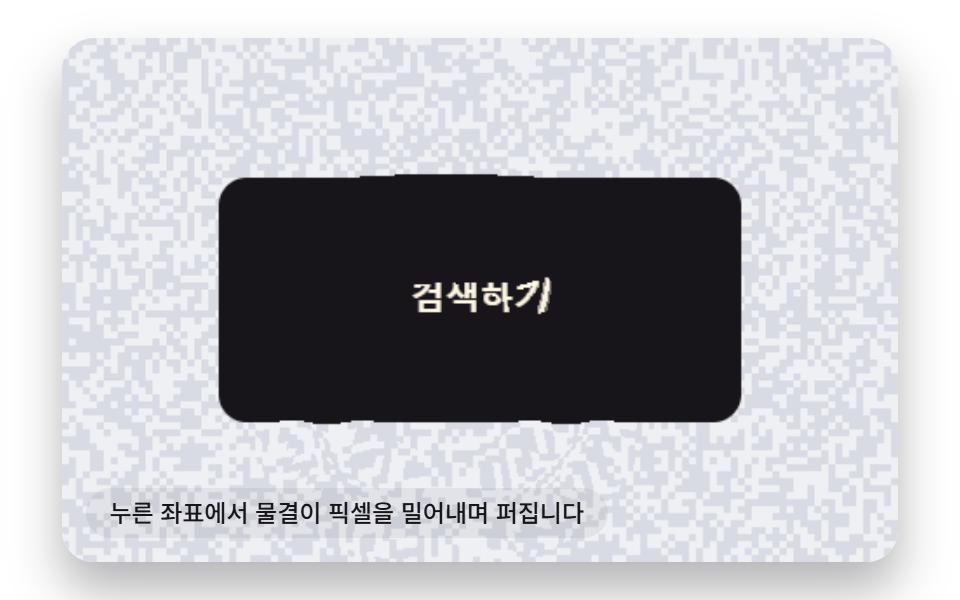
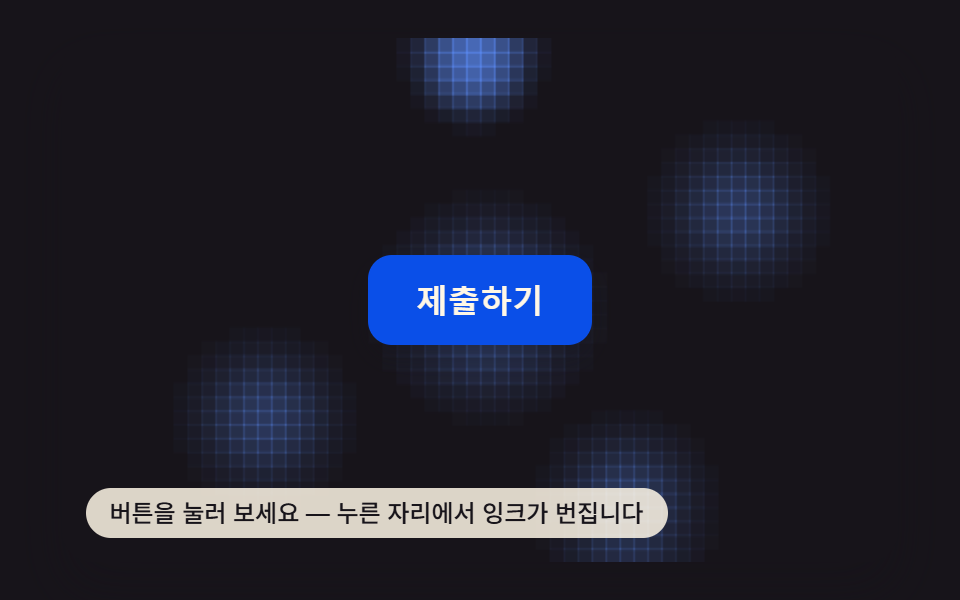
押した座標から広がる波の位相の値だけその場のピクセルを横にずらして描き直し、波の振幅の値がフレームごとに減って画面がもとの位置へ沈んでいく。
使いどころ検索・確認ボタンの押下フィードバック
CRACK_VALUE_ECHOTEXTURE_CELLtoCanvasXY
<main class="stage">
<div class="rf is-demo" id="root">
  <canvas class="rf__cv" id="cv" width="480" height="300"></canvas>
  <button class="rf__btn" id="btn" type="button">検索する</button>
  <p class="rf__hint">押した座標から波紋が広がり、ピクセルを押し出します</p>
</div>
</main>
@use "../../../../site/static/demo-tokens" as *;
$duration: $dur-quick;
$easing: $ease-out;
$color: $subject-blue-deep;
@include stage($stage-paper);
.rf {
position: relative;
width: min(92vw, calc(160vh - 12.8vw));
aspect-ratio: 480 / 300;
margin: 0 auto;
border-radius: $r-card;
overflow: hidden;
box-shadow: $shadow-raised;
}
.rf__cv {
display: block;
width: 100%;
height: 100%;
}
.rf__btn {
position: absolute;
left: 50%;
top: 50%;
width: calc(300 / 480 * 100%);
height: calc(140 / 300 * 100%);
transform: translate(-50%, -50%);
z-index: 2;
border: 0;
border-radius: $r-control;
background: transparent;
color: transparent;
cursor: pointer;
font-size: 16px;
font-weight: 700;
}
.rf__btn:focus-visible {
outline: 2px solid $subject-blue-deep;
outline-offset: 3px;
}
.rf__hint {
position: absolute;
left: $sp-3;
bottom: $sp-3;
margin: 0;
padding: $sp-1 $sp-3;
border-radius: $r-pill;
font-size: 12px;
line-height: 1.4;
font-weight: 500;
background: rgba(23, 20, 26, .06);
color: $subject-ink;
pointer-events: none;
z-index: 3;
}
@media (prefers-reduced-motion: reduce) {
.rf__btn { transition: none; }
}html, body {
margin: 0;
overflow: hidden;
}
.stage {
box-sizing: border-box;
min-height: 100vh;
display: grid;
place-items: center;
margin: 0;
background: #ffffff;
font-family: -apple-system, "Segoe UI", "Noto Sans KR", sans-serif;
padding: clamp(8px, 4vw, 24px);
}
.rf {
position: relative;
width: min(92vw, 160vh - 12.8vw);
aspect-ratio: 480/300;
margin: 0 auto;
border-radius: 16px;
overflow: hidden;
box-shadow: 0 14px 24px rgba(23, 20, 26, 0.32);
}
.rf__cv {
display: block;
width: 100%;
height: 100%;
}
.rf__btn {
position: absolute;
left: 50%;
top: 50%;
width: 62.5%;
height: 46.6666666667%;
transform: translate(-50%, -50%);
z-index: 2;
border: 0;
border-radius: 12px;
background: transparent;
color: transparent;
cursor: pointer;
font-size: 16px;
font-weight: 700;
}
.rf__btn:focus-visible {
outline: 2px solid #0a4fe8;
outline-offset: 3px;
}
.rf__hint {
position: absolute;
left: 12px;
bottom: 12px;
margin: 0;
padding: 4px 12px;
border-radius: 999px;
font-size: 12px;
line-height: 1.4;
font-weight: 500;
background: rgba(23, 20, 26, 0.06);
color: #17141a;
pointer-events: none;
z-index: 3;
}
@media (prefers-reduced-motion: reduce) {
.rf__btn {
transition: none;
}
}(function () {
'use strict';
function makeLcg(seed) {
var s = seed >>> 0;
return function () { s = (s * 1664525 + 1013904223) >>> 0; return s / 4294967296; };
}
function hashNoise(x, y, seed) {
var v = Math.sin(x * 12.9898 + y * 78.233 + seed * 0.0013) * 43758.5453;
return v - Math.floor(v);
}
function roundRect(c, x, y, w, h, r) {
c.beginPath();
c.moveTo(x + r, y);
c.arcTo(x + w, y, x + w, y + h, r);
c.arcTo(x + w, y + h, x, y + h, r);
c.arcTo(x, y + h, x, y, r);
c.arcTo(x, y, x + w, y, r);
c.closePath();
}
function clampInt(v, lo, hi) {
v = v | 0;
if (v < lo) return lo;
if (v > hi) return hi;
return v;
}
var W = 480, H = 300;
var SEED = 80809;
var rnd = makeLcg(SEED);
// 02번(btn-canvas-crack-shatter-press)의 균열 각도 값(BTN_CANVAS_CRACK_BRANCH_COUNT = 6)을
// 이 편의 "눌린 좌표를 중심으로 화면을 밀어내는 픽셀 이동량"에 그대로 재사용한다 (훅 참고).
var CRACK_VALUE_ECHO = 6;
var BTN_CANVAS_RIPPLE_DECAY_MS = 320; // 진폭 값이 e분의 1로 줄어드는 데 걸리는 시간
var WAVE_SPEED = 850; // px/s — 물결이 밀려 나가는 속도
var FREQ = 0.16; // rad/px — 물결의 공간 주파수
var ANG_SPEED = FREQ * WAVE_SPEED; // rad/s
var BAND_WIDTH = 46; // px — 물결 띠의 두께
var MAX_RIPPLES = 3;
var BW = 300, BH = 140;
var BX = (W - BW) / 2, BY = (H - BH) / 2;
// 화면 전체에 잔무늬를 깔아 둔다 — 물결이 지나가는 자리마다 픽셀이 이 무늬 경계를
// 넘나들며 눈에 보이는 차이를 만든다 (민무늬 배경만이면 안쪽은 밀려도 색이 같아 안 보인다).
var TEXTURE_CELL = 4;
var root = document.getElementById('root');
var cv = document.getElementById('cv');
var btn = document.getElementById('btn');
var ctx = cv.getContext('2d');
var reduceMQ = window.matchMedia('(prefers-reduced-motion: reduce)');
// 눌리지 않은 원래 화면을 한 번만 그려 픽셀을 표본할 원본으로 둔다.
var base = document.createElement('canvas');
base.width = W; base.height = H;
var bctx = base.getContext('2d');
for (var ty = 0; ty < H; ty += TEXTURE_CELL) {
for (var tx = 0; tx < W; tx += TEXTURE_CELL) {
var tn = hashNoise(tx, ty, SEED);
bctx.fillStyle = tn > 0.5 ? '#eef0f4' : '#d8dbe3';
bctx.fillRect(tx, ty, TEXTURE_CELL, TEXTURE_CELL);
}
}
roundRect(bctx, BX, BY, BW, BH, 16);
bctx.fillStyle = '#17141a';
bctx.fill();
bctx.fillStyle = '#fff7e6';
bctx.font = '700 20px system-ui, sans-serif';
bctx.textAlign = 'center';
bctx.textBaseline = 'middle';
bctx.fillText('検索する', BX + BW / 2, BY + BH / 2);
var baseData = bctx.getImageData(0, 0, W, H).data;
var outImg = ctx.createImageData(W, H);
var outData = outImg.data;
var ripples = [];
function pushRipple(x, y, now) {
ripples.push({ x: x, y: y, t0: now });
if (ripples.length > MAX_RIPPLES) ripples.shift();
}
function toCanvasXY(e) {
var rect = cv.getBoundingClientRect();
var scaleX = W / rect.width, scaleY = H / rect.height;
return { x: (e.clientX - rect.left) * scaleX, y: (e.clientY - rect.top) * scaleY };
}
function render(now) {
outData.set(baseData);
ripples = ripples.filter(function (r) {
return Math.exp(-(now - r.t0) / BTN_CANVAS_RIPPLE_DECAY_MS) > 0.02;
});
for (var i = 0; i < ripples.length; i++) {
var r = ripples[i];
var elapsed = now - r.t0;
if (elapsed < 0) continue;
var radius = (elapsed / 1000) * WAVE_SPEED;
var ampDecay = Math.exp(-elapsed / BTN_CANVAS_RIPPLE_DECAY_MS);
var minX = clampInt(Math.floor(r.x - radius - BAND_WIDTH), 0, W - 1);
var maxX = clampInt(Math.ceil(r.x + radius + BAND_WIDTH), 0, W - 1);
var minY = clampInt(Math.floor(r.y - radius - BAND_WIDTH), 0, H - 1);
var maxY = clampInt(Math.ceil(r.y + radius + BAND_WIDTH), 0, H - 1);
for (var y = minY; y <= maxY; y++) {
for (var x = minX; x <= maxX; x++) {
var dx = x - r.x, dy = y - r.y;
var dist = Math.sqrt(dx * dx + dy * dy);
var bandDist = dist - radius;
if (bandDist > BAND_WIDTH || bandDist < -BAND_WIDTH) continue;
var envelope = 1 - Math.abs(bandDist) / BAND_WIDTH;
var phase = dist * FREQ - (elapsed / 1000) * ANG_SPEED;
var shiftMag = CRACK_VALUE_ECHO * ampDecay * envelope * Math.sin(phase);
var nx = dist > 0.0001 ? dx / dist : 0, ny = dist > 0.0001 ? dy / dist : 0;
var sx = clampInt(Math.round(x + nx * shiftMag), 0, W - 1);
var sy = clampInt(Math.round(y + ny * shiftMag), 0, H - 1);
var srcIdx = (sy * W + sx) * 4, dstIdx = (y * W + x) * 4;
outData[dstIdx] = baseData[srcIdx];
outData[dstIdx + 1] = baseData[srcIdx + 1];
outData[dstIdx + 2] = baseData[srcIdx + 2];
outData[dstIdx + 3] = baseData[srcIdx + 3];
}
}
}
ctx.putImageData(outImg, 0, 0);
}
function trigger(x, y) {
root.classList.remove('is-demo');
pushRipple(x, y, performance.now());
if (reduceMQ.matches) render(performance.now());
}
btn.addEventListener('click', function () { trigger(BX + BW / 2, BY + BH / 2); });
btn.addEventListener('keydown', function (e) {
if (e.key !== 'Enter' && e.key !== ' ') return;
e.preventDefault();
trigger(BX + BW / 2, BY + BH / 2);
});
cv.addEventListener('pointerdown', function (e) {
var p = toCanvasXY(e);
trigger(p.x, p.y);
});
window.addEventListener('resize', function () { render(performance.now()); });
function frame(now) {
if (!reduceMQ.matches) {
if (root.classList.contains('is-demo')) {
var t = now % 550;
if (t < 16) {
var cx = BX + 40 + rnd() * (BW - 80);
var cy = BY + 24 + rnd() * (BH - 48);
pushRipple(cx, cy, now);
}
}
render(now);
requestAnimationFrame(frame);
}
}
if (reduceMQ.matches) {
pushRipple(BX + BW / 2, BY + BH / 2, performance.now() - 140);
render(performance.now());
} else {
requestAnimationFrame(frame);
}
})();// RippleRefractButton — vanilla 판(run/404/demo/08-btn-canvas-ripple-refract-press/index.html) 의 React 포트.
// 눌린 좌표를 중심으로 퍼지는 물결의 위상 값만큼 그 자리의 픽셀을 옆으로 밀어 다시 그리고,
// 진폭 값이 프레임마다 줄어들며 화면이 원래 자리로 가라앉는다.
import { useEffect, useRef } from "react";
import styles from "./RippleRefractButton.module.scss";
type Box<T> = { current: T };
type KeyEvt = { key: string; preventDefault(): void };
type PointerEvt = { clientX: number; clientY: number };
type Ripple = { x: number; y: number; t0: number };
const W = 480, H = 300;
const SEED = 80809;
// 02번(btn-canvas-crack-shatter-press)의 균열 각도 값(BTN_CANVAS_CRACK_BRANCH_COUNT = 6)을
// 이 편의 "눌린 좌표를 중심으로 화면을 밀어내는 픽셀 이동량"에 그대로 재사용한다 (훅 참고).
const CRACK_VALUE_ECHO = 6;
const BTN_CANVAS_RIPPLE_DECAY_MS = 320; // 진폭 값이 e분의 1로 줄어드는 데 걸리는 시간
const WAVE_SPEED = 850;
const FREQ = 0.16;
const ANG_SPEED = FREQ * WAVE_SPEED;
const BAND_WIDTH = 46;
const MAX_RIPPLES = 3;
const BW = 300, BH = 140;
const BX = (W - BW) / 2, BY = (H - BH) / 2;
// 화면 전체에 잔무늬를 깔아 둔다 — 물결이 지나가는 자리마다 픽셀이 이 무늬 경계를
// 넘나들며 눈에 보이는 차이를 만든다 (민무늬 배경만이면 안쪽은 밀려도 색이 같아 안 보인다).
const TEXTURE_CELL = 4;
function hashNoise(x: number, y: number, seed: number): number {
const v = Math.sin(x * 12.9898 + y * 78.233 + seed * 0.0013) * 43758.5453;
return v - Math.floor(v);
}
function makeLcg(seed: number) {
let s = seed >>> 0;
return function () {
s = (s * 1664525 + 1013904223) >>> 0;
return s / 4294967296;
};
}
function roundRect(c: CanvasRenderingContext2D, x: number, y: number, w: number, h: number, r: number): void {
c.beginPath();
c.moveTo(x + r, y);
c.arcTo(x + w, y, x + w, y + h, r);
c.arcTo(x + w, y + h, x, y + h, r);
c.arcTo(x, y + h, x, y, r);
c.arcTo(x, y, x + w, y, r);
c.closePath();
}
function clampInt(v: number, lo: number, hi: number): number {
v = v | 0;
if (v < lo) return lo;
if (v > hi) return hi;
return v;
}
export default function RippleRefractButton() {
const rootRef = useRef<HTMLDivElement | null>(null);
const cvRef = useRef<HTMLCanvasElement | null>(null);
const btnRef = useRef<HTMLButtonElement | null>(null);
const rndRef = useRef(makeLcg(SEED)) as Box<() => number>;
const ripplesRef = useRef<Ripple[]>([]) as Box<Ripple[]>;
const baseDataRef = useRef<Uint8ClampedArray | null>(null) as Box<Uint8ClampedArray | null>;
const outImgRef = useRef<ImageData | null>(null) as Box<ImageData | null>;
const reduceRef = useRef<boolean>(false) as Box<boolean>;
const demoRef = useRef<boolean>(true) as Box<boolean>;
const frameRef = useRef<number>(0) as Box<number>;
function pushRipple(x: number, y: number, now: number): void {
const ripples = ripplesRef.current;
ripples.push({ x, y, t0: now });
if (ripples.length > MAX_RIPPLES) ripples.shift();
}
function toCanvasXY(e: PointerEvt): { x: number; y: number } {
const cv = cvRef.current;
if (!cv) return { x: BX + BW / 2, y: BY + BH / 2 };
const rect = cv.getBoundingClientRect();
const scaleX = W / rect.width, scaleY = H / rect.height;
return { x: (e.clientX - rect.left) * scaleX, y: (e.clientY - rect.top) * scaleY };
}
function render(now: number): void {
const cv = cvRef.current;
if (!cv) return;
const ctx = cv.getContext("2d");
if (!ctx) return;
const baseData = baseDataRef.current;
const outImg = outImgRef.current;
if (!baseData || !outImg) return;
const outData = outImg.data;
outData.set(baseData);
let ripples = ripplesRef.current;
ripples = ripples.filter((r) => Math.exp(-(now - r.t0) / BTN_CANVAS_RIPPLE_DECAY_MS) > 0.02);
ripplesRef.current = ripples;
for (let i = 0; i < ripples.length; i++) {
const r = ripples[i];
const elapsed = now - r.t0;
if (elapsed < 0) continue;
const radius = (elapsed / 1000) * WAVE_SPEED;
const ampDecay = Math.exp(-elapsed / BTN_CANVAS_RIPPLE_DECAY_MS);
const minX = clampInt(Math.floor(r.x - radius - BAND_WIDTH), 0, W - 1);
const maxX = clampInt(Math.ceil(r.x + radius + BAND_WIDTH), 0, W - 1);
const minY = clampInt(Math.floor(r.y - radius - BAND_WIDTH), 0, H - 1);
const maxY = clampInt(Math.ceil(r.y + radius + BAND_WIDTH), 0, H - 1);
for (let y = minY; y <= maxY; y++) {
for (let x = minX; x <= maxX; x++) {
const dx = x - r.x, dy = y - r.y;
const dist = Math.sqrt(dx * dx + dy * dy);
const bandDist = dist - radius;
if (bandDist > BAND_WIDTH || bandDist < -BAND_WIDTH) continue;
const envelope = 1 - Math.abs(bandDist) / BAND_WIDTH;
const phase = dist * FREQ - (elapsed / 1000) * ANG_SPEED;
const shiftMag = CRACK_VALUE_ECHO * ampDecay * envelope * Math.sin(phase);
const nx = dist > 0.0001 ? dx / dist : 0, ny = dist > 0.0001 ? dy / dist : 0;
const sx = clampInt(Math.round(x + nx * shiftMag), 0, W - 1);
const sy = clampInt(Math.round(y + ny * shiftMag), 0, H - 1);
const srcIdx = (sy * W + sx) * 4, dstIdx = (y * W + x) * 4;
outData[dstIdx] = baseData[srcIdx];
outData[dstIdx + 1] = baseData[srcIdx + 1];
outData[dstIdx + 2] = baseData[srcIdx + 2];
outData[dstIdx + 3] = baseData[srcIdx + 3];
}
}
}
ctx.putImageData(outImg, 0, 0);
}
function trigger(x: number, y: number): void {
demoRef.current = false;
pushRipple(x, y, performance.now());
if (reduceRef.current) render(performance.now());
}
function onClick(): void {
trigger(BX + BW / 2, BY + BH / 2);
}
function onKeyDown(e: KeyEvt): void {
if (e.key !== "Enter" && e.key !== " ") return;
e.preventDefault();
trigger(BX + BW / 2, BY + BH / 2);
}
function onPointerDown(e: PointerEvt): void {
const p = toCanvasXY(e);
trigger(p.x, p.y);
}
useEffect(() => {
const cv = cvRef.current;
if (!cv) return;
const ctx = cv.getContext("2d");
if (!ctx) return;
const base = document.createElement("canvas");
base.width = W; base.height = H;
const bctx = base.getContext("2d");
if (!bctx) return;
for (let ty = 0; ty < H; ty += TEXTURE_CELL) {
for (let tx = 0; tx < W; tx += TEXTURE_CELL) {
const tn = hashNoise(tx, ty, SEED);
bctx.fillStyle = tn > 0.5 ? "#eef0f4" : "#d8dbe3";
bctx.fillRect(tx, ty, TEXTURE_CELL, TEXTURE_CELL);
}
}
roundRect(bctx, BX, BY, BW, BH, 16);
bctx.fillStyle = "#17141a";
bctx.fill();
bctx.fillStyle = "#fff7e6";
bctx.font = "700 20px system-ui, sans-serif";
bctx.textAlign = "center";
bctx.textBaseline = "middle";
bctx.fillText("검색하기", BX + BW / 2, BY + BH / 2);
baseDataRef.current = bctx.getImageData(0, 0, W, H).data;
outImgRef.current = ctx.createImageData(W, H);
reduceRef.current = window.matchMedia("(prefers-reduced-motion: reduce)").matches;
if (reduceRef.current) {
pushRipple(BX + BW / 2, BY + BH / 2, performance.now() - 140);
render(performance.now());
return;
}
const rnd = rndRef.current;
const root = rootRef.current;
function frame(now: number): void {
if (demoRef.current) {
const t = now % 550;
if (t < 16) {
const cx = BX + 40 + rnd() * (BW - 80);
const cy = BY + 24 + rnd() * (BH - 48);
pushRipple(cx, cy, now);
}
}
render(now);
frameRef.current = requestAnimationFrame(frame);
}
frameRef.current = requestAnimationFrame(frame);
return () => cancelAnimationFrame(frameRef.current);
}, []);
return (
<main className={styles.stage}>
<div className={styles.rf} ref={rootRef}>
<canvas
className={styles.cv}
ref={cvRef}
width={W}
height={H}
onPointerDown={onPointerDown}
/>
<button className={styles.btn} ref={btnRef} type="button" onClick={onClick} onKeyDown={onKeyDown}>
검색하기
</button>
<p className={styles.hint}>누른 좌표에서 물결이 픽셀을 밀어내며 퍼집니다</p>
</div>
</main>
);
}08 押した座標からピクセルを押し出す屈折リップルボタン — 計測 累積面積 17.142% · 動いたフレーム 20/23GODRICH オリジナル · SCSS と React は zip に同梱 · css ボタン クリック アニメーション 9選 — キャンバス計算
このデモが属する記事
 css ボタン クリック アニメーション 9選 — キャンバス計算この記事ではcss ボタン クリック アニメーションを9種類、ピクセル計算で作ります。ボタンがガラスのようにひびが入って見える原因は、押下状態の値がオンになると伸びるひびの角度値ひとつだ。2番はその値でひびを描き、5番は同じ値を縁を走る電流 この記事のデモをすべて見る