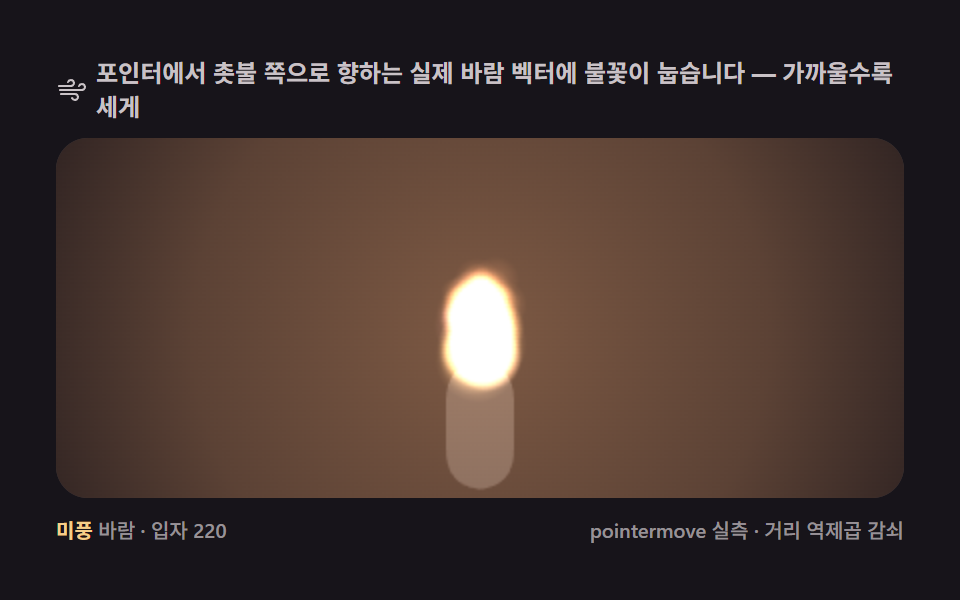
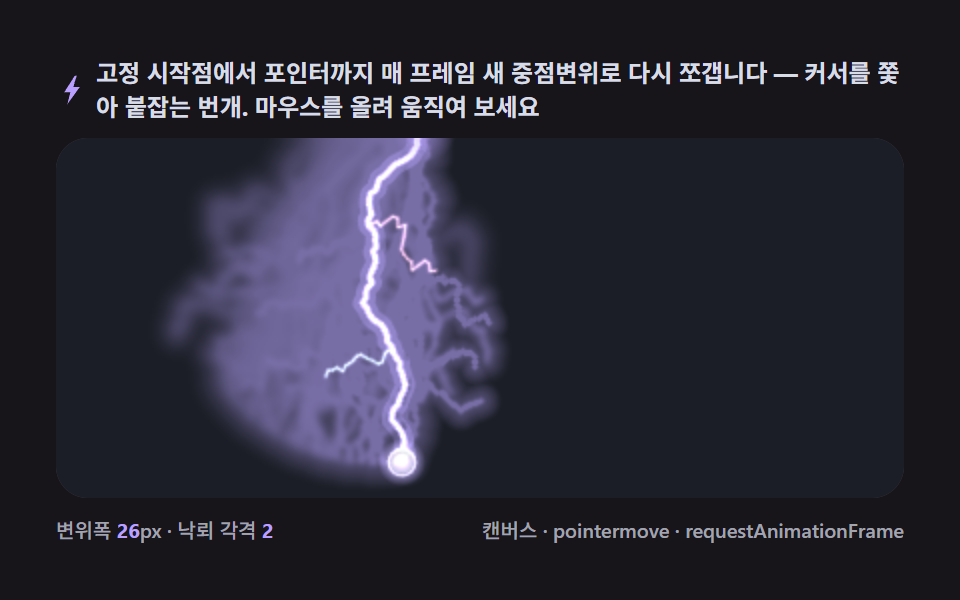
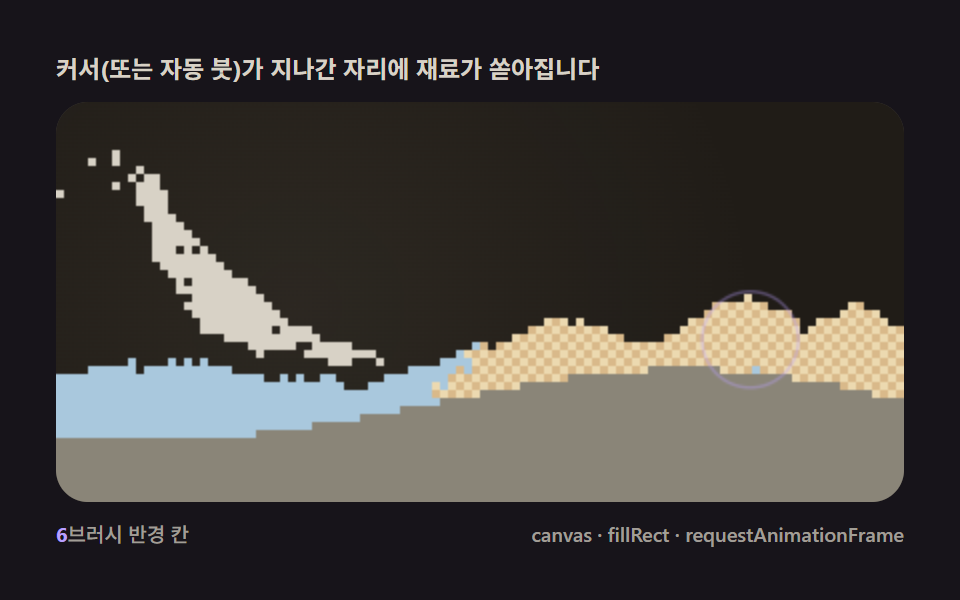
06カーソルを追う残像
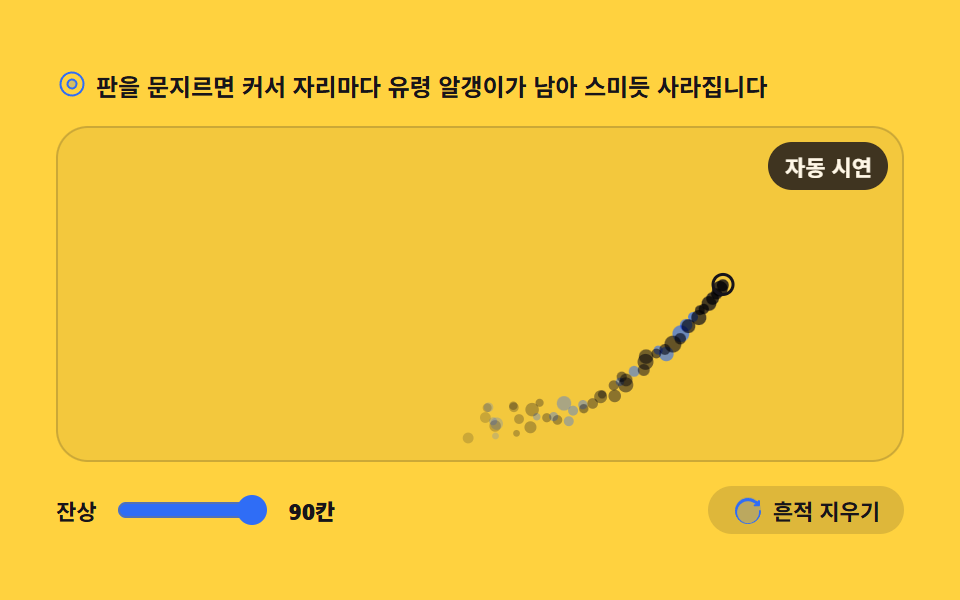
ポインタが通った跡に残像の粒が残り、しみ込むように消えます。毎フレーム新しく作らず、固定長の列のいちばん古い枠を上書きするバッファ方式です。
使いどころポートフォリオのマウス効果
clientXpointermoveglobalCompositeOperation
<main class="stage">
<div class="ct" id="ct">
  <p class="ct__hint">
    <svg class="ct__ico" viewBox="0 0 256 256" aria-hidden="true"><g fill="currentColor"><path d="M164 128a36 36 0 1 1-36-36a36 36 0 0 1 36 36" opacity=".2"/><path d="M128 84a44 44 0 1 0 44 44a44.05 44.05 0 0 0-44-44m0 72a28 28 0 1 1 28-28a28 28 0 0 1-28 28m0-128a100 100 0 1 0 100 100A100.11 100.11 0 0 0 128 28m0 184a84 84 0 1 1 84-84a84.09 84.09 0 0 1-84 84"/></g></svg>
    <span>盤をこするとカーソルの跡に残像の粒が残り、しみ込むように消えます</span>
  </p>
  <div class="ct__field" id="field" role="application" aria-label="カーソル残像の実験台" tabindex="0">
    <canvas class="ct__cv" id="cv"></canvas>
    <b class="ct__live" aria-hidden="true"><span class="ct__liveMode" id="mode">自動デモ</span></b>
  </div>
  <div class="ct__bar">
    <label class="ct__dial">残像
      <input type="range" id="trail" min="30" max="90" step="6" value="90" aria-label="残像の長さ">
      <b class="ct__val" id="trailVal">90枠</b>
    </label>
    <button class="ct__clear" id="clear" type="button">
      <svg class="ct__ico" viewBox="0 0 256 256" aria-hidden="true"><g fill="currentColor"><path d="M232 128a104 104 0 1 1-104-104a104 104 0 0 1 104 104" opacity=".2"/><path d="M232 136a104 104 0 1 1-38.17-80.55L208 60v-4a8 8 0 0 1 16 0v34a8 8 0 0 1-8 8h-34a8 8 0 0 1 0-16h7.6l-8.89-7.4A88 88 0 1 0 216 136a8 8 0 0 1 16 0Z"/></g></svg>
      <span>痕跡を消す</span>
    </button>
  </div>
</div>
</main>
@use "../../../../site/static/demo-tokens" as *;
// 커서 유령 잔상 — 움직임은 전부 캔버스 안(rAF 루프). CSS 는 무대·판·컨트롤만 맡는다.
// CSS 애니메이션이 0개면 렌더러는 실시간으로 24장을 찍는다(도구/demo.py 렌더(), 287·291 선례).
// reduce 에서는 JS 가 루프를 시작하지 않고 자동 경로의 잔상 한 장만 그린다(.is-still).
$duration: $dur-loop;
$easing: $ease-spring;
$color: $subject-blue;
@include stage($stage-yellow);
.ct { display: flex; flex-direction: column; gap: $sp-3; width: 100%; max-width: 424px; }
.ct__hint {
display: flex; align-items: center; gap: $sp-1; margin: 0;
font-weight: 700; font-size: clamp(10px, 2.8vw, 12px); color: $subject-ink;
}
.ct__ico { width: 16px; height: 16px; flex: 0 0 auto; color: $subject-blue; }
.ct__field {
position: relative; height: 168px; border-radius: $r-card; overflow: hidden;
background: rgba($subject-ink, .05);
box-shadow: inset 0 0 0 1px rgba($subject-ink, .18);
cursor: crosshair;
touch-action: none; // 문지르기로 잔상을 남기는 판 — 스크롤 제스처에 뺏기지 않게 한다
}
.ct__field:focus-visible { outline: 2px solid $subject-ink; outline-offset: 2px; }
.ct__cv { display: block; width: 100%; height: 100%; }
// 지금 판을 움직이는 펜이 자동인지 진짜 포인터인지 — 버퍼 앞의 이 짝이 알려준다
.ct__live {
position: absolute; right: $sp-2; top: $sp-2;
display: flex; align-items: center;
padding: $sp-1 $sp-2; border-radius: $r-pill;
background: rgba($subject-ink, .82);
color: $subject-cream; font-weight: 700; font-size: 11px;
}
.ct__bar { display: flex; align-items: center; gap: $sp-3; }
.ct__dial {
display: flex; align-items: center; gap: $sp-2;
font-weight: 700; font-size: 11px; color: $subject-ink;
}
.ct__dial input { width: 76px; accent-color: $color; }
.ct__val { color: $subject-ink; font-size: 11px; }
.ct__clear {
display: flex; align-items: center; gap: $sp-1; margin-left: auto;
padding: $sp-1 $sp-3; border: 0; border-radius: $r-pill;
background: rgba($subject-ink, .14); color: $subject-ink;
font-weight: 700; font-size: 11px; font-family: inherit; cursor: pointer;
}
.ct__clear:hover { background: rgba($subject-ink, .22); }
.ct__clear:focus-visible { outline: 2px solid $subject-ink; outline-offset: 2px; }
@media (max-width: 340px) {
.ct { gap: $sp-2; }
.ct__field { height: 96px; }
.ct__dial input { width: 44px; }
.ct__live { font-size: 10px; }
}
// reduce — 루프가 안 돌므로 판을 문지를 수 없다는 표시만 둔다
@media (prefers-reduced-motion: reduce) {
.ct.is-still .ct__live { opacity: .85 !important; }
.ct.is-still .ct__field { cursor: default !important; }
}html, body {
margin: 0;
overflow: hidden;
}
.stage {
box-sizing: border-box;
min-height: 100vh;
display: grid;
place-items: center;
margin: 0;
background: #ffd23f;
font-family: -apple-system, "Segoe UI", "Noto Sans KR", sans-serif;
padding: clamp(8px, 4vw, 24px);
}
.ct {
display: flex;
flex-direction: column;
gap: 12px;
width: 100%;
max-width: 424px;
}
.ct__hint {
display: flex;
align-items: center;
gap: 4px;
margin: 0;
font-weight: 700;
font-size: clamp(10px, 2.8vw, 12px);
color: #17141a;
}
.ct__ico {
width: 16px;
height: 16px;
flex: 0 0 auto;
color: #2f6df6;
}
.ct__field {
position: relative;
height: 168px;
border-radius: 16px;
overflow: hidden;
background: rgba(23, 20, 26, 0.05);
box-shadow: inset 0 0 0 1px rgba(23, 20, 26, 0.18);
cursor: crosshair;
touch-action: none;
}
.ct__field:focus-visible {
outline: 2px solid #17141a;
outline-offset: 2px;
}
.ct__cv {
display: block;
width: 100%;
height: 100%;
}
.ct__live {
position: absolute;
right: 8px;
top: 8px;
display: flex;
align-items: center;
padding: 4px 8px;
border-radius: 999px;
background: rgba(23, 20, 26, 0.82);
color: #fff7e6;
font-weight: 700;
font-size: 11px;
}
.ct__bar {
display: flex;
align-items: center;
gap: 12px;
}
.ct__dial {
display: flex;
align-items: center;
gap: 8px;
font-weight: 700;
font-size: 11px;
color: #17141a;
}
.ct__dial input {
width: 76px;
accent-color: #2f6df6;
}
.ct__val {
color: #17141a;
font-size: 11px;
}
.ct__clear {
display: flex;
align-items: center;
gap: 4px;
margin-left: auto;
padding: 4px 12px;
border: 0;
border-radius: 999px;
background: rgba(23, 20, 26, 0.14);
color: #17141a;
font-weight: 700;
font-size: 11px;
font-family: inherit;
cursor: pointer;
}
.ct__clear:hover {
background: rgba(23, 20, 26, 0.22);
}
.ct__clear:focus-visible {
outline: 2px solid #17141a;
outline-offset: 2px;
}
@media (max-width: 340px) {
.ct {
gap: 8px;
}
.ct__field {
height: 96px;
}
.ct__dial input {
width: 44px;
}
.ct__live {
font-size: 10px;
}
}
@media (prefers-reduced-motion: reduce) {
.ct.is-still .ct__live {
opacity: 0.85 !important;
}
.ct.is-still .ct__field {
cursor: default !important;
}
}// 커서 유령 残像 — 고정 길이 버퍼 90칸의 가장 낡은 칸을 덮어써 잔상을 남긴다.
// 매 프레임 새로 만들지 않으므로 할당이 없다. 포인터가 없을 때는 가상 펜이 사인 곡선을 스스로
// 움직여 잔상을 만든다(자동 모드가 측정·포스터를 책임진다 — 291 방식).
var root = document.getElementById('ct');
var field = document.getElementById('field');
var cv = document.getElementById('cv');
var ctx = cv.getContext('2d');
var trailIn = document.getElementById('trail');
var trailVal = document.getElementById('trailVal');
var modeOut = document.getElementById('mode');
var clearBtn = document.getElementById('clear');
var N = 90; // 버퍼 길이 — 배열은 이 길이로 한 번만 정해지고 끝까지 그대로
var trailK = 90; // 최근 이 枠 수만큼의 잔상을 화면에 둔다
var reduce = window.matchMedia('(prefers-reduced-motion: reduce)').matches;
var W = 0, H = 0, dpr = 1;
var slots = new Array(N);
var head = 0;
var pen = { x: 0, y: 0, tx: 0, ty: 0, real: false };
var clock = 0;
function blank() { return { on: false, x: 0, y: 0, r: 0, vx: 0, vy: 0, blue: false }; }
for (var s = 0; s < N; s++) slots[s] = blank();
// 고DPI 대응 — 배킹 스토어를 devicePixelRatio 배로 키우고 좌표계는 CSS 픽셀 그대로 쓴다
function fit() {
var r = field.getBoundingClientRect();
dpr = window.devicePixelRatio || 1;
W = r.width; H = r.height;
cv.width = Math.round(W * dpr);
cv.height = Math.round(H * dpr);
ctx.setTransform(dpr, 0, 0, dpr, 0, 0);
}
// 한 枠 덮어쓰기 — 다음 칸은 곧 가장 낡은 칸이다. 배열을 늘였다 줄이지 않는다.
function writeSlot(x, y) {
head = (head + 1) % N;
var sl = slots[head];
sl.on = true; sl.x = x; sl.y = y;
sl.r = 2.2 + Math.random() * 2.4;
sl.vx = (Math.random() - 0.5) * 16;
sl.vy = 8 + Math.random() * 20; // 찍힌 알갱이는 스며들듯 가라앉는다
sl.blue = Math.random() < 0.34;
}
function draw() {
ctx.clearRect(0, 0, W, H);
// 겹치는 유령은 잉크처럼 깊어진다 — 곱하기 합성
ctx.globalCompositeOperation = 'multiply';
for (var i = 0; i < N; i++) {
var sl = slots[i];
if (!sl.on) continue;
var age = (head - i + N) % N; // 머리에서 몇 枠 뒤인가가 곧 나이다
if (age >= trailK) continue;
var f = age / trailK;
ctx.globalAlpha = Math.pow(1 - f, 1.7) * 0.85;
ctx.fillStyle = sl.blue ? '#2f6df6' : '#17141a';
ctx.beginPath();
ctx.arc(sl.x, sl.y, sl.r * (1 - 0.55 * f), 0, Math.PI * 2);
ctx.fill();
}
ctx.globalCompositeOperation = 'source-over';
ctx.globalAlpha = 1;
// 펜 자국 — 가상 펜일 때도 보여야 자동 시연인 것이 눈에 보인다
ctx.strokeStyle = '#17141a';
ctx.lineWidth = 1.5;
ctx.beginPath();
ctx.arc(pen.x, pen.y, 5, 0, Math.PI * 2);
ctx.stroke();
}
function step(dt) {
clock += dt;
// 포인터가 없으면 가상 펜이 사인 곡선을 스스로 그린다
var tx, ty;
if (pen.real) {
tx = pen.tx; ty = pen.ty;
} else {
tx = W * (0.5 + 0.36 * Math.sin(clock * 1.1));
ty = H * (0.5 + 0.3 * Math.sin(clock * 2.3 + 1.3));
}
pen.x += (tx - pen.x) * Math.min(1, dt * 11);
pen.y += (ty - pen.y) * Math.min(1, dt * 11);
writeSlot(pen.x, pen.y);
for (var i = 0; i < N; i++) {
var sl = slots[i];
if (!sl.on) continue;
sl.x += sl.vx * dt;
sl.y += sl.vy * dt;
}
}
var last = 0;
function frame(now) {
var dt = last ? Math.min((now - last) / 1000, 0.05) : 0.016;
last = now;
step(dt);
draw();
requestAnimationFrame(frame);
}
trailIn.addEventListener('input', function () {
trailK = Number(trailIn.value);
trailVal.textContent = trailK + '枠';
});
clearBtn.addEventListener('click', function () {
for (var i = 0; i < N; i++) slots[i].on = false;
draw();
});
function onPoint(e) {
var r = field.getBoundingClientRect();
pen.tx = e.clientX - r.left; // clientX 를 판 안 좌표로 바꿔 온다
pen.ty = e.clientY - r.top;
pen.real = true;
modeOut.textContent = 'ポインタ追従';
}
field.addEventListener('pointermove', onPoint);
field.addEventListener('pointerdown', onPoint);
function offPoint() {
pen.real = false;
modeOut.textContent = '自動デモ';
}
field.addEventListener('pointerleave', offPoint);
field.addEventListener('pointercancel', offPoint);
field.addEventListener('keydown', function (e) {
if (e.key === 'Enter' || e.key === ' ') {
e.preventDefault();
// 키보드 대체 — 판 중앙에 유령 한 다발을 밴다
for (var k = 0; k < 26; k++) {
var ang = (k / 26) * Math.PI * 2;
var rr = 8 + Math.random() * 30;
writeSlot(W / 2 + Math.cos(ang) * rr * 1.7, H / 2 + Math.sin(ang) * rr * 0.7);
}
}
});
window.addEventListener('resize', function () { fit(); draw(); });
// 조작 실측용 — run/012/_probe/interact_b.py 가 살아 있는 참조를 읽는다
window.__state = {
slots: slots, pen: pen,
snap: function () { return { trailK: trailK }; }
};
fit();
pen.x = W * 0.5;
pen.y = H * (0.5 + 0.3 * Math.sin(1.3));
if (reduce) {
// reduce — 루프 없이 자동 경로를 90枠 미리 걸어 두고 그 순간의 残像 한 장을 그린다
root.classList.add('is-still');
for (var warm = 0; warm < N; warm++) {
clock = (warm + 1) / 60;
writeSlot(W * (0.5 + 0.36 * Math.sin(clock * 1.1)), H * (0.5 + 0.3 * Math.sin(clock * 2.3 + 1.3)));
}
pen.x = W * (0.5 + 0.36 * Math.sin((N / 60) * 1.1));
pen.y = H * (0.5 + 0.3 * Math.sin((N / 60) * 2.3 + 1.3));
draw();
} else {
requestAnimationFrame(frame);
}// CursorTrail — vanilla 판(run/012/demo/06-particle-cursor-trail/index.html) 의 React 포트.
// 고정 길이 버퍼 90칸의 가장 낡은 칸을 덮어써 잔상을 남긴다 — 매 프레임 새로 만들지 않으므로 할당이 없다.
// 포인터가 없을 때는 가상 펜이 사인 곡선을 스스로 움직여 잔상을 만든다(자동 모드가 측정·포스터를 책임진다).
// 움직임은 전부 캔버스 rAF 루프 — CSS 애니메이션이 0개면 렌더러는 실시간으로 24장을 찍는다.
// reduce 에서는 루프를 돌리지 않고 자동 경로를 90칸 미리 걸어 둔 잔상 한 장만 그린다(.isStill).
import { useEffect, useRef, useState } from "react";
import type { CSSProperties } from "react";
import styles from "./CursorTrail.module.scss";
export type CursorTrailProps = {
duration?: string;
easing?: string;
color?: string;
};
type Vars = CSSProperties & { "--duration"?: string; "--easing"?: string; "--color"?: string };
// useRef 는 T | null 을 돌려준다. 처음부터 값이 있고 절대 비지 않는 상자는 이렇게 좁혀 쓴다
type Box<T> = { current: T };
// React 의 이벤트 제네릭이 없는 환경이라 필요한 것만 로컬로 선언한다
type PointerEvt = { clientX: number; clientY: number };
type KeyEvt = { key: string; preventDefault(): void };
type InputEvt = { target: { value: string } };
// 잔상 한 칸 — 찍힌 자리에서 스며들듯 가라앉는다
type Slot = { on: boolean; x: number; y: number; r: number; vx: number; vy: number; blue: boolean };
// 펜 — real 이면 진짜 포인터를, 아니면 사인 곡선을 스스로 그린다
type Pen = { x: number; y: number; tx: number; ty: number; real: boolean };
const N = 90; // 버퍼 길이 — 배열은 이 길이로 한 번만 정해지고 끝까지 그대로
const FIELD_LABEL = "커서 유령 잔상 실험판";
function blank(): Slot {
return { on: false, x: 0, y: 0, r: 0, vx: 0, vy: 0, blue: false };
}
function freshSlots(): Slot[] {
const a: Slot[] = [];
for (let s = 0; s < N; s++) a.push(blank());
return a;
}
export default function CursorTrail({
duration = "2s",
easing = "cubic-bezier(.2, .8, .2, 1)",
color = "#2f6df6",
}: CursorTrailProps) {
const fieldRef = useRef<HTMLDivElement | null>(null);
const cvRef = useRef<HTMLCanvasElement | null>(null);
const ctxRef = useRef<CanvasRenderingContext2D | null>(null);
const sizeRef = useRef({ w: 0, h: 0, dpr: 1 }) as Box<{ w: number; h: number; dpr: number }>;
const slotsRef = useRef(freshSlots()) as Box<Slot[]>;
const headRef = useRef(0) as Box<number>;
const penRef = useRef({ x: 0, y: 0, tx: 0, ty: 0, real: false }) as Box<Pen>;
const clockRef = useRef(0) as Box<number>;
const trailKRef = useRef(90) as Box<number>; // 최근 이 칸 수만큼의 잔상을 화면에 둔다
const lastRef = useRef(0) as Box<number>;
const rafRef = useRef(0) as Box<number>;
const [trail, setTrail] = useState(90);
const [mode, setMode] = useState("자동 시연");
const [still, setStill] = useState(false);
const vars: Vars = { "--duration": duration, "--easing": easing, "--color": color };
function reduced(): boolean {
return window.matchMedia("(prefers-reduced-motion: reduce)").matches;
}
// 고DPI 대응 — 배킹 스토어를 devicePixelRatio 배로 키우고 좌표계는 CSS 픽셀 그대로 쓴다
function fit(): void {
const field = fieldRef.current;
const cv = cvRef.current;
if (!field || !cv) return;
const ctx = cv.getContext("2d");
if (!ctx) return;
const size = sizeRef.current;
const r = field.getBoundingClientRect();
size.dpr = window.devicePixelRatio || 1;
size.w = r.width;
size.h = r.height;
cv.width = Math.round(r.width * size.dpr);
cv.height = Math.round(r.height * size.dpr);
ctx.setTransform(size.dpr, 0, 0, size.dpr, 0, 0);
ctxRef.current = ctx;
}
// 한 칸 덮어쓰기 — 다음 칸은 곧 가장 낡은 칸이다. 배열을 늘였다 줄이지 않는다.
function writeSlot(x: number, y: number): void {
headRef.current = (headRef.current + 1) % N;
const sl = slotsRef.current[headRef.current];
sl.on = true; sl.x = x; sl.y = y;
sl.r = 2.2 + Math.random() * 2.4;
sl.vx = (Math.random() - 0.5) * 16;
sl.vy = 8 + Math.random() * 20; // 찍힌 알갱이는 스며들듯 가라앉는다
sl.blue = Math.random() < 0.34;
}
function draw(): void {
const ctx = ctxRef.current;
if (!ctx) return;
const size = sizeRef.current;
const slots = slotsRef.current;
const trailK = trailKRef.current;
const pen = penRef.current;
ctx.clearRect(0, 0, size.w, size.h);
// 겹치는 유령은 잉크처럼 깊어진다 — 곱하기 합성
ctx.globalCompositeOperation = "multiply";
for (let i = 0; i < N; i++) {
const sl = slots[i];
if (!sl.on) continue;
const age = (headRef.current - i + N) % N; // 머리에서 몇 칸 뒤인가가 곧 나이다
if (age >= trailK) continue;
const f = age / trailK;
ctx.globalAlpha = Math.pow(1 - f, 1.7) * 0.85;
ctx.fillStyle = sl.blue ? "#2f6df6" : "#17141a";
ctx.beginPath();
ctx.arc(sl.x, sl.y, sl.r * (1 - 0.55 * f), 0, Math.PI * 2);
ctx.fill();
}
ctx.globalCompositeOperation = "source-over";
ctx.globalAlpha = 1;
// 펜 자국 — 가상 펜일 때도 보여야 자동 시연인 것이 눈에 보인다
ctx.strokeStyle = "#17141a";
ctx.lineWidth = 1.5;
ctx.beginPath();
ctx.arc(pen.x, pen.y, 5, 0, Math.PI * 2);
ctx.stroke();
}
function step(dt: number): void {
const size = sizeRef.current;
const pen = penRef.current;
const slots = slotsRef.current;
clockRef.current += dt;
// 포인터가 없으면 가상 펜이 사인 곡선을 스스로 그린다
let tx: number, ty: number;
if (pen.real) {
tx = pen.tx; ty = pen.ty;
} else {
tx = size.w * (0.5 + 0.36 * Math.sin(clockRef.current * 1.1));
ty = size.h * (0.5 + 0.3 * Math.sin(clockRef.current * 2.3 + 1.3));
}
pen.x += (tx - pen.x) * Math.min(1, dt * 11);
pen.y += (ty - pen.y) * Math.min(1, dt * 11);
writeSlot(pen.x, pen.y);
for (let i = 0; i < N; i++) {
const sl = slots[i];
if (!sl.on) continue;
sl.x += sl.vx * dt;
sl.y += sl.vy * dt;
}
}
function frame(now: number): void {
const dt = lastRef.current ? Math.min((now - lastRef.current) / 1000, 0.05) : 0.016;
lastRef.current = now;
step(dt);
draw();
rafRef.current = requestAnimationFrame(frame);
}
useEffect(() => {
fit();
const size = sizeRef.current;
const pen = penRef.current;
pen.x = size.w * 0.5;
pen.y = size.h * (0.5 + 0.3 * Math.sin(1.3));
function onResize(): void {
fit();
draw();
}
window.addEventListener("resize", onResize);
if (reduced()) {
// reduce — 루프 없이 자동 경로를 90칸 미리 걸어 두고 그 순간의 잔상 한 장을 그린다
for (let warm = 0; warm < N; warm++) {
clockRef.current = (warm + 1) / 60;
writeSlot(
size.w * (0.5 + 0.36 * Math.sin(clockRef.current * 1.1)),
size.h * (0.5 + 0.3 * Math.sin(clockRef.current * 2.3 + 1.3))
);
}
pen.x = size.w * (0.5 + 0.36 * Math.sin((N / 60) * 1.1));
pen.y = size.h * (0.5 + 0.3 * Math.sin((N / 60) * 2.3 + 1.3));
setStill(true);
draw();
} else {
rafRef.current = requestAnimationFrame(frame);
}
return () => {
window.removeEventListener("resize", onResize);
cancelAnimationFrame(rafRef.current);
};
}, []);
function onTrail(e: InputEvt): void {
const v = Number(e.target.value);
trailKRef.current = v;
setTrail(v);
}
function onClear(): void {
const slots = slotsRef.current;
for (let i = 0; i < N; i++) slots[i].on = false;
draw();
}
function onPoint(e: PointerEvt): void {
const field = fieldRef.current;
if (!field) return;
const r = field.getBoundingClientRect();
const pen = penRef.current;
pen.tx = e.clientX - r.left; // clientX 를 판 안 좌표로 바꿔 온다
pen.ty = e.clientY - r.top;
pen.real = true;
setMode("포인터 추적");
}
function offPoint(): void {
penRef.current.real = false;
setMode("자동 시연");
}
function onKeyDown(e: KeyEvt): void {
if (e.key === "Enter" || e.key === " ") {
e.preventDefault();
// 키보드 대체 — 판 중앙에 유령 한 다발을 밴다
const size = sizeRef.current;
for (let k = 0; k < 26; k++) {
const ang = (k / 26) * Math.PI * 2;
const rr = 8 + Math.random() * 30;
writeSlot(size.w / 2 + Math.cos(ang) * rr * 1.7, size.h / 2 + Math.sin(ang) * rr * 0.7);
}
}
}
const rootCls = still ? styles.root + " " + styles.isStill : styles.root;
return (
<main className={styles.stage}>
<div className={rootCls} style={vars}>
<p className={styles.hint}>
<svg className={styles.ico} viewBox="0 0 256 256" aria-hidden="true"><g fill="currentColor"><path d="M164 128a36 36 0 1 1-36-36a36 36 0 0 1 36 36" opacity=".2"/><path d="M128 84a44 44 0 1 0 44 44a44.05 44.05 0 0 0-44-44m0 72a28 28 0 1 1 28-28a28 28 0 0 1-28 28m0-128a100 100 0 1 0 100 100A100.11 100.11 0 0 0 128 28m0 184a84 84 0 1 1 84-84a84.09 84.09 0 0 1-84 84"/></g></svg>
<span>판을 문지르면 커서 자리마다 유령 알갱이가 남아 스미듯 사라집니다</span>
</p>
<div
className={styles.field}
ref={fieldRef}
role="application"
aria-label={FIELD_LABEL}
tabIndex={0}
onPointerMove={onPoint}
onPointerDown={onPoint}
onPointerLeave={offPoint}
onPointerCancel={offPoint}
onKeyDown={onKeyDown}
>
<canvas className={styles.cv} ref={cvRef}></canvas>
<b className={styles.live} aria-hidden="true"><span className={styles.liveMode}>{mode}</span></b>
</div>
<div className={styles.bar}>
<label className={styles.dial}>잔상
<input
type="range" min="30" max="90" step="6" value={trail} aria-label="잔상 길이"
onChange={onTrail}
/>
<b className={styles.val}>{trail}칸</b>
</label>
<button className={styles.clear} type="button" onClick={onClear}>
<svg className={styles.ico} viewBox="0 0 256 256" aria-hidden="true"><g fill="currentColor"><path d="M232 128a104 104 0 1 1-104-104a104 104 0 0 1 104 104" opacity=".2"/><path d="M232 136a104 104 0 1 1-38.17-80.55L208 60v-4a8 8 0 0 1 16 0v34a8 8 0 0 1-8 8h-34a8 8 0 0 1 0-16h7.6l-8.89-7.4A88 88 0 1 0 216 136a8 8 0 0 1 16 0Z"/></g></svg>
<span>흔적 지우기</span>
</button>
</div>
</div>
</main>
);
}06 カーソルを追う残像 — 計測 累積面積 4.448% · 動いたフレーム 23/23GODRICH オリジナル · SCSS と React は zip に同梱 · パーティクル アニメーション canvas 9種 — ライブラリなしの作り方
このデモが属する記事
 パーティクル アニメーション canvas 9種 — ライブラリなしの作り方パーティクル アニメーション canvas とは、小さな粒の一つひとつに位置・速度・寿命を持たせ、一枚の canvas の上で動かす映像のことです。九種類のエンジンをライブラリなし、canvas タグひとつで作りました。下のグリッドで今動い この記事のデモをすべて見る