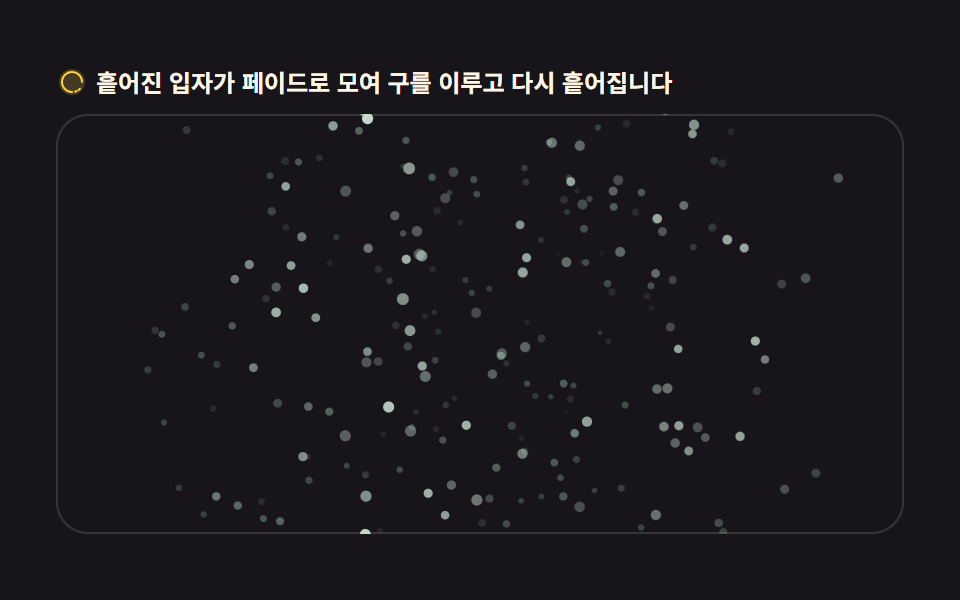
08文字が粒にほぐれる盤
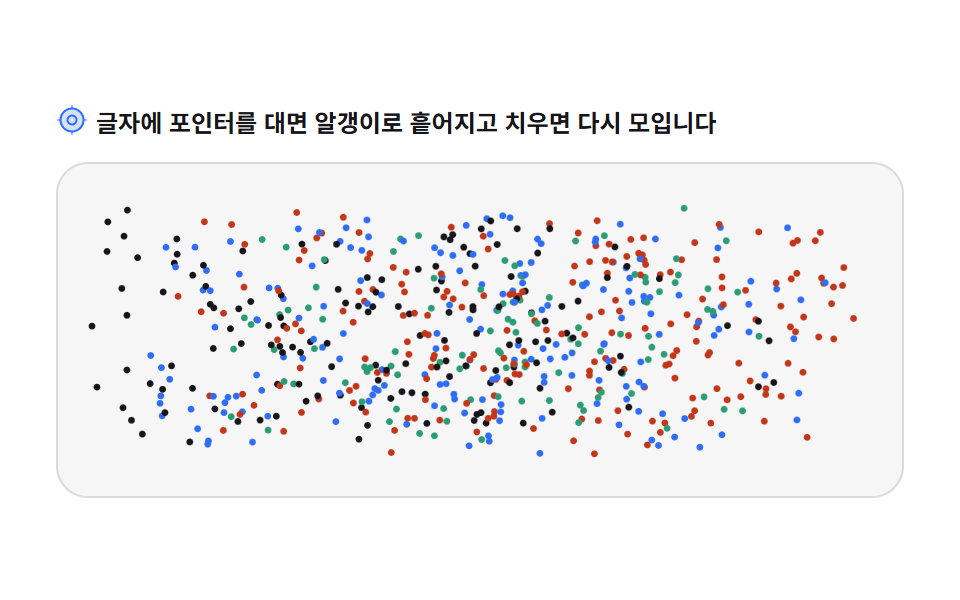
画面外のキャンバスに文字を描いて getImageData で画素を読み、不透明な位置ごとに粒の home を決めます。ポインタを重ねると散り、離れると持ち場へ戻ります。
使いどころオープン告知・お知らせの文
getImageDatafillTextfont
<main class="stage">
<div class="pt" id="pt">
  <p class="pt__hint">
    <svg class="pt__ico" viewBox="0 0 256 256" aria-hidden="true"><g fill="currentColor"><path d="M228 128a100 100 0 1 1-100-100a100 100 0 0 1 100 100" opacity=".2"/><path d="M128 28a100 100 0 1 0 100 100A100.11 100.11 0 0 0 128 28m0 184a84 84 0 1 1 84-84a84.09 84.09 0 0 1-84 84"/><path d="M128 84a44 44 0 1 0 44 44a44.05 44.05 0 0 0-44-44m0 72a28 28 0 1 1 28-28a28 28 0 0 1-28 28"/><rect x="124" y="8" width="8" height="24" rx="4"/><rect x="124" y="224" width="8" height="24" rx="4"/><rect x="8" y="124" width="24" height="8" rx="4"/><rect x="224" y="124" width="24" height="8" rx="4"/></g></svg>
    <span>文字にポインタを重ねると粒にほぐれ、離すと再び集まります</span>
  </p>
  <div class="pt__field" id="field" role="application" aria-label="文字パーティクルの実験台" tabindex="0">
    <canvas class="pt__cv" id="cv"></canvas>
  </div>
</div>
</main>
@use "../../../../site/static/demo-tokens" as *;
// 글자가 파티클로 흩어지는 판 — 움직임은 전부 캔버스 안에 있다.
// 화면 밖 캔버스에 그린 글자를 getImageData 로 읽어 알파가 있는 자리를 알갱이의 집으로 삼는다.
// CSS 애니메이션이 0개이므로 렌더러는 실시간으로 24장을 찍는다(도구/demo.py 렌더(), 287·291 선례).
@include stage($stage-paper);
.pt { display: flex; flex-direction: column; gap: $sp-3; width: 100%; max-width: 424px; }
.pt__hint {
display: flex; align-items: center; gap: $sp-1; margin: 0;
font-weight: 700; font-size: clamp(10px, 2.8vw, 12px); color: $subject-ink;
}
.pt__ico { width: 16px; height: 16px; flex: 0 0 auto; color: $subject-blue; }
.pt__field {
position: relative; height: 168px; border-radius: $r-card; overflow: hidden;
background: rgba($subject-ink, .04);
box-shadow: inset 0 0 0 1px rgba($subject-ink, .12);
cursor: crosshair;
}
.pt__field:focus-visible { outline: 2px solid $subject-blue; outline-offset: 2px; }
.pt__cv { display: block; width: 100%; height: 100%; }
@media (max-width: 340px) {
.pt { gap: $sp-2; }
.pt__field { height: 96px; }
}
// reduce — 루프가 아예 안 돌므로 끄고 말 애니메이션이 없다. 글자가 모인 한 장만 보인다.
@media (prefers-reduced-motion: reduce) {
.pt.is-still .pt__field { cursor: default !important; }
}html, body {
margin: 0;
overflow: hidden;
}
.stage {
box-sizing: border-box;
min-height: 100vh;
display: grid;
place-items: center;
margin: 0;
background: #ffffff;
font-family: -apple-system, "Segoe UI", "Noto Sans KR", sans-serif;
padding: clamp(8px, 4vw, 24px);
}
.pt {
display: flex;
flex-direction: column;
gap: 12px;
width: 100%;
max-width: 424px;
}
.pt__hint {
display: flex;
align-items: center;
gap: 4px;
margin: 0;
font-weight: 700;
font-size: clamp(10px, 2.8vw, 12px);
color: #17141a;
}
.pt__ico {
width: 16px;
height: 16px;
flex: 0 0 auto;
color: #2f6df6;
}
.pt__field {
position: relative;
height: 168px;
border-radius: 16px;
overflow: hidden;
background: rgba(23, 20, 26, 0.04);
box-shadow: inset 0 0 0 1px rgba(23, 20, 26, 0.12);
cursor: crosshair;
}
.pt__field:focus-visible {
outline: 2px solid #2f6df6;
outline-offset: 2px;
}
.pt__cv {
display: block;
width: 100%;
height: 100%;
}
@media (max-width: 340px) {
.pt {
gap: 8px;
}
.pt__field {
height: 96px;
}
}
@media (prefers-reduced-motion: reduce) {
.pt.is-still .pt__field {
cursor: default !important;
}
}// 글자가 파티클로 흩어지는 판 — 화면 밖 캔버스에 글자를 그리고 픽셀을 읽어 알갱이의 집을 정한다.
// 포인터는 알갱이를 밀어내고, 치우면 스프링이 집으로 되돌린다.
var root = document.getElementById('pt');
var field = document.getElementById('field');
var cv = document.getElementById('cv');
var ctx = cv.getContext('2d');
var reduce = window.matchMedia('(prefers-reduced-motion: reduce)').matches;
var WORD = 'GODRICH';
var GAP = 4; // 샘플링 격자 간격(CSS 픽셀)
var PALETTE = ['#17141a', '#2f6df6', '#c2361a', '#2b9d74'];
var SPRING = 14; // 집으로 당기는 스프링 힘
var PUSH = 2600; // 포인터가 밀어내는 최대 가속
var RADIUS = 46; // 포인터 영향 半径
var W = 0, H = 0, dpr = 1;
var dots = [];
var edges = []; // 글자별 오른쪽 경계 — 알갱이 색은 몇 번째 글자인지로 정한다
var pointer = { x: -9999, y: -9999, on: false };
// 화면 밖 캔버스 — 보이지 않는 곳에 글자를 그리고 getImageData 로 되돌려 받는다
var off = document.createElement('canvas');
var offCtx = off.getContext('2d', { willReadFrequently: true });
function build() {
var r = field.getBoundingClientRect();
W = r.width; H = r.height;
dpr = window.devicePixelRatio || 1;
cv.width = Math.round(W * dpr);
cv.height = Math.round(H * dpr);
ctx.setTransform(dpr, 0, 0, dpr, 0, 0);
off.width = Math.max(1, Math.round(W));
off.height = Math.max(1, Math.round(H));
offCtx.clearRect(0, 0, off.width, off.height);
// 글자 크기는 판 폭에서 정한다 — 폭이 좁아도 글자가 잘리지 않게 한다
offCtx.font = '700 100px sans-serif';
var full = offCtx.measureText(WORD).width;
var size = Math.min(100 * (W * 0.9) / full, H * 0.72);
offCtx.font = '700 ' + Math.round(size) + 'px sans-serif';
var total = offCtx.measureText(WORD).width;
var startX = (W - total) / 2;
offCtx.textAlign = 'left';
offCtx.textBaseline = 'middle';
offCtx.fillStyle = '#17141a';
offCtx.fillText(WORD, startX, H * 0.54);
edges = [];
var acc = startX;
for (var c = 0; c < WORD.length; c++) {
acc += offCtx.measureText(WORD[c]).width;
edges.push(acc);
}
// 알파가 128 을 넘는 격자점마다 알갱이 하나 — 그 자리가 집(home)이 된다
var img = offCtx.getImageData(0, 0, off.width, off.height).data;
dots = [];
for (var y = GAP / 2; y < H; y += GAP) {
var iy = Math.min(off.height - 1, Math.round(y)) * off.width;
for (var x = GAP / 2; x < W; x += GAP) {
var ix = Math.min(off.width - 1, Math.round(x));
if (img[(iy + ix) * 4 + 3] < 128) continue;
var li = 0;
while (li < edges.length - 1 && x >= edges[li]) li++;
dots.push({
hx: x, hy: y,
x: Math.random() * W, y: Math.random() * H, // 처음에는 판 전체에 뿌려 두고 집으로 모여 들어온다
vx: 0, vy: 0,
r: GAP * 0.42,
color: PALETTE[li % PALETTE.length],
ph: Math.random() * Math.PI * 2, // 쉬고 있을 때 살짝 숨쉬는 움직임의 위상
sp: 0.5 + Math.random() * 0.9
});
}
}
}
function step(dt) {
var damp = Math.exp(-6 * dt); // 마찰 — 스프링이 지나치게 출렁이지 않게 한다
for (var i = 0; i < dots.length; i++) {
var d = dots[i];
var ax = (d.hx - d.x) * SPRING;
var ay = (d.hy - d.y) * SPRING;
if (pointer.on) {
var dx = d.x - pointer.x;
var dy = d.y - pointer.y;
var dist2 = dx * dx + dy * dy;
if (dist2 < RADIUS * RADIUS) {
var dist = Math.sqrt(dist2) || 0.001;
var force = (1 - dist / RADIUS) * PUSH; // 포인터에 가까울수록 세게 밀려난다
ax += (dx / dist) * force;
ay += (dy / dist) * force;
}
}
d.vx = (d.vx + ax * dt) * damp;
d.vy = (d.vy + ay * dt) * damp;
d.x += d.vx * dt;
d.y += d.vy * dt;
}
}
function draw(nowSec) {
ctx.clearRect(0, 0, W, H);
for (var i = 0; i < dots.length; i++) {
var d = dots[i];
var ox = Math.sin(nowSec * d.sp + d.ph) * 0.7; // 다 모인 뒤에도 완전히 죽은 화면이 되지 않게 한다
var oy = Math.cos(nowSec * d.sp * 0.8 + d.ph) * 0.7;
ctx.fillStyle = d.color;
ctx.beginPath();
ctx.arc(d.x + ox, d.y + oy, d.r, 0, Math.PI * 2);
ctx.fill();
}
}
var last = 0;
function frame(now) {
var dt = last ? Math.min((now - last) / 1000, 0.05) : 0.016;
last = now;
step(dt);
draw(now / 1000);
requestAnimationFrame(frame);
}
// 키보드 대체 — 판에 포커스를 두고 Enter 나 Space 를 누르면 알갱이 전부가 사방으로 튀어 오른다
function kick() {
for (var i = 0; i < dots.length; i++) {
var a = Math.random() * Math.PI * 2;
var s = 320 + Math.random() * 420;
dots[i].vx += Math.cos(a) * s;
dots[i].vy += Math.sin(a) * s;
}
}
field.addEventListener('pointermove', function (e) {
var r = field.getBoundingClientRect();
pointer.x = e.clientX - r.left;
pointer.y = e.clientY - r.top;
pointer.on = true;
});
field.addEventListener('pointerleave', function () { pointer.on = false; });
field.addEventListener('pointerup', function () { pointer.on = false; });
field.addEventListener('keydown', function (e) {
if (e.key === 'Enter' || e.key === ' ') { e.preventDefault(); kick(); }
});
window.addEventListener('resize', function () { build(); draw(0); });
build();
if (reduce) {
// reduce — 루프를 돌리지 않고 글자가 온전히 모인 한 장만 그린다
for (var i = 0; i < dots.length; i++) { dots[i].x = dots[i].hx; dots[i].y = dots[i].hy; }
root.classList.add('is-still');
draw(0);
} else {
requestAnimationFrame(frame);
}// TextScatter — vanilla 판(run/012/demo/08-particle-text-scatter/index.html) 의 React 포트.
// 화면 밖 캔버스에 "GODRICH" 를 그리고 getImageData 로 픽셀을 읽어 알갱이의 집(home)을 정한다.
// 포인터는 알갱이를 밀어내고 치우면 스프링(14)이 집으로 되돌린다. 상수·식은 vanilla 와 같다.
import { useEffect, useRef, useState } from "react";
import styles from "./TextScatter.module.scss";
export type TextScatterProps = {
duration?: string;
easing?: string;
color?: string;
};
type Vars = { "--duration"?: string; "--easing"?: string; "--color"?: string };
// useRef 는 T | null 을 돌려준다. 처음부터 값이 있고 절대 비지 않는 상자는 이렇게 좁혀 쓴다
type Box<T> = { current: T };
// React 의 이벤트 제네릭이 없는 환경이라 필요한 것만 로컬로 선언한다
type PointerEvt = { clientX: number; clientY: number; preventDefault(): void };
type KeyEvt = { key: string; preventDefault(): void };
type Dot = { hx: number; hy: number; x: number; y: number; vx: number; vy: number; r: number; color: string; ph: number; sp: number };
const WORD = "GODRICH";
const GAP = 4; // 샘플링 격자 간격(CSS 픽셀)
const PALETTE = ["#17141a", "#2f6df6", "#c2361a", "#2b9d74"];
const SPRING = 14; // 집으로 당기는 스프링 힘
const PUSH = 2600; // 포인터가 밀어내는 최대 가속
const RADIUS = 46; // 포인터 영향 반경
const HINT = "글자에 포인터를 대면 알갱이로 흩어지고 치우면 다시 모입니다";
const FIELD_LABEL = "글자 파티클 실험판";
export default function TextScatter({
duration = "2s",
easing = "linear",
color = "#2f6df6",
}: TextScatterProps) {
const fieldRef = useRef<HTMLDivElement | null>(null);
const cvRef = useRef<HTMLCanvasElement | null>(null);
const ctxRef = useRef<CanvasRenderingContext2D | null>(null);
// 화면 밖 캔버스 — 보이지 않는 곳에 글자를 그리고 getImageData 로 되돌려 받는다 (useEffect 안에서 생성)
const offRef = useRef<HTMLCanvasElement | null>(null);
const offCtxRef = useRef<CanvasRenderingContext2D | null>(null);
const sizeRef = useRef({ w: 0, h: 0, dpr: 1 }) as Box<{ w: number; h: number; dpr: number }>;
const dotsRef = useRef<Dot[]>([]) as Box<Dot[]>;
const ptrRef = useRef({ x: -9999, y: -9999, on: false }) as Box<{ x: number; y: number; on: boolean }>;
const lastRef = useRef(0) as Box<number>;
const rafRef = useRef(0) as Box<number>;
const [still, setStill] = useState(false);
const vars: Vars = { "--duration": duration, "--easing": easing, "--color": color };
function reduced(): boolean {
return window.matchMedia("(prefers-reduced-motion: reduce)").matches;
}
function build(): void {
const field = fieldRef.current;
const cv = cvRef.current;
const ctx = ctxRef.current;
const off = offRef.current;
const offCtx = offCtxRef.current;
if (!field || !cv || !ctx || !off || !offCtx) return;
const r = field.getBoundingClientRect();
const size = sizeRef.current;
size.w = r.width;
size.h = r.height;
size.dpr = window.devicePixelRatio || 1;
cv.width = Math.round(size.w * size.dpr);
cv.height = Math.round(size.h * size.dpr);
ctx.setTransform(size.dpr, 0, 0, size.dpr, 0, 0);
const W = size.w, H = size.h;
off.width = Math.max(1, Math.round(W));
off.height = Math.max(1, Math.round(H));
offCtx.clearRect(0, 0, off.width, off.height);
// 글자 크기는 판 폭에서 정한다 — 폭이 좁아도 글자가 잘리지 않게 한다
offCtx.font = "700 100px sans-serif";
const full = offCtx.measureText(WORD).width;
const fontPx = Math.min((100 * (W * 0.9)) / full, H * 0.72);
offCtx.font = "700 " + Math.round(fontPx) + "px sans-serif";
const total = offCtx.measureText(WORD).width;
const startX = (W - total) / 2;
offCtx.textAlign = "left";
offCtx.textBaseline = "middle";
offCtx.fillStyle = "#17141a";
offCtx.fillText(WORD, startX, H * 0.54);
// 글자별 오른쪽 경계 — 알갱이 색은 몇 번째 글자인지로 정한다
const edges: number[] = [];
let acc = startX;
for (let c = 0; c < WORD.length; c++) {
acc += offCtx.measureText(WORD[c]).width;
edges.push(acc);
}
// 알파가 128 을 넘는 격자점마다 알갱이 하나 — 그 자리가 집(home)이 된다
const img = offCtx.getImageData(0, 0, off.width, off.height).data;
const built: Dot[] = [];
for (let y = GAP / 2; y < H; y += GAP) {
const iy = Math.min(off.height - 1, Math.round(y)) * off.width;
for (let x = GAP / 2; x < W; x += GAP) {
const ix = Math.min(off.width - 1, Math.round(x));
if (img[(iy + ix) * 4 + 3] < 128) continue;
let li = 0;
while (li < edges.length - 1 && x >= edges[li]) li++;
built.push({
hx: x, hy: y,
x: Math.random() * W, y: Math.random() * H, // 처음에는 판 전체에 뿌려 두고 집으로 모여 들어온다
vx: 0, vy: 0,
r: GAP * 0.42,
color: PALETTE[li % PALETTE.length],
ph: Math.random() * Math.PI * 2, // 쉬고 있을 때 살짝 숨쉬는 움직임의 위상
sp: 0.5 + Math.random() * 0.9,
});
}
}
dotsRef.current = built;
}
function step(dt: number): void {
const damp = Math.exp(-6 * dt); // 마찰 — 스프링이 지나치게 출렁이지 않게 한다
const dots = dotsRef.current;
const ptr = ptrRef.current;
for (let i = 0; i < dots.length; i++) {
const d = dots[i];
let ax = (d.hx - d.x) * SPRING;
let ay = (d.hy - d.y) * SPRING;
if (ptr.on) {
const dx = d.x - ptr.x;
const dy = d.y - ptr.y;
const dist2 = dx * dx + dy * dy;
if (dist2 < RADIUS * RADIUS) {
const dist = Math.sqrt(dist2) || 0.001;
const force = (1 - dist / RADIUS) * PUSH; // 포인터에 가까울수록 세게 밀려난다
ax += (dx / dist) * force;
ay += (dy / dist) * force;
}
}
d.vx = (d.vx + ax * dt) * damp;
d.vy = (d.vy + ay * dt) * damp;
d.x += d.vx * dt;
d.y += d.vy * dt;
}
}
function draw(nowSec: number): void {
const ctx = ctxRef.current;
if (!ctx) return;
const size = sizeRef.current;
const dots = dotsRef.current;
ctx.clearRect(0, 0, size.w, size.h);
for (let i = 0; i < dots.length; i++) {
const d = dots[i];
const ox = Math.sin(nowSec * d.sp + d.ph) * 0.7; // 다 모인 뒤에도 완전히 죽은 화면이 되지 않게 한다
const oy = Math.cos(nowSec * d.sp * 0.8 + d.ph) * 0.7;
ctx.fillStyle = d.color;
ctx.beginPath();
ctx.arc(d.x + ox, d.y + oy, d.r, 0, Math.PI * 2);
ctx.fill();
}
}
function frame(now: number): void {
const dt = lastRef.current ? Math.min((now - lastRef.current) / 1000, 0.05) : 0.016;
lastRef.current = now;
step(dt);
draw(now / 1000);
rafRef.current = requestAnimationFrame(frame);
}
// 키보드 대체 — 판에 포커스를 두고 Enter 나 Space 를 누르면 알갱이 전부가 사방으로 튀어 오른다
function kick(): void {
const dots = dotsRef.current;
for (let i = 0; i < dots.length; i++) {
const a = Math.random() * Math.PI * 2;
const s = 320 + Math.random() * 420;
dots[i].vx += Math.cos(a) * s;
dots[i].vy += Math.sin(a) * s;
}
}
useEffect(() => {
const cv = cvRef.current;
if (!cv) return;
const ctx = cv.getContext("2d");
if (!ctx) return;
ctxRef.current = ctx;
const off = document.createElement("canvas");
const offCtx = off.getContext("2d", { willReadFrequently: true });
if (!offCtx) return;
offRef.current = off;
offCtxRef.current = offCtx;
build();
function onResize(): void { build(); draw(0); }
window.addEventListener("resize", onResize);
if (reduced()) {
// reduce — 루프를 돌리지 않고 글자가 온전히 모인 한 장만 그린다
const dots = dotsRef.current;
for (let i = 0; i < dots.length; i++) { dots[i].x = dots[i].hx; dots[i].y = dots[i].hy; }
setStill(true);
draw(0);
} else {
lastRef.current = 0;
rafRef.current = requestAnimationFrame(frame);
}
return () => {
window.removeEventListener("resize", onResize);
cancelAnimationFrame(rafRef.current);
};
}, []);
function onPointerMove(event: PointerEvt): void {
const field = fieldRef.current;
if (!field) return;
const r = field.getBoundingClientRect();
const ptr = ptrRef.current;
ptr.x = event.clientX - r.left;
ptr.y = event.clientY - r.top;
ptr.on = true;
}
function onPointerLeave(): void { ptrRef.current.on = false; }
function onPointerUp(): void { ptrRef.current.on = false; }
function onKeyDown(event: KeyEvt): void {
if (event.key === "Enter" || event.key === " ") {
event.preventDefault();
kick();
}
}
const cls = [styles.root, still ? styles.isStill : ""].filter(Boolean).join(" ");
return (
<main className={styles.stage}>
<div className={cls} style={vars}>
<p className={styles.hint}>
<svg className={styles.ico} viewBox="0 0 256 256" aria-hidden="true"><g fill="currentColor"><path d="M228 128a100 100 0 1 1-100-100a100 100 0 0 1 100 100" opacity=".2"/><path d="M128 28a100 100 0 1 0 100 100A100.11 100.11 0 0 0 128 28m0 184a84 84 0 1 1 84-84a84.09 84.09 0 0 1-84 84"/><path d="M128 84a44 44 0 1 0 44 44a44.05 44.05 0 0 0-44-44m0 72a28 28 0 1 1 28-28a28 28 0 0 1-28 28"/><rect x="124" y="8" width="8" height="24" rx="4"/><rect x="124" y="224" width="8" height="24" rx="4"/><rect x="8" y="124" width="24" height="8" rx="4"/><rect x="224" y="124" width="24" height="8" rx="4"/></g></svg>
<span>{HINT}</span>
</p>
<div
className={styles.field}
ref={fieldRef}
role="application"
aria-label={FIELD_LABEL}
tabIndex={0}
onPointerMove={onPointerMove}
onPointerLeave={onPointerLeave}
onPointerUp={onPointerUp}
onKeyDown={onKeyDown}
>
<canvas className={styles.cv} ref={cvRef}></canvas>
</div>
</div>
</main>
);
}08 文字が粒にほぐれる盤 — 計測 累積面積 21.127% · 動いたフレーム 23/23GODRICH オリジナル · SCSS と React は zip に同梱 · パーティクル アニメーション canvas 9種 — ライブラリなしの作り方
このデモが属する記事
 パーティクル アニメーション canvas 9種 — ライブラリなしの作り方パーティクル アニメーション canvas とは、小さな粒の一つひとつに位置・速度・寿命を持たせ、一枚の canvas の上で動かす映像のことです。九種類のエンジンをライブラリなし、canvas タグひとつで作りました。下のグリッドで今動い この記事のデモをすべて見る