04グラデーションストロークリング
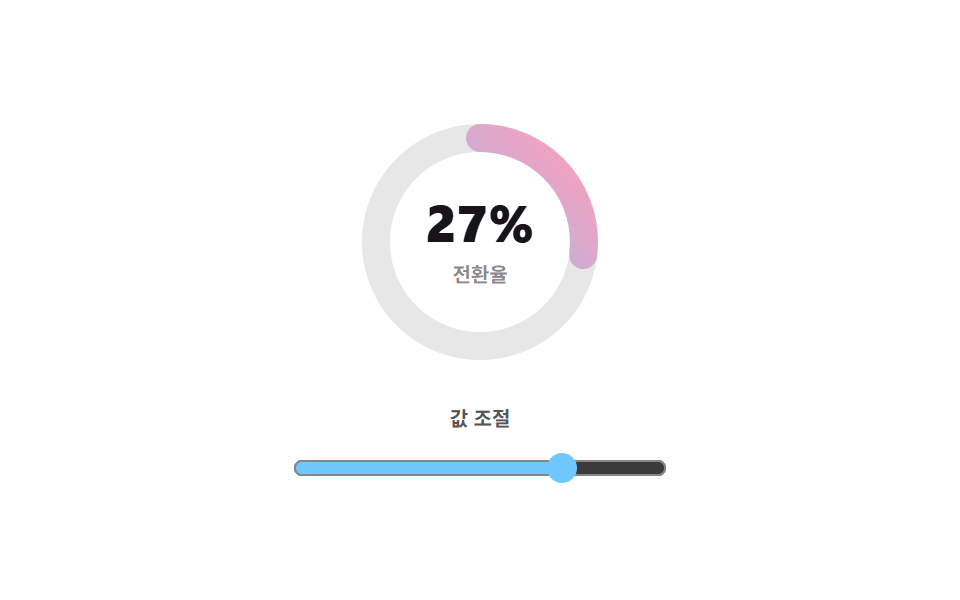
リングの線そのものが空色からピンクへ変わるSVG linearGradientのストロークで、スライダーを動かすとその値まで実際に埋まります。
使いどころ明るいダッシュボードの最初の画面で1指標だけ華やかに立てるヒーローKPI
linearGradientinput rangestroke-linecap
<main class="stage">
  <div class="gd is-demo">
    <div class="gd__dial">
      <svg class="gd__svg" viewBox="0 0 128 128" width="128" height="128" aria-hidden="true">
        <defs>
          <linearGradient id="gdStroke" gradientUnits="userSpaceOnUse" x1="12" y1="12" x2="116" y2="116">
            <stop class="gd__stop-a" offset="0"/>
            <stop class="gd__stop-b" offset="1"/>
          </linearGradient>
        </defs>
        <circle class="gd__track" cx="64" cy="64" r="52"/>
        <circle class="gd__ring" cx="64" cy="64" r="52"/>
      </svg>
      <div class="gd__center">
        <span class="gd__num" role="status" aria-label="現在の値"></span>
        <span class="gd__cap">転換率</span>
      </div>
    </div>
    <label class="gd__slider">
      <span class="gd__slider-label">値を調整</span>
      <input class="gd__range" type="range" min="0" max="100" value="74">
    </label>
  </div>
</main>
@use "../../../../site/static/demo-tokens" as *;
$duration: $dur-loop;
$easing: $ease-spring;
$color: $subject-sky;
@include stage($stage-paper);
@property --num {
syntax: "<integer>";
inherits: true;
initial-value: 0;
}
.gd {
--num: 74;
box-sizing: border-box;
display: grid;
justify-items: center;
gap: $sp-4;
color: $stage-ink;
font-family: -apple-system, "Segoe UI", "Noto Sans KR", sans-serif;
}
.gd__dial { position: relative; display: grid; place-items: center; }
.gd__svg {
width: clamp(108px, 32vw, 128px);
height: clamp(108px, 32vw, 128px);
transform: rotate(-90deg);
}
// 그라디언트 두 끝은 CSS 에서 준다 — 토큰 밖의 색을 SVG 안에 다시 쓰지 않으려고
.gd__stop-a { stop-color: $color; }
.gd__stop-b { stop-color: $subject-pink; }
.gd__track {
fill: none;
stroke: rgba(23, 20, 26, .1);
stroke-width: 14;
}
.gd__ring {
fill: none;
stroke: url(#gdStroke);
stroke-width: 14;
// 둥근 끝은 반지름만큼 삐져나온다 — 0% 에서도 점이 남는 이유
stroke-linecap: round;
stroke-dasharray: 326.726;
stroke-dashoffset: calc(326.726 * (1 - var(--num) / 100));
}
.gd__center { position: absolute; display: grid; justify-items: center; gap: $sp-1; pointer-events: none; }
.gd__num {
font-size: clamp(22px, 7vw, 26px);
font-weight: 800;
font-variant-numeric: tabular-nums;
line-height: 1.1;
}
.gd__num::after {
counter-reset: n var(--num);
content: counter(n) "%";
}
.gd__cap { font-size: 10px; font-weight: 700; color: rgba(23, 20, 26, .5); }
.gd__slider { display: grid; justify-items: center; gap: $sp-2; }
.gd__slider-label { font-size: 10px; font-weight: 700; color: rgba(23, 20, 26, .72); }
.gd__range {
width: clamp(152px, 56vw, 188px);
accent-color: $color;
cursor: pointer;
}
// ── 자동 루프: 0 → 74 → 0. 감고 푸는 한 바퀴라 끝에서 처음으로 튀지 않는다 ──
.gd.is-demo { animation: gd-fill $duration $easing infinite; }
@keyframes gd-fill {
0% { --num: 0; }
45%, 55% { --num: 74; }
100% { --num: 0; }
}
@media (max-width: 340px) {
.gd { gap: $sp-3; }
}
@media (prefers-reduced-motion: reduce) {
.gd.is-demo { animation: none !important; --num: 74; }
}html, body {
margin: 0;
overflow: hidden;
}
.stage {
box-sizing: border-box;
min-height: 100vh;
display: grid;
place-items: center;
margin: 0;
background: #ffffff;
font-family: -apple-system, "Segoe UI", "Noto Sans KR", sans-serif;
padding: clamp(8px, 4vw, 24px);
}
@property --num {
syntax: "<integer>";
inherits: true;
initial-value: 0;
}
.gd {
--num: 74;
box-sizing: border-box;
display: grid;
justify-items: center;
gap: 16px;
color: #17141a;
font-family: -apple-system, "Segoe UI", "Noto Sans KR", sans-serif;
}
.gd__dial {
position: relative;
display: grid;
place-items: center;
}
.gd__svg {
width: clamp(108px, 32vw, 128px);
height: clamp(108px, 32vw, 128px);
transform: rotate(-90deg);
}
.gd__stop-a {
stop-color: #6ec8ff;
}
.gd__stop-b {
stop-color: #ff9ebb;
}
.gd__track {
fill: none;
stroke: rgba(23, 20, 26, 0.1);
stroke-width: 14;
}
.gd__ring {
fill: none;
stroke: url(#gdStroke);
stroke-width: 14;
stroke-linecap: round;
stroke-dasharray: 326.726;
stroke-dashoffset: calc(326.726 * (1 - var(--num) / 100));
}
.gd__center {
position: absolute;
display: grid;
justify-items: center;
gap: 4px;
pointer-events: none;
}
.gd__num {
font-size: clamp(22px, 7vw, 26px);
font-weight: 800;
font-variant-numeric: tabular-nums;
line-height: 1.1;
}
.gd__num::after {
counter-reset: n var(--num);
content: counter(n) "%";
}
.gd__cap {
font-size: 10px;
font-weight: 700;
color: rgba(23, 20, 26, 0.5);
}
.gd__slider {
display: grid;
justify-items: center;
gap: 8px;
}
.gd__slider-label {
font-size: 10px;
font-weight: 700;
color: rgba(23, 20, 26, 0.72);
}
.gd__range {
width: clamp(152px, 56vw, 188px);
accent-color: #6ec8ff;
cursor: pointer;
}
.gd.is-demo {
animation: gd-fill 2s cubic-bezier(0.2, 0.8, 0.2, 1) infinite;
}
@keyframes gd-fill {
0% {
--num: 0;
}
45%, 55% {
--num: 74;
}
100% {
--num: 0;
}
}
@media (max-width: 340px) {
.gd {
gap: 12px;
}
}
@media (prefers-reduced-motion: reduce) {
.gd.is-demo {
animation: none !important;
--num: 74;
}
}// 실제 동작: 슬라이더가 --num 하나를 바꾸고, 링의 dashoffset 과 가운데 숫자가 둘 다 그 값을 읽는다.
var gd = document.querySelector('.gd');
var range = gd.querySelector('.gd__range');
range.addEventListener('input', function () {
gd.classList.remove('is-demo');
gd.style.setProperty('--num', range.value);
});import { useState } from "react";
import type { CSSProperties } from "react";
import styles from "./GradientStrokeRing.module.scss";
let gradSeq = 0;
export type GradientStrokeRingProps = {
duration?: number;
easing?: string;
color?: string;
};
type Vars = CSSProperties & {
"--duration"?: string;
"--easing"?: string;
"--color"?: string;
"--num"?: string;
};
export default function GradientStrokeRing({
duration = 220,
easing = "cubic-bezier(.2, .8, .2, 1)",
color = "#6ec8ff",
}: GradientStrokeRingProps) {
const [num, setNum] = useState(74);
// 한 페이지에 여러 개를 놔도 gradient id 가 부딪히지 않게 한다 (콜론은 url() 에서 못 쓴다)
// 한 페이지에 여러 개를 놔도 그라디언트 id 가 안 부딪히게 인스턴스마다 새 번호를 받는다
const [gradientId] = useState(() => `gdStroke-${++gradSeq}`);
const vars: Vars = {
"--duration": `${duration}ms`,
"--easing": easing,
"--color": color,
"--num": String(num),
};
return (
<div className={styles.gd} style={vars}>
<div className={styles.dial}>
<svg className={styles.svg} viewBox="0 0 128 128" width="128" height="128" aria-hidden="true">
<defs>
<linearGradient id={gradientId} gradientUnits="userSpaceOnUse" x1="12" y1="12" x2="116" y2="116">
<stop className={styles.stopA} offset="0" />
<stop className={styles.stopB} offset="1" />
</linearGradient>
</defs>
<circle className={styles.track} cx="64" cy="64" r="52" />
<circle className={styles.ring} cx="64" cy="64" r="52" style={{ stroke: `url(#${gradientId})` }} />
</svg>
<div className={styles.center}>
<span className={styles.num} role="status" aria-label="Current value" />
<span className={styles.cap}>Conversion</span>
</div>
</div>
<label className={styles.slider}>
<span className={styles.sliderLabel}>Adjust value</span>
<input
className={styles.range}
type="range"
min={0}
max={100}
value={num}
onChange={(e: any) => setNum(Number(e.currentTarget.value))}
/>
</label>
</div>
);
}04 グラデーションストロークリング — 計測 累積面積 3.247% · 動いたフレーム 18/23GODRICH オリジナル · SCSS と React は zip に同梱 · 円形プログレスバー css スタットリング9選 — 数値も実際に動く
このデモが属する記事
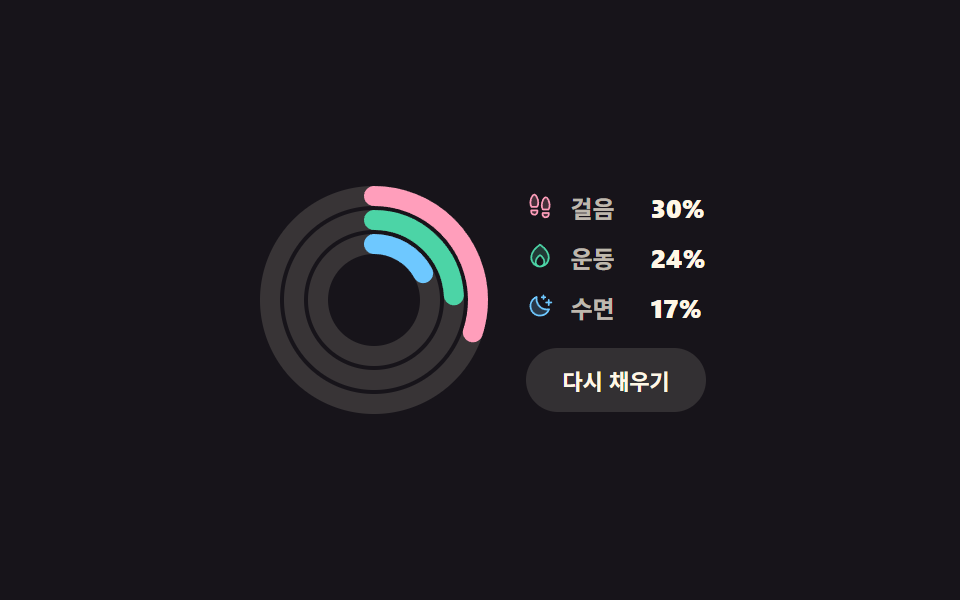 円形プログレスバー css スタットリング9選 — 数値も実際に動く円形プログレスバー css とは、棒の代わりに円に沿って値の分だけ埋めていく進捗表示で、SVGの円ひとつに stroke-dasharray と stroke-dashoffset の二つを与えるだけで作れます。九つとも、ボタンやスライダー この記事のデモをすべて見る