03カーソルを追うスクロール
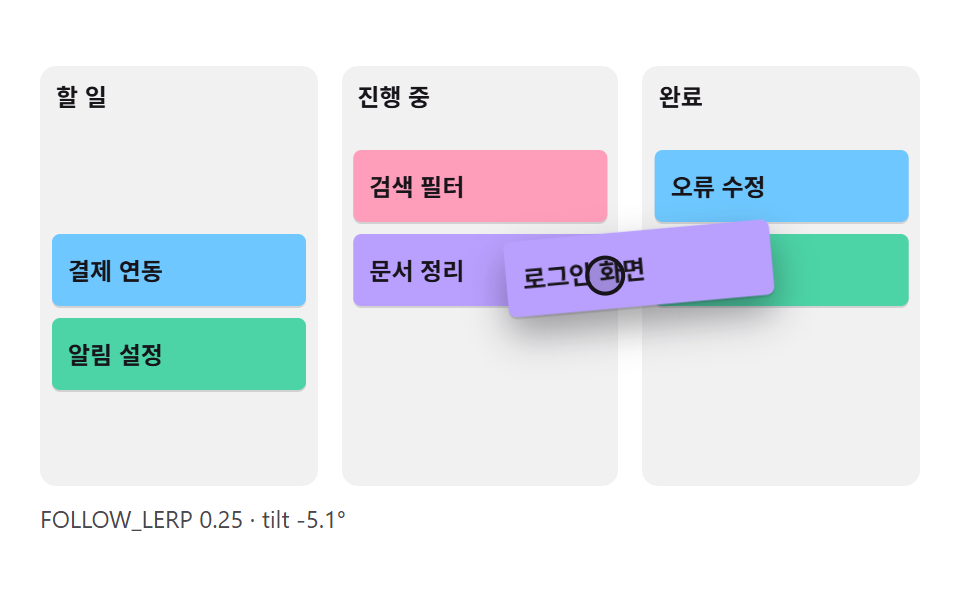
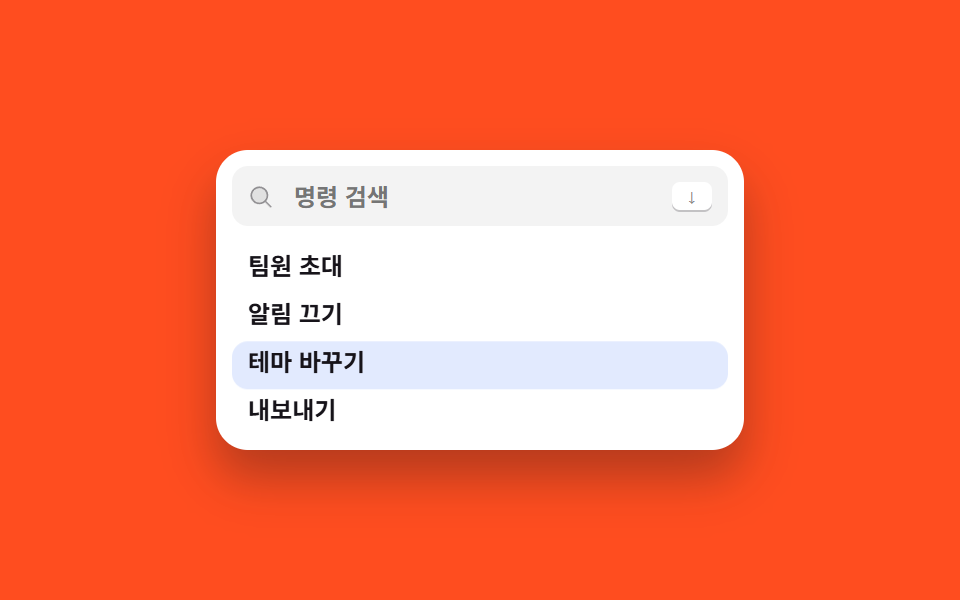
下矢印を押し続けるとハイライトが箱の端に触れた瞬間にリストが一行ずつ自分で押し上がり、選んでいる行が常に見えます。
使いどころコマンドが箱の高さより多く、キーボードだけで下りると選択行を見失いやすいリストに付けるとき
scrollIntoViewblock: nearesttranslateY
<main class="stage">
  <div class="pal is-demo" role="dialog" aria-modal="true" aria-label="コマンドパレット">
    <div class="pal__bar">
      <span class="pal__mag" aria-hidden="true"><svg viewBox="0 0 256 256" width="13" height="13"><g fill="currentColor"><path d="M192 112a80 80 0 1 1-80-80a80 80 0 0 1 80 80" opacity=".2"/><path d="m229.66 218.34l-50.06-50.06a88.21 88.21 0 1 0-11.32 11.31l50.06 50.07a8 8 0 0 0 11.32-11.32M40 112a72 72 0 1 1 72 72a72.08 72.08 0 0 1-72-72"/></g></svg></span>
      <input class="pal__input" id="q" type="text" role="combobox" aria-expanded="true" aria-controls="list" aria-label="コマンドを検索" placeholder="コマンドを検索" autocomplete="off">
      <kbd class="pal__kbd">↓</kbd>
    </div>
    <div class="pal__box" id="box">
      <span class="pal__cursor" aria-hidden="true"></span>
      <div class="pal__track" id="list" role="listbox" aria-label="コマンドパレット">
        <div class="pal__opt" id="o1" role="option" aria-selected="false" tabindex="-1">文書を作成</div>
        <div class="pal__opt" id="o2" role="option" aria-selected="false" tabindex="-1">フォルダを作成</div>
        <div class="pal__opt" id="o3" role="option" aria-selected="false" tabindex="-1">メンバーを招待</div>
        <div class="pal__opt" id="o4" role="option" aria-selected="false" tabindex="-1">通知をオフ</div>
        <div class="pal__opt" id="o5" role="option" aria-selected="false" tabindex="-1">テーマを変更</div>
        <div class="pal__opt" id="o6" role="option" aria-selected="false" tabindex="-1">エクスポート</div>
        <div class="pal__opt" id="o7" role="option" aria-selected="false" tabindex="-1">サインアウト</div>
      </div>
    </div>
  </div>
</main>
@use "../../../../site/static/demo-tokens" as *;
$duration: $dur-quick;
$easing: $ease-out;
$color: $subject-blue;
@include stage($stage-orange);
.pal {
box-sizing: border-box;
width: min(264px, 88vw);
padding: $sp-2;
background: #fff;
border-radius: $r-card;
box-shadow: $shadow-raised;
font-family: -apple-system, "Segoe UI", "Noto Sans KR", sans-serif;
color: $subject-ink;
}
.pal__bar {
box-sizing: border-box;
height: 30px;
display: flex; align-items: center; gap: $sp-2;
padding: 0 $sp-2;
border-radius: $r-sm;
background: rgba(23, 20, 26, .05);
}
.pal__mag { display: inline-flex; color: rgba(23, 20, 26, .42); }
.pal__input {
flex: 1 1 auto;
min-width: 0;
border: 0; background: transparent;
font-family: inherit;
font-size: 12px; font-weight: 600;
color: $subject-ink;
}
.pal__input:focus-visible { outline: 2px solid $color; outline-offset: 2px; border-radius: $r-xs; }
.pal__kbd {
flex: 0 0 auto;
height: 14px;
display: inline-flex; align-items: center;
padding: 0 $sp-2;
border-radius: $r-xs;
background: #fff;
box-shadow: 0 1px 0 rgba(23, 20, 26, .22);
font-family: inherit;
font-size: 9px; font-weight: 800;
color: rgba(23, 20, 26, .5);
}
.pal__box {
position: relative;
box-sizing: border-box;
height: 96px;
margin: $sp-2 0 0;
overflow-y: auto;
overscroll-behavior: contain;
scrollbar-width: none;
}
.pal__box::-webkit-scrollbar { width: 0; }
.pal__cursor {
position: absolute;
left: 0; top: 0;
z-index: 0;
width: 100%; height: 24px;
border-radius: $r-sm;
background: rgba(47, 109, 246, .14);
opacity: 0;
}
.pal__track { position: relative; z-index: 1; }
.pal__opt {
box-sizing: border-box;
height: 24px;
display: flex; align-items: center;
padding: 0 $sp-2;
border-radius: $r-sm;
font-size: 12px; font-weight: 600;
color: $subject-ink; // 목록이 흰 상자 밖(주황 무대)으로 밀려 나온 줄까지 읽히게 — 알파 없이
cursor: pointer;
}
.pal__opt.is-at { background: rgba(47, 109, 246, .14); color: $color; }
// ── 자동 루프: 커서가 넷째 줄까지 내려간 뒤로는 커서가 서고 목록이 대신 밀려 올라간다 ──
// 커서와 목록이 각각 transform 으로만 움직인다 (실제 scrollLeft·scrollTop 은 WAAPI 로 못 잰다)
.pal.is-demo .pal__cursor { opacity: 1; animation: cur-run $dur-loop $easing infinite; }
.pal.is-demo .pal__track { animation: track-follow $dur-loop $easing infinite; }
@keyframes cur-run {
0% { transform: translateY(0); }
28%, 66% { transform: translateY(72px); }
90%, 100% { transform: translateY(0); }
}
@keyframes track-follow {
0%, 28% { transform: translateY(0); }
52%, 66% { transform: translateY(-72px); }
90%, 100% { transform: translateY(0); }
}
@media (prefers-reduced-motion: reduce) {
.pal.is-demo .pal__cursor,
.pal.is-demo .pal__track { animation: none !important; }
.pal.is-demo .pal__cursor { opacity: 1; }
}html, body {
margin: 0;
overflow: hidden;
}
.stage {
box-sizing: border-box;
min-height: 100vh;
display: grid;
place-items: center;
margin: 0;
background: #ff4d1f;
font-family: -apple-system, "Segoe UI", "Noto Sans KR", sans-serif;
padding: clamp(8px, 4vw, 24px);
}
.pal {
box-sizing: border-box;
width: min(264px, 88vw);
padding: 8px;
background: #fff;
border-radius: 16px;
box-shadow: 0 14px 24px rgba(23, 20, 26, 0.32);
font-family: -apple-system, "Segoe UI", "Noto Sans KR", sans-serif;
color: #17141a;
}
.pal__bar {
box-sizing: border-box;
height: 30px;
display: flex;
align-items: center;
gap: 8px;
padding: 0 8px;
border-radius: 8px;
background: rgba(23, 20, 26, 0.05);
}
.pal__mag {
display: inline-flex;
color: rgba(23, 20, 26, 0.42);
}
.pal__input {
flex: 1 1 auto;
min-width: 0;
border: 0;
background: transparent;
font-family: inherit;
font-size: 12px;
font-weight: 600;
color: #17141a;
}
.pal__input:focus-visible {
outline: 2px solid #2f6df6;
outline-offset: 2px;
border-radius: 4px;
}
.pal__kbd {
flex: 0 0 auto;
height: 14px;
display: inline-flex;
align-items: center;
padding: 0 8px;
border-radius: 4px;
background: #fff;
box-shadow: 0 1px 0 rgba(23, 20, 26, 0.22);
font-family: inherit;
font-size: 9px;
font-weight: 800;
color: rgba(23, 20, 26, 0.5);
}
.pal__box {
position: relative;
box-sizing: border-box;
height: 96px;
margin: 8px 0 0;
overflow-y: auto;
overscroll-behavior: contain;
scrollbar-width: none;
}
.pal__box::-webkit-scrollbar {
width: 0;
}
.pal__cursor {
position: absolute;
left: 0;
top: 0;
z-index: 0;
width: 100%;
height: 24px;
border-radius: 8px;
background: rgba(47, 109, 246, 0.14);
opacity: 0;
}
.pal__track {
position: relative;
z-index: 1;
}
.pal__opt {
box-sizing: border-box;
height: 24px;
display: flex;
align-items: center;
padding: 0 8px;
border-radius: 8px;
font-size: 12px;
font-weight: 600;
color: #17141a;
cursor: pointer;
}
.pal__opt.is-at {
background: rgba(47, 109, 246, 0.14);
color: #2f6df6;
}
.pal.is-demo .pal__cursor {
opacity: 1;
animation: cur-run 2s ease-out infinite;
}
.pal.is-demo .pal__track {
animation: track-follow 2s ease-out infinite;
}
@keyframes cur-run {
0% {
transform: translateY(0);
}
28%, 66% {
transform: translateY(72px);
}
90%, 100% {
transform: translateY(0);
}
}
@keyframes track-follow {
0%, 28% {
transform: translateY(0);
}
52%, 66% {
transform: translateY(-72px);
}
90%, 100% {
transform: translateY(0);
}
}
@media (prefers-reduced-motion: reduce) {
.pal.is-demo .pal__cursor,
.pal.is-demo .pal__track {
animation: none !important;
}
.pal.is-demo .pal__cursor {
opacity: 1;
}
}// 실제 동작: ↑↓ 로 커서를 옮기고, 커서가 상자 밖으로 나가려는 순간 scrollIntoView 가 목록만 밀어 올린다.
var pal = document.querySelector('.pal');
var input = document.getElementById('q');
var opts = [].slice.call(document.querySelectorAll('.pal__opt'));
var at = -1;
function move(i) {
pal.classList.remove('is-demo');
at = Math.max(0, Math.min(i, opts.length - 1));
opts.forEach(function (o, k) { o.classList.toggle('is-at', k === at); });
input.setAttribute('aria-activedescendant', opts[at].id);
// block: 'nearest' 라서 이미 보이는 줄이면 스크롤이 아예 일어나지 않는다
opts[at].scrollIntoView({ block: 'nearest' });
}
document.addEventListener('keydown', function (e) {
if (e.key === 'ArrowDown' || e.key === 'ArrowUp') {
move(at + (e.key === 'ArrowDown' ? 1 : -1)); e.preventDefault();
} else if (e.key === 'Home' || e.key === 'End') {
move(e.key === 'Home' ? 0 : opts.length - 1); e.preventDefault();
} else if (e.key === 'Enter' && opts[at]) {
opts.forEach(function (o) { o.setAttribute('aria-selected', String(o === opts[at])); });
e.preventDefault();
} else if (e.key === 'Escape') {
opts.forEach(function (o) { o.classList.remove('is-at'); });
at = -1; input.focus({ preventScroll: true });
}
});
opts.forEach(function (o, i) { o.addEventListener('mousemove', function () { move(i); }); });import { useRef, useState } from "react";
import type { CSSProperties } from "react";
import styles from "./ScrollFollowPalette.module.scss";
export type ScrollFollowPaletteProps = {
placeholder?: string;
options?: string[];
rows?: number;
duration?: number;
easing?: string;
color?: string;
};
type Vars = CSSProperties & { "--duration"?: string; "--easing"?: string; "--color"?: string };
type KeyEvt = { key: string; preventDefault: () => void };
const DEFAULT_OPTIONS = [
"Create document", "Create folder", "Invite member", "Mute notifications",
"Change theme", "Export", "Sign out",
];
export default function ScrollFollowPalette({
placeholder = "Search commands",
options = DEFAULT_OPTIONS,
rows = 4,
duration = 220,
easing = "ease-out",
color = "#2f6df6",
}: ScrollFollowPaletteProps) {
const [at, setAt] = useState(-1);
const [picked, setPicked] = useState<string | null>(null);
const inputRef = useRef<HTMLInputElement>(null);
const rowRefs = useRef<(HTMLDivElement | null)[]>([]) as { current: (HTMLDivElement | null)[] };
const vars: Vars = { "--duration": `${duration}ms`, "--easing": easing, "--color": color, height: `${rows * 24}px` };
// block: "nearest" 라서 이미 보이는 줄이면 스크롤이 아예 일어나지 않는다 — 커서가 끝에 닿을 때만 목록이 움직인다
function move(next: number) {
const i = Math.max(0, Math.min(next, options.length - 1));
setAt(i);
rowRefs.current[i]?.scrollIntoView({ block: "nearest" });
}
return (
<div className={styles.pal} role="dialog" aria-modal="true" aria-label="Command palette">
<div className={styles.bar}>
<span className={styles.mag} aria-hidden="true">
<svg viewBox="0 0 256 256" width="13" height="13">
<g fill="currentColor">
<path d="M192 112a80 80 0 1 1-80-80a80 80 0 0 1 80 80" opacity=".2" />
<path d="m229.66 218.34l-50.06-50.06a88.21 88.21 0 1 0-11.32 11.31l50.06 50.07a8 8 0 0 0 11.32-11.32M40 112a72 72 0 1 1 72 72a72.08 72.08 0 0 1-72-72" />
</g>
</svg>
</span>
<input
ref={inputRef}
className={styles.input}
type="text"
role="combobox"
aria-expanded="true"
aria-controls="sf-list"
aria-activedescendant={at >= 0 ? `sf-o${at}` : undefined}
aria-label={placeholder}
placeholder={placeholder}
autoComplete="off"
onKeyDown={(e: KeyEvt) => {
if (e.key === "ArrowDown" || e.key === "ArrowUp") {
e.preventDefault();
move(at + (e.key === "ArrowDown" ? 1 : -1));
} else if (e.key === "Home" || e.key === "End") {
e.preventDefault();
move(e.key === "Home" ? 0 : options.length - 1);
} else if (e.key === "Enter" && at >= 0) {
e.preventDefault();
setPicked(options[at]);
} else if (e.key === "Escape") {
setAt(-1);
inputRef.current?.focus({ preventScroll: true });
}
}}
/>
<kbd className={styles.kbd}>↓</kbd>
</div>
<div className={styles.box} style={vars}>
<div className={styles.track} id="sf-list" role="listbox" aria-label="Command palette">
{options.map((label, i) => (
<div
key={label}
id={`sf-o${i}`}
ref={(el: HTMLDivElement | null) => { rowRefs.current[i] = el; }}
className={`${styles.opt} ${i === at ? styles.isAt : ""}`}
role="option"
aria-selected={label === picked}
tabIndex={-1}
onMouseMove={() => move(i)}
onClick={() => setPicked(label)}
>
{label}
</div>
))}
</div>
</div>
</div>
);
}03 カーソルを追うスクロール — 計測 累積面積 16.5% · 動いたフレーム 20/23GODRICH オリジナル · SCSS と React は zip に同梱 · 検索窓 デザイン css 9選 — Cmd+Kで開くパレット
このデモが属する記事
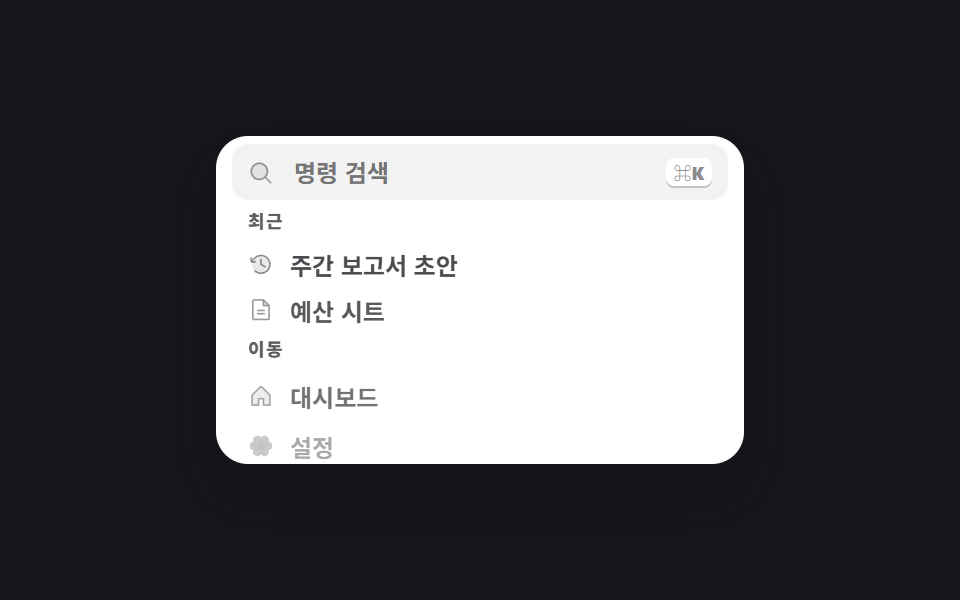 検索窓 デザイン css 9選 — Cmd+Kで開くパレット検索窓 デザイン css の中でもコマンドパレットは、画面の上に浮かんでコマンドと文書を1つの欄から探すオーバーレイです。9つのうち1つは該当なしのときにむしろ行が増え、もう1つはリストを持たず入力欄だけを先に出します。 この記事のデモをすべて見る