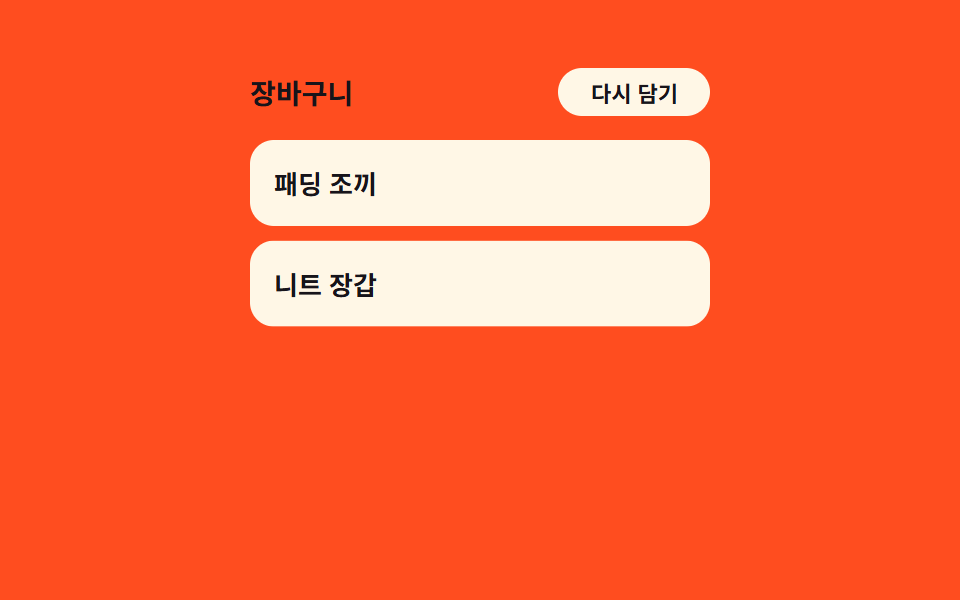
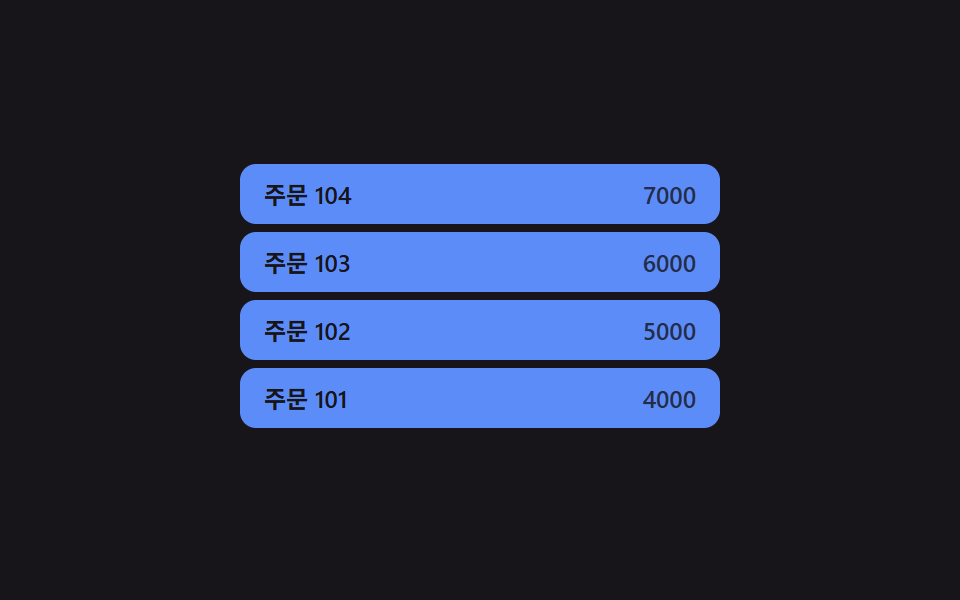
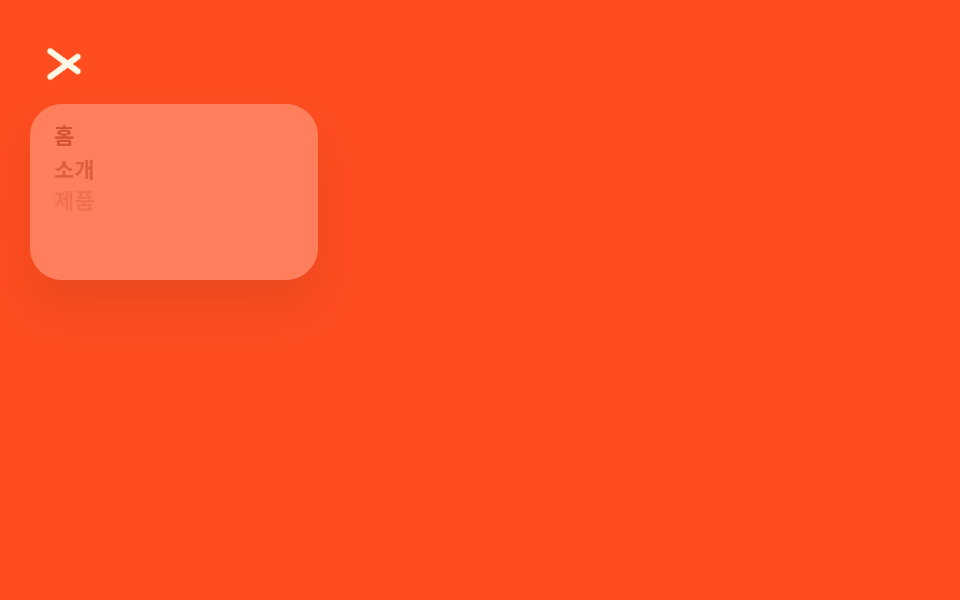
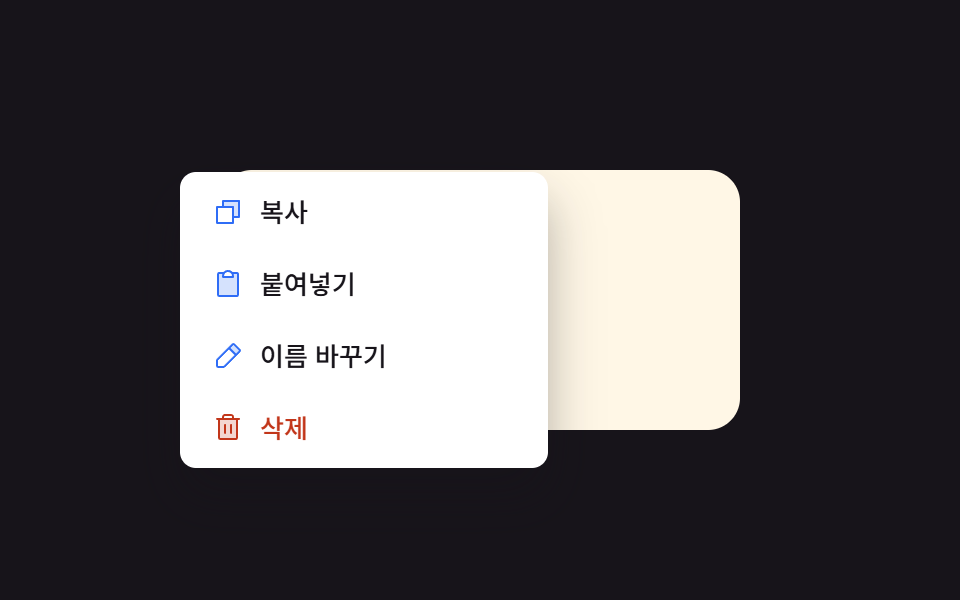
07項目順次表示 — 各行の順番の値だけ遅れて位置の値が満ちる方式
メニューが開いた状態になると各行の位置の値と透明度の値が自分の順番の値に比例した時間だけ遅れて元の値に変わり、順番の値が大きい行ほど後から位置の値が満ちます。
使いどころ項目数の多い編集メニュー、色と並び替えの選択肢が混ざったメニュー
applyStagger()STAGGER_MS = 55el.style.transitionDelay = i * STAGGER_MS
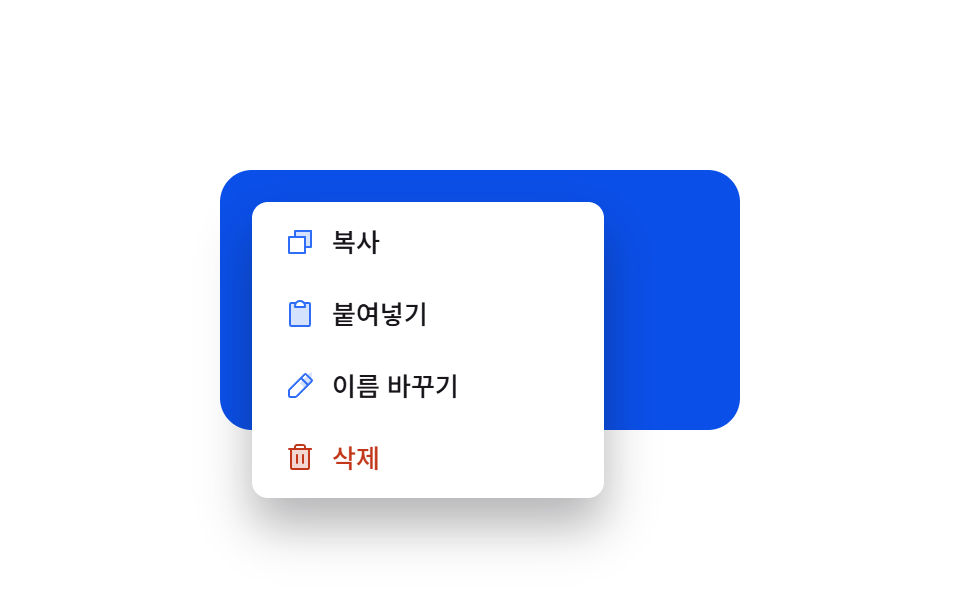
<main class="stage">
<div class="cm is-demo" id="cm">
  <div class="cm__field" id="cmField">
    <span class="cm__hint">右クリック</span>
  </div>
  <div class="cm__menu" id="cmMenu" role="menu">
    <button class="cm__item" type="button" role="menuitem">
      <span class="cm__ic"><svg xmlns="http://www.w3.org/2000/svg" viewBox="0 0 256 256"><g fill="currentColor"><path d="M216 40v128h-48V88H88V40Z" opacity=".2"/><path d="M216 32H88a8 8 0 0 0-8 8v40H40a8 8 0 0 0-8 8v128a8 8 0 0 0 8 8h128a8 8 0 0 0 8-8v-40h40a8 8 0 0 0 8-8V40a8 8 0 0 0-8-8m-56 176H48V96h112Zm48-48h-32V88a8 8 0 0 0-8-8H96V48h112Z"/></g></svg></span>
      <span>コピー</span>
    </button>
    <button class="cm__item" type="button" role="menuitem">
      <span class="cm__ic"><svg xmlns="http://www.w3.org/2000/svg" viewBox="0 0 256 256"><g fill="currentColor"><path d="M208 48v168a8 8 0 0 1-8 8H56a8 8 0 0 1-8-8V48a8 8 0 0 1 8-8h40a39.83 39.83 0 0 0-8 24v8h80v-8a39.83 39.83 0 0 0-8-24h40a8 8 0 0 1 8 8" opacity=".2"/><path d="M200 32h-36.26a47.92 47.92 0 0 0-71.48 0H56a16 16 0 0 0-16 16v168a16 16 0 0 0 16 16h144a16 16 0 0 0 16-16V48a16 16 0 0 0-16-16m-72 0a32 32 0 0 1 32 32H96a32 32 0 0 1 32-32m72 184H56V48h26.75A47.9 47.9 0 0 0 80 64v8a8 8 0 0 0 8 8h80a8 8 0 0 0 8-8v-8a47.9 47.9 0 0 0-2.75-16H200Z"/></g></svg></span>
      <span>貼り付け</span>
    </button>
    <button class="cm__item" type="button" role="menuitem">
      <span class="cm__ic"><svg xmlns="http://www.w3.org/2000/svg" viewBox="0 0 256 256"><g fill="currentColor"><path d="m221.66 90.34l-56 56l-40-40l56-56l29.66-29.66a8 8 0 0 1 11.31 0L221.66 79a8 8 0 0 1 0 11.34" opacity=".2"/><path d="m227.31 73.37l-44.68-44.69a16 16 0 0 0-22.63 0L36.69 152A15.86 15.86 0 0 0 32 163.31V208a16 16 0 0 0 16 16h44.69a15.86 15.86 0 0 0 11.31-4.69L227.31 96a16 16 0 0 0 0-22.63M92.69 208H48v-44.69l88-88L180.69 120ZM192 108.68L147.31 64l24-24L216 84.68Z"/></g></svg></span>
      <span>名前を変更</span>
    </button>
    <button class="cm__item cm__item--danger" type="button" role="menuitem">
      <span class="cm__ic"><svg xmlns="http://www.w3.org/2000/svg" viewBox="0 0 256 256"><g fill="currentColor"><path d="M200 56v152a8 8 0 0 1-8 8H64a8 8 0 0 1-8-8V56Z" opacity=".2"/><path d="M216 48h-40v-8a24 24 0 0 0-24-24h-48a24 24 0 0 0-24 24v8H40a8 8 0 0 0 0 16h8v144a16 16 0 0 0 16 16h128a16 16 0 0 0 16-16V64h8a8 8 0 0 0 0-16M96 40a8 8 0 0 1 8-8h48a8 8 0 0 1 8 8v8H96Zm96 168H64V64h128Zm-80-104v64a8 8 0 0 1-16 0v-64a8 8 0 0 1 16 0m48 0v64a8 8 0 0 1-16 0v-64a8 8 0 0 1 16 0"/></g></svg></span>
      <span>削除</span>
    </button>
  </div>
</div>
</main>@use "../../../../site/static/demo-tokens" as *;
// 계산 겹: 항목의 순서 인덱스(i) 에 STAGGER_MS 를 곱해 각 행의 transition-delay 값을 코드로
// 계산해 매긴다 — CSS 로 고정 지연을 나열하지 않고 JS 가 인라인 style 로 채운다.
@include stage($stage-paper);
.cm {
position: relative;
width: 100%;
height: 100%;
display: grid;
place-items: center;
}
.cm__field {
width: clamp(190px, 60vw, 260px);
height: 130px;
border-radius: $r-card;
background: $subject-blue-deep;
color: $subject-cream;
display: grid;
place-items: center;
padding: $sp-3;
box-sizing: border-box;
font: 600 14px/1.3 -apple-system, "Segoe UI", "Noto Sans KR", sans-serif;
text-align: center;
user-select: none;
}
.cm__hint { opacity: .85; font-weight: 500; font-size: 12px; }
.cm__menu {
position: fixed;
top: 0;
left: 0;
min-width: 168px;
background: $stage-paper;
border-radius: $r-sm;
box-shadow: $shadow-raised;
padding: $sp-1;
display: grid;
gap: $sp-1;
opacity: 0;
pointer-events: none;
transition: opacity $dur-quick $ease-out;
z-index: 5;
&.is-open { opacity: 1; pointer-events: auto; }
}
.cm__item {
display: flex;
align-items: center;
gap: $sp-2;
padding: $sp-2 $sp-3;
border: 0;
background: none;
border-radius: $r-xs;
font: 500 13px/1.2 -apple-system, "Segoe UI", "Noto Sans KR", sans-serif;
color: $subject-ink;
cursor: pointer;
text-align: left;
opacity: 0;
transform: translateX(-8px);
transition: opacity $dur-quick $ease-pop, transform $dur-quick $ease-pop;
.cm__menu.is-open & { opacity: 1; transform: translateX(0); }
&:hover, &:focus-visible { background: rgba($subject-ink, .08); }
&--danger { color: $error; }
}
.cm__ic {
width: 16px;
height: 16px;
flex: none;
color: $subject-blue;
svg { display: block; width: 100%; height: 100%; }
}
.cm__item--danger .cm__ic { color: $error; }
@media (max-width: 340px) {
.cm__field { width: 176px; height: 108px; font-size: 12px; padding: $sp-2; }
.cm__menu { min-width: 144px; }
.cm__item { padding: $sp-1 $sp-2; font-size: 12px; }
}
@media (prefers-reduced-motion: reduce) {
.cm__menu, .cm__item { transition: none; }
.cm__item { opacity: 1; transform: none; transition-delay: 0ms !important; }
}html, body {
margin: 0;
overflow: hidden;
}
.stage {
box-sizing: border-box;
min-height: 100vh;
display: grid;
place-items: center;
margin: 0;
background: #ffffff;
font-family: -apple-system, "Segoe UI", "Noto Sans KR", sans-serif;
padding: clamp(8px, 4vw, 24px);
}
.cm {
position: relative;
width: 100%;
height: 100%;
display: grid;
place-items: center;
}
.cm__field {
width: clamp(190px, 60vw, 260px);
height: 130px;
border-radius: 16px;
background: #0a4fe8;
color: #fff7e6;
display: grid;
place-items: center;
padding: 12px;
box-sizing: border-box;
font: 600 14px/1.3 -apple-system, "Segoe UI", "Noto Sans KR", sans-serif;
text-align: center;
user-select: none;
}
.cm__hint {
opacity: 0.85;
font-weight: 500;
font-size: 12px;
}
.cm__menu {
position: fixed;
top: 0;
left: 0;
min-width: 168px;
background: #ffffff;
border-radius: 8px;
box-shadow: 0 14px 24px rgba(23, 20, 26, 0.32);
padding: 4px;
display: grid;
gap: 4px;
opacity: 0;
pointer-events: none;
transition: opacity 220ms ease-out;
z-index: 5;
}
.cm__menu.is-open {
opacity: 1;
pointer-events: auto;
}
.cm__item {
display: flex;
align-items: center;
gap: 8px;
padding: 8px 12px;
border: 0;
background: none;
border-radius: 4px;
font: 500 13px/1.2 -apple-system, "Segoe UI", "Noto Sans KR", sans-serif;
color: #17141a;
cursor: pointer;
text-align: left;
opacity: 0;
transform: translateX(-8px);
transition: opacity 220ms cubic-bezier(0.2, 1.4, 0.4, 1), transform 220ms cubic-bezier(0.2, 1.4, 0.4, 1);
}
.cm__menu.is-open .cm__item {
opacity: 1;
transform: translateX(0);
}
.cm__item:hover, .cm__item:focus-visible {
background: rgba(23, 20, 26, 0.08);
}
.cm__item--danger {
color: #c2361a;
}
.cm__ic {
width: 16px;
height: 16px;
flex: none;
color: #2f6df6;
}
.cm__ic svg {
display: block;
width: 100%;
height: 100%;
}
.cm__item--danger .cm__ic {
color: #c2361a;
}
@media (max-width: 340px) {
.cm__field {
width: 176px;
height: 108px;
font-size: 12px;
padding: 8px;
}
.cm__menu {
min-width: 144px;
}
.cm__item {
padding: 4px 8px;
font-size: 12px;
}
}
@media (prefers-reduced-motion: reduce) {
.cm__menu, .cm__item {
transition: none;
}
.cm__item {
opacity: 1;
transform: none;
transition-delay: 0ms !important;
}
}(function () {
var field = document.getElementById('cmField');
var menu = document.getElementById('cmMenu');
var root = document.getElementById('cm');
var items = Array.prototype.slice.call(menu.querySelectorAll('.cm__item'));
var GAP = 6;
var STAGGER_MS = 55;
function positionAt(x, y) {
var mw = menu.offsetWidth, mh = menu.offsetHeight;
var vw = document.documentElement.clientWidth, vh = document.documentElement.clientHeight;
var px = Math.max(GAP, Math.min(x, vw - mw - GAP));
var py = Math.max(GAP, Math.min(y, vh - mh - GAP));
menu.style.left = px.toFixed(0) + 'px';
menu.style.top = py.toFixed(0) + 'px';
}
// 계산 겹: 항목 순서 i 에 STAGGER_MS 를 곱해 각 행마다 다른 transition-delay 를 인라인으로
// 매겨, 위에서부터 시간차를 두고 나타나는 순차 등장을 만든다.
function applyStagger() {
items.forEach(function (el, i) { el.style.transitionDelay = (i * STAGGER_MS) + 'ms'; });
}
function clearStagger() {
items.forEach(function (el) { el.style.transitionDelay = ''; });
}
function open(x, y) {
positionAt(x, y);
applyStagger();
menu.classList.add('is-open');
}
function close() {
menu.classList.remove('is-open');
clearStagger();
}
field.addEventListener('contextmenu', function (e) {
e.preventDefault();
root.classList.remove('is-demo'); stopAutoplay();
open(e.clientX, e.clientY);
});
document.addEventListener('pointerdown', function (e) {
if (menu.classList.contains('is-open') && !menu.contains(e.target) && e.target !== field) close();
});
menu.addEventListener('click', close);
// 자동 루프: 메뉴를 열어 항목이 위에서부터 순서대로(딜레이 i*STAGGER_MS) 나타나는 것을
// 반복해서 보여준다.
var step = 0, autoTimer = null;
function autoTick() {
if (step === 0) { var r = field.getBoundingClientRect(); open(r.left + 16, r.top + 16); }
else if (step === 2) { close(); }
step = (step + 1) % 4;
}
var reduce = window.matchMedia('(prefers-reduced-motion: reduce)').matches;
function stopAutoplay() { if (autoTimer) { clearInterval(autoTimer); autoTimer = null; } }
if (!reduce) { autoTimer = setInterval(autoTick, 320); autoTick(); }
})();import { useEffect, useRef } from "react";
import styles from "./IconLabelStagger.module.scss";
const ICON_COPY = '<svg xmlns="http://www.w3.org/2000/svg" viewBox="0 0 256 256"><g fill="currentColor"><path d="M216 40v128h-48V88H88V40Z" opacity=".2"/><path d="M216 32H88a8 8 0 0 0-8 8v40H40a8 8 0 0 0-8 8v128a8 8 0 0 0 8 8h128a8 8 0 0 0 8-8v-40h40a8 8 0 0 0 8-8V40a8 8 0 0 0-8-8m-56 176H48V96h112Zm48-48h-32V88a8 8 0 0 0-8-8H96V48h112Z"/></g></svg>';
const ICON_PASTE = '<svg xmlns="http://www.w3.org/2000/svg" viewBox="0 0 256 256"><g fill="currentColor"><path d="M208 48v168a8 8 0 0 1-8 8H56a8 8 0 0 1-8-8V48a8 8 0 0 1 8-8h40a39.83 39.83 0 0 0-8 24v8h80v-8a39.83 39.83 0 0 0-8-24h40a8 8 0 0 1 8 8" opacity=".2"/><path d="M200 32h-36.26a47.92 47.92 0 0 0-71.48 0H56a16 16 0 0 0-16 16v168a16 16 0 0 0 16 16h144a16 16 0 0 0 16-16V48a16 16 0 0 0-16-16m-72 0a32 32 0 0 1 32 32H96a32 32 0 0 1 32-32m72 184H56V48h26.75A47.9 47.9 0 0 0 80 64v8a8 8 0 0 0 8 8h80a8 8 0 0 0 8-8v-8a47.9 47.9 0 0 0-2.75-16H200Z"/></g></svg>';
const ICON_RENAME = '<svg xmlns="http://www.w3.org/2000/svg" viewBox="0 0 256 256"><g fill="currentColor"><path d="m221.66 90.34l-56 56l-40-40l56-56l29.66-29.66a8 8 0 0 1 11.31 0L221.66 79a8 8 0 0 1 0 11.34" opacity=".2"/><path d="m227.31 73.37l-44.68-44.69a16 16 0 0 0-22.63 0L36.69 152A15.86 15.86 0 0 0 32 163.31V208a16 16 0 0 0 16 16h44.69a15.86 15.86 0 0 0 11.31-4.69L227.31 96a16 16 0 0 0 0-22.63M92.69 208H48v-44.69l88-88L180.69 120ZM192 108.68L147.31 64l24-24L216 84.68Z"/></g></svg>';
const ICON_TRASH = '<svg xmlns="http://www.w3.org/2000/svg" viewBox="0 0 256 256"><g fill="currentColor"><path d="M200 56v152a8 8 0 0 1-8 8H64a8 8 0 0 1-8-8V56Z" opacity=".2"/><path d="M216 48h-40v-8a24 24 0 0 0-24-24h-48a24 24 0 0 0-24 24v8H40a8 8 0 0 0 0 16h8v144a16 16 0 0 0 16 16h128a16 16 0 0 0 16-16V64h8a8 8 0 0 0 0-16M96 40a8 8 0 0 1 8-8h48a8 8 0 0 1 8 8v8H96Zm96 168H64V64h128Zm-80-104v64a8 8 0 0 1-16 0v-64a8 8 0 0 1 16 0m48 0v64a8 8 0 0 1-16 0v-64a8 8 0 0 1 16 0"/></g></svg>';
export type IconLabelStaggerProps = {
color?: string;
};
export default function IconLabelStagger({
color = "#2f6df6",
}: IconLabelStaggerProps) {
const rootRef = useRef<HTMLDivElement | null>(null);
useEffect(() => {
const root = rootRef.current;
if (!root) return;
const field = root.querySelector<HTMLDivElement>(`.${styles.field}`);
const menu = root.querySelector<HTMLDivElement>(`.${styles.menu}`);
if (!field || !menu) return;
const items = Array.prototype.slice.call(menu.querySelectorAll(`.${styles.item}`)) as HTMLElement[];
const GAP = 6;
const STAGGER_MS = 55;
function positionAt(x: number, y: number) {
const mw = menu!.offsetWidth, mh = menu!.offsetHeight;
const vw = document.documentElement.clientWidth, vh = document.documentElement.clientHeight;
const px = Math.max(GAP, Math.min(x, vw - mw - GAP));
const py = Math.max(GAP, Math.min(y, vh - mh - GAP));
menu!.style.left = px.toFixed(0) + "px";
menu!.style.top = py.toFixed(0) + "px";
}
// 계산 겹: 항목의 순서 인덱스(i) 에 STAGGER_MS 를 곱해 각 행의 transition-delay 값을
// 코드로 계산해 매긴다 — CSS 로 고정 지연을 나열하지 않고 JS 가 인라인 style 로 채운다.
function applyStagger() {
items.forEach(function (el, i) {
el.style.transitionDelay = i * STAGGER_MS + "ms";
});
}
function clearStagger() {
items.forEach(function (el) {
el.style.transitionDelay = "";
});
}
function open(x: number, y: number) {
applyStagger();
positionAt(x, y);
menu!.classList.add(styles.open);
}
function close() {
menu!.classList.remove(styles.open);
clearStagger();
}
function onContextMenu(e: MouseEvent) { e.preventDefault(); stopAutoplay(); open(e.clientX, e.clientY); }
function onDocDown(e: PointerEvent) {
if (menu!.classList.contains(styles.open) && !menu!.contains(e.target as Node) && e.target !== field) close();
}
field.addEventListener("contextmenu", onContextMenu);
document.addEventListener("pointerdown", onDocDown);
let step = 0;
let autoTimer: number | null = null;
function autoTick() {
if (step === 0) { const r = field!.getBoundingClientRect(); open(r.left + r.width * 0.3, r.top + 16); }
else if (step === 2) { close(); }
step = (step + 1) % 4;
}
function stopAutoplay() { if (autoTimer !== null) { window.clearInterval(autoTimer); autoTimer = null; } }
const reduce = window.matchMedia("(prefers-reduced-motion: reduce)").matches;
if (!reduce) { autoTimer = window.setInterval(autoTick, 340); autoTick(); }
return () => {
stopAutoplay();
field.removeEventListener("contextmenu", onContextMenu);
document.removeEventListener("pointerdown", onDocDown);
};
}, []);
return (
<div ref={rootRef} className={styles.stage}>
<div className={styles.cm}>
<div className={styles.field}>
<span className={styles.hint}>우클릭</span>
</div>
<div className={styles.menu} role="menu">
<button type="button" className={styles.item} role="menuitem">
<span className={styles.ic} style={{ color }} dangerouslySetInnerHTML={{ __html: ICON_COPY }} />
<span>복사</span>
</button>
<button type="button" className={styles.item} role="menuitem">
<span className={styles.ic} style={{ color }} dangerouslySetInnerHTML={{ __html: ICON_PASTE }} />
<span>붙여넣기</span>
</button>
<button type="button" className={styles.item} role="menuitem">
<span className={styles.ic} style={{ color }} dangerouslySetInnerHTML={{ __html: ICON_RENAME }} />
<span>이름 바꾸기</span>
</button>
<button type="button" className={`${styles.item} ${styles.danger}`} role="menuitem">
<span className={styles.ic} dangerouslySetInnerHTML={{ __html: ICON_TRASH }} />
<span>삭제</span>
</button>
</div>
</div>
</div>
);
}07 項目順次表示 — 各行の順番の値だけ遅れて位置の値が満ちる方式 — 計測 累積面積 19.279% · 動いたフレーム 8/23GODRICH オリジナル · SCSS と React は zip に同梱 · コンテキストメニュー UI 9選 — クリック座標の値でメニューが決まる仕組み
このデモが属する記事
 コンテキストメニュー UI 9選 — クリック座標の値でメニューが決まる仕組み9つのうち1つはクリックした画面座標の値がメニューの現れる位置の値をそのまま決め、1つはその位置の値が画面端に近い状態になると開く方向の値が反対に変わり、もう1つはサブメニューに入った深さの値だけメニューが横にずれて重なります。コンテキスト この記事のデモをすべて見る