07クレヨンハッチングCTA帯
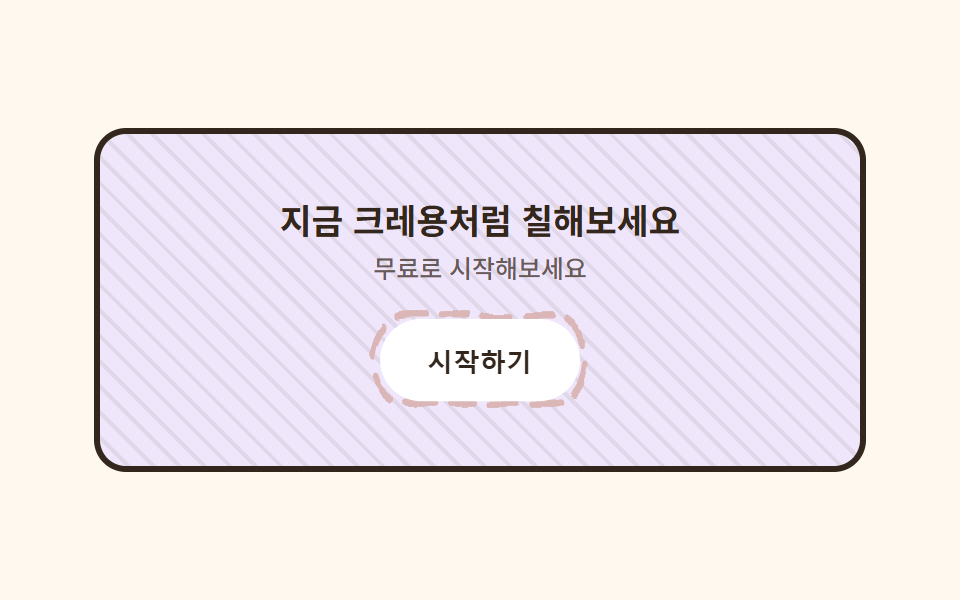
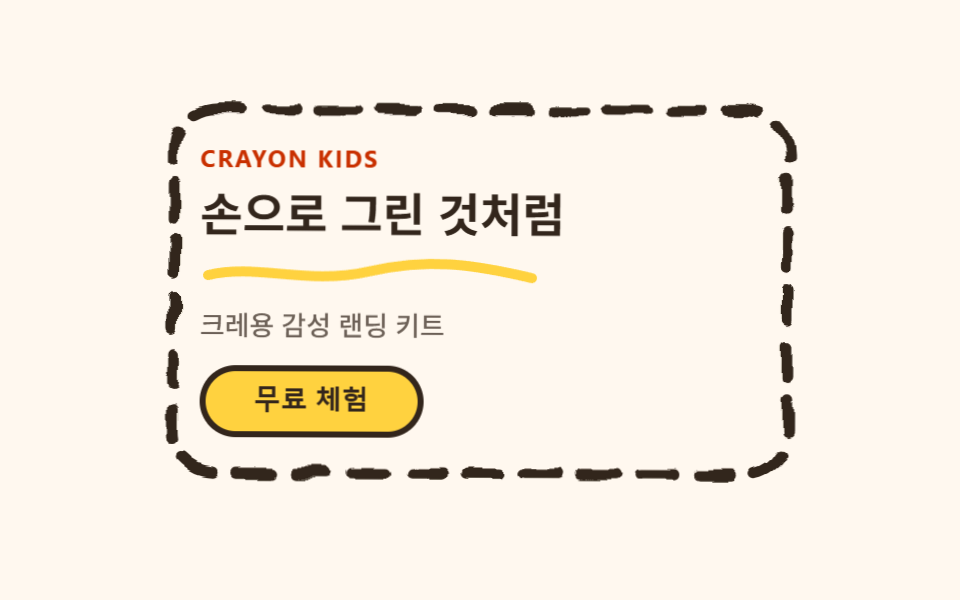
帯の背景にはクレヨンで細かく斜線を引いたようなハッチング模様を繰り返し背景1つで敷き、その上のボタンは太さの違う二重線の枠が押すたびに描き直されます。塗り絵の1ページのような背景です。
使いどころ登録誘導帯・クラス申し込みCTA
repeating-linear-gradient 해칭이중선 재생radius pill
<main class="stage">
  <svg width="0" height="0" style="position:absolute" aria-hidden="true" focusable="false">
    <filter id="rough7" x="-30%" y="-30%" width="160%" height="160%">
      <feTurbulence type="fractalNoise" baseFrequency="0.05 0.07" numOctaves="2" seed="44" result="n"/>
      <feDisplacementMap in="SourceGraphic" in2="n" scale="5" xChannelSelector="R" yChannelSelector="G"/>
    </filter>
  </svg>
  <section class="ctacrayon">
    <h2 class="ctacrayon__title">今すぐクレヨンみたいに塗ってみよう</h2>
    <p class="ctacrayon__desc">無料で試してみてください</p>
    <span class="ctacrayon__btn-wrap">
      <svg class="ctacrayon__btn-frame" viewBox="0 0 120 44" preserveAspectRatio="none" aria-hidden="true">
        <rect x="4" y="4" width="112" height="36" rx="18" class="ctacrayon__btn-rect" />
      </svg>
      <button class="ctacrayon__btn" type="button">はじめる</button>
    </span>
  </section>
</main>
@use "../../../../site/static/demo-tokens" as *;
$duration: $dur-loop; // 버튼 테두리가 한 번 다시 그려지는 주기
$easing: $ease-spring; // 눌림 곡선
$color: $stage-ink; // 글자 색 기본값(토큰) — 아래 크레용 잉크로 덮는다
$crayon-paper: #fff8ef;
$crayon-ink: #33261c;
$crayon-red: #dbb6b7;
$crayon-yellow: #d1c5a2;
$crayon-blue: #9cb8ce;
$crayon-green: #6dbe6d;
$crayon-purple: #cbbfe0;
$crayon-purple-tint: #efe6fb;
@include stage($crayon-paper);
.ctacrayon {
position: relative;
width: clamp(230px, 86vw, 340px);
border-radius: $r-card;
padding: $sp-8 $sp-5;
text-align: center;
overflow: hidden;
background:
repeating-linear-gradient(45deg, rgba($crayon-ink, .08) 0 2px, transparent 2px 9px),
$crayon-purple-tint;
border: 3px solid $crayon-ink;
}
.ctacrayon__title {
margin: 0 0 $sp-1;
color: $crayon-ink;
font-weight: 700;
font-size: clamp(15px, 3.6vw, 19px);
line-height: 1.3;
}
.ctacrayon__desc {
margin: 0 0 $sp-4;
color: rgba($crayon-ink, .72);
font-weight: 500;
font-size: clamp(11px, 2.6vw, 13px);
}
.ctacrayon__btn-wrap {
position: relative;
display: inline-block;
}
.ctacrayon__btn-frame {
position: absolute;
inset: -6px;
width: calc(100% + 12px);
height: calc(100% + 12px);
pointer-events: none;
filter: url(#rough7);
}
.ctacrayon__btn-rect {
fill: none;
stroke: $crayon-red;
stroke-width: 3;
stroke-linecap: round;
stroke-dasharray: 14 8;
animation: btnFrameMarch $duration linear infinite;
}
.ctacrayon__btn {
position: relative;
border: 0;
border-radius: $r-pill;
background: $stage-paper;
color: $crayon-ink;
padding: $sp-3 $sp-6;
font-weight: 700;
font-size: clamp(12px, 2.8vw, 14px);
animation: btnPress $duration $easing infinite;
}
.ctacrayon__btn:focus-visible {
outline: 3px solid $crayon-ink;
outline-offset: 2px;
}
// 데모: 버튼 테두리가 크레용으로 계속 덧그려지고, 버튼 자체는 눌렸다 돌아오길 반복한다
@keyframes btnFrameMarch {
to { stroke-dashoffset: -440; }
}
@keyframes btnPress {
0%, 100% { transform: scale(1); }
50% { transform: scale(.94); }
}
@media (max-width: 340px), (max-height: 220px) {
.ctacrayon { padding: $sp-4 $sp-3; }
.ctacrayon__title { font-size: 13px; }
.ctacrayon__desc { display: none; }
}
@media (prefers-reduced-motion: reduce) {
.ctacrayon__btn-rect, .ctacrayon__btn {
animation: none !important;
transform: none;
}
}html, body {
margin: 0;
overflow: hidden;
}
.stage {
box-sizing: border-box;
min-height: 100vh;
display: grid;
place-items: center;
margin: 0;
background: #fff8ef;
font-family: -apple-system, "Segoe UI", "Noto Sans KR", sans-serif;
padding: clamp(8px, 4vw, 24px);
}
.ctacrayon {
position: relative;
width: clamp(230px, 86vw, 340px);
border-radius: 16px;
padding: 32px 20px;
text-align: center;
overflow: hidden;
background: repeating-linear-gradient(45deg, rgba(51, 38, 28, 0.08) 0 2px, transparent 2px 9px), #efe6fb;
border: 3px solid #33261c;
}
.ctacrayon__title {
margin: 0 0 4px;
color: #33261c;
font-weight: 700;
font-size: clamp(15px, 3.6vw, 19px);
line-height: 1.3;
}
.ctacrayon__desc {
margin: 0 0 16px;
color: rgba(51, 38, 28, 0.72);
font-weight: 500;
font-size: clamp(11px, 2.6vw, 13px);
}
.ctacrayon__btn-wrap {
position: relative;
display: inline-block;
}
.ctacrayon__btn-frame {
position: absolute;
inset: -6px;
width: calc(100% + 12px);
height: calc(100% + 12px);
pointer-events: none;
filter: url(#rough7);
}
.ctacrayon__btn-rect {
fill: none;
stroke: #dbb6b7;
stroke-width: 3;
stroke-linecap: round;
stroke-dasharray: 14 8;
animation: btnFrameMarch 2s linear infinite;
}
.ctacrayon__btn {
position: relative;
border: 0;
border-radius: 999px;
background: #ffffff;
color: #33261c;
padding: 12px 24px;
font-weight: 700;
font-size: clamp(12px, 2.8vw, 14px);
animation: btnPress 2s cubic-bezier(0.2, 0.8, 0.2, 1) infinite;
}
.ctacrayon__btn:focus-visible {
outline: 3px solid #33261c;
outline-offset: 2px;
}
@keyframes btnFrameMarch {
to {
stroke-dashoffset: -440;
}
}
@keyframes btnPress {
0%, 100% {
transform: scale(1);
}
50% {
transform: scale(0.94);
}
}
@media (max-width: 340px), (max-height: 220px) {
.ctacrayon {
padding: 16px 12px;
}
.ctacrayon__title {
font-size: 13px;
}
.ctacrayon__desc {
display: none;
}
}
@media (prefers-reduced-motion: reduce) {
.ctacrayon__btn-rect, .ctacrayon__btn {
animation: none !important;
transform: none;
}
}import type { CSSProperties } from "react";
import styles from "./CtaBandCrayon.module.scss";
export type CtaBandCrayonProps = {
title?: string;
desc?: string;
cta?: string;
duration?: number;
easing?: string;
color?: string;
};
type Vars = CSSProperties & { "--duration"?: string; "--easing"?: string; "--color"?: string };
export default function CtaBandCrayon({
title = "지금 크레용처럼 칠해보세요",
desc = "무료로 시작해보세요",
cta = "시작하기",
duration = 2000,
easing = "cubic-bezier(.2,.8,.2,1)",
color = "#ff5a5f",
}: CtaBandCrayonProps) {
const vars: Vars = { "--duration": `${duration}ms`, "--easing": easing, "--color": color };
return (
<section className={styles.band} style={vars}>
<svg width="0" height="0" style={{ position: "absolute" }} aria-hidden="true" focusable="false">
<filter id="cb-rough" x="-30%" y="-30%" width="160%" height="160%">
<feTurbulence type="fractalNoise" baseFrequency={0.06} numOctaves={2} seed={44} result="n" />
<feDisplacementMap in="SourceGraphic" in2="n" scale={5} xChannelSelector="R" yChannelSelector="G" />
</filter>
</svg>
<h2 className={styles.title}>{title}</h2>
<p className={styles.desc}>{desc}</p>
<span className={styles.btnWrap}>
<svg className={styles.btnFrame} viewBox="0 0 120 44" preserveAspectRatio="none" aria-hidden="true">
<rect x={4} y={4} width={112} height={36} rx={18} className={styles.btnRect} />
</svg>
<button type="button" className={styles.btn}>{cta}</button>
</span>
</section>
);
}07 クレヨンハッチングCTA帯 — 計測 累積面積 1.203% · 動いたフレーム 23/23GODRICH オリジナル · SCSS と React は zip に同梱 · 手書き風 デザイン LPキット、クレヨン風セクション9選
このデモが属する記事
 手書き風 デザイン LPキット、クレヨン風セクション9選手書き風 デザインは、カードやボタンの周りに太くよれた輪郭線を描き、その輪郭線だけにSVGフィルターをかけて、定規で引いたのではなく手で描いたように見せるスタイルです。手で描いたと思ったら実は CSS だった、というのがこのキットの正体です この記事のデモをすべて見る