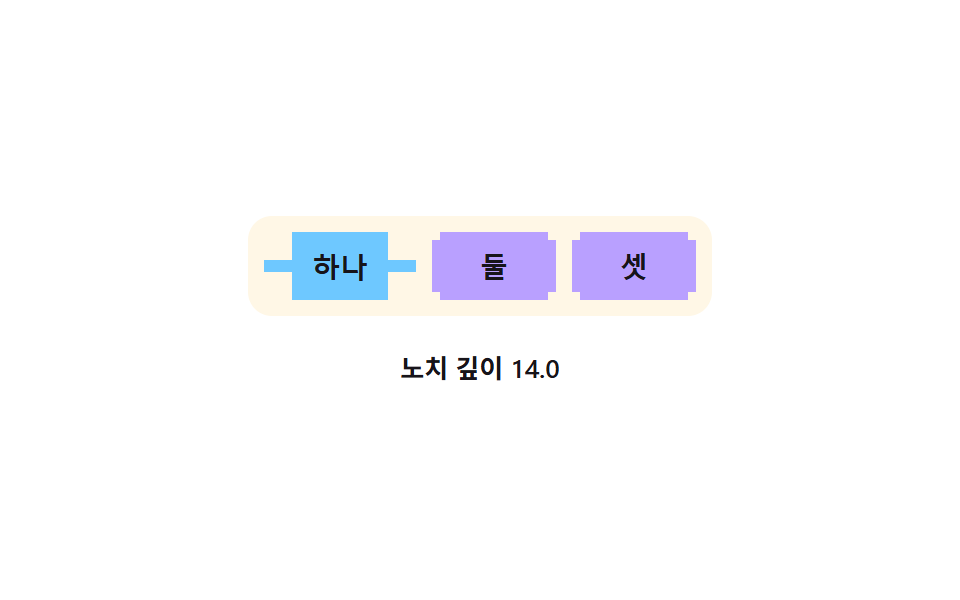
04ノッチタブ — 選択されたタブの角にノッチ深さの値の分だけ溝が掘られる方式
アクティブタブの角にノッチ深さの値が指定した分の溝が刻まれ、どのタブが開いているか輪郭だけで読み取れる。
使いどころドキュメントエディタのタブバー、ブラウザタブUI
NOTCH_MAXSPRING_MS$subject-sky
<main class="stage">
<div class="wrap is-demo" id="wrap">
  <div class="tabs" id="tabs" role="tablist" aria-label="ノッチタブを切り替え">
    <button class="tab" id="tab0" role="tab" aria-selected="true" tabindex="0" type="button">一</button>
    <button class="tab" id="tab1" role="tab" aria-selected="false" tabindex="-1" type="button">二</button>
    <button class="tab" id="tab2" role="tab" aria-selected="false" tabindex="-1" type="button">三</button>
  </div>
  <p class="readout" id="readout" aria-live="polite">ノッチ深さ 0.0</p>
</div>
</main>
@use "../../../../site/static/demo-tokens" as *;
// 계산 겹은 index.html 에 있다 — 탭이 바뀔 때 노치 깊이가 감쇠 진동(스프링 오버슛)으로 안정된다.
@include stage($stage-paper);
.wrap {
display: flex;
flex-direction: column;
align-items: center;
gap: $sp-4;
}
.tabs {
display: flex;
gap: $sp-2;
background: $subject-cream;
padding: $sp-2;
border-radius: $r-control;
}
.tab {
appearance: none;
border: none;
padding: $sp-2 $sp-6;
font-size: 14px;
font-weight: 700;
color: $subject-ink;
background: $subject-lilac;
corner-shape: notch;
border-radius: $r-xs;
cursor: pointer;
&[aria-selected="true"] { background: $subject-sky; }
&:focus-visible { outline: 2px solid $subject-ink; outline-offset: 2px; }
}
@supports not (corner-shape: notch) {
.tab { border: 1px solid rgba($subject-ink, .2); }
}
.readout {
margin: 0;
color: $subject-ink;
font-size: 13px;
font-weight: 600;
font-variant-numeric: tabular-nums;
}
@media (max-width: 340px) {
.tab { padding: $sp-1 $sp-4; font-size: 13px; }
}
@media (prefers-reduced-motion: reduce) {
.tab { transition: none; }
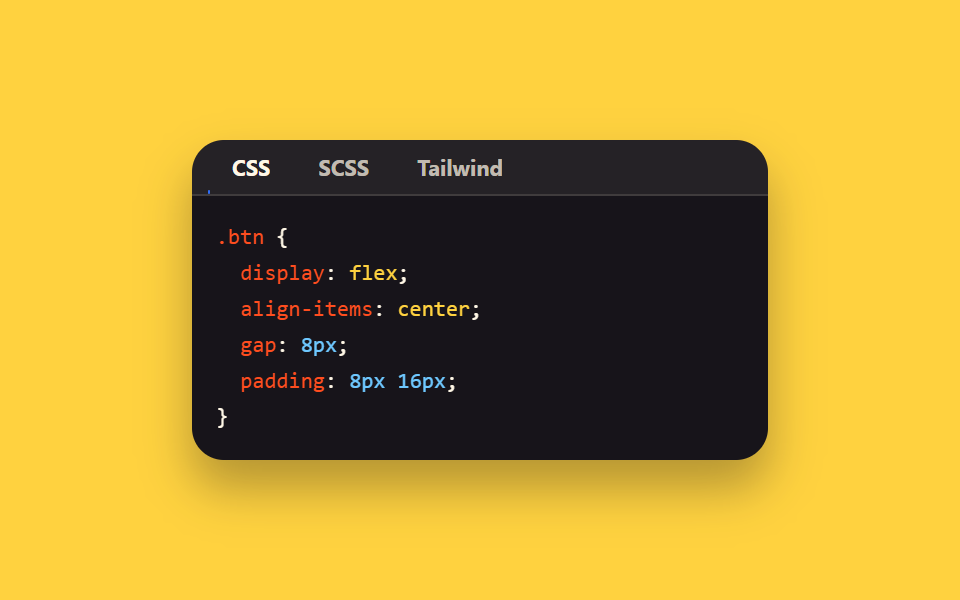
}html, body {
margin: 0;
overflow: hidden;
}
.stage {
box-sizing: border-box;
min-height: 100vh;
display: grid;
place-items: center;
margin: 0;
background: #ffffff;
font-family: -apple-system, "Segoe UI", "Noto Sans KR", sans-serif;
padding: clamp(8px, 4vw, 24px);
}
.wrap {
display: flex;
flex-direction: column;
align-items: center;
gap: 16px;
}
.tabs {
display: flex;
gap: 8px;
background: #fff7e6;
padding: 8px;
border-radius: 12px;
}
.tab {
appearance: none;
border: none;
padding: 8px 24px;
font-size: 14px;
font-weight: 700;
color: #17141a;
background: #b9a0ff;
corner-shape: notch;
border-radius: 4px;
cursor: pointer;
}
.tab[aria-selected=true] {
background: #6ec8ff;
}
.tab:focus-visible {
outline: 2px solid #17141a;
outline-offset: 2px;
}
@supports not (corner-shape: notch) {
.tab {
border: 1px solid rgba(23, 20, 26, 0.2);
}
}
.readout {
margin: 0;
color: #17141a;
font-size: 13px;
font-weight: 600;
font-variant-numeric: tabular-nums;
}
@media (max-width: 340px) {
.tab {
padding: 4px 16px;
font-size: 13px;
}
}
@media (prefers-reduced-motion: reduce) {
.tab {
transition: none;
}
}(function () {
var NOTCH_MAX = 14; // 활성 탭이 도달하는 ノッチ深さ 상한(px)
var SPRING_MS = 560; // 탭이 바뀐 뒤 스프링이 안정되기까지 걸리는 시간
var AUTO_MS = 1700; // 자동 루프에서 탭이 한 칸 넘어가는 간격
var reduce = window.matchMedia('(prefers-reduced-motion: reduce)').matches;
var SUPPORTS = CSS.supports('corner-shape', 'notch');
var wrap = document.getElementById('wrap');
var tabs = [document.getElementById('tab0'), document.getElementById('tab1'), document.getElementById('tab2')];
var readout = document.getElementById('readout');
var isDemo = true;
var active = 0;
var phaseStart = 0;
function human() { if (isDemo) { wrap.classList.remove('is-demo'); isDemo = false; } }
// 계산 겹: 탭이 바뀔 때 노치 깊이가 목표값을 살짝 넘겼다가 가라앉는 감쇠 진동(스프링 오버슛)으로 움직인다
function springOvershoot(t) {
if (t <= 0) return 0;
if (t >= 1) return 1;
var c4 = (2 * Math.PI) / 3;
return Math.pow(2, -10 * t) * Math.sin((t * 10 - 0.75) * c4) + 1;
}
function applyDepth(tab, depth) {
if (SUPPORTS) {
tab.style.cornerShape = 'notch';
tab.style.borderRadius = Math.max(0, depth).toFixed(2) + 'px';
} else {
// 근사 폴백: 파인 노치 대신 같은 크기의 둥근 모서리로 흉내(파임/둥긂만 다르다)
tab.style.borderRadius = Math.max(0, depth).toFixed(2) + 'px';
}
}
function setActive(i, ts) {
if (active === i) return;
tabs[active].setAttribute('aria-selected', 'false');
tabs[active].tabIndex = -1;
applyDepth(tabs[active], 0);
active = i;
tabs[active].setAttribute('aria-selected', 'true');
tabs[active].tabIndex = 0;
phaseStart = ts || performance.now();
}
tabs.forEach(function (tab, i) {
tab.addEventListener('click', function () { human(); setActive(i, performance.now()); tab.focus({ preventScroll: true }); });
});
document.getElementById('tabs').addEventListener('keydown', function (e) {
if (e.key !== 'ArrowRight' && e.key !== 'ArrowLeft') return;
e.preventDefault();
human();
var next = e.key === 'ArrowRight' ? (active + 1) % tabs.length : (active + tabs.length - 1) % tabs.length;
setActive(next, performance.now());
tabs[next].focus({ preventScroll: true });
});
var start = 0;
function loop(ts) {
if (!start) { start = ts; phaseStart = ts; }
if (isDemo && !reduce) {
var cyclePos = Math.floor((ts - start) / AUTO_MS) % tabs.length;
if (cyclePos !== active) setActive(cyclePos, ts);
}
var elapsed = reduce ? 1 : Math.min(1, (ts - phaseStart) / SPRING_MS);
var depth = NOTCH_MAX * (reduce ? 1 : springOvershoot(elapsed));
applyDepth(tabs[active], depth);
readout.textContent = 'ノッチ深さ ' + Math.max(0, depth).toFixed(1);
requestAnimationFrame(loop);
}
requestAnimationFrame(loop);
})();// NotchTab — vanilla 판(run/372/demo/04-corner-shape-notch-tab/index.html) 의 React 포트.
// 탭이 바뀔 때 노치 깊이가 목표값을 살짝 넘겼다가 가라앉는 감쇠 진동(스프링 오버슛)으로 움직인다.
import { useEffect, useRef } from "react";
import styles from "./NotchTab.module.scss";
type Box<T> = { current: T };
const NOTCH_MAX = 14; // 활성 탭이 도달하는 노치 깊이 상한(px)
const SPRING_MS = 560; // 탭이 바뀐 뒤 스프링이 안정되기까지 걸리는 시간
const AUTO_MS = 1700; // 자동 루프에서 탭이 한 칸 넘어가는 간격
const LABELS = ["하나", "둘", "셋"];
export default function NotchTab() {
const rootRef = useRef(null) as unknown as Box<HTMLDivElement>;
const tabsRef = useRef(null) as unknown as Box<HTMLDivElement>;
const tabRefs = useRef([]) as unknown as Box<HTMLButtonElement[]>;
const readoutRef = useRef(null) as unknown as Box<HTMLParagraphElement>;
const rafRef = useRef(0) as unknown as Box<number>;
useEffect(() => {
const reduce = window.matchMedia("(prefers-reduced-motion: reduce)").matches;
const SUPPORTS = CSS.supports("corner-shape", "notch");
const root = rootRef.current;
const tabsEl = tabsRef.current;
const tabs = tabRefs.current;
const readout = readoutRef.current;
if (!root || !tabsEl || tabs.length === 0 || !readout) return;
let isDemo = true;
let active = 0;
let phaseStart = 0;
function human() { if (isDemo) { root!.classList.remove(styles.isDemo); isDemo = false; } }
// 계산 겹: 탭이 바뀔 때 노치 깊이가 목표값을 살짝 넘겼다가 가라앉는 감쇠 진동(스프링 오버슛)으로 움직인다
function springOvershoot(t: number) {
if (t <= 0) return 0;
if (t >= 1) return 1;
const c4 = (2 * Math.PI) / 3;
return Math.pow(2, -10 * t) * Math.sin((t * 10 - 0.75) * c4) + 1;
}
function applyDepth(tab: HTMLButtonElement, depth: number) {
if (SUPPORTS) (tab.style as any).cornerShape = "notch";
tab.style.borderRadius = Math.max(0, depth).toFixed(2) + "px";
}
function setActive(i: number, ts: number) {
if (active === i) return;
tabs[active].setAttribute("aria-selected", "false");
tabs[active].tabIndex = -1;
applyDepth(tabs[active], 0);
active = i;
tabs[active].setAttribute("aria-selected", "true");
tabs[active].tabIndex = 0;
phaseStart = ts;
}
const onTabClick = (i: number) => () => { human(); setActive(i, performance.now()); tabs[i].focus({ preventScroll: true }); };
const clickHandlers = tabs.map((_, i) => onTabClick(i));
tabs.forEach((tab, i) => tab.addEventListener("click", clickHandlers[i]));
function onKeyDown(e: KeyboardEvent) {
if (e.key !== "ArrowRight" && e.key !== "ArrowLeft") return;
e.preventDefault();
human();
const next = e.key === "ArrowRight" ? (active + 1) % tabs.length : (active + tabs.length - 1) % tabs.length;
setActive(next, performance.now());
tabs[next].focus({ preventScroll: true });
}
tabsEl.addEventListener("keydown", onKeyDown);
let start = 0;
function loop(ts: number) {
if (!start) { start = ts; phaseStart = ts; }
if (isDemo && !reduce) {
const cyclePos = Math.floor((ts - start) / AUTO_MS) % tabs.length;
if (cyclePos !== active) setActive(cyclePos, ts);
}
const elapsed = reduce ? 1 : Math.min(1, (ts - phaseStart) / SPRING_MS);
const depth = NOTCH_MAX * (reduce ? 1 : springOvershoot(elapsed));
applyDepth(tabs[active], depth);
readout!.textContent = "노치 깊이 " + Math.max(0, depth).toFixed(1);
rafRef.current = requestAnimationFrame(loop);
}
rafRef.current = requestAnimationFrame(loop);
return () => {
tabs.forEach((tab, i) => tab.removeEventListener("click", clickHandlers[i]));
tabsEl.removeEventListener("keydown", onKeyDown);
cancelAnimationFrame(rafRef.current);
};
}, []);
return (
<main className={styles.stage}>
<div className={styles.wrap + " " + styles.isDemo} ref={rootRef}>
<div className={styles.tabs} ref={tabsRef} role="tablist" aria-label="노치 탭 전환">
{LABELS.map((label, i) => (
<button
key={label}
className={styles.tab}
ref={(el: HTMLButtonElement | null) => { if (el) tabRefs.current[i] = el; }}
role="tab"
aria-selected={i === 0}
tabIndex={i === 0 ? 0 : -1}
type="button"
>{label}</button>
))}
</div>
<p className={styles.readout} ref={readoutRef} aria-live="polite">노치 깊이 0.0</p>
</div>
</main>
);
}04 ノッチタブ — 選択されたタブの角にノッチ深さの値の分だけ溝が掘られる方式 — 計測 累積面積 3.212% · 動いたフレーム 8/23GODRICH オリジナル · SCSS と React は zip に同梱 · css corner-shape 9選 — border-radiusで切らない角の処理
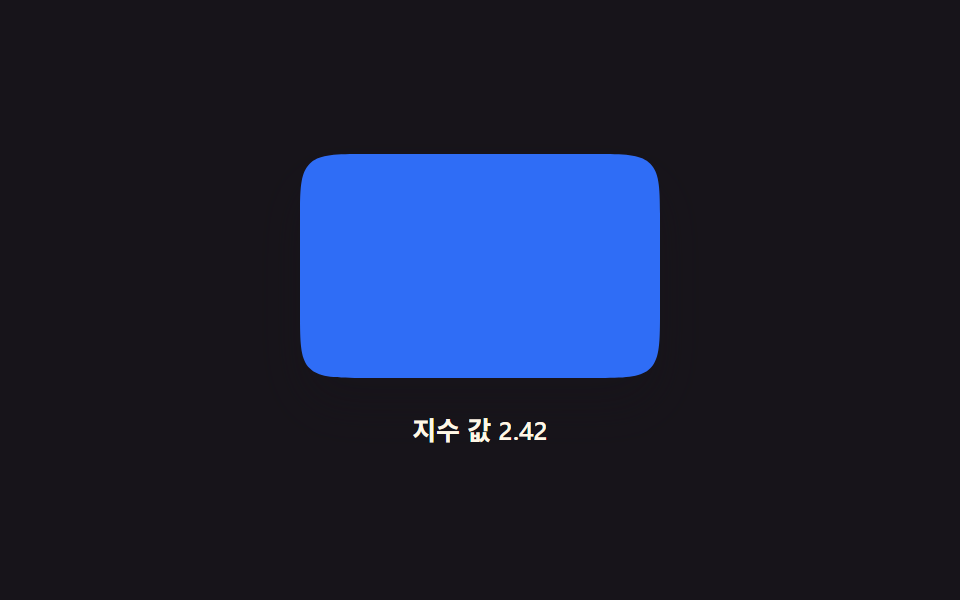
このデモが属する記事
 css corner-shape 9選 — border-radiusで切らない角の処理9つのコーナー形状のうち、1つはスーパー楕円指数の値が円と四角の間を流れ、1つはsquircle比率の値でカードの角が補間され、1つはベベル角度の値が増すほど面の幅が広がります。この9つは、css corner-shape の対応を起動時に この記事のデモをすべて見る