09スクロールでグロー強度変化
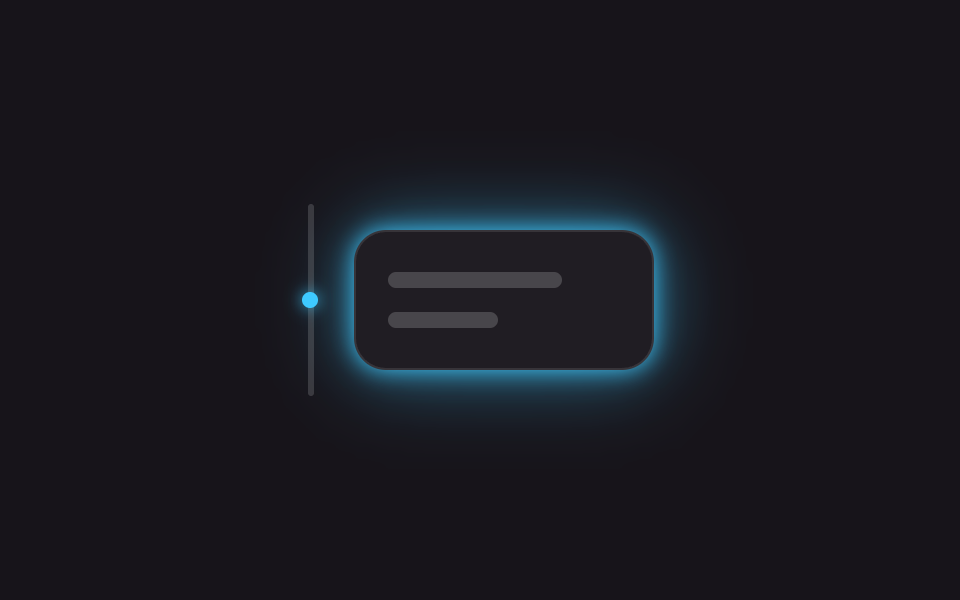
要素がビューポート中央に近づくほどIntersectionObserverが--intensityの値を上げてbox-shadowが濃くなり、デモは同じ変数をkeyframesで繰り返し再生してスクロールなしでも見せる。
使いどころランディングページの機能紹介セクションの登場演出、製品ハイライトカード
IntersectionObserver(JS)@propertybox-shadow
<main class="stage is-demo">
  <div class="row" aria-hidden="true">
    <span class="track"><span class="dot"></span></span>
    <div class="card">
      <span class="bar bar--lg"></span>
      <span class="bar bar--sm"></span>
    </div>
  </div>
</main>
@use "../../../../site/static/demo-tokens" as *;
// ── 변수 3개 ──────────────────────────────────────────
$duration: $dur-loop; // 2s — 오르내림 한 번
$easing: ease-in-out;
$color: #3ec9ff; // 네온 블루
@include stage($stage-ink);
.row { display: flex; align-items: center; gap: $sp-5; }
$track-h: 96px;
.track {
position: relative;
width: 3px; height: $track-h;
border-radius: $r-xs;
background: rgba($stage-paper, .15);
}
.dot {
position: absolute; top: 0; left: 50%;
width: $sp-2; height: $sp-2; margin-left: -$sp-1;
border-radius: 50%;
background: $color;
box-shadow: 0 0 $sp-2 $color;
}
// @property 로 등록해야 숫자로 보간된다 — box-shadow·opacity 계산에 그대로 쓴다
@property --intensity { syntax: '<number>'; inherits: false; initial-value: 0; }
.card {
box-sizing: border-box;
width: clamp(150px, 44vmin, 200px);
padding: $sp-5 $sp-4;
border-radius: $r-card;
background: rgba($stage-paper, .04);
border: 1px solid rgba($stage-paper, .1);
display: flex; flex-direction: column; gap: $sp-3;
opacity: calc(.45 + var(--intensity) * .55);
box-shadow: 0 0 calc(var(--intensity) * #{$sp-3}) $color,
0 0 calc(var(--intensity) * #{$sp-10}) rgba($color, .55);
}
.bar { display: block; height: $sp-2; border-radius: $r-xs; background: rgba($stage-paper, .18); }
.bar--lg { width: 75%; }
.bar--sm { width: 48%; }
// translateY(점) · --intensity(카드) 만 움직인다
.stage.is-demo .dot {
animation: move $duration $easing infinite;
}
.stage.is-demo .card:not(.is-live) {
animation: rise $duration $easing infinite;
}
@keyframes move {
0%, 100% { transform: translateY(0); }
50% { transform: translateY(#{$track-h - 8px}); }
}
@keyframes rise {
0%, 100% { --intensity: 0; }
50% { --intensity: 1; }
}
@media (prefers-reduced-motion: reduce) {
.stage.is-demo .dot,
.stage.is-demo .card:not(.is-live) { animation: none; }
.card { --intensity: 1; }
}html, body {
margin: 0;
overflow: hidden;
}
.stage {
box-sizing: border-box;
min-height: 100vh;
display: grid;
place-items: center;
margin: 0;
background: #17141a;
font-family: -apple-system, "Segoe UI", "Noto Sans KR", sans-serif;
padding: clamp(8px, 4vw, 24px);
}
.row {
display: flex;
align-items: center;
gap: 20px;
}
.track {
position: relative;
width: 3px;
height: 96px;
border-radius: 4px;
background: rgba(255, 255, 255, 0.15);
}
.dot {
position: absolute;
top: 0;
left: 50%;
width: 8px;
height: 8px;
margin-left: -4px;
border-radius: 50%;
background: #3ec9ff;
box-shadow: 0 0 8px #3ec9ff;
}
@property --intensity {
syntax: "<number>";
inherits: false;
initial-value: 0;
}
.card {
box-sizing: border-box;
width: clamp(150px, 44vmin, 200px);
padding: 20px 16px;
border-radius: 16px;
background: rgba(255, 255, 255, 0.04);
border: 1px solid rgba(255, 255, 255, 0.1);
display: flex;
flex-direction: column;
gap: 12px;
opacity: calc(0.45 + var(--intensity) * 0.55);
box-shadow: 0 0 calc(var(--intensity) * 12px) #3ec9ff, 0 0 calc(var(--intensity) * 40px) rgba(62, 201, 255, 0.55);
}
.bar {
display: block;
height: 8px;
border-radius: 4px;
background: rgba(255, 255, 255, 0.18);
}
.bar--lg {
width: 75%;
}
.bar--sm {
width: 48%;
}
.stage.is-demo .dot {
animation: move 2s ease-in-out infinite;
}
.stage.is-demo .card:not(.is-live) {
animation: rise 2s ease-in-out infinite;
}
@keyframes move {
0%, 100% {
transform: translateY(0);
}
50% {
transform: translateY(88px);
}
}
@keyframes rise {
0%, 100% {
--intensity: 0;
}
50% {
--intensity: 1;
}
}
@media (prefers-reduced-motion: reduce) {
.stage.is-demo .dot,
.stage.is-demo .card:not(.is-live) {
animation: none;
}
.card {
--intensity: 1;
}
}// 실제 스크롤에서는 IntersectionObserver 가 뷰포트 교차 비율로 --intensity 를 정한다(8줄).
// 이 아이프레임은 너무 작아 실스크롤이 안 나므로, 데모 루프(.is-demo)가 같은 변수를 대신 돌린다.
(function () {
var card = document.querySelector('.card');
var io = new IntersectionObserver(function (entries) {
entries.forEach(function (en) {
card.style.setProperty('--intensity', en.intersectionRatio.toFixed(2));
card.classList.add('is-live');
});
}, { threshold: [0, .25, .5, .75, 1] });
io.observe(card);
})();import { useEffect, useRef } from "react";
import type { CSSProperties } from "react";
import styles from "./ScrollIntensityGlow.module.scss";
export type ScrollIntensityGlowProps = {
/** intensity 값이 부드러워지는 시간 (기본 300ms) */
duration?: number;
color?: string;
};
export default function ScrollIntensityGlow({ duration = 300, color = "#3ec9ff" }: ScrollIntensityGlowProps) {
const cardRef = useRef<HTMLDivElement | null>(null);
// 뷰포트 교차 비율(0~1)을 그대로 --intensity 로 쓴다 — 실제 스크롤에서만 값이 바뀐다
useEffect(() => {
const el = cardRef.current;
if (!el) return;
const io = new IntersectionObserver(
(entries) => {
entries.forEach((en) => el.style.setProperty("--intensity", en.intersectionRatio.toFixed(2)));
},
{ threshold: [0, .25, .5, .75, 1] }
);
io.observe(el);
return () => io.disconnect();
}, []);
const vars: CSSProperties = { "--duration": `${duration}ms`, "--color": color } as CSSProperties;
return (
<div ref={cardRef} className={styles.card} style={vars}>
<span className={`${styles.bar} ${styles.barLg}`} />
<span className={`${styles.bar} ${styles.barSm}`} />
</div>
);
}09 スクロールでグロー強度変化 — 計測 累積面積 1.083% · 動いたフレーム 23/23GODRICH オリジナル · SCSS と React は zip に同梱 · 【コピペOK】CSS ネオン・グロー効果9選
このデモが属する記事
 【コピペOK】CSS ネオン・グロー効果9選ゲーム配信サイトやポートフォリオで、文字やボタンの周りが夜の看板のようにぼんやり光っているのを見たことはないでしょうか。あれは画像や動画ではなく、CSSのコードだけで光のにじみを描く演出で、css ネオンやグロー効果と呼ばれます。目立たせた この記事のデモをすべて見る