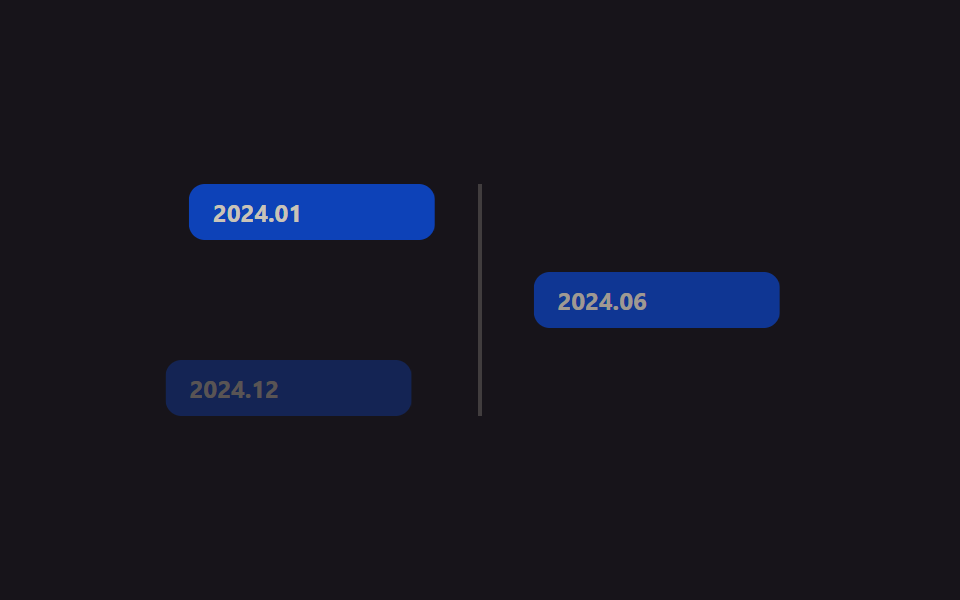
05バッジスライドイン
NEWバッジがtranslateXとopacityで滑り込み、keyframesの停止区間でしばらく留まった後、また滑り出ることを繰り返す。
使いどころ新機能バッジ、ヒーローカード上の通知ラベル
transform: translateXopacitykeyframe hold
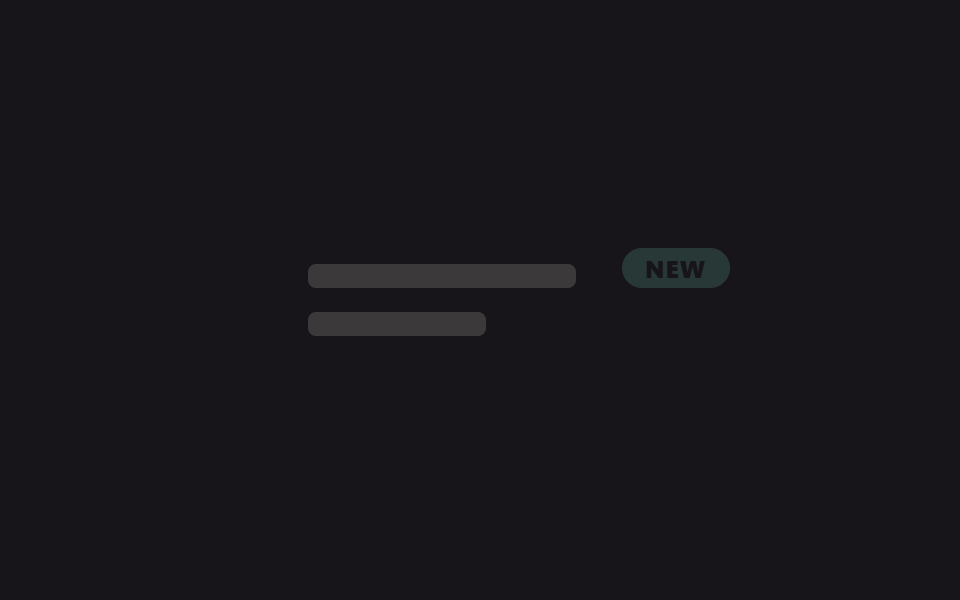
<main class="stage is-demo">
  <div class="panel">
    <span class="panel__bar panel__bar--lg" aria-hidden="true"></span>
    <span class="panel__bar panel__bar--sm" aria-hidden="true"></span>
    <span class="badge">NEW</span>
  </div>
</main>
@use "../../../../site/static/demo-tokens" as *;
// ── 변수 3개 ──────────────────────────────────────────
$duration: $dur-loop; // 2s — 슬라이드 인·홀드·아웃 한 바퀴
$easing: $ease-pop;
$color: #62b29d;
@include stage($stage-ink);
.panel {
box-sizing: border-box;
position: relative;
width: clamp(220px, 62vmin, 300px);
padding: $sp-6;
display: grid;
gap: $sp-3;
}
.panel__bar { display: block; height: $sp-3; border-radius: $r-xs; background: rgba($subject-cream, .16); }
.panel__bar--lg { width: 78%; }
.panel__bar--sm { width: 52%; }
.badge {
position: absolute;
top: $sp-4;
right: $sp-4;
padding: $sp-1 $sp-3;
border-radius: $r-pill;
background: $color;
color: $stage-ink;
font-weight: 800;
font-size: clamp(11px, 3vw, 12px);
line-height: 1;
font-family: inherit;
letter-spacing: .04em;
opacity: 0;
transform: translateX($sp-10);
}
// 정지 구간(30%~65%)을 넣어 논스톱 슬라이드가 아니라 들어왔다 머물다 나가는 것처럼 보이게 한다
.stage.is-demo .badge { animation: slide-in $duration $easing infinite; }
@keyframes slide-in {
0% { opacity: 0; transform: translateX($sp-10); }
30% { opacity: 1; transform: translateX(0); }
65% { opacity: 1; transform: translateX(0); }
100% { opacity: 0; transform: translateX($sp-10); }
}
@media (prefers-reduced-motion: reduce) {
.stage.is-demo .badge { animation: none; opacity: 1; transform: none; }
}html, body {
margin: 0;
overflow: hidden;
}
.stage {
box-sizing: border-box;
min-height: 100vh;
display: grid;
place-items: center;
margin: 0;
background: #17141a;
font-family: -apple-system, "Segoe UI", "Noto Sans KR", sans-serif;
padding: clamp(8px, 4vw, 24px);
}
.panel {
box-sizing: border-box;
position: relative;
width: clamp(220px, 62vmin, 300px);
padding: 24px;
display: grid;
gap: 12px;
}
.panel__bar {
display: block;
height: 12px;
border-radius: 4px;
background: rgba(255, 247, 230, 0.16);
}
.panel__bar--lg {
width: 78%;
}
.panel__bar--sm {
width: 52%;
}
.badge {
position: absolute;
top: 16px;
right: 16px;
padding: 4px 12px;
border-radius: 999px;
background: #62b29d;
color: #17141a;
font-weight: 800;
font-size: clamp(11px, 3vw, 12px);
line-height: 1;
font-family: inherit;
letter-spacing: 0.04em;
opacity: 0;
transform: translateX(40px);
}
.stage.is-demo .badge {
animation: slide-in 2s cubic-bezier(0.2, 1.4, 0.4, 1) infinite;
}
@keyframes slide-in {
0% {
opacity: 0;
transform: translateX(40px);
}
30% {
opacity: 1;
transform: translateX(0);
}
65% {
opacity: 1;
transform: translateX(0);
}
100% {
opacity: 0;
transform: translateX(40px);
}
}
@media (prefers-reduced-motion: reduce) {
.stage.is-demo .badge {
animation: none;
opacity: 1;
transform: none;
}
}import type { CSSProperties } from "react";
import styles from "./BadgeSlideIn.module.scss";
export type BadgeSlideInProps = {
label?: string;
duration?: number;
easing?: string;
color?: string;
};
type Vars = CSSProperties & { "--duration"?: string; "--easing"?: string; "--color"?: string };
export default function BadgeSlideIn({
label = "NEW",
duration = 2000,
easing = "cubic-bezier(.2,1.4,.4,1)",
color = "#06d6a0",
}: BadgeSlideInProps) {
const vars: Vars = { "--duration": `${duration}ms`, "--easing": easing, "--color": color };
return (
<div className={styles.panel} style={vars}>
<span className={`${styles.bar} ${styles.barLg}`} aria-hidden="true" />
<span className={`${styles.bar} ${styles.barSm}`} aria-hidden="true" />
<span className={styles.badge}>{label}</span>
</div>
);
}05 バッジスライドイン — 計測 累積面積 1.14% · 動いたフレーム 9/23GODRICH オリジナル · SCSS と React は zip に同梱 · 【コピペOK】CSSヒーローセクション アニメーション9選
このデモが属する記事
 【コピペOK】CSSヒーローセクション アニメーション9選ヒーローセクションとは、サイトを開いた瞬間に画面いっぱいに映る最初の一枚、大きな見出しとボタンが乗ったあの一画面のことです。この記事では、そこに動きを添える「ヒーローセクション アニメーション」を集めました。CSSだけ・JS不要で、そのまま この記事のデモをすべて見る