08ホバーキャプションオーバーレイ
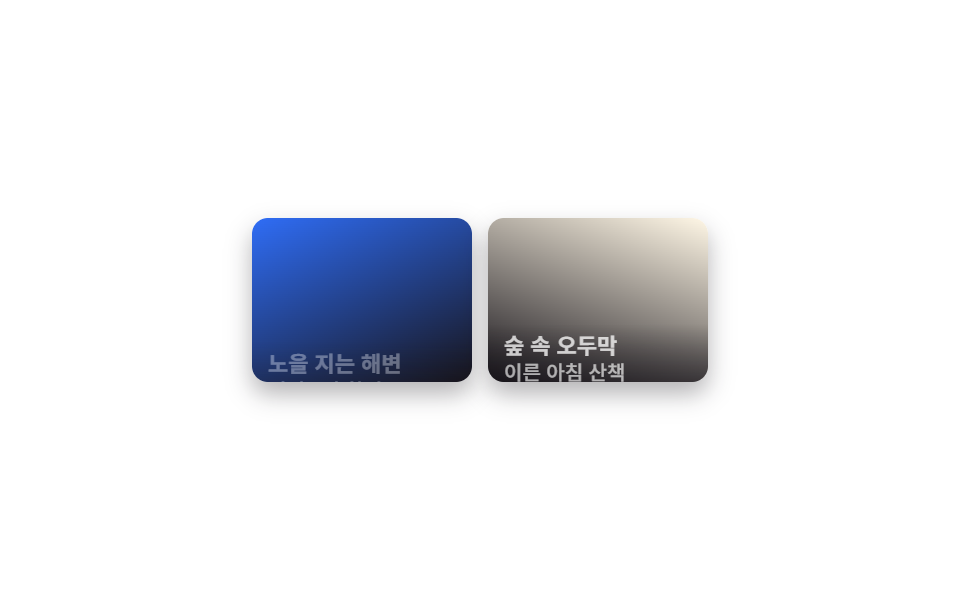
普段は写真の下端にわずかに隠れている半透明の帯が、ホバーすると translateY で完全に上がってきて、タイトルや場所などのキャプション文字も一緒に現れます。
使いどころ写真ごとに地名を添える旅行ギャラリー、作品ごとにタイトルを付けるポートフォリオ
translateY hover반투명 그러데이션opacity
<main class="stage">
  <ul class="gallery is-demo" aria-label="写真ギャラリー">
    <li class="tile" tabindex="0">
      <span class="tile__media" aria-hidden="true"></span>
      <div class="tile__caption">
        <h3 class="tile__title">夕焼けのビーチ</h3>
        <p class="tile__desc">午後6時撮影</p>
      </div>
    </li>
    <li class="tile" tabindex="0">
      <span class="tile__media tile__media--b" aria-hidden="true"></span>
      <div class="tile__caption">
        <h3 class="tile__title">森の中の小屋</h3>
        <p class="tile__desc">早朝の散歩</p>
      </div>
    </li>
  </ul>
</main>
@use "../../../../site/static/demo-tokens" as *;
$duration: $dur-base; // 캡션이 올라오는 시간
$easing: $ease-out;
$color: $subject-blue; // 사진 그러데이션
@include stage($stage-paper);
.stage { padding: clamp(8px, 2.4vw, 16px); }
.gallery {
display: grid;
grid-template-columns: repeat(2, 1fr);
gap: $sp-2;
list-style: none;
margin: 0;
padding: 0;
width: 228px;
max-width: 100%;
}
.tile {
position: relative;
aspect-ratio: 4 / 3;
border-radius: $r-sm;
overflow: hidden;
outline: none;
cursor: pointer;
box-shadow: $shadow-press;
}
.tile__media {
position: absolute; inset: 0;
background: linear-gradient(155deg, $color 0%, $stage-ink 100%);
}
.tile__media--b { background: linear-gradient(200deg, $subject-cream 0%, $stage-ink 100%); }
.tile__caption {
position: absolute; left: 0; right: 0; bottom: 0;
padding: $sp-1 $sp-2;
background: linear-gradient(0deg, rgba($stage-ink, .88), rgba($stage-ink, 0));
transform: translateY(64%);
opacity: 0;
transition: transform $duration $easing, opacity $duration $easing;
}
.tile__title { margin: 0; font-weight: 700; font-size: clamp(10px, 3vw, 11px); line-height: 1.3; font-family: inherit; color: $stage-paper; }
.tile__desc { margin: 0; font-weight: 500; font-size: clamp(9px, 2.6vw, 10px); line-height: 1.3; font-family: inherit; color: rgba($stage-paper, .85); }
.tile:hover .tile__caption, .tile:focus-visible .tile__caption, .tile:active .tile__caption {
transform: translateY(0);
opacity: 1;
}
.gallery.is-demo .tile__caption { animation: caption-loop $dur-loop $easing infinite; }
.gallery.is-demo .tile:nth-child(2) .tile__caption { animation-delay: -1s; }
@keyframes caption-loop {
0%, 10% { transform: translateY(64%); opacity: 0; }
40%, 60% { transform: translateY(0); opacity: 1; }
100% { transform: translateY(64%); opacity: 0; }
}
@media (hover: none) {
.tile:active .tile__caption { transform: translateY(0); opacity: 1; }
}
@media (prefers-reduced-motion: reduce) {
.tile__caption { transition: none; transform: translateY(0); opacity: 1; }
.gallery.is-demo .tile__caption { animation: none; }
}html, body {
margin: 0;
overflow: hidden;
}
.stage {
box-sizing: border-box;
min-height: 100vh;
display: grid;
place-items: center;
margin: 0;
background: #ffffff;
font-family: -apple-system, "Segoe UI", "Noto Sans KR", sans-serif;
padding: clamp(8px, 4vw, 24px);
}
.stage {
padding: clamp(8px, 2.4vw, 16px);
}
.gallery {
display: grid;
grid-template-columns: repeat(2, 1fr);
gap: 8px;
list-style: none;
margin: 0;
padding: 0;
width: 228px;
max-width: 100%;
}
.tile {
position: relative;
aspect-ratio: 4/3;
border-radius: 8px;
overflow: hidden;
outline: none;
cursor: pointer;
box-shadow: 0 6px 12px rgba(23, 20, 26, 0.32);
}
.tile__media {
position: absolute;
inset: 0;
background: linear-gradient(155deg, #2f6df6 0%, #17141a 100%);
}
.tile__media--b {
background: linear-gradient(200deg, #fff7e6 0%, #17141a 100%);
}
.tile__caption {
position: absolute;
left: 0;
right: 0;
bottom: 0;
padding: 4px 8px;
background: linear-gradient(0deg, rgba(23, 20, 26, 0.88), rgba(23, 20, 26, 0));
transform: translateY(64%);
opacity: 0;
transition: transform 300ms ease-out, opacity 300ms ease-out;
}
.tile__title {
margin: 0;
font-weight: 700;
font-size: clamp(10px, 3vw, 11px);
line-height: 1.3;
font-family: inherit;
color: #ffffff;
}
.tile__desc {
margin: 0;
font-weight: 500;
font-size: clamp(9px, 2.6vw, 10px);
line-height: 1.3;
font-family: inherit;
color: rgba(255, 255, 255, 0.85);
}
.tile:hover .tile__caption, .tile:focus-visible .tile__caption, .tile:active .tile__caption {
transform: translateY(0);
opacity: 1;
}
.gallery.is-demo .tile__caption {
animation: caption-loop 2s ease-out infinite;
}
.gallery.is-demo .tile:nth-child(2) .tile__caption {
animation-delay: -1s;
}
@keyframes caption-loop {
0%, 10% {
transform: translateY(64%);
opacity: 0;
}
40%, 60% {
transform: translateY(0);
opacity: 1;
}
100% {
transform: translateY(64%);
opacity: 0;
}
}
@media (hover: none) {
.tile:active .tile__caption {
transform: translateY(0);
opacity: 1;
}
}
@media (prefers-reduced-motion: reduce) {
.tile__caption {
transition: none;
transform: translateY(0);
opacity: 1;
}
.gallery.is-demo .tile__caption {
animation: none;
}
}import type { CSSProperties } from "react";
import styles from "./HoverCaptionGallery.module.scss";
export type CaptionTile = { title: string; desc: string };
export type HoverCaptionGalleryProps = {
items?: CaptionTile[];
duration?: number;
easing?: string;
color?: string;
};
const DEFAULT_ITEMS: CaptionTile[] = [
{ title: "Sunset beach", desc: "Shot at 6 PM" },
{ title: "Cabin in the woods", desc: "Early morning walk" },
];
type Vars = CSSProperties & { "--duration"?: string; "--easing"?: string; "--color"?: string };
/** 평소엔 살짝 가려진 캡션 띠가 호버하면 translateY 로 완전히 올라오며 제목·설명이 드러난다 */
export default function HoverCaptionGallery({
items = DEFAULT_ITEMS,
duration = 300,
easing = "ease-out",
color = "#2f6df6",
}: HoverCaptionGalleryProps) {
const vars: Vars = { "--duration": `${duration}ms`, "--easing": easing, "--color": color };
return (
<ul className={styles.gallery} style={vars} aria-label="Photo gallery">
{items.map((it, i) => (
<li key={i} className={styles.tile} tabIndex={0}>
<span className={styles.media} aria-hidden="true" />
<div className={styles.caption}>
<h3 className={styles.title}>{it.title}</h3>
<p className={styles.desc}>{it.desc}</p>
</div>
</li>
))}
</ul>
);
}08 ホバーキャプションオーバーレイ — 計測 累積面積 4.308% · 動いたフレーム 18/23GODRICH オリジナル · SCSS と React は zip に同梱 · CSS フォト ギャラリー 9選 — メイソンリーからライトボックスまで
このデモが属する記事
 CSS フォト ギャラリー 9選 — メイソンリーからライトボックスまでCSS フォト ギャラリーは、複数の写真をグリッドやウォーターフォール状に並べ、ホバーやクリックに反応させるレイアウト技法です。Pinterestで保存したあのギャラリーのように見えても、実際にコードに落とすとグリッドの数式や画像のクロップ この記事のデモをすべて見る