03カード型プランラジオ選択
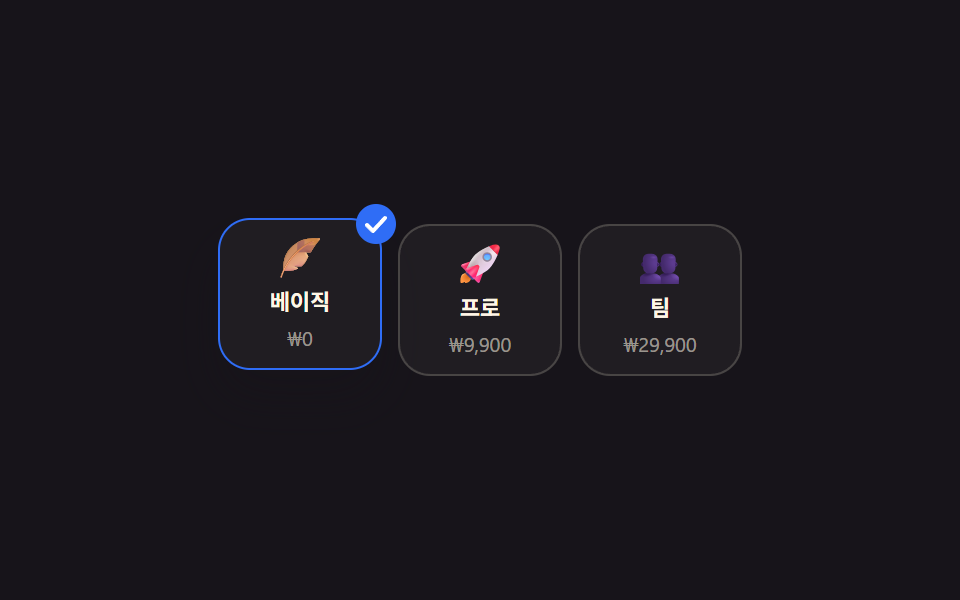
:has() で選んだカードだけが少し浮き上がって枠が明るくなり、右上にチェックバッジがスケールで飛び出す。
使いどころ料金プランカードの選択、配送方法カードの選択
:has()scale 배지0.22초
<main class="stage">
  <fieldset class="plans is-demo">
    <legend class="sr-only">プランを選択</legend>
    <label class="plan">
      <input type="radio" name="plan" class="plan__radio" checked>
      <span class="plan__icon" aria-hidden="true">🪶</span>
      <span class="plan__name">ベーシック</span>
      <span class="plan__price">₩0</span>
      <svg class="plan__badge" viewBox="0 0 20 20" aria-hidden="true"><circle cx="10" cy="10" r="10"/><path d="M5.5 10.5l3 3 6-6.5" fill="none" stroke="#fff" stroke-width="2" stroke-linecap="round" stroke-linejoin="round"/></svg>
    </label>
    <label class="plan">
      <input type="radio" name="plan" class="plan__radio">
      <span class="plan__icon" aria-hidden="true">🚀</span>
      <span class="plan__name">プロ</span>
      <span class="plan__price">₩9,900</span>
      <svg class="plan__badge" viewBox="0 0 20 20" aria-hidden="true"><circle cx="10" cy="10" r="10"/><path d="M5.5 10.5l3 3 6-6.5" fill="none" stroke="#fff" stroke-width="2" stroke-linecap="round" stroke-linejoin="round"/></svg>
    </label>
    <label class="plan">
      <input type="radio" name="plan" class="plan__radio">
      <span class="plan__icon" aria-hidden="true">👥</span>
      <span class="plan__name">チーム</span>
      <span class="plan__price">₩29,900</span>
      <svg class="plan__badge" viewBox="0 0 20 20" aria-hidden="true"><circle cx="10" cy="10" r="10"/><path d="M5.5 10.5l3 3 6-6.5" fill="none" stroke="#fff" stroke-width="2" stroke-linecap="round" stroke-linejoin="round"/></svg>
    </label>
  </fieldset>
</main>@use "../../../../site/static/demo-tokens" as *;
// ── 변수 3개 ──────────────────────────────
$duration: $dur-quick;
$easing: $ease-pop;
$color: $subject-blue;
@include stage($stage-ink);
.sr-only {
position: absolute; width: 1px; height: 1px; padding: 0; margin: -1px;
overflow: hidden; clip: rect(0, 0, 0, 0); white-space: nowrap; border: 0;
}
.plans { border: 0; margin: 0; padding: 0; display: flex; gap: $sp-2; }
.plan {
position: relative; display: flex; flex-direction: column; align-items: center;
gap: $sp-1; width: 72px; padding: $sp-2 $sp-1; border-radius: $r-card;
border: 1px solid rgba($subject-cream, .18); background: rgba($subject-cream, .04);
cursor: pointer; -webkit-tap-highlight-color: transparent;
transition: transform $duration $easing, border-color $duration $easing, box-shadow $duration $easing;
}
.plan__radio { position: absolute; opacity: 0; width: 1px; height: 1px; }
.plan__icon { font-size: 20px; line-height: 1; }
.plan__name { font-size: 11px; font-weight: 700; color: $subject-cream; }
.plan__price { font-size: 10px; color: rgba($subject-cream, .55); }
.plan__badge {
position: absolute; top: -8px; right: -8px; width: 20px; height: 20px;
fill: $color; transform: scale(0); opacity: 0;
transition: transform $duration $ease-pop, opacity $duration $easing;
}
.plan:has(.plan__radio:checked) {
transform: translateY(-3px);
border-color: $color;
box-shadow: $shadow-raised;
}
.plan:has(.plan__radio:checked) .plan__badge { transform: scale(1); opacity: 1; }
.plan__radio:focus-visible ~ .plan__icon { outline: 2px solid $color; outline-offset: 4px; border-radius: $r-xs; }
@media (prefers-reduced-motion: reduce) {
.plan, .plan__badge { transition: none; }
}html, body {
margin: 0;
overflow: hidden;
}
.stage {
box-sizing: border-box;
min-height: 100vh;
display: grid;
place-items: center;
margin: 0;
background: #17141a;
font-family: -apple-system, "Segoe UI", "Noto Sans KR", sans-serif;
padding: clamp(8px, 4vw, 24px);
}
.sr-only {
position: absolute;
width: 1px;
height: 1px;
padding: 0;
margin: -1px;
overflow: hidden;
clip: rect(0, 0, 0, 0);
white-space: nowrap;
border: 0;
}
.plans {
border: 0;
margin: 0;
padding: 0;
display: flex;
gap: 8px;
}
.plan {
position: relative;
display: flex;
flex-direction: column;
align-items: center;
gap: 4px;
width: 72px;
padding: 8px 4px;
border-radius: 16px;
border: 1px solid rgba(255, 247, 230, 0.18);
background: rgba(255, 247, 230, 0.04);
cursor: pointer;
-webkit-tap-highlight-color: transparent;
transition: transform 220ms cubic-bezier(0.2, 1.4, 0.4, 1), border-color 220ms cubic-bezier(0.2, 1.4, 0.4, 1), box-shadow 220ms cubic-bezier(0.2, 1.4, 0.4, 1);
}
.plan__radio {
position: absolute;
opacity: 0;
width: 1px;
height: 1px;
}
.plan__icon {
font-size: 20px;
line-height: 1;
}
.plan__name {
font-size: 11px;
font-weight: 700;
color: #fff7e6;
}
.plan__price {
font-size: 10px;
color: rgba(255, 247, 230, 0.55);
}
.plan__badge {
position: absolute;
top: -8px;
right: -8px;
width: 20px;
height: 20px;
fill: #2f6df6;
transform: scale(0);
opacity: 0;
transition: transform 220ms cubic-bezier(0.2, 1.4, 0.4, 1), opacity 220ms cubic-bezier(0.2, 1.4, 0.4, 1);
}
.plan:has(.plan__radio:checked) {
transform: translateY(-3px);
border-color: #2f6df6;
box-shadow: 0 14px 24px rgba(23, 20, 26, 0.32);
}
.plan:has(.plan__radio:checked) .plan__badge {
transform: scale(1);
opacity: 1;
}
.plan__radio:focus-visible ~ .plan__icon {
outline: 2px solid #2f6df6;
outline-offset: 4px;
border-radius: 4px;
}
@media (prefers-reduced-motion: reduce) {
.plan, .plan__badge {
transition: none;
}
}(function () {
var box = document.querySelector('.plans');
var radios = box.querySelectorAll('.plan__radio');
var i = 0;
var t = setInterval(function () { radios[i % radios.length].checked = true; i++; }, 700);
function stop() { box.classList.remove('is-demo'); clearInterval(t); }
box.addEventListener('pointerdown', stop);
box.addEventListener('keydown', stop);
}());import { useState } from "react";
import type { CSSProperties } from "react";
import styles from "./RadioCardPlanSelectGrid.module.scss";
type Plan = { id: string; icon: string; name: string; price: string };
export type RadioCardPlanSelectGridProps = {
legend?: string;
plans?: Plan[];
duration?: number;
easing?: string;
color?: string;
};
type Vars = CSSProperties & { "--duration"?: string; "--easing"?: string; "--c"?: string };
const DEFAULT_PLANS: Plan[] = [
{ id: "basic", icon: "🪶", name: "Basic", price: "$0" },
{ id: "pro", icon: "🚀", name: "Pro", price: "$9" },
{ id: "team", icon: "👥", name: "Team", price: "$29" },
];
export default function RadioCardPlanSelectGrid({
legend = "Select a plan",
plans = DEFAULT_PLANS,
duration = 220,
easing = "cubic-bezier(.2,1.4,.4,1)",
color = "#2f6df6",
}: RadioCardPlanSelectGridProps) {
const [picked, setPicked] = useState(plans[0]?.id);
const vars: Vars = { "--duration": `${duration}ms`, "--easing": easing, "--c": color };
return (
<fieldset className={styles.plans} style={vars}>
<legend className={styles.srOnly}>{legend}</legend>
{plans.map((p) => (
<label key={p.id} className={styles.plan} data-on={picked === p.id}>
<input type="radio" name="plan" className={styles.radio} checked={picked === p.id}
onChange={() => setPicked(p.id)} />
<span className={styles.icon} aria-hidden="true">{p.icon}</span>
<span className={styles.name}>{p.name}</span>
<span className={styles.price}>{p.price}</span>
<svg className={styles.badge} viewBox="0 0 20 20" aria-hidden="true">
<circle cx="10" cy="10" r="10" />
<path d="M5.5 10.5l3 3 6-6.5" fill="none" stroke="#fff" strokeWidth="2" strokeLinecap="round" strokeLinejoin="round" />
</svg>
</label>
))}
</fieldset>
);
}03 カード型プランラジオ選択 — 計測 累積面積 3.631% · 動いたフレーム 6/23GODRICH オリジナル · SCSS と React は zip に同梱 · カレンダー 選択 UI 9選 — コピペOK
このデモが属する記事
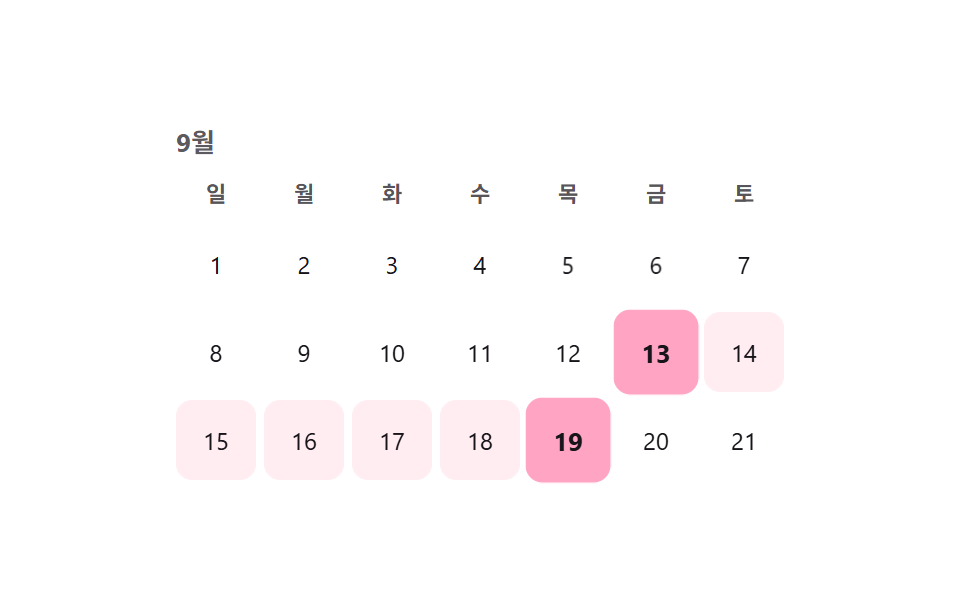 カレンダー 選択 UI 9選 — コピペOKカレンダー 選択 UI は、値一つではなく開始日と終了日のような範囲をまとめて選ばせる部品です。セグメントコントロールに続き、範囲・アバター・検索・ホイール・比率まで、実際の実装で詰まりやすい選択UI9種を、コードとともにまとめました。 この記事のデモをすべて見る