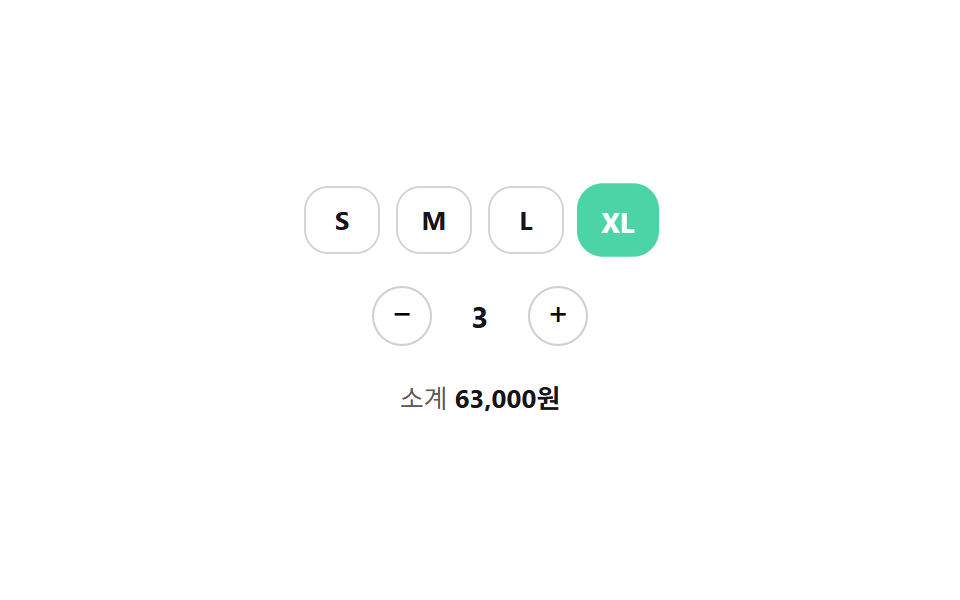
05サイズチップ+数量ステッパーの組み合わせ
サイズチップを選ぶと単価が変わり、+/-ステッパーで数量を変えるとその場で小計が再計算される。
使いどころECサイトの商品オプション(サイズ+数量)を同時に選択、カート投入前のオプション確認
aria-live 수량min/max 비활성화0.22초
<main class="stage">
  <div class="sq is-demo">
    <div class="sq__sizes" role="radiogroup" aria-label="サイズを選択">
      <label class="sq__chip"><input type="radio" name="size" value="S" class="sq__radio" data-price="19000"><span>S</span></label>
      <label class="sq__chip"><input type="radio" name="size" value="M" class="sq__radio" data-price="19000" checked><span>M</span></label>
      <label class="sq__chip"><input type="radio" name="size" value="L" class="sq__radio" data-price="20000"><span>L</span></label>
      <label class="sq__chip"><input type="radio" name="size" value="XL" class="sq__radio" data-price="21000"><span>XL</span></label>
    </div>
    <div class="sq__qty">
      <button type="button" class="sq__btn" id="dec" aria-label="数量を減らす">−</button>
      <span class="sq__num" id="num" aria-live="polite">1</span>
      <button type="button" class="sq__btn" id="inc" aria-label="数量を増やす">+</button>
    </div>
    <div class="sq__total">小計 <strong id="total">19,000ウォン</strong></div>
  </div>
</main>
@use "../../../../site/static/demo-tokens" as *;
// ── 변수 3개 ──────────────────────────────
$duration: $dur-quick;
$easing: $ease-pop;
$color: $subject-mint;
@include stage($stage-paper);
.sq { display: flex; flex-direction: column; align-items: center; gap: $sp-4; color: $subject-ink; }
.sq__sizes { display: flex; gap: $sp-2; }
.sq__chip { position: relative; }
.sq__radio { position: absolute; opacity: 0; width: 1px; height: 1px; }
.sq__chip span {
display: grid; place-items: center; width: 36px; height: 32px; border-radius: $r-control;
border: 1px solid rgba($subject-ink, .18); font-size: 13px; font-weight: 700; cursor: pointer;
transition: transform $duration $easing, background-color $duration $easing, color $duration $easing, border-color $duration $easing;
}
.sq__radio:checked ~ span {
background: $color; border-color: $color; color: #fff; transform: scale(1.08);
}
.sq__radio:focus-visible ~ span { outline: 2px solid $subject-ink; outline-offset: 2px; }
.sq__qty { display: flex; align-items: center; gap: $sp-3; }
.sq__btn {
appearance: none; border: 1px solid rgba($subject-ink, .2); background: #fff;
width: 30px; height: 30px; border-radius: 50%; font-size: 16px; line-height: 1; cursor: pointer;
transition: transform $duration $easing, opacity $duration $easing;
}
.sq__btn:active { transform: scale(.9); }
.sq__btn:disabled { opacity: .3; cursor: not-allowed; }
.sq__num { min-width: 24px; text-align: center; font-weight: 700; font-size: 15px; }
.sq__total { font-size: 13px; color: rgba($subject-ink, .7); }
.sq__total strong { color: $subject-ink; }
@media (prefers-reduced-motion: reduce) {
.sq__chip span, .sq__btn { transition: none; }
}html, body {
margin: 0;
overflow: hidden;
}
.stage {
box-sizing: border-box;
min-height: 100vh;
display: grid;
place-items: center;
margin: 0;
background: #ffffff;
font-family: -apple-system, "Segoe UI", "Noto Sans KR", sans-serif;
padding: clamp(8px, 4vw, 24px);
}
.sq {
display: flex;
flex-direction: column;
align-items: center;
gap: 16px;
color: #17141a;
}
.sq__sizes {
display: flex;
gap: 8px;
}
.sq__chip {
position: relative;
}
.sq__radio {
position: absolute;
opacity: 0;
width: 1px;
height: 1px;
}
.sq__chip span {
display: grid;
place-items: center;
width: 36px;
height: 32px;
border-radius: 12px;
border: 1px solid rgba(23, 20, 26, 0.18);
font-size: 13px;
font-weight: 700;
cursor: pointer;
transition: transform 220ms cubic-bezier(0.2, 1.4, 0.4, 1), background-color 220ms cubic-bezier(0.2, 1.4, 0.4, 1), color 220ms cubic-bezier(0.2, 1.4, 0.4, 1), border-color 220ms cubic-bezier(0.2, 1.4, 0.4, 1);
}
.sq__radio:checked ~ span {
background: #4cd4a6;
border-color: #4cd4a6;
color: #fff;
transform: scale(1.08);
}
.sq__radio:focus-visible ~ span {
outline: 2px solid #17141a;
outline-offset: 2px;
}
.sq__qty {
display: flex;
align-items: center;
gap: 12px;
}
.sq__btn {
appearance: none;
border: 1px solid rgba(23, 20, 26, 0.2);
background: #fff;
width: 30px;
height: 30px;
border-radius: 50%;
font-size: 16px;
line-height: 1;
cursor: pointer;
transition: transform 220ms cubic-bezier(0.2, 1.4, 0.4, 1), opacity 220ms cubic-bezier(0.2, 1.4, 0.4, 1);
}
.sq__btn:active {
transform: scale(0.9);
}
.sq__btn:disabled {
opacity: 0.3;
cursor: not-allowed;
}
.sq__num {
min-width: 24px;
text-align: center;
font-weight: 700;
font-size: 15px;
}
.sq__total {
font-size: 13px;
color: rgba(23, 20, 26, 0.7);
}
.sq__total strong {
color: #17141a;
}
@media (prefers-reduced-motion: reduce) {
.sq__chip span, .sq__btn {
transition: none;
}
}(function () {
var sq = document.querySelector('.sq');
var radios = Array.prototype.slice.call(sq.querySelectorAll('.sq__radio'));
var dec = document.getElementById('dec'), inc = document.getElementById('inc'),
num = document.getElementById('num'), total = document.getElementById('total');
var qty = 1;
function price() { return +(radios.filter(function (r) { return r.checked; })[0] || radios[0]).dataset.price; }
function paint() {
num.textContent = qty;
dec.disabled = qty <= 1; inc.disabled = qty >= 9;
total.textContent = (price() * qty).toLocaleString('ko-KR') + 'ウォン';
}
radios.forEach(function (r) { r.addEventListener('change', function () { stop(); paint(); }); });
dec.addEventListener('click', function () { stop(); qty = Math.max(1, qty - 1); paint(); });
inc.addEventListener('click', function () { stop(); qty = Math.min(9, qty + 1); paint(); });
var seq = [[1, 1], [3, 1], [3, 3], [0, 2], [2, 4]], si = 0;
var t = setInterval(function () {
var s = seq[si % seq.length];
radios[s[0]].checked = true; qty = s[1]; paint(); si++;
}, 600);
function stop() { sq.classList.remove('is-demo'); clearInterval(t); }
paint();
}());import { useState } from "react";
import type { CSSProperties } from "react";
import styles from "./SizeQuantityChipStepper.module.scss";
type Size = { label: string; price: number };
export type SizeQuantityChipStepperProps = {
sizes?: Size[];
duration?: number;
easing?: string;
color?: string;
};
type Vars = CSSProperties & { "--duration"?: string; "--easing"?: string; "--c"?: string };
const DEFAULT_SIZES: Size[] = [
{ label: "S", price: 19000 },
{ label: "M", price: 19000 },
{ label: "L", price: 20000 },
{ label: "XL", price: 21000 },
];
export default function SizeQuantityChipStepper({
sizes = DEFAULT_SIZES,
duration = 220,
easing = "cubic-bezier(.2,1.4,.4,1)",
color = "#4cd4a6",
}: SizeQuantityChipStepperProps) {
const [sizeIdx, setSizeIdx] = useState(1);
const [qty, setQty] = useState(1);
const vars: Vars = { "--duration": `${duration}ms`, "--easing": easing, "--c": color };
const total = sizes[sizeIdx].price * qty;
return (
<div className={styles.sq} style={vars}>
<div className={styles.sizes} role="radiogroup" aria-label="Select a size">
{sizes.map((s, i) => (
<label key={s.label} className={styles.chip}>
<input type="radio" name="size" className={styles.radio} checked={sizeIdx === i}
onChange={() => setSizeIdx(i)} />
<span data-on={sizeIdx === i}>{s.label}</span>
</label>
))}
</div>
<div className={styles.qty}>
<button type="button" className={styles.btn} aria-label="Decrease quantity"
disabled={qty <= 1} onClick={() => setQty((q) => Math.max(1, q - 1))}>−</button>
<span className={styles.num} aria-live="polite">{qty}</span>
<button type="button" className={styles.btn} aria-label="Increase quantity"
disabled={qty >= 9} onClick={() => setQty((q) => Math.min(9, q + 1))}>+</button>
</div>
<div className={styles.total}>Subtotal <strong>{total.toLocaleString("en-US")} KRW</strong></div>
</div>
);
}05 サイズチップ+数量ステッパーの組み合わせ — 計測 累積面積 3.278% · 動いたフレーム 8/23GODRICH オリジナル · SCSS と React は zip に同梱 · カレンダー 選択 UI 9選 — コピペOK
このデモが属する記事
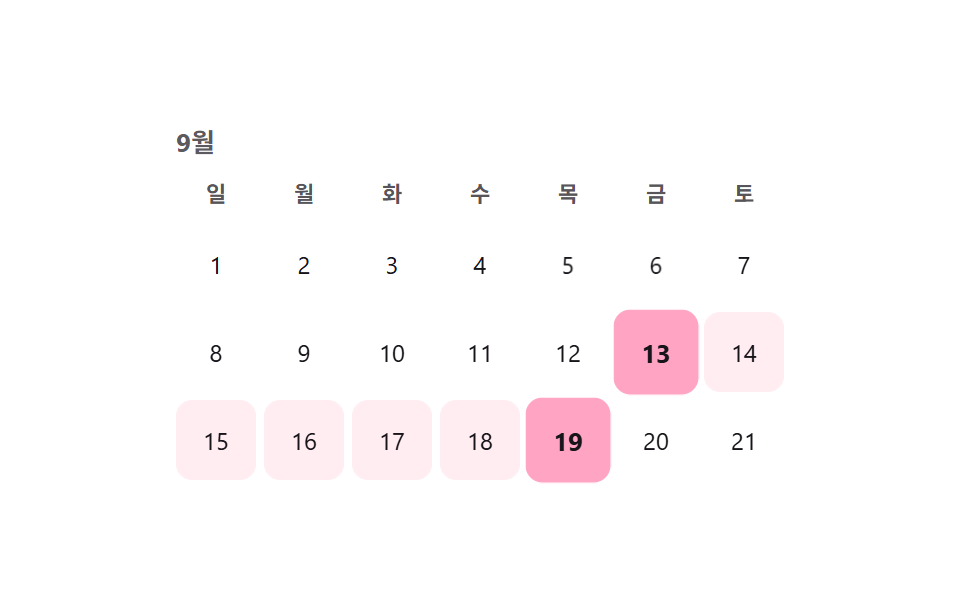 カレンダー 選択 UI 9選 — コピペOKカレンダー 選択 UI は、値一つではなく開始日と終了日のような範囲をまとめて選ばせる部品です。セグメントコントロールに続き、範囲・アバター・検索・ホイール・比率まで、実際の実装で詰まりやすい選択UI9種を、コードとともにまとめました。 この記事のデモをすべて見る