09左右移動デュアルリストピッカー
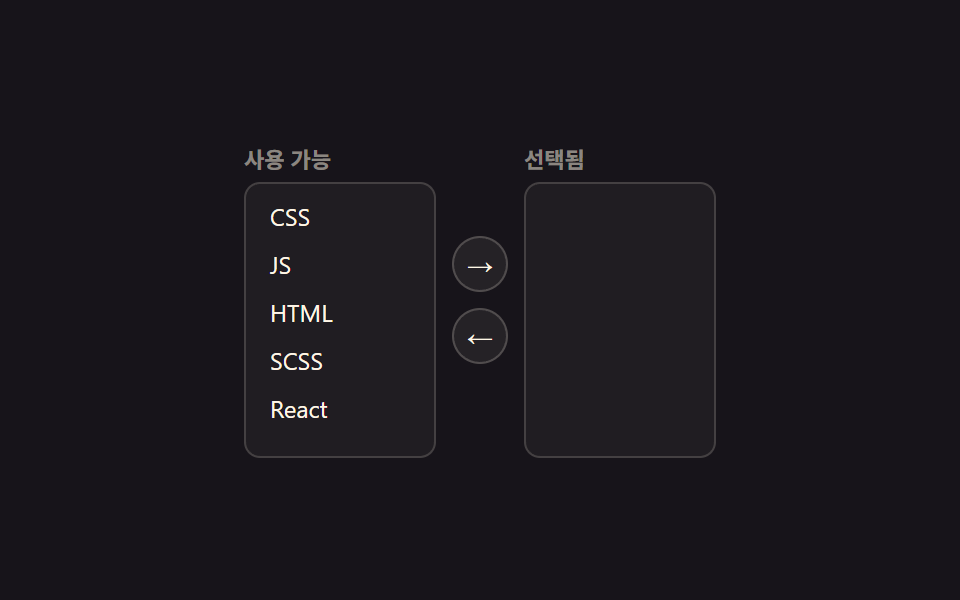
左のリストで項目を選び矢印ボタンを押すと右のリストへ移り、矢印キーでリスト内を移動できる。
使いどころ権限・役割の付与画面、メール配信グループの構成
role=listbox다중 선택aria-multiselectable
<main class="stage">
  <div class="tf is-demo">
    <div class="tf__col">
      <div class="tf__h">利用可能</div>
      <ul class="tf__list" id="avail" role="listbox" aria-label="利用可能な項目" aria-multiselectable="true"></ul>
    </div>
    <div class="tf__mid">
      <button type="button" class="tf__btn" id="toRight" aria-label="選択済みへ移動">→</button>
      <button type="button" class="tf__btn" id="toLeft" aria-label="利用可能へ移動">←</button>
    </div>
    <div class="tf__col">
      <div class="tf__h">選択済み</div>
      <ul class="tf__list" id="chosen" role="listbox" aria-label="選択済みの項目" aria-multiselectable="true"></ul>
    </div>
  </div>
</main>
@use "../../../../site/static/demo-tokens" as *;
// ── 변수 3개 ──────────────────────────────
$duration: $dur-base;
$easing: $ease-pop;
$color: $subject-blue;
@include stage($stage-ink);
.tf { display: flex; align-items: center; gap: $sp-2; color: $subject-cream; }
.tf__col { width: 96px; }
.tf__h { font-size: 11px; font-weight: 700; color: rgba($subject-cream, .5); margin-bottom: $sp-1; }
.tf__list {
list-style: none; margin: 0; padding: $sp-1; height: 128px; overflow: auto;
border: 1px solid rgba($subject-cream, .16); border-radius: $r-sm; background: rgba($subject-cream, .04);
}
.tf__item {
padding: $sp-1 $sp-2; border-radius: $r-xs; font-size: 12px; cursor: pointer;
transition: background-color $duration $easing, transform $duration $easing;
}
.tf__item.is-sel { background: rgba($color, .35); transform: translateX(2px); }
.tf__item:focus-visible { outline: 2px solid $color; outline-offset: -2px; }
.tf__mid { display: flex; flex-direction: column; gap: $sp-2; }
.tf__btn {
appearance: none; border: 1px solid rgba($subject-cream, .2); background: rgba($subject-cream, .06);
color: $subject-cream; width: 28px; height: 28px; border-radius: 50%; cursor: pointer; font-size: 13px;
transition: transform $duration $easing, background-color $duration $easing;
}
.tf__btn:active { transform: scale(.88); }
@media (prefers-reduced-motion: reduce) {
.tf__item, .tf__btn { transition: none; }
}html, body {
margin: 0;
overflow: hidden;
}
.stage {
box-sizing: border-box;
min-height: 100vh;
display: grid;
place-items: center;
margin: 0;
background: #17141a;
font-family: -apple-system, "Segoe UI", "Noto Sans KR", sans-serif;
padding: clamp(8px, 4vw, 24px);
}
.tf {
display: flex;
align-items: center;
gap: 8px;
color: #fff7e6;
}
.tf__col {
width: 96px;
}
.tf__h {
font-size: 11px;
font-weight: 700;
color: rgba(255, 247, 230, 0.5);
margin-bottom: 4px;
}
.tf__list {
list-style: none;
margin: 0;
padding: 4px;
height: 128px;
overflow: auto;
border: 1px solid rgba(255, 247, 230, 0.16);
border-radius: 8px;
background: rgba(255, 247, 230, 0.04);
}
.tf__item {
padding: 4px 8px;
border-radius: 4px;
font-size: 12px;
cursor: pointer;
transition: background-color 300ms cubic-bezier(0.2, 1.4, 0.4, 1), transform 300ms cubic-bezier(0.2, 1.4, 0.4, 1);
}
.tf__item.is-sel {
background: rgba(47, 109, 246, 0.35);
transform: translateX(2px);
}
.tf__item:focus-visible {
outline: 2px solid #2f6df6;
outline-offset: -2px;
}
.tf__mid {
display: flex;
flex-direction: column;
gap: 8px;
}
.tf__btn {
appearance: none;
border: 1px solid rgba(255, 247, 230, 0.2);
background: rgba(255, 247, 230, 0.06);
color: #fff7e6;
width: 28px;
height: 28px;
border-radius: 50%;
cursor: pointer;
font-size: 13px;
transition: transform 300ms cubic-bezier(0.2, 1.4, 0.4, 1), background-color 300ms cubic-bezier(0.2, 1.4, 0.4, 1);
}
.tf__btn:active {
transform: scale(0.88);
}
@media (prefers-reduced-motion: reduce) {
.tf__item, .tf__btn {
transition: none;
}
}(function () {
var tf = document.querySelector('.tf');
var availEl = document.getElementById('avail'), chosenEl = document.getElementById('chosen');
var avail = ['CSS', 'JS', 'HTML', 'SCSS', 'React'], chosen = [];
var selA = {}, selC = {};
function row(name, sel, i) {
var li = document.createElement('li');
li.className = 'tf__item'; li.setAttribute('role', 'option'); li.textContent = name;
li.tabIndex = i === 0 ? 0 : -1;
li.setAttribute('aria-selected', sel[name] ? 'true' : 'false');
li.classList.toggle('is-sel', !!sel[name]);
return li;
}
function render() {
availEl.innerHTML = ''; chosenEl.innerHTML = '';
avail.forEach(function (n, i) { availEl.appendChild(bind(row(n, selA, i), n, selA, availEl)); });
chosen.forEach(function (n, i) { chosenEl.appendChild(bind(row(n, selC, i), n, selC, chosenEl)); });
}
function bind(li, name, sel, list) {
li.addEventListener('click', function () { stop(); sel[name] = !sel[name]; render(); });
li.addEventListener('keydown', function (e) {
stop();
var items = Array.prototype.slice.call(list.children);
var i = items.indexOf(li);
if (e.key === 'ArrowDown' || e.key === 'ArrowUp') {
e.preventDefault();
var n = items[Math.max(0, Math.min(items.length - 1, i + (e.key === 'ArrowDown' ? 1 : -1)))];
items.forEach(function (x) { x.tabIndex = -1; }); n.tabIndex = 0; n.focus({ preventScroll: true });
} else if (e.key === ' ' || e.key === 'Enter') { e.preventDefault(); sel[name] = !sel[name]; render(); }
});
return li;
}
function move(from, to, sel) {
var keep = [], moved = [];
from.forEach(function (n) { (sel[n] ? moved : keep).push(n); });
from.length = 0; Array.prototype.push.apply(from, keep);
Array.prototype.push.apply(to, moved);
Object.keys(sel).forEach(function (k) { delete sel[k]; });
render();
}
document.getElementById('toRight').addEventListener('click', function () { stop(); move(avail, chosen, selA); });
document.getElementById('toLeft').addEventListener('click', function () { stop(); move(chosen, avail, selC); });
var t = setInterval(function () {
if (avail.length) { selA[avail[0]] = true; move(avail, chosen, selA); }
else { selC[chosen[0]] = true; move(chosen, avail, selC); }
}, 380);
function stop() { tf.classList.remove('is-demo'); clearInterval(t); }
render();
}());import { useState } from "react";
import type { CSSProperties } from "react";
import styles from "./DualListTransferPicker.module.scss";
export type DualListTransferPickerProps = {
items?: string[];
duration?: number;
easing?: string;
color?: string;
};
type Vars = CSSProperties & { "--duration"?: string; "--easing"?: string; "--c"?: string };
export default function DualListTransferPicker({
items = ["CSS", "JS", "HTML", "SCSS", "React"],
duration = 220,
easing = "cubic-bezier(.2,1.4,.4,1)",
color = "#2f6df6",
}: DualListTransferPickerProps) {
const [avail, setAvail] = useState(items);
const [chosen, setChosen] = useState<string[]>([]);
const [selA, setSelA] = useState<Record<string, boolean>>({});
const [selC, setSelC] = useState<Record<string, boolean>>({});
const vars: Vars = { "--duration": `${duration}ms`, "--easing": easing, "--c": color };
function toggle(name: string, sel: Record<string, boolean>, setSel: (v: Record<string, boolean>) => void) {
setSel({ ...sel, [name]: !sel[name] });
}
function move(from: string[], setFrom: (v: string[]) => void, to: string[], setTo: (v: string[]) => void,
sel: Record<string, boolean>, setSel: (v: Record<string, boolean>) => void) {
const moved = from.filter((n) => sel[n]);
setFrom(from.filter((n) => !sel[n]));
setTo([...to, ...moved]);
setSel({});
}
function list(names: string[], sel: Record<string, boolean>, setSel: (v: Record<string, boolean>) => void, label: string) {
return (
<ul className={styles.list} role="listbox" aria-label={label} aria-multiselectable="true">
{names.map((n, i) => (
<li key={n} role="option" aria-selected={!!sel[n]} data-sel={!!sel[n]} className={styles.item}
tabIndex={i === 0 ? 0 : -1}
onClick={() => toggle(n, sel, setSel)}
onKeyDown={(e: any) => { if (e.key === " " || e.key === "Enter") { e.preventDefault(); toggle(n, sel, setSel); } }}>
{n}
</li>
))}
</ul>
);
}
return (
<div className={styles.tf} style={vars}>
<div className={styles.col}>
<div className={styles.h}>Available</div>
{list(avail, selA, (v) => setSelA(v), "Available items")}
</div>
<div className={styles.mid}>
<button type="button" className={styles.btn} aria-label="Move to selected"
onClick={() => move(avail, setAvail, chosen, setChosen, selA, setSelA)}>→</button>
<button type="button" className={styles.btn} aria-label="Move to available"
onClick={() => move(chosen, setChosen, avail, setAvail, selC, setSelC)}>←</button>
</div>
<div className={styles.col}>
<div className={styles.h}>Selected</div>
{list(chosen, selC, (v) => setSelC(v), "Selected items")}
</div>
</div>
);
}09 左右移動デュアルリストピッカー — 計測 累積面積 1.42% · 動いたフレーム 7/23GODRICH オリジナル · SCSS と React は zip に同梱 · カレンダー 選択 UI 9選 — コピペOK
このデモが属する記事
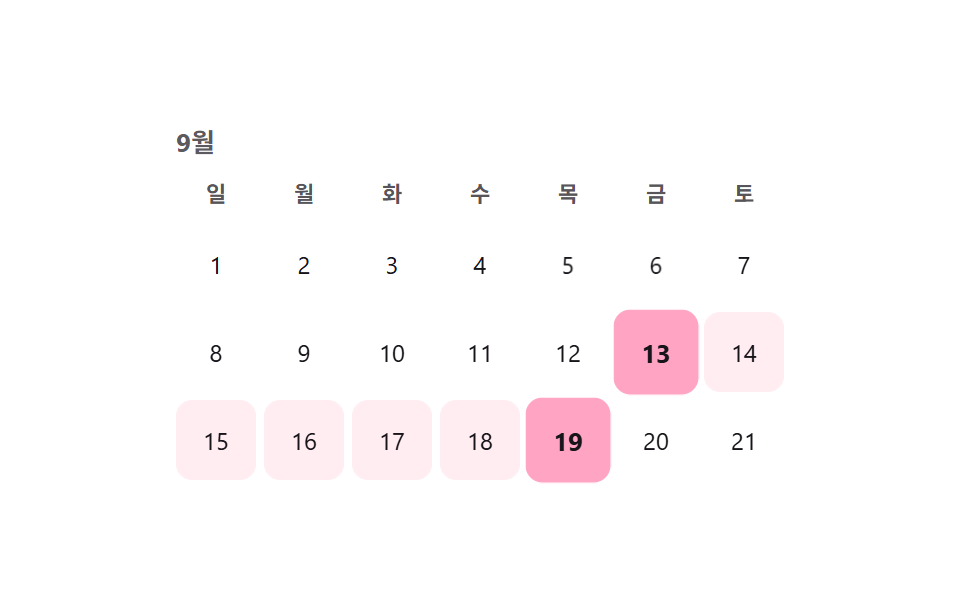 カレンダー 選択 UI 9選 — コピペOKカレンダー 選択 UI は、値一つではなく開始日と終了日のような範囲をまとめて選ばせる部品です。セグメントコントロールに続き、範囲・アバター・検索・ホイール・比率まで、実際の実装で詰まりやすい選択UI9種を、コードとともにまとめました。 この記事のデモをすべて見る