01マウント時@starting-styleフェード
カードコンポーネントがマウントされた瞬間、@starting-styleがDOMに存在しなかった時点の値を定義するため、useEffectで「マウント済み」フラグを別に作らなくてもopacityが0から1へトランジションします。
使いどころ条件付きで新しく描画される通知カード、リストに追加された直後の項目
@starting-style@keyframes mf-mountReact 19
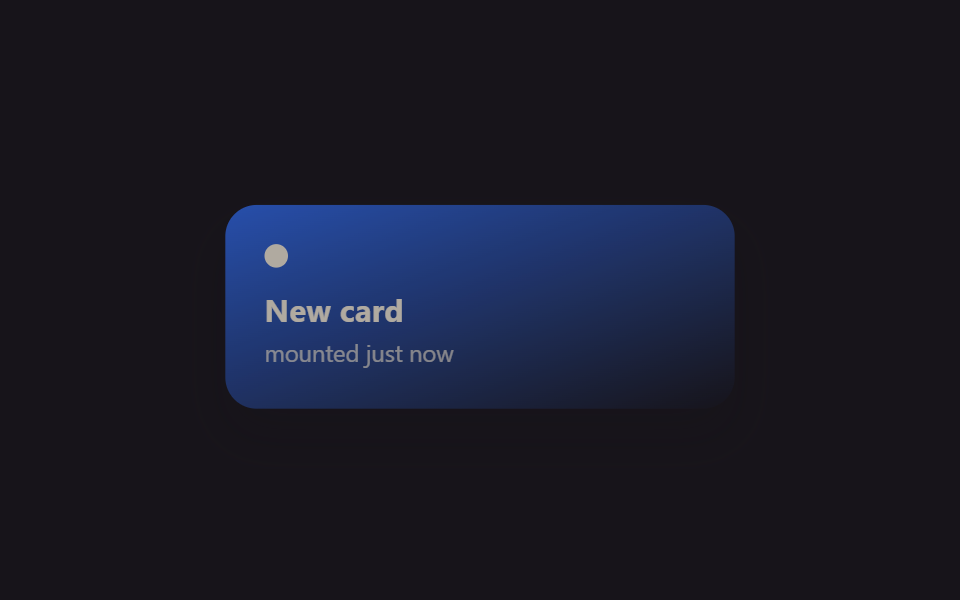
<main class="stage">
  <div class="mf-wrap is-demo">
    <div class="mf-card">
      <span class="mf-card__dot"></span>
      <span class="mf-card__title">New card</span>
      <span class="mf-card__sub">mounted just now</span>
    </div>
  </div>
</main>
@use "../../../../site/static/demo-tokens" as *;
// ── 변수 3개 ──────────────────────────────────────────
$duration: $dur-enter;
$easing: $ease-spring;
$color: $subject-blue;
@include stage($stage-ink);
.mf-wrap {
width: min(320px, 90vw);
display: grid;
place-items: center;
}
.mf-card {
width: min(260px, 84vw);
box-sizing: border-box;
padding: $sp-5 $sp-5;
border-radius: $r-card;
background: linear-gradient(160deg, $color, rgba(23, 20, 26, .9));
box-shadow: $shadow-raised;
display: flex;
flex-direction: column;
gap: $sp-1;
color: $subject-cream;
font-family: -apple-system, "Segoe UI", sans-serif;
}
.mf-card__dot {
width: $sp-3;
height: $sp-3;
border-radius: $r-pill;
background: $subject-cream;
margin-bottom: $sp-2;
}
.mf-card__title { font-weight: 700; font-size: 16px; line-height: 1.2; font-family: inherit; }
.mf-card__sub { font-weight: 400; font-size: 12px; line-height: 1.4; font-family: inherit; opacity: .72; }
// 실사용 원리: React 19 는 새 노드가 DOM 에 붙는 순간 @starting-style 의 값에서
// 실제 스타일로 트랜지션한다 (useEffect 로 "mounted" 플래그를 따로 안 만들어도 됨).
// 여기 데모는 그 등장 곡선을 무한 반복으로 보여준다.
@starting-style {
.mf-card { opacity: 0; transform: translateY(10px) scale(.94); }
}
.mf-card {
opacity: 1;
transform: none;
transition: opacity $duration $easing, transform $duration $easing;
}
// 캡처용 루프: 마운트 순간을 2초마다 재생 (demo.py 는 WAAPI 로 이 keyframes 를 직접 스크럽한다)
@keyframes mf-mount {
0% { opacity: 0; transform: translateY(10px) scale(.94); }
22% { opacity: 1; transform: none; }
82% { opacity: 1; transform: none; }
100% { opacity: 0; transform: translateY(10px) scale(.94); }
}
.mf-wrap.is-demo .mf-card { animation: mf-mount $dur-loop $easing infinite; }
@media (prefers-reduced-motion: reduce) {
.mf-card { transition: none; }
.mf-wrap.is-demo .mf-card { animation: none !important; opacity: 1; transform: none; }
}html, body {
margin: 0;
overflow: hidden;
}
.stage {
box-sizing: border-box;
min-height: 100vh;
display: grid;
place-items: center;
margin: 0;
background: #17141a;
font-family: -apple-system, "Segoe UI", "Noto Sans KR", sans-serif;
padding: clamp(8px, 4vw, 24px);
}
.mf-wrap {
width: min(320px, 90vw);
display: grid;
place-items: center;
}
.mf-card {
width: min(260px, 84vw);
box-sizing: border-box;
padding: 20px 20px;
border-radius: 16px;
background: linear-gradient(160deg, #2f6df6, rgba(23, 20, 26, 0.9));
box-shadow: 0 14px 24px rgba(23, 20, 26, 0.32);
display: flex;
flex-direction: column;
gap: 4px;
color: #fff7e6;
font-family: -apple-system, "Segoe UI", sans-serif;
}
.mf-card__dot {
width: 12px;
height: 12px;
border-radius: 999px;
background: #fff7e6;
margin-bottom: 8px;
}
.mf-card__title {
font-weight: 700;
font-size: 16px;
line-height: 1.2;
font-family: inherit;
}
.mf-card__sub {
font-weight: 400;
font-size: 12px;
line-height: 1.4;
font-family: inherit;
opacity: 0.72;
}
@starting-style {
.mf-card {
opacity: 0;
transform: translateY(10px) scale(0.94);
}
}
.mf-card {
opacity: 1;
transform: none;
transition: opacity 600ms cubic-bezier(0.2, 0.8, 0.2, 1), transform 600ms cubic-bezier(0.2, 0.8, 0.2, 1);
}
@keyframes mf-mount {
0% {
opacity: 0;
transform: translateY(10px) scale(0.94);
}
22% {
opacity: 1;
transform: none;
}
82% {
opacity: 1;
transform: none;
}
100% {
opacity: 0;
transform: translateY(10px) scale(0.94);
}
}
.mf-wrap.is-demo .mf-card {
animation: mf-mount 2s cubic-bezier(0.2, 0.8, 0.2, 1) infinite;
}
@media (prefers-reduced-motion: reduce) {
.mf-card {
transition: none;
}
.mf-wrap.is-demo .mf-card {
animation: none !important;
opacity: 1;
transform: none;
}
}import { CSSProperties, useEffect, useState } from "react";
import styles from "./MountFadeStartingStyle.module.scss";
export interface MountFadeStartingStyleProps {
duration?: string;
easing?: string;
color?: string;
}
function Card({ color }: { color: string }) {
// React 19: @starting-style (in the CSS module below) defines what this card looked
// like before it existed in the DOM, so no useEffect("mounted") flag is needed for
// the fade-in — the browser transitions from that starting state automatically.
return (
<div className={styles.card} style={{ background: color }}>
<span className={styles.dot} />
<span className={styles.title}>New card</span>
<span className={styles.sub}>mounted just now</span>
</div>
);
}
export default function MountFadeStartingStyle({
duration = "600ms",
easing = "cubic-bezier(.2, .8, .2, 1)",
color = "#2f6df6",
}: MountFadeStartingStyleProps) {
const [mounted, setMounted] = useState(true);
useEffect(() => {
const id = setInterval(() => setMounted((m) => !m), 1400);
return () => clearInterval(id);
}, []);
const style: CSSProperties & { "--duration"?: string; "--easing"?: string } = {
"--duration": duration,
"--easing": easing,
};
return (
<div className={styles.wrap} style={style}>
{mounted ? <Card color={color} /> : null}
</div>
);
}01 マウント時@starting-styleフェード — 計測 累積面積 19.029% · 動いたフレーム 8/23GODRICH オリジナル · SCSS と React は zip に同梱 · React アニメーション ライブラリなしで作るCSS9選
このデモが属する記事
 React アニメーション ライブラリなしで作るCSS9選Reactで作った画面に動きを付けたいとき最初に思い浮かぶのはreact アニメーション ライブラリの導入ですが、コンポーネントが現れたり消えたりするタイミングさえ押さえれば一行でコピペOKなCSSだけで済むことも多いです。この記事はそんな この記事のデモをすべて見る