09スクロール連動プログレスバー
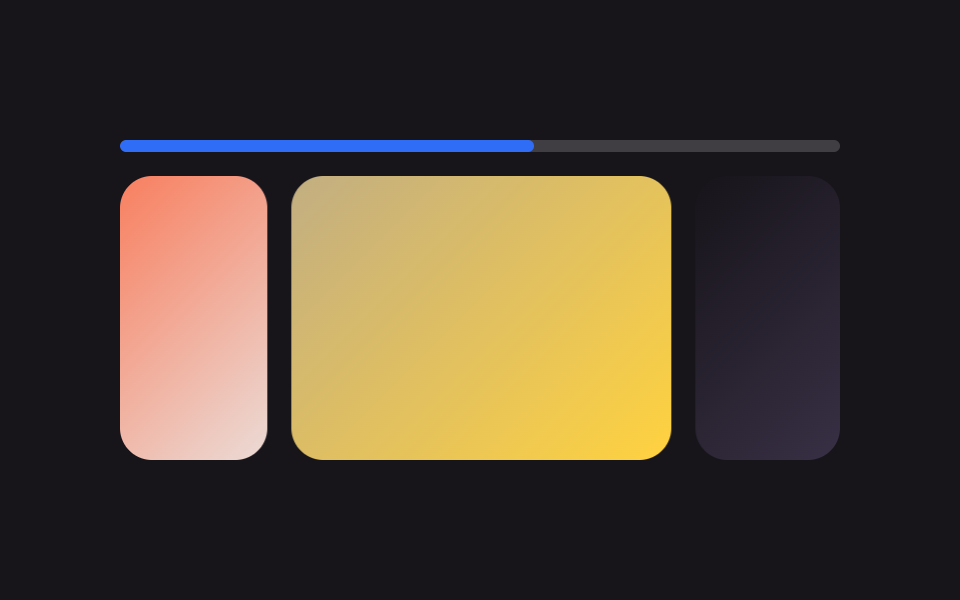
ラジオボタンやJavaScriptで計算せず、animation-timeline: scroll()が実際の横スクロール位置をそのまま読み取ってバーを埋めます。
使いどころ残りのスライド数がひと目でわかるストーリーバナー、長くめくるギャラリー
animation-timeline: scroll()scroll-timelineJS 0줄
<main class="stage">
  <div class="sp is-demo">
    <div class="sp__bar"><div class="sp__fill"></div></div>
    <div class="sp__viewport">
      <div class="sp__track">
        <div class="sp__slide sp__slide--1"></div>
        <div class="sp__slide sp__slide--2"></div>
        <div class="sp__slide sp__slide--3"></div>
        <div class="sp__slide sp__slide--4"></div>
        <div class="sp__slide sp__slide--1" aria-hidden="true"></div>
        <div class="sp__slide sp__slide--2" aria-hidden="true"></div>
      </div>
    </div>
  </div>
</main>
@use "../../../../site/static/demo-tokens" as *;
// ── 변수 3개 ──────────────────────────────────────────
$duration: $dur-base;
$easing: linear;
$color: $subject-blue;
@include stage($stage-ink);
.sp {
width: min(360px, 88vw);
// 진행 바(.sp__bar)와 스크롤 상자(.sp__viewport)는 형제라, 공용 이름을 이 공통 조상에서 열어 둔다
timeline-scope: --sp-progress;
}
.sp__bar {
height: 6px;
border-radius: $r-pill;
background: rgba(255, 255, 255, .18);
overflow: hidden;
margin-bottom: $sp-3;
}
.sp__fill {
height: 100%;
width: 0%;
border-radius: $r-pill;
background: $color;
// ── 실제 동작: 실제 가로 스크롤 위치를 이름 붙은 스크롤 타임라인으로 그대로 읽어 폭을 채운다 (0줄 JS) ──
animation-name: sp-fill;
animation-timeline: --sp-progress;
animation-fill-mode: both;
}
@keyframes sp-fill {
from { width: 0%; }
to { width: 100%; }
}
.sp__viewport {
overflow-x: auto;
scroll-snap-type: x mandatory;
scroll-timeline: --sp-progress inline;
border-radius: $r-card;
scrollbar-width: none;
&::-webkit-scrollbar { display: none; }
}
.sp__track { display: flex; width: max-content; }
.sp__slide {
flex: 0 0 190px;
aspect-ratio: 4 / 3;
scroll-snap-align: start;
margin-right: $sp-3;
border-radius: $r-card;
&:last-child { margin-right: 0; }
}
.sp__slide--1 { background: linear-gradient(135deg, $color, #d6ddeb); }
.sp__slide--2 { background: linear-gradient(135deg, $stage-orange, #ebdbd6); }
.sp__slide--3 { background: linear-gradient(135deg, #c2ae82, $stage-yellow); }
.sp__slide--4 { background: linear-gradient(135deg, $subject-ink, #4a3f5c); }
// ── 데모 루프: 트랙만 미리보기로 스스로 넘어간다. 진행 바는 실제 스크롤 타임라인이 그대로 그린다 ──
// 트랙 끝에는 1번의 복제본(aria-hidden)이 한 장 더 — 그곳까지 정상 속도로 가고
// 100%→0% 점프는 복제본이 1번과 같아 안 보인다 (끝→처음 텔레포트 금지)
.sp.is-demo .sp__track { animation: sp-loop $dur-loop $ease-spring infinite; }
@keyframes sp-loop {
0%, 8% { transform: translateX(0px); }
23%, 31% { transform: translateX(-202px); }
46%, 54% { transform: translateX(-404px); }
69%, 77% { transform: translateX(-606px); }
92%, 100% { transform: translateX(-808px); }
}
// ── 접근성 ──────────────────────────────────────────
@media (prefers-reduced-motion: reduce) {
.sp.is-demo .sp__track { animation: none !important; }
.sp__viewport { scroll-behavior: auto; }
}html, body {
margin: 0;
overflow: hidden;
}
.stage {
box-sizing: border-box;
min-height: 100vh;
display: grid;
place-items: center;
margin: 0;
background: #17141a;
font-family: -apple-system, "Segoe UI", "Noto Sans KR", sans-serif;
padding: clamp(8px, 4vw, 24px);
}
.sp {
width: min(360px, 88vw);
timeline-scope: --sp-progress;
}
.sp__bar {
height: 6px;
border-radius: 999px;
background: rgba(255, 255, 255, 0.18);
overflow: hidden;
margin-bottom: 12px;
}
.sp__fill {
height: 100%;
width: 0%;
border-radius: 999px;
background: #2f6df6;
animation-name: sp-fill;
animation-timeline: --sp-progress;
animation-fill-mode: both;
}
@keyframes sp-fill {
from {
width: 0%;
}
to {
width: 100%;
}
}
.sp__viewport {
overflow-x: auto;
scroll-snap-type: x mandatory;
scroll-timeline: --sp-progress inline;
border-radius: 16px;
scrollbar-width: none;
}
.sp__viewport::-webkit-scrollbar {
display: none;
}
.sp__track {
display: flex;
width: max-content;
}
.sp__slide {
flex: 0 0 190px;
aspect-ratio: 4/3;
scroll-snap-align: start;
margin-right: 12px;
border-radius: 16px;
}
.sp__slide:last-child {
margin-right: 0;
}
.sp__slide--1 {
background: linear-gradient(135deg, #2f6df6, #d6ddeb);
}
.sp__slide--2 {
background: linear-gradient(135deg, #ff4d1f, #ebdbd6);
}
.sp__slide--3 {
background: linear-gradient(135deg, #c2ae82, #ffd23f);
}
.sp__slide--4 {
background: linear-gradient(135deg, #17141a, #4a3f5c);
}
.sp.is-demo .sp__track {
animation: sp-loop 2s cubic-bezier(0.2, 0.8, 0.2, 1) infinite;
}
@keyframes sp-loop {
0%, 8% {
transform: translateX(0px);
}
23%, 31% {
transform: translateX(-202px);
}
46%, 54% {
transform: translateX(-404px);
}
69%, 77% {
transform: translateX(-606px);
}
92%, 100% {
transform: translateX(-808px);
}
}
@media (prefers-reduced-motion: reduce) {
.sp.is-demo .sp__track {
animation: none !important;
}
.sp__viewport {
scroll-behavior: auto;
}
}// 진행 바(.sp__fill)는 라디오도 JS 도 없이 animation-timeline 으로 실제 스크롤 위치를 그대로 읽는다(0줄).
// 슬라이드 트랙만 클릭·드래그 전까지 미리보기로 스스로 넘어간다 — 실제 스크롤은 그대로 살아있다.
document.querySelector('.sp__viewport').addEventListener('pointerdown', function () {
document.querySelector('.sp').classList.remove('is-demo');
});import type { CSSProperties } from "react";
import styles from "./ScrollTimelineProgress.module.scss";
export type ScrollTimelineProgressProps = {
duration?: number;
easing?: string;
color?: string;
};
type Vars = CSSProperties & { "--duration"?: string; "--easing"?: string; "--color"?: string };
export default function ScrollTimelineProgress({ duration = 300, easing = "linear", color = "#2f6df6" }: ScrollTimelineProgressProps) {
const vars: Vars = { "--duration": `${duration}ms`, "--easing": easing, "--color": color };
return (
<div className={styles.sp} style={vars}>
{/* 진행 바는 라디오도 JS 도 없이 animation-timeline 으로 실제 스크롤 위치를 그대로 읽는다 — 0줄 JS */}
<div className={styles.bar}><div className={styles.fill} /></div>
<div className={styles.viewport}>
<div className={styles.track}>
{[1, 2, 3, 4].map((n) => (
<div key={n} className={`${styles.slide} ${styles["slide" + n]}`} />
))}
</div>
</div>
</div>
);
}09 スクロール連動プログレスバー — 計測 累積面積 36.869% · 動いたフレーム 23/23GODRICH オリジナル · SCSS と React は zip に同梱 · css カルーセル スライダーの作り方9選 — コピペでOK
このデモが属する記事
 css カルーセル スライダーの作り方9選 — コピペでOKcss カルーセル スライダーとは、写真やカードを何枚か並べて画面の中で順番に切り替えて見せる部品のことです。指でめくったりボタンを押したりすると次の一枚が現れ、JavaScriptを書かなくてもCSSだけで動かせます。スクロールからラジオ この記事のデモをすべて見る