06AI回答のストリーミング風
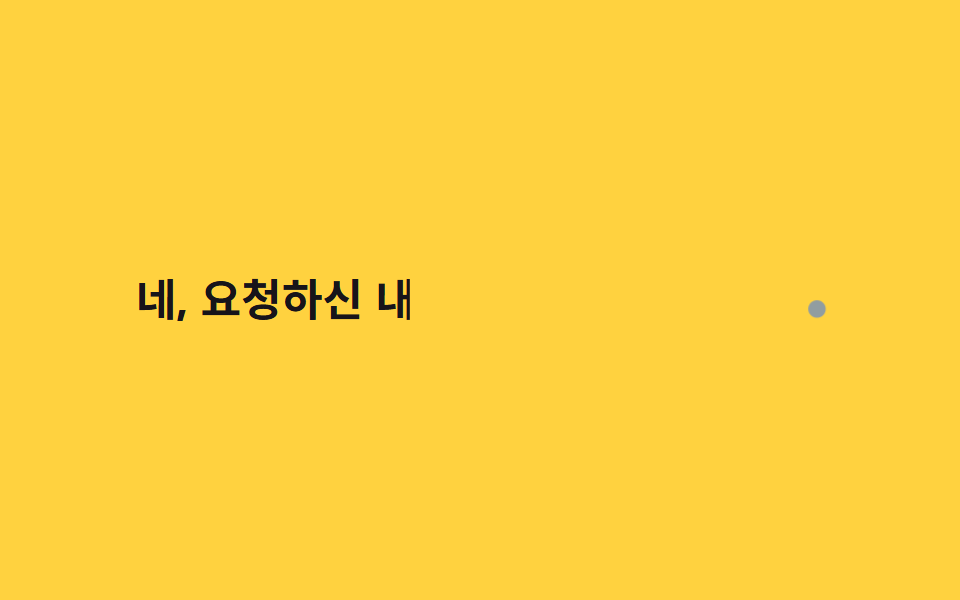
一定間隔のsteps()の代わりに30〜90msのランダムな間隔で文字を追加するJSループを使い、AIの回答がトークン単位で不規則に流れる感じを再現する。
使いどころAIチャットボットの回答欄、プロンプト結果のローディング演出
랜덤 간격 JSel.animate오브 커서 pulse
<main class="stage">
  <p class="ai"><span class="ai__text" id="atext">はい、ご依頼の内容をまとめますね</span><span class="ai__orb" aria-hidden="true"></span></p>
</main>
@use "../../../../site/static/demo-tokens" as *;
$duration: $dur-loop; // JS 쪽 el.animate() duration:2000 과 맞춘다
$easing: linear; // 랜덤 간격을 이미 offset 으로 넣어 linear 로 충분하다
$color: $subject-ink; // 글자 색
@include stage($stage-yellow);
.ai {
margin: 0;
display: flex;
align-items: baseline;
gap: clamp(4px, 1.4vw, 8px);
font-weight: 700; font-size: clamp(16px, 4.6vw, 26px); line-height: 1.5; font-family: inherit;
color: $color;
&__text { display: inline-block; }
&__orb {
width: clamp(6px, 1.8vw, 10px);
height: clamp(6px, 1.8vw, 10px);
border-radius: $r-pill;
background: $subject-blue;
animation: orb-pulse $dur-quick $ease-pop infinite;
}
}
@keyframes orb-pulse {
0%, 100% { transform: scale(1); opacity: .55; }
50% { transform: scale(1.6); opacity: 1; }
}
@media (prefers-reduced-motion: reduce) {
.ai__text { clip-path: none !important; }
.ai__orb { animation: none; opacity: .8; }
}html, body {
margin: 0;
overflow: hidden;
}
.stage {
box-sizing: border-box;
min-height: 100vh;
display: grid;
place-items: center;
margin: 0;
background: #ffd23f;
font-family: -apple-system, "Segoe UI", "Noto Sans KR", sans-serif;
padding: clamp(8px, 4vw, 24px);
}
.ai {
margin: 0;
display: flex;
align-items: baseline;
gap: clamp(4px, 1.4vw, 8px);
font-weight: 700;
font-size: clamp(16px, 4.6vw, 26px);
line-height: 1.5;
font-family: inherit;
color: #17141a;
}
.ai__text {
display: inline-block;
}
.ai__orb {
width: clamp(6px, 1.8vw, 10px);
height: clamp(6px, 1.8vw, 10px);
border-radius: 999px;
background: #2f6df6;
animation: orb-pulse 220ms cubic-bezier(0.2, 1.4, 0.4, 1) infinite;
}
@keyframes orb-pulse {
0%, 100% {
transform: scale(1);
opacity: 0.55;
}
50% {
transform: scale(1.6);
opacity: 1;
}
}
@media (prefers-reduced-motion: reduce) {
.ai__text {
clip-path: none !important;
}
.ai__orb {
animation: none;
opacity: 0.8;
}
}(function () {
if (matchMedia('(prefers-reduced-motion: reduce)').matches) return;
var el = document.getElementById('atext'), s = el.textContent, n = s.length, d = [], sum = 0;
for (var i = 0; i < n; i++) { var r = 30 + Math.random() * 60; d.push(r); sum += r; }
var acc = 0, kf = [{ clipPath: 'inset(0 100% 0 0)', offset: 0 }];
for (var i = 0; i < n; i++) { acc += d[i]; kf.push({ clipPath: 'inset(0 ' + (100 - acc / sum * 78) + '% 0 0)', offset: acc / sum * .78 }); }
kf.push({ clipPath: 'inset(0 0% 0 0)', offset: .9 }, { clipPath: 'inset(0 100% 0 0)', offset: 1 });
el.animate(kf, { duration: 2000, iterations: Infinity });
})();import { useEffect, useRef } from "react";
import type { CSSProperties } from "react";
import styles from "./AiStreamingCaret.module.scss";
export type AiStreamingCaretProps = {
text: string;
/** el.animate() duration (기본 2000ms) */
duration?: number;
color?: string;
};
export default function AiStreamingCaret({ text, duration = 2000, color = "#17141a" }: AiStreamingCaretProps) {
const ref = useRef<HTMLSpanElement | null>(null);
useEffect(() => {
const el = ref.current;
if (!el || matchMedia("(prefers-reduced-motion: reduce)").matches) return;
const n = text.length;
const d: number[] = [];
let sum = 0;
for (let i = 0; i < n; i++) { const r = 30 + Math.random() * 60; d.push(r); sum += r; }
let acc = 0;
const kf = [{ clipPath: "inset(0 100% 0 0)", offset: 0 }];
for (let i = 0; i < n; i++) { acc += d[i]; kf.push({ clipPath: "inset(0 " + (100 - (acc / sum) * 78) + "% 0 0)", offset: (acc / sum) * 0.78 }); }
kf.push({ clipPath: "inset(0 0% 0 0)", offset: 0.9 }, { clipPath: "inset(0 100% 0 0)", offset: 1 });
const anim = el.animate(kf, { duration, iterations: Infinity });
return () => anim.cancel();
}, [text, duration]);
const vars = { "--color": color } as CSSProperties;
return (
<p className={styles.ai} style={vars}>
<span ref={ref} className={styles.text}>{text}</span>
<span className={styles.orb} aria-hidden="true" />
</p>
);
}06 AI回答のストリーミング風 — 計測 累積面積 2.514% · 動いたフレーム 23/23GODRICH オリジナル · SCSS と React は zip に同梱 · CSS タイピング アニメーション 9選 — 一行でコピペOK
このデモが属する記事
 CSS タイピング アニメーション 9選 — 一行でコピペOKcss タイピング アニメーションは、文字が一文字ずつ入力されていくように見せる、CSSだけで動く小さな部品です。この記事では9種類を選び、steps()とwidth、clip-pathという仕組みだけで実装しました。グリッドの9つはifr この記事のデモをすべて見る