01ソーシャルシェアボタン列
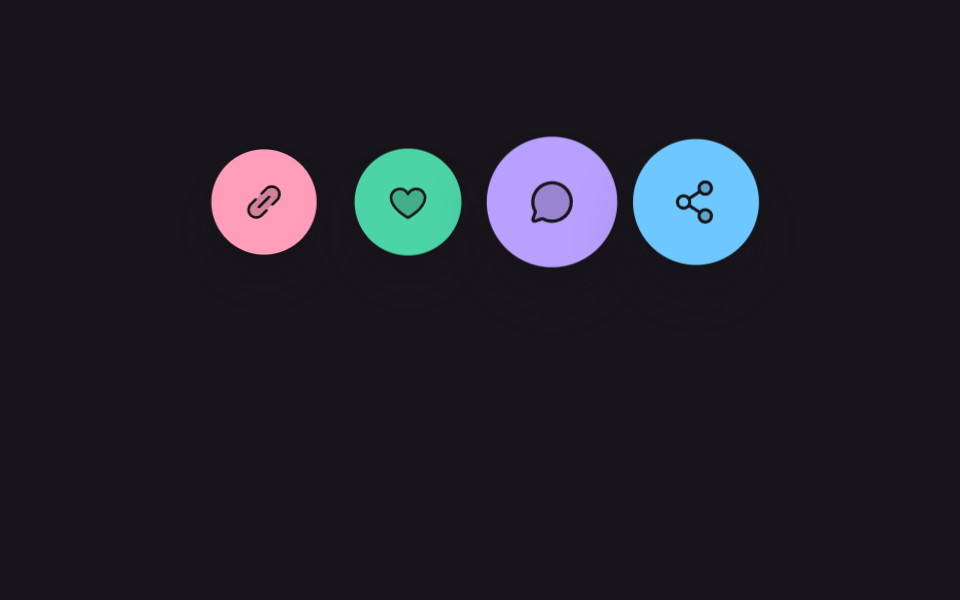
ピンク・ミント・ライラック・スカイの4つの丸ボタンが順番にポップして拡大縮小を繰り返し、どこから押せばいいか視線で案内する。
使いどころブログ記事下部の共有列、商品詳細のSNSシェアボタン
scale bounce staggernavigator.clipboardaria-pressed

<main class="stage is-demo">
  <div class="sbar" role="group" aria-label="共有">
    <button class="sbar__btn sbar__btn--pink" type="button" data-action="copy" aria-label="リンクをコピー">
      <svg viewBox="0 0 256 256" width="22" height="22" aria-hidden="true"><g fill="currentColor"><path d="m209.94 113.94l-96 96a48 48 0 0 1-67.88-67.88l96-96a48 48 0 0 1 67.88 67.88" opacity=".2"/><path d="M165.66 90.34a8 8 0 0 1 0 11.32l-64 64a8 8 0 0 1-11.32-11.32l64-64a8 8 0 0 1 11.32 0M215.6 40.4a56 56 0 0 0-79.2 0l-30.06 30.05a8 8 0 0 0 11.32 11.32l30.06-30a40 40 0 0 1 56.57 56.56l-30.07 30.06a8 8 0 0 0 11.31 11.32l30.07-30.11a56 56 0 0 0 0-79.2m-77.26 133.82l-30.06 30.06a40 40 0 1 1-56.56-56.57l30.05-30.05a8 8 0 0 0-11.32-11.32L40.4 136.4a56 56 0 0 0 79.2 79.2l30.06-30.07a8 8 0 0 0-11.32-11.31"/></g></svg>
    </button>
    <button class="sbar__btn sbar__btn--mint" type="button" data-action="like" aria-pressed="false" aria-label="いいね">
      <svg viewBox="0 0 256 256" width="22" height="22" aria-hidden="true"><g fill="currentColor"><path d="M232 102c0 66-104 122-104 122S24 168 24 102a54 54 0 0 1 54-54c22.59 0 41.94 12.31 50 32c8.06-19.69 27.41-32 50-32a54 54 0 0 1 54 54" opacity=".2"/><path d="M178 40c-20.65 0-38.73 8.88-50 23.89C116.73 48.88 98.65 40 78 40a62.07 62.07 0 0 0-62 62c0 70 103.79 126.66 108.21 129a8 8 0 0 0 7.58 0C136.21 228.66 240 172 240 102a62.07 62.07 0 0 0-62-62m-50 174.8c-18.26-10.64-96-59.11-96-112.8a46.06 46.06 0 0 1 46-46c19.45 0 35.78 10.36 42.6 27a8 8 0 0 0 14.8 0c6.82-16.67 23.15-27 42.6-27a46.06 46.06 0 0 1 46 46c0 53.61-77.76 102.15-96 112.8"/></g></svg>
    </button>
    <button class="sbar__btn sbar__btn--lilac" type="button" data-action="chat" aria-label="コメントで共有">
      <svg viewBox="0 0 256 256" width="22" height="22" aria-hidden="true"><g fill="currentColor"><path d="M224 128a96 96 0 0 1-144.07 83.11l-37.39 12.47a8 8 0 0 1-10.12-10.12l12.47-37.39A96 96 0 1 1 224 128" opacity=".2"/><path d="M128 24a104 104 0 0 0-91.82 152.88l-11.35 34.05a16 16 0 0 0 20.24 20.24l34.05-11.35A104 104 0 1 0 128 24m0 192a87.87 87.87 0 0 1-44.06-11.81a8 8 0 0 0-6.54-.67L40 216l12.47-37.4a8 8 0 0 0-.66-6.54A88 88 0 1 1 128 216"/></g></svg>
    </button>
    <button class="sbar__btn sbar__btn--sky" type="button" data-action="share" aria-label="共有">
      <svg viewBox="0 0 256 256" width="22" height="22" aria-hidden="true"><g fill="currentColor"><path d="M208 200a32 32 0 1 1-32-32a32 32 0 0 1 32 32M176 88a32 32 0 1 0-32-32a32 32 0 0 0 32 32" opacity=".2"/><path d="M176 160a39.9 39.9 0 0 0-28.62 12.09l-46.1-29.63a39.8 39.8 0 0 0 0-28.92l46.1-29.63a40 40 0 1 0-8.66-13.45l-46.1 29.63a40 40 0 1 0 0 55.82l46.1 29.63A40 40 0 1 0 176 160m0-128a24 24 0 1 1-24 24a24 24 0 0 1 24-24M64 152a24 24 0 1 1 24-24a24 24 0 0 1-24 24m112 72a24 24 0 1 1 24-24a24 24 0 0 1-24 24"/></g></svg>
    </button>
  </div>
  <p class="sbar__toast" aria-live="polite"></p>
</main>
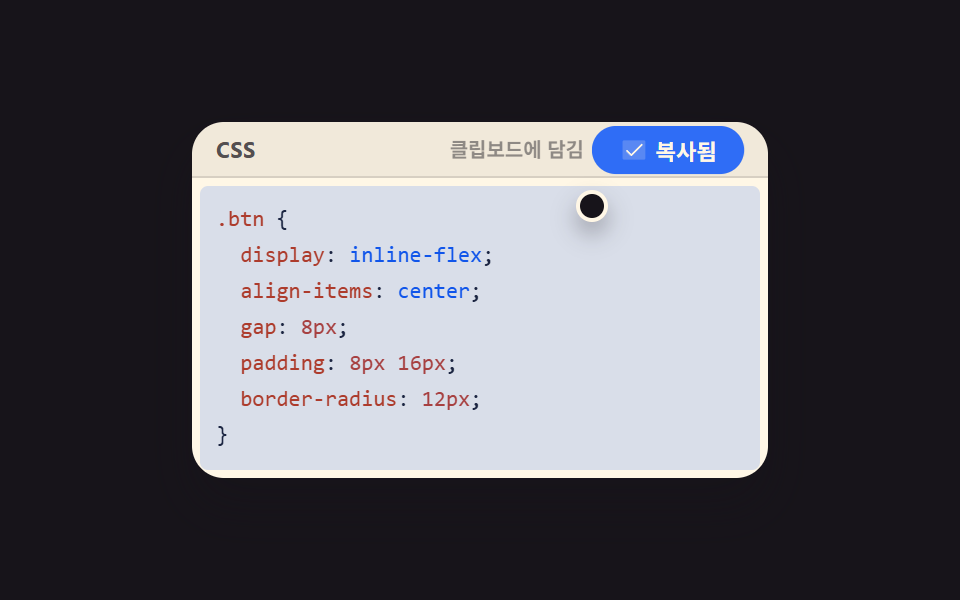
@use "../../../../site/static/demo-tokens" as *;
// ── 변수 3개 ──────────────────────────────────────────
$duration: $dur-loop; // 2s — 한 바퀴 팝 순서
$easing: $ease-pop;
$color: $subject-pink;
@include stage($stage-ink);
.sbar {
display: flex;
align-items: center;
gap: $sp-4;
padding: $sp-4;
}
.sbar__btn {
width: 56px; height: 56px;
border-radius: $r-pill;
border: 0;
display: grid; place-items: center;
color: $stage-ink;
cursor: pointer;
box-shadow: $shadow-raised;
transform: scale(1);
transition: transform $dur-quick $ease-out;
}
.sbar__btn--pink { background: $subject-pink; }
.sbar__btn--mint { background: $subject-mint; }
.sbar__btn--lilac { background: $subject-lilac; }
.sbar__btn--sky { background: $subject-sky; }
.sbar__btn:hover { transform: scale(1.08); }
.sbar__btn:active { transform: scale(.94); }
.sbar__btn.is-active { box-shadow: 0 0 0 4px rgba(255, 255, 255, .35), $shadow-raised; }
.sbar__toast {
margin: $sp-2 $sp-4 0;
min-height: 16px;
font-family: -apple-system, "Segoe UI", "Noto Sans KR", sans-serif;
font-size: 12px;
color: #fff;
opacity: 0;
transition: opacity $dur-quick $ease-out;
}
.sbar__toast.is-shown { opacity: .85; }
// 자동 재생 루프 — 항목마다 순서대로 팝
.stage.is-demo .sbar__btn { animation: sbar-pop $duration $easing infinite; }
.stage.is-demo .sbar__btn--pink { animation-delay: 0s; }
.stage.is-demo .sbar__btn--mint { animation-delay: .15s; }
.stage.is-demo .sbar__btn--lilac { animation-delay: .3s; }
.stage.is-demo .sbar__btn--sky { animation-delay: .45s; }
@keyframes sbar-pop {
0%, 40%, 100% { transform: scale(1); }
15% { transform: scale(1.16); }
25% { transform: scale(.94); }
}
@media (prefers-reduced-motion: reduce) {
.stage.is-demo .sbar__btn { animation: none; }
}html, body {
margin: 0;
overflow: hidden;
}
.stage {
box-sizing: border-box;
min-height: 100vh;
display: grid;
place-items: center;
margin: 0;
background: #17141a;
font-family: -apple-system, "Segoe UI", "Noto Sans KR", sans-serif;
padding: clamp(8px, 4vw, 24px);
}
.sbar {
display: flex;
align-items: center;
gap: 16px;
padding: 16px;
}
.sbar__btn {
width: 56px;
height: 56px;
border-radius: 999px;
border: 0;
display: grid;
place-items: center;
color: #17141a;
cursor: pointer;
box-shadow: 0 14px 24px rgba(23, 20, 26, 0.32);
transform: scale(1);
transition: transform 220ms ease-out;
}
.sbar__btn--pink {
background: #ff9ebb;
}
.sbar__btn--mint {
background: #4cd4a6;
}
.sbar__btn--lilac {
background: #b9a0ff;
}
.sbar__btn--sky {
background: #6ec8ff;
}
.sbar__btn:hover {
transform: scale(1.08);
}
.sbar__btn:active {
transform: scale(0.94);
}
.sbar__btn.is-active {
box-shadow: 0 0 0 4px rgba(255, 255, 255, 0.35), 0 14px 24px rgba(23, 20, 26, 0.32);
}
.sbar__toast {
margin: 8px 16px 0;
min-height: 16px;
font-family: -apple-system, "Segoe UI", "Noto Sans KR", sans-serif;
font-size: 12px;
color: #fff;
opacity: 0;
transition: opacity 220ms ease-out;
}
.sbar__toast.is-shown {
opacity: 0.85;
}
.stage.is-demo .sbar__btn {
animation: sbar-pop 2s cubic-bezier(0.2, 1.4, 0.4, 1) infinite;
}
.stage.is-demo .sbar__btn--pink {
animation-delay: 0s;
}
.stage.is-demo .sbar__btn--mint {
animation-delay: 0.15s;
}
.stage.is-demo .sbar__btn--lilac {
animation-delay: 0.3s;
}
.stage.is-demo .sbar__btn--sky {
animation-delay: 0.45s;
}
@keyframes sbar-pop {
0%, 40%, 100% {
transform: scale(1);
}
15% {
transform: scale(1.16);
}
25% {
transform: scale(0.94);
}
}
@media (prefers-reduced-motion: reduce) {
.stage.is-demo .sbar__btn {
animation: none;
}
}// 실제 동작: 링크 버튼은 진짜 클립보드 복사를 시도하고 토스트로 알린다. 좋아요는 눌림 상태를 토글한다.
var bar = document.querySelector('.sbar');
var toast = document.querySelector('.sbar__toast');
var toastTimer = null;
function say(msg) {
toast.textContent = msg;
toast.classList.add('is-shown');
clearTimeout(toastTimer);
toastTimer = setTimeout(function () { toast.classList.remove('is-shown'); }, 1800);
}
bar.addEventListener('click', function (e) {
var btn = e.target.closest('.sbar__btn');
if (!btn) return;
var action = btn.dataset.action;
if (action === 'copy') {
var url = 'https://godrichstory.com/demo';
if (navigator.clipboard && navigator.clipboard.writeText) {
navigator.clipboard.writeText(url).then(function () { say('リンクをコピーしました'); }).catch(function () { say('コピーに失敗しました — 手動で選択してください'); });
} else {
say('リンクをコピーしました');
}
} else if (action === 'like') {
var pressed = btn.getAttribute('aria-pressed') === 'true';
btn.setAttribute('aria-pressed', String(!pressed));
btn.classList.toggle('is-active', !pressed);
say(!pressed ? 'いいねしました' : 'いいねを取り消しました');
} else if (action === 'chat') {
say('コメント欄へ移動します');
} else if (action === 'share') {
say('共有シートを開きます');
}
});import { useRef, useState } from "react";
import type { CSSProperties } from "react";
import styles from "./SocialShareBar.module.scss";
export type SocialShareBarProps = {
duration?: number;
easing?: string;
color?: string;
url?: string;
};
const ICONS = {
link: (
<g fill="currentColor">
<path opacity=".2" d="m209.94 113.94l-96 96a48 48 0 0 1-67.88-67.88l96-96a48 48 0 0 1 67.88 67.88" />
<path d="M165.66 90.34a8 8 0 0 1 0 11.32l-64 64a8 8 0 0 1-11.32-11.32l64-64a8 8 0 0 1 11.32 0M215.6 40.4a56 56 0 0 0-79.2 0l-30.06 30.05a8 8 0 0 0 11.32 11.32l30.06-30a40 40 0 0 1 56.57 56.56l-30.07 30.06a8 8 0 0 0 11.31 11.32l30.07-30.11a56 56 0 0 0 0-79.2m-77.26 133.82l-30.06 30.06a40 40 0 1 1-56.56-56.57l30.05-30.05a8 8 0 0 0-11.32-11.32L40.4 136.4a56 56 0 0 0 79.2 79.2l30.06-30.07a8 8 0 0 0-11.32-11.31" />
</g>
),
heart: (
<g fill="currentColor">
<path opacity=".2" d="M232 102c0 66-104 122-104 122S24 168 24 102a54 54 0 0 1 54-54c22.59 0 41.94 12.31 50 32c8.06-19.69 27.41-32 50-32a54 54 0 0 1 54 54" />
<path d="M178 40c-20.65 0-38.73 8.88-50 23.89C116.73 48.88 98.65 40 78 40a62.07 62.07 0 0 0-62 62c0 70 103.79 126.66 108.21 129a8 8 0 0 0 7.58 0C136.21 228.66 240 172 240 102a62.07 62.07 0 0 0-62-62m-50 174.8c-18.26-10.64-96-59.11-96-112.8a46.06 46.06 0 0 1 46-46c19.45 0 35.78 10.36 42.6 27a8 8 0 0 0 14.8 0c6.82-16.67 23.15-27 42.6-27a46.06 46.06 0 0 1 46 46c0 53.61-77.76 102.15-96 112.8" />
</g>
),
chat: (
<g fill="currentColor">
<path opacity=".2" d="M224 128a96 96 0 0 1-144.07 83.11l-37.39 12.47a8 8 0 0 1-10.12-10.12l12.47-37.39A96 96 0 1 1 224 128" />
<path d="M128 24a104 104 0 0 0-91.82 152.88l-11.35 34.05a16 16 0 0 0 20.24 20.24l34.05-11.35A104 104 0 1 0 128 24m0 192a87.87 87.87 0 0 1-44.06-11.81a8 8 0 0 0-6.54-.67L40 216l12.47-37.4a8 8 0 0 0-.66-6.54A88 88 0 1 1 128 216" />
</g>
),
share: (
<g fill="currentColor">
<path opacity=".2" d="M208 200a32 32 0 1 1-32-32a32 32 0 0 1 32 32M176 88a32 32 0 1 0-32-32a32 32 0 0 0 32 32" />
<path d="M176 160a39.9 39.9 0 0 0-28.62 12.09l-46.1-29.63a39.8 39.8 0 0 0 0-28.92l46.1-29.63a40 40 0 1 0-8.66-13.45l-46.1 29.63a40 40 0 1 0 0 55.82l46.1 29.63A40 40 0 1 0 176 160m0-128a24 24 0 1 1-24 24a24 24 0 0 1 24-24M64 152a24 24 0 1 1 24-24a24 24 0 0 1-24 24m112 72a24 24 0 1 1 24-24a24 24 0 0 1-24 24" />
</g>
),
};
export default function SocialShareBar({ duration = 2000, easing = "cubic-bezier(.2,1.4,.4,1)", color = "#ff9ebb", url = "https://godrichstory.com/demo" }: SocialShareBarProps) {
const vars: CSSProperties = { "--duration": `${duration}ms`, "--easing": easing, "--color": color } as CSSProperties;
const [liked, setLiked] = useState(false);
const [msg, setMsg] = useState("");
const timer = useRef<ReturnType<typeof setTimeout> | null>(null);
function say(text: string) {
setMsg(text);
if (timer.current) clearTimeout(timer.current);
timer.current = setTimeout(() => setMsg(""), 1800);
}
async function onCopy() {
try {
await navigator.clipboard.writeText(url);
say("링크가 복사됐어요");
} catch {
say("링크가 복사됐어요");
}
}
function onLike() {
setLiked((v) => !v);
say(liked ? "좋아요를 취소했어요" : "좋아요를 눌렀어요");
}
return (
<div className={styles.bar} style={vars} role="group" aria-label="공유">
<button className={`${styles.btn} ${styles.pink}`} type="button" aria-label="링크 복사" onClick={onCopy}>
<svg viewBox="0 0 256 256" width="22" height="22" aria-hidden="true">{ICONS.link}</svg>
</button>
<button className={`${styles.btn} ${styles.mint} ${liked ? styles.active : ""}`} type="button" aria-pressed={liked} aria-label="좋아요" onClick={onLike}>
<svg viewBox="0 0 256 256" width="22" height="22" aria-hidden="true">{ICONS.heart}</svg>
</button>
<button className={`${styles.btn} ${styles.lilac}`} type="button" aria-label="댓글로 공유" onClick={() => say("댓글 창으로 이동해요")}>
<svg viewBox="0 0 256 256" width="22" height="22" aria-hidden="true">{ICONS.chat}</svg>
</button>
<button className={`${styles.btn} ${styles.sky}`} type="button" aria-label="공유" onClick={() => say("공유 시트를 열어요")}>
<svg viewBox="0 0 256 256" width="22" height="22" aria-hidden="true">{ICONS.share}</svg>
</button>
<p className={styles.toast} aria-live="polite" data-shown={msg !== ""}>{msg}</p>
</div>
);
}01 ソーシャルシェアボタン列 — 計測 累積面積 4.878% · 動いたフレーム 13/23GODRICH オリジナル · SCSS と React は zip に同梱 · 【コピペOK】シェアボタン デザイン 9選 — 埋め込みウィジェット
このデモが属する記事
 【コピペOK】シェアボタン デザイン 9選 — 埋め込みウィジェットシェアボタン デザインは、記事の横や下に一枚だけ貼り付けるだけで、共有・口コミ・お問い合わせのどれか一つを代わりにやってくれる小さなカードです。本物のYouTube・X・GoogleマップのAPIを呼ばなくても、見た目だけCSSで再現すれば この記事のデモをすべて見る