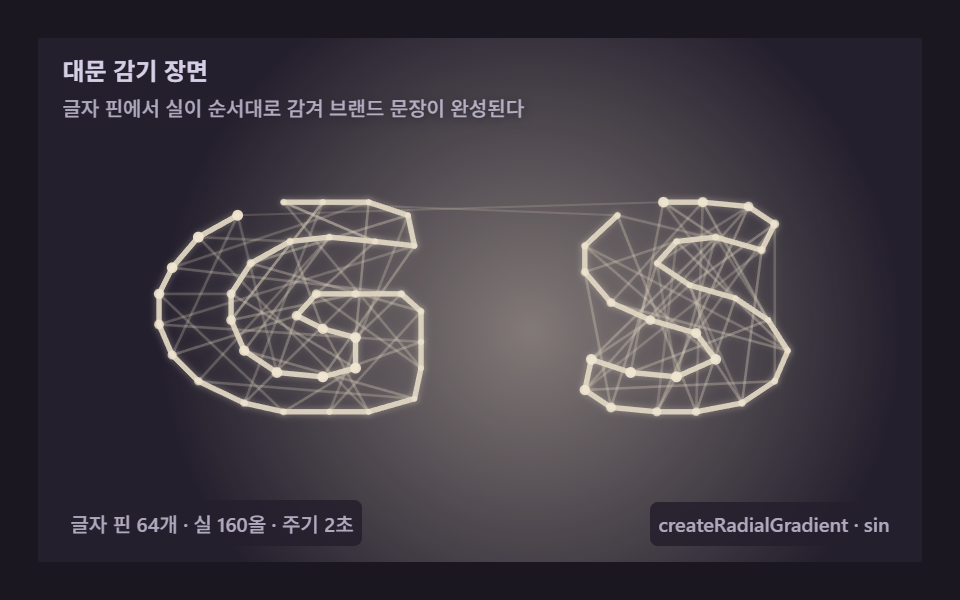
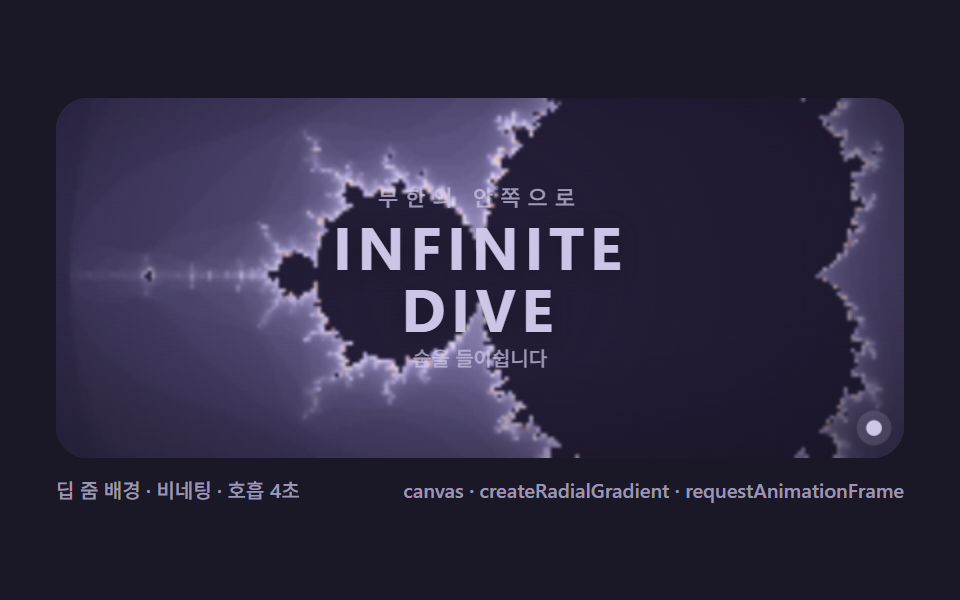
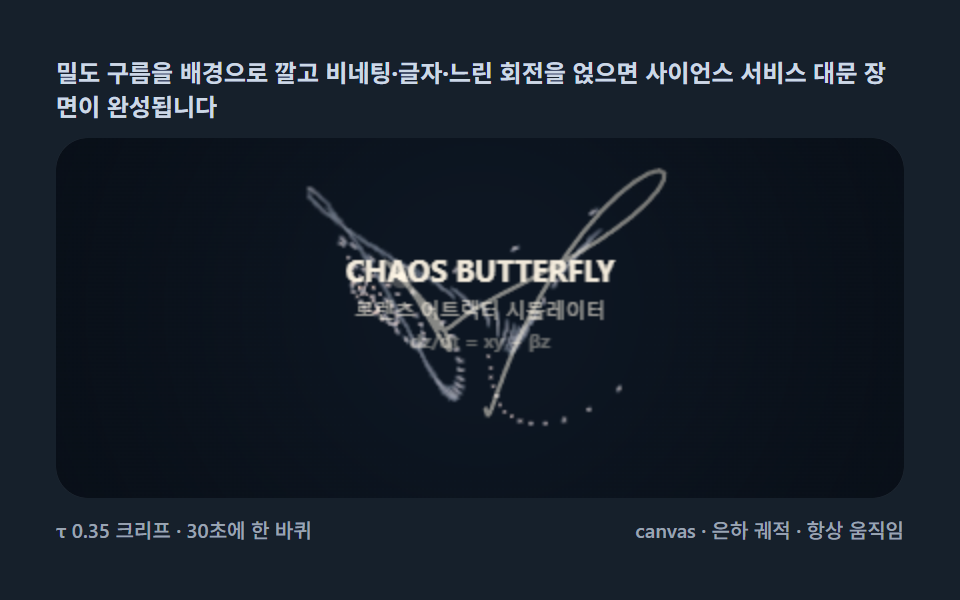
09表紙の関係図 — サービス機能を力で結んで見せるヒーロー
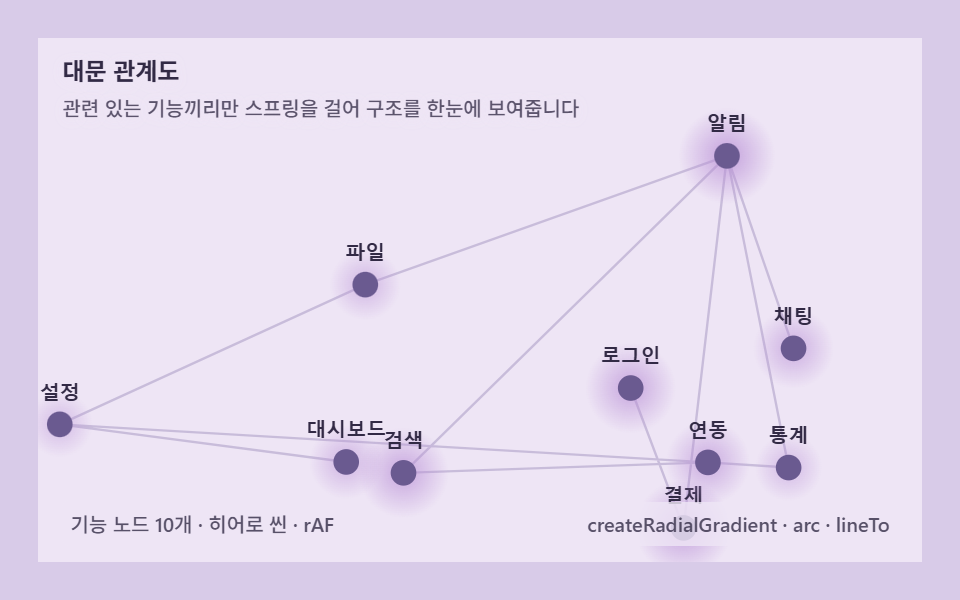
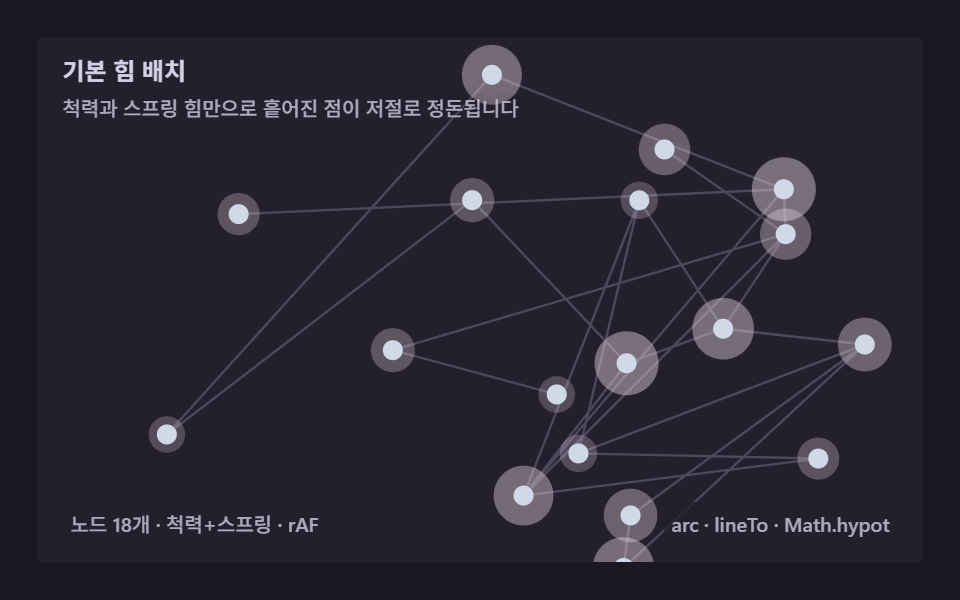
製品機能名をノードにし、関連するものだけにバネをかけて画面を満たすと、初訪問でサービス構造がひと目で生き生きと動きます。計算シーン1つが第一印象になる組立例です。
使いどころ表紙ヒーロー、サービス紹介セクション
arclineTorequestAnimationFramecreateRadialGradient
<main class="stage">
<div class="gi is-demo" id="giRoot" role="img" aria-label="サービス機能を力で結び付けるトップページ関係図" tabindex="0">
  <canvas class="gi__cv" id="giCv"></canvas>
  <p class="gi__hint">
    <span class="gi__title">トップページ関係図</span>
    <span class="gi__desc">関連する機能同士だけにばねを掛け、構造を一目で見せます</span>
  </p>
  <div class="gi__bar">
    <span class="gi__meta">機能ノード10個 · ヒーローシーン · rAF</span>
    <span class="gi__meta gi__meta--dim">createRadialGradient · arc · lineTo</span>
  </div>
</div>
</main>
@use "../../../../site/static/demo-tokens" as *;
// 대문 관계도(09) — 히어로 씬. 기능 이름 노드마다 radial gradient 광을 두른다.
$gi-stage: #d8cbe8;
@include stage($gi-stage);
$gi-panel: #eee5f5;
$gi-text: #322a45;
$gi-edge: #a99bc4;
$gi-node: #6a5a90;
$gi-glow: #b98fd6;
$duration: $dur-loop;
$easing: $ease-out;
$color: $gi-node;
.gi {
--gi-panel: #{$gi-panel};
--gi-edge: #{$gi-edge};
--gi-node: #{$gi-node};
--gi-glow: #{$gi-glow};
--gi-label: #{$gi-text};
position: relative;
display: flex; flex-direction: column;
width: 100%; height: 100%; min-height: 164px;
overflow: hidden;
}
.gi__cv { position: absolute; inset: 0; display: block; width: 100%; height: 100%; }
.gi__hint {
position: relative; z-index: 1;
display: flex; flex-direction: column; gap: 0; margin: 0;
padding: $sp-2 $sp-3 0;
font-weight: 700; font-size: clamp(10px, 2.8vw, 12px); line-height: 1.35;
color: $gi-text;
}
.gi__title { text-shadow: 0 1px 6px rgba($gi-panel, .9); }
.gi__desc {
margin-top: $sp-1;
font-weight: 500; font-size: clamp(9px, 2.4vw, 10px); line-height: 1.4;
color: rgba($gi-text, .78);
text-shadow: 0 1px 6px rgba($gi-panel, .9);
}
.gi__bar {
position: relative; z-index: 1;
margin-top: auto;
display: flex; align-items: baseline; justify-content: space-between; gap: $sp-2;
padding: 0 $sp-3 $sp-2;
}
.gi__meta {
font-size: 10px; font-weight: 500; color: rgba($gi-text, .8);
background: rgba($gi-panel, .82);
border-radius: $r-xs;
padding: 4px $sp-1;
}
.gi:focus-visible { outline: 2px solid $gi-node; outline-offset: -2px; }
@media (max-width: 340px) {
.gi__meta--dim { display: none; }
}
@media (prefers-reduced-motion: reduce) {
.gi.is-still { cursor: default !important; }
}html, body {
margin: 0;
overflow: hidden;
}
.stage {
box-sizing: border-box;
min-height: 100vh;
display: grid;
place-items: center;
margin: 0;
background: #d8cbe8;
font-family: -apple-system, "Segoe UI", "Noto Sans KR", sans-serif;
padding: clamp(8px, 4vw, 24px);
}
.gi {
--gi-panel: #eee5f5;
--gi-edge: #a99bc4;
--gi-node: #6a5a90;
--gi-glow: #b98fd6;
--gi-label: #322a45;
position: relative;
display: flex;
flex-direction: column;
width: 100%;
height: 100%;
min-height: 164px;
overflow: hidden;
}
.gi__cv {
position: absolute;
inset: 0;
display: block;
width: 100%;
height: 100%;
}
.gi__hint {
position: relative;
z-index: 1;
display: flex;
flex-direction: column;
gap: 0;
margin: 0;
padding: 8px 12px 0;
font-weight: 700;
font-size: clamp(10px, 2.8vw, 12px);
line-height: 1.35;
color: #322a45;
}
.gi__title {
text-shadow: 0 1px 6px rgba(238, 229, 245, 0.9);
}
.gi__desc {
margin-top: 4px;
font-weight: 500;
font-size: clamp(9px, 2.4vw, 10px);
line-height: 1.4;
color: rgba(50, 42, 69, 0.78);
text-shadow: 0 1px 6px rgba(238, 229, 245, 0.9);
}
.gi__bar {
position: relative;
z-index: 1;
margin-top: auto;
display: flex;
align-items: baseline;
justify-content: space-between;
gap: 8px;
padding: 0 12px 8px;
}
.gi__meta {
font-size: 10px;
font-weight: 500;
color: rgba(50, 42, 69, 0.8);
background: rgba(238, 229, 245, 0.82);
border-radius: 4px;
padding: 4px 4px;
}
.gi:focus-visible {
outline: 2px solid #6a5a90;
outline-offset: -2px;
}
@media (max-width: 340px) {
.gi__meta--dim {
display: none;
}
}
@media (prefers-reduced-motion: reduce) {
.gi.is-still {
cursor: default !important;
}
}// トップページ関係図(09) — 제품 기능 이름을 노드로 두고 관련된 것끼리만 스프링을 건다.
// 각 노드는 createRadialGradient 로 은은한 광을 두르고, 힘 계산과 회전으로
// 화면 전체가 첫 방문에 살아 움직이는 느낌을 준다.
(function () {
// ── 변형 상수 블록 ──
var LABELS = ['ログイン', '決済', '通知', '検索', 'チャット', 'ファイル', '設定', '統計', 'ダッシュボード', '連携'];
var ATTRACT = 0.026;
// ────────────────────────
var REPEL = 1500;
var REST = 70;
var DAMP = 0.95;
var CENTER_K = 0.0012;
var JITTER = 34;
var OMEGA = 0.32;
var NR = 6.4;
var root = document.getElementById('giRoot');
var cvEl = document.getElementById('giCv');
if (!root || !cvEl) return;
var css = getComputedStyle(root);
function tokRGB(name) {
var s = css.getPropertyValue(name).trim();
var hx = s.length === 4
? s.charAt(1) + s.charAt(1) + s.charAt(2) + s.charAt(2) + s.charAt(3) + s.charAt(3)
: s.slice(1);
return [parseInt(hx.slice(0, 2), 16), parseInt(hx.slice(2, 4), 16), parseInt(hx.slice(4, 6), 16)];
}
var C_PANEL = tokRGB('--gi-panel');
var C_EDGE = tokRGB('--gi-edge');
var C_NODE = tokRGB('--gi-node');
var C_GLOW = tokRGB('--gi-glow');
var C_TEXT = tokRGB('--gi-label');
var ctx = cvEl.getContext('2d');
var W = 0, H = 0, dpr = Math.min(window.devicePixelRatio || 1, 2);
var N = LABELS.length;
function makeRand(seed) {
var st = seed >>> 0;
return function () {
st = (st + 0x6D2B79F5) >>> 0;
var t = st;
t = Math.imul(t ^ (t >>> 15), t | 1);
t ^= t + Math.imul(t ^ (t >>> 7), t | 61);
return ((t ^ (t >>> 14)) >>> 0) / 4294967296;
};
}
var rand = makeRand(0x327009);
var px, py, vx, vy, edges;
function buildGraph() {
px = new Float32Array(N); py = new Float32Array(N);
vx = new Float32Array(N); vy = new Float32Array(N);
for (var i = 0; i < N; i++) { px[i] = rand() * W; py[i] = rand() * H; }
edges = [];
for (var a = 1; a < N; a++) edges.push([a, Math.floor(rand() * a)]);
var extra = Math.round(N * 0.4);
for (var k = 0; k < extra; k++) {
var u = Math.floor(rand() * N), v = Math.floor(rand() * N);
if (u !== v) edges.push([u, v]);
}
}
function fit() {
var r = root.getBoundingClientRect();
W = Math.round(r.width); H = Math.round(r.height);
cvEl.width = Math.round(W * dpr); cvEl.height = Math.round(H * dpr);
ctx.setTransform(dpr, 0, 0, dpr, 0, 0);
buildGraph();
}
function step(dt) {
var fx = new Float32Array(N), fy = new Float32Array(N);
for (var i = 0; i < N; i++) {
for (var j = i + 1; j < N; j++) {
var dx = px[j] - px[i], dy = py[j] - py[i];
var d2 = dx * dx + dy * dy; if (d2 < 4) d2 = 4;
var d = Math.sqrt(d2);
var f = REPEL / d2;
var ux = dx / d, uy = dy / d;
fx[i] -= ux * f; fy[i] -= uy * f;
fx[j] += ux * f; fy[j] += uy * f;
}
}
for (var e = 0; e < edges.length; e++) {
var a = edges[e][0], b = edges[e][1];
var dx2 = px[b] - px[a], dy2 = py[b] - py[a];
var d3 = Math.hypot(dx2, dy2) || 0.001;
var diff = (d3 - REST) * ATTRACT;
var ux2 = dx2 / d3, uy2 = dy2 / d3;
fx[a] += ux2 * diff; fy[a] += uy2 * diff;
fx[b] -= ux2 * diff; fy[b] -= uy2 * diff;
}
var cx = W / 2, cy = H / 2;
for (var n = 0; n < N; n++) {
fx[n] += (cx - px[n]) * CENTER_K;
fy[n] += (cy - py[n]) * CENTER_K;
fx[n] += (rand() - 0.5) * JITTER;
fy[n] += (rand() - 0.5) * JITTER;
vx[n] = (vx[n] + fx[n] * dt) * DAMP;
vy[n] = (vy[n] + fy[n] * dt) * DAMP;
px[n] += vx[n] * dt; py[n] += vy[n] * dt;
}
}
function rotateAll(dtheta) {
var cx = W / 2, cy = H / 2, cs = Math.cos(dtheta), sn = Math.sin(dtheta);
for (var i = 0; i < N; i++) {
var rx = px[i] - cx, ry = py[i] - cy;
px[i] = cx + rx * cs - ry * sn;
py[i] = cy + rx * sn + ry * cs;
}
}
function draw(t) {
ctx.clearRect(0, 0, W, H);
ctx.fillStyle = 'rgb(' + C_PANEL.join(',') + ')';
ctx.fillRect(0, 0, W, H);
ctx.lineWidth = 1.2;
ctx.strokeStyle = 'rgba(' + C_EDGE.join(',') + ',0.55)';
ctx.beginPath();
for (var e = 0; e < edges.length; e++) {
var a = edges[e][0], b = edges[e][1];
ctx.moveTo(px[a], py[a]); ctx.lineTo(px[b], py[b]);
}
ctx.stroke();
ctx.font = '600 10px sans-serif';
ctx.textAlign = 'center';
for (var i = 0; i < N; i++) {
var pulse = 0.5 + 0.5 * Math.sin(t * 2 + i * 0.65);
var glowR = NR + 10 + pulse * 8;
var grad = ctx.createRadialGradient(px[i], py[i], 0, px[i], py[i], glowR);
grad.addColorStop(0, 'rgba(' + C_GLOW.join(',') + ',' + (0.5 + 0.3 * pulse).toFixed(3) + ')');
grad.addColorStop(1, 'rgba(' + C_GLOW.join(',') + ',0)');
ctx.fillStyle = grad;
ctx.beginPath(); ctx.arc(px[i], py[i], glowR, 0, Math.PI * 2); ctx.fill();
ctx.fillStyle = 'rgb(' + C_NODE.join(',') + ')';
ctx.beginPath(); ctx.arc(px[i], py[i], NR, 0, Math.PI * 2); ctx.fill();
ctx.fillStyle = 'rgb(' + C_TEXT.join(',') + ')';
ctx.fillText(LABELS[i], px[i], py[i] - NR - 6);
}
}
var reduce = window.matchMedia('(prefers-reduced-motion: reduce)').matches;
var t0 = -1, last = -1;
function frame(now) {
if (t0 < 0) { t0 = now; last = now; }
var dt = Math.min((now - last) / 1000, 0.05); last = now;
var t = (now - t0) / 1000;
step(dt);
rotateAll(OMEGA * dt);
draw(t);
requestAnimationFrame(frame);
}
function settle() {
for (var s = 0; s < 260; s++) step(1 / 60);
draw(0);
}
window.addEventListener('resize', function () {
fit();
if (reduce) settle();
});
fit();
if (reduce) {
settle();
root.classList.add('is-still');
} else {
requestAnimationFrame(frame);
}
})();// GraphForceHeroScene — vanilla 판(run/327/demo/09-graph-force-hero-scene/index.html) 의 React 포트.
// 제품 기능 이름을 노드로 두고 관련된 것끼리만 스프링을 건다. 각 노드는
// createRadialGradient 로 은은한 광을 두르고, 힘 계산과 rotateAll 강체 회전으로
// 화면 전체가 첫 방문에 살아 움직이는 느낌을 준다.
import { useEffect, useRef, useState } from "react";
import type { CSSProperties } from "react";
import styles from "./GraphForceHeroScene.module.scss";
export type GraphForceHeroSceneProps = {
duration?: string;
easing?: string;
color?: string;
attract?: number;
};
// ── 변형 상수(기본값) — vanilla 판과 동일 ──
const LABELS = ["로그인", "결제", "알림", "검색", "채팅", "파일", "설정", "통계", "대시보드", "연동"];
const ATTRACT = 0.026;
const REPEL = 1500;
const REST = 70;
const DAMP = 0.95;
const CENTER_K = 0.0012;
const JITTER = 34;
const OMEGA = 0.32;
const NR = 6.4;
const SEED = 0x327009;
type Vars = CSSProperties & { "--duration"?: string; "--easing"?: string; "--color"?: string };
type Box<T> = { current: T };
type RGB = [number, number, number];
type Edge = [number, number];
const BOARD_LABEL = "서비스 기능을 힘으로 엮어 보여주는 대문 관계도";
const META_LEFT = "기능 노드 10개 · 히어로 씬 · rAF";
const META_RIGHT = "createRadialGradient · arc · lineTo";
const HINT_TITLE = "대문 관계도";
const HINT_DESC = "관련 있는 기능끼리만 스프링을 걸어 구조를 한눈에 보여줍니다";
function makeRand(seed: number): () => number {
let st = seed >>> 0;
return function () {
st = (st + 0x6d2b79f5) >>> 0;
let t = st;
t = Math.imul(t ^ (t >>> 15), t | 1);
t ^= t + Math.imul(t ^ (t >>> 7), t | 61);
return ((t ^ (t >>> 14)) >>> 0) / 4294967296;
};
}
export default function GraphForceHeroScene({
duration = "2s",
easing = "ease-out",
color = "#6a5a90",
attract = ATTRACT
}: GraphForceHeroSceneProps) {
const rootRef = useRef<HTMLDivElement | null>(null);
const cvRef = useRef<HTMLCanvasElement | null>(null);
const ctxRef = useRef<CanvasRenderingContext2D | null>(null);
const colRef = useRef<{ panel: RGB; edge: RGB; node: RGB; glow: RGB; label: RGB } | null>(null);
const wRef = useRef(0) as Box<number>;
const hRef = useRef(0) as Box<number>;
const rafRef = useRef(0) as Box<number>;
const randRef = useRef(makeRand(SEED)) as Box<() => number>;
const n = LABELS.length;
const pxRef = useRef<Float32Array | null>(null);
const pyRef = useRef<Float32Array | null>(null);
const vxRef = useRef<Float32Array | null>(null);
const vyRef = useRef<Float32Array | null>(null);
const edgesRef = useRef<Edge[] | null>(null);
const [still, setStill] = useState(false);
const vars: Vars = { "--duration": duration, "--easing": easing, "--color": color };
function reduced(): boolean {
return window.matchMedia("(prefers-reduced-motion: reduce)").matches;
}
function tokRGB(root: HTMLDivElement, name: string): RGB {
const s = getComputedStyle(root).getPropertyValue(name).trim();
const hx = s.length === 4
? s.charAt(1) + s.charAt(1) + s.charAt(2) + s.charAt(2) + s.charAt(3) + s.charAt(3)
: s.slice(1);
return [parseInt(hx.slice(0, 2), 16), parseInt(hx.slice(2, 4), 16), parseInt(hx.slice(4, 6), 16)];
}
function buildGraph(): void {
const rand = randRef.current;
const W = wRef.current, H = hRef.current;
const px = new Float32Array(n), py = new Float32Array(n);
const vx = new Float32Array(n), vy = new Float32Array(n);
for (let i = 0; i < n; i++) { px[i] = rand() * W; py[i] = rand() * H; }
const edges: Edge[] = [];
for (let a = 1; a < n; a++) edges.push([a, Math.floor(rand() * a)]);
const extra = Math.round(n * 0.4);
for (let k = 0; k < extra; k++) {
const u = Math.floor(rand() * n), v = Math.floor(rand() * n);
if (u !== v) edges.push([u, v]);
}
pxRef.current = px; pyRef.current = py; vxRef.current = vx; vyRef.current = vy;
edgesRef.current = edges;
}
function fit(): void {
const root = rootRef.current;
const cv = cvRef.current;
const ctx = ctxRef.current;
if (!root || !cv || !ctx) return;
const r = root.getBoundingClientRect();
const dpr = Math.min(window.devicePixelRatio || 1, 2);
wRef.current = Math.round(r.width);
hRef.current = Math.round(r.height);
cv.width = Math.round(wRef.current * dpr);
cv.height = Math.round(hRef.current * dpr);
ctx.setTransform(dpr, 0, 0, dpr, 0, 0);
buildGraph();
}
function step(dt: number): void {
const px = pxRef.current, py = pyRef.current, vx = vxRef.current, vy = vyRef.current, edges = edgesRef.current;
const rand = randRef.current;
const W = wRef.current, H = hRef.current;
if (!px || !py || !vx || !vy || !edges) return;
const fx = new Float32Array(n), fy = new Float32Array(n);
for (let i = 0; i < n; i++) {
for (let j = i + 1; j < n; j++) {
const dx = px[j] - px[i], dy = py[j] - py[i];
let d2 = dx * dx + dy * dy; if (d2 < 4) d2 = 4;
const d = Math.sqrt(d2);
const f = REPEL / d2;
const ux = dx / d, uy = dy / d;
fx[i] -= ux * f; fy[i] -= uy * f;
fx[j] += ux * f; fy[j] += uy * f;
}
}
for (let e = 0; e < edges.length; e++) {
const a = edges[e][0], b = edges[e][1];
const dx2 = px[b] - px[a], dy2 = py[b] - py[a];
const d3 = Math.hypot(dx2, dy2) || 0.001;
const diff = (d3 - REST) * attract;
const ux2 = dx2 / d3, uy2 = dy2 / d3;
fx[a] += ux2 * diff; fy[a] += uy2 * diff;
fx[b] -= ux2 * diff; fy[b] -= uy2 * diff;
}
const cx = W / 2, cy = H / 2;
for (let i = 0; i < n; i++) {
fx[i] += (cx - px[i]) * CENTER_K;
fy[i] += (cy - py[i]) * CENTER_K;
fx[i] += (rand() - 0.5) * JITTER;
fy[i] += (rand() - 0.5) * JITTER;
vx[i] = (vx[i] + fx[i] * dt) * DAMP;
vy[i] = (vy[i] + fy[i] * dt) * DAMP;
px[i] += vx[i] * dt; py[i] += vy[i] * dt;
}
}
function rotateAll(dtheta: number): void {
const px = pxRef.current, py = pyRef.current;
if (!px || !py) return;
const W = wRef.current, H = hRef.current;
const cx = W / 2, cy = H / 2, cs = Math.cos(dtheta), sn = Math.sin(dtheta);
for (let i = 0; i < n; i++) {
const rx = px[i] - cx, ry = py[i] - cy;
px[i] = cx + rx * cs - ry * sn;
py[i] = cy + rx * sn + ry * cs;
}
}
function draw(t: number): void {
const ctx = ctxRef.current;
const col = colRef.current;
const px = pxRef.current, py = pyRef.current, edges = edgesRef.current;
const W = wRef.current, H = hRef.current;
if (!ctx || !col || !px || !py || !edges) return;
ctx.clearRect(0, 0, W, H);
ctx.fillStyle = "rgb(" + col.panel.join(",") + ")";
ctx.fillRect(0, 0, W, H);
ctx.lineWidth = 1.2;
ctx.strokeStyle = "rgba(" + col.edge.join(",") + ",0.55)";
ctx.beginPath();
for (let e = 0; e < edges.length; e++) {
const a = edges[e][0], b = edges[e][1];
ctx.moveTo(px[a], py[a]); ctx.lineTo(px[b], py[b]);
}
ctx.stroke();
ctx.font = "600 10px sans-serif";
ctx.textAlign = "center";
for (let i = 0; i < n; i++) {
const pulse = 0.5 + 0.5 * Math.sin(t * 2 + i * 0.65);
const glowR = NR + 10 + pulse * 8;
const grad = ctx.createRadialGradient(px[i], py[i], 0, px[i], py[i], glowR);
grad.addColorStop(0, "rgba(" + col.glow.join(",") + "," + (0.5 + 0.3 * pulse).toFixed(3) + ")");
grad.addColorStop(1, "rgba(" + col.glow.join(",") + ",0)");
ctx.fillStyle = grad;
ctx.beginPath(); ctx.arc(px[i], py[i], glowR, 0, Math.PI * 2); ctx.fill();
ctx.fillStyle = "rgb(" + col.node.join(",") + ")";
ctx.beginPath(); ctx.arc(px[i], py[i], NR, 0, Math.PI * 2); ctx.fill();
ctx.fillStyle = "rgb(" + col.label.join(",") + ")";
ctx.fillText(LABELS[i], px[i], py[i] - NR - 6);
}
}
function settle(): void {
for (let s = 0; s < 260; s++) step(1 / 60);
draw(0);
}
let t0 = -1, last = -1;
function frame(now: number): void {
if (t0 < 0) { t0 = now; last = now; }
const dt = Math.min((now - last) / 1000, 0.05); last = now;
const t = (now - t0) / 1000;
step(dt);
rotateAll(OMEGA * dt);
draw(t);
rafRef.current = requestAnimationFrame(frame);
}
useEffect(() => {
const root = rootRef.current;
const cv = cvRef.current;
if (!root || !cv) return;
colRef.current = {
panel: tokRGB(root, "--gi-panel"),
edge: tokRGB(root, "--gi-edge"),
node: tokRGB(root, "--gi-node"),
glow: tokRGB(root, "--gi-glow"),
label: tokRGB(root, "--gi-label")
};
ctxRef.current = cv.getContext("2d");
fit();
function onResize(): void {
fit();
if (reduced()) settle();
}
window.addEventListener("resize", onResize);
if (reduced()) {
settle();
setStill(true);
} else {
t0 = -1; last = -1;
rafRef.current = requestAnimationFrame(frame);
}
return () => {
window.removeEventListener("resize", onResize);
cancelAnimationFrame(rafRef.current);
};
// eslint-disable-next-line react-hooks/exhaustive-deps
}, [attract]);
const rootCls = still ? `${styles.root} ${styles.isStill}` : styles.root;
return (
<main className={styles.stage}>
<div
className={rootCls}
ref={rootRef}
style={vars}
role="img"
aria-label={BOARD_LABEL}
tabIndex={0}
>
<canvas className={styles.cv} ref={cvRef}></canvas>
<p className={styles.hint}>
<span className={styles.title}>{HINT_TITLE}</span>
<span className={styles.desc}>{HINT_DESC}</span>
</p>
<div className={styles.bar}>
<span className={styles.meta}>{META_LEFT}</span>
<span className={styles.metaDim}>{META_RIGHT}</span>
</div>
</div>
</main>
);
}09 表紙の関係図 — サービス機能を力で結んで見せるヒーロー — 計測 累積面積 36.535% · 動いたフレーム 23/23GODRICH オリジナル · SCSS と React は zip に同梱 · ネットワークグラフ9種 — 力で押し引きし自ら並ぶキャンバス
このデモが属する記事
 ネットワークグラフ9種 — 力で押し引きし自ら並ぶキャンバス点と線に反発力と引力を与えるだけで、絡み合った関係がひとりでに読みやすい図に整います。毎フレーム配置を計算し直すキャンバスエンジン — ライブラリなしのコピペです。ネットワークグラフとは点(ノード)と線(エッジ)でつながりを表す図のことで、 この記事のデモをすべて見る