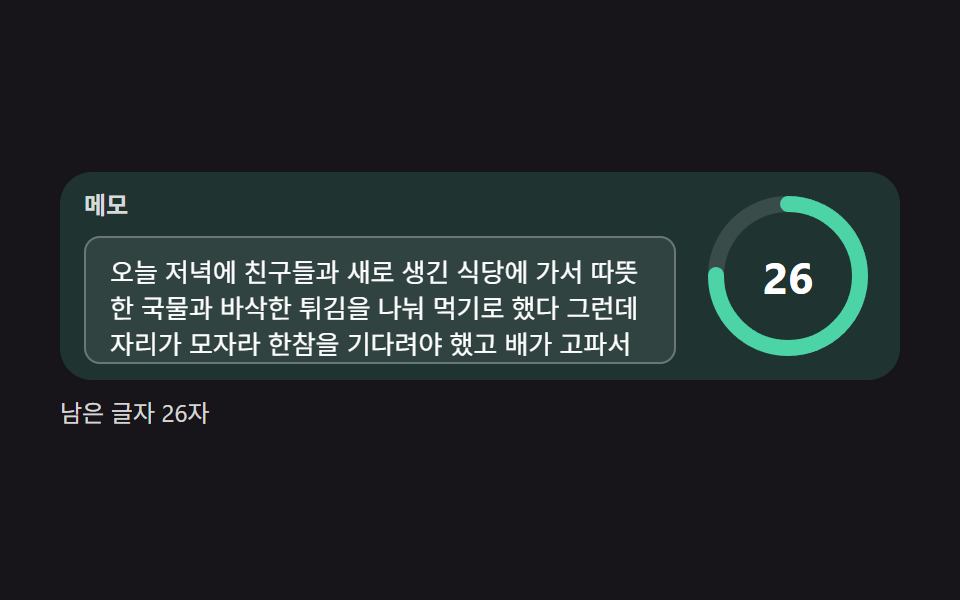
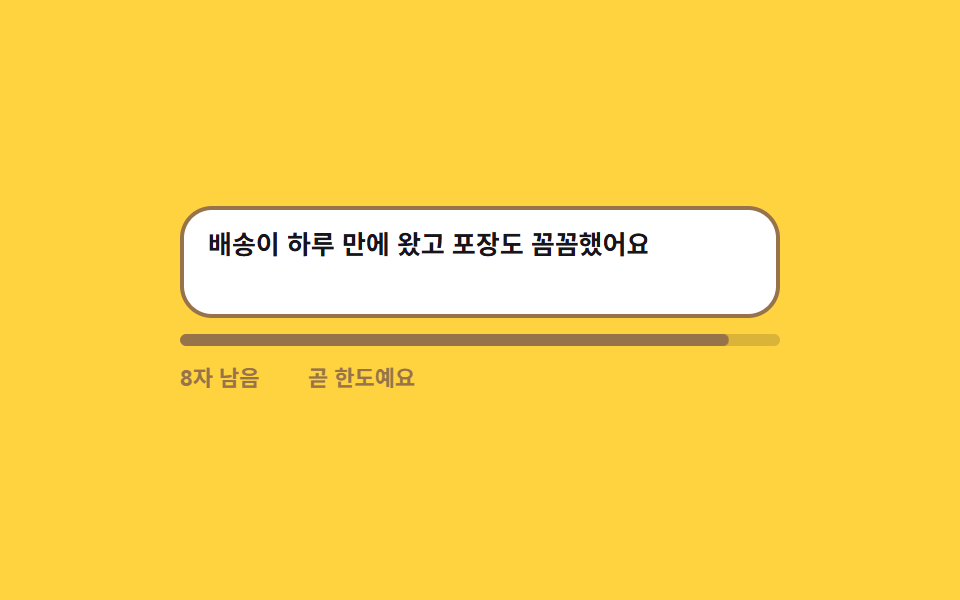
06上限が近づくと警告に変わる文字数カウンタ
残り文字数が減っていき、設定した境目を越えた瞬間に数字と進行バーが警告色に変わり、上限に達するとこれ以上書けない文言で締めます。
使いどころレビューや自己紹介など長さ制限のある文章欄
maxlengthscaleXsteps(1, end)
<main class="stage">
  <div class="cc is-demo" id="cc" data-level="ok">
    <div class="cc__field">
      <textarea class="cc__input" id="cc-input" rows="2" maxlength="60" aria-describedby="cc-out" placeholder="一言レビューを書いてください"></textarea>
      <span class="cc__ghost" aria-hidden="true">配送は1日で届き、梱包も丁寧でした</span>
    </div>
    <div class="cc__bar" aria-hidden="true"><span class="cc__fill"></span></div>
    <p class="cc__out" id="cc-out">
      <span class="cc__nums" aria-hidden="true">
        <span class="cc__n" data-n="0">残り44文字</span><span class="cc__n" data-n="1">残り26文字</span><span class="cc__n" data-n="2">残り8文字</span><span class="cc__n" data-n="3">残り0文字</span>
      </span>
      <span class="cc__live" id="cc-left">残り44文字</span>
      <span class="cc__notes" aria-hidden="true">
        <span class="cc__note" data-note="near">もうすぐ上限です</span><span class="cc__note" data-note="full">これ以上書けません</span>
      </span>
      <span class="cc__say" id="cc-say" role="status" aria-live="polite">60文字中16文字を使いました</span>
    </p>
  </div>
</main>
@use "../../../../site/static/demo-tokens" as *;
$duration: $dur-quick;
$easing: $ease-out;
$color: $subject-ink;
@include stage($stage-yellow);
$warn: #96734a;
$stop: $error;
.cc {
box-sizing: border-box;
width: min(300px, 86vw);
font-family: -apple-system, "Segoe UI", "Noto Sans KR", sans-serif;
}
.cc__field { position: relative; }
.cc__input {
box-sizing: border-box;
display: block;
width: 100%;
padding: $sp-2 $sp-3;
border: 2px solid rgba(23, 20, 26, .22);
border-radius: $r-card;
background: $stage-paper;
color: $color;
font-family: inherit;
font-size: 13px; line-height: 18px; font-weight: 600;
resize: none;
}
.cc__input::placeholder { color: rgba(23, 20, 26, .38); }
.cc__input:focus-visible { outline: 2px solid $subject-blue; outline-offset: 2px; }
.cc[data-level="near"] .cc__input { border-color: $warn; }
.cc[data-level="full"] .cc__input { border-color: $stop; }
// 자동 루프에서만 보이는 "쳐 넣는 글자". 진짜 placeholder 와 겹치지 않게 지운다
.cc.is-demo .cc__input::placeholder { color: transparent; }
.cc__ghost {
position: absolute;
left: 14px; top: 10px;
width: 268px;
color: $color;
font-size: 13px; line-height: 18px; font-weight: 600;
pointer-events: none;
opacity: 0;
}
// ── 진행 막대 ────────────────────────────────────────
.cc__bar {
position: relative;
height: 6px;
margin-top: $sp-2;
border-radius: $r-pill;
background: rgba(23, 20, 26, .16);
overflow: hidden;
}
.cc__fill {
position: absolute;
inset: 0;
border-radius: $r-pill;
background: $color;
transform: scaleX(.27);
transform-origin: left center; // 규칙8: 진행 막대 좌측 채움
transition: transform $duration $easing, background $duration $easing;
}
.cc[data-level="near"] .cc__fill { background: $warn; }
.cc[data-level="full"] .cc__fill { background: $stop; }
// ── 남은 글자 줄 — 숫자와 경고 문구를 겹쳐 두고 하나만 켠다 ─
.cc__out {
display: flex;
align-items: center;
gap: $sp-2;
height: 16px;
margin: $sp-2 0 0;
font-size: 11px; line-height: 16px; font-weight: 700;
}
.cc__nums, .cc__notes {
position: relative;
display: inline-block;
flex: 0 0 auto;
height: 16px;
}
.cc__nums { width: 56px; }
.cc__notes { width: 88px; }
.cc__n, .cc__note {
position: absolute;
left: 0; top: 0;
white-space: nowrap;
opacity: 0;
}
.cc__n { color: rgba(23, 20, 26, .72); }
.cc__note[data-note="near"] { color: $warn; }
.cc__note[data-note="full"] { color: $stop; }
.cc[data-level="near"] .cc__note[data-note="near"],
.cc[data-level="full"] .cc__note[data-note="full"] { opacity: 1; }
// 자동 루프는 겹쳐 둔 숫자를 갈아 끼우고, 사람이 칠 때는 JS 가 적어 넣는 한 줄만 남긴다
.cc__live {
display: none;
flex: 0 0 auto;
width: 56px;
color: rgba(23, 20, 26, .72);
}
.cc[data-level="near"] .cc__live { color: $warn; }
.cc[data-level="full"] .cc__live { color: $stop; }
.cc:not(.is-demo) .cc__live { display: inline-block; }
.cc:not(.is-demo) .cc__nums { display: none; }
.cc__say {
// 숫자는 눈으로 읽고, 문장은 낭독기 쪽으로만 보낸다
position: absolute;
width: 1px; height: 1px;
overflow: hidden;
clip-path: inset(50%);
}
// ── 자동 루프 (2s) ────────────────────────────────────
// 0~18% 넉넉한 상태 → 26% 절반 → 46% 경계를 지나 경고색(컷) → 62% 한도에 닿아 정지색
// → 76% 경고 문구 내리고 82% 막대·색 되돌린 뒤 86% 글자 되감기. 셋으로 흩어야 복귀 프레임이 poster 를 뺏지 않는다.
.cc.is-demo .cc__ghost {
opacity: 1;
animation-name: cc-type;
animation-duration: $dur-loop;
animation-timing-function: steps(1, end);
animation-iteration-count: infinite;
}
.cc.is-demo .cc__fill {
transition: none;
animation-name: cc-fill;
animation-duration: $dur-loop;
animation-timing-function: $easing;
animation-iteration-count: infinite;
}
.cc.is-demo .cc__input {
animation-name: cc-input;
animation-duration: $dur-loop;
animation-timing-function: steps(1, end);
animation-iteration-count: infinite;
}
.cc.is-demo .cc__n,
.cc.is-demo .cc__note {
animation-duration: $dur-loop;
animation-timing-function: steps(1, end);
animation-iteration-count: infinite;
}
.cc.is-demo .cc__n[data-n="0"] { animation-name: cc-n0; }
.cc.is-demo .cc__n[data-n="1"] { animation-name: cc-n1; }
.cc.is-demo .cc__n[data-n="2"] { animation-name: cc-n2; }
.cc.is-demo .cc__n[data-n="3"] { animation-name: cc-n3; }
.cc.is-demo .cc__note[data-note="near"] { animation-name: cc-near; }
.cc.is-demo .cc__note[data-note="full"] { animation-name: cc-full; }
@keyframes cc-type {
0% { clip-path: inset(0 74% 0 0); }
26% { clip-path: inset(0 46% 0 0); }
46% { clip-path: inset(0 18% 0 0); }
62% { clip-path: inset(0 0 0 0); }
86% { clip-path: inset(0 74% 0 0); }
100% { clip-path: inset(0 74% 0 0); }
}
@keyframes cc-fill {
0% { transform: scaleX(.27); background: $color; }
26% { transform: scaleX(.57); background: $color; }
45.4% { transform: scaleX(.86); background: $color; }
46% { transform: scaleX(.86); background: $warn; }
61.4% { transform: scaleX(1); background: $warn; }
62% { transform: scaleX(1); background: $stop; }
81% { transform: scaleX(1); background: $stop; }
82% { transform: scaleX(.27); background: $color; }
100% { transform: scaleX(.27); background: $color; }
}
@keyframes cc-input {
0% { border-color: rgba(23, 20, 26, .22); }
46% { border-color: $warn; }
62% { border-color: $stop; }
82% { border-color: rgba(23, 20, 26, .22); }
100% { border-color: rgba(23, 20, 26, .22); }
}
@keyframes cc-n0 {
0% { opacity: 1; color: rgba(23, 20, 26, .72); }
26% { opacity: 0; color: rgba(23, 20, 26, .72); }
82% { opacity: 1; color: rgba(23, 20, 26, .72); }
100% { opacity: 1; color: rgba(23, 20, 26, .72); }
}
@keyframes cc-n1 {
0% { opacity: 0; }
26% { opacity: 1; }
46% { opacity: 0; }
100% { opacity: 0; }
}
@keyframes cc-n2 {
0% { opacity: 0; color: $warn; }
46% { opacity: 1; color: $warn; }
62% { opacity: 0; color: $warn; }
100% { opacity: 0; color: $warn; }
}
@keyframes cc-n3 {
0% { opacity: 0; color: $stop; }
62% { opacity: 1; color: $stop; }
82% { opacity: 0; color: $stop; }
100% { opacity: 0; color: $stop; }
}
@keyframes cc-near {
0% { opacity: 0; }
46% { opacity: 1; }
62% { opacity: 0; }
100% { opacity: 0; }
}
@keyframes cc-full {
0% { opacity: 0; }
62% { opacity: 1; }
76% { opacity: 0; }
100% { opacity: 0; }
}
// 320×200 — 무대 여백을 뺀 174px 안에 들어가도록 간격을 내린다(올리지 않는다)
@media (max-width: 360px) {
.cc__ghost { width: 228px; }
.cc__bar { margin-top: $sp-1; }
.cc__out { margin-top: $sp-1; }
}
@media (prefers-reduced-motion: reduce) {
.cc.is-demo .cc__ghost,
.cc.is-demo .cc__fill,
.cc.is-demo .cc__input,
.cc.is-demo .cc__n,
.cc.is-demo .cc__note { animation: none !important; }
.cc.is-demo .cc__ghost { opacity: 1; clip-path: inset(0 0 0 0); }
.cc.is-demo .cc__fill { transform: scaleX(1); background: $stop; }
.cc.is-demo .cc__input { border-color: $stop; }
.cc.is-demo .cc__n[data-n="3"] { opacity: 1; color: $stop; }
.cc.is-demo .cc__note[data-note="full"] { opacity: 1; }
.cc__fill { transition: none; }
}html, body {
margin: 0;
overflow: hidden;
}
.stage {
box-sizing: border-box;
min-height: 100vh;
display: grid;
place-items: center;
margin: 0;
background: #ffd23f;
font-family: -apple-system, "Segoe UI", "Noto Sans KR", sans-serif;
padding: clamp(8px, 4vw, 24px);
}
.cc {
box-sizing: border-box;
width: min(300px, 86vw);
font-family: -apple-system, "Segoe UI", "Noto Sans KR", sans-serif;
}
.cc__field {
position: relative;
}
.cc__input {
box-sizing: border-box;
display: block;
width: 100%;
padding: 8px 12px;
border: 2px solid rgba(23, 20, 26, 0.22);
border-radius: 16px;
background: #ffffff;
color: #17141a;
font-family: inherit;
font-size: 13px;
line-height: 18px;
font-weight: 600;
resize: none;
}
.cc__input::placeholder {
color: rgba(23, 20, 26, 0.38);
}
.cc__input:focus-visible {
outline: 2px solid #2f6df6;
outline-offset: 2px;
}
.cc[data-level=near] .cc__input {
border-color: #96734a;
}
.cc[data-level=full] .cc__input {
border-color: #c2361a;
}
.cc.is-demo .cc__input::placeholder {
color: transparent;
}
.cc__ghost {
position: absolute;
left: 14px;
top: 10px;
width: 268px;
color: #17141a;
font-size: 13px;
line-height: 18px;
font-weight: 600;
pointer-events: none;
opacity: 0;
}
.cc__bar {
position: relative;
height: 6px;
margin-top: 8px;
border-radius: 999px;
background: rgba(23, 20, 26, 0.16);
overflow: hidden;
}
.cc__fill {
position: absolute;
inset: 0;
border-radius: 999px;
background: #17141a;
transform: scaleX(0.27);
transform-origin: left center;
transition: transform 220ms ease-out, background 220ms ease-out;
}
.cc[data-level=near] .cc__fill {
background: #96734a;
}
.cc[data-level=full] .cc__fill {
background: #c2361a;
}
.cc__out {
display: flex;
align-items: center;
gap: 8px;
height: 16px;
margin: 8px 0 0;
font-size: 11px;
line-height: 16px;
font-weight: 700;
}
.cc__nums, .cc__notes {
position: relative;
display: inline-block;
flex: 0 0 auto;
height: 16px;
}
.cc__nums {
width: 56px;
}
.cc__notes {
width: 88px;
}
.cc__n, .cc__note {
position: absolute;
left: 0;
top: 0;
white-space: nowrap;
opacity: 0;
}
.cc__n {
color: rgba(23, 20, 26, 0.72);
}
.cc__note[data-note=near] {
color: #96734a;
}
.cc__note[data-note=full] {
color: #c2361a;
}
.cc[data-level=near] .cc__note[data-note=near],
.cc[data-level=full] .cc__note[data-note=full] {
opacity: 1;
}
.cc__live {
display: none;
flex: 0 0 auto;
width: 56px;
color: rgba(23, 20, 26, 0.72);
}
.cc[data-level=near] .cc__live {
color: #96734a;
}
.cc[data-level=full] .cc__live {
color: #c2361a;
}
.cc:not(.is-demo) .cc__live {
display: inline-block;
}
.cc:not(.is-demo) .cc__nums {
display: none;
}
.cc__say {
position: absolute;
width: 1px;
height: 1px;
overflow: hidden;
clip-path: inset(50%);
}
.cc.is-demo .cc__ghost {
opacity: 1;
animation-name: cc-type;
animation-duration: 2s;
animation-timing-function: steps(1, end);
animation-iteration-count: infinite;
}
.cc.is-demo .cc__fill {
transition: none;
animation-name: cc-fill;
animation-duration: 2s;
animation-timing-function: ease-out;
animation-iteration-count: infinite;
}
.cc.is-demo .cc__input {
animation-name: cc-input;
animation-duration: 2s;
animation-timing-function: steps(1, end);
animation-iteration-count: infinite;
}
.cc.is-demo .cc__n,
.cc.is-demo .cc__note {
animation-duration: 2s;
animation-timing-function: steps(1, end);
animation-iteration-count: infinite;
}
.cc.is-demo .cc__n[data-n="0"] {
animation-name: cc-n0;
}
.cc.is-demo .cc__n[data-n="1"] {
animation-name: cc-n1;
}
.cc.is-demo .cc__n[data-n="2"] {
animation-name: cc-n2;
}
.cc.is-demo .cc__n[data-n="3"] {
animation-name: cc-n3;
}
.cc.is-demo .cc__note[data-note=near] {
animation-name: cc-near;
}
.cc.is-demo .cc__note[data-note=full] {
animation-name: cc-full;
}
@keyframes cc-type {
0% {
clip-path: inset(0 74% 0 0);
}
26% {
clip-path: inset(0 46% 0 0);
}
46% {
clip-path: inset(0 18% 0 0);
}
62% {
clip-path: inset(0 0 0 0);
}
86% {
clip-path: inset(0 74% 0 0);
}
100% {
clip-path: inset(0 74% 0 0);
}
}
@keyframes cc-fill {
0% {
transform: scaleX(0.27);
background: #17141a;
}
26% {
transform: scaleX(0.57);
background: #17141a;
}
45.4% {
transform: scaleX(0.86);
background: #17141a;
}
46% {
transform: scaleX(0.86);
background: #96734a;
}
61.4% {
transform: scaleX(1);
background: #96734a;
}
62% {
transform: scaleX(1);
background: #c2361a;
}
81% {
transform: scaleX(1);
background: #c2361a;
}
82% {
transform: scaleX(0.27);
background: #17141a;
}
100% {
transform: scaleX(0.27);
background: #17141a;
}
}
@keyframes cc-input {
0% {
border-color: rgba(23, 20, 26, 0.22);
}
46% {
border-color: #96734a;
}
62% {
border-color: #c2361a;
}
82% {
border-color: rgba(23, 20, 26, 0.22);
}
100% {
border-color: rgba(23, 20, 26, 0.22);
}
}
@keyframes cc-n0 {
0% {
opacity: 1;
color: rgba(23, 20, 26, 0.72);
}
26% {
opacity: 0;
color: rgba(23, 20, 26, 0.72);
}
82% {
opacity: 1;
color: rgba(23, 20, 26, 0.72);
}
100% {
opacity: 1;
color: rgba(23, 20, 26, 0.72);
}
}
@keyframes cc-n1 {
0% {
opacity: 0;
}
26% {
opacity: 1;
}
46% {
opacity: 0;
}
100% {
opacity: 0;
}
}
@keyframes cc-n2 {
0% {
opacity: 0;
color: #96734a;
}
46% {
opacity: 1;
color: #96734a;
}
62% {
opacity: 0;
color: #96734a;
}
100% {
opacity: 0;
color: #96734a;
}
}
@keyframes cc-n3 {
0% {
opacity: 0;
color: #c2361a;
}
62% {
opacity: 1;
color: #c2361a;
}
82% {
opacity: 0;
color: #c2361a;
}
100% {
opacity: 0;
color: #c2361a;
}
}
@keyframes cc-near {
0% {
opacity: 0;
}
46% {
opacity: 1;
}
62% {
opacity: 0;
}
100% {
opacity: 0;
}
}
@keyframes cc-full {
0% {
opacity: 0;
}
62% {
opacity: 1;
}
76% {
opacity: 0;
}
100% {
opacity: 0;
}
}
@media (max-width: 360px) {
.cc__ghost {
width: 228px;
}
.cc__bar {
margin-top: 4px;
}
.cc__out {
margin-top: 4px;
}
}
@media (prefers-reduced-motion: reduce) {
.cc.is-demo .cc__ghost,
.cc.is-demo .cc__fill,
.cc.is-demo .cc__input,
.cc.is-demo .cc__n,
.cc.is-demo .cc__note {
animation: none !important;
}
.cc.is-demo .cc__ghost {
opacity: 1;
clip-path: inset(0 0 0 0);
}
.cc.is-demo .cc__fill {
transform: scaleX(1);
background: #c2361a;
}
.cc.is-demo .cc__input {
border-color: #c2361a;
}
.cc.is-demo .cc__n[data-n="3"] {
opacity: 1;
color: #c2361a;
}
.cc.is-demo .cc__note[data-note=full] {
opacity: 1;
}
.cc__fill {
transition: none;
}
}// 실제 동작: maxlength 가 더 못 치게 막고, 남은 글자가 경계를 지나면 숫자와 막대가 함께 경고색으로 넘어간다.
var cc = document.getElementById('cc');
var ccInput = document.getElementById('cc-input');
var ccFill = document.querySelector('.cc__fill');
var ccSay = document.getElementById('cc-say');
var ccLeft = document.getElementById('cc-left');
var CC_MAX = 60, CC_NEAR = 12;
function ccPaint() {
cc.classList.remove('is-demo'); // 사람이 손대면 자동 루프를 멈춘다
var used = ccInput.value.length, left = CC_MAX - used;
cc.setAttribute('data-level', left === 0 ? 'full' : left <= CC_NEAR ? 'near' : 'ok');
ccFill.style.transform = 'scaleX(' + (used / CC_MAX).toFixed(3) + ')';
ccLeft.textContent = left + '文字残り';
ccSay.textContent = CC_MAX + '文字中 ' + used + '文字を使いました';
}
ccInput.addEventListener('input', ccPaint);
ccInput.addEventListener('focus', ccPaint);import { useState } from "react";
import type { CSSProperties } from "react";
import styles from "./CharLimitCounter.module.scss";
export type CharLimitCounterProps = {
placeholder?: string;
max?: number;
/** 남은 글자가 이 수 이하로 떨어지면 경고색으로 넘어간다 */
nearAt?: number;
nearNote?: string;
fullNote?: string;
/** 자동 재생 루프 (갤러리용). 사람이 손대면 꺼진다 */
demo?: boolean;
duration?: number;
easing?: string;
color?: string;
};
type Vars = CSSProperties & { "--duration"?: string; "--easing"?: string; "--color"?: string };
type ChangeEvt = { target: { value: string } };
export default function CharLimitCounter({
placeholder = "Leave a one-line review",
max = 60,
nearAt = 12,
nearNote = "Almost at the limit",
fullNote = "No room left",
demo = true,
duration = 220,
easing = "ease-out",
color = "#17141a",
}: CharLimitCounterProps) {
const [value, setValue] = useState("");
const [live, setLive] = useState(demo);
const used = value.length;
const left = max - used;
const level = left === 0 ? "full" : left <= nearAt ? "near" : "ok";
const vars: Vars = { "--duration": `${duration}ms`, "--easing": easing, "--color": color };
const fill: CSSProperties = { transform: `scaleX(${(used / max).toFixed(3)})` };
return (
<div className={`${styles.root} ${live ? styles.isDemo : ""}`} style={vars} data-level={level}>
<div className={styles.field}>
<textarea
className={styles.input}
id="cc-input"
rows={2}
maxLength={max}
placeholder={placeholder}
aria-describedby="cc-out"
value={value}
onChange={(e: ChangeEvt) => { setValue(e.target.value); setLive(false); }}
onFocus={() => setLive(false)}
/>
<span className={styles.ghost} aria-hidden="true">It arrived in a day and the packaging was careful</span>
</div>
<div className={styles.bar} aria-hidden="true"><span className={styles.fill} style={fill} /></div>
<p className={styles.out} id="cc-out">
<span className={styles.nums} aria-hidden="true">
{[44, 26, 8, 0].map((n, i) => (
<span key={n} className={styles.n} data-n={i}>{n} left</span>
))}
</span>
<span className={styles.live}>{`${left} left`}</span>
<span className={styles.notes} aria-hidden="true">
<span className={styles.note} data-note="near">{nearNote}</span>
<span className={styles.note} data-note="full">{fullNote}</span>
</span>
<span className={styles.say} role="status" aria-live="polite">{`${used} of ${max} characters used`}</span>
</p>
</div>
);
}06 上限が近づくと警告に変わる文字数カウンタ — 計測 累積面積 3.722% · 動いたフレーム 18/23GODRICH オリジナル · SCSS と React は zip に同梱 · フォーム バリデーション UI 9選 — 打ち込んだ瞬間に判定するエラー表示
このデモが属する記事
 フォーム バリデーション UI 9選 — 打ち込んだ瞬間に判定するエラー表示フォーム バリデーションは、打ち込まれた値が規則に合うかをその場で測り、結果を画面で知らせる仕組みです。9つとも実際の正規表現が動いていて、打ち込んだ瞬間に判定する側と、送信ボタンを押すまで黙っている側が混ざっています。 この記事のデモをすべて見る