02終わりで現れるカーテンフッター
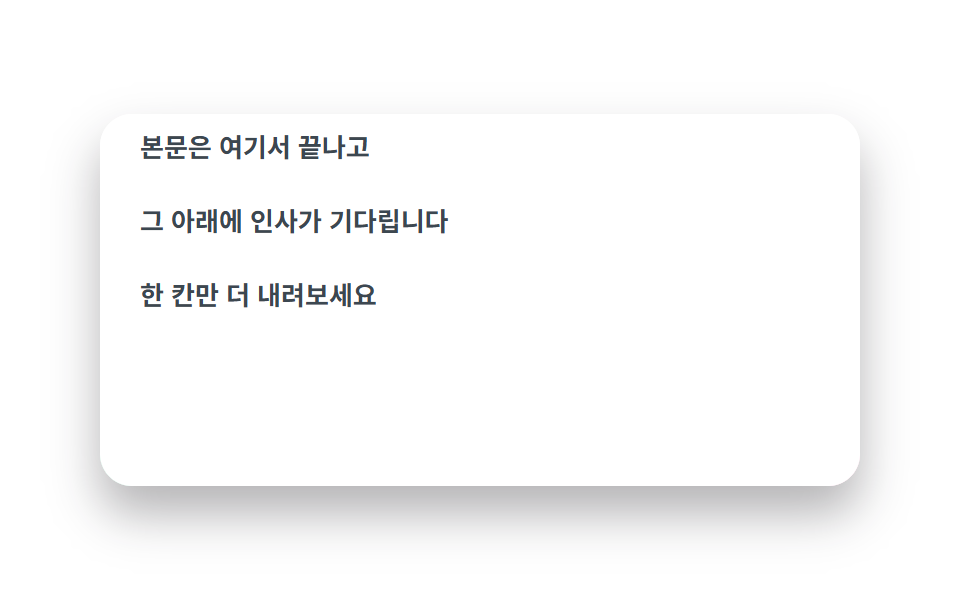
本文パネルが手前に浮いており、下に敷いたフッターがページの終わりでカーテンのように現れます。
使いどころ連絡先・著作権フッター、締めの挨拶文
z-indexposition: stickySafari에서도 그대로
<main class="stage">
  <div class="fc is-demo">
    <div class="fc__scroll">
      <div class="fc__main">
        <p class="fc__line">本文はここで終わり</p>
        <p class="fc__line">その下に挨拶が待っています</p>
        <p class="fc__line">もう一段だけ下へ</p>
      </div>
      <footer class="fc__foot"><span class="fc__cheer">最後まで来てくれてありがとう</span></footer>
    </div>
  </div>
</main>
@use "../../../../site/static/demo-tokens" as *;
// ── 변수 3개 ──────────────────────────────────────────
$duration: $dur-loop;
$easing: $ease-spring;
$color: $subject-blue;
@include stage($stage-paper);
.fc {
width: min(380px, 88vw);
height: clamp(150px, 62vh, 216px);
border-radius: $r-card;
overflow: hidden;
box-shadow: $shadow-raised;
}
.fc__scroll {
height: 100%;
overflow-y: auto;
scrollbar-width: none;
&::-webkit-scrollbar { display: none; }
}
// ── 실제 동작: 푸터가 문서 맨 끝에 있되 sticky(bottom) 로 뷰포트 바닥에 미리 붙어 있고,
// 본문이 z-index 위를 지나가다 끝에서 비켜주면 푸터가 드러난다 ──
.fc__main {
position: relative;
z-index: 1; // 본문이 푸터 위를 지나간다
min-height: calc(100% + 64px); // 뷰포트보다 한 칸 깊어야 시작부터 푸터를 완전히 덮는다
margin-bottom: 64px; // 스크롤 끝에서 푸터 칸이 드러난다
padding: $sp-6 $sp-5;
background: $stage-paper;
box-sizing: border-box;
}
.fc__line {
margin: 0 0 $sp-4;
color: #3c4750;
font: 600 13px/1.6 -apple-system, "Segoe UI", "Noto Sans KR", sans-serif;
&:last-child { margin-bottom: 0; }
}
.fc__foot {
position: sticky;
bottom: 0;
z-index: 0;
height: 64px;
display: grid;
place-items: center;
background: linear-gradient(120deg, #b9f0d8, #ffd6e8);
}
.fc__cheer {
padding: $sp-1 $sp-4;
border-radius: $r-pill;
background: rgba(255, 255, 255, .78);
color: #216a52;
font: 700 13px/1.4 -apple-system, "Segoe UI", "Noto Sans KR", sans-serif;
}
// 데모 루프: 실제 스크롤 대신 본문 패널이 위로 미끄러져 푸터를 드러내는 걸 흉내(캡처용)
.fc.is-demo .fc__main { animation: fc-lift $duration $easing infinite; }
@keyframes fc-lift {
0%, 12% { transform: translateY(0); }
55%, 88% { transform: translateY(-104px); }
100% { transform: translateY(0); }
}
@media (prefers-reduced-motion: reduce) {
.fc.is-demo .fc__main { animation: none !important; }
.fc__scroll { scroll-behavior: auto; }
}html, body {
margin: 0;
overflow: hidden;
}
.stage {
box-sizing: border-box;
min-height: 100vh;
display: grid;
place-items: center;
margin: 0;
background: #ffffff;
font-family: -apple-system, "Segoe UI", "Noto Sans KR", sans-serif;
padding: clamp(8px, 4vw, 24px);
}
.fc {
width: min(380px, 88vw);
height: clamp(150px, 62vh, 216px);
border-radius: 16px;
overflow: hidden;
box-shadow: 0 14px 24px rgba(23, 20, 26, 0.32);
}
.fc__scroll {
height: 100%;
overflow-y: auto;
scrollbar-width: none;
}
.fc__scroll::-webkit-scrollbar {
display: none;
}
.fc__main {
position: relative;
z-index: 1;
min-height: calc(100% + 64px);
margin-bottom: 64px;
padding: 24px 20px;
background: #ffffff;
box-sizing: border-box;
}
.fc__line {
margin: 0 0 16px;
color: #3c4750;
font: 600 13px/1.6 -apple-system, "Segoe UI", "Noto Sans KR", sans-serif;
}
.fc__line:last-child {
margin-bottom: 0;
}
.fc__foot {
position: sticky;
bottom: 0;
z-index: 0;
height: 64px;
display: grid;
place-items: center;
background: linear-gradient(120deg, #b9f0d8, #ffd6e8);
}
.fc__cheer {
padding: 4px 16px;
border-radius: 999px;
background: rgba(255, 255, 255, 0.78);
color: #216a52;
font: 700 13px/1.4 -apple-system, "Segoe UI", "Noto Sans KR", sans-serif;
}
.fc.is-demo .fc__main {
animation: fc-lift 2s cubic-bezier(0.2, 0.8, 0.2, 1) infinite;
}
@keyframes fc-lift {
0%, 12% {
transform: translateY(0);
}
55%, 88% {
transform: translateY(-104px);
}
100% {
transform: translateY(0);
}
}
@media (prefers-reduced-motion: reduce) {
.fc.is-demo .fc__main {
animation: none !important;
}
.fc__scroll {
scroll-behavior: auto;
}
}// 실제 동작은 position: sticky(bottom) + z-index 만으로 끝난다(0줄).
// 이 3줄은 미리보기 자동 재생만 멈춘다 — 실제 스크롤은 그대로 살아있다.
document.querySelector('.fc__scroll').addEventListener('pointerdown', function () {
document.querySelector('.fc').classList.remove('is-demo');
});import type { CSSProperties } from "react";
import styles from "./CurtainFooter.module.scss";
export type CurtainFooterProps = {
duration?: number;
easing?: string;
color?: string;
};
type Vars = CSSProperties & { "--duration"?: string; "--easing"?: string; "--color"?: string };
export default function CurtainFooter({ duration = 300, easing = "cubic-bezier(.2,.8,.2,1)", color = "#2f6df6" }: CurtainFooterProps) {
const vars: Vars = { "--duration": `${duration}ms`, "--easing": easing, "--color": color };
return (
<div className={styles.fc} style={vars}>
{/* 푸터가 문서 맨 끝(sticky bottom) — 본문이 z-index 위를 지나가다 끝에서 비켜준다 */}
<div className={styles.scroll}>
<div className={styles.main}>
<p>본문은 여기서 끝나고</p>
<p>그 아래에 인사가 기다립니다</p>
<p>한 칸만 더 내려보세요</p>
</div>
<footer className={styles.foot}>
<span className={styles.cheer}>끝까지 와줘서 고마워요</span>
</footer>
</div>
</div>
);
}02 終わりで現れるカーテンフッター — 計測 累積面積 16.541% · 動いたフレーム 13/23GODRICH オリジナル · SCSS と React は zip に同梱 · スクロール アニメーション CSSで作る9種 — コピペでApple風
このデモが属する記事
 スクロール アニメーション CSSで作る9種 — コピペでApple風スクロール アニメーション CSSは、指でページを下へスクロールする動きに画面が応える仕組みで、Appleの製品ページがその基準です。スクロール用ライブラリ一切なしのCSSだけで、横流しパネル・固定画面の切替・単語の着色・背景色の入れ替えま この記事のデモをすべて見る