01ダブルタップズーム
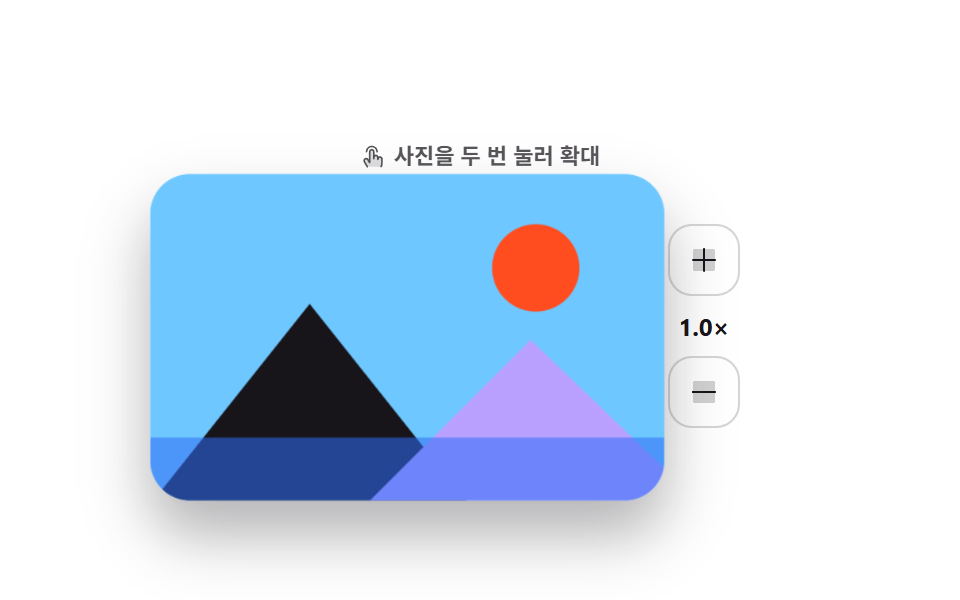
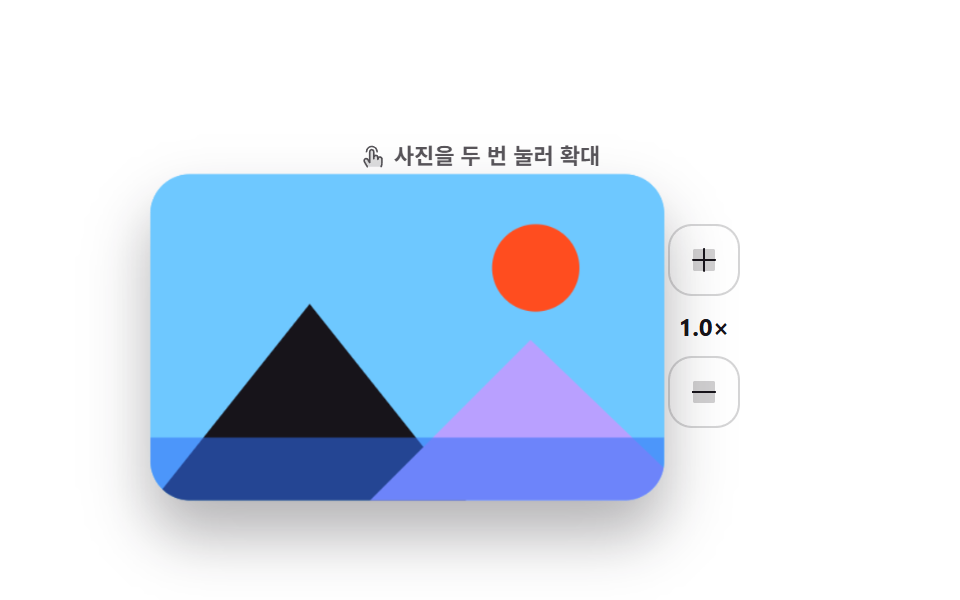
写真を2回続けてタップすると2回目に触った位置を中心に拡大と縮小が交互に切り替わり、横のプラス・マイナスボタンでも同じ段階で動きます。
使いどころ商品写真やレビューギャラリーなど、親指1本でさっと拡大して詳しく見せたいとき
dblclicktransform-originaria-live
<main class="stage">
  <div class="dz is-demo">
    <div class="dz__main">
    <div class="dz__photo" id="dz-photo">
      <svg viewBox="0 0 200 130" preserveAspectRatio="xMidYMid slice" aria-hidden="true">
        <rect class="dz__sky" width="200" height="130"/>
        <circle class="dz__sun" cx="150" cy="38" r="17"/>
        <polygon class="dz__m1" points="0,130 62,52 124,130"/>
        <polygon class="dz__m2" points="84,130 148,66 200,116 200,130"/>
        <rect class="dz__lake" y="104" width="200" height="26"/>
      </svg>
      <span class="dz__ring" id="dz-ring" aria-hidden="true"></span>
    </div>
    <div class="dz__side">
      <button class="dz__btn" type="button" id="dz-in" aria-label="一段階拡大">
        <svg viewBox="0 0 256 256" width="16" height="16"><g fill="currentColor"><path d="M216 56v144a16 16 0 0 1-16 16H56a16 16 0 0 1-16-16V56a16 16 0 0 1 16-16h144a16 16 0 0 1 16 16" opacity=".2"/><path d="M224 128a8 8 0 0 1-8 8h-80v80a8 8 0 0 1-16 0v-80H40a8 8 0 0 1 0-16h80V40a8 8 0 0 1 16 0v80h80a8 8 0 0 1 8 8"/></g></svg>
      </button>
      <span class="dz__level" id="dz-level" aria-live="polite">1.0×</span>
      <button class="dz__btn" type="button" id="dz-out" aria-label="一段階縮小">
        <svg viewBox="0 0 256 256" width="16" height="16"><g fill="currentColor"><path d="M216 56v144a16 16 0 0 1-16 16H56a16 16 0 0 1-16-16V56a16 16 0 0 1 16-16h144a16 16 0 0 1 16 16" opacity=".2"/><path d="M224 128a8 8 0 0 1-8 8H40a8 8 0 0 1 0-16h176a8 8 0 0 1 8 8"/></g></svg>
      </button>
    </div>
    </div>
    <p class="dz__hint" id="dz-hint"><svg viewBox="0 0 256 256" width="13" height="13"><g fill="currentColor"><path d="M216 148v36c0 24-8 40-8 40H72l-29.32-50a20 20 0 0 1 34.64-20L96 184V76a20 20 0 0 1 40 0v56a20 20 0 0 1 40 0v16a20 20 0 0 1 40 0" opacity=".2"/><path d="M56 76a60 60 0 0 1 120 0a8 8 0 0 1-16 0a44 44 0 0 0-88 0a8 8 0 1 1-16 0m140 44a27.9 27.9 0 0 0-13.36 3.39A28 28 0 0 0 144 106.7V76a28 28 0 0 0-56 0v80l-3.82-6.13a28 28 0 0 0-48.41 28.17l29.32 50a8 8 0 1 0 13.8-8.04L49.6 170a12 12 0 1 1 20.78-12l.14.23l18.68 30A8 8 0 0 0 104 184V76a12 12 0 0 1 24 0v68a8 8 0 1 0 16 0v-12a12 12 0 0 1 24 0v20a8 8 0 0 0 16 0v-4a12 12 0 0 1 24 0v36c0 21.61-7.1 36.3-7.16 36.42a8 8 0 0 0 3.58 10.73a7.9 7.9 0 0 0 3.58.85a8 8 0 0 0 7.16-4.42c.37-.73 8.85-18 8.85-43.58v-36A28 28 0 0 0 196 120"/></g></svg> 写真を2回タップして拡大</p>
  </div>
</main>@use "../../../../site/static/demo-tokens" as *;
$duration: $dur-enter;
$easing: $ease-spring;
$color: $subject-blue;
@include stage($stage-paper);
.dz {
display: flex;
flex-direction: column-reverse; // 힌트를 위로 — 확대된 사진이 힌트를 덮지 않게
align-items: center;
user-select: none;
-webkit-user-select: none;
}
.dz__main { display: flex; align-items: center; gap: $sp-4; }
.dz__photo {
position: relative;
width: 208px;
height: 132px;
border-radius: $r-card;
overflow: hidden;
box-shadow: $shadow-raised;
background: $subject-sky;
transform: scale(1);
transition: transform $duration $easing;
cursor: zoom-in;
touch-action: manipulation;
}
.dz__photo svg { display: block; width: 100%; height: 100%; }
.dz__sky { fill: $subject-sky; }
.dz__sun { fill: $stage-orange; }
.dz__m1 { fill: $subject-ink; }
.dz__m2 { fill: $subject-lilac; }
.dz__lake { fill: $subject-blue; opacity: .55; }
.dz__ring {
position: absolute;
width: 36px; height: 36px;
margin: -18px 0 0 -18px;
border: 2px solid #fff;
border-radius: 50%;
opacity: 0;
pointer-events: none;
}
.dz__ring.is-pulse { animation: dz-pulse $dur-quick $ease-out; }
@keyframes dz-pulse {
0% { opacity: .9; transform: scale(.4); }
100% { opacity: 0; transform: scale(1.15); }
}
.dz__side { display: flex; flex-direction: column; align-items: center; gap: $sp-2; }
.dz__btn {
display: inline-flex; align-items: center; justify-content: center;
width: 36px; height: 36px;
border: 1px solid rgba(23, 20, 26, .18);
background: #fff;
border-radius: $r-control;
color: $subject-ink;
cursor: pointer;
transition: background $dur-quick $easing, color $dur-quick $easing;
}
.dz__btn:hover { background: $color; color: #fff; }
.dz__btn:focus-visible { outline: 2px solid $color; outline-offset: 2px; }
.dz__level {
font-size: 12px; line-height: 14px; font-weight: 700;
color: $subject-ink;
font-variant-numeric: tabular-nums;
}
.dz__hint {
position: relative;
z-index: 1;
display: flex; align-items: center; gap: $sp-1;
margin: 0 0 $sp-3;
font-size: 11px; line-height: 14px; font-weight: 600;
color: rgba(23, 20, 26, .72);
}
.dz__hint svg { flex: none; color: rgba(23, 20, 26, .72); }
// ── 자동 루프: 탭 두 번 → 확대 → 유지 → 복귀. 복귀는 90% 안에 끝난다 ──
.dz.is-demo .dz__photo {
transform-origin: 148px 42px; // 규칙8: 탭 좌표(148,42) 줌 앵커
animation: dz-zoom $dur-loop $easing infinite;
}
@keyframes dz-zoom {
0%, 100% { transform: scale(1); }
30% { transform: scale(1); }
44% { transform: scale(2.1); }
76% { transform: scale(2.1); }
88% { transform: scale(1); }
}
.dz.is-demo .dz__ring {
left: 148px; top: 42px;
animation: dz-taps $dur-loop $ease-out infinite;
}
@keyframes dz-taps {
0%, 8% { opacity: 0; transform: scale(.4); }
13% { opacity: .95; transform: scale(.85); }
19% { opacity: 0; transform: scale(1.15); }
21% { opacity: 0; transform: scale(.4); }
26% { opacity: .95; transform: scale(.85); }
32% { opacity: 0; transform: scale(1.15); }
100% { opacity: 0; transform: scale(1.15); }
}
@media (prefers-reduced-motion: reduce) {
.dz.is-demo .dz__photo,
.dz.is-demo .dz__ring,
.dz.is-demo .dz__level { animation: none !important; }
.dz__photo, .dz__btn { transition: none; }
.dz__photo { transform: none; }
}html, body {
margin: 0;
overflow: hidden;
}
.stage {
box-sizing: border-box;
min-height: 100vh;
display: grid;
place-items: center;
margin: 0;
background: #ffffff;
font-family: -apple-system, "Segoe UI", "Noto Sans KR", sans-serif;
padding: clamp(8px, 4vw, 24px);
}
.dz {
display: flex;
flex-direction: column-reverse;
align-items: center;
user-select: none;
-webkit-user-select: none;
}
.dz__main {
display: flex;
align-items: center;
gap: 16px;
}
.dz__photo {
position: relative;
width: 208px;
height: 132px;
border-radius: 16px;
overflow: hidden;
box-shadow: 0 14px 24px rgba(23, 20, 26, 0.32);
background: #6ec8ff;
transform: scale(1);
transition: transform 600ms cubic-bezier(0.2, 0.8, 0.2, 1);
cursor: zoom-in;
touch-action: manipulation;
}
.dz__photo svg {
display: block;
width: 100%;
height: 100%;
}
.dz__sky {
fill: #6ec8ff;
}
.dz__sun {
fill: #ff4d1f;
}
.dz__m1 {
fill: #17141a;
}
.dz__m2 {
fill: #b9a0ff;
}
.dz__lake {
fill: #2f6df6;
opacity: 0.55;
}
.dz__ring {
position: absolute;
width: 36px;
height: 36px;
margin: -18px 0 0 -18px;
border: 2px solid #fff;
border-radius: 50%;
opacity: 0;
pointer-events: none;
}
.dz__ring.is-pulse {
animation: dz-pulse 220ms ease-out;
}
@keyframes dz-pulse {
0% {
opacity: 0.9;
transform: scale(0.4);
}
100% {
opacity: 0;
transform: scale(1.15);
}
}
.dz__side {
display: flex;
flex-direction: column;
align-items: center;
gap: 8px;
}
.dz__btn {
display: inline-flex;
align-items: center;
justify-content: center;
width: 36px;
height: 36px;
border: 1px solid rgba(23, 20, 26, 0.18);
background: #fff;
border-radius: 12px;
color: #17141a;
cursor: pointer;
transition: background 220ms cubic-bezier(0.2, 0.8, 0.2, 1), color 220ms cubic-bezier(0.2, 0.8, 0.2, 1);
}
.dz__btn:hover {
background: #2f6df6;
color: #fff;
}
.dz__btn:focus-visible {
outline: 2px solid #2f6df6;
outline-offset: 2px;
}
.dz__level {
font-size: 12px;
line-height: 14px;
font-weight: 700;
color: #17141a;
font-variant-numeric: tabular-nums;
}
.dz__hint {
position: relative;
z-index: 1;
display: flex;
align-items: center;
gap: 4px;
margin: 0 0 12px;
font-size: 11px;
line-height: 14px;
font-weight: 600;
color: rgba(23, 20, 26, 0.72);
}
.dz__hint svg {
flex: none;
color: rgba(23, 20, 26, 0.72);
}
.dz.is-demo .dz__photo {
transform-origin: 148px 42px;
animation: dz-zoom 2s cubic-bezier(0.2, 0.8, 0.2, 1) infinite;
}
@keyframes dz-zoom {
0%, 100% {
transform: scale(1);
}
30% {
transform: scale(1);
}
44% {
transform: scale(2.1);
}
76% {
transform: scale(2.1);
}
88% {
transform: scale(1);
}
}
.dz.is-demo .dz__ring {
left: 148px;
top: 42px;
animation: dz-taps 2s ease-out infinite;
}
@keyframes dz-taps {
0%, 8% {
opacity: 0;
transform: scale(0.4);
}
13% {
opacity: 0.95;
transform: scale(0.85);
}
19% {
opacity: 0;
transform: scale(1.15);
}
21% {
opacity: 0;
transform: scale(0.4);
}
26% {
opacity: 0.95;
transform: scale(0.85);
}
32% {
opacity: 0;
transform: scale(1.15);
}
100% {
opacity: 0;
transform: scale(1.15);
}
}
@media (prefers-reduced-motion: reduce) {
.dz.is-demo .dz__photo,
.dz.is-demo .dz__ring,
.dz.is-demo .dz__level {
animation: none !important;
}
.dz__photo, .dz__btn {
transition: none;
}
.dz__photo {
transform: none;
}
}// 실제 동작: 두 번 누르면 그 지점 중심으로 拡大/縮小, 버튼은 같은 단계를 밟는다.
var root = document.querySelector('.dz');
var photo = document.getElementById('dz-photo');
var ring = document.getElementById('dz-ring');
var level = document.getElementById('dz-level');
var STEPS = [1, 1.55, 2.1];
var at = 0, lastTap = 0;
function go(i, ox, oy) {
at = Math.max(0, Math.min(i, STEPS.length - 1));
if (ox !== undefined) photo.style.transformOrigin = ox + 'px ' + oy + 'px';
photo.style.transform = 'scale(' + STEPS[at] + ')';
level.textContent = STEPS[at].toFixed(1) + '×';
}
function pulse(x, y) {
ring.style.left = x + 'px';
ring.style.top = y + 'px';
ring.classList.remove('is-pulse');
void ring.offsetWidth;
ring.classList.add('is-pulse');
}
photo.addEventListener('pointerdown', function (e) {
root.classList.remove('is-demo');
var now = Date.now();
if (now - lastTap < 320) {
var r = photo.getBoundingClientRect();
var x = e.clientX - r.left, y = e.clientY - r.top;
pulse(x, y);
go(at === STEPS.length - 1 ? 0 : at + 1, x, y);
lastTap = 0;
e.preventDefault();
} else { lastTap = now; }
});
document.getElementById('dz-in').addEventListener('click', function () { root.classList.remove('is-demo'); go(at + 1, 150, 44); });
document.getElementById('dz-out').addEventListener('click', function () { root.classList.remove('is-demo'); go(at - 1, 150, 44); });import { useRef, useState } from "react";
import type { CSSProperties } from "react";
import styles from "./DoubleTapZoom.module.scss";
export type DoubleTapZoomProps = {
steps?: number[];
duration?: number;
easing?: string;
color?: string;
};
type PEvt = { clientX: number; clientY: number; pointerId: number; preventDefault(): void; currentTarget: { setPointerCapture(id: number): void } };
type Box<T> = { current: T };
type Vars = CSSProperties & { "--duration"?: string; "--easing"?: string; "--color"?: string };
const IconPlus = () => (
<svg viewBox="0 0 256 256" width="16" height="16"><g fill="currentColor"><path d="M216 56v144a16 16 0 0 1-16 16H56a16 16 0 0 1-16-16V56a16 16 0 0 1 16-16h144a16 16 0 0 1 16 16" opacity=".2"/><path d="M224 128a8 8 0 0 1-8 8h-80v80a8 8 0 0 1-16 0v-80H40a8 8 0 0 1 0-16h80V40a8 8 0 0 1 16 0v80h80a8 8 0 0 1 8 8"/></g></svg>
);
const IconMinus = () => (
<svg viewBox="0 0 256 256" width="16" height="16"><g fill="currentColor"><path d="M216 56v144a16 16 0 0 1-16 16H56a16 16 0 0 1-16-16V56a16 16 0 0 1 16-16h144a16 16 0 0 1 16 16" opacity=".2"/><path d="M224 128a8 8 0 0 1-8 8H40a8 8 0 0 1 0-16h176a8 8 0 0 1 8 8"/></g></svg>
);
export default function DoubleTapZoom({
steps = [1, 1.55, 2.1],
duration = 600,
easing = "cubic-bezier(.2,.8,.2,1)",
color = "#2f6df6",
}: DoubleTapZoomProps) {
const [at, setAt] = useState(0);
const [origin, setOrigin] = useState("50% 50%");
const [ring, setRing] = useState<{ x: number; y: number; k: number } | null>(null);
const lastTap = useRef(0) as Box<number>;
const photoRef = useRef<HTMLDivElement>(null);
const vars: Vars = { "--duration": `${duration}ms`, "--easing": easing, "--color": color };
function go(i: number, ox?: number, oy?: number) {
const next = Math.max(0, Math.min(i, steps.length - 1));
if (ox !== undefined && oy !== undefined) setOrigin(`${ox}px ${oy}px`);
setAt(next);
}
function onDown(e: PEvt) {
const now = Date.now();
if (now - lastTap.current < 320) {
const r = (photoRef.current as HTMLDivElement).getBoundingClientRect();
const x = e.clientX - r.left, y = e.clientY - r.top;
setRing({ x, y, k: now });
go(at === steps.length - 1 ? 0 : at + 1, x, y);
lastTap.current = 0;
} else {
lastTap.current = now;
}
}
return (
<div className={styles.dz} style={vars}>
<div
ref={photoRef}
className={styles.photo}
style={{ transform: `scale(${steps[at]})`, transformOrigin: origin }}
onPointerDown={onDown}
>
<svg viewBox="0 0 200 130" preserveAspectRatio="xMidYMid slice" aria-hidden="true">
<rect className={styles.sky} width="200" height="130" />
<circle className={styles.sun} cx="150" cy="38" r="17" />
<polygon className={styles.m1} points="0,130 62,52 124,130" />
<polygon className={styles.m2} points="84,130 148,66 200,116 200,130" />
<rect className={styles.lake} y="104" width="200" height="26" />
</svg>
{ring && (
<span key={ring.k} className={styles.ring} style={{ left: ring.x, top: ring.y }} aria-hidden="true" />
)}
</div>
<div className={styles.side}>
<button type="button" className={styles.btn} aria-label="Zoom in one step" onClick={(): void => go(at + 1, 150, 44)}>
<IconPlus />
</button>
<span className={styles.level} aria-live="polite">{steps[at].toFixed(1)}x</span>
<button type="button" className={styles.btn} aria-label="Zoom out one step" onClick={(): void => go(at - 1, 150, 44)}>
<IconMinus />
</button>
</div>
</div>
);
}01 ダブルタップズーム — 計測 累積面積 60.957% · 動いたフレーム 14/23GODRICH オリジナル · SCSS と React は zip に同梱 · スマホ ジェスチャー操作 9選 — 指で本当に動くUI
このデモが属する記事
 スマホ ジェスチャー操作 9選 — 指で本当に動くUIスマホ ジェスチャー操作とは、画面に触れた指が動いた距離と速さを読み取って表示を変える操作方法です。9つのうち2つは指を離した瞬間にはじめて結果が分かれ、1つは最後まで押し切らないと何も起きません。 この記事のデモをすべて見る