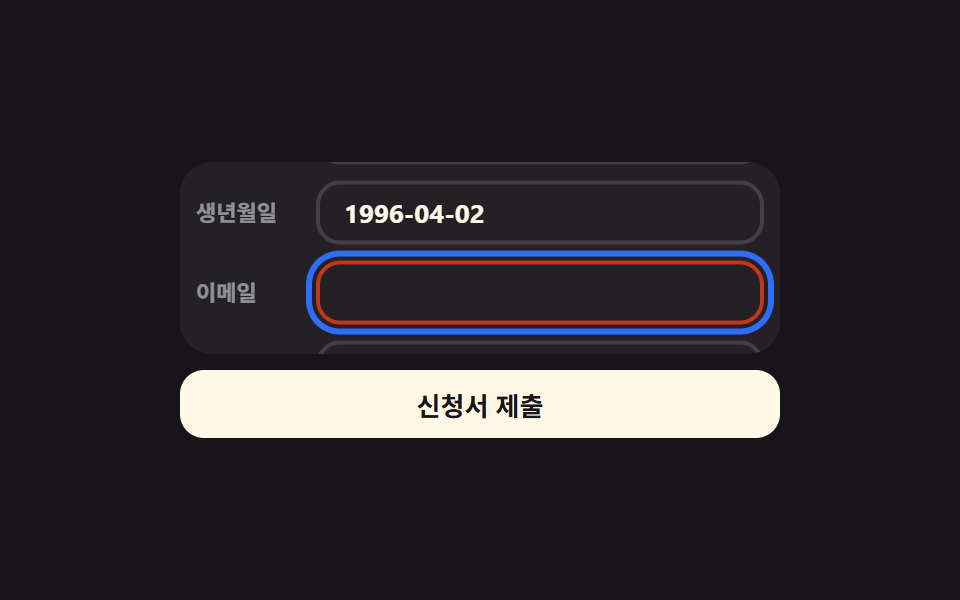
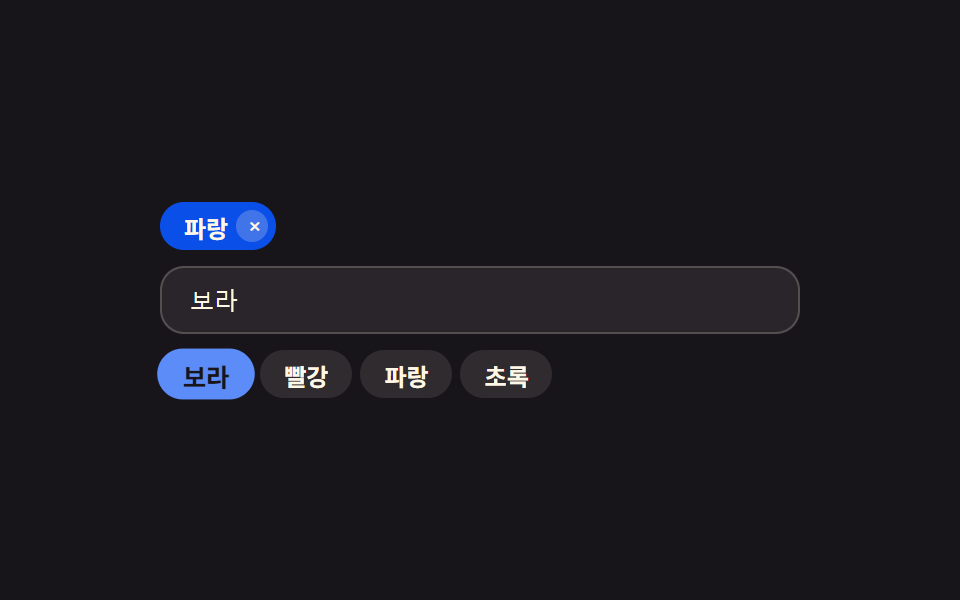
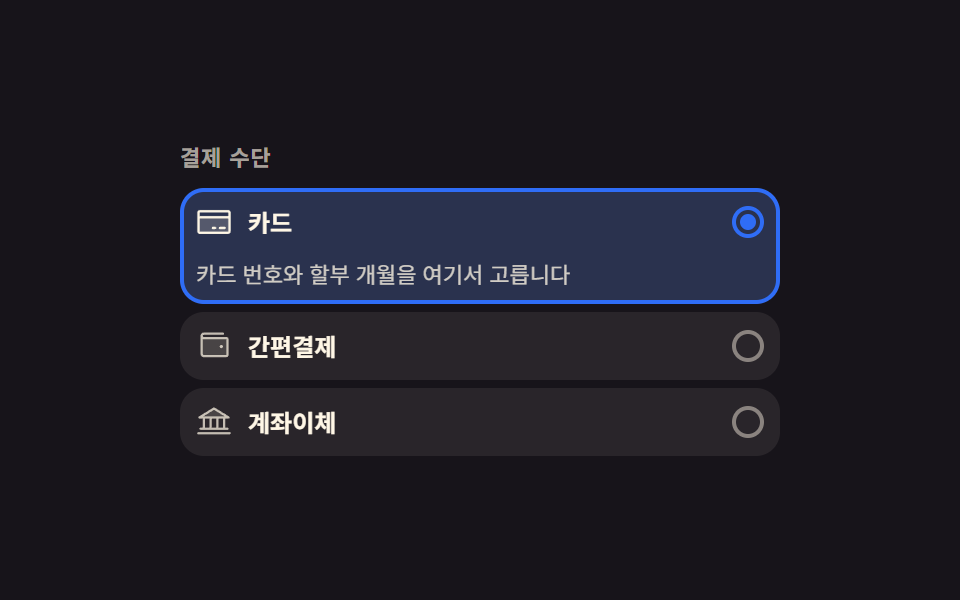
09入力中の値を守るインラインの離脱確認
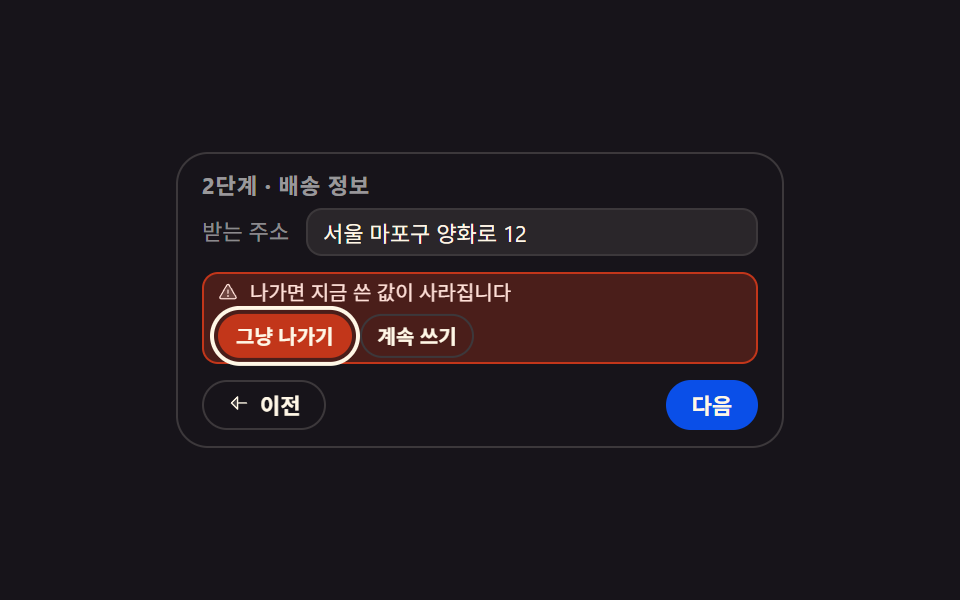
書きかけの欄がある状態で「戻る」を押すと、画面を覆うモーダルではなくボタンのすぐ上に確認行が開き、離脱を選ぶまで焦点はその行の中に留まります。
使いどころ入力途中で戻るを押した決済ステップ、値を失うと困るアンケートの途中
alertdialogscaleYpreventScroll
<main class="stage">
  <section class="lgd is-demo" id="lgd" aria-label="お届け情報の入力ステップ">
    <p class="lgd__h">
      <span class="lgd__h-a">ステップ2 · 配送情報</span>
      <span class="lgd__h-b">ステップ1 · 注文確認</span>
    </p>

    <div class="lgd__field">
      <label class="lgd__lab" for="lgd-addr">お届け先</label>
      <input class="lgd__in" id="lgd-addr" type="text" value="ソウル麻浦区楊花路12" autocomplete="off">
    </div>

    <div class="lgd__guard">
      <p class="lgd__idle">入力中の値はまだ未保存です</p>
      <div class="lgd__sheet" id="lgd-sheet" role="alertdialog" aria-labelledby="lgd-msg" aria-hidden="true">
        <span class="lgd__skin" aria-hidden="true"></span>
        <p class="lgd__msg" id="lgd-msg">
          <span class="lgd__ico" aria-hidden="true"><svg viewBox="0 0 256 256" width="1em" height="1em" fill="currentColor"><g><path d="M215.46 216H40.54c-12.62 0-20.54-13.21-14.41-23.91l87.46-151.87c6.3-11 22.52-11 28.82 0l87.46 151.87c6.13 10.7-1.79 23.91-14.41 23.91" opacity=".2"/><path d="M236.8 188.09L149.35 36.22a24.76 24.76 0 0 0-42.7 0L19.2 188.09a23.51 23.51 0 0 0 0 23.72A24.35 24.35 0 0 0 40.55 224h174.9a24.35 24.35 0 0 0 21.33-12.19a23.51 23.51 0 0 0 .02-23.72m-13.87 15.71a8.5 8.5 0 0 1-7.48 4.2H40.55a8.5 8.5 0 0 1-7.48-4.2a7.59 7.59 0 0 1 0-7.72l87.45-151.87a8.75 8.75 0 0 1 15 0l87.45 151.87a7.59 7.59 0 0 1-.04 7.72M120 144v-40a8 8 0 0 1 16 0v40a8 8 0 0 1-16 0m20 36a12 12 0 1 1-12-12a12 12 0 0 1 12 12"/></g></svg></span>
          <span class="lgd__msg-t">戻ると入力中の値が消えます</span>
        </p>
        <div class="lgd__acts">
          <button class="lgd__go" type="button" id="lgd-go" tabindex="-1">そのまま戻る</button>
          <button class="lgd__stay" type="button" id="lgd-stay" tabindex="-1">書き続ける</button>
        </div>
      </div>
    </div>

    <div class="lgd__foot">
      <button class="lgd__back" type="button" id="lgd-back" aria-expanded="false" aria-controls="lgd-sheet">
        <span class="lgd__arrow" aria-hidden="true"><svg viewBox="0 0 256 256" width="1em" height="1em" fill="currentColor"><g><path d="M112 56v144l-72-72Z" opacity=".2"/><path d="M216 120h-96V56a8 8 0 0 0-13.66-5.66l-72 72a8 8 0 0 0 0 11.32l72 72A8 8 0 0 0 120 200v-64h96a8 8 0 0 0 0-16m-112 60.69L51.31 128L104 75.31Z"/></g></svg></span>
        <span class="lgd__back-t">戻る</span>
      </button>
      <button class="lgd__next" type="button">次へ</button>
    </div>
  </section>
</main>@use "sass:color";
@use "../../../../site/static/demo-tokens" as *;
$duration: $dur-quick;
$easing: $ease-spring;
$color: $subject-blue;
@include stage($stage-ink);
$line: color.mix($subject-cream, $stage-ink, 16%);
$soft: color.mix($subject-cream, $stage-ink, 8%);
$warn-bg: color.mix($error, $stage-ink, 30%);
.lgd {
box-sizing: border-box;
width: min(304px, 92vw);
padding: $sp-2 $sp-3;
border: 1px solid $line;
border-radius: $r-card;
background: $stage-ink;
color: $subject-cream;
font-family: -apple-system, "Segoe UI", "Noto Sans KR", sans-serif;
font-size: 12px;
line-height: 1.3;
}
.lgd__h {
position: relative;
min-height: 15px;
margin: 0 0 $sp-1;
font-size: 11px;
font-weight: 700;
letter-spacing: .04em;
}
.lgd__h-a, .lgd__h-b { position: absolute; inset: 0; line-height: 1.4; }
.lgd__h-a { color: rgba(255, 255, 255, .56); }
.lgd__h-b { color: $subject-mint; opacity: 0; }
// 정적(사람이 조작하는) 경로 — .is-demo 를 떼도 결과가 보여야 한다
.lgd.is-gone .lgd__h-a { opacity: 0; }
.lgd.is-gone .lgd__h-b { opacity: 1; }
.lgd__field {
display: grid;
grid-template-columns: auto 1fr;
align-items: center;
gap: $sp-2;
}
.lgd__lab {
color: rgba(255, 255, 255, .5);
font-size: 11px;
line-height: 1.3;
}
.lgd__in {
box-sizing: border-box;
width: 100%;
height: 24px;
margin: 0;
padding: 0 $sp-2;
border: 1px solid $line;
border-radius: $r-sm;
background: $soft;
color: $subject-cream;
font-family: inherit;
font-size: 11px;
line-height: 1.3;
}
.lgd__in:focus-visible { outline: 2px solid $color; outline-offset: 2px; }
// ── 버튼 바로 위 확인 줄 ───────────────────────────
// 자리는 늘 잡아 둔다. 열려도 닫혀도 상자 높이가 그대로라 버튼이 튀지 않고,
// 닫힌 동안에도 이 칸은 「저장 전」 안내로 차 있다 (빈 화면을 만들지 않는다)
.lgd__guard {
position: relative;
height: 46px;
margin-top: $sp-2;
}
.lgd__idle {
position: absolute;
inset: 0;
display: flex;
align-items: center;
box-sizing: border-box;
margin: 0;
padding: 0 $sp-2;
border: 1px dashed $line;
border-radius: $r-sm;
color: rgba(255, 255, 255, .72);
font-size: 10px;
line-height: 1.4;
}
.lgd__sheet {
position: absolute;
inset: 0;
display: grid;
align-content: center;
gap: $sp-1;
box-sizing: border-box;
padding: 0 $sp-2;
pointer-events: none;
}
.lgd.is-open .lgd__sheet { pointer-events: auto; }
.lgd.is-open .lgd__idle { opacity: 0; }
// 껍데기만 scaleY 로 펼친다 — 글자는 이 안에 없으므로 눌리지 않는다
.lgd__skin {
position: absolute;
inset: 0;
border: 1px solid $error;
border-radius: $r-sm;
background: $warn-bg;
transform: scaleY(0);
transform-origin: bottom; // 규칙8: 경고 껍데기 하단 변 펼침
transition: transform $duration $easing;
}
.lgd.is-open .lgd__skin { transform: scaleY(1); }
// 내용은 껍데기와 따로 opacity + translateY 로 들어온다
.lgd__msg, .lgd__acts {
position: relative;
opacity: 0;
transform: translateY(6px);
transition: opacity $duration $easing, transform $duration $easing;
}
.lgd.is-open .lgd__msg, .lgd.is-open .lgd__acts { opacity: 1; transform: translateY(0); }
.lgd__msg {
display: flex;
align-items: center;
gap: $sp-1;
margin: 0;
color: $error-soft;
font-size: 10px;
line-height: 1.3;
}
.lgd__ico { display: inline-flex; flex: 0 0 auto; width: 12px; height: 12px; }
.lgd__acts { display: flex; gap: $sp-1; }
.lgd__go, .lgd__stay {
margin: 0;
padding: $sp-1 $sp-2;
border: 1px solid $line;
border-radius: $r-control;
background: transparent;
color: $subject-cream;
font-family: inherit;
font-size: 10px;
font-weight: 700;
line-height: 1.2;
cursor: pointer;
}
.lgd__go { border-color: $error; background: $error; }
.lgd__go, .lgd__stay { outline: 2px solid transparent; outline-offset: 2px; }
.lgd__go:focus-visible, .lgd__stay:focus-visible { outline-color: $subject-cream; }
// ── 발판 ─────────────────────────────────────────
.lgd__foot {
display: grid;
grid-template-columns: auto auto;
justify-content: space-between;
gap: $sp-2;
margin-top: $sp-2;
}
.lgd__back, .lgd__next {
display: inline-flex;
align-items: center;
gap: $sp-1;
margin: 0;
padding: $sp-1 $sp-3;
border: 1px solid $line;
border-radius: $r-pill;
background: transparent;
color: $subject-cream;
font-family: inherit;
font-size: 11px;
font-weight: 700;
line-height: 1.4;
cursor: pointer;
}
.lgd__next { border-color: $subject-blue-deep; background: $subject-blue-deep; }
.lgd__back:focus-visible, .lgd__next:focus-visible { outline: 2px solid $subject-cream; outline-offset: 2px; }
.lgd__arrow { display: inline-flex; width: 12px; height: 12px; }
// ── 격자 미리보기 전용 2초 루프 ─────────────────────
// 확인 줄이 빠진 「빈 자리」 가 대표 이미지로 뽑히면 안 되므로(브리프 규칙 8) 시각을
// 12fps 눈금(1프레임 = 4.1667%)에 맞춰 놨다. 열림은 눈금 한 칸(16.8%→20.8%) 안에서
// 통째로 끝나 그 프레임이 가장 크게 변하고 — poster 는 다 펼쳐진 확인 줄이 된다.
// 되돌아갈 때는 같은 양을 네 칸(70.9%→87.5%)에 나눠 접어 프레임당 변화를 열림의 1/4 로 줄인다.
// 자리는 늘 잡혀 있어 닫혀도 안내 줄이 그 칸을 메운다 — 어느 프레임도 빈 화면이 아니다
@keyframes lgd-press {
0%, 8% { transform: translateY(0); }
13% { transform: translateY(2px); }
19%, 100% { transform: translateY(0); }
}
@keyframes lgd-skin {
0%, 16.8% { transform: scaleY(0); }
20.8%, 70.9% { transform: scaleY(1); }
87.5%, 100% { transform: scaleY(0); }
}
@keyframes lgd-fade {
0%, 16.9% { opacity: 0; }
17%, 70.9% { opacity: 1; }
71%, 100% { opacity: 0; }
}
@keyframes lgd-rise {
0%, 17% { transform: translateY(6px); }
29.2%, 70.9% { transform: translateY(0); }
71%, 100% { transform: translateY(6px); }
}
@keyframes lgd-idle {
0%, 16.9% { opacity: 1; }
17%, 87.3% { opacity: 0; }
87.4%, 100% { opacity: 1; }
}
@keyframes lgd-ring {
0%, 16.9% { outline-color: transparent; }
17%, 70.9% { outline-color: $subject-cream; }
71%, 100% { outline-color: transparent; }
}
.lgd.is-demo {
.lgd__back {
animation-name: lgd-press;
animation-duration: $dur-loop;
animation-timing-function: $easing;
animation-iteration-count: infinite;
}
// 접히는 양을 프레임마다 고르게 나눠야 한 프레임이 튀지 않는다 — 여기만 linear
.lgd__skin {
animation-name: lgd-skin;
animation-duration: $dur-loop;
animation-timing-function: linear;
animation-iteration-count: infinite;
}
// 켜짐·꺼짐은 컷(steps), 자리잡기는 transform 으로 나눠 반투명 유령을 안 만든다
.lgd__msg, .lgd__acts {
animation-name: lgd-fade, lgd-rise;
animation-duration: $dur-loop, $dur-loop;
animation-timing-function: steps(1, end), $easing;
animation-iteration-count: infinite, infinite;
}
.lgd__idle {
animation-name: lgd-idle;
animation-duration: $dur-loop;
animation-timing-function: steps(1, end);
animation-iteration-count: infinite;
}
.lgd__go {
animation-name: lgd-ring;
animation-duration: $dur-loop;
animation-timing-function: steps(1, end);
animation-iteration-count: infinite;
}
}
@media (max-width: 340px) {
.lgd { padding: $sp-1 $sp-2; font-size: 11px; }
.lgd__field { gap: $sp-1; }
.lgd__in { height: 22px; }
.lgd__guard { height: 42px; margin-top: $sp-1; }
.lgd__foot { margin-top: $sp-1; }
.lgd__back, .lgd__next { padding: $sp-1 $sp-2; }
}
@media (prefers-reduced-motion: reduce) {
.lgd.is-demo .lgd__back,
.lgd.is-demo .lgd__skin,
.lgd.is-demo .lgd__msg,
.lgd.is-demo .lgd__acts,
.lgd.is-demo .lgd__idle,
.lgd.is-demo .lgd__go { animation: none !important; }
// 움직임만 끄고 「열린 확인 줄」 이라는 결과는 남긴다
.lgd.is-demo .lgd__skin { transform: scaleY(1) !important; }
.lgd.is-demo .lgd__msg,
.lgd.is-demo .lgd__acts { opacity: 1 !important; transform: none !important; }
.lgd.is-demo .lgd__idle { opacity: 0 !important; }
.lgd.is-demo .lgd__go { outline-color: $subject-cream !important; }
}html, body {
margin: 0;
overflow: hidden;
}
.stage {
box-sizing: border-box;
min-height: 100vh;
display: grid;
place-items: center;
margin: 0;
background: #17141a;
font-family: -apple-system, "Segoe UI", "Noto Sans KR", sans-serif;
padding: clamp(8px, 4vw, 24px);
}
.lgd {
box-sizing: border-box;
width: min(304px, 92vw);
padding: 8px 12px;
border: 1px solid rgb(23.5764705882%, 22.0862745098%, 22.9960784314%);
border-radius: 16px;
background: #17141a;
color: #fff7e6;
font-family: -apple-system, "Segoe UI", "Noto Sans KR", sans-serif;
font-size: 12px;
line-height: 1.3;
}
.lgd__h {
position: relative;
min-height: 15px;
margin: 0 0 4px;
font-size: 11px;
font-weight: 700;
letter-spacing: 0.04em;
}
.lgd__h-a, .lgd__h-b {
position: absolute;
inset: 0;
line-height: 1.4;
}
.lgd__h-a {
color: rgba(255, 255, 255, 0.56);
}
.lgd__h-b {
color: #4cd4a6;
opacity: 0;
}
.lgd.is-gone .lgd__h-a {
opacity: 0;
}
.lgd.is-gone .lgd__h-b {
opacity: 1;
}
.lgd__field {
display: grid;
grid-template-columns: auto 1fr;
align-items: center;
gap: 8px;
}
.lgd__lab {
color: rgba(255, 255, 255, 0.5);
font-size: 11px;
line-height: 1.3;
}
.lgd__in {
box-sizing: border-box;
width: 100%;
height: 24px;
margin: 0;
padding: 0 8px;
border: 1px solid rgb(23.5764705882%, 22.0862745098%, 22.9960784314%);
border-radius: 8px;
background: rgb(16.2980392157%, 14.9647058824%, 16.5960784314%);
color: #fff7e6;
font-family: inherit;
font-size: 11px;
line-height: 1.3;
}
.lgd__in:focus-visible {
outline: 2px solid #2f6df6;
outline-offset: 2px;
}
.lgd__guard {
position: relative;
height: 46px;
margin-top: 8px;
}
.lgd__idle {
position: absolute;
inset: 0;
display: flex;
align-items: center;
box-sizing: border-box;
margin: 0;
padding: 0 8px;
border: 1px dashed rgb(23.5764705882%, 22.0862745098%, 22.9960784314%);
border-radius: 8px;
color: rgba(255, 255, 255, 0.72);
font-size: 10px;
line-height: 1.4;
}
.lgd__sheet {
position: absolute;
inset: 0;
display: grid;
align-content: center;
gap: 4px;
box-sizing: border-box;
padding: 0 8px;
pointer-events: none;
}
.lgd.is-open .lgd__sheet {
pointer-events: auto;
}
.lgd.is-open .lgd__idle {
opacity: 0;
}
.lgd__skin {
position: absolute;
inset: 0;
border: 1px solid #c2361a;
border-radius: 8px;
background: rgb(29.137254902%, 11.8431372549%, 10.1960784314%);
transform: scaleY(0);
transform-origin: bottom;
transition: transform 220ms cubic-bezier(0.2, 0.8, 0.2, 1);
}
.lgd.is-open .lgd__skin {
transform: scaleY(1);
}
.lgd__msg, .lgd__acts {
position: relative;
opacity: 0;
transform: translateY(6px);
transition: opacity 220ms cubic-bezier(0.2, 0.8, 0.2, 1), transform 220ms cubic-bezier(0.2, 0.8, 0.2, 1);
}
.lgd.is-open .lgd__msg, .lgd.is-open .lgd__acts {
opacity: 1;
transform: translateY(0);
}
.lgd__msg {
display: flex;
align-items: center;
gap: 4px;
margin: 0;
color: #ffe0d8;
font-size: 10px;
line-height: 1.3;
}
.lgd__ico {
display: inline-flex;
flex: 0 0 auto;
width: 12px;
height: 12px;
}
.lgd__acts {
display: flex;
gap: 4px;
}
.lgd__go, .lgd__stay {
margin: 0;
padding: 4px 8px;
border: 1px solid rgb(23.5764705882%, 22.0862745098%, 22.9960784314%);
border-radius: 12px;
background: transparent;
color: #fff7e6;
font-family: inherit;
font-size: 10px;
font-weight: 700;
line-height: 1.2;
cursor: pointer;
}
.lgd__go {
border-color: #c2361a;
background: #c2361a;
}
.lgd__go, .lgd__stay {
outline: 2px solid transparent;
outline-offset: 2px;
}
.lgd__go:focus-visible, .lgd__stay:focus-visible {
outline-color: #fff7e6;
}
.lgd__foot {
display: grid;
grid-template-columns: auto auto;
justify-content: space-between;
gap: 8px;
margin-top: 8px;
}
.lgd__back, .lgd__next {
display: inline-flex;
align-items: center;
gap: 4px;
margin: 0;
padding: 4px 12px;
border: 1px solid rgb(23.5764705882%, 22.0862745098%, 22.9960784314%);
border-radius: 999px;
background: transparent;
color: #fff7e6;
font-family: inherit;
font-size: 11px;
font-weight: 700;
line-height: 1.4;
cursor: pointer;
}
.lgd__next {
border-color: #0a4fe8;
background: #0a4fe8;
}
.lgd__back:focus-visible, .lgd__next:focus-visible {
outline: 2px solid #fff7e6;
outline-offset: 2px;
}
.lgd__arrow {
display: inline-flex;
width: 12px;
height: 12px;
}
@keyframes lgd-press {
0%, 8% {
transform: translateY(0);
}
13% {
transform: translateY(2px);
}
19%, 100% {
transform: translateY(0);
}
}
@keyframes lgd-skin {
0%, 16.8% {
transform: scaleY(0);
}
20.8%, 70.9% {
transform: scaleY(1);
}
87.5%, 100% {
transform: scaleY(0);
}
}
@keyframes lgd-fade {
0%, 16.9% {
opacity: 0;
}
17%, 70.9% {
opacity: 1;
}
71%, 100% {
opacity: 0;
}
}
@keyframes lgd-rise {
0%, 17% {
transform: translateY(6px);
}
29.2%, 70.9% {
transform: translateY(0);
}
71%, 100% {
transform: translateY(6px);
}
}
@keyframes lgd-idle {
0%, 16.9% {
opacity: 1;
}
17%, 87.3% {
opacity: 0;
}
87.4%, 100% {
opacity: 1;
}
}
@keyframes lgd-ring {
0%, 16.9% {
outline-color: transparent;
}
17%, 70.9% {
outline-color: #fff7e6;
}
71%, 100% {
outline-color: transparent;
}
}
.lgd.is-demo .lgd__back {
animation-name: lgd-press;
animation-duration: 2s;
animation-timing-function: cubic-bezier(0.2, 0.8, 0.2, 1);
animation-iteration-count: infinite;
}
.lgd.is-demo .lgd__skin {
animation-name: lgd-skin;
animation-duration: 2s;
animation-timing-function: linear;
animation-iteration-count: infinite;
}
.lgd.is-demo .lgd__msg, .lgd.is-demo .lgd__acts {
animation-name: lgd-fade, lgd-rise;
animation-duration: 2s, 2s;
animation-timing-function: steps(1, end), cubic-bezier(0.2, 0.8, 0.2, 1);
animation-iteration-count: infinite, infinite;
}
.lgd.is-demo .lgd__idle {
animation-name: lgd-idle;
animation-duration: 2s;
animation-timing-function: steps(1, end);
animation-iteration-count: infinite;
}
.lgd.is-demo .lgd__go {
animation-name: lgd-ring;
animation-duration: 2s;
animation-timing-function: steps(1, end);
animation-iteration-count: infinite;
}
@media (max-width: 340px) {
.lgd {
padding: 4px 8px;
font-size: 11px;
}
.lgd__field {
gap: 4px;
}
.lgd__in {
height: 22px;
}
.lgd__guard {
height: 42px;
margin-top: 4px;
}
.lgd__foot {
margin-top: 4px;
}
.lgd__back, .lgd__next {
padding: 4px 8px;
}
}
@media (prefers-reduced-motion: reduce) {
.lgd.is-demo .lgd__back,
.lgd.is-demo .lgd__skin,
.lgd.is-demo .lgd__msg,
.lgd.is-demo .lgd__acts,
.lgd.is-demo .lgd__idle,
.lgd.is-demo .lgd__go {
animation: none !important;
}
.lgd.is-demo .lgd__skin {
transform: scaleY(1) !important;
}
.lgd.is-demo .lgd__msg,
.lgd.is-demo .lgd__acts {
opacity: 1 !important;
transform: none !important;
}
.lgd.is-demo .lgd__idle {
opacity: 0 !important;
}
.lgd.is-demo .lgd__go {
outline-color: #fff7e6 !important;
}
}// 실제 동작: 입력 칸에 값이 남아 있을 때만 확인 줄이 열린다(흉내가 아니라 value 를 읽는다).
// 열려 있는 동안 Tab 은 줄 안 두 버튼 사이만 돈다 — 짧은 포커스 트랩.
var lgd = document.getElementById('lgd');
var lgdIn = document.getElementById('lgd-addr');
var lgdSheet = document.getElementById('lgd-sheet');
var lgdBack = document.getElementById('lgd-back');
var lgdBtns = [document.getElementById('lgd-go'), document.getElementById('lgd-stay')];
function lgdOpen(on) {
lgd.classList.toggle('is-open', on);
lgdSheet.setAttribute('aria-hidden', on ? 'false' : 'true');
lgdBack.setAttribute('aria-expanded', on ? 'true' : 'false');
lgdBtns.forEach(function (b) { b.tabIndex = on ? 0 : -1; });
// iframe 안이라 부모 페이지가 끌려가지 않게 preventScroll
(on ? lgdBtns[0] : lgdBack).focus({ preventScroll: true });
}
lgdBack.addEventListener('click', function () {
lgd.classList.remove('is-demo');
if (lgdIn.value.trim() === '') { lgd.classList.add('is-gone'); return; }
lgdOpen(true);
});
lgdBtns[1].addEventListener('click', function () { lgdOpen(false); });
lgdBtns[0].addEventListener('click', function () {
lgdIn.value = ''; // 나가기를 고르면 쓰던 값이 실제로 사라진다
lgdOpen(false);
lgd.classList.add('is-gone');
});
lgdSheet.addEventListener('keydown', function (e) {
if (e.key === 'Escape') { lgdOpen(false); return; }
if (e.key !== 'Tab') return;
e.preventDefault();
var i = lgdBtns.indexOf(document.activeElement);
lgdBtns[(i + 1) % 2].focus({ preventScroll: true }); // 둘뿐이라 Tab 과 Shift+Tab 이 같은 짝을 가리킨다
});
lgdIn.addEventListener('input', function () { lgd.classList.remove('is-demo', 'is-gone'); });import { useState } from "react";
import type { CSSProperties } from "react";
import styles from "./LeaveGuardInline.module.scss";
export type LeaveGuardInlineProps = {
groupLabel?: string;
currentHeading?: string;
leftHeading?: string;
fieldLabel?: string;
initialValue?: string;
idleNote?: string;
guardMessage?: string;
leaveLabel?: string;
stayLabel?: string;
backLabel?: string;
nextLabel?: string;
/** 격자 미리보기용 2초 자동 루프. 사람이 손대면 꺼진다 */
demo?: boolean;
duration?: number;
easing?: string;
color?: string;
};
type Vars = CSSProperties & { "--duration"?: string; "--easing"?: string; "--color"?: string };
type KeyEvt = { key: string; preventDefault(): void };
type ChEvt = { target: { value: string } };
// ambient 가 얇아 DOM 전역 타입을 못 쓴다 — 초점 받을 요소의 최소 꼴만 로컬로 선언
type Focusable = { focus: (o: { preventScroll: boolean }) => void };
type Box<T> = { current: T };
function WarnIcon() {
return (
<svg viewBox="0 0 256 256" width="1em" height="1em" fill="currentColor">
<g>
<path d="M215.46 216H40.54c-12.62 0-20.54-13.21-14.41-23.91l87.46-151.87c6.3-11 22.52-11 28.82 0l87.46 151.87c6.13 10.7-1.79 23.91-14.41 23.91" opacity=".2" />
<path d="M236.8 188.09L149.35 36.22a24.76 24.76 0 0 0-42.7 0L19.2 188.09a23.51 23.51 0 0 0 0 23.72A24.35 24.35 0 0 0 40.55 224h174.9a24.35 24.35 0 0 0 21.33-12.19a23.51 23.51 0 0 0 .02-23.72m-13.87 15.71a8.5 8.5 0 0 1-7.48 4.2H40.55a8.5 8.5 0 0 1-7.48-4.2a7.59 7.59 0 0 1 0-7.72l87.45-151.87a8.75 8.75 0 0 1 15 0l87.45 151.87a7.59 7.59 0 0 1-.04 7.72M120 144v-40a8 8 0 0 1 16 0v40a8 8 0 0 1-16 0m20 36a12 12 0 1 1-12-12a12 12 0 0 1 12 12" />
</g>
</svg>
);
}
function BackIcon() {
return (
<svg viewBox="0 0 256 256" width="1em" height="1em" fill="currentColor">
<g>
<path d="M112 56v144l-72-72Z" opacity=".2" />
<path d="M216 120h-96V56a8 8 0 0 0-13.66-5.66l-72 72a8 8 0 0 0 0 11.32l72 72A8 8 0 0 0 120 200v-64h96a8 8 0 0 0 0-16m-112 60.69L51.31 128L104 75.31Z" />
</g>
</svg>
);
}
export default function LeaveGuardInline({
groupLabel = "Delivery detail step",
currentHeading = "Step 2 · Delivery",
leftHeading = "Step 1 · Order check",
fieldLabel = "Ship to",
initialValue = "12 Yanghwa-ro, Mapo-gu",
idleNote = "What you typed is not saved yet",
guardMessage = "Leaving drops what you just typed",
leaveLabel = "Leave anyway",
stayLabel = "Keep writing",
backLabel = "Back",
nextLabel = "Next",
demo = true,
duration = 220,
easing = "cubic-bezier(.2,.8,.2,1)",
color = "#2f6df6",
}: LeaveGuardInlineProps) {
const [value, setValue] = useState(initialValue);
const [open, setOpen] = useState(false);
const [gone, setGone] = useState(false);
const [live, setLive] = useState(demo);
const goBtn = useState<Box<Focusable | null>>({ current: null })[0];
const stayBtn = useState<Box<Focusable | null>>({ current: null })[0];
const backBtn = useState<Box<Focusable | null>>({ current: null })[0];
const vars: Vars = { "--duration": `${duration}ms`, "--easing": easing, "--color": color };
function openGuard(on: boolean) {
setOpen(on);
// iframe 안이라 부모 페이지가 끌려가지 않게 preventScroll
(on ? goBtn.current : backBtn.current)?.focus({ preventScroll: true });
}
function back() {
setLive(false);
if (value.trim() === "") { setGone(true); return; } // 빈 칸이면 물음 없이 그냥 돌아간다
openGuard(true);
}
function leave() {
setValue(""); // 나가기를 고르면 쓰던 값이 실제로 사라진다
openGuard(false);
setGone(true);
}
function sheetKeys(e: KeyEvt) {
if (e.key === "Escape") { openGuard(false); return; }
if (e.key !== "Tab") return;
e.preventDefault(); // 둘뿐이라 Tab 과 Shift+Tab 이 같은 짝을 가리킨다
const atGo = document.activeElement === goBtn.current;
(atGo ? stayBtn.current : goBtn.current)?.focus({ preventScroll: true });
}
const cls = [styles.lgd, live ? styles.isDemo : "", open ? styles.isOpen : "", gone ? styles.isGone : ""]
.filter(Boolean)
.join(" ");
return (
<section className={cls} style={vars} aria-label={groupLabel}>
<p className={styles.h}>
<span className={styles.hA}>{currentHeading}</span>
<span className={styles.hB}>{leftHeading}</span>
</p>
<div className={styles.field}>
<label className={styles.lab} htmlFor="lgd-addr">{fieldLabel}</label>
<input
className={styles.in}
id="lgd-addr"
type="text"
value={value}
autoComplete="off"
onChange={(e: ChEvt) => { setLive(false); setGone(false); setValue(e.target.value); }}
/>
</div>
<div className={styles.guard}>
<p className={styles.idle}>{idleNote}</p>
<div
className={styles.sheet}
role="alertdialog"
aria-label={guardMessage}
aria-hidden={!open}
onKeyDown={open ? sheetKeys : undefined}
>
<span className={styles.skin} aria-hidden="true" />
<p className={styles.msg}>
<span className={styles.ico} aria-hidden="true"><WarnIcon /></span>
{guardMessage}
</p>
<div className={styles.acts}>
<button
className={styles.go}
type="button"
tabIndex={open ? 0 : -1}
onClick={leave}
ref={(el: Focusable | null) => { goBtn.current = el; }}
>
{leaveLabel}
</button>
<button
className={styles.stay}
type="button"
tabIndex={open ? 0 : -1}
onClick={() => openGuard(false)}
ref={(el: Focusable | null) => { stayBtn.current = el; }}
>
{stayLabel}
</button>
</div>
</div>
</div>
<div className={styles.foot}>
<button
className={styles.back}
type="button"
aria-expanded={open}
aria-controls="lgd-sheet"
onClick={back}
ref={(el: Focusable | null) => { backBtn.current = el; }}
>
<span className={styles.arrow} aria-hidden="true"><BackIcon /></span>
{backLabel}
</button>
<button className={styles.next} type="button" onClick={() => setLive(false)}>
{nextLabel}
</button>
</div>
</section>
);
}09 入力中の値を守るインラインの離脱確認 — 計測 累積面積 9.356% · 動いたフレーム 9/23GODRICH オリジナル · SCSS と React は zip に同梱 · フォーム ステップ ui 9選 — 分岐と再開まで
このデモが属する記事
 フォーム ステップ ui 9選 — 分岐と再開までフォーム ステップ uiとは、長い入力フォームを複数の画面に分けて、順番に答えを集める作りのことです。9つとも実際の値を読み、実際に検査し、入力のたびに保存します。空欄があるステップは先へ進まず、タブを閉じて開き直しても書きかけの位置から続 この記事のデモをすべて見る