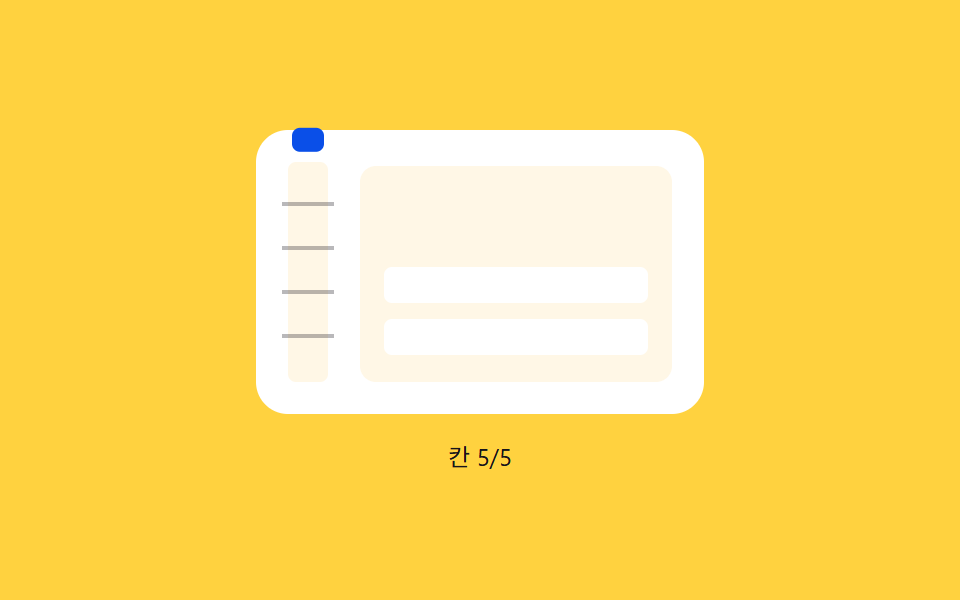
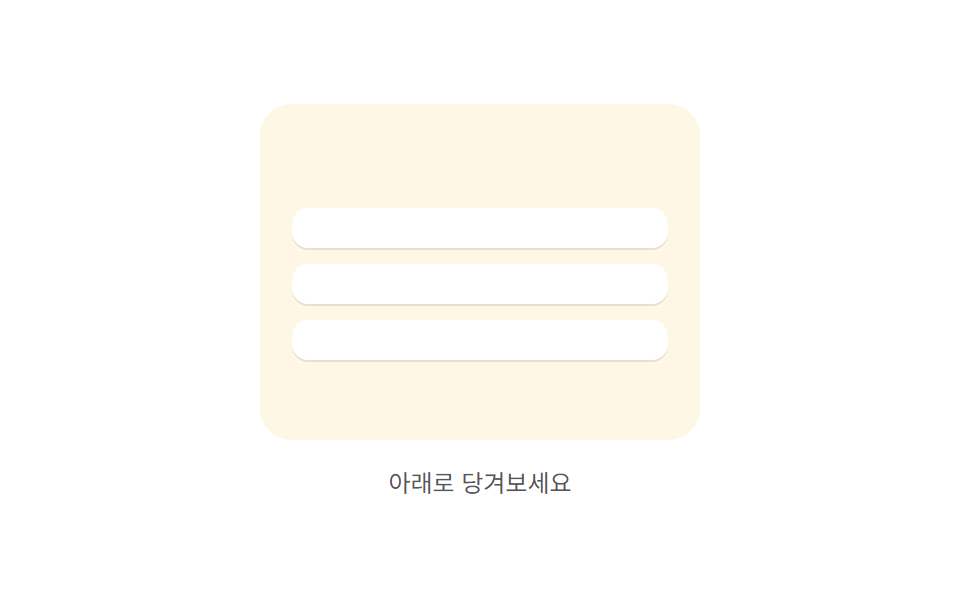
06ラチェット目盛り — 引いた距離の値が目盛りの値を通過するたびに位置が短く跳ねる表示
引いた距離の値が一定間隔の目盛りの値を通過するたびに表示の位置の値が短く跳ねてから落ち着き、通過した目盛りの数の値が増えるほどその跳ねが繰り返されます。
使いどころ確実な確認が必要な更新、強いフィードバックが必要なリスト
TICKAMPtriggerBurst
<main class="stage">
<div class="prtk is-demo" id="prtk">
  <div class="prtk__panel">
    <div class="prtk__track" id="prtkTrack">
      <span class="prtk__tick" style="bottom:22px"></span>
      <span class="prtk__tick" style="bottom:44px"></span>
      <span class="prtk__tick" style="bottom:66px"></span>
      <span class="prtk__tick" style="bottom:88px"></span>
      <span class="prtk__marker" id="prtkMarker"></span>
    </div>
    <div class="prtk__phone" id="prtkPhone">
      <div class="prtk__list" id="prtkList">
        <div class="prtk__row"></div>
        <div class="prtk__row"></div>
      </div>
    </div>
  </div>
  <span class="prtk__hint" id="prtkHint">下に引っぱってください</span>
</div>
</main>
@use "../../../../site/static/demo-tokens" as *;
// 계산 겹(감쇠 진동 burst)은 JS 에 있다 — 여기는 정적 배치만.
@include stage($stage-yellow);
.prtk {
position: relative;
display: flex;
flex-direction: column;
align-items: center;
gap: $sp-3;
}
.prtk__panel {
display: flex;
align-items: flex-end;
gap: $sp-4;
padding: $sp-4;
border-radius: $r-card;
background: $stage-paper;
}
.prtk__track {
position: relative;
width: 20px;
height: 110px;
border-radius: $r-xs;
background: $subject-cream;
}
.prtk__tick {
position: absolute;
left: -3px;
right: -3px;
height: 2px;
background: rgba($subject-ink, .3);
}
.prtk__marker {
position: absolute;
left: 2px;
right: 2px;
bottom: 2px;
height: 12px;
border-radius: $r-xs;
background: $subject-blue-deep;
}
.prtk__phone {
position: relative;
width: 156px;
height: 108px;
overflow: hidden;
border-radius: $r-sm;
background: $subject-cream;
touch-action: none;
cursor: grab;
}
.prtk__list {
position: relative;
display: flex;
flex-direction: column;
gap: $sp-2;
padding: $sp-3;
}
.prtk__row {
height: 18px;
border-radius: $r-xs;
background: $stage-paper;
}
.prtk__hint {
color: $subject-ink;
font-size: 12px;
text-align: center;
}
@media (max-width: 340px) {
.prtk__panel { padding: $sp-3; gap: $sp-2; }
.prtk__track { height: 88px; }
.prtk__phone { width: 128px; height: 88px; }
}
@media (prefers-reduced-motion: reduce) {
.prtk__marker, .prtk__list { transition: none !important; }
}html, body {
margin: 0;
overflow: hidden;
}
.stage {
box-sizing: border-box;
min-height: 100vh;
display: grid;
place-items: center;
margin: 0;
background: #ffd23f;
font-family: -apple-system, "Segoe UI", "Noto Sans KR", sans-serif;
padding: clamp(8px, 4vw, 24px);
}
.prtk {
position: relative;
display: flex;
flex-direction: column;
align-items: center;
gap: 12px;
}
.prtk__panel {
display: flex;
align-items: flex-end;
gap: 16px;
padding: 16px;
border-radius: 16px;
background: #ffffff;
}
.prtk__track {
position: relative;
width: 20px;
height: 110px;
border-radius: 4px;
background: #fff7e6;
}
.prtk__tick {
position: absolute;
left: -3px;
right: -3px;
height: 2px;
background: rgba(23, 20, 26, 0.3);
}
.prtk__marker {
position: absolute;
left: 2px;
right: 2px;
bottom: 2px;
height: 12px;
border-radius: 4px;
background: #0a4fe8;
}
.prtk__phone {
position: relative;
width: 156px;
height: 108px;
overflow: hidden;
border-radius: 8px;
background: #fff7e6;
touch-action: none;
cursor: grab;
}
.prtk__list {
position: relative;
display: flex;
flex-direction: column;
gap: 8px;
padding: 12px;
}
.prtk__row {
height: 18px;
border-radius: 4px;
background: #ffffff;
}
.prtk__hint {
color: #17141a;
font-size: 12px;
text-align: center;
}
@media (max-width: 340px) {
.prtk__panel {
padding: 12px;
gap: 8px;
}
.prtk__track {
height: 88px;
}
.prtk__phone {
width: 128px;
height: 88px;
}
}
@media (prefers-reduced-motion: reduce) {
.prtk__marker, .prtk__list {
transition: none !important;
}
}(function () {
var phone = document.getElementById('prtkPhone');
var marker = document.getElementById('prtkMarker');
var list = document.getElementById('prtkList');
var hint = document.getElementById('prtkHint');
var root = document.getElementById('prtk');
// 계산 겹: 目盛り 경계(TICK 배수)를 새로 지날 때마다 감쇠 진동 AMP*e^(-t/TAU)*sin(t*W) 을
// 기준 위치에 얹는다 — 릴리즈 때 한 번이 아니라 손가락이 칸을 지날 때마다 걸리는 래칫 튐이다.
var TICK = 22, N = 5, TRACK_H = 110, MAX_TICK = TICK * N, RAW_MAX = 150;
var AMP = 10, TAU = 0.15, W = 26;
var raw = 0, lastTick = 0, burstActive = false, burstStart = 0;
var dragging = false, startY = 0, startRaw = 0, released = true;
function triggerBurst(now) { burstActive = true; burstStart = now; }
function frame(now) {
var clamped = Math.min(raw, MAX_TICK);
var tickIndex = Math.floor(clamped / TICK);
if (tickIndex > lastTick) { triggerBurst(now); }
lastTick = tickIndex;
var basePos = (clamped / MAX_TICK) * TRACK_H;
var burst = 0;
if (burstActive) {
var t = (now - burstStart) / 1000;
burst = AMP * Math.exp(-t / TAU) * Math.sin(t * W);
if (t > 0.6) { burstActive = false; }
}
marker.style.transform = 'translateY(' + (-(basePos) + burst).toFixed(1) + 'px)';
list.style.transform = 'translateY(' + (clamped * 0.35).toFixed(1) + 'px)';
hint.textContent = raw > 4 ? ('目盛り ' + Math.min(tickIndex, N) + '/' + N) : '下に引っぱってください';
requestAnimationFrame(frame);
}
requestAnimationFrame(frame);
var committing = false, commitTimer = null;
function commit() {
committing = true;
hint.textContent = '更新中';
commitTimer = setTimeout(function () {
committing = false;
raw = 0; lastTick = 0;
hint.textContent = '下に引っぱってください';
}, 620);
}
function onDown(y) { if (committing) { return; } dragging = true; released = false; startY = y; startRaw = raw; }
function onMove(y) {
if (!dragging) { return; }
raw = Math.max(0, Math.min(RAW_MAX, startRaw + (y - startY)));
}
function onUp() {
if (!dragging) { return; }
dragging = false; released = true;
if (raw >= MAX_TICK) { commit(); } else { raw = 0; lastTick = 0; }
}
function wireReal() {
phone.addEventListener('pointerdown', function (e) { root.classList.remove('is-demo'); stopAutoplay(); onDown(e.clientY); });
window.addEventListener('pointermove', function (e) { onMove(e.clientY); });
window.addEventListener('pointerup', onUp);
}
phone.style.touchAction = 'none';
wireReal();
var autoRaw = 0, autoTimer = null;
function autoTick() {
if (committing) { return; }
autoRaw += 16;
if (autoRaw >= MAX_TICK) { raw = MAX_TICK; autoRaw = 0; commit(); return; }
raw = autoRaw;
}
var reduce = window.matchMedia('(prefers-reduced-motion: reduce)').matches;
function stopAutoplay() { if (autoTimer) { clearInterval(autoTimer); autoTimer = null; } if (commitTimer) { clearTimeout(commitTimer); } }
if (!reduce) { autoTimer = setInterval(autoTick, 160); }
})();import { useEffect, useRef } from "react";
import styles from "./PullRefreshRatchetTickSnap.module.scss";
export type PullRefreshRatchetTickSnapProps = {
color?: string;
};
export default function PullRefreshRatchetTickSnap({
color = "#0a4fe8",
}: PullRefreshRatchetTickSnapProps) {
const rootRef = useRef<HTMLDivElement | null>(null);
useEffect(() => {
const root = rootRef.current;
if (!root) return;
const phone = root.querySelector<HTMLDivElement>(`.${styles.phone}`);
const marker = root.querySelector<HTMLSpanElement>(`.${styles.marker}`);
const list = root.querySelector<HTMLDivElement>(`.${styles.list}`);
const hint = root.querySelector<HTMLSpanElement>(`.${styles.hint}`);
if (!phone || !marker || !list || !hint) return;
// 계산 겹: 칸 경계(TICK 배수)를 새로 지날 때마다 감쇠 진동 AMP*e^(-t/TAU)*sin(t*W) 을
// 기준 위치에 얹는다 — 릴리즈 때 한 번이 아니라 손가락이 칸을 지날 때마다 걸리는 래칫 튐이다.
const TICK = 22, N = 5, TRACK_H = 110, MAX_TICK = TICK * N, RAW_MAX = 150;
const AMP = 10, TAU = 0.15, W = 26;
let raw = 0, lastTick = 0, burstActive = false, burstStart = 0;
let dragging = false, startY = 0, startRaw = 0;
let rafId: number | null = null;
function triggerBurst(now: number) { burstActive = true; burstStart = now; }
function frame(now: number) {
const clamped = Math.min(raw, MAX_TICK);
const tickIndex = Math.floor(clamped / TICK);
if (tickIndex > lastTick) triggerBurst(now);
lastTick = tickIndex;
const basePos = (clamped / MAX_TICK) * TRACK_H;
let burst = 0;
if (burstActive) {
const t = (now - burstStart) / 1000;
burst = AMP * Math.exp(-t / TAU) * Math.sin(t * W);
if (t > 0.6) burstActive = false;
}
marker!.style.transform = "translateY(" + (-(basePos) + burst).toFixed(1) + "px)";
list!.style.transform = "translateY(" + (clamped * 0.35).toFixed(1) + "px)";
hint!.textContent = raw > 4 ? ("칸 " + Math.min(tickIndex, N) + "/" + N) : "아래로 당기세요";
rafId = requestAnimationFrame(frame);
}
rafId = requestAnimationFrame(frame);
let committing = false, commitTimer: number | null = null;
function commit() {
committing = true;
hint!.textContent = "새로고침 중";
commitTimer = window.setTimeout(() => {
committing = false;
raw = 0; lastTick = 0;
hint!.textContent = "아래로 당기세요";
}, 620);
}
function onDown(y: number) {
if (committing) return;
dragging = true; startY = y; startRaw = raw;
}
function onMove(y: number) {
if (!dragging) return;
raw = Math.max(0, Math.min(RAW_MAX, startRaw + (y - startY)));
}
function onUp() {
if (!dragging) return;
dragging = false;
if (raw >= MAX_TICK) { commit(); } else { raw = 0; lastTick = 0; }
}
function onPointerDown(e: PointerEvent) { stopAutoplay(); onDown(e.clientY); }
function onPointerMove(e: PointerEvent) { onMove(e.clientY); }
phone.style.touchAction = "none";
phone.addEventListener("pointerdown", onPointerDown);
window.addEventListener("pointermove", onPointerMove);
window.addEventListener("pointerup", onUp);
let autoRaw = 0, autoTimer: number | null = null;
function autoTick() {
if (committing) return;
autoRaw += 16;
if (autoRaw >= MAX_TICK) { raw = MAX_TICK; autoRaw = 0; commit(); return; }
raw = autoRaw;
}
function stopAutoplay() {
if (autoTimer !== null) { window.clearInterval(autoTimer); autoTimer = null; }
if (commitTimer !== null) { window.clearTimeout(commitTimer); }
}
const reduce = window.matchMedia("(prefers-reduced-motion: reduce)").matches;
if (!reduce) { autoTimer = window.setInterval(autoTick, 160); }
return () => {
stopAutoplay();
if (rafId !== null) cancelAnimationFrame(rafId);
phone.removeEventListener("pointerdown", onPointerDown);
window.removeEventListener("pointermove", onPointerMove);
window.removeEventListener("pointerup", onUp);
};
}, []);
return (
<div ref={rootRef} className={styles.stage}>
<div className={styles.prtk}>
<div className={styles.panel}>
<div className={styles.track}>
<span className={styles.tick} style={{ bottom: "22px" }} />
<span className={styles.tick} style={{ bottom: "44px" }} />
<span className={styles.tick} style={{ bottom: "66px" }} />
<span className={styles.tick} style={{ bottom: "88px" }} />
<span className={styles.marker} style={{ "--accent": color } as any} />
</div>
<div className={styles.phone}>
<div className={styles.list}>
<div className={styles.row} />
<div className={styles.row} />
</div>
</div>
</div>
<span className={styles.hint}>아래로 당기세요</span>
</div>
</div>
);
}06 ラチェット目盛り — 引いた距離の値が目盛りの値を通過するたびに位置が短く跳ねる表示 — 計測 累積面積 8.078% · 動いたフレーム 22/23GODRICH オリジナル · SCSS と React は zip に同梱 · 引っ張って更新 スマホ 9選 — 引いた距離で変わる更新のかたち
このデモが属する記事
 引っ張って更新 スマホ 9選 — 引いた距離で変わる更新のかたち9つのうち1つは引いた距離の値が大きくなるほど実際に動く幅の値がだんだん狭くなり、1つはその距離の割合の値だけ回転の値も一緒に回り、もう1つは基準を超えた状態で指を離してはじめて確定した状態に変わります。引っ張って更新 スマホの9パターンで この記事のデモをすべて見る