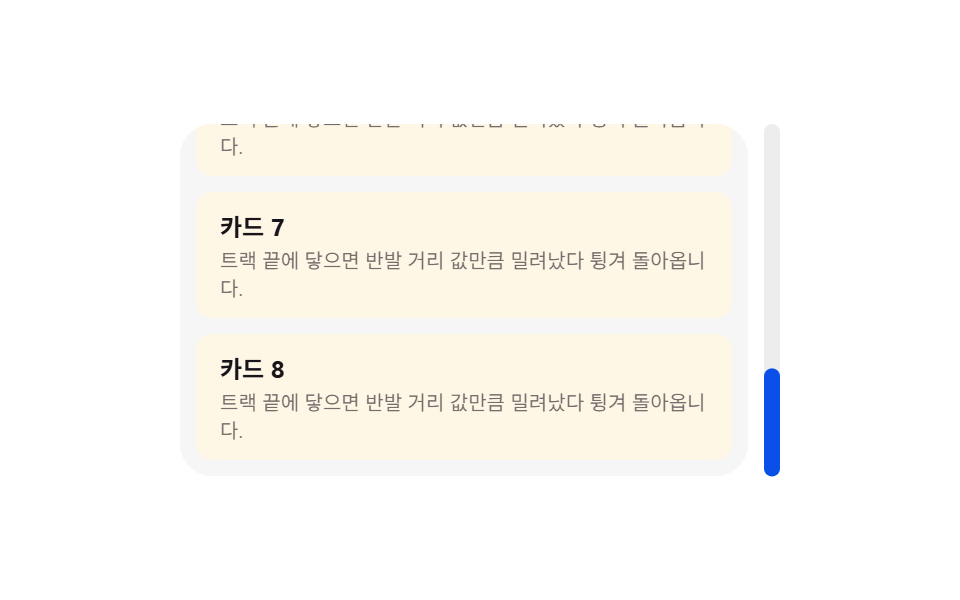
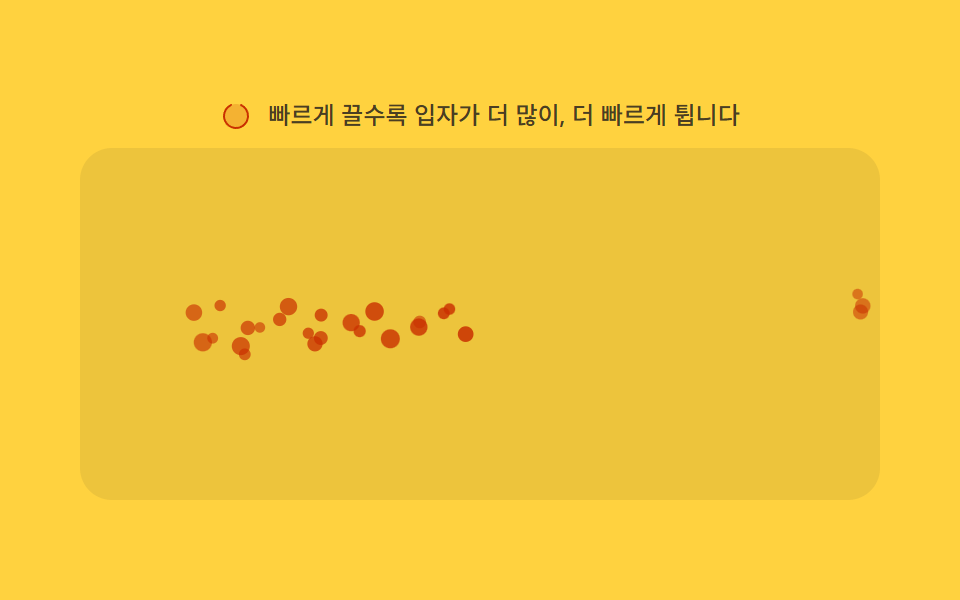
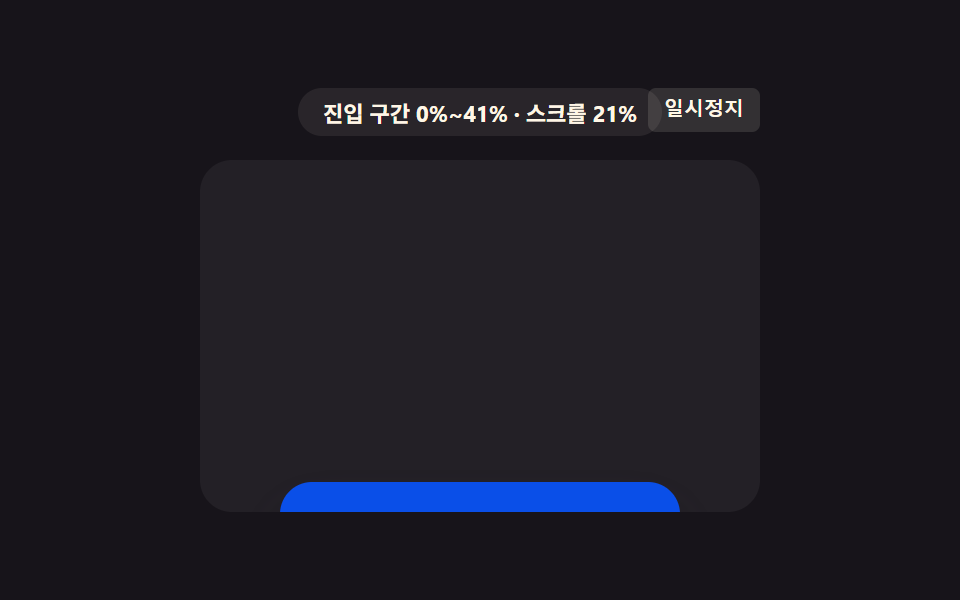
02オーバースクロール弾性 — スクロールの端を超えると、伸びた値が戻る方式
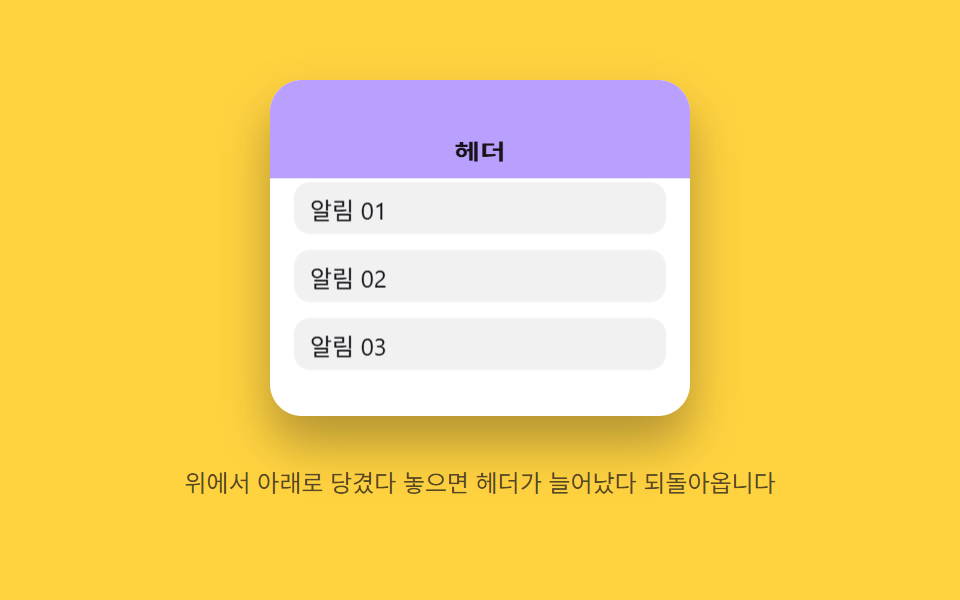
端を超えて引くと伸びた値が、離すと元の値へ弾むように戻ります。
使いどころモバイルの上部ヘッダー、アプリ風ランディングページ
PULL_RESISTSPRING_KSPRING_C
<main class="stage">
<div class="eoh is-demo" id="eoh">
  <div class="eoh__frame" id="eohFrame" role="application" aria-label="オーバースクロールヘッダー実験パネル">
    <div class="eoh__header" id="eohHeader">ヘッダー</div>
    <div class="eoh__body" id="eohBody">
      <div class="eoh__row">通知01</div>
      <div class="eoh__row">通知02</div>
      <div class="eoh__row">通知03</div>
    </div>
  </div>
  <p class="eoh__hint">上から下へ引っ張って離すと、ヘッダーが伸びてから戻ります</p>
</div>
</main>
@use "../../../../site/static/demo-tokens" as *;
// 계산 겹(저항·스프링 적분)은 JS 에 있다 — 여기는 정적 배치만.
@include stage($stage-yellow);
.stage { position: relative; }
.eoh {
display: flex;
flex-direction: column;
align-items: center;
gap: $sp-3;
}
.eoh__frame {
position: relative;
width: 210px;
height: 168px;
overflow: hidden;
border-radius: $r-card;
background: $stage-paper;
box-shadow: $shadow-raised;
touch-action: none;
overscroll-behavior: contain;
cursor: grab;
}
.eoh__header {
position: absolute;
left: 0;
top: 0;
width: 100%;
height: 56px;
transform-origin: top center;
display: flex;
align-items: flex-end;
justify-content: center;
padding-bottom: $sp-2;
background: $subject-lilac;
color: $subject-ink;
font-size: 14px;
font-weight: 700;
will-change: transform;
}
.eoh__body {
position: relative;
margin-top: 56px;
padding: $sp-2 $sp-3;
display: flex;
flex-direction: column;
gap: $sp-2;
will-change: transform;
}
.eoh__row {
height: 26px;
flex: 0 0 auto;
display: flex;
align-items: center;
padding-left: $sp-2;
border-radius: $r-sm;
background: rgba($subject-ink, .06);
color: $subject-ink;
font-size: 12px;
}
.eoh__hint {
color: rgba($subject-ink, .72);
font-size: 12px;
text-align: center;
}
@media (max-width: 340px) {
.eoh { gap: $sp-2; }
.eoh__frame { width: 160px; height: 96px; }
.eoh__header { height: 36px; font-size: 12px; }
.eoh__body { margin-top: 36px; }
.eoh__row { height: 18px; font-size: 11px; }
.eoh__hint { font-size: 11px; }
}
@media (prefers-reduced-motion: reduce) {
.eoh__header, .eoh__body { transition: none !important; }
}html, body {
margin: 0;
overflow: hidden;
}
.stage {
box-sizing: border-box;
min-height: 100vh;
display: grid;
place-items: center;
margin: 0;
background: #ffd23f;
font-family: -apple-system, "Segoe UI", "Noto Sans KR", sans-serif;
padding: clamp(8px, 4vw, 24px);
}
.stage {
position: relative;
}
.eoh {
display: flex;
flex-direction: column;
align-items: center;
gap: 12px;
}
.eoh__frame {
position: relative;
width: 210px;
height: 168px;
overflow: hidden;
border-radius: 16px;
background: #ffffff;
box-shadow: 0 14px 24px rgba(23, 20, 26, 0.32);
touch-action: none;
overscroll-behavior: contain;
cursor: grab;
}
.eoh__header {
position: absolute;
left: 0;
top: 0;
width: 100%;
height: 56px;
transform-origin: top center;
display: flex;
align-items: flex-end;
justify-content: center;
padding-bottom: 8px;
background: #b9a0ff;
color: #17141a;
font-size: 14px;
font-weight: 700;
will-change: transform;
}
.eoh__body {
position: relative;
margin-top: 56px;
padding: 8px 12px;
display: flex;
flex-direction: column;
gap: 8px;
will-change: transform;
}
.eoh__row {
height: 26px;
flex: 0 0 auto;
display: flex;
align-items: center;
padding-left: 8px;
border-radius: 8px;
background: rgba(23, 20, 26, 0.06);
color: #17141a;
font-size: 12px;
}
.eoh__hint {
color: rgba(23, 20, 26, 0.72);
font-size: 12px;
text-align: center;
}
@media (max-width: 340px) {
.eoh {
gap: 8px;
}
.eoh__frame {
width: 160px;
height: 96px;
}
.eoh__header {
height: 36px;
font-size: 12px;
}
.eoh__body {
margin-top: 36px;
}
.eoh__row {
height: 18px;
font-size: 11px;
}
.eoh__hint {
font-size: 11px;
}
}
@media (prefers-reduced-motion: reduce) {
.eoh__header, .eoh__body {
transition: none !important;
}
}(function () {
var root = document.getElementById('eoh');
var frame = document.getElementById('eohFrame');
var header = document.getElementById('eohHeader');
var body = document.getElementById('eohBody');
var reduce = window.matchMedia('(prefers-reduced-motion: reduce)').matches;
// 계산 겹: 당긴 거리(dist)는 제곱근으로 저항을 걸어 늘어난 값(stretch)을 만든다(고무줄 저항).
// 손을 놓으면 stretch 를 목표 1 로 스프링 적분(SPRING_K·SPRING_C)해 되돌린다 — 속성 트윈이 아니라
// 매 프레임 가속도를 계산해 쌓는 진짜 스프링.
var PULL_RESIST = 9;
var MAX_STRETCH = 1.85;
var SPRING_K = 210;
var SPRING_C = 15;
var HEADER_H = 56;
var stretch = 1, sVel = 0, raf = null;
function paint() {
header.style.transform = 'scaleY(' + stretch.toFixed(3) + ')';
var extra = HEADER_H * (stretch - 1);
body.style.transform = 'translateY(' + extra.toFixed(1) + 'px)';
}
function stopSpring() { if (raf !== null) { cancelAnimationFrame(raf); raf = null; } }
function springTick() {
var force = -SPRING_K * (stretch - 1) - SPRING_C * sVel;
sVel += force * (1 / 60) * 0.06;
stretch += sVel;
paint();
if (Math.abs(stretch - 1) < 0.003 && Math.abs(sVel) < 0.003) {
stretch = 1; sVel = 0; paint(); raf = null; return;
}
raf = requestAnimationFrame(springTick);
}
function release() {
if (reduce) { stretch = 1; sVel = 0; paint(); return; }
stopSpring();
raf = requestAnimationFrame(springTick);
}
function pullTo(dist) {
var d = Math.max(0, dist);
stretch = Math.min(MAX_STRETCH, 1 + Math.sqrt(d) / PULL_RESIST);
paint();
}
function wireReal() {
var dragging = false, startY = 0;
frame.addEventListener('pointerdown', function (e) {
root.classList.remove('is-demo'); stopAutoplay(); stopSpring();
dragging = true; startY = e.clientY; sVel = 0;
frame.setPointerCapture(e.pointerId);
});
frame.addEventListener('pointermove', function (e) {
if (!dragging) { return; }
pullTo(e.clientY - startY);
});
frame.addEventListener('pointerup', function () {
if (!dragging) { return; }
dragging = false;
release();
});
frame.addEventListener('wheel', function (e) {
if (e.deltaY >= 0) { return; }
e.preventDefault();
root.classList.remove('is-demo'); stopAutoplay(); stopSpring();
pullTo((stretch - 1) * PULL_RESIST * PULL_RESIST + (-e.deltaY) * 1.4);
release();
}, { passive: false });
}
wireReal();
paint();
// 자동 루프: 당김 거리를 늘렸다가 놓기를 반복해 같은 저항→스프링 경로를 재현한다.
var autoTimer = null, phase = 0;
function autoTick() {
phase += 1;
var d = 58 + Math.sin(phase * 1.1) * 20;
pullTo(d);
setTimeout(function () { if (!root.classList.contains('is-demo')) { return; } release(); }, 260);
}
function stopAutoplay() { if (autoTimer) { clearInterval(autoTimer); autoTimer = null; } }
if (!reduce) { autoTimer = setInterval(autoTick, 900); autoTick(); }
})();import { useEffect, useRef } from "react";
import styles from "./ScrollMomentumElasticOverscrollHeader.module.scss";
export type ScrollMomentumElasticOverscrollHeaderProps = {
color?: string;
};
export default function ScrollMomentumElasticOverscrollHeader({
color = "#b9a0ff",
}: ScrollMomentumElasticOverscrollHeaderProps) {
const rootRef = useRef<HTMLDivElement | null>(null);
useEffect(() => {
const root = rootRef.current;
if (!root) return;
const frame = root.querySelector<HTMLDivElement>(`.${styles.frame}`);
const header = root.querySelector<HTMLDivElement>(`.${styles.header}`);
const body = root.querySelector<HTMLDivElement>(`.${styles.body}`);
if (!frame || !header || !body) return;
const reduce = window.matchMedia("(prefers-reduced-motion: reduce)").matches;
// 계산 겹: 당긴 거리(dist)는 제곱근으로 저항을 걸어 늘어난 값(stretch)을 만든다(고무줄 저항).
// 손을 놓으면 stretch 를 목표 1 로 스프링 적분(SPRING_K·SPRING_C)해 되돌린다.
const PULL_RESIST = 9;
const MAX_STRETCH = 1.85;
const SPRING_K = 210;
const SPRING_C = 15;
const HEADER_H = 56;
let stretch = 1, sVel = 0, raf: number | null = null;
function paint() {
header!.style.transform = "scaleY(" + stretch.toFixed(3) + ")";
const extra = HEADER_H * (stretch - 1);
body!.style.transform = "translateY(" + extra.toFixed(1) + "px)";
}
function stopSpring() { if (raf !== null) { cancelAnimationFrame(raf); raf = null; } }
function springTick() {
const force = -SPRING_K * (stretch - 1) - SPRING_C * sVel;
sVel += force * (1 / 60) * 0.06;
stretch += sVel;
paint();
if (Math.abs(stretch - 1) < 0.003 && Math.abs(sVel) < 0.003) {
stretch = 1; sVel = 0; paint(); raf = null; return;
}
raf = requestAnimationFrame(springTick);
}
function release() {
if (reduce) { stretch = 1; sVel = 0; paint(); return; }
stopSpring();
raf = requestAnimationFrame(springTick);
}
function pullTo(dist: number) {
const d = Math.max(0, dist);
stretch = Math.min(MAX_STRETCH, 1 + Math.sqrt(d) / PULL_RESIST);
paint();
}
let dragging = false, startY = 0;
function onPointerDown(e: PointerEvent) {
stopAutoplay(); stopSpring();
dragging = true; startY = e.clientY; sVel = 0;
frame!.setPointerCapture(e.pointerId);
}
function onPointerMove(e: PointerEvent) {
if (!dragging) return;
pullTo(e.clientY - startY);
}
function onPointerUp() {
if (!dragging) return;
dragging = false;
release();
}
function onWheel(e: WheelEvent) {
if (e.deltaY >= 0) return;
e.preventDefault();
stopAutoplay(); stopSpring();
pullTo((stretch - 1) * PULL_RESIST * PULL_RESIST + -e.deltaY * 1.4);
release();
}
frame.addEventListener("pointerdown", onPointerDown);
frame.addEventListener("pointermove", onPointerMove);
frame.addEventListener("pointerup", onPointerUp);
frame.addEventListener("wheel", onWheel, { passive: false });
paint();
let autoTimer: number | null = null, phase = 0;
let releaseTimeout: number | null = null;
function autoTick() {
phase += 1;
const d = 58 + Math.sin(phase * 1.1) * 20;
pullTo(d);
releaseTimeout = window.setTimeout(() => { release(); }, 260);
}
function stopAutoplay() {
if (autoTimer !== null) { window.clearInterval(autoTimer); autoTimer = null; }
if (releaseTimeout !== null) { window.clearTimeout(releaseTimeout); releaseTimeout = null; }
}
if (!reduce) { autoTimer = window.setInterval(autoTick, 900); autoTick(); }
return () => {
stopAutoplay();
stopSpring();
frame.removeEventListener("pointerdown", onPointerDown);
frame.removeEventListener("pointermove", onPointerMove);
frame.removeEventListener("pointerup", onPointerUp);
frame.removeEventListener("wheel", onWheel);
};
}, []);
return (
<div ref={rootRef} className={styles.stage}>
<div className={styles.eoh}>
<div className={styles.frame} role="application" aria-label="오버스크롤 헤더 실험판">
<div className={styles.header} style={{ background: color }}>헤더</div>
<div className={styles.body}>
<div className={styles.row}>알림 01</div>
<div className={styles.row}>알림 02</div>
<div className={styles.row}>알림 03</div>
</div>
</div>
<p className={styles.hint}>위에서 아래로 당겼다 놓으면 헤더가 늘어났다 되돌아옵니다</p>
</div>
</div>
);
}02 オーバースクロール弾性 — スクロールの端を超えると、伸びた値が戻る方式 — 計測 累積面積 21.332% · 動いたフレーム 23/23GODRICH オリジナル · SCSS と React は zip に同梱 · スクロール 慣性 css 9選 — 値が自ら収まっていく9つの計算パターン
このデモが属する記事
 スクロール 慣性 css 9選 — 値が自ら収まっていく9つの計算パターン9つのうち1つはスクロールが止まった後も移動の値が直前の速度を引き継いで少しずつ小さくなり、1つは端を超えて伸びた値が離すと元の値へ弾むように戻り、もう1つは方向が変わった瞬間に値が逆に引かれてから元の値へ戻ります。「スクロール 慣性 cs この記事のデモをすべて見る