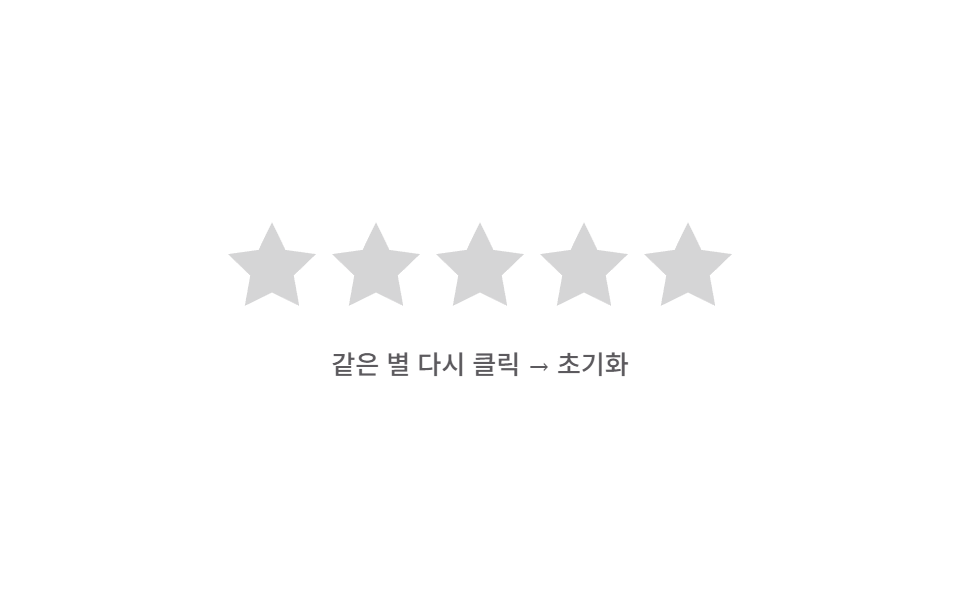
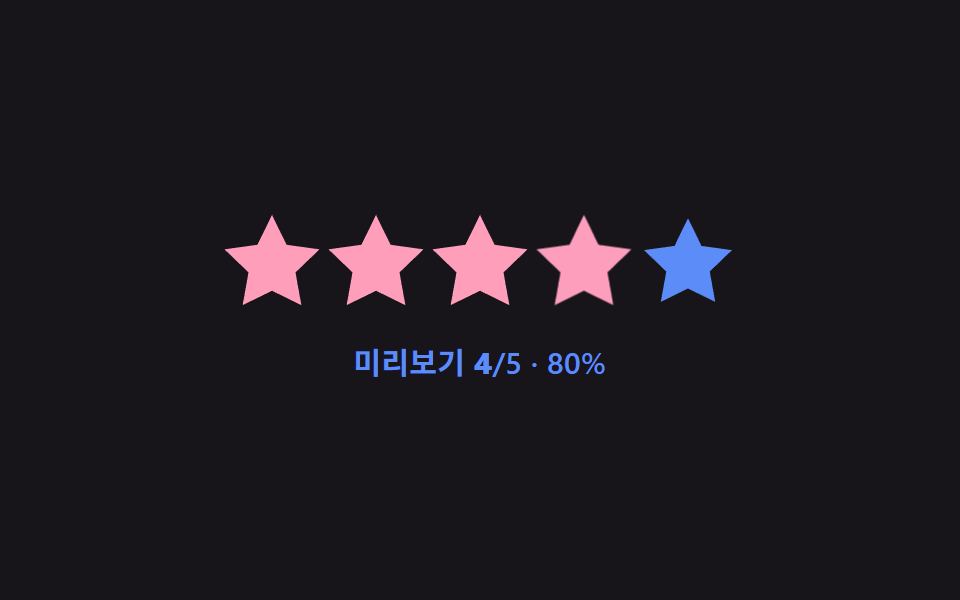
08戻しバネ初期化 — 同じ星がもう一度押された状態になると塗りの値が0に向けて弾むように減る方式
すでに選ばれた値と同じ星がもう一度押された状態になると塗りの値が0に向かって弾む動きの値を経て減り、選択の値も一緒に消えます。
使いどころうっかり付けた点数を消すレビューフォーム、選択を取り消せる評価ウィジェット
reset() — wasFilled 필터srBounce — scale(1)→scale(1.3)→scale(.85)value = 4 (초기값)
<main class="stage">
<div class="sr is-demo" id="sr">
  <div class="sr__row" id="srRow">
    <button class="sr__star" type="button" data-i="1"><svg class="sr__base" viewBox="0 0 24 24"><path d="M12 .587l3.668 7.568 8.332 1.151-6.064 5.828 1.48 8.279L12 19.771l-7.416 3.642 1.48-8.279-6.064-5.828 8.332-1.151z"/></svg><span class="sr__fillclip" data-fc><svg class="sr__fill" viewBox="0 0 24 24"><path d="M12 .587l3.668 7.568 8.332 1.151-6.064 5.828 1.48 8.279L12 19.771l-7.416 3.642 1.48-8.279-6.064-5.828 8.332-1.151z"/></svg></span></button>
    <button class="sr__star" type="button" data-i="2"><svg class="sr__base" viewBox="0 0 24 24"><path d="M12 .587l3.668 7.568 8.332 1.151-6.064 5.828 1.48 8.279L12 19.771l-7.416 3.642 1.48-8.279-6.064-5.828 8.332-1.151z"/></svg><span class="sr__fillclip" data-fc><svg class="sr__fill" viewBox="0 0 24 24"><path d="M12 .587l3.668 7.568 8.332 1.151-6.064 5.828 1.48 8.279L12 19.771l-7.416 3.642 1.48-8.279-6.064-5.828 8.332-1.151z"/></svg></span></button>
    <button class="sr__star" type="button" data-i="3"><svg class="sr__base" viewBox="0 0 24 24"><path d="M12 .587l3.668 7.568 8.332 1.151-6.064 5.828 1.48 8.279L12 19.771l-7.416 3.642 1.48-8.279-6.064-5.828 8.332-1.151z"/></svg><span class="sr__fillclip" data-fc><svg class="sr__fill" viewBox="0 0 24 24"><path d="M12 .587l3.668 7.568 8.332 1.151-6.064 5.828 1.48 8.279L12 19.771l-7.416 3.642 1.48-8.279-6.064-5.828 8.332-1.151z"/></svg></span></button>
    <button class="sr__star" type="button" data-i="4"><svg class="sr__base" viewBox="0 0 24 24"><path d="M12 .587l3.668 7.568 8.332 1.151-6.064 5.828 1.48 8.279L12 19.771l-7.416 3.642 1.48-8.279-6.064-5.828 8.332-1.151z"/></svg><span class="sr__fillclip" data-fc><svg class="sr__fill" viewBox="0 0 24 24"><path d="M12 .587l3.668 7.568 8.332 1.151-6.064 5.828 1.48 8.279L12 19.771l-7.416 3.642 1.48-8.279-6.064-5.828 8.332-1.151z"/></svg></span></button>
    <button class="sr__star" type="button" data-i="5"><svg class="sr__base" viewBox="0 0 24 24"><path d="M12 .587l3.668 7.568 8.332 1.151-6.064 5.828 1.48 8.279L12 19.771l-7.416 3.642 1.48-8.279-6.064-5.828 8.332-1.151z"/></svg><span class="sr__fillclip" data-fc><svg class="sr__fill" viewBox="0 0 24 24"><path d="M12 .587l3.668 7.568 8.332 1.151-6.064 5.828 1.48 8.279L12 19.771l-7.416 3.642 1.48-8.279-6.064-5.828 8.332-1.151z"/></svg></span></button>
  </div>
  <div class="sr__readout"><span id="srHint">同じ星をもう一度クリック → 初期化</span></div>
</div>
</main>
@use "../../../../site/static/demo-tokens" as *;
// 계산 겹: 초기화 순간 이미 채워져 있던 별에만 스프링 이징($ease-elastic, 목표를 넘겼다가
// 되돌아오는 오버슛 곡선)으로 팝 애니메이션을 걸어 "튕기며 사라지는" 느낌을 만든다.
@include stage($stage-paper);
.sr {
display: grid;
gap: $sp-5;
place-items: center;
}
.sr__row { display: flex; gap: $sp-2; }
.sr__star {
position: relative;
width: 44px;
height: 44px;
padding: 0;
border: 0;
background: none;
cursor: pointer;
&--bounce { animation: srBounce $dur-enter $ease-elastic; }
}
.sr__base,
.sr__fill svg {
position: absolute;
inset: 0;
width: 100%;
height: 100%;
}
.sr__base { fill: $subject-ink; opacity: .18; }
.sr__fillclip {
position: absolute;
inset: 0;
width: 0%;
overflow: hidden;
transition: width $dur-base $ease-out;
}
.sr__fill { fill: $subject-blue-deep; }
.sr__readout {
font: 500 13px/1.3 -apple-system, "Segoe UI", "Noto Sans KR", sans-serif;
color: $subject-ink;
opacity: .7;
}
@keyframes srBounce {
0% { transform: scale(1); }
35% { transform: scale(1.3); }
100% { transform: scale(.85); opacity: 0; }
}
@media (max-width: 340px) {
.sr__star { width: 34px; height: 34px; }
.sr__row { gap: $sp-1; }
.sr__readout { font-size: 11px; }
}
@media (prefers-reduced-motion: reduce) {
.sr__fillclip { transition: none; }
.sr__star--bounce { animation: none; }
}html, body {
margin: 0;
overflow: hidden;
}
.stage {
box-sizing: border-box;
min-height: 100vh;
display: grid;
place-items: center;
margin: 0;
background: #ffffff;
font-family: -apple-system, "Segoe UI", "Noto Sans KR", sans-serif;
padding: clamp(8px, 4vw, 24px);
}
.sr {
display: grid;
gap: 20px;
place-items: center;
}
.sr__row {
display: flex;
gap: 8px;
}
.sr__star {
position: relative;
width: 44px;
height: 44px;
padding: 0;
border: 0;
background: none;
cursor: pointer;
}
.sr__star--bounce {
animation: srBounce 600ms cubic-bezier(0.34, 1.56, 0.64, 1);
}
.sr__base,
.sr__fill svg {
position: absolute;
inset: 0;
width: 100%;
height: 100%;
}
.sr__base {
fill: #17141a;
opacity: 0.18;
}
.sr__fillclip {
position: absolute;
inset: 0;
width: 0%;
overflow: hidden;
transition: width 300ms ease-out;
}
.sr__fill {
fill: #0a4fe8;
}
.sr__readout {
font: 500 13px/1.3 -apple-system, "Segoe UI", "Noto Sans KR", sans-serif;
color: #17141a;
opacity: 0.7;
}
@keyframes srBounce {
0% {
transform: scale(1);
}
35% {
transform: scale(1.3);
}
100% {
transform: scale(0.85);
opacity: 0;
}
}
@media (max-width: 340px) {
.sr__star {
width: 34px;
height: 34px;
}
.sr__row {
gap: 4px;
}
.sr__readout {
font-size: 11px;
}
}
@media (prefers-reduced-motion: reduce) {
.sr__fillclip {
transition: none;
}
.sr__star--bounce {
animation: none;
}
}(function () {
var root = document.getElementById('sr');
var stars = Array.prototype.slice.call(document.querySelectorAll('.sr__star'));
var value = 4;
function paint(v) {
stars.forEach(function (s, idx) {
var starVal = Math.max(0, Math.min(1, v - idx));
s.querySelector('[data-fc]').style.width = (starVal * 100).toFixed(1) + '%';
});
}
// 계산 겹: 초기화가 일어나면 채움 값을 0으로 보내는 동시에, 이미 채워졌던 별에만
// 스프링 이징(퇴장 전 오버슛)이 걸린 팝 애니메이션 클래스를 씌운다.
function reset() {
var wasFilled = stars.filter(function (s, idx) { return idx < value; });
value = 0;
paint(value);
wasFilled.forEach(function (s) { s.classList.add('sr__star--bounce'); });
setTimeout(function () {
wasFilled.forEach(function (s) { s.classList.remove('sr__star--bounce'); });
}, 620);
}
stars.forEach(function (s) {
var i = Number(s.getAttribute('data-i'));
s.addEventListener('click', function () {
root.classList.remove('is-demo'); stopAutoplay();
if (i === value) reset(); else { value = i; paint(value); }
});
});
paint(value);
// 자동 루프: 값을 채운 뒤 같은 별을 다시 누른 상태를 흉내내 스프링 초기화를 반복해 보여준다.
var phase = 0;
var autoTimer = null;
function autoTick() {
if (phase === 0) { value = 4; paint(value); }
else if (phase === 1) { reset(); }
phase = (phase + 1) % 3;
}
var reduce = window.matchMedia('(prefers-reduced-motion: reduce)').matches;
function stopAutoplay() { if (autoTimer) { clearInterval(autoTimer); autoTimer = null; } }
if (!reduce) { autoTimer = setInterval(autoTick, 700); autoTick(); }
})();import { useEffect, useRef } from "react";
import styles from "./ResetClearSpring.module.scss";
const STAR_PATH =
"M12 .587l3.668 7.568 8.332 1.151-6.064 5.828 1.48 8.279L12 19.771l-7.416 3.642 1.48-8.279-6.064-5.828 8.332-1.151z";
export default function ResetClearSpring() {
const rootRef = useRef<HTMLDivElement | null>(null);
useEffect(() => {
const root = rootRef.current;
if (!root) return;
const stars = Array.prototype.slice.call(
root.querySelectorAll(`.${styles.star}`)
) as HTMLElement[];
let value = 4;
function paint(v: number) {
stars.forEach((s, idx) => {
const starVal = Math.max(0, Math.min(1, v - idx));
s.querySelector<HTMLElement>(`.${styles.fillclip}`)!.style.width = (starVal * 100).toFixed(1) + "%";
});
}
// 계산 겹: 초기화가 일어나면 채움 값을 0으로 보내는 동시에, 이미 채워졌던 별에만
// 스프링 이징(퇴장 전 오버슛)이 걸린 팝 애니메이션 클래스를 씌운다.
function reset() {
const wasFilled = stars.filter((_s, idx) => idx < value);
value = 0;
paint(value);
wasFilled.forEach((s) => s.classList.add(styles.bounce));
window.setTimeout(() => {
wasFilled.forEach((s) => s.classList.remove(styles.bounce));
}, 620);
}
const clickHandlers: Array<() => void> = [];
stars.forEach((s, idx) => {
const i = idx + 1;
const handler = () => {
stopAutoplay();
if (i === value) reset(); else { value = i; paint(value); }
};
clickHandlers.push(handler);
s.addEventListener("click", handler);
});
paint(value);
// 자동 루프: 값을 채운 뒤 같은 별을 다시 누른 상태를 흉내내 스프링 초기화를 반복해 보여준다.
let phase = 0;
let autoTimer: number | null = null;
function autoTick() {
if (phase === 0) { value = 4; paint(value); }
else if (phase === 1) { reset(); }
phase = (phase + 1) % 3;
}
function stopAutoplay() { if (autoTimer !== null) { window.clearInterval(autoTimer); autoTimer = null; } }
const reduce = window.matchMedia("(prefers-reduced-motion: reduce)").matches;
if (!reduce) { autoTimer = window.setInterval(autoTick, 700); autoTick(); }
return () => {
stopAutoplay();
stars.forEach((s, idx) => s.removeEventListener("click", clickHandlers[idx]));
};
}, []);
return (
<div ref={rootRef} className={styles.stage}>
<div className={styles.sr}>
<div className={styles.row}>
{[1, 2, 3, 4, 5].map((i) => (
<button key={i} type="button" className={styles.star}>
<svg className={styles.base} viewBox="0 0 24 24"><path d={STAR_PATH} /></svg>
<span className={styles.fillclip}>
<svg className={styles.fill} viewBox="0 0 24 24"><path d={STAR_PATH} /></svg>
</span>
</button>
))}
</div>
<div className={styles.readout}>같은 별 다시 클릭 → 초기화</div>
</div>
</div>
);
}08 戻しバネ初期化 — 同じ星がもう一度押された状態になると塗りの値が0に向けて弾むように減る方式 — 計測 累積面積 4.791% · 動いたフレーム 9/23GODRICH オリジナル · SCSS と React は zip に同梱 · 星評価 UI 9選 — 塗りの値が状態に応じて変わる仕組み
このデモが属する記事
 星評価 UI 9選 — 塗りの値が状態に応じて変わる仕組み9つのうち1つは指が動いた横方向の値に沿って塗りの値がすぐ変わり、1つは平均値の小数点部分が星1つの塗り幅の値として重なって現れ、もう1つは同じ星がもう一度押された状態になると塗りの値が0に向けて弾むように減ります。星評価 ui を9パター この記事のデモをすべて見る