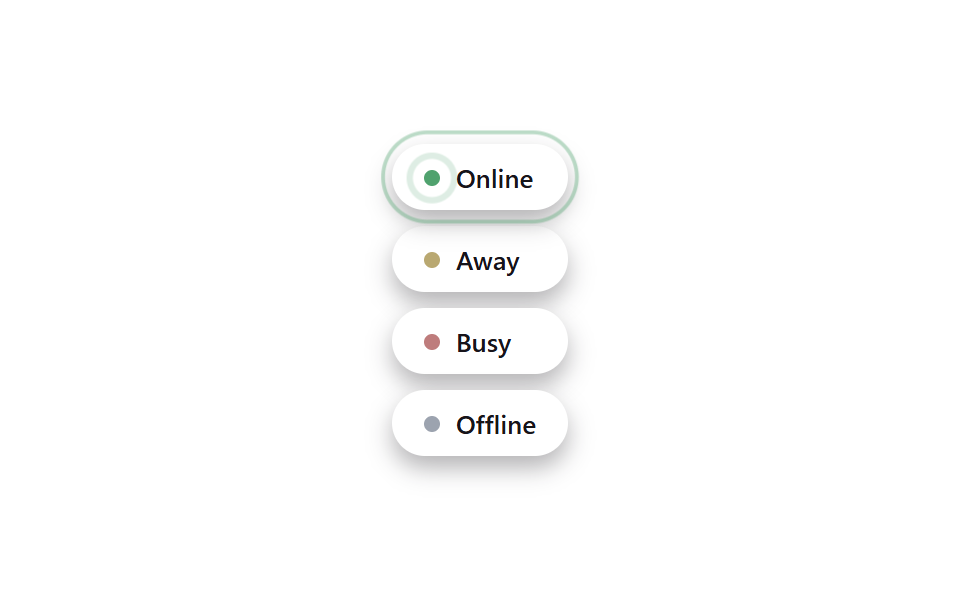
01ステータスピル(オンライン・退席・取り込み中・オフライン)
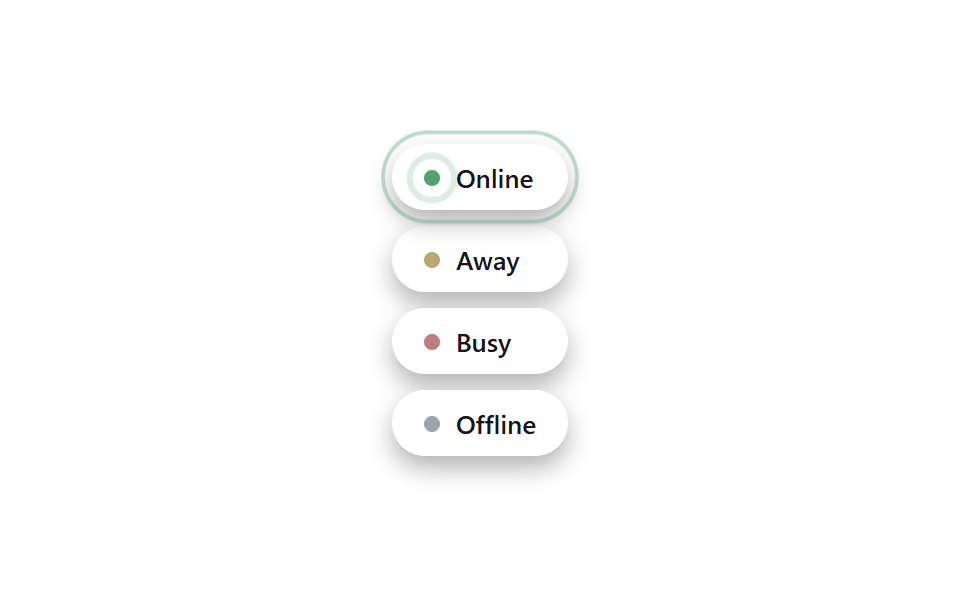
オンラインドットの背後に隠したリングがopacity .55→0とscale(.6→2.1)でループごとに一度広がり、退席・取り込み中・オフラインのドットは色だけが違い動かないため、オンラインだけが視線を引き続ける。
使いどころチームチャットのメンバー一覧、カスタマーサポート担当者の状態表示
opacity+scale ring::before무대 paper
<main class="stage is-demo">
  <ul class="pills" aria-label="ステータス一覧">
    <li class="pill pill--online"><span class="dot" aria-hidden="true"></span>Online</li>
    <li class="pill pill--away"><span class="dot" aria-hidden="true"></span>Away</li>
    <li class="pill pill--busy"><span class="dot" aria-hidden="true"></span>Busy</li>
    <li class="pill pill--offline"><span class="dot" aria-hidden="true"></span>Offline</li>
  </ul>
</main>
@use "../../../../site/static/demo-tokens" as *;
// ── 변수 3개 ──────────────────────────────────────────
$duration: $dur-loop; // 2s — 온라인 링 한 번 퍼짐
$easing: $ease-out;
$color: #50a26e; // 온라인 그린
@include stage($stage-paper);
.pills {
display: flex; flex-direction: column; gap: $sp-2;
margin: 0; padding: 0; list-style: none;
}
.pill {
display: inline-flex; align-items: center; gap: $sp-2;
padding: $sp-2 $sp-4;
border-radius: $r-pill;
background: #fff;
box-shadow: $shadow-press;
font-family: -apple-system, "Segoe UI", "Noto Sans KR", sans-serif;
font-weight: 600;
font-size: 13px;
color: $subject-ink;
}
.dot {
position: relative;
width: 8px; height: 8px;
border-radius: 50%;
flex: 0 0 auto;
}
// 온라인 — 링만 애니메이션, 점 자체는 고정
.pill--online .dot {
background: $color;
}
.pill--online .dot::before {
content: "";
position: absolute; inset: -4px;
border-radius: 50%;
border: 2px solid $color;
opacity: 0;
transform: scale(.6);
}
.stage.is-demo .pill--online .dot::before {
animation: ping $duration $easing infinite;
}
// 나머지 셋은 정지 상태 — 대조군
.pill--away .dot { background: #b9a871; }
.pill--busy .dot { background: #be7c7c; }
.pill--offline .dot { background: #9ca3af; }
@keyframes ping {
0% { opacity: .55; transform: scale(.6); }
70%, 100% { opacity: 0; transform: scale(2.1); }
}
// ── 한 겹: 상태 전이 — pill 배경 그린 틴트 전이 + 두 번째 파문 링 (기존 ping 위에) ──
.pill--online { position: relative; }
.stage.is-demo .pill--online {
animation: pill-tint $duration $ease-out infinite;
}
.pill--online::after {
content: "";
position: absolute; inset: -8px; // dot::before(-4px)보다 큰 두 번째 링
border-radius: $r-pill;
border: 2px solid $color;
opacity: 0;
pointer-events: none;
}
.stage.is-demo .pill--online::after {
animation: pill-ripple $duration $easing infinite;
animation-delay: calc($duration / 3); // 첫 링을 뒤따라 확산
}
@keyframes pill-tint {
0%, 35% { background-color: #fff; }
55% { background-color: mix(#fff, $color, 88%); }
80%, 100% { background-color: #fff; }
}
@keyframes pill-ripple {
0% { opacity: .38; transform: scale(.95); }
70%, 100% { opacity: 0; transform: scale(1.16); }
}
@media (prefers-reduced-motion: reduce) {
.stage.is-demo .pill--online .dot::before { animation: none; opacity: 0; }
.stage.is-demo .pill--online { animation: none; }
.stage.is-demo .pill--online::after { animation: none; opacity: 0; }
}html, body {
margin: 0;
overflow: hidden;
}
.stage {
box-sizing: border-box;
min-height: 100vh;
display: grid;
place-items: center;
margin: 0;
background: #ffffff;
font-family: -apple-system, "Segoe UI", "Noto Sans KR", sans-serif;
padding: clamp(8px, 4vw, 24px);
}
.pills {
display: flex;
flex-direction: column;
gap: 8px;
margin: 0;
padding: 0;
list-style: none;
}
.pill {
display: inline-flex;
align-items: center;
gap: 8px;
padding: 8px 16px;
border-radius: 999px;
background: #fff;
box-shadow: 0 6px 12px rgba(23, 20, 26, 0.32);
font-family: -apple-system, "Segoe UI", "Noto Sans KR", sans-serif;
font-weight: 600;
font-size: 13px;
color: #17141a;
}
.dot {
position: relative;
width: 8px;
height: 8px;
border-radius: 50%;
flex: 0 0 auto;
}
.pill--online .dot {
background: #50a26e;
}
.pill--online .dot::before {
content: "";
position: absolute;
inset: -4px;
border-radius: 50%;
border: 2px solid #50a26e;
opacity: 0;
transform: scale(0.6);
}
.stage.is-demo .pill--online .dot::before {
animation: ping 2s ease-out infinite;
}
.pill--away .dot {
background: #b9a871;
}
.pill--busy .dot {
background: #be7c7c;
}
.pill--offline .dot {
background: #9ca3af;
}
@keyframes ping {
0% {
opacity: 0.55;
transform: scale(0.6);
}
70%, 100% {
opacity: 0;
transform: scale(2.1);
}
}
.pill--online {
position: relative;
}
.stage.is-demo .pill--online {
animation: pill-tint 2s ease-out infinite;
}
.pill--online::after {
content: "";
position: absolute;
inset: -8px;
border-radius: 999px;
border: 2px solid #50a26e;
opacity: 0;
pointer-events: none;
}
.stage.is-demo .pill--online::after {
animation: pill-ripple 2s ease-out infinite;
animation-delay: 0.6666666667s;
}
@keyframes pill-tint {
0%, 35% {
background-color: #fff;
}
55% {
background-color: rgb(91.7647058824%, 95.6235294118%, 93.1764705882%);
}
80%, 100% {
background-color: #fff;
}
}
@keyframes pill-ripple {
0% {
opacity: 0.38;
transform: scale(0.95);
}
70%, 100% {
opacity: 0;
transform: scale(1.16);
}
}
@media (prefers-reduced-motion: reduce) {
.stage.is-demo .pill--online .dot::before {
animation: none;
opacity: 0;
}
.stage.is-demo .pill--online {
animation: none;
}
.stage.is-demo .pill--online::after {
animation: none;
opacity: 0;
}
}import type { CSSProperties } from "react";
import styles from "./StatusPillIndicator.module.scss";
export type StatusPillIndicatorProps = {
duration?: number;
easing?: string;
color?: string;
};
export default function StatusPillIndicator({
duration = 2000,
easing = "ease-out",
color = "#16a34a",
}: StatusPillIndicatorProps) {
const vars: CSSProperties = { "--duration": `${duration}ms`, "--easing": easing, "--color": color } as CSSProperties;
return (
<ul className={styles.pills} style={vars} aria-label="status list">
<li className={`${styles.pill} ${styles.online}`}><span className={styles.dot} />Online</li>
<li className={`${styles.pill} ${styles.away}`}><span className={styles.dot} />Away</li>
<li className={`${styles.pill} ${styles.busy}`}><span className={styles.dot} />Busy</li>
<li className={`${styles.pill} ${styles.offline}`}><span className={styles.dot} />Offline</li>
</ul>
);
}01 ステータスピル(オンライン・退席・取り込み中・オフライン) — 計測 累積面積 3.128% · 動いたフレーム 16/23GODRICH オリジナル · SCSS と React は zip に同梱 · ステータス バッジ UI 9選 — タグ・優先度・認証バッジ
このデモが属する記事
 ステータス バッジ UI 9選 — タグ・優先度・認証バッジステータス バッジ ui は、オンライン・優先度・認証といった状態を小さな点やラベル一つで伝える部品です。動きを加えるとそのまま使えるほど目を引きます。ステータス バッジ ui のアイデアを9つ集めました。 この記事のデモをすべて見る