01YouTubeレスポンシブ埋め込み — 幅に合わせて比率を求め直す動画フレーム
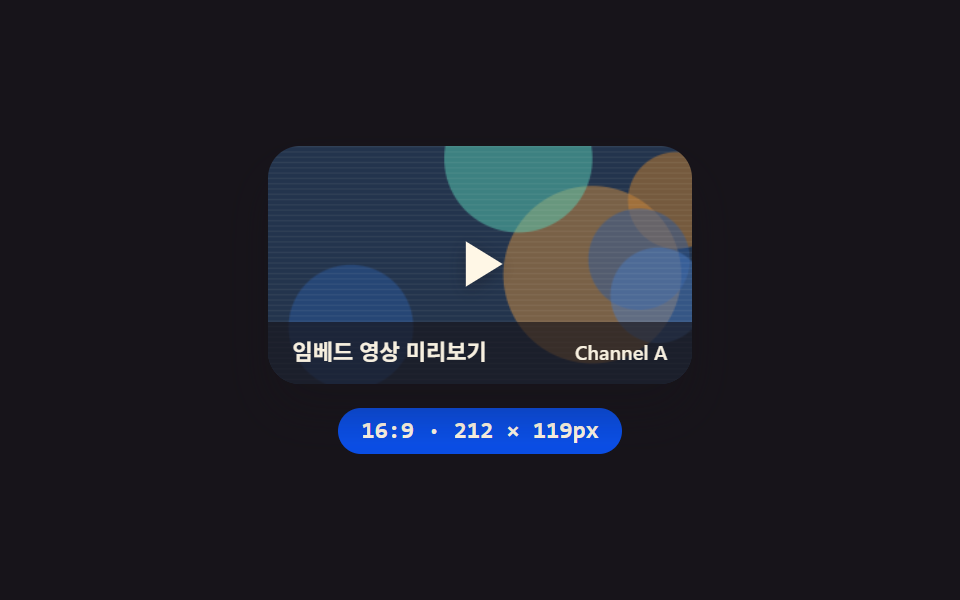
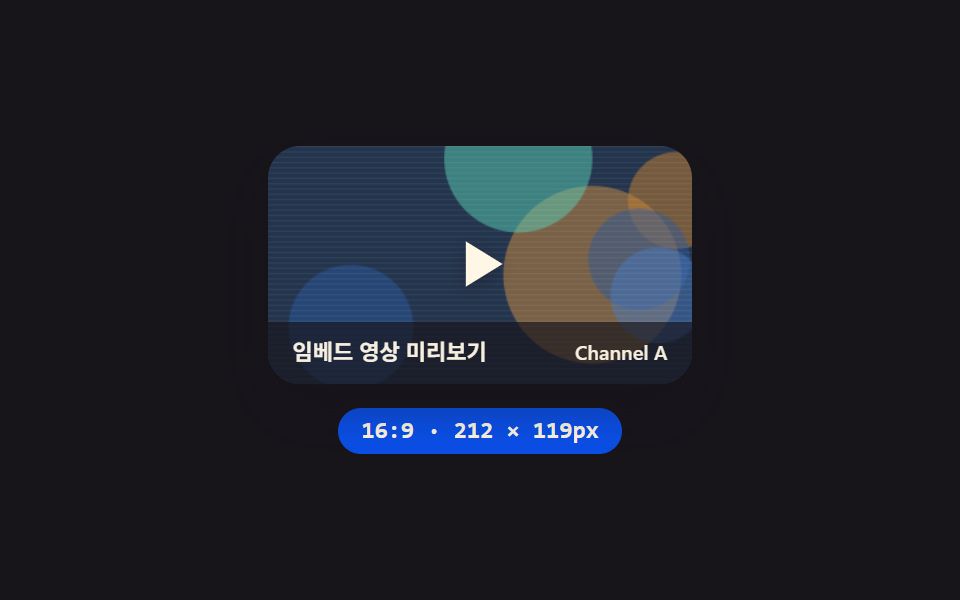
カードの幅が変わるたびに、その幅を基準に高さを求め直すため、画面サイズが変わっても動画フレームの縦横比が常に同じに保たれる埋め込みです。
使いどころブログ本文の動画講座枠、レスポンシブLPの紹介動画セクション
aspect-ratiogetBoundingClientRectrequestAnimationFrame
<main class="stage">
<section class="panel">
  <div class="frame" id="frame">
    <canvas class="thumb" id="thumb" width="320" height="180" aria-hidden="true"></canvas>
    <div class="playBtn" role="button" aria-label="再生">
      <svg class="playIcon" viewBox="0 0 24 24" aria-hidden="true"><polygon points="7,4 20,12 7,20"></polygon></svg>
    </div>
    <div class="scrim">
      <span class="scrimTitle">埋め込み動画プレビュー</span>
      <span class="scrimChannel">Channel A</span>
    </div>
  </div>
  <div class="readout" id="readout">16:9 · 200 × 113px</div>
</section>
</main>
@use "../../../../site/static/demo-tokens" as *;
@include stage($stage-ink);
.panel {
display: flex;
flex-direction: column;
align-items: center;
gap: $sp-3;
}
.frame {
position: relative;
width: 200px;
aspect-ratio: 16 / 9;
border-radius: $r-card;
overflow: hidden;
box-shadow: $shadow-raised;
}
.thumb {
position: absolute;
inset: 0;
width: 100%;
height: 100%;
display: block;
}
.playBtn {
position: absolute;
inset: 0;
display: grid;
place-items: center;
}
.playIcon {
width: 34px;
height: 34px;
filter: drop-shadow(0 2px 4px rgba(23, 20, 26, .4));
polygon {
fill: $subject-cream;
}
}
.scrim {
position: absolute;
inset: auto 0 0 0;
display: flex;
align-items: center;
justify-content: space-between;
gap: $sp-2;
padding: $sp-2 $sp-3;
background: rgba(23, 20, 26, .66);
}
.scrimTitle,
.scrimChannel {
font-family: -apple-system, "Segoe UI", "Noto Sans KR", sans-serif;
color: $subject-cream;
opacity: .96;
}
.scrimTitle {
font-weight: 600;
font-size: 11px;
line-height: 1.3;
}
.scrimChannel {
font-weight: 500;
font-size: 10px;
line-height: 1.3;
}
.readout {
display: inline-flex;
align-items: center;
padding: $sp-1 $sp-3;
border-radius: $r-pill;
background: $subject-blue-deep;
color: $subject-cream;
font-family: "Space Mono", ui-monospace, monospace;
font-weight: 700;
font-size: 12px;
line-height: 1.3;
}
@media (max-width: 340px) {
.frame { width: 140px; }
.playIcon { width: 24px; height: 24px; }
.scrimTitle { font-size: 10px; }
.scrimChannel { font-size: 9px; }
.readout { font-size: 11px; }
}
@media (prefers-reduced-motion: reduce) {
.frame { transition: none; }
}html, body {
margin: 0;
overflow: hidden;
}
.stage {
box-sizing: border-box;
min-height: 100vh;
display: grid;
place-items: center;
margin: 0;
background: #17141a;
font-family: -apple-system, "Segoe UI", "Noto Sans KR", sans-serif;
padding: clamp(8px, 4vw, 24px);
}
.panel {
display: flex;
flex-direction: column;
align-items: center;
gap: 12px;
}
.frame {
position: relative;
width: 200px;
aspect-ratio: 16/9;
border-radius: 16px;
overflow: hidden;
box-shadow: 0 14px 24px rgba(23, 20, 26, 0.32);
}
.thumb {
position: absolute;
inset: 0;
width: 100%;
height: 100%;
display: block;
}
.playBtn {
position: absolute;
inset: 0;
display: grid;
place-items: center;
}
.playIcon {
width: 34px;
height: 34px;
filter: drop-shadow(0 2px 4px rgba(23, 20, 26, 0.4));
}
.playIcon polygon {
fill: #fff7e6;
}
.scrim {
position: absolute;
inset: auto 0 0 0;
display: flex;
align-items: center;
justify-content: space-between;
gap: 8px;
padding: 8px 12px;
background: rgba(23, 20, 26, 0.66);
}
.scrimTitle,
.scrimChannel {
font-family: -apple-system, "Segoe UI", "Noto Sans KR", sans-serif;
color: #fff7e6;
opacity: 0.96;
}
.scrimTitle {
font-weight: 600;
font-size: 11px;
line-height: 1.3;
}
.scrimChannel {
font-weight: 500;
font-size: 10px;
line-height: 1.3;
}
.readout {
display: inline-flex;
align-items: center;
padding: 4px 12px;
border-radius: 999px;
background: #0a4fe8;
color: #fff7e6;
font-family: "Space Mono", ui-monospace, monospace;
font-weight: 700;
font-size: 12px;
line-height: 1.3;
}
@media (max-width: 340px) {
.frame {
width: 140px;
}
.playIcon {
width: 24px;
height: 24px;
}
.scrimTitle {
font-size: 10px;
}
.scrimChannel {
font-size: 9px;
}
.readout {
font-size: 11px;
}
}
@media (prefers-reduced-motion: reduce) {
.frame {
transition: none;
}
}// 반응형 영상 프레임(01) — 폭을 sin 파형으로 바꾸면 aspect-ratio 가 세로를 다시 계산하고,
// 그 실측 높이를 매 프레임 getBoundingClientRect 로 읽어 리드아웃에 반영한다.
// 계산 겹: 폭 → 비율 재계산 → 실측 읽기 (transform·opacity 만 쓰는 원칙의 의도적 예외).
// 실키·실서버 요청 없음 — 폭 궤적은 고정 시나리오로 자동 재생한다.
(function () {
function mulberry32(seed) {
var a = seed >>> 0;
return function () {
a |= 0; a = (a + 0x6D2B79F5) | 0;
var t = Math.imul(a ^ (a >>> 15), 1 | a);
t = (t + Math.imul(t ^ (t >>> 7), 61 | t)) ^ t;
return ((t ^ (t >>> 14)) >>> 0) / 4294967296;
};
}
function drawSeedThumb(canvas, seed) {
var ctx = canvas.getContext('2d');
if (!ctx) return;
var rnd = mulberry32(seed);
var w = canvas.width, h = canvas.height;
var hues = [216, 32, 268, 168];
ctx.fillStyle = 'hsl(' + hues[Math.floor(rnd() * hues.length)] + ', 38%, 22%)';
ctx.fillRect(0, 0, w, h);
for (var i = 0; i < 6; i++) {
var cx = rnd() * w, cy = rnd() * h, r = (0.18 + rnd() * 0.3) * Math.min(w, h);
ctx.fillStyle = 'hsla(' + hues[Math.floor(rnd() * hues.length)] + ', ' + (44 + rnd() * 22).toFixed(1) + '%, ' + (38 + rnd() * 26).toFixed(1) + '%, .5)';
ctx.beginPath(); ctx.arc(cx, cy, r, 0, Math.PI * 2); ctx.fill();
}
ctx.fillStyle = 'rgba(255, 247, 230, .06)';
for (var j = 0; j < h; j += 4) ctx.fillRect(0, j, w, 1);
}
var frameEl = document.getElementById('frame');
var thumbEl = document.getElementById('thumb');
var readoutEl = document.getElementById('readout');
if (!frameEl || !thumbEl || !readoutEl) return;
drawSeedThumb(thumbEl, 101);
var reduce = window.matchMedia('(prefers-reduced-motion: reduce)').matches;
var narrow = window.matchMedia('(max-width: 340px)').matches;
var CYCLE_MS = 2000;
var BASE = narrow ? 140 : 200;
var RANGE = narrow ? 36 : 56;
function apply(t) {
var w = BASE + RANGE * Math.sin(2 * Math.PI * t / CYCLE_MS);
frameEl.style.width = w.toFixed(1) + 'px';
var rect = frameEl.getBoundingClientRect();
readoutEl.textContent = '16:9 · ' + Math.round(w) + ' × ' + Math.round(rect.height) + 'px';
}
apply(0);
if (reduce) return;
var start = null;
function loop(ts) {
if (start === null) start = ts;
var t = (ts - start) % CYCLE_MS;
apply(t);
requestAnimationFrame(loop);
}
requestAnimationFrame(loop);
})();import { useEffect, useRef } from "react";
import styles from "./EmbedYoutubeResponsive.module.scss";
// 반응형 영상 프레임 — 폭을 sin 파형으로 바꾸면 aspect-ratio 가 세로를 다시 계산하고,
// 그 실측 높이를 매 프레임 getBoundingClientRect 로 읽어 리드아웃에 반영한다.
// 계산 겹: 폭 → 비율 재계산 → 실측 읽기. 실키·실서버 요청 없음.
const CYCLE_MS = 2000;
function mulberry32(seed: number) {
let a = seed >>> 0;
return function () {
a |= 0; a = (a + 0x6D2B79F5) | 0;
let t = Math.imul(a ^ (a >>> 15), 1 | a);
t = (t + Math.imul(t ^ (t >>> 7), 61 | t)) ^ t;
return ((t ^ (t >>> 14)) >>> 0) / 4294967296;
};
}
function drawSeedThumb(canvas: HTMLCanvasElement, seed: number) {
const ctx = canvas.getContext("2d");
if (!ctx) return;
const rnd = mulberry32(seed);
const w = canvas.width, h = canvas.height;
const hues = [216, 32, 268, 168];
ctx.fillStyle = "hsl(" + hues[Math.floor(rnd() * hues.length)] + ", 38%, 22%)";
ctx.fillRect(0, 0, w, h);
for (let i = 0; i < 6; i++) {
const cx = rnd() * w, cy = rnd() * h, r = (0.18 + rnd() * 0.3) * Math.min(w, h);
ctx.fillStyle = "hsla(" + hues[Math.floor(rnd() * hues.length)] + ", " + (44 + rnd() * 22).toFixed(1) + "%, " + (38 + rnd() * 26).toFixed(1) + "%, .5)";
ctx.beginPath(); ctx.arc(cx, cy, r, 0, Math.PI * 2); ctx.fill();
}
ctx.fillStyle = "rgba(255, 247, 230, .06)";
for (let j = 0; j < h; j += 4) ctx.fillRect(0, j, w, 1);
}
export default function EmbedYoutubeResponsive() {
const frameRef = useRef<HTMLDivElement>(null);
const thumbRef = useRef<HTMLCanvasElement>(null);
const readoutRef = useRef<HTMLDivElement>(null);
useEffect(() => {
const frame = frameRef.current;
const thumb = thumbRef.current;
const readout = readoutRef.current;
if (!frame || !thumb || !readout) return;
drawSeedThumb(thumb, 101);
const reduce = window.matchMedia("(prefers-reduced-motion: reduce)").matches;
const narrow = window.matchMedia("(max-width: 340px)").matches;
const BASE = narrow ? 140 : 200;
const RANGE = narrow ? 36 : 56;
function apply(t: number) {
const w = BASE + RANGE * Math.sin((2 * Math.PI * t) / CYCLE_MS);
frame!.style.width = w.toFixed(1) + "px";
const rect = frame!.getBoundingClientRect();
readout!.textContent = "16:9 · " + Math.round(w) + " × " + Math.round(rect.height) + "px";
}
apply(0);
if (reduce) return;
let start: number | null = null;
let raf = 0;
function loop(ts: number) {
if (start === null) start = ts;
const t = (ts - start) % CYCLE_MS;
apply(t);
raf = requestAnimationFrame(loop);
}
raf = requestAnimationFrame(loop);
return () => cancelAnimationFrame(raf);
}, []);
return (
<div className={styles.stage}>
<section className={styles.panel}>
<div className={styles.frame} ref={frameRef}>
<canvas className={styles.thumb} ref={thumbRef} width={320} height={180} aria-hidden="true" />
<div className={styles.playBtn} role="button" aria-label="재생">
<svg className={styles.playIcon} viewBox="0 0 24 24" aria-hidden="true">
<polygon points="7,4 20,12 7,20" />
</svg>
</div>
<div className={styles.scrim}>
<span className={styles.scrimTitle}>임베드 영상 미리보기</span>
<span className={styles.scrimChannel}>Channel A</span>
</div>
</div>
<div className={styles.readout} ref={readoutRef}>16:9 · 200 × 113px</div>
</section>
</div>
);
}01 YouTubeレスポンシブ埋め込み — 幅に合わせて比率を求め直す動画フレーム — 計測 累積面積 26.864% · 動いたフレーム 23/23GODRICH オリジナル · SCSS と React は zip に同梱 · youtube 埋め込みコード UI 9選 — SNSカードもコピペOK
このデモが属する記事
 youtube 埋め込みコード UI 9選 — SNSカードもコピペOK「youtube 埋め込みコード」の検索結果はiframeタグの取得方法ばかりですが、この記事はその外側のUI計算を9種示します。フレーム幅に合わせて縦の比率が求め直され、表示されてからの経過時間が一定値を超えると軽量カードが自動で完全なフ この記事のデモをすべて見る