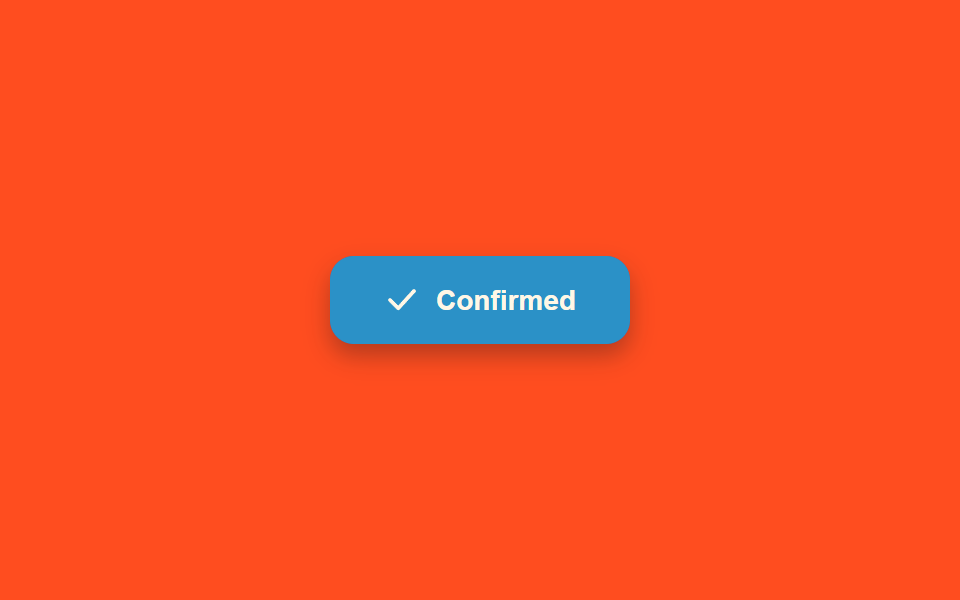
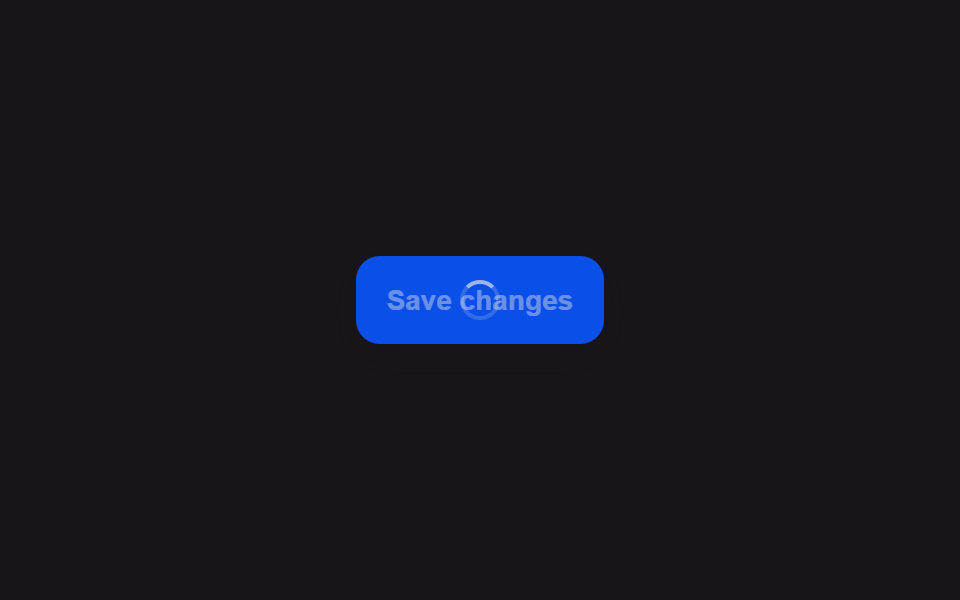
03스피너가 성공 체크 아이콘으로 모양을 바꾸는 버튼
돌고 있던 원형 스피너가 작업이 끝나는 순간 선을 그리듯 체크 표시 모양으로 부드럽게 이어져 바뀌고, 버튼 배경도 함께 옅은 색조로 물든다.
쓰임저장·결제 완료를 버튼 안에서 바로 알리기
getTotalLengthstrokeDashoffsetspinLoop
<main class="stage">
<div class="scene is-demo" id="scene">
  <button class="btn" id="btn" type="button">
    <span class="btnTint" id="tint" aria-hidden="true"></span>
    <span class="iconWrap" aria-hidden="true">
      <span class="ringWrap" id="ringWrap">
        <svg viewBox="0 0 24 24" width="18" height="18" class="ringSvg">
          <circle id="ring" cx="12" cy="12" r="9" fill="none" stroke-width="2.5" stroke-linecap="round" stroke-dasharray="34 22"></circle>
        </svg>
      </span>
      <span class="checkWrap" id="checkWrap">
        <svg viewBox="0 0 24 24" width="18" height="18">
          <path id="checkPath" d="M4 12 L9.5 17.5 L20 6" fill="none" stroke-width="2.5" stroke-linecap="round" stroke-linejoin="round"></path>
        </svg>
      </span>
    </span>
    <span class="btnText" id="text">Confirm order</span>
  </button>
  <span class="visuallyHidden" id="status" role="status" aria-live="polite"></span>
</div>
</main>
@use "../../../../site/static/demo-tokens" as *;
// 변수 3개
$duration: $dur-quick;
$easing: $ease-out;
$color: $subject-blue-deep;
// 계산 겹: index.html 의 morph() 가 체크 path 의 실측 길이(getTotalLength)를 기준으로
// 링 opacity · 체크 opacity · stroke-dashoffset · 틴트 opacity 를 한 진행률로 동시에 몬다.
@include stage($stage-orange);
.scene {
display: grid;
place-items: center;
}
.btn {
position: relative;
display: inline-flex;
align-items: center;
justify-content: center;
gap: $sp-2;
min-width: 150px;
height: 44px;
padding: 0 $sp-5;
border: none;
border-radius: $r-control;
background: $color;
color: $subject-cream;
font-weight: 600;
font-size: 14px;
line-height: 1;
box-shadow: $shadow-press;
cursor: pointer;
overflow: hidden;
&:focus-visible { outline: 2px solid $subject-cream; outline-offset: 3px; }
&:disabled { cursor: default; }
}
.btnTint {
position: absolute;
inset: 0;
background: $subject-mint;
opacity: 0;
}
.iconWrap {
position: relative;
z-index: 1;
width: 18px;
height: 18px;
}
.ringWrap,
.checkWrap {
position: absolute;
inset: 0;
display: flex;
align-items: center;
justify-content: center;
}
.checkWrap { opacity: 0; }
.ringSvg circle {
stroke: $subject-cream;
transform-origin: 12px 12px;
}
.checkWrap svg path {
stroke: $subject-cream;
}
.btnText {
position: relative;
z-index: 1;
white-space: nowrap;
}
.visuallyHidden {
position: absolute;
width: 1px;
height: 1px;
overflow: hidden;
clip: rect(0 0 0 0);
white-space: nowrap;
}
@media (max-width: 340px) {
.btn { min-width: 130px; height: 40px; padding: 0 $sp-4; font-size: 13px; }
}
@media (prefers-reduced-motion: reduce) {
// 실사용 경로 적용 — index.html 의 runReduced() 가 회전·드로잉 트윈 없이 즉시 값을 바꾼다.
// scss 만: 남은 트랜지션을 전부 끈다.
* { transition: none !important; }
}html, body {
margin: 0;
overflow: hidden;
}
.stage {
box-sizing: border-box;
min-height: 100vh;
display: grid;
place-items: center;
margin: 0;
background: #ff4d1f;
font-family: -apple-system, "Segoe UI", "Noto Sans KR", sans-serif;
padding: clamp(8px, 4vw, 24px);
}
.scene {
display: grid;
place-items: center;
}
.btn {
position: relative;
display: inline-flex;
align-items: center;
justify-content: center;
gap: 8px;
min-width: 150px;
height: 44px;
padding: 0 20px;
border: none;
border-radius: 12px;
background: #0a4fe8;
color: #fff7e6;
font-weight: 600;
font-size: 14px;
line-height: 1;
box-shadow: 0 6px 12px rgba(23, 20, 26, 0.32);
cursor: pointer;
overflow: hidden;
}
.btn:focus-visible {
outline: 2px solid #fff7e6;
outline-offset: 3px;
}
.btn:disabled {
cursor: default;
}
.btnTint {
position: absolute;
inset: 0;
background: #4cd4a6;
opacity: 0;
}
.iconWrap {
position: relative;
z-index: 1;
width: 18px;
height: 18px;
}
.ringWrap,
.checkWrap {
position: absolute;
inset: 0;
display: flex;
align-items: center;
justify-content: center;
}
.checkWrap {
opacity: 0;
}
.ringSvg circle {
stroke: #fff7e6;
transform-origin: 12px 12px;
}
.checkWrap svg path {
stroke: #fff7e6;
}
.btnText {
position: relative;
z-index: 1;
white-space: nowrap;
}
.visuallyHidden {
position: absolute;
width: 1px;
height: 1px;
overflow: hidden;
clip: rect(0 0 0 0);
white-space: nowrap;
}
@media (max-width: 340px) {
.btn {
min-width: 130px;
height: 40px;
padding: 0 16px;
font-size: 13px;
}
}
@media (prefers-reduced-motion: reduce) {
* {
transition: none !important;
}
}(function () {
var SPIN_MS = 700;
var DRAW_MS = 420;
var HOLD_MS = 450;
var RESET_MS = 220;
var GAP_MS = 450;
var START_DELAY_MS = 200;
var DEG_PER_MS = 360 / 800;
var scene = document.getElementById('scene');
var btn = document.getElementById('btn');
var tint = document.getElementById('tint');
var ringWrap = document.getElementById('ringWrap');
var ring = document.getElementById('ring');
var checkWrap = document.getElementById('checkWrap');
var checkPath = document.getElementById('checkPath');
var text = document.getElementById('text');
var status = document.getElementById('status');
var reduce = window.matchMedia('(prefers-reduced-motion: reduce)').matches;
var gen = 0;
var timers = [];
var rafId = 0;
// 계산 겹: 체크 path 의 실제 길이를 getTotalLength() 로 실측해 stroke-dasharray/offset 을
// 그 값으로 맞춘다 — 임의 숫자를 넣으면 선이 끝까지 안 그려지거나 남는다.
var checkLen = checkPath.getTotalLength();
checkPath.style.strokeDasharray = String(checkLen);
checkPath.style.strokeDashoffset = String(checkLen);
function human() {
if (scene.classList.contains('is-demo')) {
scene.classList.remove('is-demo');
timers.forEach(function (t) { clearTimeout(t); });
timers = [];
}
}
function easeOutCubic(p) { return 1 - Math.pow(1 - p, 3); }
function spinLoop(myGen) {
var start = null;
function step(now) {
if (myGen !== gen) return;
if (start === null) start = now;
var angle = ((now - start) * DEG_PER_MS) % 360;
ring.style.transform = 'rotate(' + angle.toFixed(1) + 'deg)';
rafId = requestAnimationFrame(step);
}
rafId = requestAnimationFrame(step);
}
// 한 번의 rAF 루프가 링 opacity · 체크 opacity · 체크 draw 길이 · 틴트 opacity 넷을
// 같은 진행률 p 로 동시에 몰아 "모양이 이어져 바뀐다"는 인상을 만든다.
function morph(myGen, onDone) {
var start = null;
function step(now) {
if (myGen !== gen) return;
if (start === null) start = now;
var p = easeOutCubic(Math.min(1, (now - start) / DRAW_MS));
ringWrap.style.opacity = String(1 - p);
checkWrap.style.opacity = String(p);
checkPath.style.strokeDashoffset = String(checkLen * (1 - p));
tint.style.opacity = String(p * .5);
if (p < 1) requestAnimationFrame(step); else onDone();
}
requestAnimationFrame(step);
}
function reset() {
cancelAnimationFrame(rafId);
ring.style.transform = 'rotate(0deg)';
ringWrap.style.opacity = '1';
checkWrap.style.opacity = '0';
checkPath.style.strokeDashoffset = String(checkLen);
tint.style.opacity = '0';
}
function runAnimated() {
gen++;
var myGen = gen;
reset();
btn.disabled = true;
btn.setAttribute('aria-busy', 'true');
status.textContent = '처리하는 중';
text.textContent = 'Processing';
spinLoop(myGen);
timers.push(setTimeout(function () {
cancelAnimationFrame(rafId);
text.textContent = 'Confirmed';
status.textContent = '처리 완료';
morph(myGen, function () {
timers.push(setTimeout(function () {
btn.disabled = false;
btn.removeAttribute('aria-busy');
text.textContent = 'Confirm order';
reset();
}, HOLD_MS));
});
}, SPIN_MS));
}
function runReduced() {
gen++;
reset();
btn.disabled = true;
btn.setAttribute('aria-busy', 'true');
status.textContent = '처리하는 중';
text.textContent = 'Processing';
timers.push(setTimeout(function () {
text.textContent = 'Confirmed';
status.textContent = '처리 완료';
ringWrap.style.opacity = '0';
checkWrap.style.opacity = '1';
checkPath.style.strokeDashoffset = '0';
tint.style.opacity = '.5';
timers.push(setTimeout(function () {
btn.disabled = false;
btn.removeAttribute('aria-busy');
text.textContent = 'Confirm order';
reset();
}, HOLD_MS));
}, SPIN_MS));
}
btn.addEventListener('click', function () {
if (btn.disabled) return;
human();
if (reduce) runReduced(); else runAnimated();
});
// reduce: 실사용 경로 적용 — runReduced() 는 회전·드로잉 트윈 없이 opacity/offset 을 즉시 바꾼다.
// 아래 자동 루프는 시연 게이트만 — reduce 에서는 돌지 않는다.
function cycle() {
if (!scene.classList.contains('is-demo')) return;
runAnimated();
timers.push(setTimeout(function () {
timers.push(setTimeout(cycle, GAP_MS));
}, SPIN_MS + DRAW_MS + HOLD_MS + RESET_MS));
}
if (!reduce) {
timers.push(setTimeout(cycle, START_DELAY_MS));
}
})();import { useEffect, useRef } from 'react';
import styles from './ButtonLoadingSuccessCheckmarkMorph.module.scss';
const SPIN_MS = 700;
const DRAW_MS = 420;
const HOLD_MS = 450;
const RESET_MS = 220;
const GAP_MS = 450;
const START_DELAY_MS = 200;
const DEG_PER_MS = 360 / 800;
export default function ButtonLoadingSuccessCheckmarkMorph() {
const sceneRef = useRef<HTMLDivElement>(null);
const btnRef = useRef<HTMLButtonElement>(null);
const tintRef = useRef<HTMLSpanElement>(null);
const ringWrapRef = useRef<HTMLSpanElement>(null);
const ringRef = useRef<SVGCircleElement>(null);
const checkWrapRef = useRef<HTMLSpanElement>(null);
const checkPathRef = useRef<SVGPathElement>(null);
const textRef = useRef<HTMLSpanElement>(null);
const statusRef = useRef<HTMLSpanElement>(null);
useEffect(() => {
const scene = sceneRef.current;
const btn = btnRef.current;
const tint = tintRef.current;
const ringWrap = ringWrapRef.current;
const ring = ringRef.current;
const checkWrap = checkWrapRef.current;
const checkPath = checkPathRef.current;
const text = textRef.current;
const status = statusRef.current;
if (!scene || !btn || !tint || !ringWrap || !ring || !checkWrap || !checkPath || !text || !status) return undefined;
const reduce = window.matchMedia('(prefers-reduced-motion: reduce)').matches;
let gen = 0;
let timers: number[] = [];
let rafId = 0;
// 계산 겹: 체크 path 의 실제 길이를 getTotalLength() 로 실측해 stroke-dasharray/offset 을
// 그 값으로 맞춘다 — 임의 숫자를 넣으면 선이 끝까지 안 그려지거나 남는다.
const checkLen = checkPath.getTotalLength();
checkPath.style.strokeDasharray = String(checkLen);
checkPath.style.strokeDashoffset = String(checkLen);
function human() {
if (scene!.classList.contains(styles['is-demo'])) {
scene!.classList.remove(styles['is-demo']);
timers.forEach((t) => window.clearTimeout(t));
timers = [];
}
}
function easeOutCubic(p: number) { return 1 - Math.pow(1 - p, 3); }
function spinLoop(myGen: number) {
let start: number | null = null;
function step(now: number) {
if (myGen !== gen) return;
if (start === null) start = now;
const angle = ((now - start) * DEG_PER_MS) % 360;
ring!.style.transform = 'rotate(' + angle.toFixed(1) + 'deg)';
rafId = requestAnimationFrame(step);
}
rafId = requestAnimationFrame(step);
}
// 한 번의 rAF 루프가 링 opacity · 체크 opacity · 체크 draw 길이 · 틴트 opacity 넷을
// 같은 진행률 p 로 동시에 몰아 "모양이 이어져 바뀐다"는 인상을 만든다.
function morph(myGen: number, onDone: () => void) {
let start: number | null = null;
function step(now: number) {
if (myGen !== gen) return;
if (start === null) start = now;
const p = easeOutCubic(Math.min(1, (now - start) / DRAW_MS));
ringWrap!.style.opacity = String(1 - p);
checkWrap!.style.opacity = String(p);
checkPath!.style.strokeDashoffset = String(checkLen * (1 - p));
tint!.style.opacity = String(p * .5);
if (p < 1) requestAnimationFrame(step); else onDone();
}
requestAnimationFrame(step);
}
function reset() {
cancelAnimationFrame(rafId);
ring!.style.transform = 'rotate(0deg)';
ringWrap!.style.opacity = '1';
checkWrap!.style.opacity = '0';
checkPath!.style.strokeDashoffset = String(checkLen);
tint!.style.opacity = '0';
}
function runAnimated() {
gen++;
const myGen = gen;
reset();
btn!.disabled = true;
btn!.setAttribute('aria-busy', 'true');
status!.textContent = '처리하는 중';
text!.textContent = 'Processing';
spinLoop(myGen);
timers.push(window.setTimeout(() => {
cancelAnimationFrame(rafId);
text!.textContent = 'Confirmed';
status!.textContent = '처리 완료';
morph(myGen, () => {
timers.push(window.setTimeout(() => {
btn!.disabled = false;
btn!.removeAttribute('aria-busy');
text!.textContent = 'Confirm order';
reset();
}, HOLD_MS));
});
}, SPIN_MS));
}
function runReduced() {
gen++;
reset();
btn!.disabled = true;
btn!.setAttribute('aria-busy', 'true');
status!.textContent = '처리하는 중';
text!.textContent = 'Processing';
timers.push(window.setTimeout(() => {
text!.textContent = 'Confirmed';
status!.textContent = '처리 완료';
ringWrap!.style.opacity = '0';
checkWrap!.style.opacity = '1';
checkPath!.style.strokeDashoffset = '0';
tint!.style.opacity = '.5';
timers.push(window.setTimeout(() => {
btn!.disabled = false;
btn!.removeAttribute('aria-busy');
text!.textContent = 'Confirm order';
reset();
}, HOLD_MS));
}, SPIN_MS));
}
function onClick() {
if (btn!.disabled) return;
human();
if (reduce) runReduced(); else runAnimated();
}
btn.addEventListener('click', onClick);
// reduce: 실사용 경로 적용 — runReduced() 는 회전·드로잉 트윈 없이 opacity/offset 을 즉시 바꾼다.
// 아래 자동 루프는 시연 게이트만 — reduce 에서는 돌지 않는다.
function cycle() {
if (!scene!.classList.contains(styles['is-demo'])) return;
runAnimated();
timers.push(window.setTimeout(() => {
timers.push(window.setTimeout(cycle, GAP_MS));
}, SPIN_MS + DRAW_MS + HOLD_MS + RESET_MS));
}
if (!reduce) {
timers.push(window.setTimeout(cycle, START_DELAY_MS));
}
return () => {
btn.removeEventListener('click', onClick);
timers.forEach((t) => window.clearTimeout(t));
cancelAnimationFrame(rafId);
};
}, []);
return (
<main className={styles.stage}>
<div className={styles.scene + ' ' + styles['is-demo']} ref={sceneRef}>
<button className={styles.btn} ref={btnRef} type="button">
<span className={styles.btnTint} ref={tintRef} aria-hidden="true" />
<span className={styles.iconWrap} aria-hidden="true">
<span className={styles.ringWrap} ref={ringWrapRef}>
<svg viewBox="0 0 24 24" width="18" height="18" className={styles.ringSvg}>
<circle ref={ringRef} cx="12" cy="12" r="9" fill="none" strokeWidth="2.5" strokeLinecap="round" strokeDasharray="34 22" />
</svg>
</span>
<span className={styles.checkWrap} ref={checkWrapRef}>
<svg viewBox="0 0 24 24" width="18" height="18">
<path ref={checkPathRef} d="M4 12 L9.5 17.5 L20 6" fill="none" strokeWidth="2.5" strokeLinecap="round" strokeLinejoin="round" />
</svg>
</span>
</span>
<span className={styles.btnText} ref={textRef}>Confirm order</span>
</button>
<span className={styles.visuallyHidden} ref={statusRef} role="status" aria-live="polite" />
</div>
</main>
);
}03 스피너가 성공 체크 아이콘으로 모양을 바꾸는 버튼 — 측정 누적면적 5.073% · 움직인 프레임 15/23GODRICH 원작 · zip 에 SCSS·React 포함 · 버튼 로딩 9종 — 스피너부터 성공 체크까지 상태 전환
이 데모가 속한 글
 버튼 로딩 9종 — 스피너부터 성공 체크까지 상태 전환버튼 로딩 9종 가운데 하나는 스피너가 돌다가 선을 그리듯 체크 표시로 모양을 바꾸고, 하나는 글자 대신 점 세 개가 순서대로 커졌다 작아지며, 하나는 라벨이 일정 시간마다 다음 단계 문구로 위아래 슬라이드해 바뀝니 이 글의 데모 전부 보기