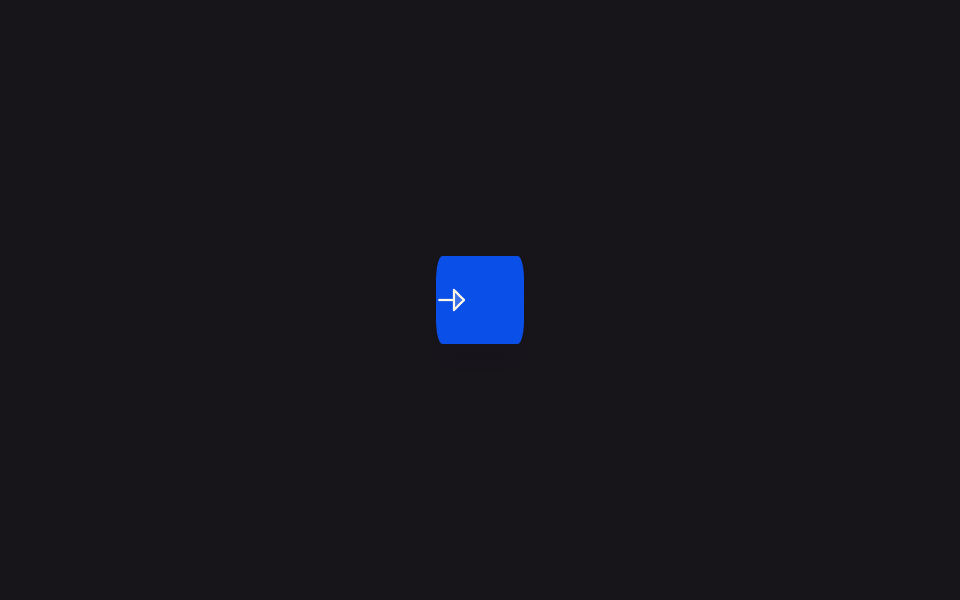
05로딩 중에는 아이콘만 남기고 좁아지는 버튼
버튼을 누르면 글자 라벨이 옆으로 사라지며 버튼 폭이 동그란 아이콘 하나가 겨우 들어갈 만큼 줄어들고, 작업이 끝나면 다시 원래 폭으로 늘어나며 라벨이 돌아온다.
쓰임좁은 툴바·모바일 화면에서 공간을 아끼는 버튼
driveScalegetBoundingClientRectscaleX
<main class="stage">
<div class="scene is-demo" id="scene">
  <button class="btn" id="btn" type="button">
    <span class="btnIcon" id="icon" aria-hidden="true">
      <svg viewBox="0 0 256 256" width="18" height="18">
        <g fill="currentColor"><path d="m216 128l-72 72V56Z" opacity=".2"/><path d="m221.66 122.34l-72-72A8 8 0 0 0 136 56v64H40a8 8 0 0 0 0 16h96v64a8 8 0 0 0 13.66 5.66l72-72a8 8 0 0 0 0-11.32M152 180.69V75.31L204.69 128Z"/></g>
      </svg>
    </span>
    <span class="btnLabel" id="label">Send message</span>
  </button>
  <span class="visuallyHidden" id="status" role="status" aria-live="polite"></span>
</div>
</main>
@use "../../../../site/static/demo-tokens" as *;
// 변수 3개
$duration: $dur-base;
$easing: $ease-out;
$color: $subject-blue-deep;
// 계산 겹: index.html 의 driveScale() 이 실측 폭 대비 목표(아이콘 한 칸) 비율을 구해 매 프레임
// btn 을 scaleX 로 줄이고, 아이콘엔 1/scale 역스케일을 걸어 눌림을 상쇄한다.
@include stage($stage-ink);
.scene {
display: grid;
place-items: center;
}
.btn {
position: relative;
display: inline-flex;
align-items: center;
justify-content: center;
gap: $sp-2;
height: 44px;
min-width: 44px;
padding: 0 $sp-5;
border: none;
border-radius: $r-control;
background: $color;
color: $subject-cream;
font-weight: 600;
font-size: 14px;
line-height: 1;
box-shadow: $shadow-press;
cursor: pointer;
will-change: transform;
&:focus-visible { outline: 2px solid $subject-cream; outline-offset: 3px; }
&:disabled { cursor: default; }
}
.btnIcon {
display: flex;
flex: 0 0 auto;
align-items: center;
justify-content: center;
}
.btnLabel {
white-space: nowrap;
}
.visuallyHidden {
position: absolute;
width: 1px;
height: 1px;
overflow: hidden;
clip: rect(0 0 0 0);
white-space: nowrap;
}
@media (max-width: 340px) {
.btn { height: 40px; padding: 0 $sp-4; font-size: 13px; }
}
@media (prefers-reduced-motion: reduce) {
// 실사용 경로 적용 — index.html 의 runReduced() 가 scaleX 트윈 없이 즉시 값을 바꾼다.
// scss 만: 남은 트랜지션을 전부 끈다.
* { transition: none !important; }
}html, body {
margin: 0;
overflow: hidden;
}
.stage {
box-sizing: border-box;
min-height: 100vh;
display: grid;
place-items: center;
margin: 0;
background: #17141a;
font-family: -apple-system, "Segoe UI", "Noto Sans KR", sans-serif;
padding: clamp(8px, 4vw, 24px);
}
.scene {
display: grid;
place-items: center;
}
.btn {
position: relative;
display: inline-flex;
align-items: center;
justify-content: center;
gap: 8px;
height: 44px;
min-width: 44px;
padding: 0 20px;
border: none;
border-radius: 12px;
background: #0a4fe8;
color: #fff7e6;
font-weight: 600;
font-size: 14px;
line-height: 1;
box-shadow: 0 6px 12px rgba(23, 20, 26, 0.32);
cursor: pointer;
will-change: transform;
}
.btn:focus-visible {
outline: 2px solid #fff7e6;
outline-offset: 3px;
}
.btn:disabled {
cursor: default;
}
.btnIcon {
display: flex;
flex: 0 0 auto;
align-items: center;
justify-content: center;
}
.btnLabel {
white-space: nowrap;
}
.visuallyHidden {
position: absolute;
width: 1px;
height: 1px;
overflow: hidden;
clip: rect(0 0 0 0);
white-space: nowrap;
}
@media (max-width: 340px) {
.btn {
height: 40px;
padding: 0 16px;
font-size: 13px;
}
}
@media (prefers-reduced-motion: reduce) {
* {
transition: none !important;
}
}(function () {
var COLLAPSE_MS = 380;
var LABEL_FADE_MS = 150;
var HOLD_MS = 700;
var EXPAND_MS = 380;
var GAP_MS = 450;
var START_DELAY_MS = 200;
var COLLAPSED_WIDTH_PX = 44;
var scene = document.getElementById('scene');
var btn = document.getElementById('btn');
var icon = document.getElementById('icon');
var label = document.getElementById('label');
var status = document.getElementById('status');
var reduce = window.matchMedia('(prefers-reduced-motion: reduce)').matches;
var gen = 0;
var timers = [];
function human() {
if (scene.classList.contains('is-demo')) {
scene.classList.remove('is-demo');
timers.forEach(function (t) { clearTimeout(t); });
timers = [];
}
}
function easeInOutQuad(p) { return p < .5 ? 2 * p * p : 1 - Math.pow(-2 * p + 2, 2) / 2; }
// 계산 겹: 지금 렌더된 버튼 실측 폭(fullWidth)과 아이콘 하나가 들어갈 목표 폭을 비교해
// collapsedRatio 를 구하고, 매 프레임 scale 값으로 btn 을 scaleX 하면서 아이콘엔 1/scale
// 역스케일을 걸어 버튼이 좁아지는 동안에도 아이콘 자체는 눌리지 않게 만든다.
function driveScale(myGen, fromScale, toScale, ms, onDone) {
var fullWidth = btn.getBoundingClientRect().width / fromScale;
var collapsedRatio = COLLAPSED_WIDTH_PX / fullWidth;
var resolvedFrom = fromScale === 1 ? 1 : collapsedRatio;
var resolvedTo = toScale === 1 ? 1 : collapsedRatio;
var start = null;
function step(now) {
if (myGen !== gen) return;
if (start === null) start = now;
var p = easeInOutQuad(Math.min(1, (now - start) / ms));
var scale = resolvedFrom + (resolvedTo - resolvedFrom) * p;
btn.style.transform = 'scaleX(' + scale.toFixed(4) + ')';
icon.style.transform = 'scaleX(' + (1 / scale).toFixed(4) + ')';
if (p < 1) requestAnimationFrame(step); else onDone();
}
requestAnimationFrame(step);
}
function fade(el, from, to, ms, myGen) {
var start = null;
function step(now) {
if (myGen !== gen) return;
if (start === null) start = now;
var p = Math.min(1, (now - start) / ms);
el.style.opacity = String(from + (to - from) * p);
if (p < 1) requestAnimationFrame(step);
}
requestAnimationFrame(step);
}
function reset() {
btn.style.transform = 'scaleX(1)';
icon.style.transform = 'scaleX(1)';
label.style.opacity = '1';
}
function runAnimated() {
gen++;
var myGen = gen;
btn.disabled = true;
btn.setAttribute('aria-busy', 'true');
status.textContent = '전송하는 중';
fade(label, 1, 0, LABEL_FADE_MS, myGen);
driveScale(myGen, 1, 0, COLLAPSE_MS, function () {
timers.push(setTimeout(function () {
status.textContent = '전송 완료';
driveScale(myGen, 0, 1, EXPAND_MS, function () {
fade(label, 0, 1, LABEL_FADE_MS, myGen);
btn.disabled = false;
btn.removeAttribute('aria-busy');
});
}, HOLD_MS));
});
}
function runReduced() {
gen++;
btn.disabled = true;
btn.setAttribute('aria-busy', 'true');
status.textContent = '전송하는 중';
var fullWidth = btn.getBoundingClientRect().width;
var collapsedRatio = COLLAPSED_WIDTH_PX / fullWidth;
label.style.opacity = '0';
btn.style.transform = 'scaleX(' + collapsedRatio.toFixed(4) + ')';
icon.style.transform = 'scaleX(' + (1 / collapsedRatio).toFixed(4) + ')';
timers.push(setTimeout(function () {
status.textContent = '전송 완료';
reset();
btn.disabled = false;
btn.removeAttribute('aria-busy');
}, HOLD_MS));
}
btn.addEventListener('click', function () {
if (btn.disabled) return;
human();
if (reduce) runReduced(); else runAnimated();
});
// reduce: 실사용 경로 적용 — runReduced() 는 scaleX 트윈 없이 즉시 좁아지고 즉시 되돌아간다.
// 아래 자동 루프는 시연 게이트만 — reduce 에서는 돌지 않는다.
function cycle() {
if (!scene.classList.contains('is-demo')) return;
runAnimated();
timers.push(setTimeout(function () {
timers.push(setTimeout(cycle, GAP_MS));
}, COLLAPSE_MS + HOLD_MS + EXPAND_MS));
}
if (!reduce) {
timers.push(setTimeout(cycle, START_DELAY_MS));
}
})();import { useEffect, useRef } from 'react';
import styles from './ButtonLoadingIconOnlyCollapse.module.scss';
const COLLAPSE_MS = 380;
const LABEL_FADE_MS = 150;
const HOLD_MS = 700;
const EXPAND_MS = 380;
const GAP_MS = 450;
const START_DELAY_MS = 200;
const COLLAPSED_WIDTH_PX = 44;
export default function ButtonLoadingIconOnlyCollapse() {
const sceneRef = useRef<HTMLDivElement>(null);
const btnRef = useRef<HTMLButtonElement>(null);
const iconRef = useRef<HTMLSpanElement>(null);
const labelRef = useRef<HTMLSpanElement>(null);
const statusRef = useRef<HTMLSpanElement>(null);
useEffect(() => {
const scene = sceneRef.current;
const btn = btnRef.current;
const icon = iconRef.current;
const label = labelRef.current;
const status = statusRef.current;
if (!scene || !btn || !icon || !label || !status) return undefined;
const reduce = window.matchMedia('(prefers-reduced-motion: reduce)').matches;
let gen = 0;
let timers: number[] = [];
function human() {
if (scene!.classList.contains(styles['is-demo'])) {
scene!.classList.remove(styles['is-demo']);
timers.forEach((t) => window.clearTimeout(t));
timers = [];
}
}
function easeInOutQuad(p: number) { return p < .5 ? 2 * p * p : 1 - Math.pow(-2 * p + 2, 2) / 2; }
// 계산 겹: 지금 렌더된 버튼 실측 폭(fullWidth)과 아이콘 하나가 들어갈 목표 폭을 비교해
// collapsedRatio 를 구하고, 매 프레임 scale 값으로 btn 을 scaleX 하면서 아이콘엔 1/scale
// 역스케일을 걸어 버튼이 좁아지는 동안에도 아이콘 자체는 눌리지 않게 만든다.
function driveScale(myGen: number, fromScale: number, toScale: number, ms: number, onDone: () => void) {
const fullWidth = btn!.getBoundingClientRect().width / fromScale;
const collapsedRatio = COLLAPSED_WIDTH_PX / fullWidth;
const resolvedFrom = fromScale === 1 ? 1 : collapsedRatio;
const resolvedTo = toScale === 1 ? 1 : collapsedRatio;
let start: number | null = null;
function step(now: number) {
if (myGen !== gen) return;
if (start === null) start = now;
const p = easeInOutQuad(Math.min(1, (now - start) / ms));
const scale = resolvedFrom + (resolvedTo - resolvedFrom) * p;
btn!.style.transform = 'scaleX(' + scale.toFixed(4) + ')';
icon!.style.transform = 'scaleX(' + (1 / scale).toFixed(4) + ')';
if (p < 1) requestAnimationFrame(step); else onDone();
}
requestAnimationFrame(step);
}
function fade(el: HTMLElement, from: number, to: number, ms: number, myGen: number) {
let start: number | null = null;
function step(now: number) {
if (myGen !== gen) return;
if (start === null) start = now;
const p = Math.min(1, (now - start) / ms);
el.style.opacity = String(from + (to - from) * p);
if (p < 1) requestAnimationFrame(step);
}
requestAnimationFrame(step);
}
function reset() {
btn!.style.transform = 'scaleX(1)';
icon!.style.transform = 'scaleX(1)';
label!.style.opacity = '1';
}
function runAnimated() {
gen++;
const myGen = gen;
btn!.disabled = true;
btn!.setAttribute('aria-busy', 'true');
status!.textContent = '전송하는 중';
fade(label!, 1, 0, LABEL_FADE_MS, myGen);
driveScale(myGen, 1, 0, COLLAPSE_MS, () => {
timers.push(window.setTimeout(() => {
status!.textContent = '전송 완료';
driveScale(myGen, 0, 1, EXPAND_MS, () => {
fade(label!, 0, 1, LABEL_FADE_MS, myGen);
btn!.disabled = false;
btn!.removeAttribute('aria-busy');
});
}, HOLD_MS));
});
}
function runReduced() {
gen++;
btn!.disabled = true;
btn!.setAttribute('aria-busy', 'true');
status!.textContent = '전송하는 중';
const fullWidth = btn!.getBoundingClientRect().width;
const collapsedRatio = COLLAPSED_WIDTH_PX / fullWidth;
label!.style.opacity = '0';
btn!.style.transform = 'scaleX(' + collapsedRatio.toFixed(4) + ')';
icon!.style.transform = 'scaleX(' + (1 / collapsedRatio).toFixed(4) + ')';
timers.push(window.setTimeout(() => {
status!.textContent = '전송 완료';
reset();
btn!.disabled = false;
btn!.removeAttribute('aria-busy');
}, HOLD_MS));
}
function onClick() {
if (btn!.disabled) return;
human();
if (reduce) runReduced(); else runAnimated();
}
btn.addEventListener('click', onClick);
// reduce: 실사용 경로 적용 — runReduced() 는 scaleX 트윈 없이 즉시 좁아지고 즉시 되돌아간다.
// 아래 자동 루프는 시연 게이트만 — reduce 에서는 돌지 않는다.
function cycle() {
if (!scene!.classList.contains(styles['is-demo'])) return;
runAnimated();
timers.push(window.setTimeout(() => {
timers.push(window.setTimeout(cycle, GAP_MS));
}, COLLAPSE_MS + HOLD_MS + EXPAND_MS));
}
if (!reduce) {
timers.push(window.setTimeout(cycle, START_DELAY_MS));
}
return () => {
btn.removeEventListener('click', onClick);
timers.forEach((t) => window.clearTimeout(t));
};
}, []);
return (
<main className={styles.stage}>
<div className={styles.scene + ' ' + styles['is-demo']} ref={sceneRef}>
<button className={styles.btn} ref={btnRef} type="button">
<span className={styles.btnIcon} ref={iconRef} aria-hidden="true">
<svg viewBox="0 0 256 256" width="18" height="18">
<g fill="currentColor">
<path d="m216 128l-72 72V56Z" opacity=".2" />
<path d="m221.66 122.34l-72-72A8 8 0 0 0 136 56v64H40a8 8 0 0 0 0 16h96v64a8 8 0 0 0 13.66 5.66l72-72a8 8 0 0 0 0-11.32M152 180.69V75.31L204.69 128Z" />
</g>
</svg>
</span>
<span className={styles.btnLabel} ref={labelRef}>Send message</span>
</button>
<span className={styles.visuallyHidden} ref={statusRef} role="status" aria-live="polite" />
</div>
</main>
);
}05 로딩 중에는 아이콘만 남기고 좁아지는 버튼 — 측정 누적면적 4.394% · 움직인 프레임 13/23GODRICH 원작 · zip 에 SCSS·React 포함 · 버튼 로딩 9종 — 스피너부터 성공 체크까지 상태 전환
이 데모가 속한 글
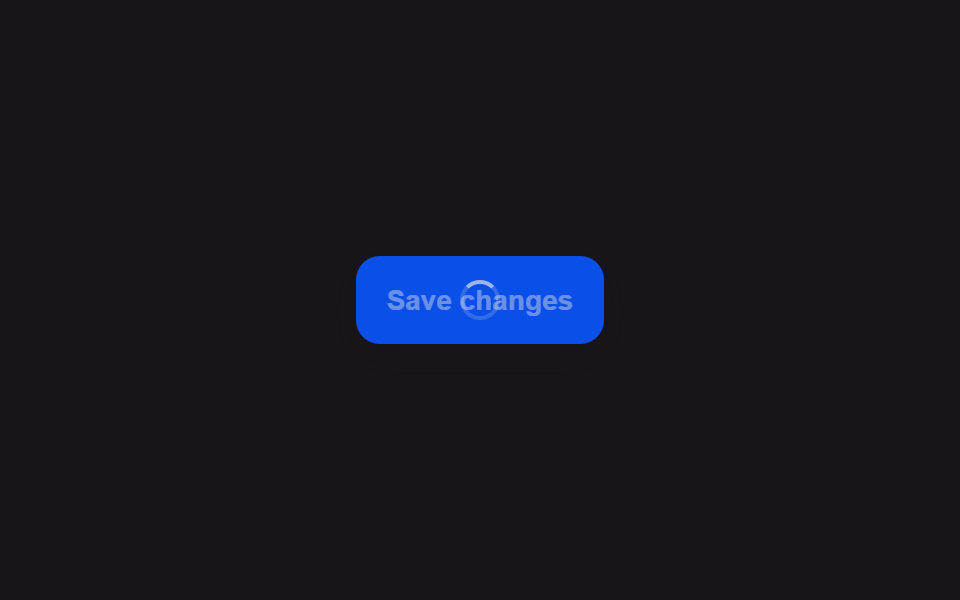 버튼 로딩 9종 — 스피너부터 성공 체크까지 상태 전환버튼 로딩 9종 가운데 하나는 스피너가 돌다가 선을 그리듯 체크 표시로 모양을 바꾸고, 하나는 글자 대신 점 세 개가 순서대로 커졌다 작아지며, 하나는 라벨이 일정 시간마다 다음 단계 문구로 위아래 슬라이드해 바뀝니 이 글의 데모 전부 보기