06가로줄 오프셋을 고정 시드로 계산하는 글리치 전환
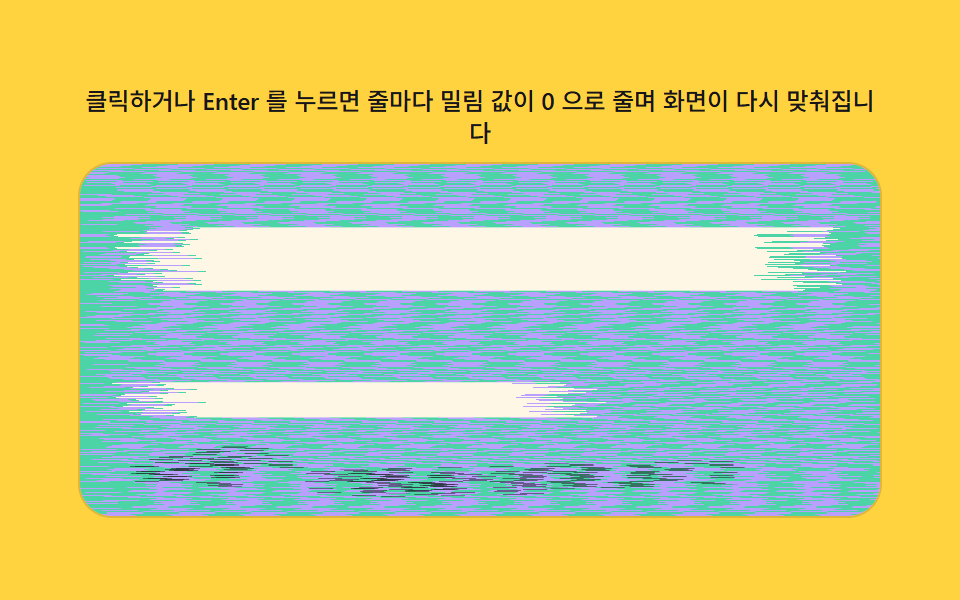
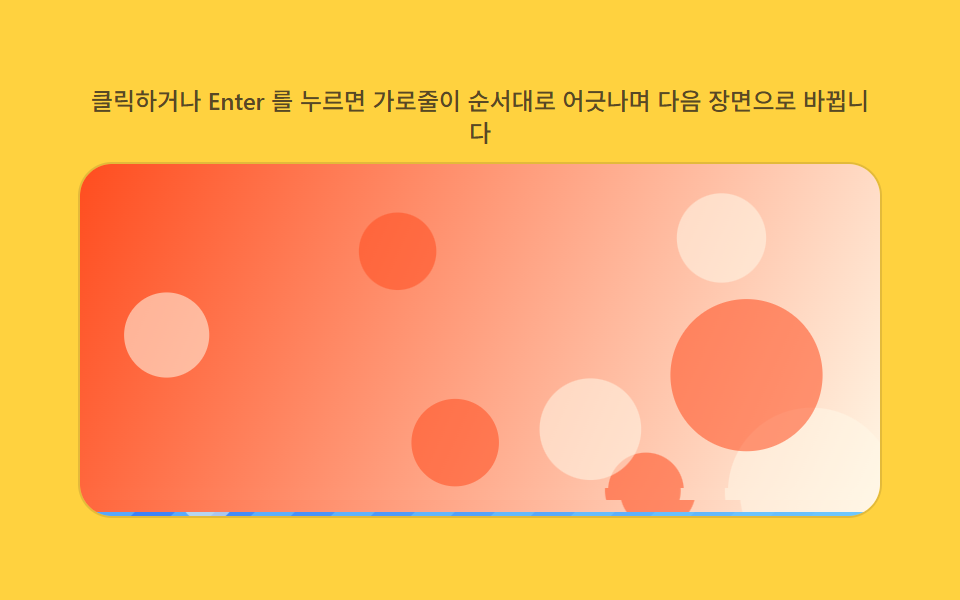
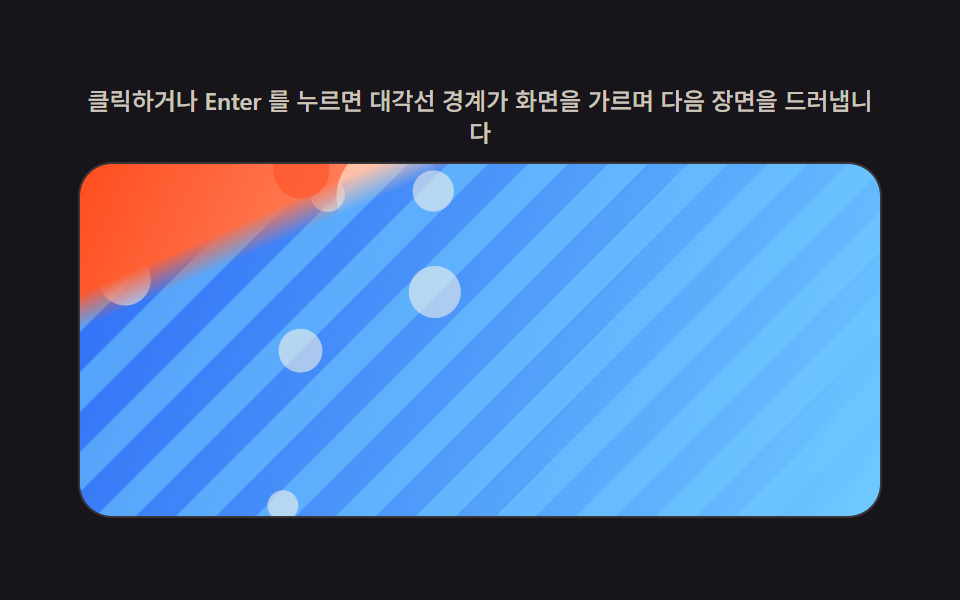
화면을 가로줄로 잘게 나눈 뒤 고정된 시드값으로 각 줄의 좌우 밀림 정도를 미리 계산해두어, 실행할 때마다 같은 순서로 줄이 어긋났다가 제자리로 모이며 다음 장면을 완성한다.
쓰임인터랙티브 데모·오류 상태에서 정상 화면 복귀
makeLcgrowOffsetrowOrder
<main class="stage">
<div class="rv is-demo" id="rv">
  <p class="rv__hint"><span>클릭하거나 Enter 를 누르면 가로줄이 순서대로 어긋나며 다음 장면으로 바뀝니다</span></p>
  <div class="rv__panel" id="panel" tabindex="0" role="button" aria-label="가로줄 오프셋을 고정 시드로 계산하는 글리치 전환 다시 재생">
    <canvas class="rv__cv" id="cv" aria-hidden="true"></canvas>
  </div>
</div>
</main>
@use "../../../../site/static/demo-tokens" as *;
// 계산 겹(리빌 판정)은 index.html 의 PRECOMPUTE()/RENDER() 에 있다. 여기는 무대·레이아웃만.
$duration: $dur-loop;
$easing: $ease-out;
$color: $subject-ink;
@include stage($stage-yellow);
.rv {
--img-a1: #{$stage-orange};
--img-a2: #{$subject-cream};
--img-b1: #{$subject-blue};
--img-b2: #{$subject-sky};
--accent: #{$color};
display: flex;
flex-direction: column;
align-items: center;
gap: $sp-2;
width: min(400px, 92vw);
}
.rv__hint {
margin: 0;
color: rgba($subject-ink, .72);
font-size: 12px;
font-weight: 500;
line-height: 1.35;
text-align: center;
}
.rv__panel {
position: relative;
width: 100%;
height: 176px;
border-radius: $r-card;
overflow: hidden;
cursor: pointer;
box-shadow: 0 0 0 1px rgba($subject-ink, .12);
transition: box-shadow $duration $easing;
}
.rv__panel:hover {
box-shadow: 0 0 0 1px $color;
}
.rv__panel:focus-visible {
outline: 2px solid $color;
outline-offset: 2px;
}
.rv__cv {
display: block;
width: 100%;
height: 100%;
}
@media (max-width: 340px) {
.rv__hint { font-size: 11px; }
.rv__panel, .rv__cv { height: 120px; }
}
@media (prefers-reduced-motion: reduce) {
.rv__panel { transition: none; }
}html, body {
margin: 0;
overflow: hidden;
}
.stage {
box-sizing: border-box;
min-height: 100vh;
display: grid;
place-items: center;
margin: 0;
background: #ffd23f;
font-family: -apple-system, "Segoe UI", "Noto Sans KR", sans-serif;
padding: clamp(8px, 4vw, 24px);
}
.rv {
--img-a1: #ff4d1f;
--img-a2: #fff7e6;
--img-b1: #2f6df6;
--img-b2: #6ec8ff;
--accent: #17141a;
display: flex;
flex-direction: column;
align-items: center;
gap: 8px;
width: min(400px, 92vw);
}
.rv__hint {
margin: 0;
color: rgba(23, 20, 26, 0.72);
font-size: 12px;
font-weight: 500;
line-height: 1.35;
text-align: center;
}
.rv__panel {
position: relative;
width: 100%;
height: 176px;
border-radius: 16px;
overflow: hidden;
cursor: pointer;
box-shadow: 0 0 0 1px rgba(23, 20, 26, 0.12);
transition: box-shadow 2s ease-out;
}
.rv__panel:hover {
box-shadow: 0 0 0 1px #17141a;
}
.rv__panel:focus-visible {
outline: 2px solid #17141a;
outline-offset: 2px;
}
.rv__cv {
display: block;
width: 100%;
height: 100%;
}
@media (max-width: 340px) {
.rv__hint {
font-size: 11px;
}
.rv__panel, .rv__cv {
height: 120px;
}
}
@media (prefers-reduced-motion: reduce) {
.rv__panel {
transition: none;
}
}(function () {
var root = document.getElementById('rv');
var panel = document.getElementById('panel');
var cv = document.getElementById('cv');
var ctx = cv.getContext('2d');
var reduce = window.matchMedia('(prefers-reduced-motion: reduce)').matches;
var isDemo = true;
// 결정론 난수 — 이 데모는 Math.random 을 쓰지 않는다. LCG(선형합동생성기) 하나로 장면을 만든다.
function makeLcg(seed) {
var s = seed >>> 0;
return function () { s = (s * 1664525 + 1013904223) >>> 0; return s / 4294967296; };
}
var css = getComputedStyle(root);
function tok(name, fb) { var v = css.getPropertyValue(name); return v ? (v.trim() || fb) : fb; }
var COLOR_A1 = tok('--img-a1', '#ff5a2e');
var COLOR_A2 = tok('--img-a2', '#fff3e6');
var COLOR_B1 = tok('--img-b1', '#2e6bff');
var COLOR_B2 = tok('--img-b2', '#bfe4ff');
var W = 0, H = 0, dpr = 1;
var bufA = document.createElement('canvas');
var bufB = document.createElement('canvas');
var bctxA = bufA.getContext('2d');
var bctxB = bufB.getContext('2d');
// 장면 A(따뜻한 톤)·B(차가운 톤) — 전부 캔버스로 직접 그린다. 외부 사진·파일 0.
function paintScene(bctx, w, h, seed, warm) {
var rng = makeLcg(seed);
var g = bctx.createLinearGradient(0, 0, w, h);
if (warm) { g.addColorStop(0, COLOR_A1); g.addColorStop(1, COLOR_A2); }
else { g.addColorStop(0, COLOR_B1); g.addColorStop(1, COLOR_B2); }
bctx.fillStyle = g;
bctx.fillRect(0, 0, w, h);
bctx.globalAlpha = 0.55;
if (warm) {
for (var i = 0; i < 8; i++) {
bctx.fillStyle = i % 2 ? COLOR_A2 : COLOR_A1;
bctx.beginPath();
bctx.arc(rng() * w, rng() * h, 12 + rng() * 30, 0, Math.PI * 2);
bctx.fill();
}
} else {
var bandW = Math.max(14, w * 0.05);
for (var x = -h; x < w + h; x += bandW * 2) {
bctx.fillStyle = COLOR_B2;
bctx.beginPath();
bctx.moveTo(x, 0); bctx.lineTo(x + bandW, 0); bctx.lineTo(x + bandW - h, h); bctx.lineTo(x - h, h);
bctx.closePath(); bctx.fill();
}
for (var j = 0; j < 6; j++) {
bctx.fillStyle = COLOR_A2;
bctx.beginPath(); bctx.arc(rng() * w, rng() * h, 5 + rng() * 9, 0, Math.PI * 2); bctx.fill();
}
}
bctx.globalAlpha = 1;
}
var SEED_A = 601, SEED_B = 602, SEED_GLITCH = 603;
var PLAY_MS = 450;
var ROW_PX = 6; // 줄 두께 — 변형: 6px -> 3px(더 촘촘한 줄)
var GLITCH_WINDOW = 0.06;
var GLITCH_MAX_PX = 14;
var rowsN, rowOffset, rowOrder;
function PRECOMPUTE() {
rowsN = Math.ceil(H / ROW_PX);
var rng = makeLcg(SEED_GLITCH); // 고정 시드 — 프레임마다 다시 뽑지 않는다
rowOffset = new Float32Array(rowsN);
rowOrder = new Float32Array(rowsN);
for (var i = 0; i < rowsN; i++) {
rowOffset[i] = (rng() * 2 - 1) * GLITCH_MAX_PX;
rowOrder[i] = i / rowsN;
}
}
function RENDER(p) {
for (var i = 0; i < rowsN; i++) {
var order = rowOrder[i];
var src = order <= p ? bufA : bufB;
var near = Math.abs(order - p);
var dx = near < GLITCH_WINDOW ? rowOffset[i] * (1 - near / GLITCH_WINDOW) : 0;
var dy = i * ROW_PX;
var sh = Math.min(ROW_PX, H - dy);
if (sh <= 0) continue;
var sy = Math.round(dy * dpr), shPx = Math.round(sh * dpr);
ctx.drawImage(src, 0, sy, cv.width, shPx, dx, dy, W, sh);
}
}
function fit() {
var r = panel.getBoundingClientRect();
dpr = window.devicePixelRatio || 1;
W = r.width; H = r.height;
cv.width = Math.round(W * dpr); cv.height = Math.round(H * dpr);
ctx.setTransform(dpr, 0, 0, dpr, 0, 0);
bufA.width = bufB.width = cv.width;
bufA.height = bufB.height = cv.height;
bctxA.setTransform(dpr, 0, 0, dpr, 0, 0);
bctxB.setTransform(dpr, 0, 0, dpr, 0, 0);
paintScene(bctxA, W, H, SEED_A, true);
paintScene(bctxB, W, H, SEED_B, false);
PRECOMPUTE();
}
function human() { if (isDemo) { root.classList.remove('is-demo'); isDemo = false; } }
var progress = 0, target = 0, playT0 = 0, playFrom = 0, playing = false;
function easeInOut(t) { return t < 0.5 ? 2 * t * t : 1 - Math.pow(-2 * t + 2, 2) / 2; }
function play() {
// 실사용 경로 — 클릭·Enter·Space 로 두 장면을 다시 전환한다.
human();
playFrom = progress; target = progress < 0.5 ? 1 : 0;
playT0 = 0; playing = true;
}
function stepPlay(now) {
if (!playing) return;
if (!playT0) playT0 = now;
var t = Math.min(1, (now - playT0) / PLAY_MS);
progress = playFrom + (target - playFrom) * easeInOut(t);
if (t >= 1) { playing = false; progress = target; }
}
var DRIVE_PERIOD_MS = 2000; // 렌더 캐처 창(설정 초=2.0)과 같은 주기 — 시연 전용
var driveStart = 0;
function triangle(frac) { return frac < 0.5 ? frac * 2 : 2 - frac * 2; }
function driveTick(now) {
if (!driveStart) driveStart = now;
if (isDemo) { // .is-demo && !reduce 경로에서만 실행된다(아래 reduce 분기)
var frac = ((now - driveStart) % DRIVE_PERIOD_MS) / DRIVE_PERIOD_MS;
progress = triangle(frac);
}
requestAnimationFrame(driveTick);
}
function frame(now) {
stepPlay(now);
RENDER(progress);
requestAnimationFrame(frame);
}
window.addEventListener('resize', fit);
fit();
if (reduce) {
// reduce — 자동 루프 없음, 계산은 그대로 둘고 즉시 전환만 허용한다.
root.classList.add('is-still');
progress = 0.5; RENDER(progress);
panel.addEventListener('click', function () { human(); progress = progress < 0.5 ? 1 : 0; RENDER(progress); });
panel.addEventListener('keydown', function (e) {
if (e.key === 'Enter' || e.key === ' ') { e.preventDefault(); human(); progress = progress < 0.5 ? 1 : 0; RENDER(progress); }
});
} else {
panel.addEventListener('click', play);
panel.addEventListener('keydown', function (e) {
if (e.key === 'Enter' || e.key === ' ') { e.preventDefault(); play(); }
});
requestAnimationFrame(frame);
requestAnimationFrame(driveTick);
}
})();import { useEffect, useRef } from "react";
import styles from "./ScanlineGlitchSlice.module.scss";
export default function ScanlineGlitchSlice() {
const rootRef = useRef<HTMLDivElement | null>(null);
const panelRef = useRef<HTMLDivElement | null>(null);
const cvRef = useRef<HTMLCanvasElement | null>(null);
useEffect(() => {
const root = rootRef.current;
const panel = panelRef.current;
const cv = cvRef.current;
if (!root || !panel || !cv) return;
const ctx = cv.getContext("2d");
if (!ctx) return;
const reduce = window.matchMedia("(prefers-reduced-motion: reduce)").matches;
let isDemo = true;
// 결정론 난수 — 이 데모는 Math.random 을 쓰지 않는다. LCG(선형합동생성기) 하나로 장면·글리치를 만든다.
function makeLcg(seed: number) {
let s = seed >>> 0;
return function () {
s = (s * 1664525 + 1013904223) >>> 0;
return s / 4294967296;
};
}
const css = getComputedStyle(root);
function tok(name: string, fb: string) {
const v = css.getPropertyValue(name);
return v ? v.trim() || fb : fb;
}
const COLOR_A1 = tok("--img-a1", "#ff5a2e");
const COLOR_A2 = tok("--img-a2", "#fff3e6");
const COLOR_B1 = tok("--img-b1", "#2e6bff");
const COLOR_B2 = tok("--img-b2", "#bfe4ff");
let W = 0;
let H = 0;
let dpr = 1;
const bufA = document.createElement("canvas");
const bufB = document.createElement("canvas");
const bctxA = bufA.getContext("2d");
const bctxB = bufB.getContext("2d");
if (!bctxA || !bctxB) return;
// 장면 A(따뜻한 톤)·B(차가운 톤) — 전부 캔버스로 직접 그린다. 외부 사진·파일 0.
function paintScene(bctx: CanvasRenderingContext2D, w: number, h: number, seed: number, warm: boolean) {
const rng = makeLcg(seed);
const g = bctx.createLinearGradient(0, 0, w, h);
if (warm) {
g.addColorStop(0, COLOR_A1);
g.addColorStop(1, COLOR_A2);
} else {
g.addColorStop(0, COLOR_B1);
g.addColorStop(1, COLOR_B2);
}
bctx.fillStyle = g;
bctx.fillRect(0, 0, w, h);
bctx.globalAlpha = 0.55;
if (warm) {
for (let i = 0; i < 8; i++) {
bctx.fillStyle = i % 2 ? COLOR_A2 : COLOR_A1;
bctx.beginPath();
bctx.arc(rng() * w, rng() * h, 12 + rng() * 30, 0, Math.PI * 2);
bctx.fill();
}
} else {
const bandW = Math.max(14, w * 0.05);
for (let x = -h; x < w + h; x += bandW * 2) {
bctx.fillStyle = COLOR_B2;
bctx.beginPath();
bctx.moveTo(x, 0);
bctx.lineTo(x + bandW, 0);
bctx.lineTo(x + bandW - h, h);
bctx.lineTo(x - h, h);
bctx.closePath();
bctx.fill();
}
for (let j = 0; j < 6; j++) {
bctx.fillStyle = COLOR_A2;
bctx.beginPath();
bctx.arc(rng() * w, rng() * h, 5 + rng() * 9, 0, Math.PI * 2);
bctx.fill();
}
}
bctx.globalAlpha = 1;
}
const SEED_A = 601;
const SEED_B = 602;
const SEED_GLITCH = 603;
const PLAY_MS = 450;
const ROW_PX = 6; // 줄 두께 — 변형: 6px -> 3px(더 촘촘한 줄)
const GLITCH_WINDOW = 0.06;
const GLITCH_MAX_PX = 14;
let rowsN = 0;
let rowOffset: Float32Array | null = null;
let rowOrder: Float32Array | null = null;
function PRECOMPUTE() {
rowsN = Math.ceil(H / ROW_PX);
const rng = makeLcg(SEED_GLITCH); // 고정 시드 — 프레임마다 다시 뽑지 않는다
rowOffset = new Float32Array(rowsN);
rowOrder = new Float32Array(rowsN);
for (let i = 0; i < rowsN; i++) {
rowOffset[i] = (rng() * 2 - 1) * GLITCH_MAX_PX;
rowOrder[i] = i / rowsN;
}
}
function RENDER(p: number) {
const ro = rowOffset!;
const rord = rowOrder!;
for (let i = 0; i < rowsN; i++) {
const order = rord[i];
const src = order <= p ? bufA : bufB;
const near = Math.abs(order - p);
const dx = near < GLITCH_WINDOW ? ro[i] * (1 - near / GLITCH_WINDOW) : 0;
const dy = i * ROW_PX;
const sh = Math.min(ROW_PX, H - dy);
if (sh <= 0) continue;
const sy = Math.round(dy * dpr);
const shPx = Math.round(sh * dpr);
ctx!.drawImage(src, 0, sy, cv!.width, shPx, dx, dy, W, sh);
}
}
function fit() {
const r = panel!.getBoundingClientRect();
dpr = window.devicePixelRatio || 1;
W = r.width;
H = r.height;
cv!.width = Math.round(W * dpr);
cv!.height = Math.round(H * dpr);
ctx!.setTransform(dpr, 0, 0, dpr, 0, 0);
bufA.width = bufB.width = cv!.width;
bufA.height = bufB.height = cv!.height;
bctxA!.setTransform(dpr, 0, 0, dpr, 0, 0);
bctxB!.setTransform(dpr, 0, 0, dpr, 0, 0);
paintScene(bctxA!, W, H, SEED_A, true);
paintScene(bctxB!, W, H, SEED_B, false);
PRECOMPUTE();
}
function human() {
if (isDemo) {
root!.classList.remove("is-demo");
isDemo = false;
}
}
let progress = 0;
let target = 0;
let playT0 = 0;
let playFrom = 0;
let playing = false;
function easeInOut(t: number) {
return t < 0.5 ? 2 * t * t : 1 - Math.pow(-2 * t + 2, 2) / 2;
}
function play() {
// 실사용 경로 — 클릭·Enter·Space 로 두 장면을 다시 전환한다.
human();
playFrom = progress;
target = progress < 0.5 ? 1 : 0;
playT0 = 0;
playing = true;
}
function stepPlay(now: number) {
if (!playing) return;
if (!playT0) playT0 = now;
const t = Math.min(1, (now - playT0) / PLAY_MS);
progress = playFrom + (target - playFrom) * easeInOut(t);
if (t >= 1) {
playing = false;
progress = target;
}
}
const DRIVE_PERIOD_MS = 2000; // 렌더 캐처 창(설정 초=2.0)과 같은 주기 — 시연 전용
let driveStart = 0;
let rafFrame = 0;
let rafDrive = 0;
function triangle(frac: number) {
return frac < 0.5 ? frac * 2 : 2 - frac * 2;
}
function driveTick(now: number) {
if (!driveStart) driveStart = now;
if (isDemo) {
// .is-demo && !reduce 경로에서만 실행된다(아래 reduce 분기)
const frac = ((now - driveStart) % DRIVE_PERIOD_MS) / DRIVE_PERIOD_MS;
progress = triangle(frac);
}
rafDrive = requestAnimationFrame(driveTick);
}
function frame(now: number) {
stepPlay(now);
RENDER(progress);
rafFrame = requestAnimationFrame(frame);
}
function onClick() {
play();
}
function onKeyDown(e: Event) {
const ke = e as KeyboardEvent;
if (ke.key === "Enter" || ke.key === " ") {
ke.preventDefault();
play();
}
}
function onClickReduce() {
human();
progress = progress < 0.5 ? 1 : 0;
RENDER(progress);
}
function onKeyDownReduce(e: Event) {
const ke = e as KeyboardEvent;
if (ke.key === "Enter" || ke.key === " ") {
ke.preventDefault();
human();
progress = progress < 0.5 ? 1 : 0;
RENDER(progress);
}
}
window.addEventListener("resize", fit);
fit();
if (reduce) {
// reduce — 자동 루프 없음, 계산은 그대로 두고 즉시 전환만 허용한다.
root.classList.add("is-still");
progress = 0.5;
RENDER(progress);
panel.addEventListener("click", onClickReduce);
panel.addEventListener("keydown", onKeyDownReduce);
} else {
panel.addEventListener("click", onClick);
panel.addEventListener("keydown", onKeyDown);
rafFrame = requestAnimationFrame(frame);
rafDrive = requestAnimationFrame(driveTick);
}
return () => {
window.removeEventListener("resize", fit);
cancelAnimationFrame(rafFrame);
cancelAnimationFrame(rafDrive);
if (reduce) {
panel.removeEventListener("click", onClickReduce);
panel.removeEventListener("keydown", onKeyDownReduce);
} else {
panel.removeEventListener("click", onClick);
panel.removeEventListener("keydown", onKeyDown);
}
};
}, []);
return (
<main className={styles.stage}>
<div className={`${styles.root} is-demo`} ref={rootRef}>
<p className={styles.hint}>
<span>클릭하거나 Enter 를 누르면 가로줄이 순서대로 어긋나며 다음 장면으로 바뀝니다</span>
</p>
<div
className={styles.panel}
ref={panelRef}
tabIndex={0}
role="button"
aria-label="가로줄 오프셋을 고정 시드로 계산하는 글리치 전환 다시 재생"
>
<canvas className={styles.cv} ref={cvRef} aria-hidden="true" />
</div>
</div>
</main>
);
}06 가로줄 오프셋을 고정 시드로 계산하는 글리치 전환 — 측정 누적면적 47.115% · 움직인 프레임 23/23GODRICH 원작 · zip 에 SCSS·React 포함 · 이미지 전환 효과 9종 — 캔버스 픽셀 계산으로 완성되는 리빌
이 데모가 속한 글
 이미지 전환 효과 9종 — 캔버스 픽셀 계산으로 완성되는 리빌이미지 전환 효과 아홉 가지 가운데 하나는 픽셀의 대각선 좌표로 통과 시각을 계산해 화면을 비스듬히 쓸고, 하나는 격자 칸마다 노이즈 문턱값을 미리 계산해 불규칙하지만 재현되는 순서로 드러나며, 하나는 고정 시드로 이 글의 데모 전부 보기