01큐브 회전
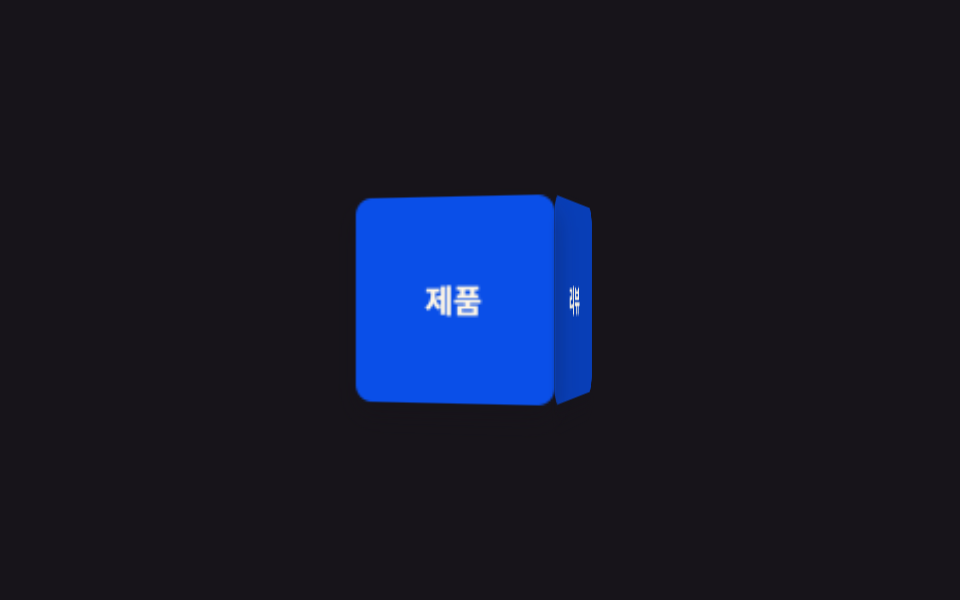
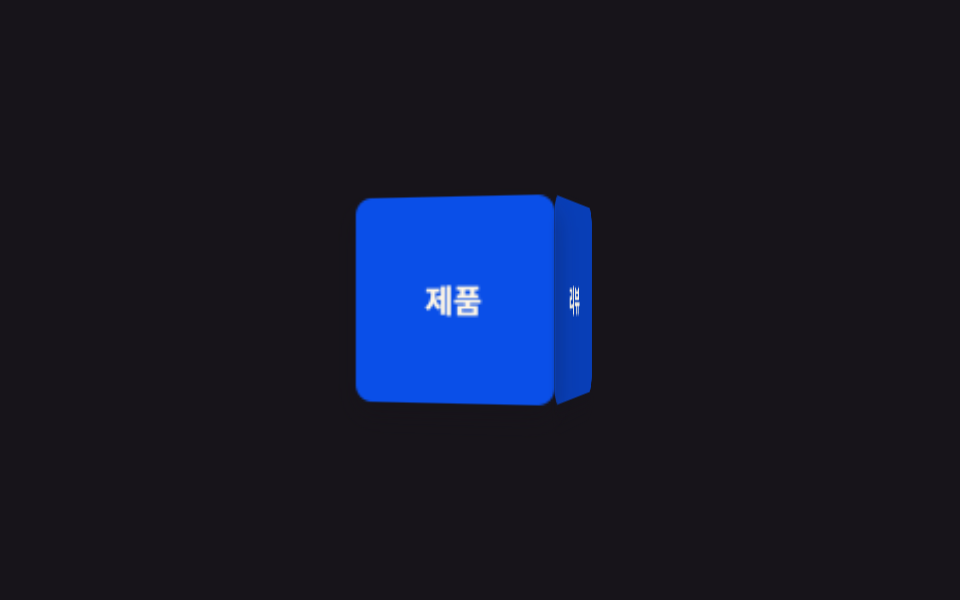
4면짜리 큐브가 perspective 안에서 Y축으로 계속 돌며 면마다 다른 정보를 순서대로 보여준다.
쓰임랜딩 히어로의 제품 소개 큐브, 배너의 정보 전환
perspectivetransform-style: preserve-3dbackface-visibility
<main class="stage">
  <div class="scene">
    <div class="cube is-demo">
      <div class="cube__face cube__face--front">제품</div>
      <div class="cube__face cube__face--right">리뷰</div>
      <div class="cube__face cube__face--back">가격</div>
      <div class="cube__face cube__face--left">문의</div>
    </div>
  </div>
</main>
@use "../../../../site/static/demo-tokens" as *;
// ── 변수 3개. 변형은 이것만 바꾼다 ──────────────────────────
$duration: $dur-loop; // 한 바퀴 도는 시간
$easing: linear; // 등속. 튀면 큐브가 멈칫거려 보인다
$color: $subject-blue-deep; // 큐브 면 색 (크림 글자가 얹히므로 진한 파랑)
@include stage($stage-ink);
$size: 96px;
$half: 48px;
.scene { perspective: 640px; } // 자식 큐브가 이 값 기준으로 입체로 보인다
.cube {
position: relative;
width: $size;
height: $size;
transform-style: preserve-3d; // 자식 4면이 평면으로 뭉개지지 않게
animation: spin $duration $easing infinite;
}
.cube__face {
position: absolute;
inset: 0;
display: grid;
place-items: center;
border-radius: $r-sm;
font-weight: 700;
font-size: 15px;
line-height: 1;
font-family: inherit;
color: $subject-cream;
background: $color;
backface-visibility: hidden; // 뒤로 돌아간 면의 글자가 거울처럼 비치지 않게
box-shadow: $shadow-press;
}
.cube__face--front { transform: translateZ($half); }
.cube__face--right { transform: rotateY(90deg) translateZ($half); background: darken($color, 10%); }
.cube__face--back { transform: rotateY(180deg) translateZ($half); }
.cube__face--left { transform: rotateY(-90deg) translateZ($half); background: darken($color, 10%); }
@keyframes spin {
from { transform: rotateY(0deg); }
to { transform: rotateY(360deg); }
}
// ── 접근성: 움직임 줄이기 설정이면 한쪽 면에서 멈춘다 ────────────
@media (prefers-reduced-motion: reduce) {
.cube { animation: none; transform: rotateY(-28deg); }
}html, body {
margin: 0;
overflow: hidden;
}
.stage {
box-sizing: border-box;
min-height: 100vh;
display: grid;
place-items: center;
margin: 0;
background: #17141a;
font-family: -apple-system, "Segoe UI", "Noto Sans KR", sans-serif;
padding: clamp(8px, 4vw, 24px);
}
.scene {
perspective: 640px;
}
.cube {
position: relative;
width: 96px;
height: 96px;
transform-style: preserve-3d;
animation: spin 2s linear infinite;
}
.cube__face {
position: absolute;
inset: 0;
display: grid;
place-items: center;
border-radius: 8px;
font-weight: 700;
font-size: 15px;
line-height: 1;
font-family: inherit;
color: #fff7e6;
background: #0a4fe8;
backface-visibility: hidden;
box-shadow: 0 6px 12px rgba(23, 20, 26, 0.32);
}
.cube__face--front {
transform: translateZ(48px);
}
.cube__face--right {
transform: rotateY(90deg) translateZ(48px);
background: rgb(3.0951223465%, 24.451466537%, 71.8068384379%);
}
.cube__face--back {
transform: rotateY(180deg) translateZ(48px);
}
.cube__face--left {
transform: rotateY(-90deg) translateZ(48px);
background: rgb(3.0951223465%, 24.451466537%, 71.8068384379%);
}
@keyframes spin {
from {
transform: rotateY(0deg);
}
to {
transform: rotateY(360deg);
}
}
@media (prefers-reduced-motion: reduce) {
.cube {
animation: none;
transform: rotateY(-28deg);
}
}import type { CSSProperties } from "react";
import styles from "./CubeRotate.module.scss";
export type CubeRotateProps = {
/** 한 바퀴 도는 시간 (기본 2000ms) */
duration?: number;
/** CSS easing (기본 linear — 등속이어야 멈칫거리지 않는다) */
easing?: string;
/** 큐브 면 색 */
color?: string;
/** 4면에 넣을 라벨 */
faces?: [string, string, string, string];
className?: string;
};
type Vars = CSSProperties & {
"--duration"?: string;
"--easing"?: string;
"--color"?: string;
};
export default function CubeRotate({
duration = 2000,
easing = "linear",
color = "#2f6df6",
faces = ["제품", "리뷰", "가격", "문의"],
className = "",
}: CubeRotateProps) {
const vars: Vars = { "--duration": `${duration}ms`, "--easing": easing, "--color": color };
return (
<div className={`${styles.scene} ${className}`} style={vars}>
<div className={styles.cube}>
<div className={`${styles.face} ${styles.front}`}>{faces[0]}</div>
<div className={`${styles.face} ${styles.right}`}>{faces[1]}</div>
<div className={`${styles.face} ${styles.back}`}>{faces[2]}</div>
<div className={`${styles.face} ${styles.left}`}>{faces[3]}</div>
</div>
</div>
);
}01 큐브 회전 — 측정 누적면적 9.847% · 움직인 프레임 23/23GODRICH 원작 · zip 에 SCSS·React 포함 · CSS 3D 큐브 캐러셀 틸트 9종 — 한 줄 복붙으로
이 데모가 속한 글
 CSS 3D 큐브 캐러셀 틸트 9종 — 한 줄 복붙으로css 3d 큐브 회전, 원형으로 도는 캐러셀, 커서를 올리면 기우는 카드까지 — perspective 와 preserve-3d 로만 만든 입체 CSS 효과 아홉 개를 모았습니다. 아홉 개 전부 transform 만 이 글의 데모 전부 보기