09젤리처럼 출렁
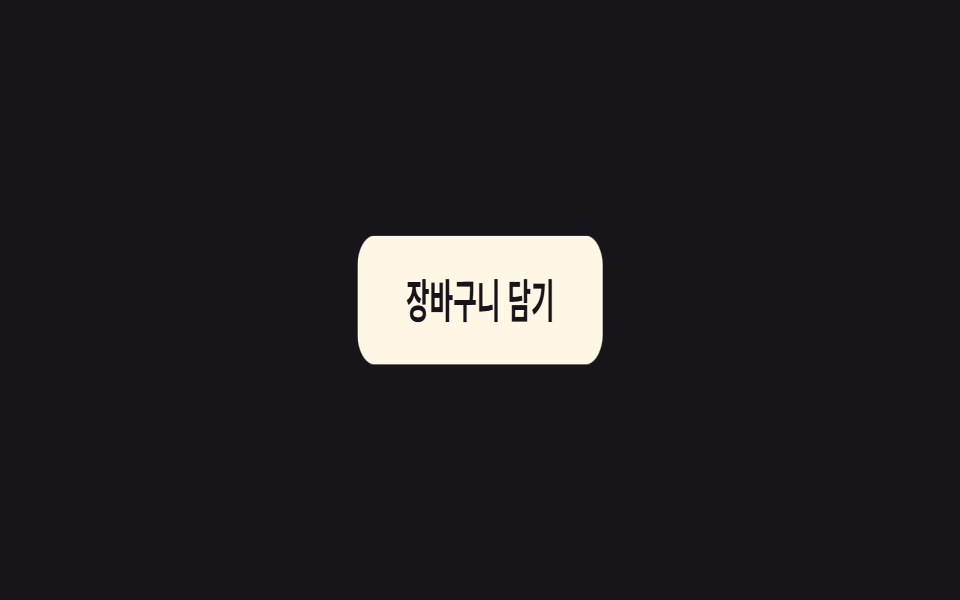
`.a-jelly`는 scaleX와 scaleY를 서로 반대로 어긋나게 움직여, 눌렸다 놓인 순간 요소가 젤리처럼 출렁이다 제 모양으로 돌아오게 한다.
쓰임장바구니 담기 완료 아이콘, 클릭 후 통통 튀는 버튼 피드백
scale(1.25, .75) 어긋남젤리 이징0.6초
<main class="stage">
  <button class="btn a-jelly is-demo" type="button">장바구니 담기</button>
</main>
@use "../../../../site/static/demo-tokens" as *;
// ── 변수 3개 ──────────────────────────────────────────
$duration: 600ms;
$easing: cubic-bezier(.68, -0.55, .27, 1.55); // 과도하게 넘겼다 돌아오는 탄성
$color: $subject-cream;
// ── 데모 무대 ───────────────────────────────
@include stage($stage-ink);
.btn {
border: 0;
border-radius: $r-control;
padding: 16px 34px;
background: $color;
color: $stage-ink;
font-weight: 700; font-size: clamp(15px, 4vw, 18px); line-height: 1; font-family: inherit;
cursor: pointer;
-webkit-tap-highlight-color: transparent;
}
// ── 실제 쓰임: is-jellying 을 켜면 한 번 출렁이고 멈춘다 ─────
.a-jelly.is-jellying { animation: jelly $duration $easing 1; }
// ── 데모: 클릭 전까지 2초마다 스스로 다시 출렁인다 ─────────
.a-jelly.is-demo { animation: jelly-loop $dur-loop $easing infinite; }
// scaleX 와 scaleY 를 서로 반대로 어긋나게 — 커지면서 좁아지고, 좁아지면서 커진다
@keyframes jelly {
0% { transform: scale(1, 1); }
20% { transform: scale(1.25, .75); }
40% { transform: scale(.75, 1.25); }
60% { transform: scale(1.15, .85); }
80% { transform: scale(.95, 1.05); }
100% { transform: scale(1, 1); }
}
// 같은 모양을 2초 루프의 60~100% 구간에 압축해 넣고 나머지는 쉰다
@keyframes jelly-loop {
0%, 60% { transform: scale(1, 1); }
68% { transform: scale(1.25, .75); }
76% { transform: scale(.75, 1.25); }
84% { transform: scale(1.15, .85); }
92% { transform: scale(.95, 1.05); }
100% { transform: scale(1, 1); }
}
@media (prefers-reduced-motion: reduce) {
.a-jelly.is-jellying, .a-jelly.is-demo { animation: none; }
}html, body {
margin: 0;
overflow: hidden;
}
.stage {
box-sizing: border-box;
min-height: 100vh;
display: grid;
place-items: center;
margin: 0;
background: #17141a;
font-family: -apple-system, "Segoe UI", "Noto Sans KR", sans-serif;
padding: clamp(8px, 4vw, 24px);
}
.btn {
border: 0;
border-radius: 12px;
padding: 16px 34px;
background: #fff7e6;
color: #17141a;
font-weight: 700;
font-size: clamp(15px, 4vw, 18px);
line-height: 1;
font-family: inherit;
cursor: pointer;
-webkit-tap-highlight-color: transparent;
}
.a-jelly.is-jellying {
animation: jelly 600ms cubic-bezier(0.68, -0.55, 0.27, 1.55) 1;
}
.a-jelly.is-demo {
animation: jelly-loop 2s cubic-bezier(0.68, -0.55, 0.27, 1.55) infinite;
}
@keyframes jelly {
0% {
transform: scale(1, 1);
}
20% {
transform: scale(1.25, 0.75);
}
40% {
transform: scale(0.75, 1.25);
}
60% {
transform: scale(1.15, 0.85);
}
80% {
transform: scale(0.95, 1.05);
}
100% {
transform: scale(1, 1);
}
}
@keyframes jelly-loop {
0%, 60% {
transform: scale(1, 1);
}
68% {
transform: scale(1.25, 0.75);
}
76% {
transform: scale(0.75, 1.25);
}
84% {
transform: scale(1.15, 0.85);
}
92% {
transform: scale(0.95, 1.05);
}
100% {
transform: scale(1, 1);
}
}
@media (prefers-reduced-motion: reduce) {
.a-jelly.is-jellying, .a-jelly.is-demo {
animation: none;
}
}// 누르면 젤리처럼 출렁이고 멈춘다. 실제로는 담기 요청이 성공했을 때 is-jellying 을 켠다.
var b = document.querySelector('.a-jelly');
b.addEventListener('click', function () {
b.classList.remove('is-demo'); b.classList.remove('is-jellying');
void b.offsetWidth;
b.classList.add('is-jellying');
});
b.addEventListener('animationend', function () { b.classList.remove('is-jellying'); });import { useCallback, useState } from "react";
import type { CSSProperties, MouseEvent, ReactNode } from "react";
import styles from "./JellyButton.module.scss";
export type JellyButtonProps = {
children: ReactNode;
/** 한 번 출렁이는 데 걸리는 시간 (기본 600ms) */
duration?: number;
/** CSS easing (기본 과도하게 넘겼다 돌아오는 커스텀 베지어) */
easing?: string;
/** 버튼 색 */
color?: string;
onClick?: (e: MouseEvent<HTMLButtonElement>) => void;
};
type Vars = CSSProperties & {
"--duration"?: string;
"--easing"?: string;
"--color"?: string;
};
// 실제 쓰임: 담기 요청이 성공했을 때 onClick 안에서 API 를 부르고, 결과와 무관하게 한 번 출렁인다.
export default function JellyButton({
children,
duration = 600,
easing = "cubic-bezier(.68,-0.55,.27,1.55)",
color = "#fff7e6",
onClick,
}: JellyButtonProps) {
const [jellying, setJellying] = useState(false);
const handle = useCallback(
(e: MouseEvent<HTMLButtonElement>) => {
setJellying(false);
requestAnimationFrame(() => setJellying(true));
onClick?.(e);
},
[onClick]
);
const vars: Vars = {
"--duration": `${duration}ms`,
"--easing": easing,
"--color": color,
};
return (
<button
type="button"
className={`${styles.btn} ${jellying ? styles.jellying : ""}`}
style={vars}
onClick={handle}
onAnimationEnd={() => setJellying(false)}
>
{children}
</button>
);
}09 젤리처럼 출렁 — 측정 누적면적 7.007% · 움직인 프레임 10/23GODRICH 원작 · zip 에 SCSS·React 포함 · CSS 키프레임 애니메이션 9종 — 한 줄 복붙으로
이 데모가 속한 글
 CSS 키프레임 애니메이션 9종 — 한 줄 복붙으로CSS 키프레임 애니메이션은 @keyframes로 만든 움직임을 클래스 하나에 담아 어떤 요소에든 그대로 붙여 쓰는 방식입니다. 뜨기·튀기·돌기·펄스·흔들기·비틀기·깜빡임·심장박동·젤리, 아홉 가지를 한 번에 모았고 이 글의 데모 전부 보기