05mix-blend-mode 커서
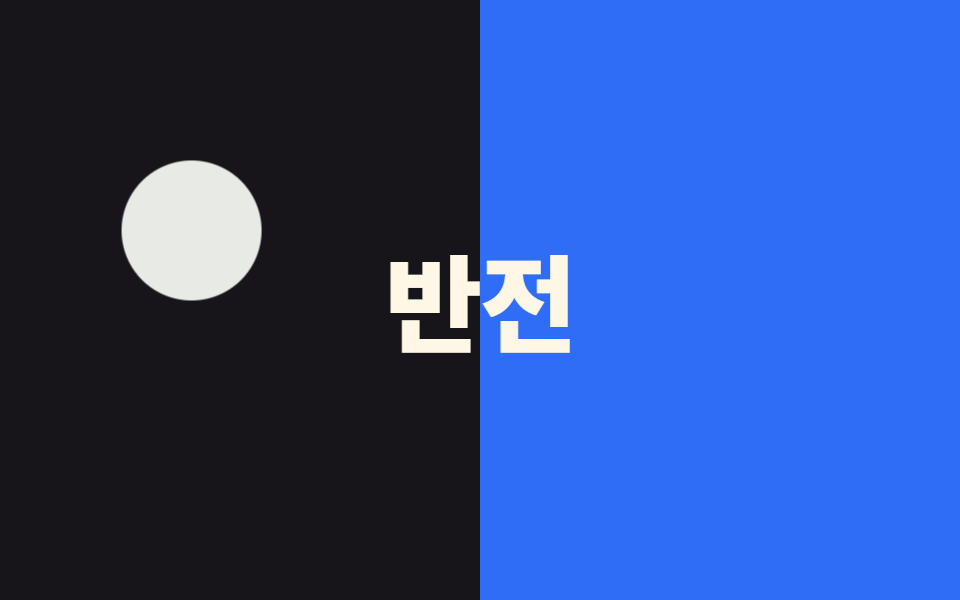
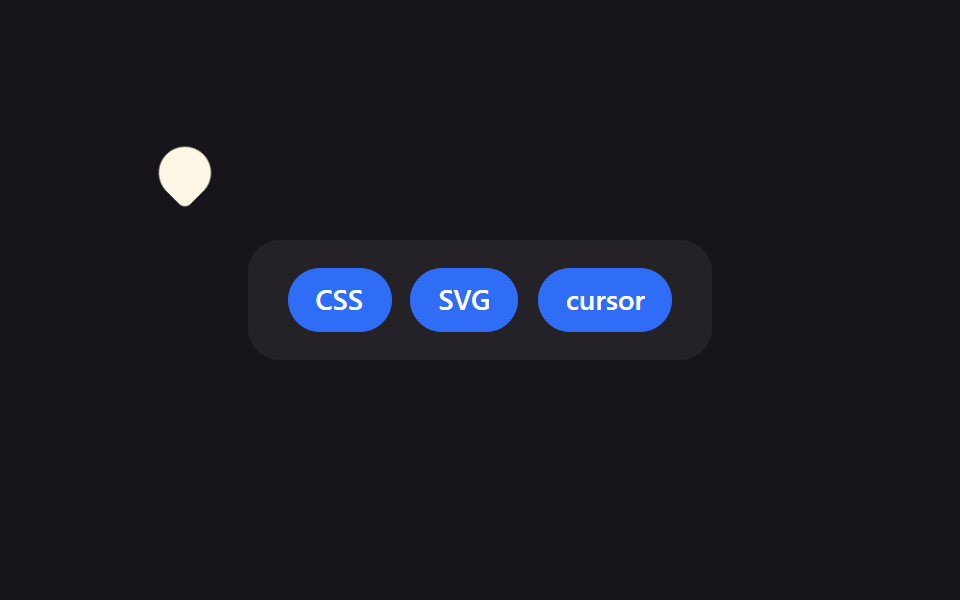
mix-blend-mode: difference를 준 원형 커서가 배경 위를 지나가면 그 아래 색이 반전돼 어떤 배경에서도 커서가 또렷이 보인다.
쓰임다크·라이트 섹션이 섞인 원페이지, 이미지 위에 겹치는 텍스트 커서
mix-blend-modedifferencez-index
<main class="stage">
  <div class="half half--left"></div>
  <div class="half half--right"></div>
  <p class="banner">반전</p>
  <div class="cursor is-demo" aria-hidden="true"></div>
</main>
@use "../../../../site/static/demo-tokens" as *;
$duration: $dur-loop; // 원이 두 영역을 오가는 한 바퀴
$easing: $ease-spring;
$color: $stage-paper; // 블렌드 원은 흰색이어야 difference 가 또렷하다
@include stage($stage-ink);
.stage { position: relative; overflow: hidden; cursor: none; }
.half {
position: absolute;
top: 0;
bottom: 0;
width: 50%;
z-index: 0;
}
.half--left { left: 0; background: $stage-ink; }
.half--right { right: 0; background: $subject-blue; }
.banner {
position: relative;
z-index: 1;
margin: 0;
font-weight: 800; font-size: clamp(34px, 11vw, 56px); line-height: 1; font-family: inherit;
color: $subject-cream;
letter-spacing: -.02em;
}
.cursor {
position: absolute;
top: 0;
left: 0;
z-index: 2;
width: 70px;
height: 70px;
margin: -35px 0 0 -35px;
border-radius: 50%;
background: $color;
mix-blend-mode: difference; // 지나가는 배경 색을 반전시킨다
pointer-events: none;
&.is-demo { animation: cursor-path $duration $easing infinite; }
}
@keyframes cursor-path {
0% { transform: translate(80px, 60px); }
35% { transform: translate(280px, 150px); } // 오른쪽 영역으로 넘어간다
70% { transform: translate(120px, 200px); }
100% { transform: translate(80px, 60px); }
}
@media (pointer: coarse) {
.cursor { display: none; }
.stage { cursor: auto; }
}
@media (prefers-reduced-motion: reduce) {
.cursor.is-demo { animation: none; transform: translate(80px, 60px); }
}html, body {
margin: 0;
overflow: hidden;
}
.stage {
box-sizing: border-box;
min-height: 100vh;
display: grid;
place-items: center;
margin: 0;
background: #17141a;
font-family: -apple-system, "Segoe UI", "Noto Sans KR", sans-serif;
padding: clamp(8px, 4vw, 24px);
}
.stage {
position: relative;
overflow: hidden;
cursor: none;
}
.half {
position: absolute;
top: 0;
bottom: 0;
width: 50%;
z-index: 0;
}
.half--left {
left: 0;
background: #17141a;
}
.half--right {
right: 0;
background: #2f6df6;
}
.banner {
position: relative;
z-index: 1;
margin: 0;
font-weight: 800;
font-size: clamp(34px, 11vw, 56px);
line-height: 1;
font-family: inherit;
color: #fff7e6;
letter-spacing: -0.02em;
}
.cursor {
position: absolute;
top: 0;
left: 0;
z-index: 2;
width: 70px;
height: 70px;
margin: -35px 0 0 -35px;
border-radius: 50%;
background: #ffffff;
mix-blend-mode: difference;
pointer-events: none;
}
.cursor.is-demo {
animation: cursor-path 2s cubic-bezier(0.2, 0.8, 0.2, 1) infinite;
}
@keyframes cursor-path {
0% {
transform: translate(80px, 60px);
}
35% {
transform: translate(280px, 150px);
}
70% {
transform: translate(120px, 200px);
}
100% {
transform: translate(80px, 60px);
}
}
@media (pointer: coarse) {
.cursor {
display: none;
}
.stage {
cursor: auto;
}
}
@media (prefers-reduced-motion: reduce) {
.cursor.is-demo {
animation: none;
transform: translate(80px, 60px);
}
}// 실제 포인터가 움직이면 블렌드 원이 그 좌표를 따라가며 지나는 배경 색을 반전시킨다.
if (matchMedia('(pointer: fine)').matches) {
var stage = document.querySelector('.stage'), cur = document.querySelector('.cursor');
stage.addEventListener('pointermove', function (e) {
cur.classList.remove('is-demo');
var r = stage.getBoundingClientRect();
cur.style.transform = 'translate(' + (e.clientX - r.left) + 'px,' + (e.clientY - r.top) + 'px)';
});
}import { useState } from "react";
import type { CSSProperties, PointerEvent } from "react";
import styles from "./BlendModeCursor.module.scss";
export type BlendModeCursorProps = {
text?: string;
duration?: number;
easing?: string;
color?: string;
};
type Vars = CSSProperties & { "--duration"?: string; "--easing"?: string; "--color"?: string };
export default function BlendModeCursor({
text = "반전",
duration = 2000,
easing = "cubic-bezier(.2,.8,.2,1)",
color = "#ffffff",
}: BlendModeCursorProps) {
const [demo, setDemo] = useState(true);
const [pos, setPos] = useState({ x: 80, y: 60 });
const move = (e: PointerEvent<HTMLDivElement>) => {
const r = e.currentTarget.getBoundingClientRect();
setDemo(false);
setPos({ x: e.clientX - r.left, y: e.clientY - r.top });
};
const vars: Vars = { "--duration": `${duration}ms`, "--easing": easing, "--color": color };
return (
<div className={styles.stage} style={vars} onPointerMove={move}>
<div className={`${styles.half} ${styles.halfLeft}`} />
<div className={`${styles.half} ${styles.halfRight}`} />
<p className={styles.banner}>{text}</p>
<div
className={demo ? `${styles.cursor} ${styles.isDemo}` : styles.cursor}
style={demo ? undefined : { transform: `translate(${pos.x}px,${pos.y}px)` }}
aria-hidden="true"
/>
</div>
);
}05 mix-blend-mode 커서 — 측정 누적면적 20.953% · 움직인 프레임 23/23GODRICH 원작 · zip 에 SCSS·React 포함 · CSS 마우스 커서 효과 9종 — 한 줄 복붙으로
이 데모가 속한 글
 CSS 마우스 커서 효과 9종 — 한 줄 복붙으로CSS 마우스 커서 효과는 브라우저 기본 화살표 대신 프로젝트에 맞춘 모양·잔상·블렌드 반응을 붙이는 것을 말합니다. 아홉 개 중 셋은 자석처럼 끌리거나 배경 색을 반전시키는, 흔한 예제 모음에서는 잘 안 보이는 조 이 글의 데모 전부 보기