07썸네일→라이트박스 모핑
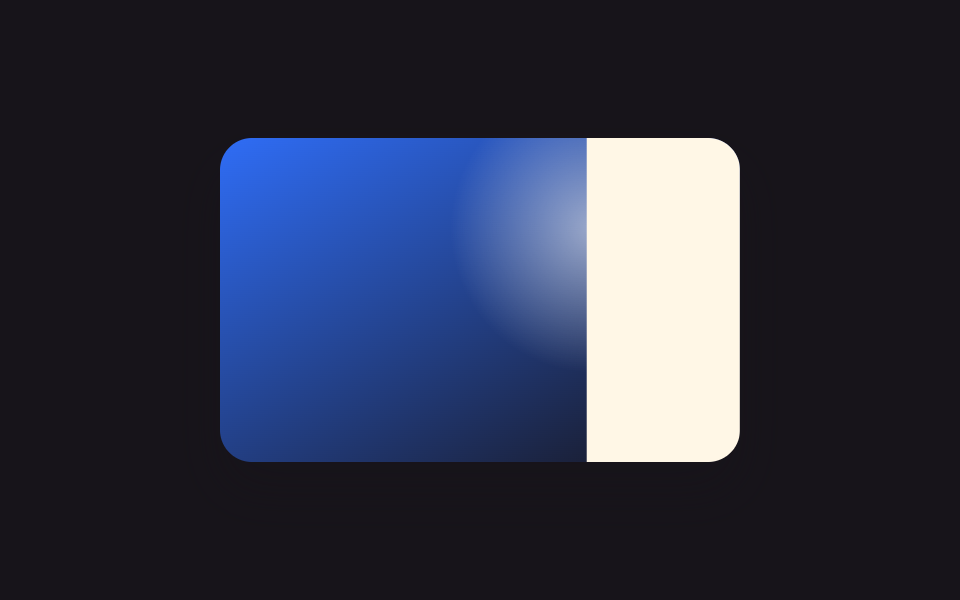
썸네일을 클릭하면 그 위치를 계산해 오버레이 패널을 거기 먼저 놓은 뒤 transform을 지워, 크고 가운데 놓인 라이트박스 자리까지 FLIP 기법으로 부드럽게 확대됩니다.
쓰임포트폴리오 프로젝트 상세보기
getBoundingClientRectFLIPJS 9줄
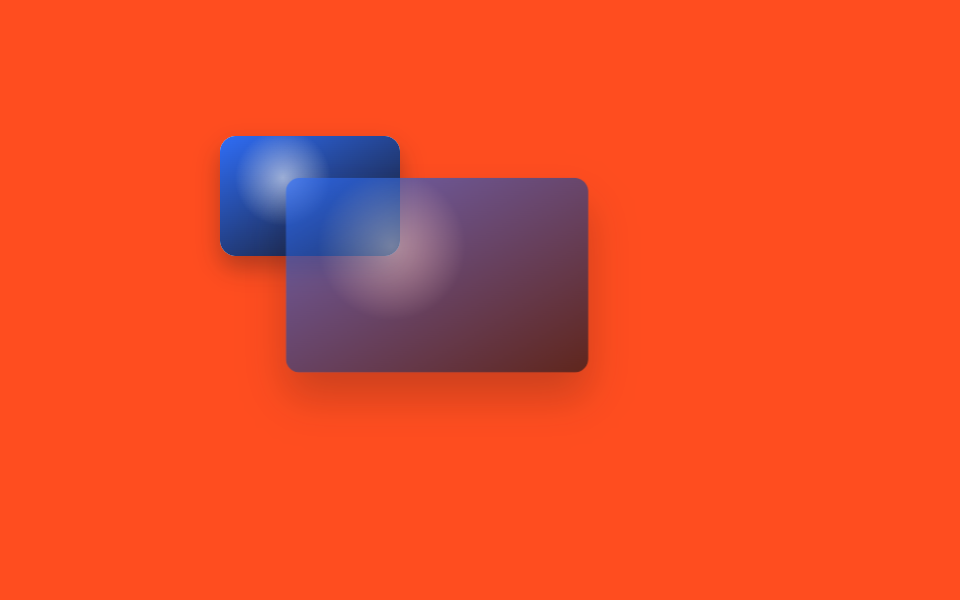
<main class="stage">
  <div class="fl-frame fl-focal is-demo">
    <button class="fl-thumb" type="button"><span class="fl-thumb__photo"></span></button>
    <div class="fl-panel"><span class="fl-panel__photo"></span></div>
    <div class="fl-panel fl-panel--demo" aria-hidden="true"><span class="fl-panel__photo"></span></div>
  </div>
</main>
@use "../../../../site/static/demo-tokens" as *;
// ── 변수 3개 ──────────────────────────────────────────
$duration: $dur-enter;
$easing: $ease-spring;
$color: $subject-blue;
@include stage($stage-orange);
.fl-frame {
position: relative;
width: 260px;
height: 165px;
}
.fl-thumb {
position: absolute; left: 0; top: 0;
width: 90px; height: 60px;
border: 0; border-radius: $r-sm; overflow: hidden; cursor: pointer; padding: 0;
box-shadow: $shadow-press;
-webkit-tap-highlight-color: transparent;
}
.fl-thumb__photo {
position: absolute; inset: 0;
background:
radial-gradient(40px circle at 35% 35%, rgba(255, 255, 255, .55), transparent 60%),
linear-gradient(150deg, $color, $subject-ink);
}
// 최종(자연) 위치 — FLIP 의 Last. transform-origin 을 top left 로 둬야 translate·scale 계산이 맞는다
.fl-panel {
position: absolute; left: 44px; top: 28px;
width: 172px; height: 110px;
border-radius: $r-sm; overflow: hidden;
box-shadow: $shadow-raised;
transform-origin: top left; // 규칙8: FLIP 계산 기준점
opacity: 0; pointer-events: none;
}
.fl-panel.is-open { opacity: 1; pointer-events: auto; }
.fl-panel:not(.fl-panel--demo) { transition: transform $duration $easing, opacity $duration $easing; }
.fl-panel__photo {
position: absolute; inset: 0;
background:
radial-gradient(70px circle at 35% 35%, rgba(255, 255, 255, .55), transparent 60%),
linear-gradient(150deg, $color, $subject-ink);
}
// 데모 캡처: 클릭 없이 같은 First→Last 지오메트리를 keyframes 로 무한 재생하는 복제 패널
// First(썸네일: left 0 top 0 90×60) 를 Last(패널: left 44 top 28 172×110) 기준으로 환산한 상수
// deltaX = 0-44 = -44px · deltaY = 0-28 = -28px · deltaW = 90/172 ≈ .523 · deltaH = 60/110 ≈ .545
.fl-panel--demo { opacity: 0; }
.fl-frame.is-demo .fl-panel:not(.fl-panel--demo) { display: none; } // 캡처 중엔 실사용 패널을 숨겨 겹치지 않게
.fl-frame.is-demo .fl-panel--demo {
animation: fl-flip $dur-loop $easing infinite;
}
@keyframes fl-flip {
0% { transform: translate(-44px, -28px) scale(.523, .545); opacity: 0; }
8% { opacity: 1; }
45% { transform: translate(0, 0) scale(1, 1); opacity: 1; }
60% { transform: translate(0, 0) scale(1, 1); opacity: 1; }
92% { opacity: 0; }
100% { transform: translate(-44px, -28px) scale(.523, .545); opacity: 0; }
}
@media (prefers-reduced-motion: reduce) {
.fl-panel { transition: none !important; }
.fl-frame.is-demo .fl-panel--demo {
animation: none !important; transform: translate(0, 0) scale(1, 1) !important; opacity: 1 !important;
}
}html, body {
margin: 0;
overflow: hidden;
}
.stage {
box-sizing: border-box;
min-height: 100vh;
display: grid;
place-items: center;
margin: 0;
background: #ff4d1f;
font-family: -apple-system, "Segoe UI", "Noto Sans KR", sans-serif;
padding: clamp(8px, 4vw, 24px);
}
.fl-frame {
position: relative;
width: 260px;
height: 165px;
}
.fl-thumb {
position: absolute;
left: 0;
top: 0;
width: 90px;
height: 60px;
border: 0;
border-radius: 8px;
overflow: hidden;
cursor: pointer;
padding: 0;
box-shadow: 0 6px 12px rgba(23, 20, 26, 0.32);
-webkit-tap-highlight-color: transparent;
}
.fl-thumb__photo {
position: absolute;
inset: 0;
background: radial-gradient(40px circle at 35% 35%, rgba(255, 255, 255, 0.55), transparent 60%), linear-gradient(150deg, #2f6df6, #17141a);
}
.fl-panel {
position: absolute;
left: 44px;
top: 28px;
width: 172px;
height: 110px;
border-radius: 8px;
overflow: hidden;
box-shadow: 0 14px 24px rgba(23, 20, 26, 0.32);
transform-origin: top left;
opacity: 0;
pointer-events: none;
}
.fl-panel.is-open {
opacity: 1;
pointer-events: auto;
}
.fl-panel:not(.fl-panel--demo) {
transition: transform 600ms cubic-bezier(0.2, 0.8, 0.2, 1), opacity 600ms cubic-bezier(0.2, 0.8, 0.2, 1);
}
.fl-panel__photo {
position: absolute;
inset: 0;
background: radial-gradient(70px circle at 35% 35%, rgba(255, 255, 255, 0.55), transparent 60%), linear-gradient(150deg, #2f6df6, #17141a);
}
.fl-panel--demo {
opacity: 0;
}
.fl-frame.is-demo .fl-panel:not(.fl-panel--demo) {
display: none;
}
.fl-frame.is-demo .fl-panel--demo {
animation: fl-flip 2s cubic-bezier(0.2, 0.8, 0.2, 1) infinite;
}
@keyframes fl-flip {
0% {
transform: translate(-44px, -28px) scale(0.523, 0.545);
opacity: 0;
}
8% {
opacity: 1;
}
45% {
transform: translate(0, 0) scale(1, 1);
opacity: 1;
}
60% {
transform: translate(0, 0) scale(1, 1);
opacity: 1;
}
92% {
opacity: 0;
}
100% {
transform: translate(-44px, -28px) scale(0.523, 0.545);
opacity: 0;
}
}
@media (prefers-reduced-motion: reduce) {
.fl-panel {
transition: none !important;
}
.fl-frame.is-demo .fl-panel--demo {
animation: none !important;
transform: translate(0, 0) scale(1, 1) !important;
opacity: 1 !important;
}
}var thumb = document.querySelector('.fl-thumb'), panel = document.querySelector('.fl-panel'), frame = document.querySelector('.fl-frame');
thumb.addEventListener('click', function () {
frame.classList.remove('is-demo');
var t = thumb.getBoundingClientRect(), p = panel.getBoundingClientRect();
panel.style.transform = 'translate(' + (t.left - p.left) + 'px,' + (t.top - p.top) + 'px) scale(' + (t.width / p.width) + ',' + (t.height / p.height) + ')';
panel.classList.add('is-open');
requestAnimationFrame(function () { panel.style.transform = 'translate(0,0) scale(1,1)'; });
});
panel.addEventListener('click', function () { panel.classList.remove('is-open'); panel.style.transform = ''; });import { useRef, useState } from "react";
import styles from "./ThumbnailLightboxMorph.module.scss";
export interface ThumbnailLightboxMorphProps {
duration?: string;
easing?: string;
color?: string;
}
export default function ThumbnailLightboxMorph({
duration = "600ms",
easing = "cubic-bezier(.2, .8, .2, 1)",
}: ThumbnailLightboxMorphProps) {
const thumbRef = useRef<HTMLButtonElement>(null);
const panelRef = useRef<HTMLDivElement>(null);
const [open, setOpen] = useState(false);
function openFlip() {
const t = thumbRef.current?.getBoundingClientRect();
const p = panelRef.current?.getBoundingClientRect();
if (!t || !p || !panelRef.current) return;
panelRef.current.style.transform = `translate(${t.left - p.left}px,${t.top - p.top}px) scale(${t.width / p.width},${t.height / p.height})`;
setOpen(true);
requestAnimationFrame(() => {
if (panelRef.current) panelRef.current.style.transform = "translate(0,0) scale(1,1)";
});
}
function closeFlip() {
setOpen(false);
if (panelRef.current) panelRef.current.style.transform = "";
}
return (
<div className={styles.frame} style={{ transitionDuration: duration, transitionTimingFunction: easing }}>
<button ref={thumbRef} className={styles.thumb} type="button" onClick={openFlip}>
<span className={styles.thumbPhoto} />
</button>
<div
ref={panelRef}
className={`${styles.panel} ${open ? styles.isOpen : ""}`}
style={{ transitionDuration: duration, transitionTimingFunction: easing }}
onClick={closeFlip}
>
<span className={styles.panelPhoto} />
</div>
</div>
);
}07 썸네일→라이트박스 모핑 — 측정 누적면적 21.074% · 움직인 프레임 16/23GODRICH 원작 · zip 에 SCSS·React 포함 · CSS 이미지 슬라이드 애니메이션 9종
이 데모가 속한 글
 CSS 이미지 슬라이드 애니메이션 9종사진 위에 마우스를 올리면 커튼처럼 열리거나 원이 점점 커지며 드러나는 걸 본 적 있으신가요? 이런 CSS 이미지 슬라이드 애니메이션을 한 줄 복붙으로 쓸 수 있게 아홉 가지로 모았고, 그중 하나는 자바스크립트 없이 이 글의 데모 전부 보기