05태그 입력창
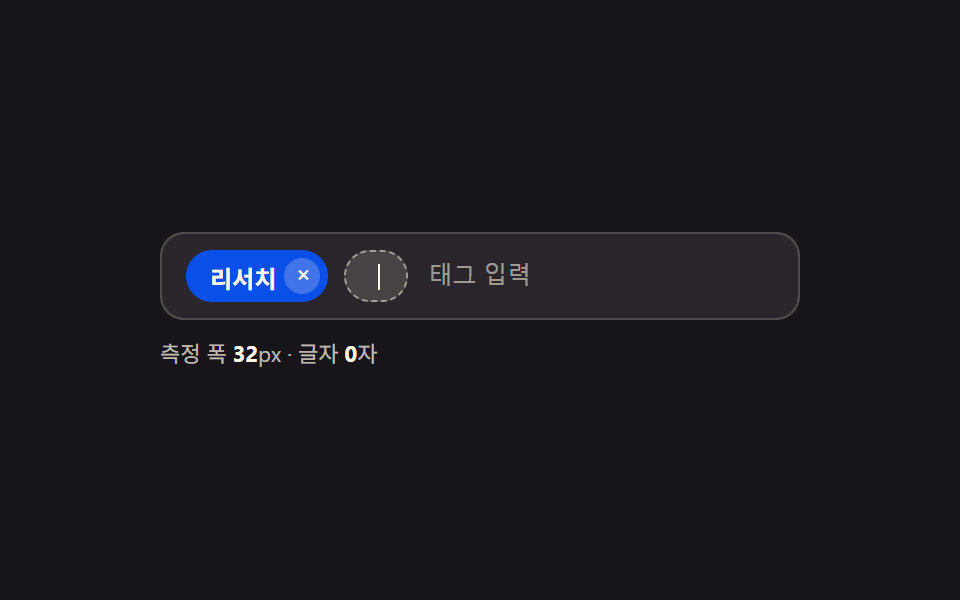
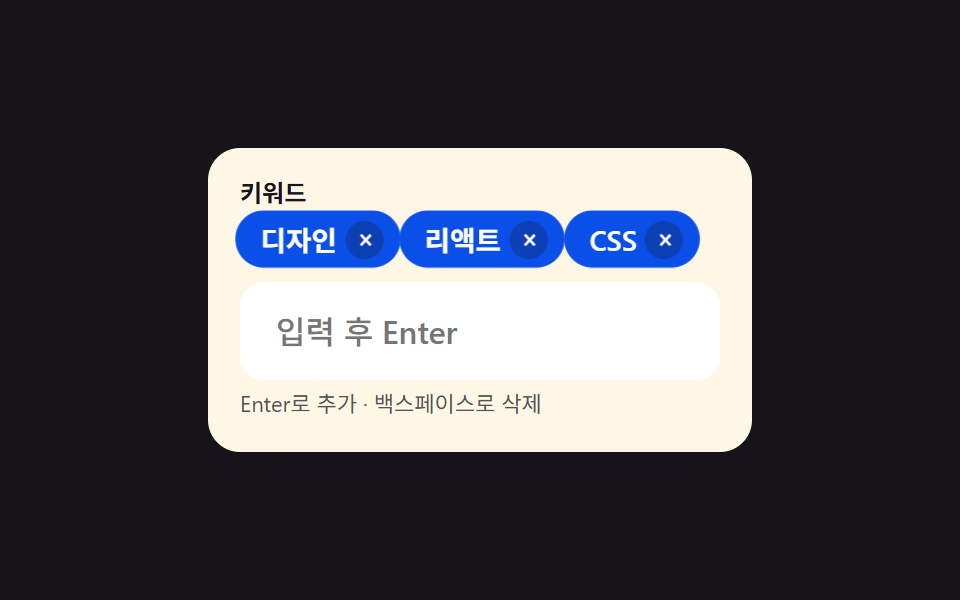
글자를 쓰고 Enter를 누르면 알약 모양 태그로 바뀌고, 빈 입력창에서 백스페이스를 누르면 마지막 태그가 지워집니다.
쓰임상품 키워드 등록, 이메일 수신자 여러 명 추가
Enter로 추가×로 삭제백스페이스 삭제
<main class="stage">
  <div class="tags is-demo" id="wrap">
    <label class="tags__label" for="tag-input">키워드</label>
    <ul class="tags__list" id="list" aria-label="추가된 태그"></ul>
    <input class="tags__input" id="tag-input" type="text" placeholder="입력 후 Enter" aria-describedby="tag-hint">
    <p class="tags__hint" id="tag-hint">Enter로 추가 · 백스페이스로 삭제</p>
  </div>
</main>
@use "../../../../site/static/demo-tokens" as *;
// ── 변수 3개 ──────────────────────────────────────────
$duration: $dur-quick; // 태그가 나타나는 시간
$easing: $ease-pop; // 팝 이징
$color: $subject-blue; // 태그 배경 색
// ── 데모 무대 ──────────────────────────────────────────
@include stage($stage-ink);
.tags {
box-sizing: border-box;
width: min(272px, 84vw);
background: $subject-cream;
border-radius: $r-card;
padding: $sp-4;
box-shadow: $shadow-raised;
&__label {
display: block;
margin: 0 0 $sp-1;
font-weight: 700;
font-size: 12px;
line-height: 1;
font-family: inherit;
color: $stage-ink;
}
&__list {
display: flex;
flex-wrap: wrap;
gap: $sp-1;
margin: 0 0 $sp-2;
padding: 0;
list-style: none;
min-height: 24px;
}
&__chip {
display: flex;
align-items: center;
gap: $sp-1;
background: $subject-blue-deep; // 크림 면 위 칩 — 흰 글자가 4.5 넘게 deep 면(6.37:1)
color: $stage-paper;
border-radius: $r-pill;
padding: $sp-1 $sp-2 $sp-1 $sp-3;
font-size: 13px;
font-weight: 600;
font-family: inherit;
}
&__remove {
border: 0;
background: rgba(23, 20, 26, .25);
color: $stage-paper;
width: 18px;
height: 18px;
border-radius: 50%;
line-height: 1;
font-size: 12px;
cursor: pointer;
transition: background $duration $easing;
&:hover, &:focus-visible { background: rgba(255, 255, 255, .45); }
}
&__input {
box-sizing: border-box;
width: 100%;
border: 2px solid transparent;
border-radius: $r-control;
padding: $sp-3 $sp-4;
font-weight: 500;
font-size: clamp(14px, 4.2vw, 16px);
font-family: inherit;
color: $stage-ink;
background: #fff;
transition: border-color $duration $easing;
&:focus { outline: none; border-color: $color; }
}
&__hint {
margin: $sp-1 0 0;
font-size: 11px;
line-height: 1.4;
font-family: inherit;
color: rgba(23, 20, 26, .72);
}
}
.tags.is-demo .tags__chip { animation: pop $duration $easing both; }
@keyframes pop {
0% { transform: scale(.5); opacity: 0; }
70% { transform: scale(1.06); opacity: 1; }
100% { transform: scale(1); opacity: 1; }
}
@media (prefers-reduced-motion: reduce) {
.tags__chip { animation: none; }
.tags__input, .tags__remove { transition: none; }
}html, body {
margin: 0;
overflow: hidden;
}
.stage {
box-sizing: border-box;
min-height: 100vh;
display: grid;
place-items: center;
margin: 0;
background: #17141a;
font-family: -apple-system, "Segoe UI", "Noto Sans KR", sans-serif;
padding: clamp(8px, 4vw, 24px);
}
.tags {
box-sizing: border-box;
width: min(272px, 84vw);
background: #fff7e6;
border-radius: 16px;
padding: 16px;
box-shadow: 0 14px 24px rgba(23, 20, 26, 0.32);
}
.tags__label {
display: block;
margin: 0 0 4px;
font-weight: 700;
font-size: 12px;
line-height: 1;
font-family: inherit;
color: #17141a;
}
.tags__list {
display: flex;
flex-wrap: wrap;
gap: 4px;
margin: 0 0 8px;
padding: 0;
list-style: none;
min-height: 24px;
}
.tags__chip {
display: flex;
align-items: center;
gap: 4px;
background: #0a4fe8;
color: #ffffff;
border-radius: 999px;
padding: 4px 8px 4px 12px;
font-size: 13px;
font-weight: 600;
font-family: inherit;
}
.tags__remove {
border: 0;
background: rgba(23, 20, 26, 0.25);
color: #ffffff;
width: 18px;
height: 18px;
border-radius: 50%;
line-height: 1;
font-size: 12px;
cursor: pointer;
transition: background 220ms cubic-bezier(0.2, 1.4, 0.4, 1);
}
.tags__remove:hover, .tags__remove:focus-visible {
background: rgba(255, 255, 255, 0.45);
}
.tags__input {
box-sizing: border-box;
width: 100%;
border: 2px solid transparent;
border-radius: 12px;
padding: 12px 16px;
font-weight: 500;
font-size: clamp(14px, 4.2vw, 16px);
font-family: inherit;
color: #17141a;
background: #fff;
transition: border-color 220ms cubic-bezier(0.2, 1.4, 0.4, 1);
}
.tags__input:focus {
outline: none;
border-color: #2f6df6;
}
.tags__hint {
margin: 4px 0 0;
font-size: 11px;
line-height: 1.4;
font-family: inherit;
color: rgba(23, 20, 26, 0.72);
}
.tags.is-demo .tags__chip {
animation: pop 220ms cubic-bezier(0.2, 1.4, 0.4, 1) both;
}
@keyframes pop {
0% {
transform: scale(0.5);
opacity: 0;
}
70% {
transform: scale(1.06);
opacity: 1;
}
100% {
transform: scale(1);
opacity: 1;
}
}
@media (prefers-reduced-motion: reduce) {
.tags__chip {
animation: none;
}
.tags__input, .tags__remove {
transition: none;
}
}(function () {
var wrap = document.getElementById('wrap');
var list = document.getElementById('list');
var input = document.getElementById('tag-input');
var tags = [];
function render() {
list.innerHTML = '';
tags.forEach(function (t, idx) {
var li = document.createElement('li');
li.className = 'tags__chip';
var span = document.createElement('span');
span.textContent = t;
var btn = document.createElement('button');
btn.type = 'button';
btn.className = 'tags__remove';
btn.setAttribute('aria-label', t + ' 태그 삭제');
btn.textContent = '×';
btn.addEventListener('click', function () { stopDemo(); tags.splice(idx, 1); render(); });
li.appendChild(span); li.appendChild(btn);
list.appendChild(li);
});
}
function add(t) { t = t.trim(); if (t) { tags.push(t); render(); } }
input.addEventListener('keydown', function (e) {
if (e.key === 'Enter' || e.key === ',') {
e.preventDefault(); stopDemo(); add(input.value); input.value = '';
} else if (e.key === 'Backspace' && !input.value && tags.length) {
stopDemo(); tags.pop(); render();
}
});
input.addEventListener('pointerdown', stopDemo);
function stopDemo() {
if (!wrap.classList.contains('is-demo')) return;
wrap.classList.remove('is-demo');
clearInterval(timer);
}
var script = ['디자인', '리액트', 'CSS', '반응형'];
var step = 0, chars = '', paused = false;
var timer = setInterval(function () {
if (paused) return;
var word = script[step];
if (chars.length < word.length) {
chars += word[chars.length];
input.value = chars;
} else {
add(chars); input.value = ''; chars = ''; step++;
if (step >= script.length) {
paused = true;
setTimeout(function () { tags = []; step = 0; paused = false; render(); }, 500);
}
}
}, 140);
})();import { useState } from "react";
import styles from "./TagInput.module.scss";
export type TagInputProps = {
label?: string;
initialTags?: string[];
};
export default function TagInput({ label = "키워드", initialTags = [] }: TagInputProps) {
const [tags, setTags] = useState<string[]>(initialTags);
const [draft, setDraft] = useState("");
const add = (t: string) => {
const v = t.trim();
if (v) setTags((prev) => [...prev, v]);
};
const onKeyDown = (e: { key: string; preventDefault: () => void }) => {
if (e.key === "Enter" || e.key === ",") {
e.preventDefault();
add(draft);
setDraft("");
} else if (e.key === "Backspace" && !draft && tags.length) {
setTags((prev) => prev.slice(0, -1));
}
};
return (
<div className={styles.tags}>
<label className={styles.label}>{label}</label>
<ul className={styles.list} aria-label="추가된 태그">
{tags.map((t, i) => (
<li key={t + i} className={styles.chip}>
<span>{t}</span>
<button
type="button"
className={styles.remove}
aria-label={`${t} 태그 삭제`}
onClick={() => setTags((prev) => prev.filter((_, idx) => idx !== i))}
>
×
</button>
</li>
))}
</ul>
<input
className={styles.input}
type="text"
placeholder="입력 후 Enter"
value={draft}
onChange={(e: any) => setDraft(e.target.value)}
onKeyDown={onKeyDown}
/>
</div>
);
}05 태그 입력창 — 측정 누적면적 21.44% · 움직인 프레임 19/23GODRICH 원작 · zip 에 SCSS·React 포함 · 입력창 디자인 9가지 — 복붙하면 되는 폼 위젯
이 데모가 속한 글
 입력창 디자인 9가지 — 복붙하면 되는 폼 위젯입력창 디자인은 전화번호, 카드 번호, 수량, 태그처럼 회원가입·결제 폼에서 자주 보이지만 순수 HTML만으로는 제대로 동작하지 않는 입력 위젯을 말합니다. 아홉 개 중 다섯 개(태그·자동늘어남·드래그드롭·재전송타이 이 글의 데모 전부 보기