01달력 범위 드래그 선택
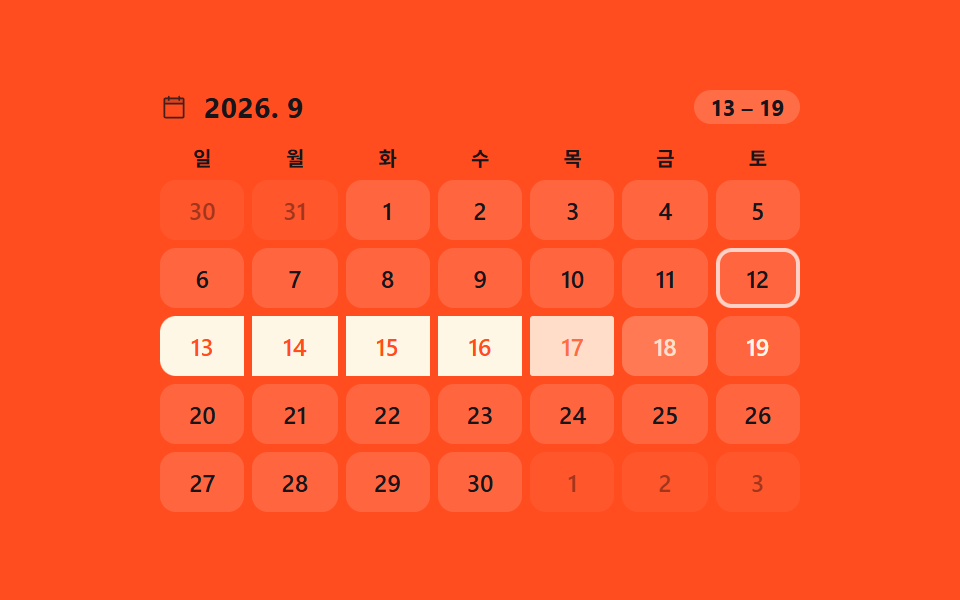
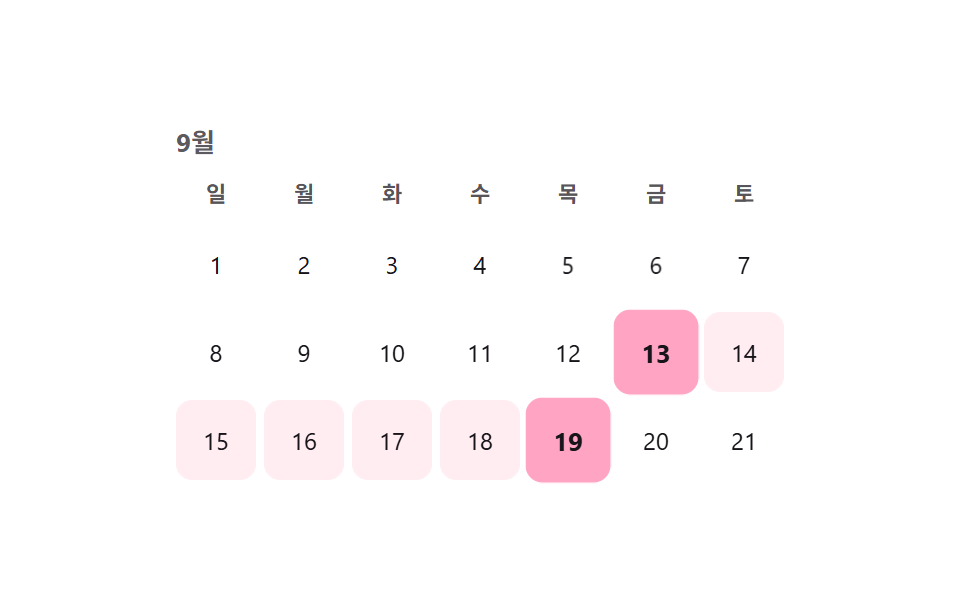
달 그리드에서 시작일을 먼저 고르고 종료일을 고르면, 그 사이 날짜 칸들이 연하게 채워지고 양끝은 진한 점으로 표시된다.
쓰임숙소 예약 기간 선택, 휴가 신청 기간 선택
방향키 이동aria-selected0.22초

<main class="stage">
  <div class="cal is-demo">
    <div class="cal__head">9월</div>
    <div class="cal__grid" role="grid" aria-label="날짜 범위 선택">
      <div class="cal__dow" aria-hidden="true">일</div>
      <div class="cal__dow" aria-hidden="true">월</div>
      <div class="cal__dow" aria-hidden="true">화</div>
      <div class="cal__dow" aria-hidden="true">수</div>
      <div class="cal__dow" aria-hidden="true">목</div>
      <div class="cal__dow" aria-hidden="true">금</div>
      <div class="cal__dow" aria-hidden="true">토</div>
    </div>
    <div class="cal__days" role="rowgroup"></div>
  </div>
</main>
@use "../../../../site/static/demo-tokens" as *;
// ── 변수 3개 ──────────────────────────────
$duration: $dur-quick;
$easing: $ease-pop;
$color: $subject-pink;
@include stage($stage-paper);
.cal { position: relative; width: min(304px, 88vw); color: $subject-ink; }
.cal__head {
font-weight: 700; font-size: 13px; margin-bottom: $sp-2; color: rgba($subject-ink, .7);
}
.cal__grid, .cal__row {
display: grid; grid-template-columns: repeat(7, 1fr); gap: $sp-1;
}
.cal__dow {
text-align: center; font-size: 11px; font-weight: 600; color: rgba($subject-ink, .72);
padding-bottom: $sp-1;
}
.cal__days { position: relative; margin-top: $sp-1; }
.cal__row { position: relative; }
.cal__day {
appearance: none; border: 0; background: transparent; font: inherit; font-family: inherit;
width: 100%; aspect-ratio: 1; border-radius: $r-sm; cursor: pointer;
font-size: 12px; color: $subject-ink; position: relative; z-index: 1;
transition: background-color $duration $easing, color $duration $easing, transform $duration $easing;
-webkit-tap-highlight-color: transparent;
}
.cal__day:focus-visible { outline: 2px solid $color; outline-offset: 2px; }
.cal__day.is-range { background: rgba($color, .18); }
.cal__day.is-edge {
background: $color; color: $subject-ink; font-weight: 700; transform: scale(1.06);
}
@media (prefers-reduced-motion: reduce) {
.cal__day { transition: none; }
}html, body {
margin: 0;
overflow: hidden;
}
.stage {
box-sizing: border-box;
min-height: 100vh;
display: grid;
place-items: center;
margin: 0;
background: #ffffff;
font-family: -apple-system, "Segoe UI", "Noto Sans KR", sans-serif;
padding: clamp(8px, 4vw, 24px);
}
.cal {
position: relative;
width: min(304px, 88vw);
color: #17141a;
}
.cal__head {
font-weight: 700;
font-size: 13px;
margin-bottom: 8px;
color: rgba(23, 20, 26, 0.7);
}
.cal__grid, .cal__row {
display: grid;
grid-template-columns: repeat(7, 1fr);
gap: 4px;
}
.cal__dow {
text-align: center;
font-size: 11px;
font-weight: 600;
color: rgba(23, 20, 26, 0.72);
padding-bottom: 4px;
}
.cal__days {
position: relative;
margin-top: 4px;
}
.cal__row {
position: relative;
}
.cal__day {
appearance: none;
border: 0;
background: transparent;
font: inherit;
font-family: inherit;
width: 100%;
aspect-ratio: 1;
border-radius: 8px;
cursor: pointer;
font-size: 12px;
color: #17141a;
position: relative;
z-index: 1;
transition: background-color 220ms cubic-bezier(0.2, 1.4, 0.4, 1), color 220ms cubic-bezier(0.2, 1.4, 0.4, 1), transform 220ms cubic-bezier(0.2, 1.4, 0.4, 1);
-webkit-tap-highlight-color: transparent;
}
.cal__day:focus-visible {
outline: 2px solid #ff9ebb;
outline-offset: 2px;
}
.cal__day.is-range {
background: rgba(255, 158, 187, 0.18);
}
.cal__day.is-edge {
background: #ff9ebb;
color: #17141a;
font-weight: 700;
transform: scale(1.06);
}
@media (prefers-reduced-motion: reduce) {
.cal__day {
transition: none;
}
}(function () {
var cal = document.querySelector('.cal');
var days = document.createElement('div');
days.className = 'cal__row';
var cells = [];
for (var d = 1; d <= 21; d++) {
var b = document.createElement('button');
b.type = 'button'; b.className = 'cal__day'; b.textContent = d;
b.setAttribute('role', 'gridcell');
b.setAttribute('aria-selected', 'false');
b.tabIndex = d === 1 ? 0 : -1;
b.dataset.day = d;
days.appendChild(b); cells.push(b);
}
cal.querySelector('.cal__days').appendChild(days);
var start = null, end = null;
function paint() {
cells.forEach(function (c) {
var n = +c.dataset.day;
var inRange = start && end && n >= start && n <= end;
var isEdge = n === start || n === end;
c.classList.toggle('is-range', !!inRange);
c.classList.toggle('is-edge', isEdge);
c.setAttribute('aria-selected', isEdge ? 'true' : 'false');
});
}
function pick(n) {
if (start === null || (start !== null && end !== null)) { start = n; end = null; }
else { if (n < start) { end = start; start = n; } else { end = n; } }
paint();
}
cells.forEach(function (c, i) {
c.addEventListener('click', function () { stop(); pick(+c.dataset.day); });
c.addEventListener('keydown', function (e) {
var map = { ArrowRight: 1, ArrowLeft: -1, ArrowDown: 7, ArrowUp: -7 };
if (map[e.key] !== undefined) {
e.preventDefault(); stop();
var next = cells[Math.min(cells.length - 1, Math.max(0, i + map[e.key]))];
cells.forEach(function (x) { x.tabIndex = -1; });
next.tabIndex = 0; next.focus({ preventScroll: true });
} else if (e.key === 'Enter' || e.key === ' ') {
e.preventDefault(); stop(); pick(+c.dataset.day);
}
});
});
var demoPairs = [[3, 8], [10, 15], [5, 6], [13, 19]];
var pi = 0;
function tick() { var pr = demoPairs[pi % demoPairs.length]; start = pr[0]; end = pr[1]; paint(); pi++; }
var t = setInterval(tick, 500); tick();
function stop() { cal.classList.remove('is-demo'); clearInterval(t); }
}());import { useState } from "react";
import type { CSSProperties } from "react";
import styles from "./DateRangeCalendarSelect.module.scss";
export type DateRangeCalendarSelectProps = {
month?: string;
dow?: string[];
days?: number;
duration?: number;
easing?: string;
color?: string;
};
type Vars = CSSProperties & { "--duration"?: string; "--easing"?: string; "--c"?: string };
export default function DateRangeCalendarSelect({
month = "Sep",
dow = ["Sun", "Mon", "Tue", "Wed", "Thu", "Fri", "Sat"],
days = 21,
duration = 220,
easing = "cubic-bezier(.2,1.4,.4,1)",
color = "#ff9ebb",
}: DateRangeCalendarSelectProps) {
const [start, setStart] = useState<number | null>(3);
const [end, setEnd] = useState<number | null>(8);
const vars: Vars = { "--duration": `${duration}ms`, "--easing": easing, "--c": color };
function pick(n: number) {
if (start === null || (start !== null && end !== null)) {
setStart(n); setEnd(null);
} else if (n < start) {
setEnd(start); setStart(n);
} else {
setEnd(n);
}
}
return (
<div className={styles.cal} style={vars}>
<div className={styles.head}>{month}</div>
<div className={styles.grid}>
{dow.map((d) => (
<div key={d} className={styles.dow}>{d}</div>
))}
</div>
<div className={styles.row}>
{Array.from({ length: days }, (_, i) => i + 1).map((n, i) => {
const inRange = start !== null && end !== null && n >= start && n <= end;
const isEdge = n === start || n === end;
return (
<button
key={n}
type="button"
className={styles.day}
data-range={inRange}
data-edge={isEdge}
aria-selected={isEdge}
tabIndex={i === 0 ? 0 : -1}
onClick={() => pick(n)}
>
{n}
</button>
);
})}
</div>
</div>
);
}01 달력 범위 드래그 선택 — 측정 누적면적 18.911% · 움직인 프레임 13/23GODRICH 원작 · zip 에 SCSS·React 포함 · 달력 선택 UI 9종 — 복붙하면 되는
이 데모가 속한 글
 달력 선택 UI 9종 — 복붙하면 되는달력 선택 UI는 시작일과 종료일처럼 값 하나가 아니라 범위·묶음을 고르게 해주는 선택 도구입니다. 세그먼트 컨트롤이나 색상 스와치처럼 이미 다뤘던 낱개 선택지 말고, 날짜 범위·가격대·아바타·사이즈+수량·검색 드롭 이 글의 데모 전부 보기