02아이콘만 남는 내비
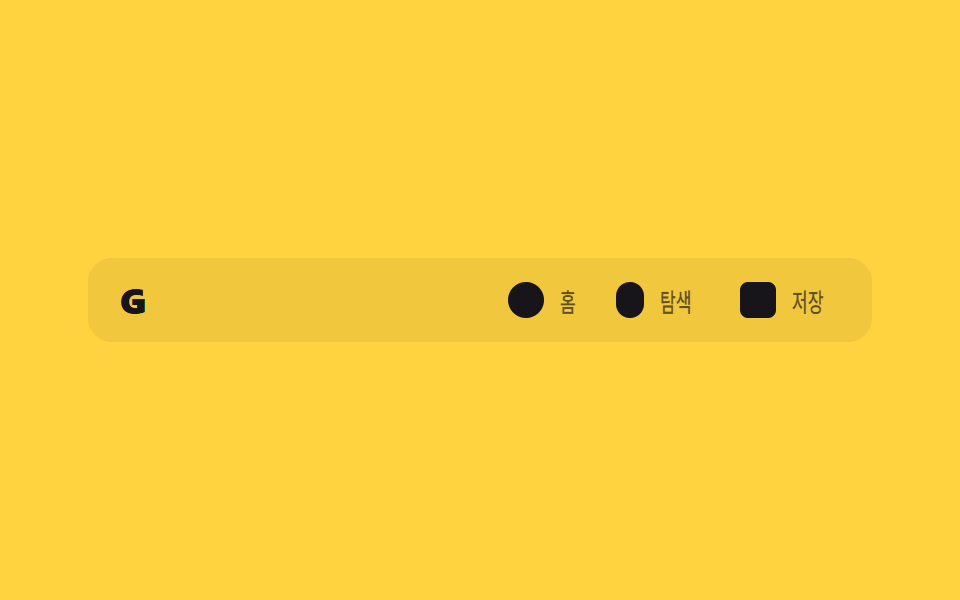
내비게이션 링크의 글자 라벨이 스크롤하면 폭과 함께 사라지고 아이콘만 남아 좁아진 헤더 폭을 아낀다.
쓰임사이드바 없는 모바일 웹앱 헤더, 좁은 화면의 SPA 상단바
width:0 축소opacity 페이드clip 텍스트
<main class="stage">
  <header class="ioc is-demo">
    <span class="ioc__logo">G</span>
    <nav class="ioc__nav">
      <a class="ioc__item" href="#"><span class="ioc__icon ioc__icon--home" aria-hidden="true"></span><span class="ioc__label">홈</span></a>
      <a class="ioc__item" href="#"><span class="ioc__icon ioc__icon--search" aria-hidden="true"></span><span class="ioc__label">탐색</span></a>
      <a class="ioc__item" href="#"><span class="ioc__icon ioc__icon--save" aria-hidden="true"></span><span class="ioc__label">저장</span></a>
    </nav>
  </header>
</main>
@use "../../../../site/static/demo-tokens" as *;
// ── 변수 3개. 변형은 이것만 바꾼다 ──────────────────────────
$duration: $dur-base; // 라벨이 접히는 시간
// 관성 lerp — p += (목표-p) * .22 를 22스텝 반복한 계산 결과를 커브로 굽는다 (형태 2차, 사용자 2026-09-14)
$easing: linear(0, .22, .392, .525, .63, .711, .775, .824, .863, .893, .917, .935, .949, .96, .969, .976, .981, .985, .989, .991, .993, .995, 1);
$color: $stage-ink; // 아이콘·라벨 색
@include stage($stage-yellow);
// 320px 데모 스테이지: stage() 믹스인은 html,body 에만 overflow:hidden 을 준다 — html(root)은
// 자기 overflow:hidden 이 scrollWidth 를 뷰포트에 눌러주지만 body 는 보통 요소라 그대로 실제 콘텐츠
// 폭을 보고한다. 아이콘 3개 + 라벨(nav gap 포함) 이 90vw 보다 실측 폭이 넓어 320px 에서 13px 넘친다
// (128-02 실측, body.scrollWidth 333 vs innerWidth 320). .stage 를 직접 잘라 위로 전파를 막는다.
.stage { overflow: hidden; }
.ioc {
width: min(360px, 90vw);
display: flex; align-items: center; justify-content: space-between;
padding: $sp-3 $sp-4;
border-radius: $r-control;
background: rgba($stage-ink, .06);
&__logo { color: $color; font-weight: 800; font-size: clamp(15px, 4vw, 18px); line-height: 1; font-family: inherit; letter-spacing: .04em; }
&__nav { display: flex; align-items: center; gap: $sp-4; }
}
.ioc__item {
display: flex; align-items: center; gap: $sp-2;
text-decoration: none;
color: $color;
}
.ioc__icon {
flex: none;
width: 18px; height: 18px;
border-radius: $r-xs;
background: $color;
&--home { border-radius: 50%; }
&--search { border-radius: $r-pill; width: 14px; }
&--save { border-radius: $r-xs; }
}
// 라벨: 항목마다 폭이 다른 텍스트를 진짜로 비켜 줘야(width 축소) 헤더 폭을 아끼는 게 보인다.
// max-width 애니메이션은 이 작은 요소 안에서만 — blog-demo 규칙1 의 예외 (본문 원리 섹션 재료)
.ioc__label {
overflow: hidden;
white-space: nowrap;
max-width: 40px;
transform-origin: left center; // 규칙8: 라벨 좌측 기준 접힘
font-weight: 500;
font-size: clamp(12px, 3.4vw, 13px);
line-height: 1;
font-family: inherit;
color: $color;
transition: max-width $duration $easing, transform $duration $easing, opacity $duration $easing;
}
// 실제 사용: 스크롤하면 라벨이 폭과 함께 접혀 아이콘만 남는다
.ioc.is-scrolled .ioc__label { max-width: 0; transform: scaleX(0); opacity: 0; }
// ── 데모(.is-demo): 접혔다 펼쳐지는 2초 루프 ──────────────
.ioc.is-demo .ioc__label { animation: ioc-label-loop $dur-loop $easing infinite; }
@keyframes ioc-label-loop {
0%, 20% { max-width: 40px; transform: scaleX(1); opacity: 1; }
45%, 70% { max-width: 0; transform: scaleX(0); opacity: 0; }
95%, 100% { max-width: 40px; transform: scaleX(1); opacity: 1; }
}
// ── 접근성 ──────────────────────────────────────────
@media (prefers-reduced-motion: reduce) {
.ioc__label { transition: none; }
.ioc.is-demo .ioc__label { animation: none !important; max-width: 40px; transform: scaleX(1); opacity: 1; }
}html, body {
margin: 0;
overflow: hidden;
}
.stage {
box-sizing: border-box;
min-height: 100vh;
display: grid;
place-items: center;
margin: 0;
background: #ffd23f;
font-family: -apple-system, "Segoe UI", "Noto Sans KR", sans-serif;
padding: clamp(8px, 4vw, 24px);
}
.stage {
overflow: hidden;
}
.ioc {
width: min(360px, 90vw);
display: flex;
align-items: center;
justify-content: space-between;
padding: 12px 16px;
border-radius: 12px;
background: rgba(23, 20, 26, 0.06);
}
.ioc__logo {
color: #17141a;
font-weight: 800;
font-size: clamp(15px, 4vw, 18px);
line-height: 1;
font-family: inherit;
letter-spacing: 0.04em;
}
.ioc__nav {
display: flex;
align-items: center;
gap: 16px;
}
.ioc__item {
display: flex;
align-items: center;
gap: 8px;
text-decoration: none;
color: #17141a;
}
.ioc__icon {
flex: none;
width: 18px;
height: 18px;
border-radius: 4px;
background: #17141a;
}
.ioc__icon--home {
border-radius: 50%;
}
.ioc__icon--search {
border-radius: 999px;
width: 14px;
}
.ioc__icon--save {
border-radius: 4px;
}
.ioc__label {
overflow: hidden;
white-space: nowrap;
max-width: 40px;
transform-origin: left center;
font-weight: 500;
font-size: clamp(12px, 3.4vw, 13px);
line-height: 1;
font-family: inherit;
color: #17141a;
transition: max-width 300ms linear(0, 0.22, 0.392, 0.525, 0.63, 0.711, 0.775, 0.824, 0.863, 0.893, 0.917, 0.935, 0.949, 0.96, 0.969, 0.976, 0.981, 0.985, 0.989, 0.991, 0.993, 0.995, 1), transform 300ms linear(0, 0.22, 0.392, 0.525, 0.63, 0.711, 0.775, 0.824, 0.863, 0.893, 0.917, 0.935, 0.949, 0.96, 0.969, 0.976, 0.981, 0.985, 0.989, 0.991, 0.993, 0.995, 1), opacity 300ms linear(0, 0.22, 0.392, 0.525, 0.63, 0.711, 0.775, 0.824, 0.863, 0.893, 0.917, 0.935, 0.949, 0.96, 0.969, 0.976, 0.981, 0.985, 0.989, 0.991, 0.993, 0.995, 1);
}
.ioc.is-scrolled .ioc__label {
max-width: 0;
transform: scaleX(0);
opacity: 0;
}
.ioc.is-demo .ioc__label {
animation: ioc-label-loop 2s linear(0, 0.22, 0.392, 0.525, 0.63, 0.711, 0.775, 0.824, 0.863, 0.893, 0.917, 0.935, 0.949, 0.96, 0.969, 0.976, 0.981, 0.985, 0.989, 0.991, 0.993, 0.995, 1) infinite;
}
@keyframes ioc-label-loop {
0%, 20% {
max-width: 40px;
transform: scaleX(1);
opacity: 1;
}
45%, 70% {
max-width: 0;
transform: scaleX(0);
opacity: 0;
}
95%, 100% {
max-width: 40px;
transform: scaleX(1);
opacity: 1;
}
}
@media (prefers-reduced-motion: reduce) {
.ioc__label {
transition: none;
}
.ioc.is-demo .ioc__label {
animation: none !important;
max-width: 40px;
transform: scaleX(1);
opacity: 1;
}
}// 실제 페이지: 스크롤하면 라벨 폭이 줄며 사라지고 아이콘만 남는다 (7줄)
var el = document.querySelector('.ioc');
window.addEventListener('scroll', function () {
el.classList.toggle('is-scrolled', window.scrollY > 20);
}, { passive: true });import { useEffect, useRef } from "react";
import type { CSSProperties, ReactNode } from "react";
import styles from "./IconOnlyNav.module.scss";
export type IconOnlyNavItem = {
key: string;
label: string;
icon: ReactNode;
href?: string;
};
export type IconOnlyNavProps = {
logo: string;
items: IconOnlyNavItem[];
/** 라벨이 접히는 시간 (기본 300ms) */
duration?: number;
/** 관성 lerp 커브(p += (목표-p)*.22 를 22스텝 반복해 구운 linear()) — 기본값이 vanilla 와 같다 */
easing?: string;
color?: string;
};
// vanilla 128 과 같은 관성 lerp 커브 — p += (목표-p)*.22 를 22스텝 반복해 구운 linear()
const LERP_EASING = "linear(0, .22, .392, .525, .63, .711, .775, .824, .863, .893, .917, .935, .949, .96, .969, .976, .981, .985, .989, .991, .993, .995, 1)";
type Vars = CSSProperties & { "--duration"?: string; "--easing"?: string; "--color"?: string };
export default function IconOnlyNav({
logo,
items,
duration = 300,
easing = LERP_EASING,
color = "#17141a",
}: IconOnlyNavProps) {
const ref = useRef<HTMLElement>(null);
const vars: Vars = { "--duration": `${duration}ms`, "--easing": easing, "--color": color };
useEffect(() => {
function onScroll() {
ref.current?.classList.toggle("is-scrolled", window.scrollY > 20);
}
window.addEventListener("scroll", onScroll, { passive: true });
return () => window.removeEventListener("scroll", onScroll);
}, []);
return (
<header ref={ref} className={styles.head} style={vars}>
<span className={styles.logo}>{logo}</span>
<nav className={styles.nav}>
{items.map((it) => (
<a key={it.key} className={styles.item} href={it.href ?? "#"}>
<span className={styles.icon}>{it.icon}</span>
<span className={styles.label}>{it.label}</span>
</a>
))}
</nav>
</header>
);
}02 아이콘만 남는 내비 — 측정 누적면적 1.844% · 움직인 프레임 14/23GODRICH 원작 · zip 에 SCSS·React 포함 · CSS 헤더 고정 9가지 응용 — 검색바·CTA·배지까지
이 데모가 속한 글
 CSS 헤더 고정 9가지 응용 — 검색바·CTA·배지까지CSS 헤더 고정은 스크롤해도 페이지 위쪽 메뉴 줄이 화면에 그대로 붙어 있게 만드는 기능으로, position: sticky 한 줄이면 충분합니다. 여기 아홉 개는 그냥 붙어만 있는 헤더를 넘어, 스크롤하는 동안 이 글의 데모 전부 보기