06AI 답변 스트리밍 느낌
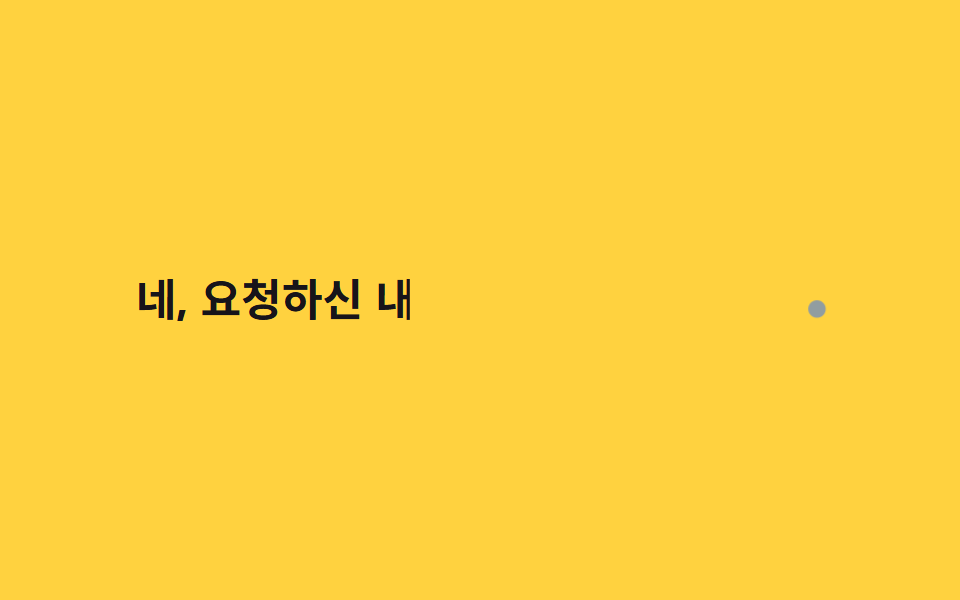
고정 간격 steps() 대신 30~90ms 사이 무작위 간격으로 글자를 이어 붙이는 자바스크립트 루프를 써서 AI 응답이 토큰 단위로 흘러나오는 불규칙한 리듬을 흉내낸다.
쓰임AI 챗봇 답변 영역, 프롬프트 결과 로딩 연출
랜덤 간격 JSel.animate오브 커서 pulse
<main class="stage">
  <p class="ai"><span class="ai__text" id="atext">네, 요청하신 내용을 정리해드릴게요</span><span class="ai__orb" aria-hidden="true"></span></p>
</main>
@use "../../../../site/static/demo-tokens" as *;
$duration: $dur-loop; // JS 쪽 el.animate() duration:2000 과 맞춘다
$easing: linear; // 랜덤 간격을 이미 offset 으로 넣어 linear 로 충분하다
$color: $subject-ink; // 글자 색
@include stage($stage-yellow);
.ai {
margin: 0;
display: flex;
align-items: baseline;
gap: clamp(4px, 1.4vw, 8px);
font-weight: 700; font-size: clamp(16px, 4.6vw, 26px); line-height: 1.5; font-family: inherit;
color: $color;
&__text { display: inline-block; }
&__orb {
width: clamp(6px, 1.8vw, 10px);
height: clamp(6px, 1.8vw, 10px);
border-radius: $r-pill;
background: $subject-blue;
animation: orb-pulse $dur-quick $ease-pop infinite;
}
}
@keyframes orb-pulse {
0%, 100% { transform: scale(1); opacity: .55; }
50% { transform: scale(1.6); opacity: 1; }
}
@media (prefers-reduced-motion: reduce) {
.ai__text { clip-path: none !important; }
.ai__orb { animation: none; opacity: .8; }
}html, body {
margin: 0;
overflow: hidden;
}
.stage {
box-sizing: border-box;
min-height: 100vh;
display: grid;
place-items: center;
margin: 0;
background: #ffd23f;
font-family: -apple-system, "Segoe UI", "Noto Sans KR", sans-serif;
padding: clamp(8px, 4vw, 24px);
}
.ai {
margin: 0;
display: flex;
align-items: baseline;
gap: clamp(4px, 1.4vw, 8px);
font-weight: 700;
font-size: clamp(16px, 4.6vw, 26px);
line-height: 1.5;
font-family: inherit;
color: #17141a;
}
.ai__text {
display: inline-block;
}
.ai__orb {
width: clamp(6px, 1.8vw, 10px);
height: clamp(6px, 1.8vw, 10px);
border-radius: 999px;
background: #2f6df6;
animation: orb-pulse 220ms cubic-bezier(0.2, 1.4, 0.4, 1) infinite;
}
@keyframes orb-pulse {
0%, 100% {
transform: scale(1);
opacity: 0.55;
}
50% {
transform: scale(1.6);
opacity: 1;
}
}
@media (prefers-reduced-motion: reduce) {
.ai__text {
clip-path: none !important;
}
.ai__orb {
animation: none;
opacity: 0.8;
}
}(function () {
if (matchMedia('(prefers-reduced-motion: reduce)').matches) return;
var el = document.getElementById('atext'), s = el.textContent, n = s.length, d = [], sum = 0;
for (var i = 0; i < n; i++) { var r = 30 + Math.random() * 60; d.push(r); sum += r; }
var acc = 0, kf = [{ clipPath: 'inset(0 100% 0 0)', offset: 0 }];
for (var i = 0; i < n; i++) { acc += d[i]; kf.push({ clipPath: 'inset(0 ' + (100 - acc / sum * 78) + '% 0 0)', offset: acc / sum * .78 }); }
kf.push({ clipPath: 'inset(0 0% 0 0)', offset: .9 }, { clipPath: 'inset(0 100% 0 0)', offset: 1 });
el.animate(kf, { duration: 2000, iterations: Infinity });
})();import { useEffect, useRef } from "react";
import type { CSSProperties } from "react";
import styles from "./AiStreamingCaret.module.scss";
export type AiStreamingCaretProps = {
text: string;
/** el.animate() duration (기본 2000ms) */
duration?: number;
color?: string;
};
export default function AiStreamingCaret({ text, duration = 2000, color = "#17141a" }: AiStreamingCaretProps) {
const ref = useRef<HTMLSpanElement | null>(null);
useEffect(() => {
const el = ref.current;
if (!el || matchMedia("(prefers-reduced-motion: reduce)").matches) return;
const n = text.length;
const d: number[] = [];
let sum = 0;
for (let i = 0; i < n; i++) { const r = 30 + Math.random() * 60; d.push(r); sum += r; }
let acc = 0;
const kf = [{ clipPath: "inset(0 100% 0 0)", offset: 0 }];
for (let i = 0; i < n; i++) { acc += d[i]; kf.push({ clipPath: "inset(0 " + (100 - (acc / sum) * 78) + "% 0 0)", offset: (acc / sum) * 0.78 }); }
kf.push({ clipPath: "inset(0 0% 0 0)", offset: 0.9 }, { clipPath: "inset(0 100% 0 0)", offset: 1 });
const anim = el.animate(kf, { duration, iterations: Infinity });
return () => anim.cancel();
}, [text, duration]);
const vars = { "--color": color } as CSSProperties;
return (
<p className={styles.ai} style={vars}>
<span ref={ref} className={styles.text}>{text}</span>
<span className={styles.orb} aria-hidden="true" />
</p>
);
}06 AI 답변 스트리밍 느낌 — 측정 누적면적 2.514% · 움직인 프레임 23/23GODRICH 원작 · zip 에 SCSS·React 포함 · CSS 타이핑 효과 9종 — 한 줄 복붙으로
이 데모가 속한 글
 CSS 타이핑 효과 9종 — 한 줄 복붙으로CSS 타이핑 효과는 자바스크립트 라이브러리 없이 CSS만으로 문장이 한 글자씩 나타나거나 지워지는 것처럼 보이게 만드는 짧은 애니메이션입니다. 아래 아홉 개는 각각 다른 CSS 속성 하나에 기대고 있고, 필요한 건 이 글의 데모 전부 보기