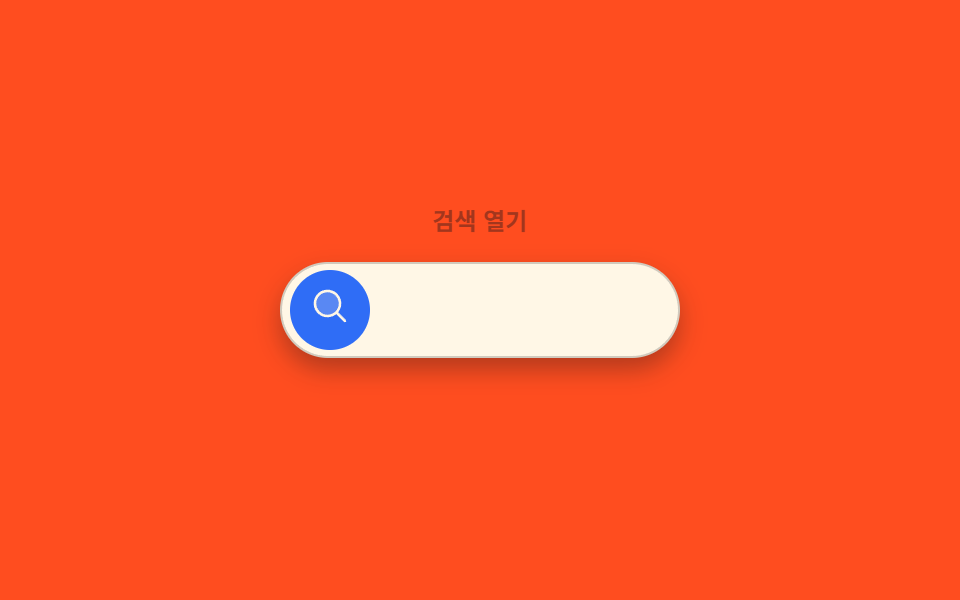
06알약에서 막대로 전환 — 찾기 값이 켜지면 알약 모양 값이 막대 모양 값으로 바뀌며 입력 자리가 생기는 방식
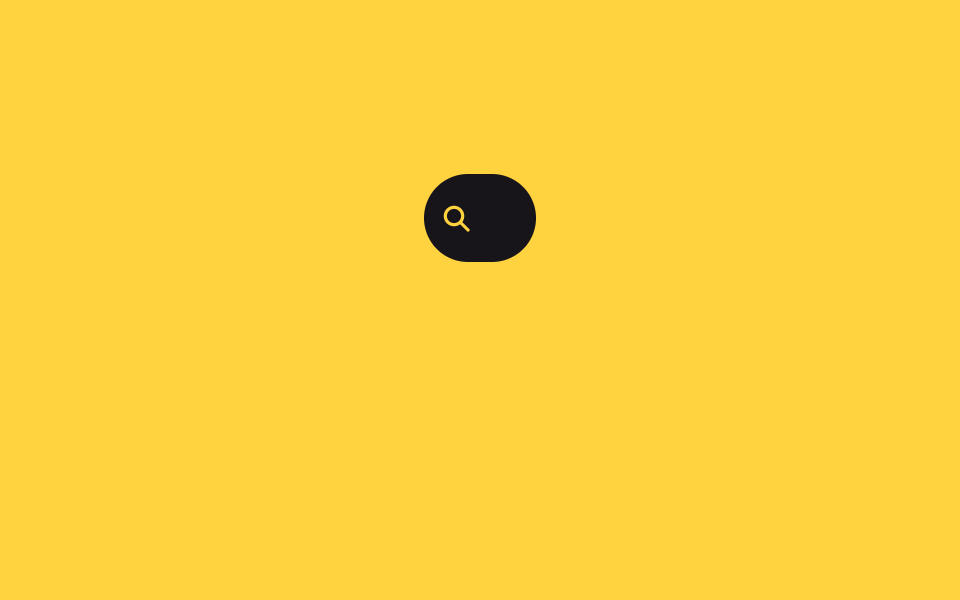
찾기 값이 켜지면 알약 모양이 막대 모양으로 늘어나며 입력 자리가 나타나고, 꺼지면 다시 알약으로 줄어듭니다.
쓰임머리글의 찾기 단추, 좁은 화면의 찾기 열기
BAR_WSEEDSpaintHints
<main class="stage">
<div class="ps is-demo" id="ps">
  <div class="ps__bar" id="psBar">
    <span class="ps__icon" aria-hidden="true">
      <svg viewBox="0 0 24 24" width="16" height="16"><circle cx="10.5" cy="10.5" r="6.5" fill="none" stroke="currentColor" stroke-width="2.4"/><line x1="15.5" y1="15.5" x2="21" y2="21" stroke="currentColor" stroke-width="2.4" stroke-linecap="round"/></svg>
    </span>
    <input class="ps__input" id="psInput" type="text" placeholder="찾기 값을 입력" aria-label="찾기 값 입력">
    <button type="button" class="ps__close" id="psClose" aria-label="찾기 값 닫기">
      <svg viewBox="0 0 24 24" width="14" height="14"><line x1="5" y1="5" x2="19" y2="19" stroke="currentColor" stroke-width="2.4" stroke-linecap="round"/><line x1="19" y1="5" x2="5" y2="19" stroke="currentColor" stroke-width="2.4" stroke-linecap="round"/></svg>
    </button>
  </div>
  <ul class="ps__hints" id="psHints" aria-hidden="true">
    <li class="ps__hint">샘플 값 1</li>
    <li class="ps__hint">샘플 값 2</li>
  </ul>
</div>
</main>
@use "../../../../site/static/demo-tokens" as *;
// 계산 겹: 폭 확장은 transition(width) 이 아니라 index.html 이 실측한 --input-w 값으로
// 커서 자리를 잡고, 힌트 목록은 시드 고정 로컬 배열로만 그린다(실 fetch 0).
@include stage($stage-yellow);
.ps {
display: grid;
gap: $sp-2;
justify-items: center;
}
.ps__bar {
display: inline-flex;
align-items: center;
gap: $sp-2;
width: 56px;
height: 44px;
padding: 0 $sp-2;
box-sizing: border-box;
border-radius: $r-pill;
background: $subject-ink;
overflow: hidden;
transition: width 700ms $ease-spring, padding 700ms $ease-spring;
cursor: pointer;
}
.ps--open .ps__bar {
width: 320px;
padding: 0 $sp-3;
cursor: default;
}
.ps__icon {
display: inline-flex;
color: $stage-yellow;
flex: 0 0 auto;
}
.ps__input {
flex: 1 1 auto;
min-width: 0;
border: 0;
background: transparent;
color: $subject-cream;
font-size: 14px;
font-weight: 500;
opacity: 0;
transition: opacity $dur-quick $ease-out;
}
.ps__input:focus { outline: none; }
.ps--open .ps__input { opacity: 1; }
.ps__input::placeholder { color: rgba($subject-cream, .72); }
.ps.is-demo .ps__input::placeholder { color: transparent; }
.ps__close {
display: grid;
place-items: center;
width: 28px;
height: 28px;
flex: 0 0 auto;
border: 0;
border-radius: 50%;
background: rgba($stage-yellow, .18);
color: $stage-yellow;
cursor: pointer;
opacity: 0;
transform: rotate(-90deg);
transition: opacity $dur-quick $ease-out, transform $dur-base $ease-elastic;
}
.ps--open .ps__close { opacity: 1; transform: rotate(0deg); }
.ps__hints {
list-style: none;
margin: 0;
padding: 0;
display: grid;
gap: $sp-1;
width: 320px;
}
.ps__hint {
padding: $sp-2 $sp-3;
border-radius: $r-control;
background: rgba($subject-ink, .9);
color: $subject-cream;
font-size: 13px;
opacity: 0;
transform: translateY(-4px);
transition: opacity $dur-quick $ease-out, transform $dur-quick $ease-out;
}
.ps__hint--on { opacity: 1; transform: translateY(0); }
@media (max-width: 340px) {
.ps--open .ps__bar { width: 260px; }
.ps__hints { width: 260px; }
}
@media (prefers-reduced-motion: reduce) {
.ps__bar, .ps__input, .ps__close, .ps__hint { transition: none; }
}html, body {
margin: 0;
overflow: hidden;
}
.stage {
box-sizing: border-box;
min-height: 100vh;
display: grid;
place-items: center;
margin: 0;
background: #ffd23f;
font-family: -apple-system, "Segoe UI", "Noto Sans KR", sans-serif;
padding: clamp(8px, 4vw, 24px);
}
.ps {
display: grid;
gap: 8px;
justify-items: center;
}
.ps__bar {
display: inline-flex;
align-items: center;
gap: 8px;
width: 56px;
height: 44px;
padding: 0 8px;
box-sizing: border-box;
border-radius: 999px;
background: #17141a;
overflow: hidden;
transition: width 700ms cubic-bezier(0.2, 0.8, 0.2, 1), padding 700ms cubic-bezier(0.2, 0.8, 0.2, 1);
cursor: pointer;
}
.ps--open .ps__bar {
width: 320px;
padding: 0 12px;
cursor: default;
}
.ps__icon {
display: inline-flex;
color: #ffd23f;
flex: 0 0 auto;
}
.ps__input {
flex: 1 1 auto;
min-width: 0;
border: 0;
background: transparent;
color: #fff7e6;
font-size: 14px;
font-weight: 500;
opacity: 0;
transition: opacity 220ms ease-out;
}
.ps__input:focus {
outline: none;
}
.ps--open .ps__input {
opacity: 1;
}
.ps__input::placeholder {
color: rgba(255, 247, 230, 0.72);
}
.ps.is-demo .ps__input::placeholder {
color: transparent;
}
.ps__close {
display: grid;
place-items: center;
width: 28px;
height: 28px;
flex: 0 0 auto;
border: 0;
border-radius: 50%;
background: rgba(255, 210, 63, 0.18);
color: #ffd23f;
cursor: pointer;
opacity: 0;
transform: rotate(-90deg);
transition: opacity 220ms ease-out, transform 300ms cubic-bezier(0.34, 1.56, 0.64, 1);
}
.ps--open .ps__close {
opacity: 1;
transform: rotate(0deg);
}
.ps__hints {
list-style: none;
margin: 0;
padding: 0;
display: grid;
gap: 4px;
width: 320px;
}
.ps__hint {
padding: 8px 12px;
border-radius: 12px;
background: rgba(23, 20, 26, 0.9);
color: #fff7e6;
font-size: 13px;
opacity: 0;
transform: translateY(-4px);
transition: opacity 220ms ease-out, transform 220ms ease-out;
}
.ps__hint--on {
opacity: 1;
transform: translateY(0);
}
@media (max-width: 340px) {
.ps--open .ps__bar {
width: 260px;
}
.ps__hints {
width: 260px;
}
}
@media (prefers-reduced-motion: reduce) {
.ps__bar, .ps__input, .ps__close, .ps__hint {
transition: none;
}
}(function () {
var root = document.getElementById('ps');
var bar = document.getElementById('psBar');
var input = document.getElementById('psInput');
var closeBtn = document.getElementById('psClose');
var BAR_W = 320; // 목표 막대 폭(px)
// 계산 겹: 열릴 때 입력 폭을 getBoundingClientRect 로 실측해 커서가 놓일 자리를 잡는다.
// 폰트·패딩이 달라져도 열림 폭이 글자보다 좁아지지 않게 max 로 비교한다.
var open = false;
function paint() {
root.classList.toggle('ps--open', open);
bar.setAttribute('aria-expanded', String(open));
if (open) {
// 열린 직후 실측: 입력 요소 폭이 0 이면(아직 숨김) 측정을 다음 프레임으로 미룬다
var w = input.getBoundingClientRect().width || 1;
bar.style.setProperty('--input-w', w + 'px');
input.focus({ preventScroll: true });
}
}
function toggle() {
open = !open;
paint();
}
closeBtn.addEventListener('click', function () {
root.classList.remove('is-demo');
stopAutoplay();
if (open) toggle();
});
input.addEventListener('input', function () {
root.classList.remove('is-demo');
stopAutoplay();
paintHints();
});
input.addEventListener('focus', function () {
root.classList.remove('is-demo');
stopAutoplay();
});
// 시드 고정 로컬 값 — 실제 검색 API 는 쓰지 않는다
var SEEDS = ['샘플 값 1', '샘플 값 2', '샘플 값 3'];
function paintHints() {
var hints = root.querySelectorAll('.ps__hint');
var q = input.value.trim();
var n = q ? Math.min(2, SEEDS.length) : 0;
hints.forEach(function (h, i) {
h.classList.toggle('ps__hint--on', i < n);
if (i < n) h.textContent = SEEDS[i];
});
}
var autoTimer = null;
function stopAutoplay() { if (autoTimer) { clearInterval(autoTimer); autoTimer = null; } }
var reduce = window.matchMedia('(prefers-reduced-motion: reduce)').matches;
if (!reduce) {
var step = 0;
var TYPES = ['', '샘', ''];
autoTimer = setInterval(function () {
open = (step % 2 === 0);
input.value = TYPES[(step >> 1) % TYPES.length];
paint();
paintHints();
step++;
}, 1300);
} else { open = true; input.value = ''; paint(); }
})();import { useEffect, useRef } from "react";
import styles from "./PillToBarSearch.module.scss";
type Box<T> = { current: T };
// 시드 고정 로컬 값 — 실제 검색 API 는 쓰지 않는다
const SEEDS = ["샘플 값 1", "샘플 값 2", "샘플 값 3"];
export default function PillToBarSearch() {
const rootRef = useRef(null) as unknown as Box<HTMLDivElement | null>;
useEffect(() => {
const root = rootRef.current;
if (!root) return;
const bar = root.querySelector(`.${styles.bar}`) as HTMLElement | null;
const input = root.querySelector(`.${styles.input}`) as HTMLInputElement | null;
const closeBtn = root.querySelector(`.${styles.close}`) as HTMLButtonElement | null;
if (!bar || !input || !closeBtn) return;
let open = false;
function paint() {
root!.classList.toggle(styles["root--open"], open);
bar!.setAttribute("aria-expanded", String(open));
if (open) {
const w = input!.getBoundingClientRect().width || 1;
bar!.style.setProperty("--input-w", w + "px");
input!.focus({ preventScroll: true });
}
}
function toggle() {
open = !open;
paint();
}
function paintHints() {
const hints = root!.querySelectorAll("." + styles.hint);
const q = input!.value.trim();
const n = q ? Math.min(2, SEEDS.length) : 0;
hints.forEach((h, i) => {
h.classList.toggle(styles["hint--on"], i < n);
if (i < n) (h as HTMLElement).textContent = SEEDS[i];
});
}
function onClose() {
root!.classList.remove(styles["is-demo"]);
stopAutoplay();
if (open) toggle();
}
function onInput() {
root!.classList.remove(styles["is-demo"]);
stopAutoplay();
paintHints();
}
function onFocus() {
root!.classList.remove(styles["is-demo"]);
stopAutoplay();
}
closeBtn.addEventListener("click", onClose);
input.addEventListener("input", onInput);
input.addEventListener("focus", onFocus);
let autoTimer: number | null = null;
function stopAutoplay() { if (autoTimer !== null) { window.clearInterval(autoTimer); autoTimer = null; } }
const reduce = window.matchMedia("(prefers-reduced-motion: reduce)").matches;
if (!reduce) {
let step = 0;
const TYPES = ["", "샘", ""];
autoTimer = window.setInterval(() => {
open = (step % 2 === 0);
input!.value = TYPES[(step >> 1) % TYPES.length];
paint();
paintHints();
step++;
}, 1300);
} else { open = true; input!.value = ""; paint(); }
return () => {
stopAutoplay();
closeBtn.removeEventListener("click", onClose);
input.removeEventListener("input", onInput);
input.removeEventListener("focus", onFocus);
};
}, []);
return (
<div ref={rootRef} className={`${styles.stage} ${styles.ps} ${styles["is-demo"]}`}>
<div className={styles.bar} aria-expanded="false">
<span className={styles.icon} aria-hidden="true">
<svg viewBox="0 0 24 24" width="16" height="16"><circle cx="10.5" cy="10.5" r="6.5" fill="none" stroke="currentColor" strokeWidth="2.4" /><line x1="15.5" y1="15.5" x2="21" y2="21" stroke="currentColor" strokeWidth="2.4" strokeLinecap="round" /></svg>
</span>
<input className={styles.input} type="text" placeholder="찾기 값을 입력" aria-label="찾기 값 입력" />
<button type="button" className={styles.close} aria-label="찾기 값 닫기">
<svg viewBox="0 0 24 24" width="14" height="14"><line x1="5" y1="5" x2="19" y2="19" stroke="currentColor" strokeWidth="2.4" strokeLinecap="round" /><line x1="19" y1="5" x2="5" y2="19" stroke="currentColor" strokeWidth="2.4" strokeLinecap="round" /></svg>
</button>
</div>
<ul className={styles.hints} aria-hidden="true">
<li className={styles.hint}>샘플 값 1</li>
<li className={styles.hint}>샘플 값 2</li>
</ul>
</div>
);
}06 알약에서 막대로 전환 — 찾기 값이 켜지면 알약 모양 값이 막대 모양 값으로 바뀌며 입력 자리가 생기는 방식 — 측정 누적면적 8.393% · 움직인 프레임 7/23GODRICH 원작 · zip 에 SCSS·React 포함 · 펼쳐지는 버튼 UI 9종 — 모양이 달라지는 아홉 가지 방식
이 데모가 속한 글
 펼쳐지는 버튼 UI 9종 — 모양이 달라지는 아홉 가지 방식펼쳐지는 버튼은 클릭 값 하나로 버튼 자체의 모양 값이 다른 형태로 바뀌는 인터랙션인데, 아홉 개 중 하나는 열림 값이 바뀌면 버튼의 모서리 둥근 값이 함께 커지고, 하나는 닫힘 값이 켜지면 더하기 표시가 회전하여 이 글의 데모 전부 보기