023×3 제어점이 떠다니는 부드러운 메쉬
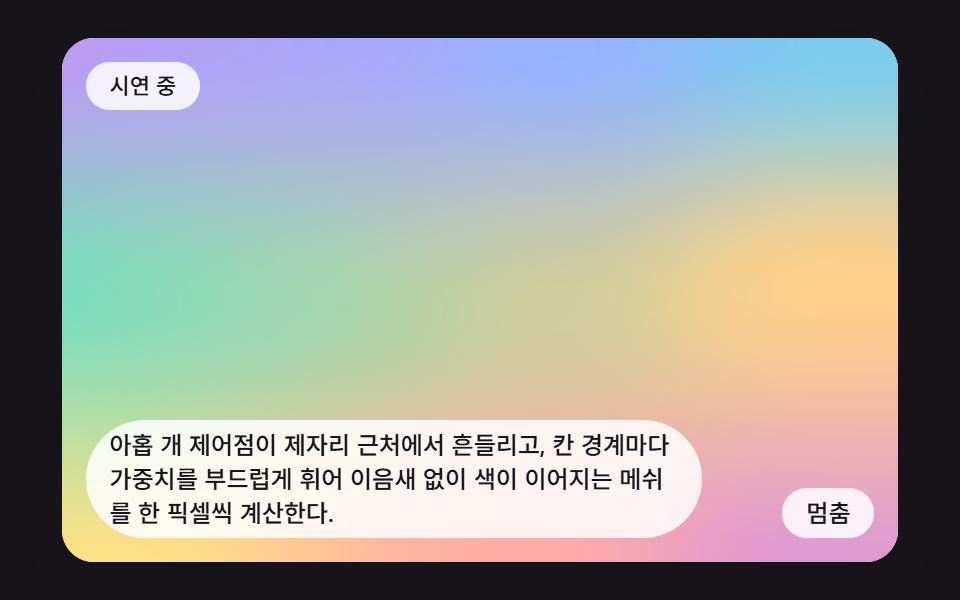
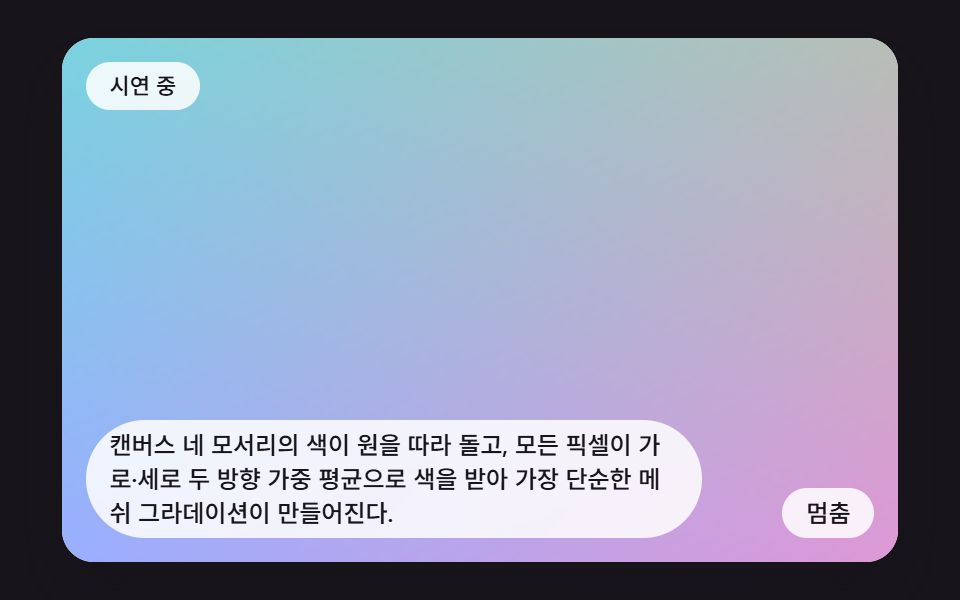
아홉 개 제어점이 제자리 근처에서 흔들리고, 칸 경계마다 가중치를 부드럽게 휘어 이음새 없이 색이 이어지는 메쉬를 한 픽셀씩 계산한다.
쓰임배경이 칸 단위로 끊겨 보일 때의 해법
SWAYNODE_RATECALC_WCALC_H
<main class="stage">
<div class="mg is-demo" id="mgRoot">
  <canvas class="mg__canvas" id="mgCanvas" width="160" height="100" tabindex="0" aria-label="아홉 개 제어점이 제자리 근처에서 흔들리고, 칸 경계마다 가중치를 부드럽게 휘어 이음새 없이 색이 이어지는 메쉬를 한 픽셀씩 계산한다."></canvas>
  <p class="mg__status" id="mgStatus" aria-live="polite">시연 중</p>
  <button class="mg__btn" id="mgBtn" type="button">멈춤</button>
  <p class="mg__caption">아홉 개 제어점이 제자리 근처에서 흔들리고, 칸 경계마다 가중치를 부드럽게 휘어 이음새 없이 색이 이어지는 메쉬를 한 픽셀씩 계산한다.</p>
</div>
</main>
@use "../../../../site/static/demo-tokens" as *;
@include stage($stage-ink);
.mg {
position: relative;
width: min(92vw, calc(160vh - 12.8vw));
aspect-ratio: 480 / 300;
margin: 0 auto;
border-radius: $r-card;
overflow: hidden;
box-shadow: $shadow-raised;
background: $subject-cream;
}
.mg__canvas {
display: block;
width: 100%;
height: 100%;
touch-action: none;
}
.mg__canvas:focus-visible {
outline: 2px solid rgba(23, 20, 26, .85);
outline-offset: -6px;
}
.mg__status {
position: absolute;
left: $sp-3;
top: $sp-3;
max-width: 70%;
margin: 0;
padding: $sp-1 $sp-3;
border-radius: $r-pill;
background: rgba(255, 255, 255, .85);
color: $subject-ink;
font-weight: 500;
font-size: 11px;
line-height: 1.4;
pointer-events: none;
}
.mg__btn {
position: absolute;
right: $sp-3;
bottom: $sp-3;
margin: 0;
padding: $sp-1 $sp-3;
border: 0;
border-radius: $r-pill;
background: rgba(255, 255, 255, .85);
color: $subject-ink;
font: inherit;
font-weight: 500;
font-size: 12px;
line-height: 1.4;
cursor: pointer;
}
.mg__btn:focus-visible {
outline: 2px solid $subject-ink;
outline-offset: 2px;
}
.mg__caption {
position: absolute;
left: $sp-3;
bottom: $sp-3;
max-width: 68%;
margin: 0;
padding: $sp-1 $sp-3;
border-radius: $r-pill;
background: rgba(255, 255, 255, .85);
color: $subject-ink;
font-weight: 500;
font-size: 12px;
line-height: 1.4;
pointer-events: none;
}
@media (max-width: 340px) {
.mg__caption, .mg__btn { font-size: 10px; padding: $sp-1 $sp-2; }
.mg__status { font-size: 10px; }
}
@media (prefers-reduced-motion: reduce) {
.mg { cursor: default; }
}html, body {
margin: 0;
overflow: hidden;
}
.stage {
box-sizing: border-box;
min-height: 100vh;
display: grid;
place-items: center;
margin: 0;
background: #17141a;
font-family: -apple-system, "Segoe UI", "Noto Sans KR", sans-serif;
padding: clamp(8px, 4vw, 24px);
}
.mg {
position: relative;
width: min(92vw, 160vh - 12.8vw);
aspect-ratio: 480/300;
margin: 0 auto;
border-radius: 16px;
overflow: hidden;
box-shadow: 0 14px 24px rgba(23, 20, 26, 0.32);
background: #fff7e6;
}
.mg__canvas {
display: block;
width: 100%;
height: 100%;
touch-action: none;
}
.mg__canvas:focus-visible {
outline: 2px solid rgba(23, 20, 26, 0.85);
outline-offset: -6px;
}
.mg__status {
position: absolute;
left: 12px;
top: 12px;
max-width: 70%;
margin: 0;
padding: 4px 12px;
border-radius: 999px;
background: rgba(255, 255, 255, 0.85);
color: #17141a;
font-weight: 500;
font-size: 11px;
line-height: 1.4;
pointer-events: none;
}
.mg__btn {
position: absolute;
right: 12px;
bottom: 12px;
margin: 0;
padding: 4px 12px;
border: 0;
border-radius: 999px;
background: rgba(255, 255, 255, 0.85);
color: #17141a;
font: inherit;
font-weight: 500;
font-size: 12px;
line-height: 1.4;
cursor: pointer;
}
.mg__btn:focus-visible {
outline: 2px solid #17141a;
outline-offset: 2px;
}
.mg__caption {
position: absolute;
left: 12px;
bottom: 12px;
max-width: 68%;
margin: 0;
padding: 4px 12px;
border-radius: 999px;
background: rgba(255, 255, 255, 0.85);
color: #17141a;
font-weight: 500;
font-size: 12px;
line-height: 1.4;
pointer-events: none;
}
@media (max-width: 340px) {
.mg__caption, .mg__btn {
font-size: 10px;
padding: 4px 8px;
}
.mg__status {
font-size: 10px;
}
}
@media (prefers-reduced-motion: reduce) {
.mg {
cursor: default;
}
}(function () {
var root = document.getElementById('mgRoot');
var canvas = document.getElementById('mgCanvas');
var statusEl = document.getElementById('mgStatus');
var btnEl = document.getElementById('mgBtn');
function main(root, canvas, statusEl, btnEl) {
var ctx0 = canvas.getContext('2d');
if (!ctx0) {
return function () { return; };
}
var ctx = ctx0;
var CALC_W = 160, CALC_H = 100;
var FIXED_DT = 16;
var REDUCE_STEP_MS = 900;
var reduce = window.matchMedia('(prefers-reduced-motion: reduce)').matches;
if (reduce)
root.classList.remove('is-demo');
var paused = false;
var elapsed = 0, rafId = 0;
var cleaners = [];
function listen(target, type, fn) {
target.addEventListener(type, fn);
cleaners.push(function () { target.removeEventListener(type, fn); });
}
function clamp(v, lo, hi) { return v < lo ? lo : (v > hi ? hi : v); }
function lerp(a, b, k) { return a + (b - a) * k; }
function smooth(x) { var c = clamp(x, 0, 1); return c * c * (3 - 2 * c); }
function setStatus(msg) { statusEl.textContent = msg; }
// 시드 고정 난수 (mulberry32) — 같은 시드는 언제나 같은 수열이다
function seedRand(seed) {
var s = seed >>> 0;
return function () {
s = (s + 0x6D2B79F5) >>> 0;
var z = s;
z = Math.imul(z ^ (z >>> 15), z | 1);
z ^= z + Math.imul(z ^ (z >>> 7), z | 61);
return ((z ^ (z >>> 14)) >>> 0) / 4294967296;
};
}
// 파스텔 여섯 색 — 분홍·라일락·하늘·민트·살구·버터
var PAL = [[255, 152, 178], [182, 152, 255], [122, 200, 255], [122, 222, 186], [255, 196, 140], [255, 228, 130]];
// 색 목록을 원형으로 읽는다. pos 의 정수부는 몇 번째 색, 소수부는 다음 색으로 넘어가는 정도
function pick(pal, pos, out) {
var n = pal.length;
var i0 = Math.floor(pos);
var f = pos - i0;
var a = pal[((i0 % n) + n) % n];
var b = pal[(((i0 + 1) % n) + n) % n];
out[0] = lerp(a[0], b[0], f);
out[1] = lerp(a[1], b[1], f);
out[2] = lerp(a[2], b[2], f);
}
function put(d, x, y, r, g, b) {
var o = (y * CALC_W + x) * 4;
d[o] = r;
d[o + 1] = g;
d[o + 2] = b;
d[o + 3] = 255;
}
canvas.width = CALC_W;
canvas.height = CALC_H;
var img = ctx.createImageData(CALC_W, CALC_H);
var px = img.data;
// 02 3×3 제어점 smoothstep — 아홉 제어점이 제자리 근처에서 흔들리고 색도 이웃 색으로 넘어간다
var REDUCE_MS = 900;
var SWAY = 0.12;
var NODE_RATE = 1.2;
var nodeCol = [];
var nodeDx = [];
var nodeDy = [];
for (var ni = 0; ni < 9; ni += 1) {
nodeCol.push([0, 0, 0]);
nodeDx.push(0);
nodeDy.push(0);
}
var meshTmp = [0, 0, 0];
// 0~1 좌표를 칸 번호(0 또는 1)와 칸 안의 부드러운 가중치로 나눈다
function meshAt(u, v, out) {
var gx = clamp(u, 0, 1) * 2, gy = clamp(v, 0, 1) * 2;
var ix = Math.min(1, Math.floor(gx)), iy = Math.min(1, Math.floor(gy));
var fx = smooth(gx - ix), fy = smooth(gy - iy);
var a = nodeCol[iy * 3 + ix], b = nodeCol[iy * 3 + ix + 1];
var c = nodeCol[(iy + 1) * 3 + ix], e = nodeCol[(iy + 1) * 3 + ix + 1];
out[0] = lerp(lerp(a[0], b[0], fx), lerp(c[0], e[0], fx), fy);
out[1] = lerp(lerp(a[1], b[1], fx), lerp(c[1], e[1], fx), fy);
out[2] = lerp(lerp(a[2], b[2], fx), lerp(c[2], e[2], fx), fy);
}
function paint(t, d) {
for (var n = 0; n < 9; n += 1) {
pick(PAL, n * 0.7 + t * NODE_RATE, nodeCol[n]);
nodeDx[n] = SWAY * Math.sin(6.2832 * (t * 1.2 + n * 0.37));
nodeDy[n] = SWAY * Math.cos(6.2832 * (t * 1.05 + n * 0.51));
}
for (var y = 0; y < CALC_H; y += 1) {
var v = y / (CALC_H - 1);
var gy = v * 2, iy = Math.min(1, Math.floor(gy)), fy = smooth(gy - iy);
for (var x = 0; x < CALC_W; x += 1) {
var u = x / (CALC_W - 1);
var gx = u * 2, ix = Math.min(1, Math.floor(gx)), fx = smooth(gx - ix);
var k0 = iy * 3 + ix, k1 = k0 + 1, k2 = k0 + 3, k3 = k0 + 4;
// 제어점이 움직인 만큼 읽는 자리를 거꾸로 민다 — 같은 부드러운 가중치로 변위를 섞는다
var du = lerp(lerp(nodeDx[k0], nodeDx[k1], fx), lerp(nodeDx[k2], nodeDx[k3], fx), fy);
var dv = lerp(lerp(nodeDy[k0], nodeDy[k1], fx), lerp(nodeDy[k2], nodeDy[k3], fx), fy);
meshAt(u - du, v - dv, meshTmp);
put(d, x, y, meshTmp[0], meshTmp[1], meshTmp[2]);
}
}
}
function draw() {
paint(elapsed / 1000, px);
ctx.putImageData(img, 0, 0);
}
var lastTs = null;
var accMs = 0;
function tick(ts) {
if (lastTs === null) {
lastTs = ts;
}
var frameDt = Math.min(ts - lastTs, 48);
lastTs = ts;
if (!paused) {
accMs += frameDt;
while (accMs >= FIXED_DT) {
elapsed += FIXED_DT;
accMs -= FIXED_DT;
}
draw();
}
rafId = requestAnimationFrame(tick);
}
function onButton() {
root.classList.remove('is-demo');
if (reduce) {
elapsed += REDUCE_STEP_MS;
draw();
setStatus('한 장면씩 넘기는 중');
return;
}
paused = !paused;
btnEl.textContent = paused ? '재생' : '멈춤';
setStatus(paused ? '일시정지됨' : '시연 중');
}
draw();
listen(btnEl, 'click', function () { onButton(); });
listen(canvas, 'pointerdown', function () { onButton(); });
listen(canvas, 'keydown', function (e) {
var k = e.key;
if (k === 'Enter' || k === ' ') {
e.preventDefault();
onButton();
}
});
if (reduce) {
elapsed = REDUCE_MS;
draw();
btnEl.textContent = '다음 장면';
setStatus('한 장면씩 넘기는 중');
}
else {
rafId = requestAnimationFrame(tick);
}
function destroy() {
cancelAnimationFrame(rafId);
for (var i = 0; i < cleaners.length; i += 1) {
cleaners[i]();
}
}
return destroy;
}
main(root, canvas, statusEl, btnEl);
})();import { useEffect, useRef } from "react";
import styles from "./MgGrid3SmoothstepControlPoints.module.scss";
function main(root: HTMLDivElement, canvas: HTMLCanvasElement, statusEl: HTMLElement, btnEl: HTMLButtonElement): () => void {
var ctx0 = canvas.getContext('2d');
if (!ctx0) { return function (): void { return; }; }
var ctx: CanvasRenderingContext2D = ctx0;
var CALC_W = 160, CALC_H = 100;
var FIXED_DT = 16;
var REDUCE_STEP_MS = 900;
var reduce = window.matchMedia('(prefers-reduced-motion: reduce)').matches;
if (reduce) root.classList.remove('is-demo');
var paused = false;
var elapsed = 0, rafId = 0;
var cleaners: Array<() => void> = [];
function listen(target: EventTarget, type: string, fn: (e: Event) => void): void {
target.addEventListener(type, fn);
cleaners.push(function (): void { target.removeEventListener(type, fn); });
}
function clamp(v: number, lo: number, hi: number): number { return v < lo ? lo : (v > hi ? hi : v); }
function lerp(a: number, b: number, k: number): number { return a + (b - a) * k; }
function smooth(x: number): number { var c = clamp(x, 0, 1); return c * c * (3 - 2 * c); }
function setStatus(msg: string): void { statusEl.textContent = msg; }
// 시드 고정 난수 (mulberry32) — 같은 시드는 언제나 같은 수열이다
function seedRand(seed: number): () => number {
var s = seed >>> 0;
return function (): number {
s = (s + 0x6D2B79F5) >>> 0;
var z = s;
z = Math.imul(z ^ (z >>> 15), z | 1);
z ^= z + Math.imul(z ^ (z >>> 7), z | 61);
return ((z ^ (z >>> 14)) >>> 0) / 4294967296;
};
}
// 파스텔 여섯 색 — 분홍·라일락·하늘·민트·살구·버터
var PAL: number[][] = [[255, 152, 178], [182, 152, 255], [122, 200, 255], [122, 222, 186], [255, 196, 140], [255, 228, 130]];
// 색 목록을 원형으로 읽는다. pos 의 정수부는 몇 번째 색, 소수부는 다음 색으로 넘어가는 정도
function pick(pal: number[][], pos: number, out: number[]): void {
var n = pal.length;
var i0 = Math.floor(pos);
var f = pos - i0;
var a = pal[((i0 % n) + n) % n];
var b = pal[(((i0 + 1) % n) + n) % n];
out[0] = lerp(a[0], b[0], f);
out[1] = lerp(a[1], b[1], f);
out[2] = lerp(a[2], b[2], f);
}
function put(d: Uint8ClampedArray, x: number, y: number, r: number, g: number, b: number): void {
var o = (y * CALC_W + x) * 4;
d[o] = r;
d[o + 1] = g;
d[o + 2] = b;
d[o + 3] = 255;
}
canvas.width = CALC_W;
canvas.height = CALC_H;
var img = ctx.createImageData(CALC_W, CALC_H);
var px = img.data;
// 02 3×3 제어점 smoothstep — 아홉 제어점이 제자리 근처에서 흔들리고 색도 이웃 색으로 넘어간다
var REDUCE_MS = 900;
var SWAY = 0.12;
var NODE_RATE = 1.2;
var nodeCol: number[][] = [];
var nodeDx: number[] = [];
var nodeDy: number[] = [];
for (var ni = 0; ni < 9; ni += 1) { nodeCol.push([0, 0, 0]); nodeDx.push(0); nodeDy.push(0); }
var meshTmp: number[] = [0, 0, 0];
// 0~1 좌표를 칸 번호(0 또는 1)와 칸 안의 부드러운 가중치로 나눈다
function meshAt(u: number, v: number, out: number[]): void {
var gx = clamp(u, 0, 1) * 2, gy = clamp(v, 0, 1) * 2;
var ix = Math.min(1, Math.floor(gx)), iy = Math.min(1, Math.floor(gy));
var fx = smooth(gx - ix), fy = smooth(gy - iy);
var a = nodeCol[iy * 3 + ix], b = nodeCol[iy * 3 + ix + 1];
var c = nodeCol[(iy + 1) * 3 + ix], e = nodeCol[(iy + 1) * 3 + ix + 1];
out[0] = lerp(lerp(a[0], b[0], fx), lerp(c[0], e[0], fx), fy);
out[1] = lerp(lerp(a[1], b[1], fx), lerp(c[1], e[1], fx), fy);
out[2] = lerp(lerp(a[2], b[2], fx), lerp(c[2], e[2], fx), fy);
}
function paint(t: number, d: Uint8ClampedArray): void {
for (var n = 0; n < 9; n += 1) {
pick(PAL, n * 0.7 + t * NODE_RATE, nodeCol[n]);
nodeDx[n] = SWAY * Math.sin(6.2832 * (t * 1.2 + n * 0.37));
nodeDy[n] = SWAY * Math.cos(6.2832 * (t * 1.05 + n * 0.51));
}
for (var y = 0; y < CALC_H; y += 1) {
var v = y / (CALC_H - 1);
var gy = v * 2, iy = Math.min(1, Math.floor(gy)), fy = smooth(gy - iy);
for (var x = 0; x < CALC_W; x += 1) {
var u = x / (CALC_W - 1);
var gx = u * 2, ix = Math.min(1, Math.floor(gx)), fx = smooth(gx - ix);
var k0 = iy * 3 + ix, k1 = k0 + 1, k2 = k0 + 3, k3 = k0 + 4;
// 제어점이 움직인 만큼 읽는 자리를 거꾸로 민다 — 같은 부드러운 가중치로 변위를 섞는다
var du = lerp(lerp(nodeDx[k0], nodeDx[k1], fx), lerp(nodeDx[k2], nodeDx[k3], fx), fy);
var dv = lerp(lerp(nodeDy[k0], nodeDy[k1], fx), lerp(nodeDy[k2], nodeDy[k3], fx), fy);
meshAt(u - du, v - dv, meshTmp);
put(d, x, y, meshTmp[0], meshTmp[1], meshTmp[2]);
}
}
}
function draw(): void {
paint(elapsed / 1000, px);
ctx.putImageData(img, 0, 0);
}
var lastTs: number | null = null;
var accMs = 0;
function tick(ts: number): void {
if (lastTs === null) { lastTs = ts; }
var frameDt = Math.min(ts - lastTs, 48);
lastTs = ts;
if (!paused) {
accMs += frameDt;
while (accMs >= FIXED_DT) {
elapsed += FIXED_DT;
accMs -= FIXED_DT;
}
draw();
}
rafId = requestAnimationFrame(tick);
}
function onButton(): void {
root.classList.remove('is-demo');
if (reduce) {
elapsed += REDUCE_STEP_MS;
draw();
setStatus('한 장면씩 넘기는 중');
return;
}
paused = !paused;
btnEl.textContent = paused ? '재생' : '멈춤';
setStatus(paused ? '일시정지됨' : '시연 중');
}
draw();
listen(btnEl, 'click', function (): void { onButton(); });
listen(canvas, 'pointerdown', function (): void { onButton(); });
listen(canvas, 'keydown', function (e: Event): void {
var k = (e as KeyboardEvent).key;
if (k === 'Enter' || k === ' ') { e.preventDefault(); onButton(); }
});
if (reduce) {
elapsed = REDUCE_MS;
draw();
btnEl.textContent = '다음 장면';
setStatus('한 장면씩 넘기는 중');
} else {
rafId = requestAnimationFrame(tick);
}
function destroy(): void {
cancelAnimationFrame(rafId);
for (var i = 0; i < cleaners.length; i += 1) { cleaners[i](); }
}
return destroy;
}
export default function MgGrid3SmoothstepControlPoints() {
const rootRef = useRef<HTMLDivElement | null>(null);
const canvasRef = useRef<HTMLCanvasElement | null>(null);
const statusRef = useRef<HTMLParagraphElement | null>(null);
const btnRef = useRef<HTMLButtonElement | null>(null);
useEffect(() => {
const root = rootRef.current;
const canvas = canvasRef.current;
const statusEl = statusRef.current;
const btnEl = btnRef.current;
if (!root || !canvas || !statusEl || !btnEl) return;
return main(root, canvas, statusEl, btnEl);
}, []);
return (
<main className={styles.stage}>
<div className={`${styles.mg} is-demo`} ref={rootRef}>
<canvas className={styles.mg__canvas} ref={canvasRef} width={160} height={100} tabIndex={0} aria-label="아홉 개 제어점이 제자리 근처에서 흔들리고, 칸 경계마다 가중치를 부드럽게 휘어 이음새 없이 색이 이어지는 메쉬를 한 픽셀씩 계산한다." />
<p className={styles.mg__status} ref={statusRef} aria-live="polite">시연 중</p>
<button className={styles.mg__btn} ref={btnRef} type="button">멈춤</button>
<p className={styles.mg__caption}>아홉 개 제어점이 제자리 근처에서 흔들리고, 칸 경계마다 가중치를 부드럽게 휘어 이음새 없이 색이 이어지는 메쉬를 한 픽셀씩 계산한다.</p>
</div>
</main>
);
}02 3×3 제어점이 떠다니는 부드러운 메쉬 — 측정 누적면적 69.099% · 움직인 프레임 23/23GODRICH 원작 · zip 에 SCSS·React 포함 · 메쉬 그라데이션 애니메이션 9가지 — 색점 보간부터 노이즈 비틀기까지 JS 계산 장면
이 데모가 속한 글
 메쉬 그라데이션 애니메이션 9가지 — 색점 보간부터 노이즈 비틀기까지 JS 계산 장면메쉬 그라데이션은 색 몇 개를 번지게 하면 끝날 것 같지만, 그대로 섞으면 가운데가 탁해지고 어두운 면은 띠로 갈라진다 — 05번과 06번이 그 두 군데를 하나씩 막는다. 아래 아홉 장면은 캔버스의 픽셀을 자바스크립 이 글의 데모 전부 보기