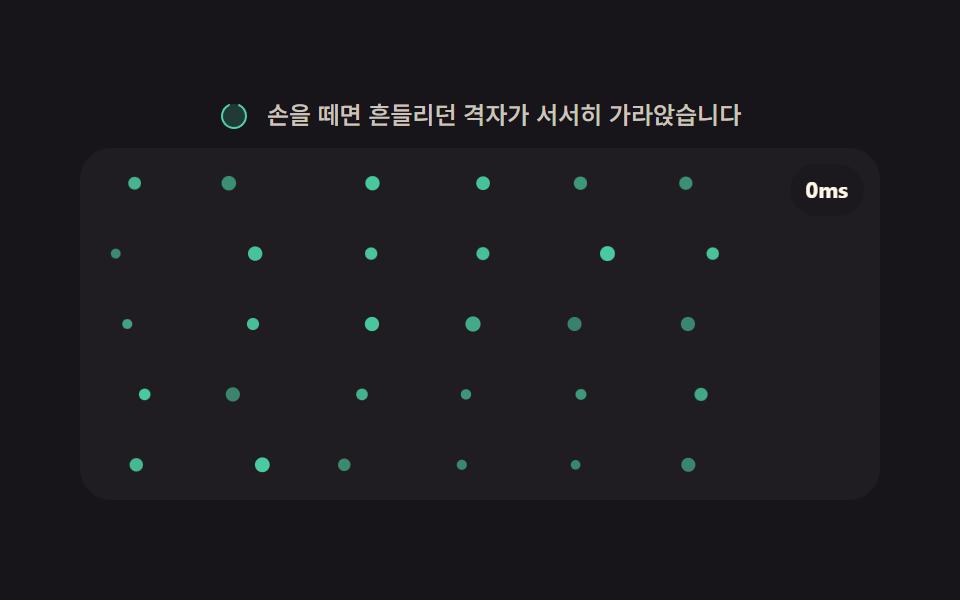
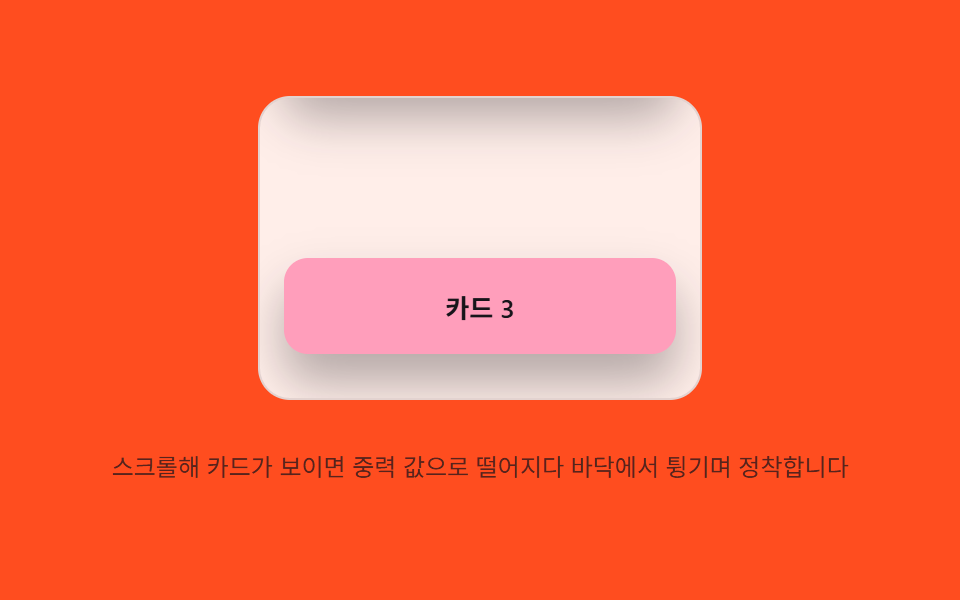
06낙하 정착 — 스크롤 진입 시 요소의 위치 값이 중력 값으로 떨어지다 바닥 값에서 튕기며 정착하는 방식
등장한 요소의 위치 값이 아래로 떨어지다 바닥 값에서 튀어 오르길 반복하며 잦아듭니다.
쓰임카드형 리스트, 제품 그리드 섹션
GRAVITYRESTITUTIONSTART_Y
<main class="stage">
<div class="gsc is-demo" id="gsc">
  <div class="gsc__viewport" id="gscViewport" role="application" aria-label="낙하 정착 카드 목록" tabindex="0">
    <div class="gsc__pad-top"></div>
    <div class="gsc__card" data-card>카드 1</div>
    <div class="gsc__spacer"></div>
    <div class="gsc__card" data-card>카드 2</div>
    <div class="gsc__spacer"></div>
    <div class="gsc__card" data-card>카드 3</div>
    <div class="gsc__pad-bottom"></div>
  </div>
  <p class="gsc__hint">스크롤해 카드가 보이면 중력 값으로 떨어지다 바닥에서 튕기며 정착합니다</p>
</div>
</main>
@use "../../../../site/static/demo-tokens" as *;
// 계산 겹(중력 낙하·반동 적분)은 JS 에 있다 — 여기는 정적 배치만.
@include stage($stage-orange);
.stage { position: relative; }
.gsc {
display: flex;
flex-direction: column;
align-items: center;
gap: $sp-3;
}
.gsc__viewport {
position: relative;
width: 220px;
height: 150px;
overflow-y: auto;
overflow-x: hidden;
border-radius: $r-card;
background: rgba($stage-paper, .9);
border: 1px solid rgba($subject-ink, .12);
touch-action: pan-y;
overscroll-behavior: contain;
scrollbar-width: thin;
}
.gsc__pad-top { height: 24px; }
.gsc__pad-bottom { height: 24px; }
.gsc__spacer { height: 84px; }
.gsc__card {
margin: 0 $sp-3;
height: 48px;
border-radius: $r-control;
background: $subject-pink;
color: $subject-ink;
display: flex;
align-items: center;
justify-content: center;
font-size: 13px;
font-weight: 600;
box-shadow: $shadow-raised;
opacity: 0;
transform: translateY(-40px);
will-change: transform, opacity;
}
.gsc__hint {
color: rgba($subject-ink, .72);
font-size: 12px;
text-align: center;
}
@media (max-width: 340px) {
.gsc { gap: $sp-2; }
.gsc__viewport { width: 176px; height: 90px; }
.gsc__card { height: 34px; }
.gsc__spacer { height: 48px; }
.gsc__hint { font-size: 11px; }
}
@media (prefers-reduced-motion: reduce) {
.gsc__card { transition: none !important; animation: none !important; }
}html, body {
margin: 0;
overflow: hidden;
}
.stage {
box-sizing: border-box;
min-height: 100vh;
display: grid;
place-items: center;
margin: 0;
background: #ff4d1f;
font-family: -apple-system, "Segoe UI", "Noto Sans KR", sans-serif;
padding: clamp(8px, 4vw, 24px);
}
.stage {
position: relative;
}
.gsc {
display: flex;
flex-direction: column;
align-items: center;
gap: 12px;
}
.gsc__viewport {
position: relative;
width: 220px;
height: 150px;
overflow-y: auto;
overflow-x: hidden;
border-radius: 16px;
background: rgba(255, 255, 255, 0.9);
border: 1px solid rgba(23, 20, 26, 0.12);
touch-action: pan-y;
overscroll-behavior: contain;
scrollbar-width: thin;
}
.gsc__pad-top {
height: 24px;
}
.gsc__pad-bottom {
height: 24px;
}
.gsc__spacer {
height: 84px;
}
.gsc__card {
margin: 0 12px;
height: 48px;
border-radius: 12px;
background: #ff9ebb;
color: #17141a;
display: flex;
align-items: center;
justify-content: center;
font-size: 13px;
font-weight: 600;
box-shadow: 0 14px 24px rgba(23, 20, 26, 0.32);
opacity: 0;
transform: translateY(-40px);
will-change: transform, opacity;
}
.gsc__hint {
color: rgba(23, 20, 26, 0.72);
font-size: 12px;
text-align: center;
}
@media (max-width: 340px) {
.gsc {
gap: 8px;
}
.gsc__viewport {
width: 176px;
height: 90px;
}
.gsc__card {
height: 34px;
}
.gsc__spacer {
height: 48px;
}
.gsc__hint {
font-size: 11px;
}
}
@media (prefers-reduced-motion: reduce) {
.gsc__card {
transition: none !important;
animation: none !important;
}
}(function () {
var root = document.getElementById('gsc');
var viewport = document.getElementById('gscViewport');
var cards = Array.prototype.slice.call(document.querySelectorAll('[data-card]'));
var reduce = window.matchMedia('(prefers-reduced-motion: reduce)').matches;
// 계산 겹: 카드가 뷰포트에 들어오는 순간 위치 값(y)이 START_Y 에서 GRAVITY 가속으로 떨어지다
// FLOOR_Y(0) 에 닿으면 속도 값에 RESTITUTION 을 곱한 만큼만 되튀어(반동), STOP_VEL 밑이면 멈춘다.
var START_Y = -40;
var FLOOR_Y = 0;
var GRAVITY = 0.85;
var RESTITUTION = 0.42;
var STOP_VEL = 0.6;
function dropTick(card, y, vel) {
vel += GRAVITY;
y += vel;
if (y >= FLOOR_Y) {
y = FLOOR_Y;
vel = -vel * RESTITUTION;
if (Math.abs(vel) < STOP_VEL) {
card.style.transform = 'translateY(0px)';
card.dataset.done = '1';
return;
}
}
card.style.transform = 'translateY(' + y.toFixed(1) + 'px)';
requestAnimationFrame(function () { dropTick(card, y, vel); });
}
function settle(card) {
if (card.dataset.done) { return; }
card.style.opacity = '1';
if (reduce) { card.style.transform = 'translateY(0px)'; card.dataset.done = '1'; return; }
card.dataset.done = '1';
dropTick(card, START_Y, 0);
}
var io = new IntersectionObserver(function (entries) {
entries.forEach(function (en) { if (en.isIntersecting) { settle(en.target); } });
}, { root: viewport, threshold: 0.6 });
cards.forEach(function (c) { io.observe(c); });
// 프로그램이 scrollTop 을 옮길 때도 네이티브 scroll 이벤트가 뜬다 — 자동 루프 중임을 이 플래그로
// 표시해 "진짜 사용자 스크롤"과 구분한다(안 하면 자동 루프 첫 걸음에서 곧장 스스로를 멈춘다).
var autoScrolling = false;
function wireReal() {
viewport.addEventListener('scroll', function () {
if (autoScrolling) { return; }
root.classList.remove('is-demo'); stopAutoplay();
}, { passive: true });
viewport.addEventListener('keydown', function (e) {
if (e.key !== 'ArrowDown' && e.key !== 'ArrowUp') { return; }
root.classList.remove('is-demo'); stopAutoplay();
viewport.scrollTop += (e.key === 'ArrowDown' ? 40 : -40);
});
}
wireReal();
// 자동 루프: 스크롤 값을 아래로 서서히 옮겨 카드마다 진입 시점의 낙하 정착을 반복 재현한다.
var autoTimer = null, raf2 = null;
function autoStep() {
var max = viewport.scrollHeight - viewport.clientHeight;
var next = viewport.scrollTop + 1.6;
autoScrolling = true;
if (next >= max) {
viewport.scrollTop = max;
raf2 = null;
setTimeout(function () { if (root.classList.contains('is-demo')) { cards.forEach(function (c) { delete c.dataset.done; c.style.transform = 'translateY(' + START_Y + 'px)'; c.style.opacity = '0'; }); autoScrolling = true; viewport.scrollTop = 0; } }, 500);
return;
}
viewport.scrollTop = next;
raf2 = requestAnimationFrame(autoStep);
}
function stopAutoplay() { if (autoTimer) { clearInterval(autoTimer); autoTimer = null; } if (raf2) { cancelAnimationFrame(raf2); raf2 = null; } }
if (!reduce) { autoTimer = setInterval(function () { if (raf2 === null) { raf2 = requestAnimationFrame(autoStep); } }, 1800); autoTimer && requestAnimationFrame(autoStep); }
})();import { useEffect, useRef } from "react";
import styles from "./ScrollMomentumGravitySettleCard.module.scss";
export type ScrollMomentumGravitySettleCardProps = {
color?: string;
};
export default function ScrollMomentumGravitySettleCard({
color = "#f9a8d4",
}: ScrollMomentumGravitySettleCardProps) {
const rootRef = useRef<HTMLDivElement | null>(null);
useEffect(() => {
const root = rootRef.current;
if (!root) return;
const viewport = root.querySelector<HTMLDivElement>(`.${styles.viewport}`);
const cards = Array.from(root.querySelectorAll<HTMLDivElement>(`.${styles.card}`));
if (!viewport || cards.length === 0) return;
const reduce = window.matchMedia("(prefers-reduced-motion: reduce)").matches;
// 계산 겹: 카드가 뷰포트에 들어오는 순간 위치 값(y)이 START_Y 에서 GRAVITY 가속으로 떨어지다
// FLOOR_Y(0) 에 닿으면 속도 값에 RESTITUTION 을 곱한 만큼만 되튀어(반동), STOP_VEL 밑이면 멈춘다.
const START_Y = -40;
const FLOOR_Y = 0;
const GRAVITY = 0.85;
const RESTITUTION = 0.42;
const STOP_VEL = 0.6;
function dropTick(card: HTMLDivElement, y: number, vel: number) {
vel += GRAVITY;
y += vel;
if (y >= FLOOR_Y) {
y = FLOOR_Y;
vel = -vel * RESTITUTION;
if (Math.abs(vel) < STOP_VEL) {
card.style.transform = "translateY(0px)";
card.dataset.done = "1";
return;
}
}
card.style.transform = "translateY(" + y.toFixed(1) + "px)";
requestAnimationFrame(() => dropTick(card, y, vel));
}
function settle(card: HTMLDivElement) {
if (card.dataset.done) return;
card.style.opacity = "1";
if (reduce) { card.style.transform = "translateY(0px)"; card.dataset.done = "1"; return; }
card.dataset.done = "1";
dropTick(card, START_Y, 0);
}
const io = new IntersectionObserver((entries) => {
entries.forEach((en) => { if (en.isIntersecting) settle(en.target as HTMLDivElement); });
}, { root: viewport, threshold: 0.6 });
cards.forEach((c) => io.observe(c));
// 프로그램이 scrollTop 을 옮길 때도 네이티브 scroll 이벤트가 뜬다 — 자동 루프 중임을 이 플래그로
// 표시해 "진짜 사용자 스크롤"과 구분한다.
let autoScrolling = false;
function onScroll() {
if (autoScrolling) return;
root!.classList.remove(styles.isDemo);
stopAutoplay();
}
function onKeydown(e: KeyboardEvent) {
if (e.key !== "ArrowDown" && e.key !== "ArrowUp") return;
root!.classList.remove(styles.isDemo);
stopAutoplay();
viewport!.scrollTop += e.key === "ArrowDown" ? 40 : -40;
}
viewport.addEventListener("scroll", onScroll, { passive: true });
viewport.addEventListener("keydown", onKeydown);
let autoTimer: number | null = null;
let raf2: number | null = null;
function autoStep() {
const max = viewport!.scrollHeight - viewport!.clientHeight;
const next = viewport!.scrollTop + 1.6;
autoScrolling = true;
if (next >= max) {
viewport!.scrollTop = max;
raf2 = null;
window.setTimeout(() => {
if (root!.classList.contains(styles.isDemo)) {
cards.forEach((c) => { delete c.dataset.done; c.style.transform = "translateY(" + START_Y + "px)"; c.style.opacity = "0"; });
autoScrolling = true;
viewport!.scrollTop = 0;
}
}, 500);
return;
}
viewport!.scrollTop = next;
raf2 = requestAnimationFrame(autoStep);
}
function stopAutoplay() {
if (autoTimer !== null) { window.clearInterval(autoTimer); autoTimer = null; }
if (raf2 !== null) { cancelAnimationFrame(raf2); raf2 = null; }
}
if (!reduce) {
autoTimer = window.setInterval(() => { if (raf2 === null) raf2 = requestAnimationFrame(autoStep); }, 1800);
raf2 = requestAnimationFrame(autoStep);
}
return () => {
io.disconnect();
stopAutoplay();
viewport.removeEventListener("scroll", onScroll);
viewport.removeEventListener("keydown", onKeydown);
};
}, []);
return (
<div ref={rootRef} className={`${styles.stage} ${styles.isDemo}`}>
<div className={styles.gsc}>
<div
className={styles.viewport}
role="application"
aria-label="낙하 정착 카드 목록"
tabIndex={0}
>
<div className={styles.padTop} />
<div className={styles.card}>카드 1</div>
<div className={styles.spacer} />
<div className={styles.card} style={{ background: color }}>카드 2</div>
<div className={styles.spacer} />
<div className={styles.card}>카드 3</div>
<div className={styles.padBottom} />
</div>
<p className={styles.hint}>스크롤해 카드가 보이면 중력 값으로 떨어지다 바닥에서 튕기며 정착합니다</p>
</div>
</div>
);
}06 낙하 정착 — 스크롤 진입 시 요소의 위치 값이 중력 값으로 떨어지다 바닥 값에서 튕기며 정착하는 방식 — 측정 누적면적 22.223% · 움직인 프레임 14/23GODRICH 원작 · zip 에 SCSS·React 포함 · 관성 스크롤 9종 — 멈춘 뒤에도 값이 스스로 줄어드는 아홉 가지 방식
이 데모가 속한 글
 관성 스크롤 9종 — 멈춘 뒤에도 값이 스스로 줄어드는 아홉 가지 방식관성 스크롤은 손을 뗀 뒤에도 이동·강도 값이 곧바로 0이 되지 않고 이전 값을 이어받아 계산으로 줄어드는 스크롤 인터랙션을 말하는데, 아홉 개 중 하나는 스크롤이 멈춘 뒤에도 이동 값이 속도를 이어받아 서서히 줄어 이 글의 데모 전부 보기