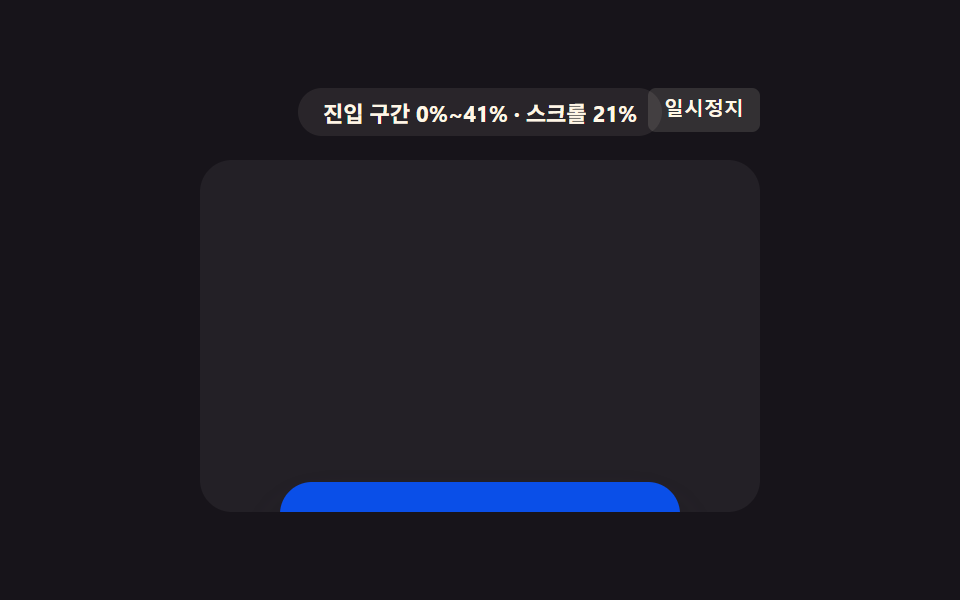
07구간 값이 색상 값 보간 지점이 되는 배지
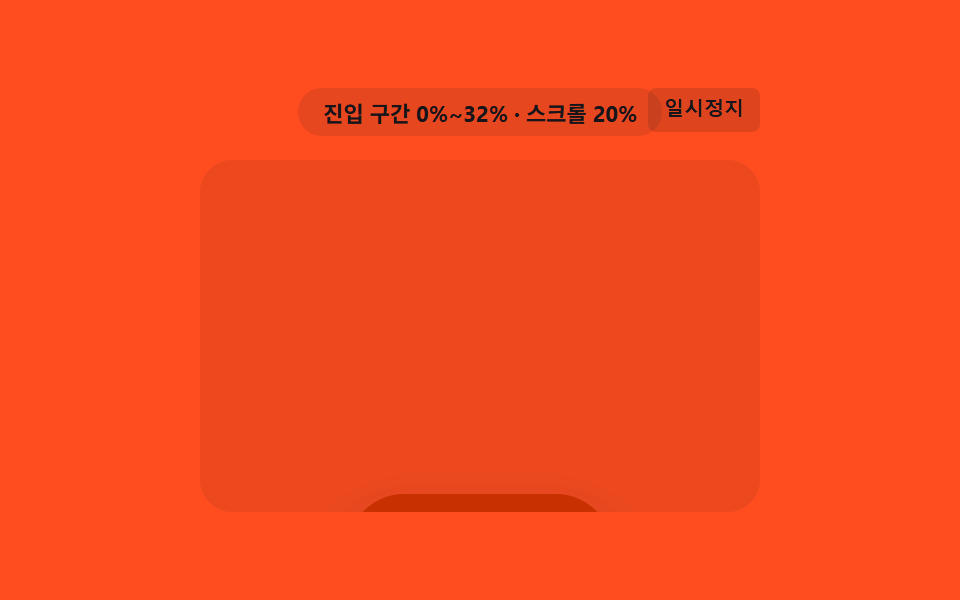
구간 값을 색상 값의 보간 지점으로 써서, 배지 색이 한 색에서 다른 색으로 서서히 옮겨간다.
쓰임신규 배지 색상 전환
background-colorCOLOR_FROMcmbMorph
<main class="stage">
<div class="cmb is-demo" id="cmbRoot">
  <div class="cmb__badge" id="cmbBadge">진입 구간 0%~0%</div>
  <button class="cmb__ctrl" id="cmbCtrl" type="button">일시정지</button>
  <div class="cmb__view" id="cmbView">
    <div class="cmb__track" id="cmbTrack">
      <div class="cmb__spacer cmb__spacer--top"></div>
      <div class="cmb__pill" id="cmbPill">
        <span class="cmb__label">신규</span>
      </div>
      <div class="cmb__spacer cmb__spacer--bottom"></div>
    </div>
  </div>
</div>
</main>
@use "../../../../site/static/demo-tokens" as *;
// 핵심: animation-timeline: view() + animation-range: entry 로 배지 배경색을 진입
// 구간 값(0~1)을 보간 지점 삼아 한 색에서 다른 색으로 옮긴다. 미지원 환경은 교차
// 비율을 같은 보간 지점으로 써서 RGB 값을 직접 계산한다.
$duration: $dur-loop;
$easing: linear;
$color: $subject-blue-deep;
@include stage($stage-orange);
.cmb {
position: relative;
width: min(100%, 280px);
display: flex;
flex-direction: column;
align-items: center;
gap: $sp-3;
}
.cmb__badge {
padding: $sp-1 $sp-3;
border-radius: $r-pill;
background: rgba(23, 20, 26, .10);
color: $subject-ink;
font-weight: 700;
font-size: 11px;
font-variant-numeric: tabular-nums;
}
.cmb__ctrl {
position: absolute;
top: 0;
right: 0;
border: 0;
border-radius: $r-xs;
padding: $sp-1 $sp-2;
background: rgba(23, 20, 26, .14);
color: $subject-ink;
font-weight: 600;
font-size: 10px;
line-height: 1.4;
cursor: pointer;
}
.cmb__ctrl:focus-visible { outline: 2px solid $subject-ink; outline-offset: 2px; }
.cmb__view {
box-sizing: border-box;
width: 100%;
height: 176px;
overflow-y: auto;
overflow-x: hidden;
border-radius: $r-card;
background: rgba(23, 20, 26, .08);
scrollbar-width: thin;
}
.cmb__track {
display: flex;
flex-direction: column;
align-items: center;
}
.cmb__spacer--top { height: 190px; flex: 0 0 auto; }
.cmb__spacer--bottom { height: 40px; flex: 0 0 auto; }
.cmb__pill {
flex: 0 0 auto;
box-sizing: border-box;
width: 132px;
height: 56px;
display: grid;
place-items: center;
border-radius: $r-pill;
background: $color;
box-shadow: $shadow-raised;
}
.cmb__label {
color: $subject-cream;
font-weight: 700;
font-size: 14px;
}
.supports-vt .cmb__pill {
animation-name: cmbMorph;
animation-duration: 1s;
animation-timing-function: linear;
animation-fill-mode: both;
animation-timeline: view();
animation-range: entry;
}
@keyframes cmbMorph {
0% { background-color: $subject-blue-deep; }
100% { background-color: $subject-orange-deep; }
}
@media (max-width: 340px) {
.cmb { gap: $sp-2; }
.cmb__view { height: 130px; }
.cmb__spacer--top { height: 130px; }
.cmb__spacer--bottom { height: 26px; }
.cmb__pill { width: 112px; height: 48px; }
}
@media (prefers-reduced-motion: reduce) {
.cmb__pill { animation: none !important; background-color: $subject-orange-deep !important; }
}html, body {
margin: 0;
overflow: hidden;
}
.stage {
box-sizing: border-box;
min-height: 100vh;
display: grid;
place-items: center;
margin: 0;
background: #ff4d1f;
font-family: -apple-system, "Segoe UI", "Noto Sans KR", sans-serif;
padding: clamp(8px, 4vw, 24px);
}
.cmb {
position: relative;
width: min(100%, 280px);
display: flex;
flex-direction: column;
align-items: center;
gap: 12px;
}
.cmb__badge {
padding: 4px 12px;
border-radius: 999px;
background: rgba(23, 20, 26, 0.1);
color: #17141a;
font-weight: 700;
font-size: 11px;
font-variant-numeric: tabular-nums;
}
.cmb__ctrl {
position: absolute;
top: 0;
right: 0;
border: 0;
border-radius: 4px;
padding: 4px 8px;
background: rgba(23, 20, 26, 0.14);
color: #17141a;
font-weight: 600;
font-size: 10px;
line-height: 1.4;
cursor: pointer;
}
.cmb__ctrl:focus-visible {
outline: 2px solid #17141a;
outline-offset: 2px;
}
.cmb__view {
box-sizing: border-box;
width: 100%;
height: 176px;
overflow-y: auto;
overflow-x: hidden;
border-radius: 16px;
background: rgba(23, 20, 26, 0.08);
scrollbar-width: thin;
}
.cmb__track {
display: flex;
flex-direction: column;
align-items: center;
}
.cmb__spacer--top {
height: 190px;
flex: 0 0 auto;
}
.cmb__spacer--bottom {
height: 40px;
flex: 0 0 auto;
}
.cmb__pill {
flex: 0 0 auto;
box-sizing: border-box;
width: 132px;
height: 56px;
display: grid;
place-items: center;
border-radius: 999px;
background: #0a4fe8;
box-shadow: 0 14px 24px rgba(23, 20, 26, 0.32);
}
.cmb__label {
color: #fff7e6;
font-weight: 700;
font-size: 14px;
}
.supports-vt .cmb__pill {
animation-name: cmbMorph;
animation-duration: 1s;
animation-timing-function: linear;
animation-fill-mode: both;
animation-timeline: view();
animation-range: entry;
}
@keyframes cmbMorph {
0% {
background-color: #0a4fe8;
}
100% {
background-color: #c93000;
}
}
@media (max-width: 340px) {
.cmb {
gap: 8px;
}
.cmb__view {
height: 130px;
}
.cmb__spacer--top {
height: 130px;
}
.cmb__spacer--bottom {
height: 26px;
}
.cmb__pill {
width: 112px;
height: 48px;
}
}
@media (prefers-reduced-motion: reduce) {
.cmb__pill {
animation: none !important;
background-color: #c93000 !important;
}
}(function () {
var supportsVt = CSS.supports('animation-timeline: view()');
var root = document.getElementById('cmbRoot');
var view = document.getElementById('cmbView');
var pill = document.getElementById('cmbPill');
var badge = document.getElementById('cmbBadge');
var ctrl = document.getElementById('cmbCtrl');
root.classList.add(supportsVt ? 'supports-vt' : 'no-vt');
// 색상 보간 지점의 양 끝 값(RGB) — CSS 토큰의 실제 값을 그대로 옮겨 왔다.
var COLOR_FROM = [10, 79, 232];
var COLOR_TO = [201, 48, 0];
// 계산 한 겹: 요소 높이·뷰포트 높이에서 진입 구간(시작~끝 %) 값을 구해 배지에 표시한다.
function entryRangePct() {
var elH = pill.offsetHeight;
var viewH = view.clientHeight;
return Math.round(Math.min(100, (elH / viewH) * 100));
}
var rangeEnd = entryRangePct();
var rangeText = '진입 구간 0%~' + rangeEnd + '%';
function lerp(a, b, t) { return Math.round(a + (b - a) * t); }
function render(ratio) {
if (!supportsVt) {
var r = lerp(COLOR_FROM[0], COLOR_TO[0], ratio);
var g = lerp(COLOR_FROM[1], COLOR_TO[1], ratio);
var b = lerp(COLOR_FROM[2], COLOR_TO[2], ratio);
pill.style.backgroundColor = 'rgb(' + r + ', ' + g + ', ' + b + ')';
}
badge.textContent = rangeText + ' · 진행 ' + Math.round(ratio * 100) + '%';
}
var lastRatio = 0;
if (!supportsVt) {
var STEPS = [];
for (var s = 0; s <= 50; s += 1) { STEPS.push(s / 50); }
var io = new IntersectionObserver(function (entries) {
entries.forEach(function (entry) {
lastRatio = entry.intersectionRatio;
render(lastRatio);
});
}, { root: view, threshold: STEPS });
io.observe(pill);
} else {
badge.textContent = rangeText;
}
view.addEventListener('scroll', function () {
if (supportsVt) {
var max = view.scrollHeight - view.clientHeight;
var p = max > 0 ? Math.min(1, Math.max(0, view.scrollTop / max)) : 0;
badge.textContent = rangeText + ' · 스크롤 ' + Math.round(p * 100) + '%';
}
}, { passive: true });
var playing = true;
var frame = 0;
var PERIOD = 66;
function tick() {
if (playing) {
frame += 1;
var max = view.scrollHeight - view.clientHeight;
var t = frame % (PERIOD * 2);
var f = t < PERIOD ? (t / PERIOD) : ((PERIOD * 2 - t) / PERIOD);
view.scrollTop = f * max;
}
requestAnimationFrame(tick);
}
requestAnimationFrame(tick);
function stopAuto() {
if (root.classList.contains('is-demo')) { root.classList.remove('is-demo'); }
playing = false;
ctrl.textContent = '재생';
}
view.addEventListener('wheel', stopAuto, { passive: true });
view.addEventListener('touchstart', stopAuto, { passive: true });
ctrl.addEventListener('click', function () {
playing = !playing;
ctrl.textContent = playing ? '일시정지' : '재생';
if (playing) { root.classList.add('is-demo'); }
});
ctrl.addEventListener('keydown', function (e) {
if (e.key === 'r' || e.key === 'R') {
frame = 0;
view.scrollTop = 0;
lastRatio = 0;
render(0);
playing = true;
root.classList.add('is-demo');
ctrl.textContent = '일시정지';
}
});
window.addEventListener('resize', function () {
rangeEnd = entryRangePct();
rangeText = '진입 구간 0%~' + rangeEnd + '%';
});
var reduce = window.matchMedia('(prefers-reduced-motion: reduce)').matches;
if (reduce) {
playing = false;
root.classList.remove('is-demo');
lastRatio = 1;
render(1);
pill.style.backgroundColor = 'rgb(201, 48, 0)';
badge.textContent = rangeText + ' · 최종 상태';
}
})();import { useEffect, useRef, useState } from "react";
import styles from "./ColorMorphBadge.module.scss";
// 핵심: animation-timeline: view() + animation-range: entry 로 배지 배경색을 진입
// 구간 값(0~1)을 보간 지점 삼아 한 색에서 다른 색으로 옮긴다. 미지원 환경은 교차
// 비율을 같은 보간 지점으로 써서 RGB 값을 직접 계산한다.
const COLOR_FROM = [10, 79, 232];
const COLOR_TO = [201, 48, 0];
function lerp(a: number, b: number, t: number) { return Math.round(a + (b - a) * t); }
export default function ColorMorphBadge() {
const rootRef = useRef<HTMLDivElement>(null);
const viewRef = useRef<HTMLDivElement>(null);
const pillRef = useRef<HTMLDivElement>(null);
const [badge, setBadge] = useState("진입 구간 0%~0%");
const [demo, setDemo] = useState(true);
const [supportsVt, setSupportsVt] = useState(false);
useEffect(() => {
const view = viewRef.current;
const pill = pillRef.current;
const root = rootRef.current;
if (!view || !pill || !root) { return; }
const vt = CSS.supports("animation-timeline: view()");
setSupportsVt(vt);
function entryRangePct() {
const elH = pill!.offsetHeight;
const viewH = view!.clientHeight;
return Math.round(Math.min(100, (elH / viewH) * 100));
}
let rangeEnd = entryRangePct();
let rangeText = "진입 구간 0%~" + rangeEnd + "%";
function render(ratio: number) {
if (!vt) {
const r = lerp(COLOR_FROM[0], COLOR_TO[0], ratio);
const g = lerp(COLOR_FROM[1], COLOR_TO[1], ratio);
const b = lerp(COLOR_FROM[2], COLOR_TO[2], ratio);
pill!.style.backgroundColor = "rgb(" + r + ", " + g + ", " + b + ")";
}
setBadge(rangeText + " · 진행 " + Math.round(ratio * 100) + "%");
}
let io: IntersectionObserver | null = null;
if (!vt) {
const STEPS: number[] = [];
for (let s = 0; s <= 50; s += 1) { STEPS.push(s / 50); }
io = new IntersectionObserver((entries) => {
entries.forEach((entry) => { render(entry.intersectionRatio); });
}, { root: view, threshold: STEPS });
io.observe(pill);
} else {
setBadge(rangeText);
}
function onScroll() {
if (vt) {
const max = view!.scrollHeight - view!.clientHeight;
const p = max > 0 ? Math.min(1, Math.max(0, view!.scrollTop / max)) : 0;
setBadge(rangeText + " · 스크롤 " + Math.round(p * 100) + "%");
}
}
view.addEventListener("scroll", onScroll, { passive: true });
let playing = true;
let frame = 0;
const PERIOD = 66;
let rafId = 0;
function tick() {
if (playing) {
frame += 1;
const max = view!.scrollHeight - view!.clientHeight;
const t = frame % (PERIOD * 2);
const f = t < PERIOD ? (t / PERIOD) : ((PERIOD * 2 - t) / PERIOD);
view!.scrollTop = f * max;
}
rafId = requestAnimationFrame(tick);
}
rafId = requestAnimationFrame(tick);
function stopAuto() {
setDemo(false);
playing = false;
}
view.addEventListener("wheel", stopAuto, { passive: true });
view.addEventListener("touchstart", stopAuto, { passive: true });
function onClick() {
playing = !playing;
setDemo(playing);
}
function onKeyDown(e: KeyboardEvent) {
if (e.key === "r" || e.key === "R") {
frame = 0;
view!.scrollTop = 0;
render(0);
playing = true;
setDemo(true);
}
}
root.addEventListener("keydown", onKeyDown);
function onResize() {
rangeEnd = entryRangePct();
rangeText = "진입 구간 0%~" + rangeEnd + "%";
}
window.addEventListener("resize", onResize);
const reduce = window.matchMedia("(prefers-reduced-motion: reduce)").matches;
if (reduce) {
playing = false;
setDemo(false);
render(1);
pill.style.backgroundColor = "rgb(201, 48, 0)";
setBadge(rangeText + " · 최종 상태");
}
const ctrl = root.querySelector("button");
ctrl?.addEventListener("click", onClick);
return () => {
cancelAnimationFrame(rafId);
io?.disconnect();
view.removeEventListener("scroll", onScroll);
view.removeEventListener("wheel", stopAuto);
view.removeEventListener("touchstart", stopAuto);
root.removeEventListener("keydown", onKeyDown);
window.removeEventListener("resize", onResize);
ctrl?.removeEventListener("click", onClick);
};
// eslint-disable-next-line react-hooks/exhaustive-deps
}, []);
return (
<main className={styles.stage}>
<div ref={rootRef} className={`${styles.cmb} ${demo ? styles["is-demo"] : ""} ${supportsVt ? styles["supports-vt"] : styles["no-vt"]}`}>
<div className={styles["cmb__badge"]}>{badge}</div>
<button className={styles["cmb__ctrl"]} type="button">{demo ? "일시정지" : "재생"}</button>
<div ref={viewRef} className={styles["cmb__view"]}>
<div className={styles["cmb__track"]}>
<div className={`${styles["cmb__spacer"]} ${styles["cmb__spacer--top"]}`} />
<div ref={pillRef} className={styles["cmb__pill"]}>
<span className={styles["cmb__label"]}>신규</span>
</div>
<div className={`${styles["cmb__spacer"]} ${styles["cmb__spacer--bottom"]}`} />
</div>
</div>
</div>
</main>
);
}07 구간 값이 색상 값 보간 지점이 되는 배지 — 측정 누적면적 10.083% · 움직인 프레임 23/23GODRICH 원작 · zip 에 SCSS·React 포함 · css 스크롤 애니메이션 효과 9가지 — 뷰포트 구간 값으로 전환
이 데모가 속한 글
 css 스크롤 애니메이션 효과 9가지 — 뷰포트 구간 값으로 전환css 스크롤 애니메이션 효과는 값 하나가 아홉 가지 다른 움직임을 만든다. 화면을 내리면 카드 한 장이 흐릿하게 떠 있다가 점점 또렷해진다. 그 흐림 정도는 스크롤 위치가 아니라 그 요소가 화면을 통과하는 구간 값 이 글의 데모 전부 보기