06말풍선 이름표 교체 — 가리키는 별의 순서 값에 맞는 이름표 문구 값이 바뀌어 나타나는 방식
가리키고 있는 별의 순서 값이 바뀔 때마다 그 값에 대응하는 이름표 문구 값이 함께 바뀌어 별 옆에 나타나고, 벗어난 상태가 되면 이름표가 사라집니다.
쓰임만족도 단계를 말로 확인시켜주는 평가 폼, 리뷰 작성 전 점수 미리보기
LABELS = {1:'매우 별로', …, 5:'최고'}positionTip(i) — getBoundingClientRect 중심 xrequestSwap(i) — 40ms debounce

<main class="stage">
<div class="sr is-demo" id="sr">
  <div class="sr__tip" id="srTip">보통</div>
  <div class="sr__row" id="srRow">
    <span class="sr__star" data-i="1"><svg viewBox="0 0 24 24"><path d="M12 .587l3.668 7.568 8.332 1.151-6.064 5.828 1.48 8.279L12 19.771l-7.416 3.642 1.48-8.279-6.064-5.828 8.332-1.151z"/></svg></span>
    <span class="sr__star" data-i="2"><svg viewBox="0 0 24 24"><path d="M12 .587l3.668 7.568 8.332 1.151-6.064 5.828 1.48 8.279L12 19.771l-7.416 3.642 1.48-8.279-6.064-5.828 8.332-1.151z"/></svg></span>
    <span class="sr__star" data-i="3"><svg viewBox="0 0 24 24"><path d="M12 .587l3.668 7.568 8.332 1.151-6.064 5.828 1.48 8.279L12 19.771l-7.416 3.642 1.48-8.279-6.064-5.828 8.332-1.151z"/></svg></span>
    <span class="sr__star" data-i="4"><svg viewBox="0 0 24 24"><path d="M12 .587l3.668 7.568 8.332 1.151-6.064 5.828 1.48 8.279L12 19.771l-7.416 3.642 1.48-8.279-6.064-5.828 8.332-1.151z"/></svg></span>
    <span class="sr__star" data-i="5"><svg viewBox="0 0 24 24"><path d="M12 .587l3.668 7.568 8.332 1.151-6.064 5.828 1.48 8.279L12 19.771l-7.416 3.642 1.48-8.279-6.064-5.828 8.332-1.151z"/></svg></span>
  </div>
</div>
</main>
@use "../../../../site/static/demo-tokens" as *;
// 계산 겹: 별의 실제 렌더 중심 좌표(getBoundingClientRect)를 말풍선 translateX 값으로 옮기고,
// 인덱스 변경은 40ms 지연(debounce) 뒤에만 문구를 바꿔 스쳐 지나갈 때의 깜빡임을 막는다.
@include stage($stage-orange);
.sr {
position: relative;
display: grid;
place-items: center;
gap: $sp-8;
}
.sr__tip {
position: absolute;
top: 2px;
left: 0;
transform: translateX(0) translateX(-50%);
background: $subject-ink;
color: $stage-paper;
padding: $sp-1 $sp-3;
border-radius: $r-sm;
font: 600 13px/1 -apple-system, "Segoe UI", "Noto Sans KR", sans-serif;
white-space: nowrap;
opacity: 0;
transition: opacity $dur-instant $ease-out, transform $dur-quick $ease-out;
&::after {
content: "";
position: absolute;
top: 100%;
left: 50%;
transform: translateX(-50%);
border: 5px solid transparent;
border-top-color: $subject-ink;
}
&--show { opacity: 1; }
}
.sr__row { display: flex; gap: $sp-2; margin-top: 40px; }
.sr__star {
width: 40px;
height: 40px;
color: $subject-orange-deep;
opacity: .45;
transition: color $dur-quick $ease-out, opacity $dur-quick $ease-out;
svg { display: block; width: 100%; height: 100%; fill: currentColor; }
&--filled { color: $subject-blue-deep; opacity: 1; }
}
@media (max-width: 340px) {
.sr__star { width: 32px; height: 32px; }
.sr__row { gap: $sp-1; }
.sr__tip { font-size: 12px; top: 0; }
}
@media (prefers-reduced-motion: reduce) {
.sr__tip, .sr__star { transition: none; }
}html, body {
margin: 0;
overflow: hidden;
}
.stage {
box-sizing: border-box;
min-height: 100vh;
display: grid;
place-items: center;
margin: 0;
background: #ff4d1f;
font-family: -apple-system, "Segoe UI", "Noto Sans KR", sans-serif;
padding: clamp(8px, 4vw, 24px);
}
.sr {
position: relative;
display: grid;
place-items: center;
gap: 32px;
}
.sr__tip {
position: absolute;
top: 2px;
left: 0;
transform: translateX(0) translateX(-50%);
background: #17141a;
color: #ffffff;
padding: 4px 12px;
border-radius: 8px;
font: 600 13px/1 -apple-system, "Segoe UI", "Noto Sans KR", sans-serif;
white-space: nowrap;
opacity: 0;
transition: opacity 140ms ease-out, transform 220ms ease-out;
}
.sr__tip::after {
content: "";
position: absolute;
top: 100%;
left: 50%;
transform: translateX(-50%);
border: 5px solid transparent;
border-top-color: #17141a;
}
.sr__tip--show {
opacity: 1;
}
.sr__row {
display: flex;
gap: 8px;
margin-top: 40px;
}
.sr__star {
width: 40px;
height: 40px;
color: #c93000;
opacity: 0.45;
transition: color 220ms ease-out, opacity 220ms ease-out;
}
.sr__star svg {
display: block;
width: 100%;
height: 100%;
fill: currentColor;
}
.sr__star--filled {
color: #0a4fe8;
opacity: 1;
}
@media (max-width: 340px) {
.sr__star {
width: 32px;
height: 32px;
}
.sr__row {
gap: 4px;
}
.sr__tip {
font-size: 12px;
top: 32px;
}
}
@media (prefers-reduced-motion: reduce) {
.sr__tip, .sr__star {
transition: none;
}
}(function () {
var root = document.getElementById('sr');
var row = document.getElementById('srRow');
var tip = document.getElementById('srTip');
var stars = Array.prototype.slice.call(row.querySelectorAll('.sr__star'));
var LABELS = { 1: '매우 별로', 2: '별로', 3: '보통', 4: '좋음', 5: '최고' };
var pendingTimer = null;
var shownIndex = 0;
// 계산 겹: 별의 실제 렌더 위치(getBoundingClientRect 중심 x)를 말풍선의 translateX 값으로
// 그대로 옮기고, 인덱스 변경은 짧은 지연(debounce)을 거친 뒤에만 이름표 문구를 바꾼다 —
// 빠르게 스쳐 지나갈 때 문구가 매 별마다 깜빡이지 않게 하는 타이밍 계산이다.
function positionTip(i) {
var star = stars[i - 1];
var sr = star.getBoundingClientRect();
var rr = row.getBoundingClientRect();
var cx = sr.left + sr.width / 2 - rr.left;
tip.style.transform = 'translateX(' + cx.toFixed(1) + 'px) translateX(-50%)';
}
function commit(i) {
shownIndex = i;
tip.textContent = LABELS[i];
positionTip(i);
tip.classList.add('sr__tip--show');
stars.forEach(function (s, idx) { s.classList.toggle('sr__star--filled', idx < i); });
}
function requestSwap(i) {
if (pendingTimer) clearTimeout(pendingTimer);
pendingTimer = setTimeout(function () { commit(i); }, 40);
}
function hide() {
if (pendingTimer) { clearTimeout(pendingTimer); pendingTimer = null; }
tip.classList.remove('sr__tip--show');
stars.forEach(function (s) { s.classList.remove('sr__star--filled'); });
}
stars.forEach(function (s) {
var i = Number(s.getAttribute('data-i'));
s.addEventListener('pointerenter', function () { root.classList.remove('is-demo'); stopAutoplay(); requestSwap(i); });
});
row.addEventListener('pointerleave', hide);
// 자동 루프: 1부터 5까지 순서대로 머무르며 이름표 문구가 바뀌는 것을 보여주고 끝에서 감춘다.
var step = 0;
var autoTimer = null;
function autoTick() {
if (step < 5) { commit(step + 1); } else { hide(); }
step = (step + 1) % 7;
}
var reduce = window.matchMedia('(prefers-reduced-motion: reduce)').matches;
function stopAutoplay() { if (autoTimer) { clearInterval(autoTimer); autoTimer = null; } }
if (!reduce) { autoTimer = setInterval(autoTick, 340); autoTick(); }
})();import { useEffect, useRef } from "react";
import styles from "./TooltipLabelSwap.module.scss";
const STAR_PATH =
"M12 .587l3.668 7.568 8.332 1.151-6.064 5.828 1.48 8.279L12 19.771l-7.416 3.642 1.48-8.279-6.064-5.828 8.332-1.151z";
const LABELS: Record<number, string> = { 1: "매우 별로", 2: "별로", 3: "보통", 4: "좋음", 5: "최고" };
export default function TooltipLabelSwap() {
const rootRef = useRef<HTMLDivElement | null>(null);
useEffect(() => {
const root = rootRef.current;
if (!root) return;
const row = root.querySelector<HTMLDivElement>(`.${styles.row}`);
const tip = root.querySelector<HTMLDivElement>(`.${styles.tip}`);
if (!row || !tip) return;
const stars = Array.prototype.slice.call(
row.querySelectorAll(`.${styles.star}`)
) as HTMLElement[];
let pendingTimer: number | null = null;
// 계산 겹: 별의 실제 렌더 위치(getBoundingClientRect 중심 x)를 말풍선의 translateX 값으로
// 그대로 옮기고, 인덱스 변경은 짧은 지연(debounce)을 거친 뒤에만 이름표 문구를 바꾼다 —
// 빠르게 스쳐 지나갈 때 문구가 매 별마다 깜빡이지 않게 하는 타이밍 계산이다.
function positionTip(i: number) {
const star = stars[i - 1];
const sr = star.getBoundingClientRect();
const rr = row!.getBoundingClientRect();
const cx = sr.left + sr.width / 2 - rr.left;
tip!.style.transform = "translateX(" + cx.toFixed(1) + "px) translateX(-50%)";
}
function commit(i: number) {
tip!.textContent = LABELS[i];
positionTip(i);
tip!.classList.add(styles.show);
stars.forEach((s, idx) => s.classList.toggle(styles.filled, idx < i));
}
function requestSwap(i: number) {
if (pendingTimer !== null) window.clearTimeout(pendingTimer);
pendingTimer = window.setTimeout(() => commit(i), 40);
}
function hide() {
if (pendingTimer !== null) { window.clearTimeout(pendingTimer); pendingTimer = null; }
tip!.classList.remove(styles.show);
stars.forEach((s) => s.classList.remove(styles.filled));
}
const enterHandlers: Array<() => void> = [];
stars.forEach((s, idx) => {
const i = idx + 1;
const handler = () => { stopAutoplay(); requestSwap(i); };
enterHandlers.push(handler);
s.addEventListener("pointerenter", handler);
});
row.addEventListener("pointerleave", hide);
// 자동 루프: 1부터 5까지 순서대로 머무르며 이름표 문구가 바뀌는 것을 보여주고 끝에서 감춘다.
let step = 0;
let autoTimer: number | null = null;
function autoTick() {
if (step < 5) { commit(step + 1); } else { hide(); }
step = (step + 1) % 7;
}
function stopAutoplay() { if (autoTimer !== null) { window.clearInterval(autoTimer); autoTimer = null; } }
const reduce = window.matchMedia("(prefers-reduced-motion: reduce)").matches;
if (!reduce) { autoTimer = window.setInterval(autoTick, 340); autoTick(); }
return () => {
stopAutoplay();
if (pendingTimer !== null) window.clearTimeout(pendingTimer);
stars.forEach((s, idx) => s.removeEventListener("pointerenter", enterHandlers[idx]));
row.removeEventListener("pointerleave", hide);
};
}, []);
return (
<div ref={rootRef} className={styles.stage}>
<div className={styles.sr}>
<div className={styles.tip}>보통</div>
<div className={styles.row}>
{[1, 2, 3, 4, 5].map((i) => (
<span key={i} className={styles.star}>
<svg viewBox="0 0 24 24"><path d={STAR_PATH} /></svg>
</span>
))}
</div>
</div>
</div>
);
}06 말풍선 이름표 교체 — 가리키는 별의 순서 값에 맞는 이름표 문구 값이 바뀌어 나타나는 방식 — 측정 누적면적 6.522% · 움직인 프레임 9/23GODRICH 원작 · zip 에 SCSS·React 포함 · 별점 UI 9종 — 채움 값이 상태에 따라 바뀌는 방식
이 데모가 속한 글
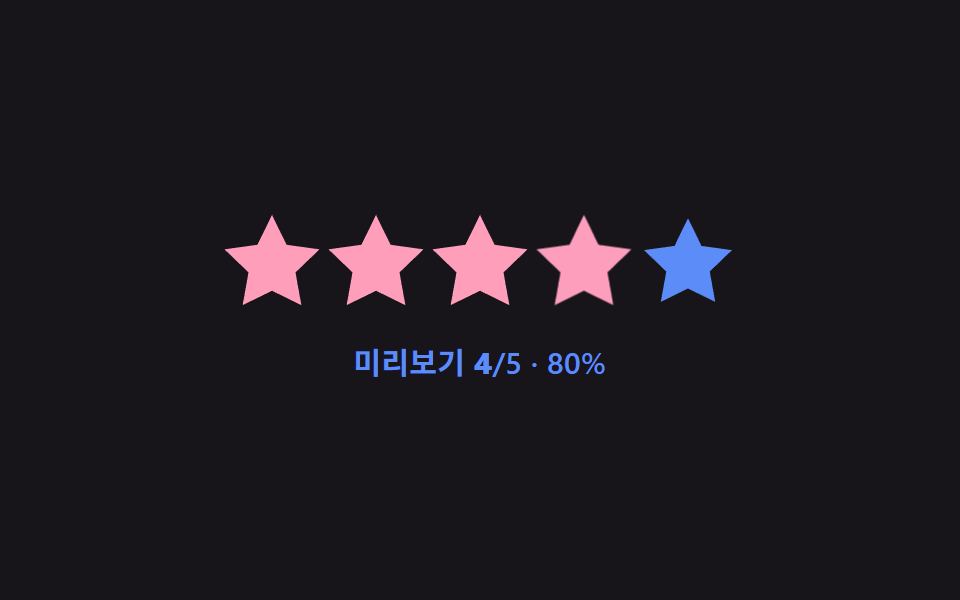 별점 UI 9종 — 채움 값이 상태에 따라 바뀌는 방식별점 UI는 별 아이콘으로 점수를 매기거나 매겨진 평균 점수를 보여주는 입력 장치인데, 아홉 개 중 하나는 손가락이 움직인 가로 값을 따라 채움 값이 바로 바뀌고, 하나는 평균 값의 소수점 부분이 별 하나의 채움 너 이 글의 데모 전부 보기