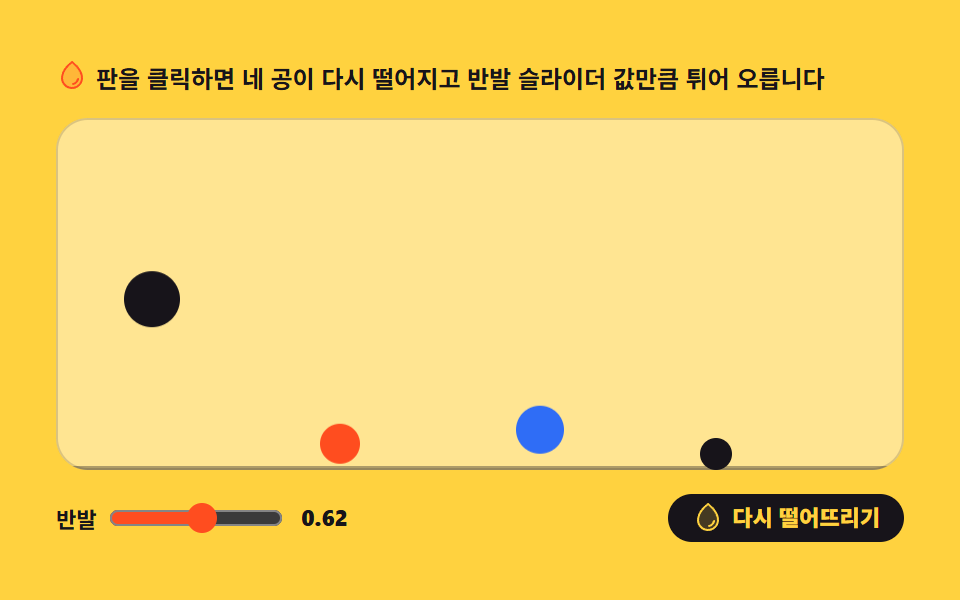
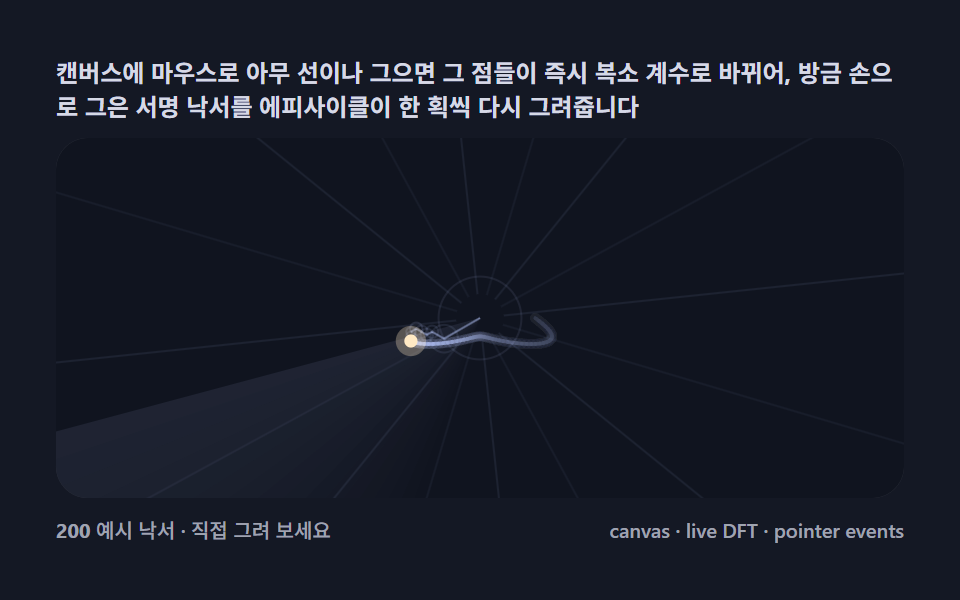
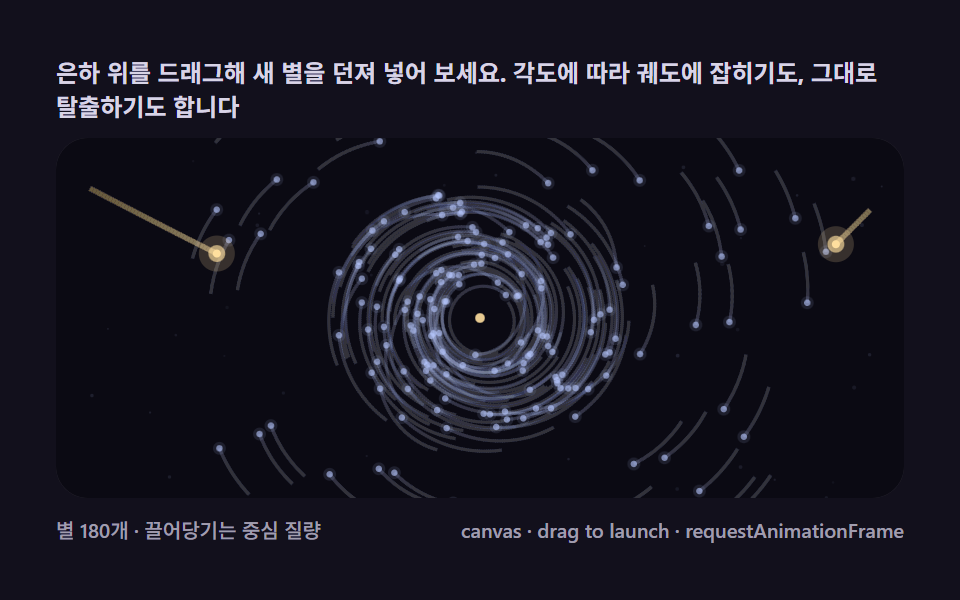
09튀는 액체 방울
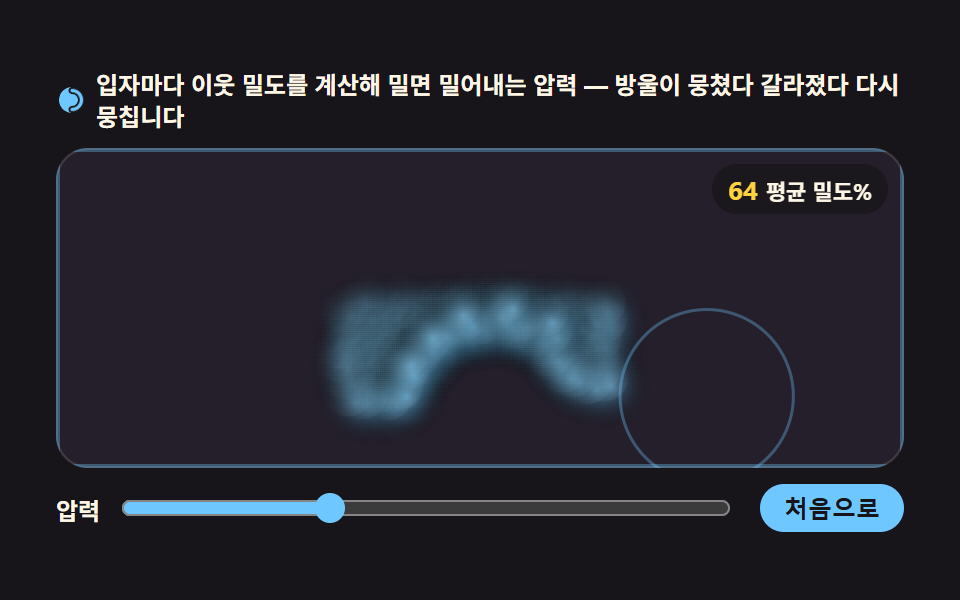
입자마다 이웃 밀도를 근사로 계산해 밀도가 목표보다 높으면 밀어내는 압력힘을 받는 SPH 근사 방식이라, 방울이 뭉쳤다 흩어지며 표면장력처럼 다시 둥글게 뭉칩니다.
쓰임물방울 튀는 히어로 배경, 잉크 번지는 로딩 연출
requestAnimationFramepointerdowntranslate
<main class="stage">
<div class="lq" id="lq">
  <p class="lq__hint">
    <svg class="lq__ico" viewBox="0 0 256 256" aria-hidden="true"><g fill="currentColor"><path d="M224,128a96,96,0,0,1-96,96c-11.4,0-20-8.6-20-20s8.9-20,20-20a56,56,0,0,0,0-112c-11.1,0-20-8.9-20-20s8.6-20,20-20A96,96,0,0,1,224,128Z" opacity=".2"/><path d="M128,24A104,104,0,0,0,128,232c-15.8,0-28-12.3-28-28s12.4-28,28-28a48,48,0,0,0,0-96c-15.6,0-28-12.4-28-28S112.2,24,128,24Zm0,16c-6.9,0-12,5.2-12,12s5.3,12,12,12a64,64,0,0,1,0,128c-6.7,0-12,5.4-12,12s5.1,12,12,12a88,88,0,0,0,0-176Z"/></g></svg>
    <span>입자마다 이웃 밀도를 계산해 밀면 밀어내는 압력 — 방울이 뭉쳤다 갈라졌다 다시 뭉칩니다</span>
  </p>
  <div class="lq__field" id="field" role="application" aria-label="액체 방울 실험판" tabindex="0">
    <canvas class="lq__cv" id="cv"></canvas>
    <b class="lq__badge" aria-hidden="true"><span class="lq__badgeNum" id="denVal">100</span><span class="lq__badgeUnit">평균 밀도%</span></b>
  </div>
  <div class="lq__bar">
    <label class="lq__dial">압력
      <input type="range" id="press" min="1" max="10" step="1" value="4" aria-label="압력 세기">
    </label>
    <button class="lq__reset" id="reset" type="button">처음으로</button>
  </div>
</div>
</main>
@use "../../../../site/static/demo-tokens" as *;
// 액체 방울 — 움직임은 전부 캔버스 rAF 루프 안의 SPH 근사(밀도→압력·점성·표면장력)에 있다.
// @keyframes 를 하나도 두지 않는다 — CSS 애니메이션이 0개여야 렌더러가 실시간으로 24장을 찍어
// 방울이 실제로 출렁이는 모습이 담긴다(도구/demo.py 렌더(), 077·012·01·02 선례 "애니메이션": 0).
// 캔버스가 쓰는 색은 여기서 커스텀 프로퍼티로 내려보낸다 — 값은 토큰 한 곳에만 둔다.
$duration: $dur-loop;
$easing: $ease-spring;
$color: $subject-sky;
@include stage($stage-ink);
.lq {
--bg: #241f2b;
--glow: rgba(110, 200, 255, .34);
--sheen: rgba(196, 240, 255, .16);
--wall: rgba(110, 200, 255, .35);
display: flex; flex-direction: column; gap: $sp-2;
width: 100%; max-width: 424px;
}
.lq__hint {
display: flex; align-items: center; gap: $sp-1; margin: 0;
font-weight: 700; font-size: clamp(10px, 2.8vw, 12px); line-height: 1.35;
color: $subject-cream;
}
.lq__ico { width: 16px; height: 16px; flex: 0 0 auto; color: $color; }
.lq__field {
position: relative; height: 160px;
border-radius: $r-card; overflow: hidden;
background: var(--bg);
box-shadow: inset 0 0 0 1px rgba($subject-cream, .14);
cursor: grab; touch-action: none;
}
.lq__field:focus-visible { outline: 2px solid $color; outline-offset: 2px; }
.lq__field:active { cursor: grabbing; }
.lq__cv { display: block; width: 100%; height: 100%; }
// 평균 밀도 — 목표 밀도에 대한 %. 방울이 뭉치면 올라가고 갈라지면 내려간다
.lq__badge {
position: absolute; right: $sp-2; top: $sp-2;
display: flex; align-items: baseline; gap: $sp-1;
padding: $sp-1 $sp-2; border-radius: $r-pill;
background: rgba($subject-ink, .78);
color: $subject-cream; font-weight: 700; font-size: 11px;
}
.lq__badgeNum { font-size: 13px; color: $stage-yellow; }
.lq__badgeUnit { font-weight: 700; }
.lq__bar {
display: flex; align-items: center; gap: $sp-3;
}
.lq__dial {
display: flex; align-items: center; gap: $sp-2; flex: 1 1 auto;
font-weight: 700; font-size: 12px; color: $subject-cream;
}
.lq__dial input[type="range"] { flex: 1 1 auto; accent-color: $color; }
.lq__reset {
flex: 0 0 auto; border: 0; border-radius: $r-pill;
padding: $sp-1 $sp-3; font-weight: 700; font-size: 12px;
background: $color; color: $subject-ink; cursor: pointer;
}
.lq__reset:active { transform: translateY(1px); }
@media (max-width: 340px) {
.lq { gap: $sp-1; }
.lq__field { height: 114px; }
.lq__badge { font-size: 10px; padding: 0 $sp-1; }
.lq__badgeNum { font-size: 11px; }
.lq__bar { gap: $sp-2; }
.lq__dial { font-size: 11px; }
.lq__reset { font-size: 11px; padding: $sp-1 $sp-2; }
}
// reduce — 자동 시연 루프는 JS 가 끄고, 드래그 밀기 조작은 살린다.
// 저으면 구멍이 생기고 주변이 메우는 모습은 실시간 계산이므로 그대로 두되
// 프레임이 흐르지 않게 JS 가 정지 장면에서 다시 그린다.
@media (prefers-reduced-motion: reduce) {
.lq.is-still .lq__field { cursor: default !important; }
.lq.is-still .lq__badge { opacity: .92 !important; }
}html, body {
margin: 0;
overflow: hidden;
}
.stage {
box-sizing: border-box;
min-height: 100vh;
display: grid;
place-items: center;
margin: 0;
background: #17141a;
font-family: -apple-system, "Segoe UI", "Noto Sans KR", sans-serif;
padding: clamp(8px, 4vw, 24px);
}
.lq {
--bg: #241f2b;
--glow: rgba(110, 200, 255, .34);
--sheen: rgba(196, 240, 255, .16);
--wall: rgba(110, 200, 255, .35);
display: flex;
flex-direction: column;
gap: 8px;
width: 100%;
max-width: 424px;
}
.lq__hint {
display: flex;
align-items: center;
gap: 4px;
margin: 0;
font-weight: 700;
font-size: clamp(10px, 2.8vw, 12px);
line-height: 1.35;
color: #fff7e6;
}
.lq__ico {
width: 16px;
height: 16px;
flex: 0 0 auto;
color: #6ec8ff;
}
.lq__field {
position: relative;
height: 160px;
border-radius: 16px;
overflow: hidden;
background: var(--bg);
box-shadow: inset 0 0 0 1px rgba(255, 247, 230, 0.14);
cursor: grab;
touch-action: none;
}
.lq__field:focus-visible {
outline: 2px solid #6ec8ff;
outline-offset: 2px;
}
.lq__field:active {
cursor: grabbing;
}
.lq__cv {
display: block;
width: 100%;
height: 100%;
}
.lq__badge {
position: absolute;
right: 8px;
top: 8px;
display: flex;
align-items: baseline;
gap: 4px;
padding: 4px 8px;
border-radius: 999px;
background: rgba(23, 20, 26, 0.78);
color: #fff7e6;
font-weight: 700;
font-size: 11px;
}
.lq__badgeNum {
font-size: 13px;
color: #ffd23f;
}
.lq__badgeUnit {
font-weight: 700;
}
.lq__bar {
display: flex;
align-items: center;
gap: 12px;
}
.lq__dial {
display: flex;
align-items: center;
gap: 8px;
flex: 1 1 auto;
font-weight: 700;
font-size: 12px;
color: #fff7e6;
}
.lq__dial input[type=range] {
flex: 1 1 auto;
accent-color: #6ec8ff;
}
.lq__reset {
flex: 0 0 auto;
border: 0;
border-radius: 999px;
padding: 4px 12px;
font-weight: 700;
font-size: 12px;
background: #6ec8ff;
color: #17141a;
cursor: pointer;
}
.lq__reset:active {
transform: translateY(1px);
}
@media (max-width: 340px) {
.lq {
gap: 4px;
}
.lq__field {
height: 114px;
}
.lq__badge {
font-size: 10px;
padding: 0 4px;
}
.lq__badgeNum {
font-size: 11px;
}
.lq__bar {
gap: 8px;
}
.lq__dial {
font-size: 11px;
}
.lq__reset {
font-size: 11px;
padding: 4px 8px;
}
}
@media (prefers-reduced-motion: reduce) {
.lq.is-still .lq__field {
cursor: default !important;
}
.lq.is-still .lq__badge {
opacity: 0.92 !important;
}
}// 액체 방울 — SPH(평활입자동역학) 근사. 로프·천이 "거리 제약"으로 물성을 만들었다면
// 이쪽은 "밀도와 압력"으로 만든다: 입자마다 이웃 반경 h 안의 입자로 지역 밀도를 계산하고(커널 w = 1 - r/h),
// 목표 밀도 ρ0 보다 높으면 이웃쌍에 밀어내는 압력 힘을 준다. 점성(상대속도 감쇠)과 표면장력 근사(가장자리 입자를
// 이웃 무게중심으로 당김)를 얹으면 방울이 뭉쳤다 갈라졌다 다시 뭉치는 액체의 결이 나온다.
var root = document.getElementById('lq');
var field = document.getElementById('field');
var cv = document.getElementById('cv');
var pressIn = document.getElementById('press');
var denVal = document.getElementById('denVal');
var reduce = window.matchMedia('(prefers-reduced-motion: reduce)');
var ctx = cv.getContext('2d');
var css = getComputedStyle(root);
var BG = css.getPropertyValue('--bg').trim();
var GLOW = css.getPropertyValue('--glow').trim();
var SHEEN = css.getPropertyValue('--sheen').trim();
var WALL = css.getPropertyValue('--wall').trim();
var FONT = '-apple-system, "Segoe UI", "Noto Sans KR", sans-serif';
var N = 120; // 입자 수
var H = 0; // 이웃 반경(입자 간격의 ~1.8배, 초기화에서 정한다)
var GRAV = 1400; // 중력(px/s^2)
var DAMP = 0.992; // 속도 보존률(점성 저항)
var REST = 0.32; // 벽 반발 계수
var LOOP = 2; // 자동 시연 한 바퀴(초)
var ps = []; // 입자: {x,y,px,py}
var W = 0, Hh = 0, dpr = 1;
var t0 = performance.now();
var frameCount = 0;
function fit() {
var r = field.getBoundingClientRect();
dpr = window.devicePixelRatio || 1;
W = r.width; Hh = r.height;
cv.width = Math.round(W * dpr);
cv.height = Math.round(Hh * dpr);
ctx.setTransform(dpr, 0, 0, dpr, 0, 0);
build();
}
// 시작 장면 — 보울 중앙 위에 원반 모양 방울이 살짝 흩어져 떨어진다. 난수 없이 격자+지터로 결정적 배치
function build() {
ps = [];
var gap = Math.min(11, Math.sqrt((W * Hh * 0.10) / N)); // 부피 비중 ~10%
H = gap * 1.8;
var cols = Math.ceil(Math.sqrt(N * (W / Hh)));
var x0 = W * 0.5 - (cols - 1) * gap * 0.5;
var y0 = 18;
for (var i = 0; i < N; i++) {
var c = i % cols, r = Math.floor(i / cols);
var jx = Math.sin(i * 12.9898) * 0.30 * gap; // 결정적 지터 — Math.random 금지
var jy = Math.cos(i * 78.233) * 0.30 * gap;
var x = Math.max(6, Math.min(W - 6, x0 + c * gap + jx));
var y = y0 + r * gap + jy;
ps.push({ x: x, y: y, px: x, py: y });
}
}
// 메타볼 근사 그라디언트 — 매 프레임 만들면 느리니 두 개 미리 구워 translate 로 찍는다
var gradA = null, gradB = null;
function bakeGrads() {
var R = H * 1.5;
gradA = ctx.createRadialGradient(0, 0, 0, 0, 0, R);
gradA.addColorStop(0, GLOW);
gradA.addColorStop(1, 'rgba(0,0,0,0)');
gradB = ctx.createRadialGradient(0, 0, 0, 0, 0, R);
gradB.addColorStop(0, SHEEN);
gradB.addColorStop(1, 'rgba(0,0,0,0)');
}
// 한 프레임 — 적분 → 밀도 → 압력·점성·표면장력 → 벽
function step(now) {
var dt = Math.min((now - t0) / 1000, 0.033);
t0 = now;
var k = Number(pressIn.value);
var h2 = H * H;
// (1) Verlet 관성 + 중력
for (var i = 0; i < N; i++) {
var p = ps[i];
var vx = (p.x - p.px) * DAMP;
var vy = (p.y - p.py) * DAMP;
p.px = p.x; p.py = p.y;
p.x += vx;
p.y += vy + GRAV * dt * dt;
}
// (2) 지역 밀도 — 이웃 반경 h 안 입자의 커널 w = 1 - r/h 합
// O(N²) 이지만 N=120 이라 프레임당 14,400 쌍 — 충분히 가볍다
var dens = new Float64Array(N);
var nbr = []; // 이웃 목록(압력·점성·표면장력에서 다시 쓴다)
for (var a = 0; a < N; a++) nbr.push([]);
for (var a2 = 0; a2 < N; a2++) {
for (var b = a2 + 1; b < N; b++) {
var dx = ps[b].x - ps[a2].x, dy = ps[b].y - ps[a2].y;
var d2 = dx * dx + dy * dy;
if (d2 >= h2) continue;
var d = Math.sqrt(d2) || 0.0001;
var w = 1 - d / H;
dens[a2] += w; dens[b] += w;
nbr[a2].push(b); nbr[b].push(a2);
}
}
var RHO0 = 5.5; // 목표 밀도 — 이 커널에서 안정 방울이 갖는 밀도(실측 튜닝값)
// (3) 이웃쌍 힘 — 압력(밀어내기)·점성(상대속도 감쇠)·표면장력(가장자리 당김)
// 짝수 분배: 쌍 한 번만 돌고 힘은 양쪽에 나눠 넣는다
for (var i2 = 0; i2 < N; i2++) {
var me = ps[i2];
var list = nbr[i2];
var cx = 0, cy = 0; // 이웃 무게중심(표면장력용)
for (var t = 0; t < list.length; t++) {
var j2 = list[t];
if (j2 < i2) continue; // 쌍은 한 번만
var o = ps[j2];
var ddx = o.x - me.x, ddy = o.y - me.y;
var dd = Math.hypot(ddx, ddy) || 0.0001;
var ux = ddx / dd, uy = ddy / dd;
var wj = 1 - dd / H;
// 압력: 쌍 평균 밀도가 목표보다 높은 만큼 밀어낸다
var press = ((dens[i2] + dens[j2]) * 0.5 - RHO0) * wj * k * 0.0021;
if (press > 0) {
var fx = -ux * press, fy = -uy * press;
me.x += fx; me.y += fy; o.x -= fx; o.y -= fy;
}
// 점성: 상대속도를 조금씩 깎아 흐름을 무디게(물이 아닌 꿀 느낌 방지용 상한)
var rvx = (o.x - o.px) - (me.x - me.px);
var rvy = (o.y - o.py) - (me.y - me.py);
var visc = 0.028 * wj;
me.x += rvx * visc; me.y += rvy * visc;
o.x -= rvx * visc; o.y -= rvy * visc;
}
if (list.length > 0) {
for (var t2 = 0; t2 < list.length; t2++) {
cx += ps[list[t2]].x; cy += ps[list[t2]].y;
}
cx /= list.length; cy /= list.length;
// 표면장력 근사 — 이웃이 적은(=표면) 입자를 이웃 무게중심 방향으로 당긴다
if (list.length < 4) {
var tx = cx - me.x, ty = cy - me.y;
var tl = Math.hypot(tx, ty) || 0.0001;
var pull = (4 - list.length) * 0.010;
me.x += tx / tl * pull; me.y += ty / tl * pull;
}
}
}
// (4) 용기 — 바닥·양벽 반사(사각 보울). 커서 밀기는 (5)에서
for (var v = 0; v < N; v++) {
var q = ps[v];
if (q.y > Hh - 4) { q.y = Hh - 4; q.py = q.y + (q.y - q.py) * REST; }
if (q.x < 4) { q.x = 4; q.px = q.x + (q.x - q.px) * REST; }
if (q.x > W - 4) { q.x = W - 4; q.px = q.x + (q.x - q.px) * REST; }
}
// (5) 커서 밀기 — 드래그 중이면 커서 주변 입자를 거리 감쇠 힘으로 밀어낸다. 저으면 구멍이 생기고 주변이 메운다
if (ptrDown) {
for (var m = 0; m < N; m++) {
var s = ps[m];
var ox = s.x - ptrX, oy = s.y - ptrY;
var od = Math.hypot(ox, oy);
var RAD = H * 3.2;
if (od < RAD && od > 0.001) {
var f = (1 - od / RAD) * 7;
s.x += ox / od * f; s.y += oy / od * f;
}
}
}
// (6) 배지 — 평균 밀도를 목표 밀도에 대한 % 로
frameCount++;
if (frameCount % 12 === 0) {
var sum = 0;
for (var s2 = 0; s2 < N; s2++) sum += dens[s2];
denVal.textContent = String(Math.round(sum / N / RHO0 * 100));
}
}
function draw() {
ctx.clearRect(0, 0, W, Hh);
// 용기 벽 — 보울 테두리 선
ctx.strokeStyle = WALL;
ctx.lineWidth = 2;
ctx.strokeRect(1, 1, W - 2, Hh - 2);
// 입자 — 미리 구운 radialGradient 원을 translate 로 겹쳐 찍는다(메타볼 근사).
// 두 겹: 몸통(glow) + 하이라이트(sheen). 가벼운 입자를 깊게 얹어 덩어리 중심이 진해진다
if (!gradA) bakeGrads();
var R = H * 1.5;
for (var i = 0; i < N; i++) {
ctx.save();
ctx.translate(ps[i].x, ps[i].y);
ctx.fillStyle = gradA;
ctx.beginPath();
ctx.arc(0, 0, R, 0, Math.PI * 2);
ctx.fill();
ctx.fillStyle = gradB;
ctx.beginPath();
ctx.arc(-R * 0.22, -R * 0.28, R * 0.62, 0, Math.PI * 2);
ctx.fill();
ctx.restore();
}
// 커서 밀기 표시 — 드래그 중 반지름 원
if (ptrDown) {
ctx.strokeStyle = GLOW;
ctx.lineWidth = 1.5;
ctx.beginPath();
ctx.arc(ptrX, ptrY, H * 3.2, 0, Math.PI * 2);
ctx.stroke();
}
}
// 사람이 안 만졌을 때 도는 자동 시연 — 가상 포인터가 사인 팔자로 휘젓는다(01 demoTarget 관례).
// pointerdown 이 오면 manual=true 로 넘어가 진짜 포인터를 따라간다.
var manual = false;
function demoTarget(now) {
var ph = (now / 1000) / LOOP * Math.PI * 2;
return {
x: W * 0.5 + Math.sin(ph) * W * 0.32,
y: Hh * 0.5 + Math.sin(ph * 2) * Hh * 0.30
};
}
function frame(now) {
if (!manual) {
var t = demoTarget(now);
ptrX = t.x; ptrY = t.y; ptrDown = true;
}
step(now);
draw();
requestAnimationFrame(frame);
}
// 조작 — pointerdown 드래그로 커서 주변 입자를 밀어낸다
var ptrDown = false, ptrX = 0, ptrY = 0;
field.addEventListener('pointerdown', function (e) {
manual = true;
ptrDown = true;
var r = field.getBoundingClientRect();
ptrX = e.clientX - r.left; ptrY = e.clientY - r.top;
field.setPointerCapture(e.pointerId);
});
field.addEventListener('pointermove', function (e) {
if (!ptrDown) return;
var r = field.getBoundingClientRect();
ptrX = e.clientX - r.left; ptrY = e.clientY - r.top;
});
window.addEventListener('pointerup', function () { ptrDown = false; });
document.getElementById('reset').addEventListener('click', function () { manual = false; build(); });
window.addEventListener('resize', function () { fit(); gradA = null; });
// 줄인 모션 — 자동 시연을 끄고 한 장만 그린다(01 관례). 조작은 즉시 반영
reduce.addEventListener('change', function () { if (reduce.matches) { manual = true; ptrDown = false; draw(); } });
if (reduce.matches) { manual = true; ptrDown = false; }
fit();
requestAnimationFrame(frame);// LiquidDrop — vanilla 판(run/306/demo/09-liquid-drop-sph/index.html) 의 React 포트.
// SPH 근사: 이웃 반경 h 안 입자로 지역 밀도(커널 w = 1 - r/h)를 계산하고, 목표 밀도 ρ0 보다
// 높으면 이웃쌍에 밀어내는 압력 힘을 준다(+점성·표면장력 근사). 값·주석 의미는 vanilla 와 같다.
import { useEffect, useRef, useState } from "react";
import type { CSSProperties } from "react";
import type { PointerEvent as ReactPointerEvent } from "react";
import styles from "./LiquidDrop.module.scss";
export type LiquidDropProps = {
duration?: number;
easing?: string;
color?: string;
};
type Vars = CSSProperties & { "--duration"?: string; "--easing"?: string; "--color"?: string };
// useRef 는 T | null 을 돌려준다. 처음부터 값이 있고 절대 비지 않는 상자는 이렇게 좁혀 쓴다 (292 선례)
type Box<T> = { current: T };
type InputEvt = { target: { value: string } };
type Particle = { x: number; y: number; px: number; py: number };
const N = 120; // 입자 수
const GRAV = 1400; // 중력(px/s^2)
const DAMP = 0.992; // 속도 보존률(점성 저항)
const REST = 0.32; // 벽 반발 계수
const LOOP = 2; // 자동 시연 한 바퀴(초)
const RHO0 = 5.5; // 목표 밀도 — 이 커널에서 안정 방울이 갖는 밀도(실측 튜닝값)
const FIELD_LABEL = "액체 방울 실험판";
export default function LiquidDrop({
duration = 2000,
easing = "cubic-bezier(.2, .8, .2, 1)",
color = "#6ec8ff",
}: LiquidDropProps) {
const rootRef = useRef<HTMLDivElement | null>(null);
const fieldRef = useRef<HTMLDivElement | null>(null);
const cvRef = useRef<HTMLCanvasElement | null>(null);
const denValRef = useRef<HTMLSpanElement | null>(null);
const pressRef = useRef<HTMLInputElement | null>(null);
const psRef = useRef<Particle[]>([]) as Box<Particle[]>;
const sizeRef = useRef({ W: 0, Hh: 0, H: 0 }) as Box<{ W: number; Hh: number; H: number }>;
const gradRef = useRef({ a: null, b: null }) as Box<{ a: CanvasGradient | null; b: CanvasGradient | null }>;
const ptrRef = useRef({ down: false, x: 0, y: 0 }) as Box<{ down: boolean; x: number; y: number }>;
const manualRef = useRef(false) as Box<boolean>;
const rafRef = useRef(0) as Box<number>;
const t0Ref = useRef(0) as Box<number>;
const frameRef = useRef(0) as Box<number>;
const pressValRef = useRef(4) as Box<number>;
const colorRef = useRef({ glow: "", sheen: "", wall: "" }) as Box<{ glow: string; sheen: string; wall: string }>;
const [press, setPress] = useState(4);
const vars: Vars = { "--duration": `${duration}ms`, "--easing": easing, "--color": color };
function ctx2d(): CanvasRenderingContext2D | null {
const cv = cvRef.current;
if (!cv) return null;
return cv.getContext("2d");
}
// 시작 장면 — 보울 중앙 위에 원반 모양 방울이 살짝 흩어져 떨어진다. 난수 없이 격자+지터로 결정적 배치
function build(): void {
const { W, Hh } = sizeRef.current;
const ps: Particle[] = [];
const gap = Math.min(11, Math.sqrt((W * Hh * 0.10) / N)); // 부피 비중 ~10%
const h = gap * 1.8;
sizeRef.current.H = h;
const cols = Math.ceil(Math.sqrt(N * (W / Hh)));
const x0 = W * 0.5 - (cols - 1) * gap * 0.5;
const y0 = 18;
for (let i = 0; i < N; i++) {
const c = i % cols, r = Math.floor(i / cols);
const jx = Math.sin(i * 12.9898) * 0.30 * gap; // 결정적 지터 — Math.random 금지
const jy = Math.cos(i * 78.233) * 0.30 * gap;
const x = Math.max(6, Math.min(W - 6, x0 + c * gap + jx));
const y = y0 + r * gap + jy;
ps.push({ x, y, px: x, py: y });
}
psRef.current = ps;
}
function fit(): void {
const field = fieldRef.current;
const cv = cvRef.current;
const ctx = ctx2d();
if (!field || !cv || !ctx) return;
const r = field.getBoundingClientRect();
const dpr = window.devicePixelRatio || 1;
sizeRef.current.W = r.width;
sizeRef.current.Hh = r.height;
cv.width = Math.round(r.width * dpr);
cv.height = Math.round(r.height * dpr);
ctx.setTransform(dpr, 0, 0, dpr, 0, 0);
gradRef.current = { a: null, b: null };
build();
}
// 메타볼 근사 그라디언트 — 매 프레임 만들면 느리니 두 개 미리 구워 translate 로 찍는다
function bakeGrads(ctx: CanvasRenderingContext2D, glow: string, sheen: string): void {
const R = sizeRef.current.H * 1.5;
const a = ctx.createRadialGradient(0, 0, 0, 0, 0, R);
a.addColorStop(0, glow);
a.addColorStop(1, "rgba(0,0,0,0)");
const b = ctx.createRadialGradient(0, 0, 0, 0, 0, R);
b.addColorStop(0, sheen);
b.addColorStop(1, "rgba(0,0,0,0)");
gradRef.current = { a, b };
}
// 한 프레임 — 적분 → 밀도 → 압력·점성·표면장력 → 벽. vanilla step() 과 같은 순서·계수
function step(now: number, glow: string, sheen: string, wall: string): void {
const ctx = ctx2d();
if (!ctx) return;
const { W, Hh, H } = sizeRef.current;
const ps = psRef.current;
const dt = Math.min((now - t0Ref.current) / 1000, 0.033);
t0Ref.current = now;
const k = pressValRef.current;
const h2 = H * H;
// (1) Verlet 관성 + 중력
for (let i = 0; i < N; i++) {
const p = ps[i];
const vx = (p.x - p.px) * DAMP;
const vy = (p.y - p.py) * DAMP;
p.px = p.x; p.py = p.y;
p.x += vx;
p.y += vy + GRAV * dt * dt;
}
// (2) 지역 밀도 — 이웃 반경 h 안 입자의 커널 w = 1 - r/h 합
const dens = new Float64Array(N);
const nbr: number[][] = [];
for (let a = 0; a < N; a++) nbr.push([]);
for (let a = 0; a < N; a++) {
for (let b = a + 1; b < N; b++) {
const dx = ps[b].x - ps[a].x, dy = ps[b].y - ps[a].y;
const d2 = dx * dx + dy * dy;
if (d2 >= h2) continue;
const d = Math.sqrt(d2) || 0.0001;
const w = 1 - d / H;
dens[a] += w; dens[b] += w;
nbr[a].push(b); nbr[b].push(a);
}
}
// (3) 이웃쌍 힘 — 압력·점성, 그리고 표면장력(가장자리 당김)
for (let i = 0; i < N; i++) {
const me = ps[i];
const list = nbr[i];
let cx = 0, cy = 0;
for (let t = 0; t < list.length; t++) {
const j = list[t];
if (j < i) continue; // 쌍은 한 번만
const o = ps[j];
const ddx = o.x - me.x, ddy = o.y - me.y;
const dd = Math.hypot(ddx, ddy) || 0.0001;
const ux = ddx / dd, uy = ddy / dd;
const wj = 1 - dd / H;
// 압력: 쌍 평균 밀도가 목표보다 높은 만큼 밀어낸다
const press = ((dens[i] + dens[j]) * 0.5 - RHO0) * wj * k * 0.0021;
if (press > 0) {
const fx = -ux * press, fy = -uy * press;
me.x += fx; me.y += fy; o.x -= fx; o.y -= fy;
}
// 점성: 상대속도를 조금씩 깎아 흐름을 무디게
const rvx = (o.x - o.px) - (me.x - me.px);
const rvy = (o.y - o.py) - (me.y - me.py);
const visc = 0.028 * wj;
me.x += rvx * visc; me.y += rvy * visc;
o.x -= rvx * visc; o.y -= rvy * visc;
}
if (list.length > 0) {
for (let t = 0; t < list.length; t++) {
cx += ps[list[t]].x; cy += ps[list[t]].y;
}
cx /= list.length; cy /= list.length;
// 표면장력 근사 — 이웃이 적은(=표면) 입자를 이웃 무게중심 방향으로 당긴다
if (list.length < 4) {
const tx = cx - me.x, ty = cy - me.y;
const tl = Math.hypot(tx, ty) || 0.0001;
const pull = (4 - list.length) * 0.010;
me.x += tx / tl * pull; me.y += ty / tl * pull;
}
}
}
// (4) 용기 — 바닥·양벽 반사
for (let v = 0; v < N; v++) {
const q = ps[v];
if (q.y > Hh - 4) { q.y = Hh - 4; q.py = q.y + (q.y - q.py) * REST; }
if (q.x < 4) { q.x = 4; q.px = q.x + (q.x - q.px) * REST; }
if (q.x > W - 4) { q.x = W - 4; q.px = q.x + (q.x - q.px) * REST; }
}
// (5) 커서 밀기 — 드래그 중이면 커서 주변 입자를 거리 감쇠 힘으로 밀어낸다
if (ptrRef.current.down) {
for (let m = 0; m < N; m++) {
const s = ps[m];
const ox = s.x - ptrRef.current.x, oy = s.y - ptrRef.current.y;
const od = Math.hypot(ox, oy);
const RAD = H * 3.2;
if (od < RAD && od > 0.001) {
const f = (1 - od / RAD) * 7;
s.x += ox / od * f; s.y += oy / od * f;
}
}
}
// (6) 배지 — 평균 밀도를 목표 밀도에 대한 % 로
frameRef.current++;
if (frameRef.current % 12 === 0) {
let sum = 0;
for (let s = 0; s < N; s++) sum += dens[s];
const el = denValRef.current;
if (el) el.textContent = String(Math.round(sum / N / RHO0 * 100));
}
// 그리기 — 몸통(glow)+하이라이트(sheen) 두 겹, 용기 벽, 커서 원
ctx.clearRect(0, 0, W, Hh);
ctx.strokeStyle = wall;
ctx.lineWidth = 2;
ctx.strokeRect(1, 1, W - 2, Hh - 2);
if (!gradRef.current.a || !gradRef.current.b) bakeGrads(ctx, glow, sheen);
const R2 = H * 1.5;
for (let i = 0; i < N; i++) {
ctx.save();
ctx.translate(ps[i].x, ps[i].y);
ctx.fillStyle = gradRef.current.a as CanvasGradient;
ctx.beginPath();
ctx.arc(0, 0, R2, 0, Math.PI * 2);
ctx.fill();
ctx.fillStyle = gradRef.current.b as CanvasGradient;
ctx.beginPath();
ctx.arc(-R2 * 0.22, -R2 * 0.28, R2 * 0.62, 0, Math.PI * 2);
ctx.fill();
ctx.restore();
}
if (ptrRef.current.down) {
ctx.strokeStyle = glow;
ctx.lineWidth = 1.5;
ctx.beginPath();
ctx.arc(ptrRef.current.x, ptrRef.current.y, H * 3.2, 0, Math.PI * 2);
ctx.stroke();
}
}
// 사람이 안 만졌을 때 도는 자동 시연 — 가상 포인터가 사인 팔자로 휘젓는다
function demoTarget(now: number): { x: number; y: number } {
const { W, Hh } = sizeRef.current;
const ph = (now / 1000) / LOOP * Math.PI * 2;
return {
x: W * 0.5 + Math.sin(ph) * W * 0.32,
y: Hh * 0.5 + Math.sin(ph * 2) * Hh * 0.30
};
}
useEffect(() => {
fit();
const reduce = window.matchMedia("(prefers-reduced-motion: reduce)");
// 캔버스가 쓰는 색은 module.scss 의 커스텀 프로퍼티에서 읽는다 — 값은 스타일 한 곳에만 둔다
const css = getComputedStyle(rootRef.current as Element);
const glow = css.getPropertyValue("--glow").trim() || "rgba(110, 200, 255, .34)";
const sheen = css.getPropertyValue("--sheen").trim() || "rgba(196, 240, 255, .16)";
const wall = css.getPropertyValue("--wall").trim() || "rgba(110, 200, 255, .35)";
colorRef.current = { glow, sheen, wall };
t0Ref.current = performance.now();
function frame(now: number): void {
if (!manualRef.current) {
const t = demoTarget(now);
ptrRef.current.x = t.x; ptrRef.current.y = t.y; ptrRef.current.down = true;
}
step(now, glow, sheen, wall);
rafRef.current = requestAnimationFrame(frame);
}
if (!reduce.matches) rafRef.current = requestAnimationFrame(frame);
else step(performance.now(), glow, sheen, wall); // 줄인 모드 — 한 장만 그린다
function onResize(): void { fit(); }
function onReduceChange(): void {
if (reduce.matches) {
manualRef.current = true;
ptrRef.current.down = false;
cancelAnimationFrame(rafRef.current);
step(performance.now(), glow, sheen, wall);
} else if (!manualRef.current) {
t0Ref.current = performance.now();
rafRef.current = requestAnimationFrame(frame);
}
}
window.addEventListener("resize", onResize);
reduce.addEventListener("change", onReduceChange);
return () => {
window.removeEventListener("resize", onResize);
reduce.removeEventListener("change", onReduceChange);
cancelAnimationFrame(rafRef.current);
};
}, []);
function onPointerDown(event: ReactPointerEvent<HTMLDivElement>): void {
const field = fieldRef.current;
if (!field) return;
manualRef.current = true;
ptrRef.current.down = true;
const r = field.getBoundingClientRect();
ptrRef.current.x = event.clientX - r.left;
ptrRef.current.y = event.clientY - r.top;
field.setPointerCapture(event.pointerId);
}
function onPointerMove(event: ReactPointerEvent<HTMLDivElement>): void {
if (!ptrRef.current.down) return;
const field = fieldRef.current;
if (!field) return;
const r = field.getBoundingClientRect();
ptrRef.current.x = event.clientX - r.left;
ptrRef.current.y = event.clientY - r.top;
}
function onPointerUp(): void {
ptrRef.current.down = false;
}
function onReset(): void {
manualRef.current = false;
build();
const reduce = window.matchMedia("(prefers-reduced-motion: reduce)");
if (reduce.matches) {
// 줄인 모드 — 정지 장면 한 장만 다시 그린다
const c = colorRef.current;
step(performance.now(), c.glow, c.sheen, c.wall);
return;
}
t0Ref.current = performance.now();
// 루프가 서 있으면(줄임 해제 직후 등) 다시 켠다 — 켜져 있으면 그대로 이어진다
cancelAnimationFrame(rafRef.current);
const c = colorRef.current;
rafRef.current = requestAnimationFrame(function loop(now: number): void {
if (!manualRef.current) {
const t = demoTarget(now);
ptrRef.current.x = t.x; ptrRef.current.y = t.y; ptrRef.current.down = true;
}
step(now, c.glow, c.sheen, c.wall);
rafRef.current = requestAnimationFrame(loop);
});
}
return (
<main className={styles.stage}>
<div className={styles.root} ref={rootRef} style={vars}>
<p className={styles.hint}>
<svg className={styles.ico} viewBox="0 0 256 256" aria-hidden="true"><g fill="currentColor"><path d="M224,128a96,96,0,0,1-96,96c-11.4,0-20-8.6-20-20s8.9-20,20-20a56,56,0,0,0,0-112c-11.1,0-20-8.9-20-20s8.6-20,20-20A96,96,0,0,1,224,128Z" opacity=".2"/><path d="M128,24A104,104,0,0,0,128,232c-15.8,0-28-12.3-28-28s12.4-28,28-28a48,48,0,0,0,0-96c-15.6,0-28-12.4-28-28S112.2,24,128,24Zm0,16c-6.9,0-12,5.2-12,12s5.3,12,12,12a64,64,0,0,1,0,128c-6.7,0-12,5.4-12,12s5.1,12,12,12a88,88,0,0,0,0-176Z"/></g></svg>
<span>입자마다 이웃 밀도를 계산해 밀면 밀어내는 압력 — 방울이 뭉쳤다 갈라졌다 다시 뭉칩니다</span>
</p>
<div
className={styles.field}
ref={fieldRef}
role="application"
aria-label={FIELD_LABEL}
tabIndex={0}
onPointerDown={onPointerDown}
onPointerMove={onPointerMove}
onPointerUp={onPointerUp}
onPointerCancel={onPointerUp}
>
<canvas className={styles.cv} ref={cvRef}></canvas>
<b className={styles.badge} aria-hidden="true"><span className={styles.badgeNum} ref={denValRef}>100</span><span className={styles.badgeUnit}>평균 밀도%</span></b>
</div>
<div className={styles.bar}>
<label className={styles.dial}>압력
<input
type="range" min={1} max={10} step={1} value={press} aria-label="압력 세기"
onChange={(event: InputEvt) => { const v = Number(event.target.value); pressValRef.current = v; setPress(v); }}
/>
</label>
<button className={styles.reset} type="button" onClick={onReset}>처음으로</button>
</div>
</div>
</main>
);
}09 튀는 액체 방울 — 측정 누적면적 21.528% · 움직인 프레임 23/23GODRICH 원작 · zip 에 SCSS·React 포함 · 자바스크립트 물리엔진 원리 9종 — Verlet 로프부터 래그돌까지
이 데모가 속한 글
 자바스크립트 물리엔진 원리 9종 — Verlet 로프부터 래그돌까지자바스크립트 물리엔진은 로프가 늘어나고 천이 찢어지며 젤리가 출렁이는 움직임을 계산으로 만들어 냅니다. 이 아홉 판은 라이브러리 없이 캔버스와 Verlet 적분만으로 관절 인형·부력·도미노 연쇄·액체 방울까지 움직이 이 글의 데모 전부 보기