08CTA tải CV
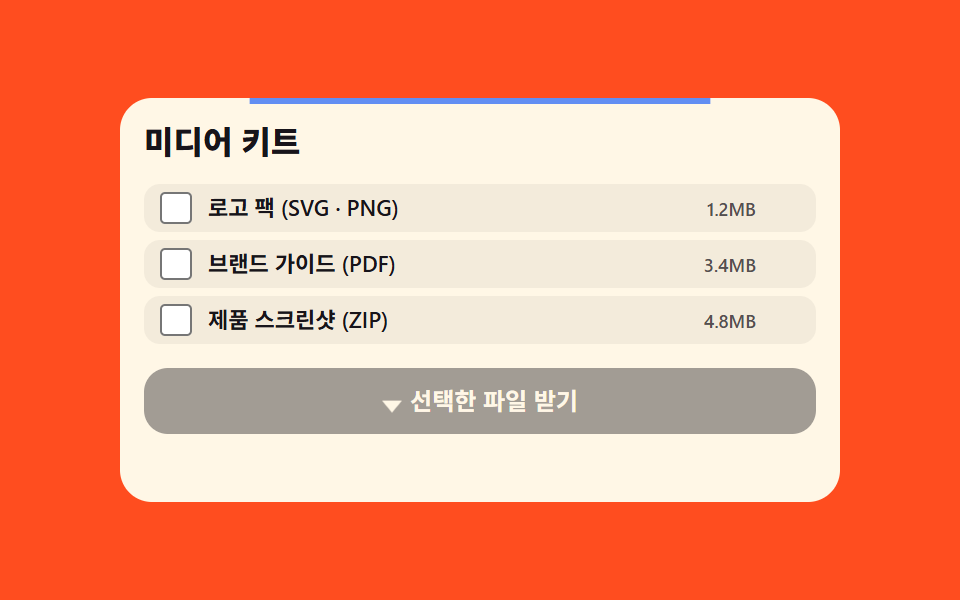
Bấm nút 'Tải PDF' thì progress bar đổ đầy thật, icon mũi tên đổi thành dấu tích, chốc lát sau trở về trạng thái ban đầu.
Dùng choSection CTA dẫn người xem tải CV·portfolio
scaleXsetTimeoutstroke-dashoffset

<main class="stage">
  <section class="rc">
    <span class="rc__accent" aria-hidden="true"></span>
    <p class="rc__eyebrow">RESUME</p>
    <h2 class="rc__title">Tải CV bản PDF</h2>
    <button class="rc__btn" type="button">
      <span class="rc__fill" aria-hidden="true"></span>
      <span class="rc__ic-wrap" aria-hidden="true">
        <svg class="rc__ic-arrow" viewBox="0 0 20 20"><polyline points="10,3 10,13" /><polyline points="5,9 10,14 15,9" /></svg>
        <svg class="rc__ic-check" viewBox="0 0 20 20"><polyline points="4,10 8,14 16,5" /></svg>
      </span>
      <span class="rc__label">Tải PDF</span>
    </button>
    <p class="rc__status" role="status" aria-live="polite"></p>
  </section>
</main>
@use "../../../../site/static/demo-tokens" as *;
// ── 변수 3개 ──────────────────────────────────────────
$duration: 900ms; // 진행바 채워지는 시간(rc__btn.is-loading)
$easing: $ease-out;
$color: $subject-blue; // 버튼·진행바 색
@include stage($stage-paper);
.rc { width: min(300px, 92vw); text-align: center; }
// ── 상단 악센트 바가 계속 스캔하는 장식(항상 재생) ──────────────
.rc__accent {
display: block;
width: $sp-8; height: 3px;
margin: 0 auto $sp-2;
border-radius: $r-xs;
background: $color;
transform-origin: center;
animation: rc-scan 2s $ease-spring infinite;
}
@keyframes rc-scan {
0%, 70%, 100% { transform: scaleX(.3); opacity: .5; }
30% { transform: scaleX(1); opacity: 1; }
}
.rc__eyebrow { margin: 0 0 $sp-1; font-weight: 700; font-size: 10px; line-height: 1; font-family: inherit; letter-spacing: .14em; color: rgba($subject-ink, .72); } // 흰 면 위 7.26:1
.rc__title { margin: 0 0 $sp-3; font-weight: 800; font-size: clamp(14px, 4vw, 16px); line-height: 1.2; font-family: inherit; color: $subject-ink; }
.rc__btn {
position: relative;
overflow: hidden;
display: inline-flex; align-items: center; gap: $sp-1;
padding: $sp-2 $sp-5;
border: 0;
border-radius: $r-control;
background: $subject-blue-deep;
color: $subject-cream;
font-weight: 700; font-size: 12px; line-height: 1.4; font-family: inherit;
cursor: pointer;
isolation: isolate;
}
.rc__fill {
position: absolute; inset: 0;
background: rgba(255, 255, 255, .22);
transform: scaleX(0);
transform-origin: left; // 규칙8: 버튼 왼쪽 채움 오버레이
z-index: -1;
}
.rc__btn.is-loading .rc__fill { transform: scaleX(1); transition: transform $duration $easing; }
.rc__ic-wrap { position: relative; width: 14px; height: 14px; }
.rc__ic-arrow, .rc__ic-check {
position: absolute; inset: 0;
fill: none;
stroke: currentColor;
stroke-width: 2.2;
stroke-linecap: round;
stroke-linejoin: round;
transition: opacity $dur-quick $ease-pop;
}
.rc__ic-arrow {
opacity: 1;
animation: rc-bob 2s ease-in-out infinite;
}
.rc__ic-check {
opacity: 0;
stroke-dasharray: 18;
stroke-dashoffset: 18;
}
.rc__btn.is-done .rc__ic-arrow { opacity: 0; animation: none; }
.rc__btn.is-done .rc__ic-check { opacity: 1; stroke-dashoffset: 0; transition: stroke-dashoffset $dur-base $ease-pop, opacity $dur-quick $ease-pop; }
// ── 다운로드 화살표가 계속 살짝 튀는 장식(항상 재생) ──────────────
@keyframes rc-bob {
0%, 100% { transform: translateY(0); }
50% { transform: translateY(3px); }
}
.rc__btn.is-loading .rc__ic-arrow { animation-play-state: paused; }
.rc__label { position: relative; }
.rc__btn.is-done .rc__label::after { content: " 완료"; }
.rc__status { min-height: 14px; margin: $sp-2 0 0; font-weight: 600; font-size: 9px; line-height: 1.4; font-family: inherit; color: rgba($subject-ink, .72); } // 클릭 뒤에만 드러나는 글자 — 3.97 이라 같이 올렸다
// ── 반응형(BD9) ──────────────────────────────────────────
@media (max-width: 340px), (max-height: 220px) {
.rc__eyebrow { display: none; }
.rc__title { margin-bottom: $sp-2; font-size: 13px; }
}
// ── 접근성 ──────────────────────────────────────────
@media (prefers-reduced-motion: reduce) {
.rc__accent { animation: none !important; }
.rc__ic-arrow { animation: none !important; }
.rc__fill, .rc__ic-check { transition: none; }
}@charset "UTF-8";
html, body {
margin: 0;
overflow: hidden;
}
.stage {
box-sizing: border-box;
min-height: 100vh;
display: grid;
place-items: center;
margin: 0;
background: #ffffff;
font-family: -apple-system, "Segoe UI", "Noto Sans KR", sans-serif;
padding: clamp(8px, 4vw, 24px);
}
.rc {
width: min(300px, 92vw);
text-align: center;
}
.rc__accent {
display: block;
width: 32px;
height: 3px;
margin: 0 auto 8px;
border-radius: 4px;
background: #2f6df6;
transform-origin: center;
animation: rc-scan 2s cubic-bezier(0.2, 0.8, 0.2, 1) infinite;
}
@keyframes rc-scan {
0%, 70%, 100% {
transform: scaleX(0.3);
opacity: 0.5;
}
30% {
transform: scaleX(1);
opacity: 1;
}
}
.rc__eyebrow {
margin: 0 0 4px;
font-weight: 700;
font-size: 10px;
line-height: 1;
font-family: inherit;
letter-spacing: 0.14em;
color: rgba(23, 20, 26, 0.72);
}
.rc__title {
margin: 0 0 12px;
font-weight: 800;
font-size: clamp(14px, 4vw, 16px);
line-height: 1.2;
font-family: inherit;
color: #17141a;
}
.rc__btn {
position: relative;
overflow: hidden;
display: inline-flex;
align-items: center;
gap: 4px;
padding: 8px 20px;
border: 0;
border-radius: 12px;
background: #0a4fe8;
color: #fff7e6;
font-weight: 700;
font-size: 12px;
line-height: 1.4;
font-family: inherit;
cursor: pointer;
isolation: isolate;
}
.rc__fill {
position: absolute;
inset: 0;
background: rgba(255, 255, 255, 0.22);
transform: scaleX(0);
transform-origin: left;
z-index: -1;
}
.rc__btn.is-loading .rc__fill {
transform: scaleX(1);
transition: transform 900ms ease-out;
}
.rc__ic-wrap {
position: relative;
width: 14px;
height: 14px;
}
.rc__ic-arrow, .rc__ic-check {
position: absolute;
inset: 0;
fill: none;
stroke: currentColor;
stroke-width: 2.2;
stroke-linecap: round;
stroke-linejoin: round;
transition: opacity 220ms cubic-bezier(0.2, 1.4, 0.4, 1);
}
.rc__ic-arrow {
opacity: 1;
animation: rc-bob 2s ease-in-out infinite;
}
.rc__ic-check {
opacity: 0;
stroke-dasharray: 18;
stroke-dashoffset: 18;
}
.rc__btn.is-done .rc__ic-arrow {
opacity: 0;
animation: none;
}
.rc__btn.is-done .rc__ic-check {
opacity: 1;
stroke-dashoffset: 0;
transition: stroke-dashoffset 300ms cubic-bezier(0.2, 1.4, 0.4, 1), opacity 220ms cubic-bezier(0.2, 1.4, 0.4, 1);
}
@keyframes rc-bob {
0%, 100% {
transform: translateY(0);
}
50% {
transform: translateY(3px);
}
}
.rc__btn.is-loading .rc__ic-arrow {
animation-play-state: paused;
}
.rc__label {
position: relative;
}
.rc__btn.is-done .rc__label::after {
content: " 완료";
}
.rc__status {
min-height: 14px;
margin: 8px 0 0;
font-weight: 600;
font-size: 9px;
line-height: 1.4;
font-family: inherit;
color: rgba(23, 20, 26, 0.72);
}
@media (max-width: 340px), (max-height: 220px) {
.rc__eyebrow {
display: none;
}
.rc__title {
margin-bottom: 8px;
font-size: 13px;
}
}
@media (prefers-reduced-motion: reduce) {
.rc__accent {
animation: none !important;
}
.rc__ic-arrow {
animation: none !important;
}
.rc__fill, .rc__ic-check {
transition: none;
}
}// 실제 동작: 클릭하면 진행바가 실제로 채워진 뒤 체크 아이콘으로 바뀌고, 잠시 뒤 원래 상태로 돌아간다.
var btn = document.querySelector('.rc__btn');
var status = document.querySelector('.rc__status');
var isBusy = false;
btn.addEventListener('click', function () {
if (isBusy) return;
isBusy = true;
btn.classList.add('is-loading');
status.textContent = 'Đang chuẩn bị';
setTimeout(function () {
btn.classList.remove('is-loading');
btn.classList.add('is-done');
status.textContent = 'Tải xong';
setTimeout(function () {
btn.classList.remove('is-done');
status.textContent = '';
isBusy = false;
}, 1600);
}, 900);
});import { useRef, useState } from "react";
import type { CSSProperties } from "react";
import styles from "./ProjectResumeCta.module.scss";
export type ProjectResumeCtaProps = { duration?: number; easing?: string; color?: string };
type Vars = CSSProperties & { "--duration"?: string; "--easing"?: string; "--color"?: string };
type Status = "idle" | "loading" | "done";
export default function ProjectResumeCta({ duration = 900, easing = "ease-out", color = "#2f6df6" }: ProjectResumeCtaProps) {
const [status, setStatus] = useState<Status>("idle");
const busy = useRef(false);
const vars: Vars = { "--duration": `${duration}ms`, "--easing": easing, "--color": color };
// 실제 동작: 클릭하면 진행바가 실제로 채워진 뒤 체크 아이콘으로 바뀌고, 잠시 뒤 원래 상태로 되돌아간다.
function onClick() {
if (busy.current) return;
busy.current = true;
setStatus("loading");
window.setTimeout(() => {
setStatus("done");
window.setTimeout(() => {
setStatus("idle");
busy.current = false;
}, 1600);
}, duration);
}
return (
<section className={styles.rc} style={vars}>
<span className={styles.accent} aria-hidden="true" />
<p className={styles.eyebrow}>RESUME</p>
<h2 className={styles.title}>이력서 PDF 받기</h2>
<button type="button" className={`${styles.btn} ${status === "loading" ? styles.loading : ""} ${status === "done" ? styles.done : ""}`} onClick={onClick}>
<span className={styles.fill} aria-hidden="true" />
<span className={styles.icWrap} aria-hidden="true">
<svg className={styles.icArrow} viewBox="0 0 20 20"><polyline points="10,3 10,13" /><polyline points="5,9 10,14 15,9" /></svg>
<svg className={styles.icCheck} viewBox="0 0 20 20"><polyline points="4,10 8,14 16,5" /></svg>
</span>
<span className={styles.label}>PDF 내려받기{status === "done" ? " 완료" : ""}</span>
</button>
<p className={styles.status} role="status" aria-live="polite">
{status === "loading" ? "준비 중" : status === "done" ? "다운로드 완료" : ""}
</p>
</section>
);
}08 CTA tải CV — Diện tích đo được 0.111% · khung hình chuyển động 23/23Nguyên tác GODRICH · SCSS và React nằm trong tệp zip · 9 mẫu portfolio grid css — dán vào landing
Bài viết chứa demo này
 9 mẫu portfolio grid css — dán vào landingPortfolio grid css là bộ code gom sẵn từng khối của trang portfolio cá nhân: lưới dự án, case study, kinh nghiệm, form l Xem tất cả demo trong bài này