04Shape and size set
One avatar moves between circle, squircle, and hexagon while four sizes line up in a row, and the letter size and ring width scale with every combination.
Best forDesign systems that reuse one avatar across screens
clip-pathaspect-ratioaria-pressed
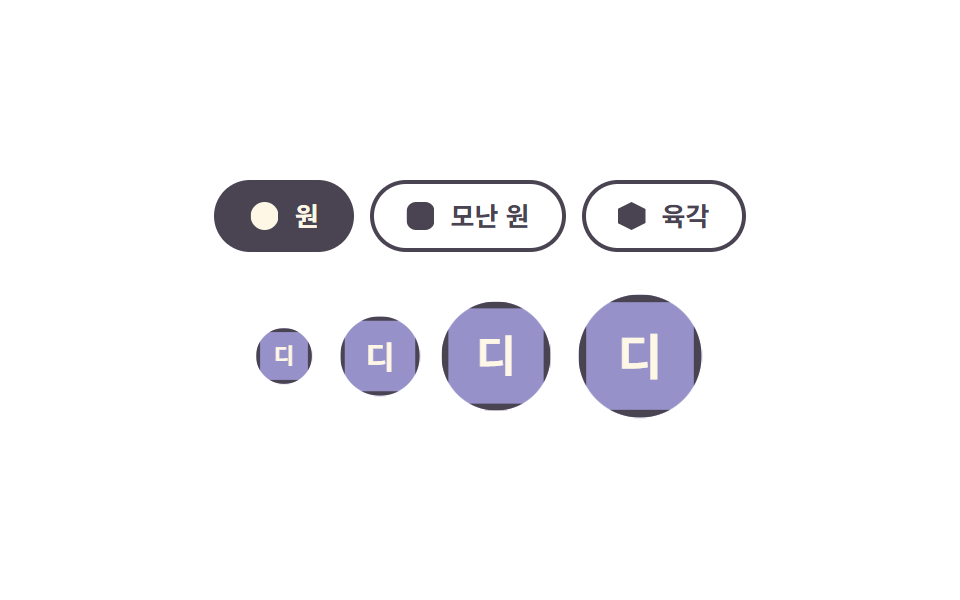
<main class="stage">
  <section class="as is-demo" data-shape="circle" aria-label="Avatar shape and size">
    <div class="as__shapes" role="group" aria-label="Choose a shape">
      <button class="as__shape-btn" type="button" data-shape-btn="circle" aria-pressed="true">
        <span class="as__swatch as__swatch--circle" aria-hidden="true"></span>Circle
      </button>
      <button class="as__shape-btn" type="button" data-shape-btn="squircle" aria-pressed="false">
        <span class="as__swatch as__swatch--squircle" aria-hidden="true"></span>Squircle
      </button>
      <button class="as__shape-btn" type="button" data-shape-btn="hex" aria-pressed="false">
        <span class="as__swatch as__swatch--hex" aria-hidden="true"></span>Hexagon
      </button>
    </div>

    <div class="as__row">
      <span class="as__slot" style="--size: 28px; --pop-delay: 0ms"><span class="as__av" data-name="Designer" aria-hidden="true"></span></span>
      <span class="as__slot" style="--size: 36px; --pop-delay: 120ms"><span class="as__av" data-name="Designer" aria-hidden="true"></span></span>
      <span class="as__slot" style="--size: 48px; --pop-delay: 240ms"><span class="as__av" data-name="Designer" aria-hidden="true"></span></span>
      <span class="as__slot" style="--size: 64px; --pop-delay: 360ms"><span class="as__av" data-name="Designer" aria-hidden="true"></span></span>
    </div>
  </section>
</main>
@use "../../../../site/static/demo-tokens" as *;
// 279 아바타 팔레트 — 이니셜 글자는 언제나 $subject-cream. 괄호 안은 크림 글자 기준 실측 대비비
$av-blue: #7c90be; // 5.29:1
$av-violet: #9791c9; // 5.76:1
$av-teal: #479082; // 5.79:1
$av-plum: #ab5488; // 6.52:1
$av-brick: $error; // 오류 토큰 — 5.13:1. 리터럴 금지 (BD10)
$av-slate: #3b4a63; // 8.40:1
$av-mist: #b6b0c0; // 잉크 무대 보조 글자 8.65:1
$av-deep: #4a4452; // 옐로 무대 보조 글자 6.49:1 · 페이퍼 무대 9.38:1
// ── 변수 3개 ──────────────────────────────────────────
$duration: $dur-loop; // 모양 컷·팝 한 바퀴
$easing: $ease-pop; // 팝이 탄성처럼 튀어오른다
$color: $av-violet; // 아바타 면 색
@include stage($stage-paper);
.as {
display: grid;
justify-items: center;
gap: $sp-5;
width: min(360px, 90vw);
}
// 모양 고르는 칩들
.as__shapes { display: flex; gap: $sp-2; }
.as__shape-btn {
display: inline-flex;
align-items: center;
gap: $sp-2;
margin: 0;
padding: $sp-2 $sp-4;
border: 2px solid $av-deep;
border-radius: $r-pill;
background: transparent;
color: $av-deep;
font-family: inherit;
font-weight: 600;
font-size: 13px;
line-height: 1.2;
cursor: pointer;
transition: background-color $dur-quick $ease-spring, color $dur-quick $ease-spring;
}
.as__shape-btn:hover { background: rgba(74, 68, 82, .08); }
.as__shape-btn:focus-visible { outline: 2px solid $color; outline-offset: 3px; }
.as__shape-btn[aria-pressed="true"] {
background: $av-deep;
color: $subject-cream;
}
// 칩 안 작은 모양 견본 — 실제 아바타와 같은 clip-path 값으로 미리 보여 준다
.as__swatch {
width: 14px;
height: 14px;
background: currentColor;
}
.as__swatch--circle { clip-path: circle(50%); }
.as__swatch--squircle { clip-path: inset(0 round 34%); }
.as__swatch--hex { clip-path: polygon(50% 0, 100% 25%, 100% 75%, 50% 100%, 0 75%, 0 25%); }
// 네 크기 아바타 — --size 하나로 글자 크기·테두리 두께가 비율로 따라간다
.as__row {
display: flex;
align-items: center;
gap: $sp-4;
}
.as__slot { display: block; width: var(--size); }
.as__av {
box-sizing: border-box;
display: grid;
place-items: center;
width: var(--size);
aspect-ratio: 1;
background: $color;
color: $subject-cream;
font-weight: 700;
font-size: calc(var(--size) * .4);
line-height: 1;
border: calc(var(--size) / 14) solid $av-deep;
}
// 정적 모양 — 루프가 없어도 data-shape 대로 그대로 보인다 (.is-demo 를 뗀 화면이 비면 안 된다)
.as[data-shape="circle"] .as__av { clip-path: circle(50%); }
.as[data-shape="squircle"] .as__av { clip-path: inset(0 round 34%); }
.as[data-shape="hex"] .as__av { clip-path: polygon(50% 0, 100% 25%, 100% 75%, 50% 100%, 0 75%, 0 25%); }
// ── 격자 미리보기 루프 ────────────────────────────────
// 아바타는 scale 로 시차 팝(투명도 아님 — 팝은 크기로만 보여 준다).
// 모양은 한 바퀴를 세 구간으로 나눠 컷 전환하는데, 세 clip-path 값이 서로 다른 함수
// (circle / inset / polygon)라 보간되지 않으니 steps(1, end) 로 한 프레임에 점프시키는 것이 맞다.
// animation 단축은 delay 를 0 으로 리셋하므로 낱개 속성으로만 쓴다
.as.is-demo .as__slot {
animation-name: asPop;
animation-duration: $duration;
animation-timing-function: $easing;
animation-iteration-count: infinite;
animation-delay: var(--pop-delay, 0ms);
animation-fill-mode: backwards;
}
.as.is-demo .as__av {
animation-name: asShape;
animation-duration: $duration;
animation-timing-function: steps(1, end);
animation-iteration-count: infinite;
}
@keyframes asPop {
0% { scale: .4; }
16% { scale: 1.1; }
28% { scale: 1; }
100% { scale: 1; }
}
// 컷 타이밍: 0% 원 → 34% 모난 원 → 67% 육각 → 88% 원 복귀 (루프 복귀는 90% 안에)
@keyframes asShape {
0% { clip-path: circle(50%); }
34% { clip-path: inset(0 round 34%); }
67% { clip-path: polygon(50% 0, 100% 25%, 100% 75%, 50% 100%, 0 75%, 0 25%); }
88%, 100% { clip-path: circle(50%); }
}
// 좁은 화면 — 여백·글자만 줄인다. 값을 올리지 않는다
@media (max-width: 340px), (max-height: 220px) {
.as { gap: $sp-3; }
.as__row { gap: $sp-2; }
.as__shape-btn { padding: $sp-1 $sp-3; font-size: 12px; }
.as__swatch { width: 12px; height: 12px; }
}
@media (prefers-reduced-motion: reduce) {
// .as.is-demo .as__slot (0,3,0) 를 이기려면 !important. 움직임만 끄고 모양·글자는 남긴다
.as__slot { animation: none !important; }
.as__av { animation: none !important; }
.as__shape-btn { transition: none !important; }
}html, body {
margin: 0;
overflow: hidden;
}
.stage {
box-sizing: border-box;
min-height: 100vh;
display: grid;
place-items: center;
margin: 0;
background: #ffffff;
font-family: -apple-system, "Segoe UI", "Noto Sans KR", sans-serif;
padding: clamp(8px, 4vw, 24px);
}
.as {
display: grid;
justify-items: center;
gap: 20px;
width: min(360px, 90vw);
}
.as__shapes {
display: flex;
gap: 8px;
}
.as__shape-btn {
display: inline-flex;
align-items: center;
gap: 8px;
margin: 0;
padding: 8px 16px;
border: 2px solid #4a4452;
border-radius: 999px;
background: transparent;
color: #4a4452;
font-family: inherit;
font-weight: 600;
font-size: 13px;
line-height: 1.2;
cursor: pointer;
transition: background-color 220ms cubic-bezier(0.2, 0.8, 0.2, 1), color 220ms cubic-bezier(0.2, 0.8, 0.2, 1);
}
.as__shape-btn:hover {
background: rgba(74, 68, 82, 0.08);
}
.as__shape-btn:focus-visible {
outline: 2px solid #9791c9;
outline-offset: 3px;
}
.as__shape-btn[aria-pressed=true] {
background: #4a4452;
color: #fff7e6;
}
.as__swatch {
width: 14px;
height: 14px;
background: currentColor;
}
.as__swatch--circle {
clip-path: circle(50%);
}
.as__swatch--squircle {
clip-path: inset(0 round 34%);
}
.as__swatch--hex {
clip-path: polygon(50% 0, 100% 25%, 100% 75%, 50% 100%, 0 75%, 0 25%);
}
.as__row {
display: flex;
align-items: center;
gap: 16px;
}
.as__slot {
display: block;
width: var(--size);
}
.as__av {
box-sizing: border-box;
display: grid;
place-items: center;
width: var(--size);
aspect-ratio: 1;
background: #9791c9;
color: #fff7e6;
font-weight: 700;
font-size: calc(var(--size) * 0.4);
line-height: 1;
border: calc(var(--size) / 14) solid #4a4452;
}
.as[data-shape=circle] .as__av {
clip-path: circle(50%);
}
.as[data-shape=squircle] .as__av {
clip-path: inset(0 round 34%);
}
.as[data-shape=hex] .as__av {
clip-path: polygon(50% 0, 100% 25%, 100% 75%, 50% 100%, 0 75%, 0 25%);
}
.as.is-demo .as__slot {
animation-name: asPop;
animation-duration: 2s;
animation-timing-function: cubic-bezier(0.2, 1.4, 0.4, 1);
animation-iteration-count: infinite;
animation-delay: var(--pop-delay, 0ms);
animation-fill-mode: backwards;
}
.as.is-demo .as__av {
animation-name: asShape;
animation-duration: 2s;
animation-timing-function: steps(1, end);
animation-iteration-count: infinite;
}
@keyframes asPop {
0% {
scale: 0.4;
}
16% {
scale: 1.1;
}
28% {
scale: 1;
}
100% {
scale: 1;
}
}
@keyframes asShape {
0% {
clip-path: circle(50%);
}
34% {
clip-path: inset(0 round 34%);
}
67% {
clip-path: polygon(50% 0, 100% 25%, 100% 75%, 50% 100%, 0 75%, 0 25%);
}
88%, 100% {
clip-path: circle(50%);
}
}
@media (max-width: 340px), (max-height: 220px) {
.as {
gap: 12px;
}
.as__row {
gap: 8px;
}
.as__shape-btn {
padding: 4px 12px;
font-size: 12px;
}
.as__swatch {
width: 12px;
height: 12px;
}
}
@media (prefers-reduced-motion: reduce) {
.as__slot {
animation: none !important;
}
.as__av {
animation: none !important;
}
.as__shape-btn {
transition: none !important;
}
}(function () {
var root = document.querySelector('.as');
// 이니셜은 표시 문자열에서 계산한다 — 하드코딩하지 않아야 en/ja 언어팩에서도 따라간다
function initialOf(name) {
var words = (name || '').trim().split(/\s+/);
if (/[A-Za-z]/.test(words[0].charAt(0))) {
return words.slice(0, 2).map(function (w) { return w.charAt(0).toUpperCase(); }).join('');
}
return words[0].charAt(0);
}
Array.prototype.forEach.call(root.querySelectorAll('.as__av'), function (av) {
av.textContent = initialOf(av.getAttribute('data-name'));
});
// 모양 버튼 — 뿌리의 data-shape 를 갈아 네 아바타가 전부 그 모양이 된다
var btns = root.querySelectorAll('[data-shape-btn]');
Array.prototype.forEach.call(btns, function (btn) {
btn.addEventListener('click', function () {
root.setAttribute('data-shape', btn.getAttribute('data-shape-btn'));
Array.prototype.forEach.call(btns, function (b) {
b.setAttribute('aria-pressed', b === btn ? 'true' : 'false');
});
});
});
// 사람이 손을 대면 미리보기 루프를 뗀다
function stopLoop() { root.classList.remove('is-demo'); }
root.addEventListener('pointerdown', stopLoop);
root.addEventListener('focusin', stopLoop);
})();import { useState } from "react";
import type { CSSProperties, ReactNode } from "react";
import styles from "./AvatarShapeSizeSet.module.scss";
export type AvatarShapeSizeSetProps = {
label?: string;
pickerLabel?: string;
name?: string;
shapeLabels?: { circle: string; squircle: string; hex: string };
sizes?: number[];
/** 모양 컷·팝 한 바퀴(ms) */
duration?: number;
easing?: string;
/** 아바타 면 색 */
color?: string;
};
type Vars = CSSProperties & {
"--size"?: string;
"--pop-delay"?: string;
"--duration"?: string;
"--easing"?: string;
"--color"?: string;
};
// 이니셜은 표시 문자열에서 계산한다 — 하드코딩하지 않아야 언어팩이 바뀌어도 따라간다
function initialOf(name: string): string {
const words = name.trim().split(/\s+/);
if (/[A-Za-z]/.test(words[0].charAt(0))) {
return words.slice(0, 2).map((w) => w.charAt(0).toUpperCase()).join("");
}
return words[0].charAt(0);
}
function swatchClass(key: string): string {
if (key === "squircle") return styles.swatchSquircle;
if (key === "hex") return styles.swatchHex;
return styles.swatchCircle;
}
export default function AvatarShapeSizeSet({
label = "아바타 모양과 크기",
pickerLabel = "모양 고르기",
name = "디자이너",
shapeLabels = { circle: "원", squircle: "모난 원", hex: "육각" },
sizes = [28, 36, 48, 64],
duration = 2000,
easing = "cubic-bezier(.2, 1.4, .4, 1)",
color = "#5b4bd6",
}: AvatarShapeSizeSetProps): ReactNode {
const [loop, setLoop] = useState<boolean>(true);
const [shape, setShape] = useState<string>("circle");
const initial = initialOf(name);
const vars: Vars = { "--duration": `${duration}ms`, "--easing": easing, "--color": color };
const shapes = [
{ key: "circle", text: shapeLabels.circle },
{ key: "squircle", text: shapeLabels.squircle },
{ key: "hex", text: shapeLabels.hex },
];
return (
<section
className={loop ? `${styles.as} ${styles.isDemo}` : styles.as}
data-shape={shape}
style={vars}
aria-label={label}
onPointerDown={() => setLoop(false)}
onFocus={() => setLoop(false)}
>
<div className={styles.shapes} role="group" aria-label={pickerLabel}>
{shapes.map((s) => (
<button
key={s.key}
className={styles.shapeBtn}
type="button"
aria-pressed={shape === s.key ? "true" : "false"}
onClick={() => setShape(s.key)}
>
<span className={`${styles.swatch} ${swatchClass(s.key)}`} aria-hidden="true" />
{s.text}
</button>
))}
</div>
<div className={styles.row}>
{sizes.map((size, i) => (
<span
key={size}
className={styles.slot}
style={{ "--size": `${size}px`, "--pop-delay": `${i * 120}ms` } as Vars}
>
<span className={styles.av} aria-hidden="true">{initial}</span>
</span>
))}
</div>
</section>
);
}04 Shape and size set — Measured area 6.111% · moving frames 14/23Original by GODRICH · SCSS and React ship in the zip · Avatar UI Design: 9 Parts, No Image Files
The post this demo lives in
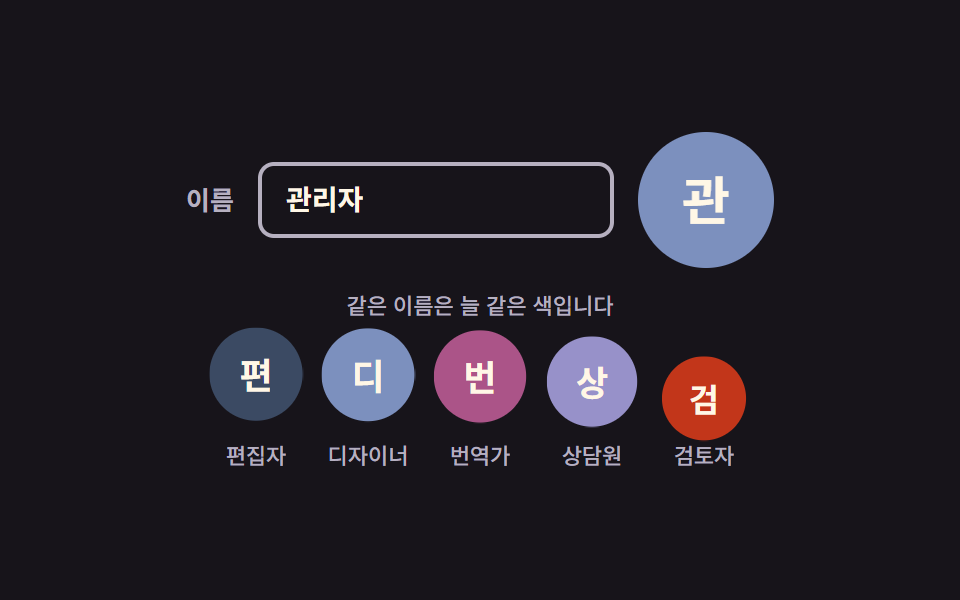 Avatar UI Design: 9 Parts, No Image FilesAvatar UI design is how one small circle makes a person recognizable. The nine parts draw it from a name alone — color, See all demos in this post
If you like this effect - similar demos
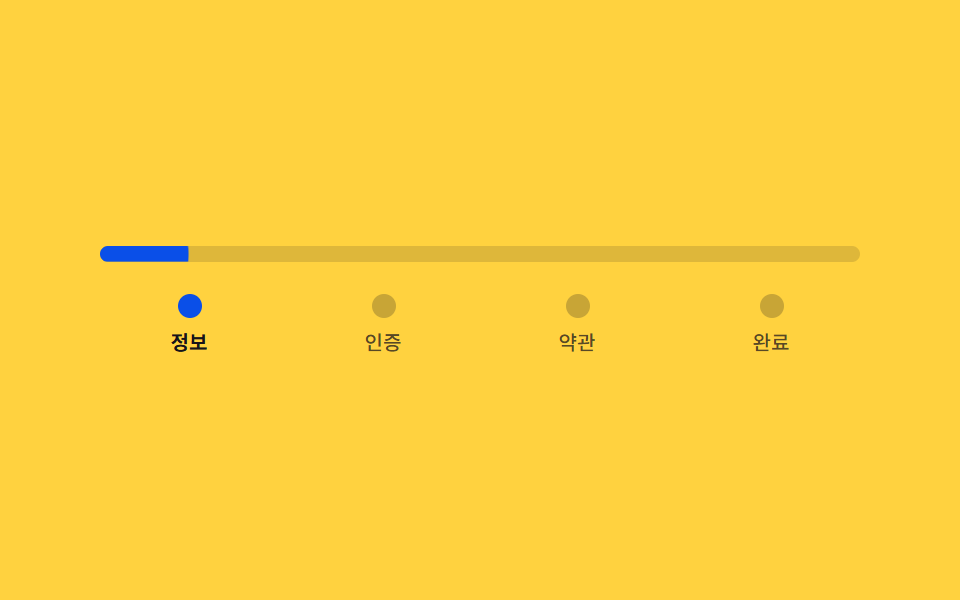 Auth UI02 Signup steps — a stepped form that divides its own progress ratio to set bar length and color9 Login UI Design Patterns (Copy-Paste)
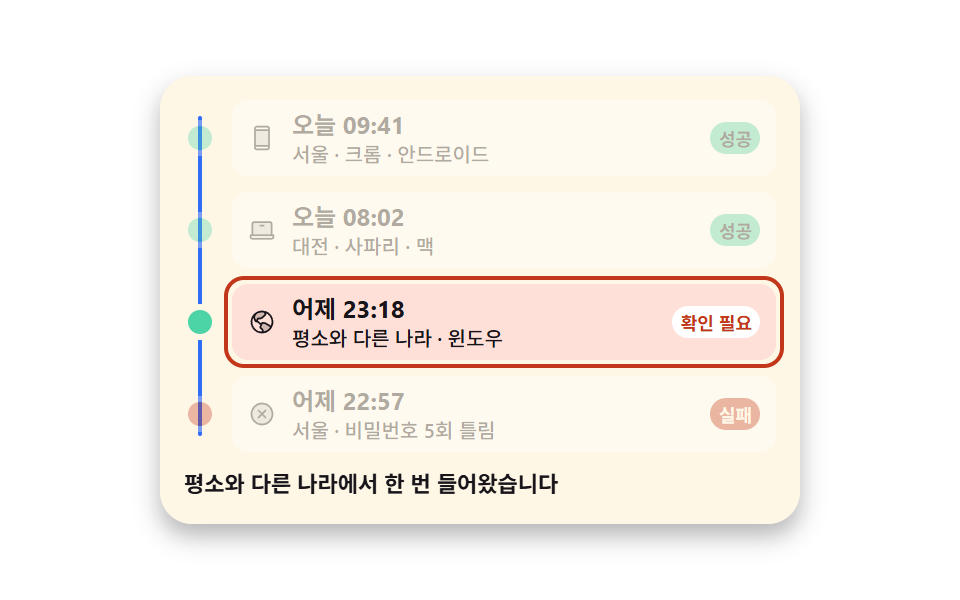 Auth UI08 Login history holding successes and failures together9 account security settings UI patterns
 Auth UI01 Remaining-tries shake — the remaining-tries value drops and the number shakes briefly each time login failsToo Many Failed Login Attempts: 9 Patterns