04Book open effect
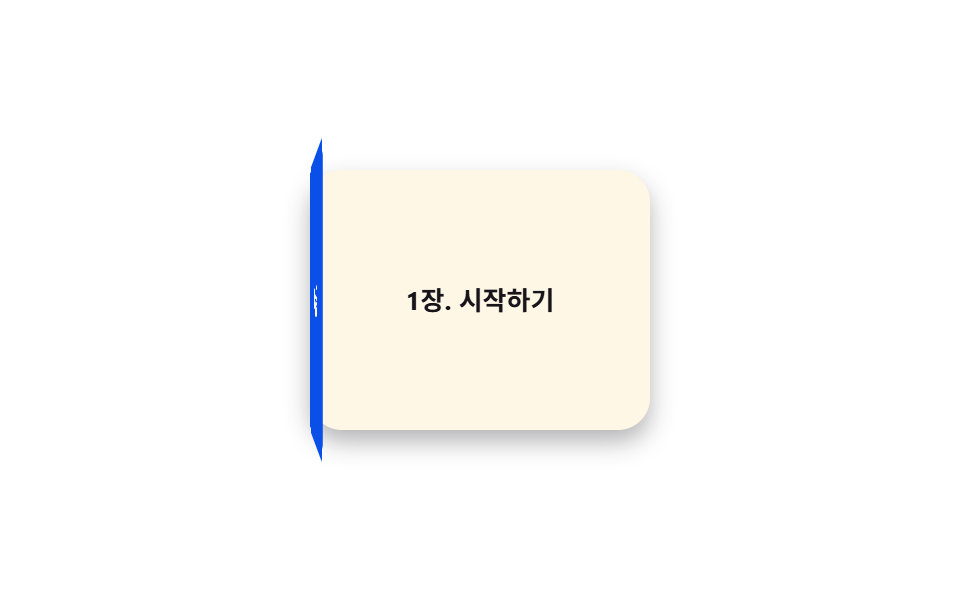
The cover swings open -150deg around its left edge to reveal the page underneath. Unlike the flip card in post 006, which spins the whole card 180deg around its center, only one edge acts as a hinge here and it never fully flips.
Best forOnboarding guide books, catalog cover reveals
transform-origin: leftbackface-visibility경첩 회전
<main class="stage">
  <div class="book">
    <div class="book__page">Ch.1 Getting started</div>
    <div class="book__cover is-demo">
      <div class="book__face book__face--front">Manual</div>
      <div class="book__face book__face--back"></div>
    </div>
  </div>
</main>
@use "../../../../site/static/demo-tokens" as *;
// ── 변수 3개 ──────────────────────────────
$duration: $dur-enter; // 표지가 열리는 시간
$easing: $ease-spring;
$color: $subject-blue-deep; // 표지 색 (크림 글자가 얹히므로 진한 파랑)
@include stage($stage-paper);
.book {
position: relative;
width: 170px;
height: 130px;
perspective: 800px;
}
.book__page {
position: absolute;
inset: 0;
display: grid;
place-items: center;
border-radius: $r-card;
background: $subject-cream;
color: $subject-ink;
font-weight: 700;
font-size: 13px;
line-height: 1.3;
font-family: inherit;
box-shadow: $shadow-press;
}
// 표지는 왼쪽 모서리를 축으로 돈다 — 카드 전체를 뒤집는 006 의 flip 과 달리 한쪽 변만 경첩이다
.book__cover {
position: absolute;
inset: 0;
transform-style: preserve-3d;
transform-origin: left center; // 규칙8: 왼쪽 변 경첩
animation: open $dur-loop $easing infinite;
}
.book__face {
position: absolute;
inset: 0;
display: grid;
place-items: center;
border-radius: $r-card;
font-weight: 700;
font-size: 15px;
line-height: 1;
font-family: inherit;
color: $subject-cream;
backface-visibility: hidden; // 표지 안쪽 면이 앞면 글자와 겹쳐 비치지 않게
}
.book__face--front { background: $color; }
.book__face--back { background: darken($color, 14%); transform: rotateY(180deg); }
@keyframes open {
0%, 15% { transform: rotateY(0deg); }
55% { transform: rotateY(-150deg); }
85%, 100% { transform: rotateY(0deg); }
}
// ── 접근성: 움직임 줄이기 설정이면 펼친 상태로 고정 ────────────
@media (prefers-reduced-motion: reduce) {
.book__cover { animation: none; transform: rotateY(-150deg); }
}html, body {
margin: 0;
overflow: hidden;
}
.stage {
box-sizing: border-box;
min-height: 100vh;
display: grid;
place-items: center;
margin: 0;
background: #ffffff;
font-family: -apple-system, "Segoe UI", "Noto Sans KR", sans-serif;
padding: clamp(8px, 4vw, 24px);
}
.book {
position: relative;
width: 170px;
height: 130px;
perspective: 800px;
}
.book__page {
position: absolute;
inset: 0;
display: grid;
place-items: center;
border-radius: 16px;
background: #fff7e6;
color: #17141a;
font-weight: 700;
font-size: 13px;
line-height: 1.3;
font-family: inherit;
box-shadow: 0 6px 12px rgba(23, 20, 26, 0.32);
}
.book__cover {
position: absolute;
inset: 0;
transform-style: preserve-3d;
transform-origin: left center;
animation: open 2s cubic-bezier(0.2, 0.8, 0.2, 1) infinite;
}
.book__face {
position: absolute;
inset: 0;
display: grid;
place-items: center;
border-radius: 16px;
font-weight: 700;
font-size: 15px;
line-height: 1;
font-family: inherit;
color: #fff7e6;
backface-visibility: hidden;
}
.book__face--front {
background: #0a4fe8;
}
.book__face--back {
background: rgb(2.7645438341%, 21.8398962891%, 64.1374169503%);
transform: rotateY(180deg);
}
@keyframes open {
0%, 15% {
transform: rotateY(0deg);
}
55% {
transform: rotateY(-150deg);
}
85%, 100% {
transform: rotateY(0deg);
}
}
@media (prefers-reduced-motion: reduce) {
.book__cover {
animation: none;
transform: rotateY(-150deg);
}
}import type { CSSProperties } from "react";
import styles from "./BookOpen.module.scss";
export type BookOpenProps = {
duration?: number;
easing?: string;
/** 표지 색 */
color?: string;
cover?: string;
page?: string;
};
type Vars = CSSProperties & { "--duration"?: string; "--easing"?: string; "--color"?: string };
export default function BookOpen({
duration = 600,
easing = "cubic-bezier(.2,.8,.2,1)",
color = "#0a4fe8",
cover = "매뉴얼",
page = "1장. 시작하기",
}: BookOpenProps) {
const vars: Vars = { "--duration": `${duration}ms`, "--easing": easing, "--color": color };
return (
<div className={styles.book} style={vars}>
<div className={styles.page}>{page}</div>
<div className={styles.cover}>
<div className={`${styles.face} ${styles.front}`}>{cover}</div>
<div className={`${styles.face} ${styles.back}`} />
</div>
</div>
);
}04 Book open effect — Measured area 32.419% · moving frames 17/23Original by GODRICH · SCSS and React ship in the zip · 9 CSS 3D Cube Effects — One Line, Copy-Paste
The post this demo lives in
 9 CSS 3D Cube Effects — One Line, Copy-PasteA css 3d cube spins its four labeled faces inside a perspective wrapper — one of nine such effects below, each one line, See all demos in this post